

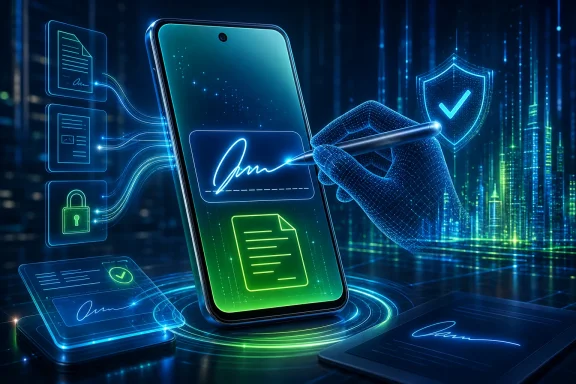
Google Puts the Signature Where the User Already Lives
The old Android way of signing a document was less a workflow than a scavenger hunt. You opened a PDF in whatever app happened to claim the file association, hoped annotation tools existed, drew a wobbly mark with a finger, saved a duplicate, and then prayed the receiving app accepted the result. If that failed, you downloaded a third-party PDF editor, granted it storage access, and added yet another account to the pile.
Google’s new Signatures app is not revolutionary in the way AI assistants or foldable multitasking are marketed as revolutionary. It is more useful than that. A native signature tool addresses one of the small but recurring indignities of mobile computing: the moment when a phone is powerful enough to be your office, but the software still assumes serious documents belong on a desktop.
Early reports describe the app as a system component with the package name com.google.android.signature, surfaced on devices with the June 2026 Play system update. It reportedly supports Android 12 and newer, which suggests Google is not treating this as an Android 17-only showcase. That matters because Android’s real installed base lives across several major releases, not just on the latest Pixel.
The feature is also arriving in the Google Play system update channel, not as a traditional full operating system upgrade. That is the modern Android playbook: ship infrastructure through modular components, reach more devices faster, and avoid waiting for every manufacturer and carrier to bless a firmware image. For users, that feels like magic. For administrators, it can feel like change management being quietly relocated from the OS build to Google’s service layer.
A Small App Exposes Android’s Bigger Identity Ambition
A stored handwritten signature is not the same thing as a cryptographic digital signature. That distinction is important, because the phrase “digital signature” has a formal meaning in security and legal contexts: a mathematically verifiable proof tied to a certificate or private key. What Google appears to be rolling out is closer to a reusable signature asset that can be inserted into documents and forms.
That does not make it trivial. In ordinary business life, signatures still operate as a ritual of intent even when they are technically weak. People sign rental agreements, school forms, medical releases, delivery confirmations, onboarding documents, HR forms, and sales paperwork with a mark that often proves less than the surrounding audit trail.
The phone has already absorbed much of that surrounding audit trail. It knows who unlocked it, which account is active, whether biometrics were used, which app requested the action, and when the document moved. Once a signature becomes a native Android object rather than a doodle pasted into a PDF app, Google can eventually connect it to stronger controls.
That is the strategic subtext. Google is not merely helping people scribble on PDFs. It is positioning Android as the place where personal credentials, passkeys, wallet items, identity checks, and now signatures can be stored and invoked with system mediation. The signature itself may be simple; the platform around it is not.
The iPhone Comparison Is Unavoidable, and Unflattering
Apple has long benefited from making these little workflows feel obvious. On iPhone and iPad, Markup has trained users to expect that signing a PDF should be a first-party action, not a trip through the app store. Apple’s advantage has not always been deeper capability; it has often been fewer seams.
Android’s seams are visible because Android is an ecosystem rather than a single product. A Pixel, a Samsung Galaxy, a Motorola, and an enterprise rugged device may all run Android, but they do not always present the same document tools, file pickers, or app defaults. That flexibility is part of Android’s appeal, but it also leaves everyday workflows at the mercy of vendor overlays and third-party utilities.
Google’s Signatures app is an attempt to erase one of those seams. If it works broadly, a user should not have to know whether their PDF viewer, banking app, HR portal, or identity verification flow has built a custom signature feature. Android itself can offer the primitive.
The caveat is that “rolling out” does not mean “available everywhere today.” Google’s system update channels are staggered, OEM behavior varies, and some features appear first in hidden activities before they are exposed with polished launch surfaces. Android users have learned to read rollout news with a certain fatalism: the feature exists, but your phone may not admit it yet.
The Quiet Rollout Is the Message
Google did not need a keynote for this. That is telling. The most consequential Android changes increasingly arrive as background infrastructure rather than theatrical platform announcements.
Play services, Play system updates, Play Protect, Google Wallet, Password Manager, passkey sync, contact key verification, and developer verification all point in the same direction. Google is moving important parts of Android’s security and identity model into updateable, Google-controlled components. This is partly a response to fragmentation, partly a security strategy, and partly an ecosystem power move.
The Signatures app fits neatly into that architecture. It is not just another app icon. It is a shared capability other apps can potentially call into, allowing Google to standardize a behavior that would otherwise be implemented inconsistently across hundreds of document, banking, insurance, and workplace apps.
That is good engineering, but it also tightens the center of gravity around Google. Android remains open in the sense that the Android Open Source Project exists, OEMs customize it, and alternative app stores persist. But the Android most people use — the one on certified devices with Google apps — is increasingly defined by Google-controlled services that sit above the base operating system.
For WindowsForum readers, the parallel is familiar. Microsoft spent years moving Windows functionality out of monolithic OS releases and into Store apps, servicing stack updates, Edge components, Defender intelligence updates, and Microsoft 365-connected experiences. The upside is velocity. The downside is that the boundary between “my operating system” and “the vendor’s continuously managed service” gets harder to see.
Convenience Always Arrives Before Governance
The first user reaction to a native signature feature will probably be relief. No one enjoys installing a sketchy PDF editor just to sign a gym waiver or a contractor form. A built-in tool reduces friction, cuts down on questionable app permissions, and makes Android feel more complete.
But convenience has a way of outrunning governance. A stored signature is sensitive, even if it is not a cryptographic credential. If someone can unlock the phone, invoke the signature, and place it into a document, the user’s intent may become ambiguous. That is especially true in households where devices are shared, in small businesses where phones double as work terminals, or in field environments where multiple people handle the same device.
Google will need to make the access model clear. Does inserting a saved signature require biometric confirmation? Can users create multiple signatures? Can enterprise policy disable the feature? Is signature data backed up, synced, encrypted locally, or tied to the device? Reports so far show the existence of the app, not the full administrative story.
Those questions are not nitpicking. They are the difference between a useful document tool and a compliance headache. In regulated environments, even a simple e-signature workflow can implicate retention rules, audit trails, consent records, and identity verification. A signature without context is just an image; a signature with policy becomes a business process.
The Enterprise Problem Is Not the Signature, It Is the Shadow Workflow
Most organizations already have sanctioned e-signature platforms. They use DocuSign, Adobe Acrobat Sign, Dropbox Sign, Microsoft-integrated approval flows, vertical industry tools, or custom portals. Those systems are not just about placing a name on a line. They exist to record who signed, what they saw, how they authenticated, and whether the document changed afterward.
A native Android signature tool could either complement that world or muddy it. If business apps call the system signature picker as part of a controlled flow, the experience may improve without weakening governance. If employees use it to bypass formal signing platforms — exporting documents, signing locally, and emailing copies around — IT departments will see the same old shadow IT problem in a cleaner wrapper.
This is where mobile device management becomes relevant. Enterprises will want to know whether Android Enterprise exposes controls for the Signatures app, whether the app can be blocked in work profiles, whether data can cross from personal to work contexts, and whether managed apps can restrict insertion of stored signatures. Until that policy surface is documented, administrators should treat the rollout as a consumer convenience with enterprise implications.
The risk is not that Google is maliciously sneaking signatures into Android. The risk is that useful features become unofficial workflows faster than policy teams can react. Every help desk has seen this movie: users find the path of least resistance, and only later does the organization discover that the path bypassed the approved system of record.
Security Depends on the Boundary Around the Mark
A handwritten signature has never been a particularly strong security mechanism. It is easy to copy, easy to photograph, easy to forge, and often validated only by human habit. In that sense, storing one on a phone does not create the weakness; it digitizes a weakness that already exists.
The security opportunity is to wrap that weak symbol in stronger signals. Android can require device unlock, biometric confirmation, app identity, and perhaps future links to passkeys or verified credentials. A signature inserted after a fingerprint prompt inside a managed app is not the same risk as a transparent PNG dragged out of a downloads folder.
That is why implementation details matter. If the Signatures app merely stores an image that any app can request, it is a convenience feature with predictable abuse cases. If it behaves like a mediated system service with user confirmation and scoped access, it can become a safer alternative to the mess of third-party tools users rely on today.
Google’s recent Android direction suggests the company understands the value of mediation. Play Protect has become more assertive, developer verification is expanding, passkeys are being normalized, and identity-related features are being brought closer to the OS. The Signatures app may be small, but it belongs to that broader trend: Android is trying to know not just what app is running, but whether the person using it can be trusted to take an action.
Developers Get a New Primitive, but Also a New Dependency
For developers, the appeal is obvious. If Android provides a standard way to capture, store, manage, and insert signatures, apps can stop building their own clumsy signature pads. That saves time and may produce a more consistent user experience.
The trade-off is dependency. Developers who integrate with a Google-provided system component have to account for version availability, OEM rollout timing, feature flags, and fallback paths. Supporting Android 12 and newer is broad on paper, but “the API exists” and “the user can successfully invoke it on this device” are not always the same thing in Android development.
There is also a product question. Some document and form apps treat signature capture as a value-added feature. If Android makes basic signature insertion free and native, third-party apps will need to justify themselves with workflow, compliance, collaboration, templates, audit trails, and enterprise controls. The commodity part of the feature may be absorbed by the platform.
That is not unusual. Operating systems routinely swallow once-profitable utility categories. Screenshots, password managers, PDF viewing, QR scanning, translation, backup, file sharing, and device finding all moved toward the platform layer over time. Signature insertion is simply the latest small utility to discover that once a task becomes common enough, the OS vendor starts looking at it as infrastructure.
The Privacy Pitch Will Need More Than “It’s On Your Phone”
The obvious privacy-friendly framing is that the signature lives on the device. That sounds reassuring, and it may be true in the most important sense. Local storage is better than uploading a signature image to a random PDF app with unclear data practices.
But “on your phone” is not a complete privacy model. Users deserve to know whether signatures are included in device backups, whether they sync across Android devices, whether Google accounts are involved, and how deletion works. They also deserve to know whether apps receive a reusable image, a one-time rendered insertion, or some more constrained object.
The history of mobile permissions teaches a simple lesson: users do not reason well about abstract data flows. They understand prompts, locks, toggles, and visible settings. If Google wants Signatures to be trusted, it should make management obvious, deletion simple, and access confirmation explicit.
The best version of this feature would feel boring. Open document, choose signature, authenticate, insert, finish. The settings would clearly show stored signatures and allow immediate removal. Apps would not get background access. Work profiles would remain separated. That is the boring version, and boring is what identity-adjacent tools should aspire to be.
Android’s Paperwork Problem Was Always a Platform Problem
The deeper issue is that phones became primary computers before paperwork became truly mobile-native. Governments, schools, clinics, banks, landlords, insurers, and employers still generate documents designed around pages, initials, and signature lines. Users then encounter those documents on six-inch screens and are expected to behave as if they are sitting at a desk with a printer and scanner.
That gap created an entire layer of workaround culture. People screenshot forms, annotate images, paste signatures, email PDFs to themselves, use free trials of signing apps, or switch to a laptop for the final step. Every workaround creates friction, and friction often creates unsafe behavior.
Google’s move acknowledges that Android cannot claim to be a full productivity platform while leaving signature capture to chance. The modern smartphone is not just a communication device; it is a scanner, wallet, authenticator, keychain, payment card, camera, notary-adjacent witness, and emergency office. Signing documents is not an edge case in that world. It is table stakes.
This is also why the feature matters beyond Android enthusiasts. Windows users increasingly live in mixed-device workflows: a PDF arrives in Outlook on a PC, gets opened on a phone, signed during a commute, and lands in a Teams chat or cloud folder. The boundary between desktop productivity and mobile identity is dissolving, and native signature support makes that dissolution smoother.
Microsoft Should Be Paying Attention
Windows has its own long history with pen input, signatures, PDFs, and document workflows. Surface devices made digital ink a first-class Microsoft story years before most phone vendors took stylus workflows seriously. Edge can open PDFs, OneNote can absorb ink, and Microsoft 365 has deep document collaboration tools.
Yet the center of gravity for everyday identity tasks has shifted toward the phone. The device in your pocket is where passkeys live, where banking apps verify you, where work authenticator prompts appear, where wallets store IDs, and where cameras scan paperwork. A Windows PC may still be where documents are authored, but the phone increasingly decides whether an action is authorized.
That should influence how Microsoft thinks about cross-device integration. Phone Link is useful, but the next stage of Windows-mobile convergence is not just mirroring notifications or moving photos. It is allowing identity-bound actions to move cleanly between PC and phone without breaking trust.
Imagine opening a PDF on Windows, invoking a verified signature stored on Android, authenticating on the phone, and placing the signature into the desktop document with an audit trail intact. That is the kind of workflow users will expect as signatures, passkeys, IDs, and approvals become mobile-native. If Microsoft does not make that path elegant across Windows and Android, third-party vendors will.
Google’s Control Layer Keeps Getting Thicker
There is an unavoidable tension in Google’s current Android strategy. Many of the changes are defensible on security and usability grounds. Fewer malicious APKs, better app verification, easier passkey handling, safer identity workflows, and native tools for common tasks are all good outcomes for mainstream users.
At the same time, each improvement adds another layer of Google mediation. Apps are verified through Google processes. System behavior changes through Google Play components. Identity features increasingly depend on Google services. Even when the base OS remains open, the practical Android experience becomes more centralized.
The Signatures app is not the hill on which open Android will live or die. It is too modest for that. But it is a useful symbol of the larger trajectory: Google is standardizing the parts of Android that touch trust, identity, and user intent, because those are the parts where fragmentation hurts most and platform control matters most.
Users may not object if the result is safer and easier. Most people do not want to curate an ideological relationship with their operating system; they want to sign the form and move on. But enthusiasts and IT professionals should still notice the pattern. Convenience is often the public face of consolidation.
The Signature App Is Small; the Platform Shift Is Not
The practical read is straightforward, even if the strategic implications are bigger than the app itself. Google appears to be rolling Signatures out gradually through the June 2026 Play system update, with support reportedly extending to Android 12 and newer devices. Users should not be surprised if visibility varies by device, region, OEM build, or update state.
The immediate benefit is a cleaner path for signing forms without handing files to random third-party apps. The immediate uncertainty is how Google will handle authentication, storage, backup, enterprise policy, and app access. The long-term story is Android’s continued evolution from an app launcher into an identity and authorization platform.
The Fine Print IT Should Read Before Users Find the Button
This is one of those Android changes that looks consumer-friendly on day one and operationally relevant on day two. The safest assumption for administrators is that users will discover it before policy documents mention it. That does not make the feature dangerous, but it does make it worth tracking.
- Google’s Signatures app appears to be arriving through the June 2026 Google Play system update rather than a full Android firmware release.
- Reports indicate the app supports Android 12 and newer, which would make the potential reach much broader than the newest Pixel generation.
- The feature should reduce reliance on third-party PDF and document apps for basic signature insertion.
- A stored handwritten signature should not be confused with a cryptographic digital signature or a full e-signature audit system.
- Enterprises should wait for clear Android Enterprise and work-profile controls before treating the feature as approved for regulated workflows.
- The broader significance is that Google is moving another identity-adjacent action into a system-mediated Android component.
The smartest version of Google’s Signatures app will disappear into the workflow: a secure prompt, a stored mark, a signed document, and no reason to download a dubious utility ever again. But its arrival also marks another step toward a mobile platform where identity, intent, and authorization are brokered by the operating system vendor, not by the document in front of you. For Windows users, Android administrators, and anyone who still thinks of phones as companion devices, that is the real story: the paperwork may be shrinking, but the platform power behind it is growing.
References
- Google Is Rolling Out A New App That Stores Your Digital Signature On Your Phone - bgr.com bgr.com · Thu, 02 Jul 2026 23:17:00 GMT
- 9to5google.com 9to5google.com