

If you own a laptop or small‑form system with an AMD APU using the Radeon HD 6620G and you’ve been hunting for a reliable Windows 10 x64 driver path — possibly to pair with CRT Emudriver for authentic analog output on a CRT or arcade monitor — the short answer is: yes, workable drivers exist, and CRT Emudriver can support a surprisingly wide range of AMD APUs and discrete cards, but the process requires care, the right driver build, and acceptance of some security and compatibility trade‑offs.
The AMD Radeon HD 6620G is an integrated mobile GPU (Sumo, TeraScale 2) found in several older A‑series APUs. It was released in 2011 and is a capable integrated part for its generation — useful for basic desktop use, video playback and light gaming — but it is a legacy part in today’s terms. Technical specifications such as 400 shader cores, DirectX 11 support, and the Sumo GPU family listing are retained in GPU databases. Official driver support for the HD 6620G on Windows 10 exists in archived AMD packages and in Microsoft‑supplied drivers that Windows Update or the Microsoft Update Catalog can deliver. Typical legacy AMD driver families tied to this era are Catalyst / Crimson / Adrenalin builds with specific numbered releases in the 15.x–18.x families; community archives reference driver revisions such as 15.200 and 15.201 for Windows 10 x64. CRT Emudriver (sometimes styled CRT‑EmuDriver or CRT EmuDriver 2.0) is a community project that modifies AMD/ATI driver packages so the GPU exposes very low‑dotclock video modes and fine timing control, making true 15 kHz/31 kHz outputs possible on CRTs and professional video monitors. The project provides tools (VMMaker, Arcade OSD) to generate EDID/mode lists and install custom modelines; it supports many legacy Radeon families and a number of APUs — but support depends strictly on the driver package you choose and the GPU family.
If proceeding with CRT Emudriver and an HD 6620G, treat the process as a controlled experiment: test on a non‑critical machine (or ensure you have a solid recovery image), follow the INF/hardware ID matching rules, and use community‑recommended Emudriver builds that map to your GPU family. Emudriver unlocks unique and authentic CRT results, but it does so by operating at low levels of the display stack; that power carries responsibility — both to your hardware and to security posture. Conclusion: the hardware and software pieces are available for an HD 6620G on Windows 10 x64 to run with CRT Emudriver, but success depends on selecting the appropriate archived driver + Emudriver pairing, following a clean installation workflow (DDU → INF verification → manual install → VMMaker), and accepting the operational risks around unsigned/modified drivers. If security or stability is paramount, prefer OEM/Windows Update drivers or a modest hardware refresh; if authentic CRT output is the goal, prepare for a methodical, cautious installation and a bit of community‑driven troubleshooting.
Source: Born2Invest https://born2invest.com/?b=style-237089812/
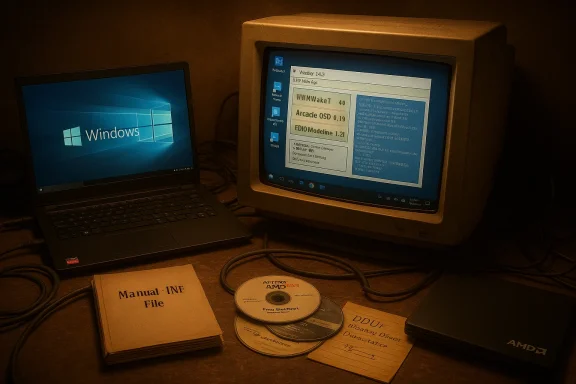 Background / Overview
The AMD Radeon HD 6620G is an integrated mobile GPU (Sumo, TeraScale 2) found in several older A‑series APUs. It was released in 2011 and is a capable integrated part for its generation — useful for basic desktop use, video playback and light gaming — but it is a legacy part in today’s terms. Technical specifications such as 400 shader cores, DirectX 11 support, and the Sumo GPU family listing are retained in GPU databases. Official driver support for the HD 6620G on Windows 10 exists in archived AMD packages and in Microsoft‑supplied drivers that Windows Update or the Microsoft Update Catalog can deliver. Typical legacy AMD driver families tied to this era are Catalyst / Crimson / Adrenalin builds with specific numbered releases in the 15.x–18.x families; community archives reference driver revisions such as 15.200 and 15.201 for Windows 10 x64. CRT Emudriver (sometimes styled CRT‑EmuDriver or CRT EmuDriver 2.0) is a community project that modifies AMD/ATI driver packages so the GPU exposes very low‑dotclock video modes and fine timing control, making true 15 kHz/31 kHz outputs possible on CRTs and professional video monitors. The project provides tools (VMMaker, Arcade OSD) to generate EDID/mode lists and install custom modelines; it supports many legacy Radeon families and a number of APUs — but support depends strictly on the driver package you choose and the GPU family. What you need to know about the Radeon HD 6620G and Windows 10 64‑bit
Hardware reality: what the HD 6620G is and isn’t
- The HD 6620G is a TeraScale 2 (Sumo) mobile IGP with a limited shader count and system‑shared memoryed for modern AAA gaming or advanced GPU acceleration present in contemporary hardware.
- As an integrated APU GPU, driver handling may differ from discrete cards: OEM vendor packages often contain laptop‑specific tweaks for power management, hotkeys, and hybrid‑graphics behavior. Prefer vendor drivers if you’re on a branded laptop.
Driver versions and availability
- Windows 10 x64 compatible driver builds for this GPU exist in AMD’s legacy branches and in archival driver indexes (example: 15.200, 15.201 family builds). Community driver mirrors and repositories list packages targeted at Windows downloaded package by checking signatures / checksums where possible.
- For safety and stability, the recommended hierarchy is: 1) OEM vendor package (if available), 2) Windows Update / Microsoft Update Catalog signed driver, 3) AMD archived package when you explicitly need features not present in the Microsoft driver (for example, older Catalyst/Adrenalin utilities or UVD bits).
CRT Emudriver and APUs: compatibility and caveats
Which driver families matter
- CRT Emudriver is distributed as modified AMD driver packages (Catalyst/Crimson/Adrenalin lineage). Some community builds use Catalyst 12.6 for older hardware, Crimson 16.2.1 for many HD 5000–7000 families, and Adrenalin 18.5.1/21.x families for certain GCN cards. The precise package you choose must explicitly support your GPU family to work reliably.
- APUs in the HD 6000G family are commonly listed among supported APU groups in community compatibility lists for CRT Emudriver. That makes the HD 6620G a candidate for Emudriver use — but the right Emudriver build must be used.
Real‑world community experience
- Users in retro/CRT communities report that Emudriver works for many AMD APUs and low‑end discrete cards, but the success rate depends on driver build, Windows version, and tools like VMMaker/Arcade OSD. Users frequently need to mix and match binaries — for example, installing Emudriver based on Adrenalin 18.5.1 and then copying newer Vulkan or DirectX runtime files from a later official AMD driver to restore modern API support. Community posts document these manual file merges as a pragmatic workaround.
Windows 10 vs Windows 11 vs older OSes
- Most CRT Emudriver guides center on Windows 7 and Windows 10. Windows 11 adds additional hurdles (kernel isolation, stricter driver signing) that can complicate Emudriver installation; some users activate test signing, disable kernel isolation, or use other workarounds — steps thatcations and are not recommended for critical systems. If you plan to run Emudriver, Windows 10 x64 generally offers the most straightforward path.
Step‑by‑step plan to get HD 6620G working on Windows 10 x64 with CRT workflow)
Follow these steps in sequence. These are conservative, community‑tested best practices — but they assume advanced user comfort with driver management and system recovery.Preparation — inventory and backup disk image** and a System Restore point before you start.
- Record the GPU Hardware ID: open Device Manager → Display adapters → device → Properties → Details → Hardware Ids. Save the PCI\VEN_1002&DEV_xxxx string. This is thr manual installs.
- Download and keep copies of:
- The OEM driver (if available).
- The Microsoft Update Catalog driver (if offered).
- The AMD archived driver package versions you intend to test (example: 15.200 / 15.201).
- The CRT Emudriver package (select the Emudriver build that maps to your GPU family) Uninstaller (DDU).
Step A — Try the safest option first
- Run Windows Update → Optional → Driver updates. If Microsoft provides a signed driver for HD 6620G that meets your needs, test with that first. It’s the lowest risk option.
Step B — OEM driver (preferred for laptops)
- If your system is a branded laptop, check the OEM support page first package. It will have vendor‑specific fixes for power, hybrid graphics, and hotkeys.
Step C — Clean the display stack (advanced: required before Emudriver installs)
- Boot to Safe Mode and run Display Driver Uninstaller (DDU) to remove residual AMD/ATI driver files and registry keys. DDU logs are helpful if you need to roll back. This step greatly reduces partial installs and strange conflicts.
Step D — Verify INF install)
- Extract the AMD archived package (7‑Zip will open the .exe). Open the Display.Driver*.inf and search for your recorded hardware ID. If the INF lists your VID/PID, a manual "Have Disk" install is possible. If it does not, do not edit the INF unless you know driver signing and test‑signing implications.
Step E — Install the driver (manual INF install if necessary)
- In Device Manager choose Update driver → Browse my computer → Let me pick → Have Disk → point to the extracted INF.
- Install only the display driver components (avoid optional runtimes if unsure).
- Reboot, validate basic desktop, multiple monitors, and video playback. If Windows Update tries to revert the install, temporarily pause updates while you validate.
Step F — Install CRT Emudriver
- Confirm you have the Emudriver package that explicitly matches your GPU family and the Windows version.
- Follow the Emudriver readme steps: install the modified driver package, then run VMMaker to create and apply the modeline list and the emulated EDID for your analog output.
- Use Arcade OSD for polarity and additional tweaks. Test with a sacrificial CRT/monitor first; analog outputs can show unexpected behavior until the modelines are tuned.
Step G — If you need Vulkan or newer DirectX runtime support
- Some Emudriver builds lack modern Vulkan/DX files. Community practice is to extract Vulkan/DirectX driveofficial AMD package and copy them into the Emudriver package before installation. This is a pragmatic but unsupported technique; it can solve emulator compatibility but raises signature and stability issues. Flag this as an advanced, risk‑tolerant step only.
Troubleshooting common failure modes and fixes
- Installer aborts with “This device is not supported”: The INF does not list your device’s VID/PID. Fix: use OEM or Microsoft drivers or find an Emudriver package that lists your hardware ID. Do not edit INFs unless you can re‑sign drivers and accept security risks.
- Device Manager shows “Microsoft Basic Display Adapter” after a Catalyst/Adrenalin install: This indicates a partial install; run DDU in Safe Mode and retry a clean manual INF install.
- VMMaker reports “No compatible driver found”: Try alternative Emudriver builds (beta 12/13/15 community packages are commonly tested) or re‑check that the Emudriver package matches the card family. Some users have success w slightly newer Emudriver/driver pairings.
- Vulkan or emulator compatibility issues: If you depend on Vulkan (for modern emulator backends), you may need to copy Vulkan/OpenGL runtime DLLs from a newer official AMD driver into the Emudriver package before installing — a community workaround that can restore functionality. Be aware this approach can trigger unsigned changes and TestSigning warnings. ([reddit.com](
Security, signing, and operational risks — what to accept upfront
- Driver signing and Secure Boot: Many archival AMD packages or modified Emudriver installers may lack modern driver signing metadata. Installing them can require temporarily disabling driver signature enoot — actions that reduce system security. For production systems or machines that handle sensitive work, avoid these steps.
- Kernel isolation / Windows 11 features: Windows 11 may prevent Emudriver or unsigned components from loading unless mitigations (testsigning, disable kernel isolation) are applied. These mitigations lower kernel integrity protections and should be used only on non‑critical devices.
- Stability and updates: Legacy drivers won’t receive ongoing security fixes or performance updates. You are depending on archived software and community patches. If this PC is critical for day‑to‑day productivity, plan a fallback (disk image and DDU rescue plan) or consider hardware refresh.
- Third‑party downloads: Avoid unverified driver repackagers or torrents. Prefer AMD official archives, OEM pages, Windows Update, or well‑known community hubs (discussion forums and vetted archives). Untrusted packages may include modified INFs or unsigned kernel modules.
Alternatives and mitigation strategies
If the Emudriver + HD 6620G route looks risky or impractical, consider these alternatives:- Use a discrete legacy AMD card that is known to be Emudriver‑friendly (many HD 5000–7000 and some R7/R9 cards are common choices). Discrete cards are often easier to match with a compatible Emudriver package.
- Use a san HDMI‑to‑VGA active converter or an external scaler that supports low dotclock modes — this can work but often doesn’t match native analog timing as cleanly as a true analog output.
- For retro arcade cabinets and emulation boxes, consider Linux‑based CRT scripts (Batocera CRT Script) or specialized retro OS images where community tooling may be maintained and updated more actively than Emudriver. Some maintainers recommend these as lower‑maintenance options for full‑time retro rigs.
- For an HD 6620G on Windows 10 x64, a driver path exists: start with Windows Update/OEM drivers for safety and only move to archived AMD/Catalyst packages if you need Emudriver features. The 15.200 / 15.201 family and carefully chosen Emudriver 2.0 beta builds are the common community choices for this generation.
- Use DDU to create a clean driver state before attempting Emudriver installs and always keep a tested rollback image. Community guidance emphasizes DDU as an essential step to avoid partial installs and driver collisions.
- Expect some manual tinkering: you may need to confirm the INF hardware ID, test different Emudriver beta builds, and — only if you accept the security trade‑offs — import Vulkan/DirectX runtime files from newer drivers to address emulator API compatibility. These are community‑proven techniques but are not officially supported by AMD.
- If security, Windows 11 enforcement, or production stability is a concern, the safest long‑term solution is modest hardware replacement: a low‑cost used discrete AMD card from the HD 7000 / R7 200 era or a small modern card used with an active converter/scaler gives much better, safer results than extended legacy driver surgery.
Quick checklist: before you begin (copyable)
- Backup: full disk image + Restore Point.
- Record: Device Manager → Hardware Ids (PCI\VEN_1002&DEV_xxxx).
- Download: OEM driver, Microsoft Update Catalog driver, AMD archived driver(s), CRT Emudriver package, DDU, VMMaker & Arcade OSD.
- Clean: Run DDU in Safe Mode.
- Verify: Ensure the extracted Display.Driver*.inf contains your hardware ID.
- Install: Manual INF install if required, then apply Emudriver and VMMaker.
- Test: Validate display, interlaced/progressive modes, emulator backends (OpenGL/Vulkan).
- Rollback plan: Keep an image to restore if the display stack fails.
If proceeding with CRT Emudriver and an HD 6620G, treat the process as a controlled experiment: test on a non‑critical machine (or ensure you have a solid recovery image), follow the INF/hardware ID matching rules, and use community‑recommended Emudriver builds that map to your GPU family. Emudriver unlocks unique and authentic CRT results, but it does so by operating at low levels of the display stack; that power carries responsibility — both to your hardware and to security posture. Conclusion: the hardware and software pieces are available for an HD 6620G on Windows 10 x64 to run with CRT Emudriver, but success depends on selecting the appropriate archived driver + Emudriver pairing, following a clean installation workflow (DDU → INF verification → manual install → VMMaker), and accepting the operational risks around unsigned/modified drivers. If security or stability is paramount, prefer OEM/Windows Update drivers or a modest hardware refresh; if authentic CRT output is the goal, prepare for a methodical, cautious installation and a bit of community‑driven troubleshooting.
Source: Born2Invest https://born2invest.com/?b=style-237089812/
