

Microsoft Edge is Windows 11’s default browser and PDF reader, but Paul Thurrott’s newly updated Windows 11 Field Guide entry argues that users should configure it defensively even if they never plan to browse with it. That is the uncomfortable truth at the center of Edge in 2026: Microsoft has built one of the best Chromium browsers on the market, then wrapped it in some of Windows’ least user-respecting defaults. The result is not a simple “Edge good” or “Edge bad” story. It is a case study in how a capable app becomes a policy problem when the operating system treats it less like software and more like infrastructure for Microsoft’s services business.
Thurrott’s piece, published as part of his Windows 11 Field Guide, is framed as a practical configuration guide, but its real force is editorial: Edge is too important to ignore and too pushy to leave alone. Microsoft’s own support pages present Edge as the natural default for Windows, with Copilot, PDF tools, sync, and shopping features as advantages. Microsoft’s Edge developer blog has also documented the browser’s Adobe-powered PDF transition, while Microsoft support describes Copilot in Edge as a browser-integrated assistant that can use page content, open tabs, history, and preferences to answer prompts. Those facts explain why Microsoft wants Edge everywhere. They also explain why many users want firmer boundaries.
The original sin of Edge is not that it exists. Quite the opposite: Microsoft needed a modern browser after the long decline of Internet Explorer and the false start of the first Edge engine. By moving to Chromium, Microsoft accepted the web’s practical center of gravity and produced a browser that could run the modern web without asking developers to care about yet another rendering engine.
That decision made Edge credible. It also made Edge dangerous in a different way. Once Microsoft had a browser that was good enough to recommend on its merits, the company gained the temptation to recommend it everywhere, wire it into everything, and treat resistance as friction to be engineered around.
On a clean Windows 11 install, Edge is not merely present. It is pinned, promoted, associated with web links, associated with PDFs, connected to the Microsoft account used to sign into Windows, and increasingly linked to Copilot. Thurrott’s criticism lands because it begins from that mundane reality: even a user who installs Firefox, Brave, Vivaldi, or Chrome is still living in an operating system that assumes Edge will remain part of the daily path.
The browser’s strengths are real. Edge has vertical tabs, profiles, workspaces, web app installation, a mature PDF viewer, Reading Mode, Read aloud, split screen, and tight Microsoft account sync. It is also one of the most enterprise-manageable consumer-facing browsers because Microsoft ships extensive policy controls through Edge for Business.
But that is only half the product. The other half is the service funnel: Bing search, Microsoft Start, Microsoft Shopping, Microsoft Rewards, Copilot, Microsoft 365, advertising personalization, data sync, account sign-in, and prompts that steer users toward the Microsoft version of the web. Edge is not just a browser window. It is Microsoft’s front door.
Yet the default browser setting is not the same thing as browser sovereignty. Thurrott points to Widgets, Search highlights, Get Help, Copilot, and other Windows surfaces that can still route users into Edge in ways that feel detached from their stated preference. That distinction matters because Microsoft can say, narrowly, that Windows lets users choose a default browser while still reserving privileged routes for its own.
This is the part that irritates power users because it violates the mental model of a default. If a default browser is supposed to be the application that opens web links, then a web link from the Windows shell should not become a special category merely because it originated inside a Microsoft-controlled surface. Users do not think in protocol handlers and reserved URI schemes; they think in outcomes.
The popularity of utilities like MSEdgeRedirect is a symptom, not the disease. Its purpose is straightforward: catch Edge-specific links and send them to the browser the user actually chose. The fact that such a utility exists, remains maintained, and keeps appearing in Windows enthusiast discussions says something important about the platform. A healthy default-app model should not need a sidecar tool to make “default” mean default.
For sysadmins, this is more than a consumer annoyance. It complicates standardization, support scripts, user training, browser security baselines, and regulated workflows where the approved browser is chosen for a reason. Every unexpected Edge launch becomes a policy exception wearing the mask of a convenience feature.
That fact undercuts the usual defense that these integrations are technically inseparable from Windows. Some components may remain necessary for embedded web rendering or application compatibility, but the consumer-facing Edge browser is not metaphysically fused to the Start menu. In Europe, Microsoft has shown that Windows can be made more modular when regulators require it.
The regional split is awkward because it creates two philosophies of Windows. In one, the operating system bends toward user choice because the law demands it. In the other, Microsoft continues to make its preferred defaults sticky, persistent, and sometimes difficult to fully escape.
This is not a minor optics problem. Windows is a global platform, and Windows users are increasingly aware when functionality exists in one jurisdiction and is withheld in another. Once a company proves that a less coercive design is possible, the argument shifts from “we can’t” to “we don’t want to.”
Thurrott’s recommendation to optionally uninstall Edge only if the user lives in the EU, while treating workarounds elsewhere as dicey, reflects the real-world caution Windows veterans have learned the hard way. Removing deeply integrated inbox apps can have consequences that show up later in updates, help flows, web views, file associations, or repair operations. The clean solution is not a hack. It is for Microsoft to ship the same choice everywhere.
The Microsoft account sign-in step is defensible when a user actually wants sync. Browser sync is useful, and Microsoft’s cross-device story is coherent if someone lives in Edge across Windows, macOS, Linux, iOS, and Android. Passwords, history, extensions, tabs, and favorites are exactly the kinds of things users expect a modern browser to move between devices.
The Google import prompt is more complicated. If someone is switching from Chrome to Edge, importing data is a convenience. If the browser is configured to keep importing browsing data at every launch, however, that starts to look less like migration and more like surveillance-adjacent platform capture. A one-time bridge is helpful; a recurring siphon deserves scrutiny.
The most contentious prompt is the one Microsoft frames around making experiences more useful. Thurrott calls out the setting that allows Microsoft to save browsing activity, history, usage, favorites, web content, and other browsing data to personalize and improve Edge and Microsoft services including ads, search, shopping, news, and Copilot. The long wording is revealing. By the time a privacy setting needs that many nouns, it is no longer a simple product improvement toggle.
This is where Edge loses trust it could otherwise earn. Microsoft has legitimate reasons to integrate services and improve recommendations, but the company often presents data-sharing choices in the language of user benefit while burying the advertising and personalization machinery in the fine print. Users are not wrong to read that as a hustle.
It is also the privacy fulcrum of the whole product. A sidebar that can summarize a web page or PDF is convenient. A sidebar that wants richer access to browsing context, user history, and account-linked services becomes a new category of trust decision. The question is no longer simply “which browser renders pages well?” It is “which company do I want mediating my reading, searching, shopping, documents, and prompts?”
Microsoft’s challenge is that Copilot arrived inside a browser whose defaults were already viewed with suspicion by many Windows enthusiasts. If Edge had a reputation for restraint, Copilot might be perceived mainly as an upgrade. Because Edge already has a reputation for nags, resets, promotional surfaces, and forced openings, Copilot can feel like one more layer of pressure.
The feature itself is not trivial. A browser assistant that summarizes long pages, explains PDFs, drafts text, generates images, creates audio summaries, and carries conversation history across devices is genuinely useful. For Microsoft 365 subscribers, higher usage limits and account continuity can make Edge a natural Copilot home.
But the more capable Copilot becomes, the more Microsoft must make consent obvious, revocable, and regionally consistent. AI integration raises the cost of dark patterns. Users may tolerate a browser recommending a coupon badly; they will be far less forgiving if an assistant blurs the boundary between local context and cloud processing.
That partnership makes sense. PDFs are deceptively complex, and Adobe’s engine gives Microsoft a stronger answer for rendering fidelity, forms, annotations, and document workflows. Edge now combines viewing, markup, search, Read aloud, translation, summaries, and Copilot-assisted explanation in a single default app that is already present on the system.
For many Windows users, that is a win. The alternative is often downloading a random PDF utility, accepting bundled offers, or installing a heavyweight reader for occasional use. Edge is safer than much of the PDF freeware ecosystem, and the automatic update pipeline is a security advantage.
Still, making Edge the default PDF reader also deepens its gravitational pull. A user who avoids Edge for browsing may still open it dozens of times through documents. Once there, the same sidebar, account, Copilot, shopping, and service surfaces are nearby. The PDF default is practical, but it is also strategic.
Enterprise admins should treat that dual nature seriously. Edge may be the right PDF handler in many environments, especially when managed with policy. But it should be selected as part of a deliberate endpoint standard, not accepted because Windows quietly made the decision first.
The problem is that shopping assistance lives uncomfortably close to advertising personalization. Thurrott highlights the privacy setting that lets Microsoft save browsing activity for personalization across ads, search, shopping, news, and Copilot. That bundle is the tell. Shopping is not a standalone convenience; it is part of a larger identity-and-intent system.
Browsers have always been commercial chokepoints. Netscape wanted portals, Google wanted search, Apple wants platform retention, and Microsoft wants services. The difference in 2026 is that the browser can now combine identity, browsing behavior, purchase intent, documents, and AI prompts into one profile-rich environment.
That is why users react strongly to animated coupon badges and promotional shopping UI. The feature may save someone five dollars, but it also reminds them that the browser is watching the commercial shape of their session. For privacy-minded users, that trade-off is not a bargain.
Microsoft could make this less irritating by treating shopping as an explicit opt-in module rather than a recurring ambient layer. The browser should ask plainly: do you want Edge to analyze shopping pages for deals and rewards? If yes, show the features. If no, disappear completely.
Thurrott’s advice to avoid Edge’s default New Tab page in favor of third-party extensions like Bonjourr or Momentum reflects a broader fatigue with portalized browser design. Many users want a blank page, a search box, a clock, or a calm dashboard. Microsoft often wants Microsoft Start, Bing, content feeds, sponsored links, and Copilot prompts.
The tension is not unique to Edge, but Edge makes it harder to ignore because the browser is tied to Windows. Chrome promotes Google services, but Windows does not periodically route shell experiences into Chrome against the user’s stated default. Edge’s New Tab page therefore feels like part of a larger operating-system campaign rather than a browser preference.
The Copilot New Tab page raises the stakes again. If someone wants AI at the center of browsing, Microsoft is ready to provide it. If someone does not, the browser needs to respect that preference without repeated attempts to reframe refusal as missing out.
There is a simple rule Microsoft should adopt: once a user changes the New Tab page, search engine, Copilot visibility, or feed layout, the browser should stop campaigning to reverse that choice. A preference that must be defended repeatedly is not a preference. It is a negotiation.
The difference is consent and governance. In a managed environment, the organization chooses the browser posture and can document why. IT can disable features, configure defaults, restrict extensions, control sign-in, and separate work from personal browsing. Users may not love every policy, but the authority structure is explicit.
Consumer Windows lacks that clarity. Microsoft acts as both platform owner and service promoter, while the user is left to hunt through settings to disable behavior they never requested. The same feature that feels coherent under enterprise policy can feel presumptuous on a personal PC.
This is why Edge is such a revealing Microsoft product. It is excellent when treated as a managed tool. It is exhausting when treated as a growth surface.
For WindowsForum readers who administer fleets, the lesson is not “ban Edge.” The lesson is to make Edge intentional. Decide whether it is the standard browser, the PDF handler, the fallback for Microsoft 365, or merely an inbox dependency. Then enforce that decision through policy rather than letting consumer defaults make it for you.
The first priority is privacy. Users should review Edge’s privacy, search, and services settings, especially the option allowing Microsoft to save browsing activity and related data for personalization across Edge and Microsoft services. If the wording mentions ads, shopping, news, search, and Copilot, it deserves more than a casual click-through.
The second priority is startup behavior. Edge can run background components and appear in startup contexts even when users do not think of it as active. Turning off unnecessary startup entries in Windows Settings is a reasonable step for anyone who does not want Edge consuming attention or resources.
The third priority is file and link ownership. Setting another browser as default in Windows 11 is now relatively straightforward for HTTP, HTTPS, HTML, and HTM, but PDFs require separate attention. Users who want another PDF reader must explicitly change that association rather than assuming the browser default covers documents.
The fourth priority is the Windows surfaces that bypass ordinary defaults. Tools such as MSEdgeRedirect exist because Windows has special Edge-bound paths. Users should be cautious with any third-party utility that alters system behavior, but the demand for such tools is understandable and persistent.
The final priority is temperament. Removing Edge outside supported regions or using aggressive debloating scripts can work, but it can also create update and repair surprises. If the goal is a stable Windows machine, disabling unwanted behavior is usually safer than ripping out components Windows expects to find.
Edge is fast, compatible, feature-rich, and deeply integrated. It is also naggy, service-hungry, and too willing to treat user choice as a soft obstacle. Those two truths coexist, and the contradiction is why the browser inspires stronger reactions than its feature sheet would suggest.
Microsoft has been here before. Windows 10’s upgrade prompts, Windows 11’s account pressure, Start menu ads, OneDrive nudges, Teams bundling, and Bing promotion all follow the same pattern: a useful service is pushed so hard that the push becomes the story. Edge is simply the most persistent expression of that habit because browsing touches everything.
The company’s defenders will argue that integration benefits users, and sometimes it does. A signed-in Edge profile can make a new PC feel familiar within minutes. Copilot can make a dense PDF easier to understand. Read aloud can turn a long article into something usable while commuting. Workspaces can make research less chaotic.
But integration without restraint becomes enclosure. Microsoft does not need to sabotage other browsers to advantage Edge; it only needs to reserve enough privileged paths, defaults, prompts, and service hooks that Edge remains unavoidable. That is precisely the behavior regulators notice and power users resent.
A user who embraces Edge can get a coherent Microsoft-first experience. Sign into Windows with a Microsoft account, sync Edge, use Bing or Copilot, keep PDFs in the browser, let shopping tools run, and move between Windows and mobile with minimal friction. That is the path Microsoft designed.
A user who rejects Edge has to work harder. Install another browser, set defaults, change PDF associations, disable Edge startup behavior, review privacy toggles, ignore prompts, and possibly install a redirect utility. That is not impossible, but it is effort imposed on the user for choosing differently.
The middle path may be the most realistic. Keep Edge installed and patched. Configure its privacy settings tightly. Use it for the handful of Microsoft services where it behaves best. Put your daily browsing in the browser you actually trust. That is not ideologically pure, but Windows has rarely rewarded purity.
For IT pros, the equivalent path is policy-driven clarity. Do not leave Edge in a half-managed state where users see consumer prompts on corporate machines. Decide what Copilot can access, whether shopping features are disabled, how PDF handling works, which extensions are allowed, and whether personal profiles can mix with work profiles.
The browser can stand on its own. Microsoft’s refusal to let it do so is what keeps reopening the wound. Every prompt to switch back to Bing, every unexpected Edge launch from Windows Search, every service-laden New Tab page, and every privacy toggle wrapped in cheerful productivity language tells users that Microsoft still does not fully trust them to choose.
That is a strange posture for a company that increasingly sells trust as its core enterprise product. Microsoft wants customers to trust it with identity, endpoint management, cloud infrastructure, productivity data, security telemetry, and AI workflows. The small consumer indignities of Edge may seem trivial next to that, but trust is cumulative. A company that pesters users in the browser trains them to look for the catch elsewhere.
The fix is not technically complex. Make default browser choice comprehensive. Make Edge removable everywhere the user-facing app is not required. Make Copilot context access explicit and quiet when declined. Make shopping and personalization opt-in. Stop asking users to undo their own choices. Ship the European choice model globally.
Thurrott’s piece, published as part of his Windows 11 Field Guide, is framed as a practical configuration guide, but its real force is editorial: Edge is too important to ignore and too pushy to leave alone. Microsoft’s own support pages present Edge as the natural default for Windows, with Copilot, PDF tools, sync, and shopping features as advantages. Microsoft’s Edge developer blog has also documented the browser’s Adobe-powered PDF transition, while Microsoft support describes Copilot in Edge as a browser-integrated assistant that can use page content, open tabs, history, and preferences to answer prompts. Those facts explain why Microsoft wants Edge everywhere. They also explain why many users want firmer boundaries.
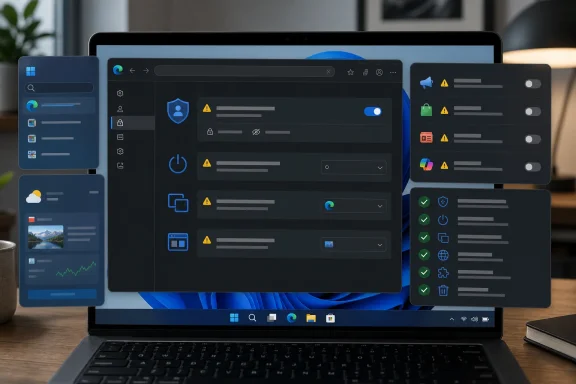 Edge Has Become the Browser Microsoft Always Wanted
The original sin of Edge is not that it exists. Quite the opposite: Microsoft needed a modern browser after the long decline of Internet Explorer and the false start of the first Edge engine. By moving to Chromium, Microsoft accepted the web’s practical center of gravity and produced a browser that could run the modern web without asking developers to care about yet another rendering engine.That decision made Edge credible. It also made Edge dangerous in a different way. Once Microsoft had a browser that was good enough to recommend on its merits, the company gained the temptation to recommend it everywhere, wire it into everything, and treat resistance as friction to be engineered around.
On a clean Windows 11 install, Edge is not merely present. It is pinned, promoted, associated with web links, associated with PDFs, connected to the Microsoft account used to sign into Windows, and increasingly linked to Copilot. Thurrott’s criticism lands because it begins from that mundane reality: even a user who installs Firefox, Brave, Vivaldi, or Chrome is still living in an operating system that assumes Edge will remain part of the daily path.
The browser’s strengths are real. Edge has vertical tabs, profiles, workspaces, web app installation, a mature PDF viewer, Reading Mode, Read aloud, split screen, and tight Microsoft account sync. It is also one of the most enterprise-manageable consumer-facing browsers because Microsoft ships extensive policy controls through Edge for Business.
But that is only half the product. The other half is the service funnel: Bing search, Microsoft Start, Microsoft Shopping, Microsoft Rewards, Copilot, Microsoft 365, advertising personalization, data sync, account sign-in, and prompts that steer users toward the Microsoft version of the web. Edge is not just a browser window. It is Microsoft’s front door.
The Default Browser Fight Never Really Ended
Microsoft has softened some of Windows 11’s default-app rough edges since launch, but the underlying browser fight remains unresolved. In Settings, users can set another browser as the default for common web file and link types, and the experience is far better than the early Windows 11 build that made users change associations one by one.Yet the default browser setting is not the same thing as browser sovereignty. Thurrott points to Widgets, Search highlights, Get Help, Copilot, and other Windows surfaces that can still route users into Edge in ways that feel detached from their stated preference. That distinction matters because Microsoft can say, narrowly, that Windows lets users choose a default browser while still reserving privileged routes for its own.
This is the part that irritates power users because it violates the mental model of a default. If a default browser is supposed to be the application that opens web links, then a web link from the Windows shell should not become a special category merely because it originated inside a Microsoft-controlled surface. Users do not think in protocol handlers and reserved URI schemes; they think in outcomes.
The popularity of utilities like MSEdgeRedirect is a symptom, not the disease. Its purpose is straightforward: catch Edge-specific links and send them to the browser the user actually chose. The fact that such a utility exists, remains maintained, and keeps appearing in Windows enthusiast discussions says something important about the platform. A healthy default-app model should not need a sidecar tool to make “default” mean default.
For sysadmins, this is more than a consumer annoyance. It complicates standardization, support scripts, user training, browser security baselines, and regulated workflows where the approved browser is chosen for a reason. Every unexpected Edge launch becomes a policy exception wearing the mask of a convenience feature.
Europe Gets the Windows Microsoft Could Ship Everywhere
The European Economic Area has become the most interesting test lab for Windows user choice. Microsoft’s Digital Markets Act compliance changes have forced the company to expose options that users elsewhere have long requested, including more latitude around uninstalling Edge and changing certain Windows service integrations.That fact undercuts the usual defense that these integrations are technically inseparable from Windows. Some components may remain necessary for embedded web rendering or application compatibility, but the consumer-facing Edge browser is not metaphysically fused to the Start menu. In Europe, Microsoft has shown that Windows can be made more modular when regulators require it.
The regional split is awkward because it creates two philosophies of Windows. In one, the operating system bends toward user choice because the law demands it. In the other, Microsoft continues to make its preferred defaults sticky, persistent, and sometimes difficult to fully escape.
This is not a minor optics problem. Windows is a global platform, and Windows users are increasingly aware when functionality exists in one jurisdiction and is withheld in another. Once a company proves that a less coercive design is possible, the argument shifts from “we can’t” to “we don’t want to.”
Thurrott’s recommendation to optionally uninstall Edge only if the user lives in the EU, while treating workarounds elsewhere as dicey, reflects the real-world caution Windows veterans have learned the hard way. Removing deeply integrated inbox apps can have consequences that show up later in updates, help flows, web views, file associations, or repair operations. The clean solution is not a hack. It is for Microsoft to ship the same choice everywhere.
Edge’s Setup Wizard Is a Consent Funnel With Browser Chrome
The first-run experience is where Microsoft’s design priorities become easiest to see. A good browser setup should ask a few simple questions: do you want to sign in, do you want to sync, do you want to import data, and what privacy settings do you prefer? Edge asks versions of those questions, but Thurrott argues that the wording and defaults consistently nudge users toward Microsoft’s interests.The Microsoft account sign-in step is defensible when a user actually wants sync. Browser sync is useful, and Microsoft’s cross-device story is coherent if someone lives in Edge across Windows, macOS, Linux, iOS, and Android. Passwords, history, extensions, tabs, and favorites are exactly the kinds of things users expect a modern browser to move between devices.
The Google import prompt is more complicated. If someone is switching from Chrome to Edge, importing data is a convenience. If the browser is configured to keep importing browsing data at every launch, however, that starts to look less like migration and more like surveillance-adjacent platform capture. A one-time bridge is helpful; a recurring siphon deserves scrutiny.
The most contentious prompt is the one Microsoft frames around making experiences more useful. Thurrott calls out the setting that allows Microsoft to save browsing activity, history, usage, favorites, web content, and other browsing data to personalize and improve Edge and Microsoft services including ads, search, shopping, news, and Copilot. The long wording is revealing. By the time a privacy setting needs that many nouns, it is no longer a simple product improvement toggle.
This is where Edge loses trust it could otherwise earn. Microsoft has legitimate reasons to integrate services and improve recommendations, but the company often presents data-sharing choices in the language of user benefit while burying the advertising and personalization machinery in the fine print. Users are not wrong to read that as a hustle.
Copilot Turns the Browser Into a Context Engine
Copilot integration is the most strategically important part of modern Edge. Microsoft support describes Copilot in Edge as an assistant that can help with page content, PDFs, videos, open tabs, browser history, and preferences, depending on the prompt and configuration. That is a powerful idea: the browser is where much of work and research happens, so the browser is where an AI assistant can see the most useful context.It is also the privacy fulcrum of the whole product. A sidebar that can summarize a web page or PDF is convenient. A sidebar that wants richer access to browsing context, user history, and account-linked services becomes a new category of trust decision. The question is no longer simply “which browser renders pages well?” It is “which company do I want mediating my reading, searching, shopping, documents, and prompts?”
Microsoft’s challenge is that Copilot arrived inside a browser whose defaults were already viewed with suspicion by many Windows enthusiasts. If Edge had a reputation for restraint, Copilot might be perceived mainly as an upgrade. Because Edge already has a reputation for nags, resets, promotional surfaces, and forced openings, Copilot can feel like one more layer of pressure.
The feature itself is not trivial. A browser assistant that summarizes long pages, explains PDFs, drafts text, generates images, creates audio summaries, and carries conversation history across devices is genuinely useful. For Microsoft 365 subscribers, higher usage limits and account continuity can make Edge a natural Copilot home.
But the more capable Copilot becomes, the more Microsoft must make consent obvious, revocable, and regionally consistent. AI integration raises the cost of dark patterns. Users may tolerate a browser recommending a coupon badly; they will be far less forgiving if an assistant blurs the boundary between local context and cloud processing.
The PDF Reader Is a Strength With Strings Attached
Edge as a PDF reader is one of Microsoft’s more defensible defaults. Most users need a PDF viewer, most do not need a full Acrobat installation, and browser-based PDF handling has become normal across Chrome, Firefox, and Edge. Microsoft and Adobe announced in 2023 that Edge’s built-in PDF reader would be powered by Adobe’s Acrobat PDF engine, a move both companies framed as a quality and compatibility upgrade.That partnership makes sense. PDFs are deceptively complex, and Adobe’s engine gives Microsoft a stronger answer for rendering fidelity, forms, annotations, and document workflows. Edge now combines viewing, markup, search, Read aloud, translation, summaries, and Copilot-assisted explanation in a single default app that is already present on the system.
For many Windows users, that is a win. The alternative is often downloading a random PDF utility, accepting bundled offers, or installing a heavyweight reader for occasional use. Edge is safer than much of the PDF freeware ecosystem, and the automatic update pipeline is a security advantage.
Still, making Edge the default PDF reader also deepens its gravitational pull. A user who avoids Edge for browsing may still open it dozens of times through documents. Once there, the same sidebar, account, Copilot, shopping, and service surfaces are nearby. The PDF default is practical, but it is also strategic.
Enterprise admins should treat that dual nature seriously. Edge may be the right PDF handler in many environments, especially when managed with policy. But it should be selected as part of a deliberate endpoint standard, not accepted because Windows quietly made the decision first.
The Shopping Features Explain the Business Model Too Clearly
Microsoft Edge’s shopping tools are not inherently illegitimate. Price tracking, coupon discovery, price history, cashback, and retailer insights are features many users install extensions to get. Building them into the browser can reduce extension sprawl and give users useful information at the moment of purchase.The problem is that shopping assistance lives uncomfortably close to advertising personalization. Thurrott highlights the privacy setting that lets Microsoft save browsing activity for personalization across ads, search, shopping, news, and Copilot. That bundle is the tell. Shopping is not a standalone convenience; it is part of a larger identity-and-intent system.
Browsers have always been commercial chokepoints. Netscape wanted portals, Google wanted search, Apple wants platform retention, and Microsoft wants services. The difference in 2026 is that the browser can now combine identity, browsing behavior, purchase intent, documents, and AI prompts into one profile-rich environment.
That is why users react strongly to animated coupon badges and promotional shopping UI. The feature may save someone five dollars, but it also reminds them that the browser is watching the commercial shape of their session. For privacy-minded users, that trade-off is not a bargain.
Microsoft could make this less irritating by treating shopping as an explicit opt-in module rather than a recurring ambient layer. The browser should ask plainly: do you want Edge to analyze shopping pages for deals and rewards? If yes, show the features. If no, disappear completely.
The New Tab Page Is the Browser’s Billboard
The New Tab page is one of the most valuable pieces of browser real estate. It appears constantly, sits between user intention and web navigation, and can promote search, news, ads, services, shortcuts, widgets, and now AI. That makes it a design surface and a revenue surface at the same time.Thurrott’s advice to avoid Edge’s default New Tab page in favor of third-party extensions like Bonjourr or Momentum reflects a broader fatigue with portalized browser design. Many users want a blank page, a search box, a clock, or a calm dashboard. Microsoft often wants Microsoft Start, Bing, content feeds, sponsored links, and Copilot prompts.
The tension is not unique to Edge, but Edge makes it harder to ignore because the browser is tied to Windows. Chrome promotes Google services, but Windows does not periodically route shell experiences into Chrome against the user’s stated default. Edge’s New Tab page therefore feels like part of a larger operating-system campaign rather than a browser preference.
The Copilot New Tab page raises the stakes again. If someone wants AI at the center of browsing, Microsoft is ready to provide it. If someone does not, the browser needs to respect that preference without repeated attempts to reframe refusal as missing out.
There is a simple rule Microsoft should adopt: once a user changes the New Tab page, search engine, Copilot visibility, or feed layout, the browser should stop campaigning to reverse that choice. A preference that must be defended repeatedly is not a preference. It is a negotiation.
Edge for Business Shows the Product Microsoft Could Be
Ironically, Edge’s enterprise story is where Microsoft often behaves best. Edge for Business gives organizations profile separation, management controls, policy enforcement, security baselines, update channels, site compatibility tooling, and integration with Microsoft 365 and Entra ID. In that context, deep Windows integration becomes an administrative advantage rather than a consumer grievance.The difference is consent and governance. In a managed environment, the organization chooses the browser posture and can document why. IT can disable features, configure defaults, restrict extensions, control sign-in, and separate work from personal browsing. Users may not love every policy, but the authority structure is explicit.
Consumer Windows lacks that clarity. Microsoft acts as both platform owner and service promoter, while the user is left to hunt through settings to disable behavior they never requested. The same feature that feels coherent under enterprise policy can feel presumptuous on a personal PC.
This is why Edge is such a revealing Microsoft product. It is excellent when treated as a managed tool. It is exhausting when treated as a growth surface.
For WindowsForum readers who administer fleets, the lesson is not “ban Edge.” The lesson is to make Edge intentional. Decide whether it is the standard browser, the PDF handler, the fallback for Microsoft 365, or merely an inbox dependency. Then enforce that decision through policy rather than letting consumer defaults make it for you.
The Defensive Edge Setup Every Windows 11 User Should Understand
Thurrott’s practical guidance has value because it starts from the reality that Edge cannot be ignored. Whether you use it daily, occasionally, or never by choice, Windows 11 can still put it in front of you. That makes Edge configuration part of basic Windows hygiene.The first priority is privacy. Users should review Edge’s privacy, search, and services settings, especially the option allowing Microsoft to save browsing activity and related data for personalization across Edge and Microsoft services. If the wording mentions ads, shopping, news, search, and Copilot, it deserves more than a casual click-through.
The second priority is startup behavior. Edge can run background components and appear in startup contexts even when users do not think of it as active. Turning off unnecessary startup entries in Windows Settings is a reasonable step for anyone who does not want Edge consuming attention or resources.
The third priority is file and link ownership. Setting another browser as default in Windows 11 is now relatively straightforward for HTTP, HTTPS, HTML, and HTM, but PDFs require separate attention. Users who want another PDF reader must explicitly change that association rather than assuming the browser default covers documents.
The fourth priority is the Windows surfaces that bypass ordinary defaults. Tools such as MSEdgeRedirect exist because Windows has special Edge-bound paths. Users should be cautious with any third-party utility that alters system behavior, but the demand for such tools is understandable and persistent.
The final priority is temperament. Removing Edge outside supported regions or using aggressive debloating scripts can work, but it can also create update and repair surprises. If the goal is a stable Windows machine, disabling unwanted behavior is usually safer than ripping out components Windows expects to find.
Microsoft’s Browser Problem Is Really a Trust Problem
It is tempting to frame the Edge debate as a privacy absolutist complaint or a browser-war hangover. That misses the point. The frustration exists because Microsoft combines legitimate product quality with tactics that make users question the company’s motives.Edge is fast, compatible, feature-rich, and deeply integrated. It is also naggy, service-hungry, and too willing to treat user choice as a soft obstacle. Those two truths coexist, and the contradiction is why the browser inspires stronger reactions than its feature sheet would suggest.
Microsoft has been here before. Windows 10’s upgrade prompts, Windows 11’s account pressure, Start menu ads, OneDrive nudges, Teams bundling, and Bing promotion all follow the same pattern: a useful service is pushed so hard that the push becomes the story. Edge is simply the most persistent expression of that habit because browsing touches everything.
The company’s defenders will argue that integration benefits users, and sometimes it does. A signed-in Edge profile can make a new PC feel familiar within minutes. Copilot can make a dense PDF easier to understand. Read aloud can turn a long article into something usable while commuting. Workspaces can make research less chaotic.
But integration without restraint becomes enclosure. Microsoft does not need to sabotage other browsers to advantage Edge; it only needs to reserve enough privileged paths, defaults, prompts, and service hooks that Edge remains unavoidable. That is precisely the behavior regulators notice and power users resent.
The Real Edge Choice Is Not Browser A Versus Browser B
For ordinary users, the browser decision is often emotional: Chrome feels familiar, Firefox feels independent, Brave feels privacy-forward, Safari feels native on Apple devices, and Edge feels like Windows. But in Windows 11, the Edge decision is also architectural. It determines how much of Microsoft’s service layer you allow into daily browsing.A user who embraces Edge can get a coherent Microsoft-first experience. Sign into Windows with a Microsoft account, sync Edge, use Bing or Copilot, keep PDFs in the browser, let shopping tools run, and move between Windows and mobile with minimal friction. That is the path Microsoft designed.
A user who rejects Edge has to work harder. Install another browser, set defaults, change PDF associations, disable Edge startup behavior, review privacy toggles, ignore prompts, and possibly install a redirect utility. That is not impossible, but it is effort imposed on the user for choosing differently.
The middle path may be the most realistic. Keep Edge installed and patched. Configure its privacy settings tightly. Use it for the handful of Microsoft services where it behaves best. Put your daily browsing in the browser you actually trust. That is not ideologically pure, but Windows has rarely rewarded purity.
For IT pros, the equivalent path is policy-driven clarity. Do not leave Edge in a half-managed state where users see consumer prompts on corporate machines. Decide what Copilot can access, whether shopping features are disabled, how PDF handling works, which extensions are allowed, and whether personal profiles can mix with work profiles.
The Browser Microsoft Built Is Better Than the Behavior Around It
The tragedy of Edge is that Microsoft does not need the worst tactics for the browser to succeed. Chromium compatibility solved the biggest technical objection years ago. The PDF reader is useful. Reading Mode is genuinely good. Vertical tabs have devoted fans. Workspaces and profiles solve real workflow problems. Edge for Business is credible in ways Internet Explorer administrators from a decade ago would have envied.The browser can stand on its own. Microsoft’s refusal to let it do so is what keeps reopening the wound. Every prompt to switch back to Bing, every unexpected Edge launch from Windows Search, every service-laden New Tab page, and every privacy toggle wrapped in cheerful productivity language tells users that Microsoft still does not fully trust them to choose.
That is a strange posture for a company that increasingly sells trust as its core enterprise product. Microsoft wants customers to trust it with identity, endpoint management, cloud infrastructure, productivity data, security telemetry, and AI workflows. The small consumer indignities of Edge may seem trivial next to that, but trust is cumulative. A company that pesters users in the browser trains them to look for the catch elsewhere.
The fix is not technically complex. Make default browser choice comprehensive. Make Edge removable everywhere the user-facing app is not required. Make Copilot context access explicit and quiet when declined. Make shopping and personalization opt-in. Stop asking users to undo their own choices. Ship the European choice model globally.
The Settings Page Is Where Microsoft’s Grand Strategy Meets Your Laptop
The practical lesson from Thurrott’s guide is blunt: do not leave Edge at factory settings just because you do not use it. Windows 11’s browser defaults are not neutral, and the configuration work is now part of owning the PC rather than merely customizing an app.- Users who plan to use Edge should review sync, import, personalization, New Tab, Copilot, shopping, and startup settings before treating the browser as settled.
- Users who prefer another browser should still configure Edge because Windows 11 can surface it through PDFs, help links, widgets, search, and Microsoft service flows.
- Administrators should manage Edge with policy rather than accepting consumer defaults on business endpoints.
- Privacy-conscious users should pay special attention to settings that combine browsing activity with ads, shopping, news, search, and Copilot personalization.
- Anyone considering Edge removal outside officially supported regions should weigh the maintenance risk against the simpler option of disabling and de-emphasizing it.
- Microsoft could reduce most of the controversy by making the Digital Markets Act-style choice model available worldwide.
References
- Primary source: thurrott.com
Published: Mon, 06 Jul 2026 00:58:17 GMT
Loading…
www.thurrott.com - Official source: support.microsoft.com
Update to the new Microsoft Edge | Microsoft Support
Update to the new Microsoft Edgesupport.microsoft.com - Official source: explore.microsoft.com
Loading…
explore.microsoft.com - Related coverage: windowsdigitals.com
Loading…
www.windowsdigitals.com - Official source: blogs.windows.com
Loading…
blogs.windows.com - Related coverage: pcworld.com
Loading…
www.pcworld.com
- Related coverage: windowsforum.com
Loading…
windowsforum.com - Official source: learn.microsoft.com
Loading…
learn.microsoft.com - Related coverage: adobe.com
Loading…
www.adobe.com - Related coverage: windowscentral.com
Loading…
www.windowscentral.com - Related coverage: techradar.com
Microsoft's planned new AI trick for Edge will 'automatically open the Copilot side pane' with Outlook email links — and I can feel the hate already | TechRadar
New feature is on the roadmap for May 2026www.techradar.com