Windows 7 How to Remove the Peernet Icon from Your Toolbar

Fenway16

Honorable Member
Joined
Jan 6, 2017
Messages
461
The Peernet icon just showed up on my toolbar - how do I get rid of it? I don't think I need it. Thanks.
 

Fenway16

Honorable Member
Joined
Jan 6, 2017
Messages
461
Hi - system not available right now - when it becomes so, I will post screenshot. It has been on my system (inactive but listed) for years - now the taskbar no longer has the arrow which allows you to choose which icons show - notifications show - etc. I cannot access that menu any longer since the arrow is gone. I am on win 10 on my laptop writing this. Thanks. Also, when I right click on the icon it says network or connection not available. If I sound fuzzy, a friend is relaying the message she read about it and I can't remember exactly what she said. It was something like that tho.

 

Neemobeer

Windows Forum Team
Staff member
Joined
Jul 4, 2015
Messages
8,998
Not sure what you mean by peernet unless you mean homegroup, which was dropped a few builds ago in Windows 10.
 

Fenway16

Honorable Member
Joined
Jan 6, 2017
Messages
461
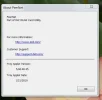
Here are a couple of screenshots.
 

Attachments

  • peer2.webp
    peer2.webp
    2.3 KB · Views: 163
  • peernet.webp
    peernet.webp
    14.5 KB · Views: 143

Fenway16

Honorable Member
Joined
Jan 6, 2017
Messages
461
It looks like a Dell app or some such. I still don't have the arrow which shows the icons and the choices of icon only, notification only or both. I removed Macrium from system a couple of days ago. Don't know if that is related to missing toolbar item.
 

Neemobeer

Windows Forum Team
Staff member
Joined
Jul 4, 2015
Messages
8,998
Go into control panel or systemsettings > apps and uninstall it.
 

Solution

Fenway16

Honorable Member
Joined
Jan 6, 2017
Messages
461
It got fixed. I right clicked on the toolbar and a menu for toolbar options came up. I was able to get the "notifications" menu back and fix peernet not to show up -- if any of that makes sense.
 

Back
Top