

Navigation section
You are using an out of date browser. It may not display this or other websites correctly.
You should upgrade or use an alternative browser.
You should upgrade or use an alternative browser.
Windows 8 How to Set Default PDF Reader in Windows
- Thread starter Drew
- Start date
- 6 min read

- Joined
- Oct 16, 2009
- Messages
- 15,155
If we are going to recommend an OS, we need to stay with the Microsoft supplied product and not using third party utilities to make up for deficiencies. Anyone using third party utilities to make up for deficient MS utilities should not be recommending the OS to others.
In this case, as far as I know, MS did not provide any .pdf utilities for earlier versions of the OS. If the Reader app is supposed to replace those, we need to know if it really does and at what cost.
In this case, as far as I know, MS did not provide any .pdf utilities for earlier versions of the OS. If the Reader app is supposed to replace those, we need to know if it really does and at what cost.

Drew
Banned
- Joined
- Mar 25, 2006
- Messages
- 3,574
- Thread Author
- #5
It looks nice enough, Clark. & not really deficient, just different but, quite alright for viewing files. To do the usual w/ PDFs Adobe or something is used. Nothing against the OS. Actually, says something good about the OS... will, @ least, open PDFs, even if nothing is added.
Drew
Drew

- Joined
- May 1, 2008
- Messages
- 5,554
"If we are going to recommend an OS, we need to stay with the Microsoft supplied product and not using third party utilities to make
up for deficiencies. Anyone using third party utilities to make up for deficient MS utilities should not be recommending the OS to others."
Absolutely, saltgrass. I have been pointing to one or two third party apps , merely to make Windows 8 experimenters aware that they can, if they wish. make Windows 8 look more familiar. I do often point out that, if you want to work through the Consumer, then try and do it without add-ons That is its purpose!
I have relented in the case of PDFs though. I do quite a bit of documenting with PDF files. I have always found, since its release so many years ago, that Adobe bumbles along like an overweight hippo. I need the facility to edit also. My choice, which is much slicker as an editor or reader (the latter is free) , is Nitro Reader.
(Nitro PDF Reader)
up for deficiencies. Anyone using third party utilities to make up for deficient MS utilities should not be recommending the OS to others."
Absolutely, saltgrass. I have been pointing to one or two third party apps , merely to make Windows 8 experimenters aware that they can, if they wish. make Windows 8 look more familiar. I do often point out that, if you want to work through the Consumer, then try and do it without add-ons That is its purpose!
I have relented in the case of PDFs though. I do quite a bit of documenting with PDF files. I have always found, since its release so many years ago, that Adobe bumbles along like an overweight hippo. I need the facility to edit also. My choice, which is much slicker as an editor or reader (the latter is free) , is Nitro Reader.
(Nitro PDF Reader)

Medico
Senior Member
- Joined
- Sep 20, 2011
- Messages
- 1,148
The problem is that the Metro apps are not nearly as complete as is Win 8 CP, and that includes the Windows PDF reader. Because of that I will continue using a 3rd party PDF reader. When the MS versions of Metro apps become more complete, I'll see.
For example even though MS PDF Reader is the default PDF reader in Win 8 CP, it is not included in IE 10. There is NO PDF add on included in IE 10. It appears there are a few 3rd party PDF extensions available.
For example even though MS PDF Reader is the default PDF reader in Win 8 CP, it is not included in IE 10. There is NO PDF add on included in IE 10. It appears there are a few 3rd party PDF extensions available.
Medico
Senior Member
- Joined
- Sep 20, 2011
- Messages
- 1,148
Thanks, I'll try that.
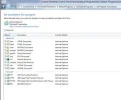
Well, my PDF reader (PDF-XChange Viewer) is set as the default PDF reader, already was, and yet there is not a PDF addon listed in IE 10.
These are all the file types listed as being able to be opened by IE 10:
Link Removed
Well, my PDF reader (PDF-XChange Viewer) is set as the default PDF reader, already was, and yet there is not a PDF addon listed in IE 10.
These are all the file types listed as being able to be opened by IE 10:
Link Removed
Attachments
Last edited by a moderator:
- Joined
- May 1, 2008
- Messages
- 5,554
Control Panel\All Control Panel Items\Default Programs\Set Default Programs
Takes me to the picture. I select the reader, as you see, and choose it as my default for PDF...
If I now open a pdf on the web - success.
Takes me to the picture. I select the reader, as you see, and choose it as my default for PDF...
If I now open a pdf on the web - success.

OldTimer
Banned
- Joined
- Jul 19, 2010
- Messages
- 805
I have occasion to read and print PDF files, almost daily.
I tried to use the PDF reader built in to Win-8 and hit a snag...… an error message telling me I had to have UAC activated to use any Metro app. Boy, that's a kick in the pants!
So I played their sick little game and turned on UAC and then had to reboot the PC to get it working. Finally I was able to click on a PDF file and after a brief wait, see it displayed on the screen. Yoiks! No tool bar and very little ability to do anything with that file but just sit there and READ it.
I do require a bit more than that, so I installed the program that I use every day..... "Foxit Reader". I sure won't be recommending Win-8 to anyone based on their built in PDF reader, that's a fact!

I tried to use the PDF reader built in to Win-8 and hit a snag...… an error message telling me I had to have UAC activated to use any Metro app. Boy, that's a kick in the pants!
So I played their sick little game and turned on UAC and then had to reboot the PC to get it working. Finally I was able to click on a PDF file and after a brief wait, see it displayed on the screen. Yoiks! No tool bar and very little ability to do anything with that file but just sit there and READ it.
I do require a bit more than that, so I installed the program that I use every day..... "Foxit Reader". I sure won't be recommending Win-8 to anyone based on their built in PDF reader, that's a fact!
Medico
Senior Member
- Joined
- Sep 20, 2011
- Messages
- 1,148
Hi Ted. If you go into the Control Panel - Default Programs, and set the reader as your PDF default, it will open them in IE.
Did not work. I have tried both the built in Windows Reader, PDF-Xchange Viewer (my default viewer) and even temporarily downloader Adobe PDF Reader (have since uninstalled it). I tried all these readers on 3 different sites that I routinely have to open and/or download PDF files and none would open these PFD files to allow me to see and/or download them. If the PDF files are already on my PC PDF_Xchange Viewer opens them just fine.
I did go to Control Panel and followed the above directions without any change. I am also going to try this in Chrome and see what happens.
PDF files open in Chrome just fine to allow viewing and downloading/saving. This is a released version of Chrome. IE 10 is not.
Last edited by a moderator:
Medico
Senior Member
- Joined
- Sep 20, 2011
- Messages
- 1,148
I downloaded the Foxit Reader and it did work for all sites I needed it to work, so it may become my default reader (At least in Win 8 CP). I will have to determine if I wish to switch in Win 7. I presently have PDF-XChange Viewer Pro version.
- Joined
- Oct 16, 2009
- Messages
- 15,155
I have been playing with the Reader for the last several minutes, and it seems to be more capable that it looks. For instance, zooming fills the screen with pages instead of one, like the thumbnails in other readers. Probably more things I haven't happen to stumble on yet.
Similar threads

- Article
- Replies
- 2
- Views
- 11K
- Replies
- 0
- Views
- 212
- Replies
- 2
- Views
- 6K
- Replies
- 0
- Views
- 1K
- Replies
- 0
- Views
- 14K