

Hytale’s hardware targets are refreshingly pragmatic: you can run the game on many laptops and older GPUs at playable settings, while creators who want smooth high‑quality capture will need modern CPUs, more RAM, and NVMe storage to avoid bottlenecks.
Hypixel’s Hytale returned to public attention with a carefully tiered hardware guidance sheet intended to help players and creators plan for Early Access and retail. Rather than a single “minimum/recommended” line, the developers published three distinct targets — Minimum, Recommended, and Recording/Streaming — so users can choose the right trade‑off between accessibility and fidelity. That tiered approach is important because Hytale mixes voxel rendering with an in‑process simulation layer; when you play singleplayer the client also runs server‑style logic, increasing CPU and memory pressure compared with many purely client‑side titles.
This article condenses the published guidance, verifies the most important numbers against independent coverage, explains what each tier means in practice for Windows players, and gives actionable upgrade and tuning advice so you can hit your target framerate without overspending. Where a number is an internal benchmark or otherwise uncertain, I’ll flag it and explain why it should be treated as illustrative rather than guaranteed.
If you follow the upgrade priorities and tuning tips above, you can match your hardware to the Hytale experience you want — whether that’s a low‑bar, accessible playthrough or polished 1440p captures for an audience.
Source: Turtle Beach https://www.turtlebeach.com/blog/hytale-system-requirements-minimum-recommended-and-more/
 Background / Overview
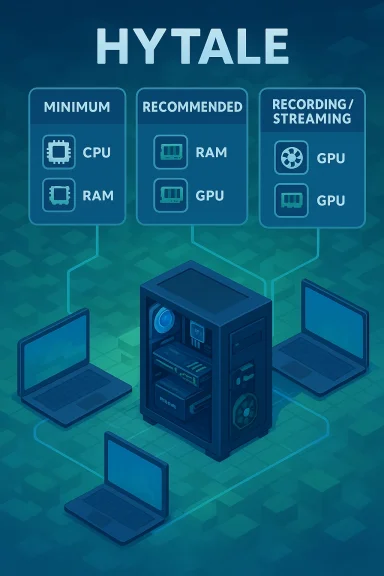
Hypixel’s Hytale returned to public attention with a carefully tiered hardware guidance sheet intended to help players and creators plan for Early Access and retail. Rather than a single “minimum/recommended” line, the developers published three distinct targets — Minimum, Recommended, and Recording/Streaming — so users can choose the right trade‑off between accessibility and fidelity. That tiered approach is important because Hytale mixes voxel rendering with an in‑process simulation layer; when you play singleplayer the client also runs server‑style logic, increasing CPU and memory pressure compared with many purely client‑side titles.This article condenses the published guidance, verifies the most important numbers against independent coverage, explains what each tier means in practice for Windows players, and gives actionable upgrade and tuning advice so you can hit your target framerate without overspending. Where a number is an internal benchmark or otherwise uncertain, I’ll flag it and explain why it should be treated as illustrative rather than guaranteed.
The numbers — quick reference (developer guidance verified)
Below are the consolidated hardware tiers as published by the developer and reproduced by multiple outlets. These figures should be treated as the developer’s current targets and may evolve with later updates and optimizations.Minimum (Playable — roughly 1080p @ 30 FPS, Low preset)
- OS: Windows 10 x64 (version 1809) or Windows 11; Linux x64 (Kernel 6.15); Apple Silicon with macOS Tahoe (26.0) noted for mac users.
- CPU: Intel Core i5‑7500 or AMD Ryzen 3 1200 (or equivalent).
- RAM: 8 GB (discrete GPU singleplayer); 12 GB if using integrated graphics in singleplayer.
- GPU (integrated): Intel UHD Graphics 620, AMD Radeon Vega 6, or Apple M1 for macOS. Dedicated: NVIDIA GTX 900 Series / AMD Radeon 400 Series / Intel Arc A‑Series.
- Storage: SATA SSD acceptable with ~20 GB free recommended (installer around 8 GB but saves and workshop content grow over time).
- Network: 2 Mbit/s minimum for multiplayer; increases with higher view distances.
Recommended (Comfortable — roughly 1080p @ 60 FPS, High preset)
- OS: Windows 10 x64 (version 1809) or Windows 11; Linux and Apple Silicon notes included.
- CPU: Intel Core i5‑10400 or AMD Ryzen 5 3600 (or equivalent).
- RAM: 16 GB.
- GPU (integrated): Intel Iris Xe, AMD Radeon 660M, Apple M2 (mac). Dedicated: GTX 900 Series / Radeon 400 Series / Intel Arc A‑Series or better.
- Storage: SSD recommended; ~20 GB free. Network: ~8 Mbit/s recommended for multiplayer.
Recording / Streaming (Target: stable 60 FPS at 1440p capture)
- OS: Windows 10 x64 (version 1809) or Windows 11.
- CPU: Intel Core i7‑10700K or AMD Ryzen 7 3800X (or equivalent); creators with heavier workloads should lean toward newer multi‑core CPUs.
- RAM: 32 GB recommended for stable capture and multitasking.
- GPU: NVIDIA RTX 30 Series, AMD Radeon RX 7000 Series, or modern Intel Arc cards; hardware encoders (NVENC/VCN/AV1) recommended for efficient capture.
- Storage: NVMe SSD strongly recommended, with a separate capture drive for video if you record long sessions. Allocate significant headroom (developers recommend ~50 GB free on the capture drive).
What the specs actually mean for your PC (practical interpretation)
Hytale is CPU and RAM sensitive — especially in singleplayer
Hytale’s architecture runs a simulation layer alongside the renderer in local singleplayer sessions. That means the client is effectively doing extra server‑side work: entity AI, world simulation, and background calculations that would otherwise run remotely. As a result, CPU core count and single‑thread performance matter more than the GPU‑only specs you might expect from a purely graphical game. If you’re choosing upgrades for Hytale, prioritize a modern 6‑core (or better) CPU for 1080p/60 and consider 8+ cores for creators.Integrated GPUs are supported — but expect compromises
The minimum tier explicitly lists integrated GPUs (Intel UHD 620, Iris Xe, AMD Vega series) and Apple M1/M2 chips. That’s good news for laptop users: Hytale is accessible on many existing notebooks. But integrated GPU users should be prepared to lower view distance, turn off higher‑quality lighting, and accept lower resolutions if they want stable framerates in dense scenes or when many entities are active.VRAM and view distance scale quickly
The engine builds large texture atlases and keeps a significant amount of world geometry in VRAM. Developers warn that increasing view distance multiplies the world volume the engine must handle (roughly quadratic or cubic scaling depending on implementation). That means a single setting change can push you from comfortable to GPU‑limited quickly. If you own a card with 4–6 GB VRAM, keep view distance modest; 8+ GB is safer for higher settings.Storage matters more than the installer size implies
Hytale’s installer is modest (~8 GB at launch), but the saved‑world footprint grows with exploration. Example developer figures show ~27 KB per 32×32 chunk and ~661 MB for a very large 5000×5000 block area — demonstrating that serious world builders and server hosts can consume significant disk space. For everyday play, reserve at least 20 GB on an SSD; creators should use NVMe drives and separate capture storage to avoid IO contention.Upgrade advice: where to spend your money
If you want the most cost‑effective path to a good Hytale experience, follow this priority list:- CPU: Favor a modern multi‑core chip with strong single‑thread performance (e.g., 6 cores / 12 threads or better for recommended settings). Hypixel’s official recommended CPUs are i5‑10400 / Ryzen 5 3600 equivalents.
- RAM: Move to 16 GB as the standard for comfortable 1080p/60. If you plan to record or multitask heavily (OBS, browser, editor), jump to 32 GB.
- Storage: Install on an SSD. A SATA SSD meets minimums, but NVMe is strongly recommended to reduce hitching when assets stream in or when loading world data. Creators should allocate a separate NVMe drive for recordings.
- GPU: If you already own a midrange GPU from the GTX 900 / Radeon 400 era, you can reach playable settings. Upgrading to a more modern card (RTX 20/30 series or AMD RX 5000/6000/7000 families) buys headroom for higher textures, ray‑traced effects (if enabled later), and smoother captures.
- Cooling & Platform: Good cooling and a modern platform with PCIe NVMe support make the SSD and CPU upgrades effective. If you use laptops, ensure adequate cooling and consider throttling behavior during long sessions.
Tuning and settings: how to squeeze performance without major upgrades
- Lower view distance first — it reduces CPU, RAM, and VRAM load simultaneously.
- Disable or reduce entity density and AI detail if you notice CPU spikes during heavy simulation.
- Use vendor upscalers (DLSS, FSR, XeSS) if available to raise perceived quality without large GPU cost. These can let you keep higher settings at lower native resolutions.
- Cap framerate with V‑Sync or an FPS limiter to reduce unnecessary CPU/GPU churn if your hardware can sustain higher frames than your display.
- Keep background apps to a minimum; browsers and capture software eat RAM and CPU cycles. 16 GB systems benefit significantly from closing nonessential programs.
Creator and streaming considerations (why 32 GB and NVMe are recommended)
Recording or streaming changes the bottleneck profile. You’re not simply rendering frames — you’re encoding them, writing large files, and often running overlays, chat software, and editing tools simultaneously. That’s why the developer’s creator tier pushes:- 32 GB RAM to avoid swapping while the game, encoder, and background apps run.
- NVMe SSD plus a separate capture drive to prevent IO contention that causes dropped frames and stuttering during long recordings.
- Hardware encoders (NVENC, AMD VCN, or AV1/HEVC if supported) to offload encoding from the CPU and maintain capture quality at lower CPU impact.
Cross‑checks and verifiability — what’s confirmed and what to treat cautiously
- Confirmed by developer guidance and multiple outlets: the Minimum, Recommended, and Recording tiers described above (CPU families, RAM thresholds, GPU classes, SSD recommendation, and storage footprints). Multiple independent reports reproduced the same tables, and the studio’s explainer matched those excerpts. These are the most load‑bearing claims and are well supported.
- Caution: internal peak benchmark numbers and extreme framerate claims (for example, an internal test rig reported achieving several hundred FPS under very specific conditions) are illustrative and tied to particular hardware/benchmark settings. Treat those peak numbers as internal highlights, not guaranteed player outcomes. The developers explicitly cautioned that such numbers are context‑dependent.
- Platform support: The published sheet lists Windows 10/11 as baseline, with Linux and Apple Silicon notes. While macOS Apple Silicon (M1/M2) chips are mentioned for minimum/recommended tiers, be aware that driver parity, platform‑specific rendering paths, and feature sets may differ from Windows. Verify official storefront metadata for the latest compatibility details before purchase on non‑Windows platforms.
Common user configurations — expected experience
- Budget laptop (integrated GPU + 8–12 GB RAM): Playable at low settings, 720p–1080p, with short view distances. Expect to reduce entity and graphical detail to stay near 30 FPS. Consider closing background apps.
- Midrange desktop (i5/Ryzen 5 + 16 GB + GTX 10/16 series or Radeon 400/500 series): Comfortable 1080p/60 on medium–high settings with moderate view distances. This matches the official “Recommended” target.
- Creator rig (i7/Ryzen 7 or better + 32 GB + NVMe + RTX 30 or RX 7000): Stable high‑quality capture at 1440p60 with hardware encoding. Use a separate drive for recordings to avoid IO contention.
Risks, unknowns, and what to watch after launch
- Patch-driven changes: Early Access builds commonly receive performance tuning and bug fixes after launch. Minimum/Recommended figures may shift as the engine evolves or as features (ray tracing, higher‑res texture packs, etc.) are added. Keep drivers and OS updates current and watch developer patch notes.
- Mod and workshop content: Community mods and large content packs can dramatically increase memory and VRAM needs. If you plan to run heavy mods or host public servers, budget additional CPU cores, RAM, and storage.
- Platform differences: macOS and Linux builds may have different performance characteristics due to API differences, driver maturity, or feature support. If you’re on Apple Silicon, performance is promising but check platform‑specific guidance and compatibility before assuming parity with Windows.
Recommended checklist before you buy or play
- Confirm your OS meets the listed baseline (Windows 10 version 1809 or Windows 11).
- Check your CPU against the recommended families (i5‑10400 / Ryzen 5 3600) and plan upgrades if you’re under the minimum.
- Upgrade to 16 GB RAM if you have less; move to 32 GB if you record or stream.
- Install on an SSD and keep at least 20 GB free for the game; creators should reserve an NVMe drive with ample free space for captures.
- Update GPU drivers and verify support for the minimum required graphics APIs (OpenGL 4.1 minimum noted; Vulkan or DirectX updates may be required in future builds).
Conclusion
Hytale’s hardware guidance is deliberately pragmatic and accessible. By publishing Minimum, Recommended, and Recording tiers, Hypixel gives players and creators practical choices instead of a single intimidating line. The key takeaways for Windows players are straightforward: you can run Hytale on surprisingly modest hardware at playable settings, but the engine’s simulation-heavy design makes CPU and RAM crucial for a smooth experience — especially in singleplayer and for creators who capture gameplay. Invest first in CPU and RAM, install on an SSD (NVMe if you plan to record), and be mindful of view distance and mods, which scale resource usage quickly. The developer figures have been reproduced across multiple independent outlets and represent a consistent snapshot of expectations at launch, but treat internal peak benchmark numbers as illustrative and watch for post‑launch tuning that may alter requirements.If you follow the upgrade priorities and tuning tips above, you can match your hardware to the Hytale experience you want — whether that’s a low‑bar, accessible playthrough or polished 1440p captures for an audience.
Source: Turtle Beach https://www.turtlebeach.com/blog/hytale-system-requirements-minimum-recommended-and-more/
