IBM Consulting Advantage in Microsoft Copilot: Multi Agent AI in 365 Apps

  • Thread Author
IBM Consulting’s decision to surface Consulting Advantage inside Microsoft 365 via Microsoft Copilot marks a concrete step toward “agentic” enterprise work—putting IBM’s repository of assistants, assets, and industry templates directly into Word, Excel, PowerPoint, Teams and Outlook so consultants can call enterprise‑grade AI from the apps they already use.

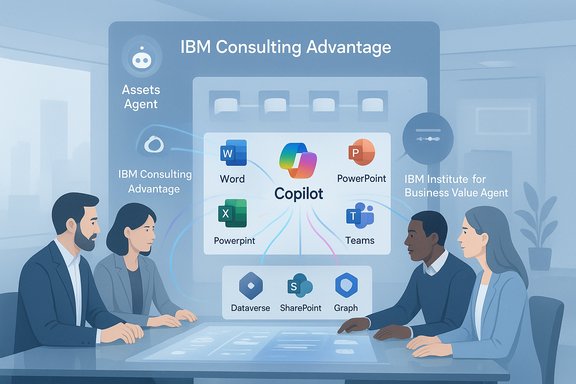
Team of professionals discusses IBM Copilot suite (Word, PowerPoint, Excel, Teams) in a meeting.Overview​

IBM says the integration lets consultants access IBM Consulting Advantage through Microsoft Copilot as the user interface, bringing a curated suite of AI assistants and prebuilt agents into everyday productivity flows. According to IBM’s announcement, the rollout is already in use by thousands of consultants and is generating the equivalent of more than 250,000 hours saved per year—which IBM values at roughly $35 million in redeployed capacity. These are company‑reported metrics and should be treated as vendor statements unless independently audited or backed by published customer case studies.
This move is part of a wider industry trend: enterprise platforms and integrators are shifting from single‑model chat assistants to multi‑agent, multi‑tool architectures that connect models to business systems via standardized connectors and protocols. The practical glue for many of these integrations today is the Model Context Protocol (MCP)—an open, vendor‑neutral specification that lets agents discover and call out to tools, knowledge servers, and resources in a controlled, auditable way. MCP is central to how Copilot Studio and partner ecosystems expose external tools and services to agents.

Background: what IBM Consulting Advantage and Microsoft Copilot bring together​

IBM Consulting Advantage in a sentence​

IBM Consulting Advantage is IBM’s delivery platform that packages enterprise knowledge—playbooks, templates, assistants, and automation—into reusable AI assets designed to accelerate consulting engagements and operationalize repeatable outcomes for clients.

Microsoft Copilot and the agent platform landscape​

Microsoft’s Copilot family has evolved from embedded assistance in Microsoft 365 into an agent‑centric ecosystem: Copilot Studio, Agent Mode in Office apps, the Agent Store, and support for external connectors and MCP‑style knowledge servers. The platform now focuses on agent lifecycle, grounding in tenant data (Dataverse, Graph, SharePoint), instrumented observability, and consumption metering (Copilot Credits). These capabilities make Copilot a natural way to surface partner or vendor agents inside the apps people use daily.

Why the integration matters​

  • It reduces context switching by letting consultants ask IBM’s assistants within Word, Excel, PowerPoint, Outlook and Teams.
  • It makes enterprise knowledge reusable and searchable across standard productivity surfaces.
  • It couples IBM’s consulting IP (methods, templates, research) with Microsoft’s tenant‑grounding and UI reach—potentially accelerating time‑to‑value for client projects.

What IBM says is included and how consultants will use it​

IBM lists several first‑wave agents accessible through Copilot, including the:
  • Assets Agent — finds IBM AI tools, assistants and accelerators relevant to tasks.
  • IBM Institute for Business Value Agent — surfaces research and industry insights.
  • Ask Offerings Agent — explains IBM offerings like AI Integration Services and Customer Service Transformation.
  • Partnerships Agent — prepares C‑suite ready briefs about strategic collaborations.
  • Ask WOW Stories Agent — retrieves client success stories that illustrate real deployments.
IBM also says consultants can run multi‑step information‑gathering tasks in minutes with these agents, citing an internal example where four information‑gathering tasks that previously took nearly three hours were completed in 13 minutes via the agents. These operational anecdotes illustrate the intended user experience—faster briefs, prepopulated slide decks, and research retrieval inside the apps consultants already use.
Those agent types and the described workflows line up with the kinds of Office Agent and Agent Store patterns Microsoft has been building into Copilot: agents that can edit native files, run multi‑step flows, and be discovered or approved centrally by IT.

The technical plumbing: MCP, Copilot Studio and IBM’s stated roadmap​

Model Context Protocol (MCP) — the interoperable layer​

MCP originated as an open protocol to standardize how LLMs and agents connect to tools and data sources. Anthropic published MCP to address the “N x M” connector problem (many tools × many models). Microsoft has integrated MCP into Copilot Studio so agents can connect to external MCP servers for tools, resources, and prompt templates. This allows an agent authored in Copilot Studio to call a third‑party or partner MCP server and surface the tools/resources as first‑class agent capabilities.

How IBM’s description fits that model​

IBM says it will launch a custom agent that leverages ContextForge and IBM’s Consulting Advantage Model Context Protocol (MCP) servers to auto‑select the right assistant, agent or document collection for a task. This is exactly the sort of discovery/selection pattern MCP enables: a registry or index of MCP servers advertising tools and resources that an agent can call to obtain authoritative context or execute actions.
Important caveat: ContextForge appears to be an IBM‑specific name for a context discovery or selection layer. At the time of writing that name could not be corroborated in public documentation beyond IBM’s announcement; it should be treated as an IBM product/feature name until IBM publishes technical docs or a public product page. The broader architecture IBM describes—MCP servers, registries, and automatic selection of assistants—is consistent with the MCP/Copilot Studio approach documented by Microsoft and the MCP spec itself.

Business outcomes IBM claims — and how to read them​

IBM’s headline outcome for this integration is tangible: 250,000 hours saved annually, converted into an estimated $35 million in business value because consultants can redeploy that time to revenue‑generating work.
How to interpret that claim:
  • It’s a plausible enterprise outcome at scale. Thousands of consultants, each saving some hours per week, can sum to hundreds of thousands of hours annually.
  • The mechanism—agentic automation for repeatable tasks like research, briefing, and slide generation—is one of the highest‑impact early Copilot/agent scenarios reported by Microsoft and partners. Microsoft case studies and partner reports show recurring multi‑hour savings per user in information‑work tasks when agents are applied to repeatable processes.
  • However, the specific dollar figure and hours are company‑reported metrics and not independently audited in IBM’s announcement. Independent verification would require access to the measured time studies, baseline definitions (what constitutes “saved” time), and assumptions used to compute the $35M value.
Because vendor ROI claims often rely on optimistic assumptions (adoption rates, sustained behavior change, what counts as billable redeployed time), organizations should treat the numbers as directional and request the underlying measurement methodology during procurement or pilot planning.

Strengths: why this integration is strategically meaningful​

  • Platform co‑design accelerates adoption. Putting IBM assistants inside apps people already use (Word, Excel, etc. removes friction and shortens the runway for adoption—users don’t need to learn a new console. This pattern is one of Microsoft’s core bets for enterprise AI democratization.
  • Enterprise knowledge is modularized. IBM’s Consulting Advantage packages IP as assistants and agents that can be reused across projects—this reduces repeated engineering work and helps scale know‑how across a global practice.
  • Governance and observable agent lifecycle. Copilot Studio and related tooling emphasize agent lifecycle, validation stations, and telemetry—features that enterprise buyers will require for auditable deployments. IBM’s platform can potentially leverage those controls to enforce compliance across consultant‑facing agents.
  • Vendor partnership friction lowered. Because Microsoft supports MCP and agent connectors, third‑party agents (IBM’s included) can be surfaced more cleanly inside Microsoft 365. That reduces bespoke integration work and long integration cycles.

Risks and limits: what IT leaders must watch closely​

  • Company‑reported outcomes need verification. The headline hours and dollar values are IBM’s numbers. They may be directionally useful but should be validated in a controlled pilot with defined baselines, KPIs, and audit trails.
  • Hallucination and grounding. Agents that synthesize across internal and external sources can still produce plausible but incorrect outputs unless tightly grounded to curated knowledge stores and RAG (retrieval‑augmented generation) patterns are enforced. Microsoft and other vendors emphasize strong grounding via Dataverse, Graph, and MCP resources to mitigate hallucination risks.
  • Data leakage and compliance. Agents accessing SharePoint, Outlook, or third‑party connectors create new paths for data exfiltration. Tenant‑level DLP, least‑privilege MCP connectors, and approval gating for agent actions are essential controls. Microsoft’s tenant and Copilot governance tools help here, but every organization must evaluate custody, retention, and encryption needs for any third‑party agent.
  • Agent sprawl and cost unpredictability. Agent development is low‑friction; without controls, dozens of bespoke agents can multiply costs (Copilot Credits, model runs, agent flows). Microsoft’s consumption model (Copilot Credits) shifts some costs to usage‑based billing, which requires careful monitoring and budgeting.
  • Third‑party dependency and vendor lock‑in. Embedding IBM‑authored agents into an organization’s everyday workflows is powerful—but organizations should plan for portability, exit strategies, and how to recover or fork core assistants if contractual relationships change.
  • Unverified product names/features. IBM’s mention of ContextForge and the “Consulting Advantage Model Context Protocol servers” is plausible in the architecture described but publicly verifiable technical documentation for ContextForge could not be located at the time of writing. Treat product‑name specifics as vendor announcements until more technical disclosure is available.

Practical, step‑by‑step guidance for IT and delivery leads​

  • Run a scoped pilot.
  • Choose 1–2 high‑value, repeatable tasks (e.g., client kickoff briefs, RFP research, slide pack assembly).
  • Measure baseline cycle times and quality before enabling agents.
  • Define success criteria (time saved and quality metrics such as review rework).
  • Establish agent governance before scale.
  • Require an approval workflow for agent publication.
  • Define least‑privilege MCP connectors and enforce DLP on inbound/outbound flows.
  • Instrument auditing and human‑in‑the‑loop validation thresholds for business‑critical outputs.
  • Align cost governance to adoption.
  • Model Copilot Credits consumption for expected agent volumes.
  • Apply monthly consumption caps and telemetry alerts, and assign chargebacks to business units if appropriate.
  • Validate grounding and sources.
  • Require agents that summarize or recommend actions to include source attributions and confidence scores.
  • Use RAG patterns and vetted knowledge indices (Dataverse, SharePoint, Azure AI Search) rather than free web lookups for firm decisions.
  • Plan for human‑centric change management.
  • Train users on when to trust agent outputs, how to verify, and how to escalate uncertain items.
  • Catalog agents as operational assets with owners, SLAs, and lifecycle plans.

Cross‑referenced verification of key technical points​

  • MCP as the interoperability standard: Anthropic’s announcement of MCP and Microsoft’s Copilot Studio documentation both describe MCP as the mechanism for connecting agents to tools and resources—this is independently verifiable across vendor documentation and technical coverage.
  • Copilot Studio and agent lifecycle features: Microsoft’s public Copilot Studio docs and the recent industry analysis of Copilot Studio roadmaps describe Agent Mode, Agent Store, Agent Flows, and the move to consumption‑based metering (Copilot Credits). These align with the architecture IBM references for surfacing agents inside Microsoft 365.
  • Reports of measurable agent impact: partner and vendor case studies published by Microsoft, and summaries from industry analysts, report repeated examples of multi‑hour savings per user in knowledge work when agents automate research, ticket triage, and document processing. These corroborate IBM’s productivity narrative even if not IBM’s exact numbers.

Critical perspective: balanced view for procurement and CIO teams​

  • The integration is a logical and valuable evolution of partner ecosystems: IBM’s Consulting Advantage translates consulting knowledge into reusable AI assets, and Microsoft’s Copilot surfaces agents at the point of work. When combined, this reduces friction for adoption and can accelerate outcomes.
  • Yet prospective customers should demand transparency: ask IBM for the measurement methodology behind the “250,000 hours / $35M” claim, request example runbooks and audits for the representative workload, and insist on contractual protections for data, IP and portability.
  • Treat agents as production software: inventory agents, impose version control, and require testing/validation before accepting agent outputs into client deliverables.
  • Expect a hybrid approach to models and hosting: many enterprises will combine tenant‑hosted indices, private models, and third‑party services (Azure AI Foundry, custom MCP servers) to meet latency, compliance and cost requirements. Microsoft’s roadmap and MCP support aim to facilitate that hybrid mix—organizations should take advantage of that flexibility but validate performance and governance across all model hosts.

Conclusion​

IBM’s announcement that Consulting Advantage will be accessible from Microsoft Copilot brings together a major consulting practice’s IP with a mainstream productivity AI interface. The technical approach IBM describes—agents surfaced in Microsoft 365, MCP‑style tool and resource discovery, and a governance‑first model—matches the industry direction articulated by Anthropic and Microsoft: standardized connectors, tenant grounding, and auditable agent lifecycles. For enterprise buyers and IT leaders, the upside is significant: faster research and document assembly, repeatable delivery assets, and the chance to redeploy consultant time to higher‑value work. But the risks are non‑trivial: vendor‑reported ROI needs validation, agent grounding and DLP controls must be central to any rollout, and cost governance for agent consumption requires proactive planning.
Actionable next steps for organizations evaluating this capability are clear: pilot narrow workflows, demand measurement transparency, adopt MCP and Copilot Studio governance patterns, and treat agents as production assets with owners, SLAs, and audit trails. With those guardrails in place, the IBM Consulting Advantage + Microsoft Copilot pattern can deliver genuine productivity gains—provided organizations verify vendor claims, instrument outcomes, and maintain tight data and cost controls.

Source: IBM Newsroom IBM Consulting Advantage Integrates with Microsoft Copilot to Drive Smarter, Faster Workflows with Enterprise AI
 

Microsoft’s newest push to fold more AI into Office isn’t just another set of feature drops — it’s a deliberate expansion of free Copilot functionality into the everyday apps millions of people use, with real implications for productivity, governance, and vendor lock‑in across home, SMB, and enterprise environments. The Verge reports that Microsoft plans to preview a slate of free Copilot features for Outlook, Word, Excel, and PowerPoint in early 2026 — including a smarter Copilot Chat in Outlook that can triage an entire inbox and an Agent Mode that automates complex document and spreadsheet work for all Microsoft 365 subscribers — and that Microsoft will offer a lower‑priced Microsoft 365 Copilot Business tier for small and midsize firms.

A futuristic holographic AI avatar hovers above translucent dashboards beside a laptop.Background​

Microsoft’s Copilot ecosystem has evolved rapidly since its enterprise debut. Originally positioned as a premium add‑on for organizations, Copilot has splintered into multiple consumer and business offerings over the last two years: free Copilot experiences in Bing/Edge/Windows, paid Copilot tiers for individuals, and enterprise Microsoft 365 Copilot for tenant‑grounded knowledge and governance. Microsoft’s own blog posts and update notes show Agent Mode’s introduction into preview programs and broader Copilot expansions through 2025, indicating a clear strategy of moving agentic and multimodal AI deeper into Office. At the same time, independent reporting and industry outlets have tracked pricing changes, bundling moves, and new consumer plans (for example, Microsoft 365 Premium) as the company reshapes how AI is offered to different customer segments. Coverage from mainstream outlets confirmed Microsoft’s larger product shifts throughout 2024–2025, reinforcing that Copilot is now a core product axis rather than a niche add‑on.

What Microsoft (and recent coverage) says is changing​

Free Copilot Chat in Microsoft 365 apps — widened context in Outlook​

  • The Verge reports Microsoft will improve the free Copilot Chat that landed in Microsoft 365 apps in September, giving it the ability to see content across an entire Outlook inbox, including calendar entries and meeting details. That expands Copilot Chat’s scope beyond single email threads so it can help triage an inbox, schedule or prep for meetings, and create action items — all without the $30/month Microsoft 365 Copilot enterprise license.
  • Microsoft’s product notes and community hub earlier documented calendar and meeting scheduling improvements in Copilot, plus a sidebar Copilot experience for Outlook that brings chat and scheduling tools closer to mail and calendar workflows. Those posts confirm Microsoft’s intent to make Copilot conversational within Outlook and the calendar context, though the specific “scan entire inbox and calendar for triage” formulation is emphasized in recent reporting rather than a single, explicit Microsoft headline.

Agent Mode expands to standard Microsoft 365 subscribers​

  • Agent Mode, which enables a multi‑step, agentic workflow (plan → create → validate), has been rolling out in preview and was previously gated to paid Copilot customers. Microsoft’s September communications described Agent Mode availability in the Frontier program and its presence in Excel and Word web experiences, with desktop parity coming later — confirming the underlying technology and staged rollout. The Verge reports Microsoft intends to extend Agent Mode to all Microsoft 365 subscribers (consumer and business tiers) so users can prompt the agent to generate complex spreadsheets and documents. In Excel, that will include the option to select between different reasoning models (Anthropic and OpenAI) for certain tasks.
  • In PowerPoint, Agent Mode is said to support brand template application, slide generation, text rewriting, formatting, and image insertion — effectively automating many iteration tasks that typically require manual design and editing. Microsoft’s Agent Mode rollout notes already pointed to these exact types of use cases in preview documentation.

Business tier repositioning: Copilot Business at a lower price (reported)​

  • The Verge’s piece states Microsoft plans a Microsoft 365 Copilot Business SKU aimed at small and midsize businesses (organizations with fewer than 300 users) at $21 per user per month — a discount versus the earlier $30 enterprise add‑on. That pricing and timing are reported in the article as “launch next month.” This is an important claim for cost‑sensitive SMBs but — as of publication — appears to be reported by outlets rather than presented in a centralized Microsoft press release. The claim should be treated as reported but not independently confirmed at the time of this article.

Why this matters — feature by feature​

Copilot Chat with full‑inbox and calendar awareness​

Giving Copilot visibility across an entire inbox and calendar changes how conversational AI can be used in day‑to‑day work:
  • It converts Copilot from a thread‑level summarizer to a context‑aware personal assistant that can prioritize tasks, detect meeting conflicts, surface action items across multiple threads, and prepare meeting agendas automatically.
  • For users who live in email and calendar systems, it promises time savings: triage, scheduling, follow‑ups, and pre‑meeting briefs become promptable workflows instead of manual tasks.
  • For privacy and governance, expanded context means expanded risk. When Copilot crosses from a document or thread into tenant or mailbox‑wide views, organizations must consider which accounts, roles, and records are accessible and how to log and audit the assistant’s actions.
Microsoft’s own technical notes and community posts already show it is aware of governance needs — the company exposes tenant controls, connector permissions, and admin settings for Copilot in business contexts — but on‑the‑ground administration will still require careful policy design.

Agent Mode: automating expert tasks​

Agent Mode’s practical value is high for knowledge workers:
  • In Excel, agentic flows can create pivot tables, build formulas, run validation checks, produce charts, and iterate until outputs meet specified constraints — effectively collapsing hours of spreadsheet engineering into a single prompt and a review cycle.
  • In Word and PowerPoint, the agent can draft documents, apply style guides or brand templates, and update slide decks across whole presentations, which is useful for marketing teams, sales decks, and standardized corporate reporting.
  • The ability to choose reasoning models (Anthropic vs OpenAI) in Excel suggests Microsoft is offering model routing — a tool for performance, safety and legal preferences when generating or transforming sensitive data.
Agent Mode is explicitly built to expose its steps (so the agent’s actions are reviewable), which is an important design choice for correctness and auditability. Microsoft’s preview notes reinforce the “human in the loop” posture: agents speed work but do not replace required human verification, especially in compliance or finance scenarios.

Cross‑checking the major claims (what’s confirmed and what needs caution)​

  • Agent Mode rollout to wider Microsoft 365 subscribers — Confirmed in Microsoft’s blogs and product notes that Agent Mode entered preview and is being extended to personal and select Microsoft 365 subscriber classes through Frontier/preview programs; mainstream reporting corroborates the staged expansion.
  • Copilot Chat expansion in Outlook to autoscan inbox + calendar for triage — Partially confirmed. Microsoft has documented enhanced scheduling flows and an Outlook Copilot sidebar capable of scheduling and meeting prep, and third‑party reporting highlights calendar integration; the specific phrasing “view entire inbox and calendar for triage” is prominent in press reporting but lacks a single explicit, public Microsoft sentence phrased identically. Treat the behavior as accurate in intent — Microsoft is strengthening Outlook/Calendar integration — but label the exact scope (how deep, whether tenant‑wide by default) as subject to admin controls and staging.
  • Free preview timing “by March 2026” — Reported by The Verge; Microsoft has not published a single public calendar that pins March 2026 as the canonical preview date across all markets. Microsoft’s roadmaps and rollout windows often move and are regionally phased; consider March 2026 as the reporter’s synthesis of Microsoft’s goal rather than a firm contractual date. Flag this timeline as Microsoft‑stated target in reporting, not a guaranteed ship date.
  • Copilot Business SKU at $21 for <300 users — Reported by The Verge but not corroborated by a separate Microsoft press release at the time of reporting. Until Microsoft publishes a product page or an official blog about that price and availability, treat this as an important but unverified item.
  • Model choice (Anthropic vs OpenAI) inside Excel — Microsoft’s materials describe model choice and Foundry/model routing capabilities; reporting indicates Excel will offer explicit choices during Agent Mode workflows. That functionality ties into Microsoft’s work on model routing and Azure AI Foundry and is consistent with other documented features.
(Where claims were cross‑checked, the most authoritative sources are Microsoft’s product blogs and the company’s community/roadmap notes; mainstream reporting provides corroboration and context. Any single‑source claims from press reports are flagged below.

Strengths: what Microsoft’s approach gets right​

  • Productivity uplift: Office tasks that are repetitive, templated, or multi‑step are natural wins for agents and conversational assistants. Expect measurable time savings for drafting, prepping meetings, and spreadsheet automation.
  • Lower barrier to adoption: Extending agentic features into the standard Microsoft 365 subscription base reduces friction for users who previously couldn’t trial these capabilities without an expensive enterprise seat.
  • Model choice & routing: Offering multiple reasoning models addresses safety and regulatory needs and lets organizations select models aligned with internal policies or licensing.
  • Staged, previewed rollouts: Microsoft’s Frontier and web‑first approach lets the company collect telemetry and tighten governance before broad desktop parity — a cautious delivery model for high‑impact features.

Risks and tradeoffs — governance, privacy, and reliability​

  • Data exposure and policy drift: Allowing Copilot to scan complete mailboxes and calendars increases the attack surface. Organizations must ensure the right tenant permissions, consent flows, and Purview/PIM integrations are enforced to prevent inadvertent exposure of sensitive data.
  • Over‑automation and silent errors: Agent Mode’s power can mask subtle mistakes — erroneous formulas, logical gaps in reports, or misstated facts — if the human review step is skipped. Guidance and process changes will be necessary to mandate sign‑offs, especially in regulated workflows.
  • Licensing and cost complexity: Microsoft’s packaging continues to evolve (new Premium bundles, Copilot Pro sunsets, potential Copilot Business SKUs). IT teams must track licensing closely; assumptions that “free features = no cost” can be false if heavy usage leads to paid tiers or enterprise‑grade connectors.
  • Vendor lock‑in: The more work is automated and standardized on Microsoft’s agent templates and connectors, the higher the migration friction to alternative stacks. Organizations should design fallback processes and exportable artifacts.
  • Model provenance and compliance: Different models have different training data, hallucination profiles, and contractual obligations. Choosing models based on performance without aligning to compliance needs may create legal or regulatory risk.

Practical guidance for IT admins and power users​

  • Evaluate permissions and data flows now:
  • Review which accounts and groups will be eligible to opt into Copilot Chat and Agent Mode.
  • Test the default consent and connector flows in a controlled tenant.
  • Pilot Agent Mode on low‑risk workflows:
  • Start with marketing decks, non‑financial reporting, or internal slide consolidation tasks.
  • Require checklist sign‑offs for any agent output used in external or regulated contexts.
  • Update SOPs and change control:
  • Create an AI review policy: what gets human approval, who can apply agent changes to canonical documents, and how changes are logged.
  • Ensure audit trails for agent actions (who ran them, which model, what connectors were used).
  • Train users and set realistic expectations:
  • Teach prompt patterns, explain model limitations, and emphasize verification for numbers and legal content.
  • Build quick guides for using Copilot Chat for meeting prep and inbox triage safely.
  • Plan for licensing scenarios:
  • Monitor Microsoft’s official SKUs closely. Reported pricing changes (e.g., Copilot Business at $21) should be treated as potential until Microsoft confirms in product pages and licensing docs. Budget for transitions.

How consumers, SMBs, and enterprises will feel the change differently​

  • Consumers and small teams will benefit most from tightened integration inside Word, PowerPoint, and Excel — more productivity for routine tasks with less need for heavy configuration.
  • SMBs stand to gain from lower per‑seat Copilot pricing if Microsoft indeed introduces a smaller‑business SKU, but they must weigh consumption patterns: heavy agent use may still push them to higher tiers or usage‑based costs.
  • Enterprises will focus tightly on governance: tenant‑grounded Copilot continues to offer the strongest safety posture, but enterprises will need to treat any expansion of free features as an operational challenge (who gets access, what data is exposed, and how to audit actions).

Critical analysis: strategic rationale and market consequences​

Microsoft’s moves are tactical and strategic at once. Tactically, bundling more AI into mainstream subscriptions increases stickiness and drives more everyday usage of Microsoft cloud services and Graph connectors. Strategically, it positions Microsoft to dominate the productivity‑AI layer: if Copilot becomes the interface people use to get work done, Microsoft benefits from platform monopolization effects — more data, more telemetry, more templates, and more third‑party integrations.
This strategy has economic sense: scale usage across hundreds of millions of seats, then monetize adjacent services (premium models, enterprise connectors, Copilot Studio consulting). It also forces competitors to decide whether to open up free features or double down on paid differentiation.
However, the competitive pressure raises concerns. Democratised AI features will increase the speed of automation but also accelerate governance challenges and create new compliance questions around model choice and third‑party connectors. For IT leaders, this is a moment to invest in process, not only in technology.

What to watch next (short checklist)​

  • Microsoft’s official product pages and licensing documents for a formal announcement of any Copilot Business SKU and pricing. Until Microsoft posts the SKU with terms, treat reported price points as provisional.
  • Product rollout notes for Agent Mode and Copilot Chat in the Microsoft 365 admin center and Microsoft 365 Roadmap; these will show region and tenant rollout details.
  • Security and compliance guidance from Microsoft on mailbox‑wide Copilot access; look for admin opt‑in controls, connector scopes, and audit log capabilities.
  • Early adopter case studies demonstrating Agent Mode outcomes in finance or operations to validate accuracy and time savings.

Conclusion​

Microsoft’s reported expansion of free Copilot features into Outlook, Word, Excel and PowerPoint signals a decisive push to make AI a default part of the Office experience. The core benefits — faster triage, automated document and spreadsheet construction, and template‑aware slide creation — are real productivity wins for individuals and teams. Microsoft’s staged rollouts and model‑routing options show a nuanced product approach.
Yet the rollout raises meaningful governance and operational questions. Copilot’s new capabilities demand updated policies, explicit audit controls, and user education. And the biggest headlines — an expanded Copilot Chat that scans inboxes and a discounted Copilot Business SKU — contain important nuances: the functionality will be phased and admin‑controllable, and pricing reports should be treated as reported until Microsoft publishes official SKU and contract terms. For IT leaders and power users, this is the moment to plan: pilot cautiously, require human verification on critical outputs, and prepare governance so that rapid productivity gains do not outpace the controls that keep corporate data, finances, and compliance intact.


Source: The Verge Microsoft’s Office apps are getting even more free AI features
 

IBM’s move to surface Consulting Advantage inside Microsoft Copilot is less a marketing stunt than a deliberate architecture play — one designed to make consulting know‑how an invisible, callable part of the day‑to‑day productivity fabric and to convert routine consultant work into reusable, auditable AI services.

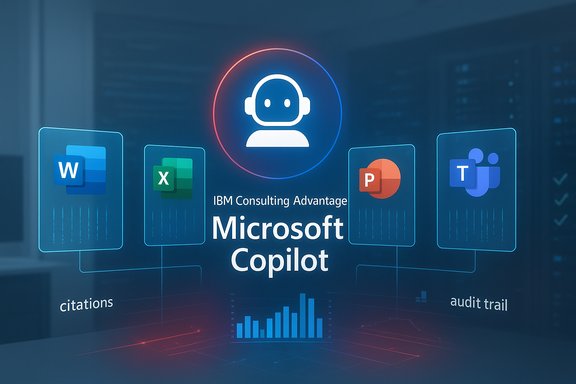
IBM Consulting Advantage: Microsoft Copilot AI assistant for Office apps.Background / Overview​

IBM has embedded its Consulting Advantage delivery platform directly into Microsoft Copilot, enabling IBM consultants — and potentially enterprise customers — to invoke a library of AI assistants, prebuilt agents, templates and accelerators from within Microsoft 365 apps such as Word, Excel, PowerPoint, Teams and Outlook. The company reports that the integration is already producing large productivity wins internally, claiming the equivalent of 250,000 hours saved annually, which IBM converts into roughly $35 million in redeployable consultant capacity. Those headline numbers originate from IBM’s announcement and company reporting; they are directionally plausible at scale but should be treated as vendor‑reported outcomes until a published methodology or independent audit is provided.
This integration builds on prior IBM investments in Copilot‑adjacent tooling (for example, IBM Copilot Runway introduced earlier) and takes advantage of Microsoft’s evolving agent platform — Copilot Studio, declarative agents, and the agent runtime embedded inside Office apps. The result is an operational model where consulting IP becomes callable inside the same surfaces workers use every day, reducing context switching and packaging repeatable delivery assets as first‑class automation.

The mechanics: what IBM actually put into Copilot​

At a high level, the integration exposes a curated set of IBM Consulting assets inside Microsoft’s agent surfaces. Key elements include:
  • Embedded consulting assistants — agents built from IBM’s playbooks, IP, research and accelerators that can be invoked in‑context inside 365 apps.
  • Discovery and routing — a context discovery or selection layer (what IBM refers to in its messaging as a registry/context module) that auto‑selects the appropriate assistant or asset for a task. This reduces manual lookups and supports multi‑step flows.
  • Tenant‑grounded access — agents operate against tenant data (SharePoint, Dataverse, Outlook, Microsoft Graph) using retrieval‑augmented generation (RAG) patterns and controlled connectors so responses can be grounded in enterprise content rather than free web searches.
  • Governance hooks — publish/approval gates, telemetry and human‑in‑the‑loop controls intended for enterprise compliance and auditability.
IBM lists several first‑wave agents in the announcement: an Assets Agent to find IBM accelerators, an Institute for Business Value Agent to surface research, offering/partnership brief agents, and “WOW Stories” or case‑story retrieval agents — all designed to accelerate the most common information‑work tasks consultants perform.

How the agent flows work (technical summary)​

The integration leverages Microsoft’s agent orchestration primitives in Copilot Studio and a discovery/registry pattern similar to the Model Context Protocol (MCP) approach. Practical architecture themes are:
  • Agent‑hosted flows: agents can run multi‑step tasks (search, synthesize, populate slides, extract contract clauses) while remaining inside an Office document or a Teams conversation.
  • MCP‑style discovery: a registry allows agents to find and call specialized tools, indices or third‑party assistants while enforcing a contract between the agent and the tool.
  • RAG as default grounding: retrieval from tenant indices (OneDrive/SharePoint/Dataverse/Azure Cognitive Search) is the recommended pattern to limit hallucination and preserve factuality.
  • Approval and telemetry: enterprise deployments should instrument agent invocations, tie outputs to source attributions, and enforce approval gates before writebacks or client‑facing deliverables are finalized.
Important caveat: some IBM product names referenced in early communications (e.g., ContextForge) appear to be IBM‑specific branding for the discovery/context layer and were not widely documented publicly at the time of the announcement. Treat such names as vendor terms until technical runbooks are published.

The numbers: parsing the 250,000 hours claim​

IBM’s headline figure — 250,000 hours saved per year — is the most eye‑catching part of the announcement. Analysts and independent reporting note that the arithmetic is straightforward and plausible at scale (for example, 5,000 consultants each saving an hour per week yields roughly 260,000 hours per year), but the claim should be read as an IBM‑reported metric until the measurement methodology is disclosed. The key questions procurement and IT teams must ask include:
  • What was the baseline for “time spent” (self‑reported, telemetry, or controlled task studies)?
  • How long was the measurement window and which tasks were included?
  • How are “redeployable hours” converted into dollar value (e.g., billable rate, utilization assumptions)?
IBM cites examples where compound information‑gathering tasks that used to take hours were completed in minutes using agent flows. Those operational anecdotes illustrate the intended experience, and partner case studies across the Copilot ecosystem corroborate meaningful per‑user savings in repeatable information tasks — but they are not a substitute for audited enterprise‑level ROI.

Why this matters: practical benefits for enterprises​

Embedding consulting IP inside Copilot shifts how organizations capture, reuse and scale knowledge. Practical benefits include:
  • Reduced context switching: consultants and knowledge workers stay in their documents and meetings while calling domain specialists as assistants.
  • Packaged institutional knowledge: playbooks, templates and research become callable assets rather than isolated repositories.
  • Faster time‑to‑value: prebuilt agents accelerate pilots and reduce the engineering lift for repeatable tasks.
  • Governance and traceability (when done right): Copilot Studio’s lifecycle features can provide versioning, telemetry and approval gates to treat agents as production software with an auditable trail.
These are not theoretical: vendor and partner case studies across the Copilot ecosystem report measurable savings on document generation, research, ticket triage and quoting workflows when agents are engineered for production. The incremental value compounds in large practices where many consultants perform similar information‑work tasks every week.

Risks, governance and operational traps​

The upside is significant, but so are the risks if this pattern is deployed without disciplined controls. Chief concerns:
  • Vendor‑reported metrics: headline aggregates (hours, dollar values) are vendor claims and require verification through pilots with clear baselines and instrumentation.
  • Hallucination and grounding failures: agents that synthesize across sources can produce plausible but incorrect outputs unless RAG and vetted indices are enforced. Require citations, confidence scores and human‑in‑the‑loop checks for high‑impact outputs.
  • Data leakage and IP controls: exposing tenant data to third‑party assistants introduces new exfiltration paths; apply least‑privilege connectors, DLP policies and explicit retention rules.
  • Agent sprawl and cost unpredictability: low friction to create agents can generate dozens of bespoke agents, each consuming model credits (Copilot Credits) and incurring cost. Without consumption caps and chargeback, costs can balloon.
  • Operational maturity and change management: employees must be trained to verify outputs and escalate uncertain items; otherwise speed gains can be offset by rework and errors.
  • Vendor lock and portability: dependence on vendor‑authored assets risks lock‑in; enterprises should demand exportable artifacts, IP clarity and exit strategies.
Security teams will also need to treat agents as first‑class principals: assign identities, tokens/permission scopes, immutable logs, and revocation workflows. Agentic computing expands the threat surface and requires extending zero‑trust principles beyond human users to software actors.

Competitive landscape: who else is playing and how IBM stacks up​

Large consultancies and systems integrators are racing to productize their IP. Accenture, Deloitte and other GSIs are packaging templates and accelerators and integrating with hyperscaler agent platforms. What differentiates IBM in this playbook:
  • Deep Microsoft partnership: IBM’s long relationship with Microsoft and prior offerings (IBM Copilot Runway, IBM Consulting Azure OpenAI Services) give it a pragmatic route to surface assets inside Copilot.
  • Breadth of consulting IP: IBM packages industry‑specific templates and research (e.g., IBM Institute for Business Value) that are natural candidates for assistantization.
  • Focus on governance and production readiness: IBM frames the integration as enterprise‑grade with approval hooks, telemetry and tenant grounding — attributes large customers demand.
Still, competitors are close. Several vendors and ISVs are building their own agents into Copilot and Microsoft’s agent ecosystem continues to expand; the moat will be in execution (quality of assets, governance, portability and measurable outcomes).

For CIOs and procurement teams: an actionable checklist​

The integration is promising, but successful adoption requires discipline. Recommended steps:
  • Run a focused pilot on 1–2 high‑value, repeatable tasks (e.g., RFP research, slide pack assembly). Capture baseline cycle times and quality metrics before enabling agents.
  • Insist on measurement transparency. Require IBM (or any vendor) to provide the methodology behind any ROI claims, including data collection methods and the definition of “redeployable hours.”
  • Enforce governance up front. Publish an agent approval workflow, require least‑privilege connectors and set human‑in‑the‑loop thresholds for business‑critical outputs.
  • Implement cost governance. Map expected agent invocation volumes to Copilot Credits or model costs, configure monthly caps and chargebacks to business units.
  • Treat agents as production software. Catalog agents, assign owners, require version control, test suites and SLAs.
  • Validate portability and IP terms in contracts. Require export formats, rehost guidance and IP clarity for client examples or templates used by third‑party assistants.
These steps reduce rollout risk and turn vendor‑level claims into verifiable, repeatable business outcomes.

Technical and architectural considerations for engineering teams​

For platform and AI engineering teams evaluating IBM Consulting Advantage + Copilot, the important technical checks include:
  • Confirm connector design and least‑privilege scopes for SharePoint, Dataverse and Outlook access. Verify how tokens and identity are provisioned for agent principals.
  • Demand runbooks and integration specs for any IBM‑branded modules (e.g., ContextForge). If documentation is missing, treat names as marketing terms until technical details are provided.
  • Validate RAG indices and freshness guarantees for critical data sources (e.g., SLAs for index rebuilds, search latency, caching behavior).
  • Establish observability: require detailed telemetry for agent invocations, model routing, prompt templates used and output confidence/citation metadata.
  • Evaluate model hosting options and latency tradeoffs: Copilot can route to Microsoft‑hosted models or tenant‑hosted/private models via Azure AI Foundry; decide where sensitive workloads must run for compliance.
Engineering teams should insist on formal SLAs and test suites for any production agent used in client deliverables.

Broader implications: agentic work and the future of consulting​

This IBM–Microsoft integration exemplifies the industry trend from one‑off AI pilots to agentic, composable business services. The shift is meaningful:
  • Consulting IP evolves from static deliverables into callable services that act inside productivity workflows.
  • Knowledge capture becomes institutional and continuously reusable, reducing repetitive effort and preserving best practices.
  • CIOs must move from experimental projects to production‑grade governance, treating agents like software assets with owners, budgets and lifecycle plans.
If executed responsibly, agentic copilots can transform how enterprises consume consulting services — moving from time‑based engagements toward outcome‑driven, platformized delivery.

Balanced assessment: strengths and potential blind spots​

Strengths
  • Practical adoption path: surfacing assets in Office apps minimizes user friction and accelerates adoption.
  • Repeatable value: packaged agents scale know‑how across large teams and reduce rework.
  • Governance integration: Copilot Studio’s lifecycle features provide the primitives needed for auditable agent deployments at enterprise scale.
Potential blind spots
  • Unverified headline metrics: the 250,000 hours / $35M figure is an IBM‑reported aggregate that needs measurement transparency. Treat it as directional until validated.
  • Operational complexity: agent lifecycle management, DLP, identity for agents and cost governance are non‑trivial and require investment.
  • Portability risk: deep embedding can yield vendor lock; contracts must address exportability and continuity.

Conclusion​

IBM’s decision to embed Consulting Advantage inside Microsoft Copilot is a concrete, well‑timed move that operationalizes two clear industry trends: the productization of consulting IP and the evolution of Copilot from a chat helper into an agent orchestration platform. The business case — faster briefs, prepopulated deliverables and measurable per‑task time savings — is real for repeatable information‑work tasks. However, the scale of the claimed impact (250,000 hours / ~$35M) is a vendor‑reported outcome that should be validated in customer pilots with transparent measurement methods.
The practical lesson for CIOs and delivery leads is straightforward: treat agents as production software. Pilot narrowly, demand measurement transparency, enforce governance and cost controls, require IP and portability protections, and instrument agent outcomes before scaling. With those guardrails in place, the IBM + Microsoft Copilot pattern can deliver meaningful productivity gains — not as a parade of glossy demos, but as repeatable, auditable improvements in how knowledge work gets done.

Source: WebProNews IBM’s AI Power Play: Supercharging Microsoft Copilot for Enterprise Efficiency
 

Back
Top