

Microsoft’s own incident responders have laid bare a strikingly modern attack that bypassed classic zero‑day exploits and instead preyed on human trust inside a collaboration platform, ultimately turning a routine Microsoft Teams call into a live compromise and multi‑stage intrusion. (microsoft.com)
In a March 16, 2026 Cyberattack Series write‑up, Microsoft Incident Response (DART) describes a case where an identity‑first, human‑operated intrusion began with persistent voice phishing (vishing) over Microsoft Teams and ended with remote access granted through Windows Quick Assist. The adversary impersonated IT support, persuaded a user to allow remote control, and then used signed installers and DLL sideloading techniques to drop loaders and backdoors that established command‑and‑control (C2) and enabled credential harvesting and session hijacking. DART’s investigation determined the event was short‑lived, limited in scope, and—critically—relied on deception and legitimate tooling rather than a software vulnerability. (microsoft.com)
This incident is not an isolated novelty. Security vendors and researchers have documented the same playbook—email flooding to create urgency, Teams messages and calls impersonating help desk staff, Quick Assist or similar remote‑control tooling to get an interactive session, and finally the use of MSI installers or legitimate binaries paired with malicious DLLs to run code under a trusted process. Sophos, BlueVoyant, and other vendors have published corroborating research and technical analysis of similar campaigns and malware variants that reuse this workflow.
Defenders must therefore treat identity and collaboration telemetry as first‑class signals. That means expanding detection, hardening defaults, and adopting a posture that assumes any user‑facing collaboration surface can be weaponized. Microsoft’s DART recommendations and multiple vendor reports converge on the same point: the security boundary now includes how people behave inside collaborative tools. (microsoft.com)
However, defending against these attacks has practical limits. When an employee willingly grants access, endpoint posture often changes from “malicious” to “supported” in the eyes of inline protections. Signed packages complicate static allowlist approaches, and cloud‑hosted tokenized payload distribution complicates retrospective collection and takedown. Attribution ambiguity further reduces options for decisive external remediation.
Concretely, the immediate next steps for most organizations should be: inventory and lock down remote support tooling; enable Teams call reporting and brand impersonation protections; harden application control for MSI installs; hunt for Quick Assist and MSI/DLL sideload indicators; and run awareness campaigns that simulate Teams‑based vishing. These measures will not stop all attacks, but they will reduce the probability that a single social engineering success becomes a sustained, high‑impact breach. (microsoft.com)
Source: Microsoft Help on the line: How a Microsoft Teams support call led to compromise | Microsoft Security Blog
 Background / Overview
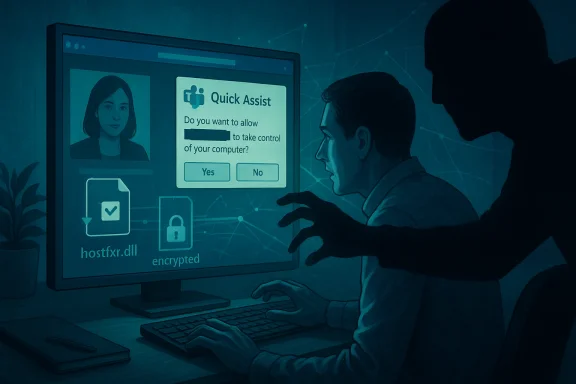
In a March 16, 2026 Cyberattack Series write‑up, Microsoft Incident Response (DART) describes a case where an identity‑first, human‑operated intrusion began with persistent voice phishing (vishing) over Microsoft Teams and ended with remote access granted through Windows Quick Assist. The adversary impersonated IT support, persuaded a user to allow remote control, and then used signed installers and DLL sideloading techniques to drop loaders and backdoors that established command‑and‑control (C2) and enabled credential harvesting and session hijacking. DART’s investigation determined the event was short‑lived, limited in scope, and—critically—relied on deception and legitimate tooling rather than a software vulnerability. (microsoft.com)This incident is not an isolated novelty. Security vendors and researchers have documented the same playbook—email flooding to create urgency, Teams messages and calls impersonating help desk staff, Quick Assist or similar remote‑control tooling to get an interactive session, and finally the use of MSI installers or legitimate binaries paired with malicious DLLs to run code under a trusted process. Sophos, BlueVoyant, and other vendors have published corroborating research and technical analysis of similar campaigns and malware variants that reuse this workflow.
What happened — the attack chain, step by step
1. Pretexting and inbox saturation
The adversary began by creating a noisy condition inside the victim environment—commonly described as “email bombing” or inbox flooding—to create confusion and an expectation that IT would need to intervene. That context elevates the plausibility of an incoming Teams message or call from “help desk.” This social engineering step is the force multiplier: it primes victims to accept help without the usual verification routines. (cyberscoop.com)2. Teams vishing (voice phishing)
Using an external Teams account, the attacker contacted employees directly and impersonated internal IT. Microsoft’s DART confirms the initial foothold here was a Teams voice call—vishing—where two earlier attempts failed before a third user granted remote assistance. This is an increasingly common tactic noted by industry researchers. (microsoft.com)3. Quick Assist remote interactive access
Once on a live Teams call, the attacker guided the employee to start Microsoft Quick Assist (a native Windows remote help tool) and to grant the remote session. With interactive desktop control, the adversary moved from persuasion to “hands on keyboard” compromise—navigating the browser, directing the user to a spoofed credential prompt, and initiating payload downloads. DART’s forensic artifacts (browser history, Quick Assist logs) explicitly tie the initial compromise to that Quick Assist session. (microsoft.com)4. Delivery and sideloading via signed MSI
The attacker delivered an apparently legitimate Microsoft Installer (MSI) package—digitally signed and masquerading as Microsoft software—that dropped a malicious DLL alongside a trusted executable. That DLL was then sideloaded by the legitimate binary, allowing arbitrary code execution while appearing to be a trusted process. Microsoft documented MSI+DLL sideloading as part of the chain; independent analysis from BlueVoyant confirms the use of signed MSI packages and lookalike DLLs in observed incidents. (microsoft.com)5. Loader, C2, credential harvesting, and session hijacking
After the sideloaded code executed, additional encrypted loaders and remote command execution tools were staged. The campaign used proxying and other evasive network techniques to hide C2, and later components focused on credential harvesting and session hijacking—enabling the actor to move laterally and operate interactively with reduced chance of detection. DART’s forensic analysis found no long‑term persistence mechanisms in the environment they investigated, suggesting the adversary relied on identity‑driven access and living‑off‑the‑land tools rather than kernel or boot persistence. (microsoft.com)Technical analysis: why this chain works
Legitimate tooling as an enabler
Quick Assist is part of Windows and trusted by enterprises. Its purpose is to let support staff bootstrap remote troubleshooting quickly. That very trust is weaponized here: interaction through legitimate tooling leaves many defenders with few direct process anomalies to flag—especially when an attacker uses the legitimate UI and a victim’s credentials or consent to run installers.Signed MSI + DLL sideloading
MSI packages signed with valid certificates can slip past policy checks and are often whitelisted in enterprise settings. Attackers who host packages on cloud storage tied to personal accounts and deliver tokenized download links complicate detection and attribution. BlueVoyant’s reverse engineering of a sample named Update.msi shows the MSI dropping a fake hostfxr.dll (a .NET hosting component lookalike) and other files into official Microsoft product paths to sidestep scrutiny—classic DLL sideloading. This technique runs code inside a trusted binary, making behavioral heuristics less likely to trigger. (bluevoyant.com)Network stealth and use of native admin tooling
After gaining execution, the adversary used encrypted loaders and standard administrative tooling for remote command execution—an approach that blends into normal admin operations and can defeat signature‑based detections. Proxy channels and DNS-based or recursive resolver–centric C2 patterns further obscure posture and complicate detection from perimeter telemetry. BlueVoyant and others documented such evasive communications and loader behaviors in variants tied to these campaigns. (bluevoyant.com)Who’s doing this? Attribution and caution
Multiple security vendors link these patterns to clusters and affiliates that reuse a common playbook: Storm‑1811 (also tracked as Blitz Brigantine / STAC5777), FIN7 overlaps, Black Basta‑linked activity, and other financially motivated groups. Researchers emphasize code reuse and the handoff of tooling between groups—meaning that payload signatures alone are a weak basis for definitive attribution. Microsoft’s DART report focuses on intrusion technique and containment rather than formal attribution in that specific case. Analysts generally advise caution: similarity in tactics, techniques, and procedures (TTPs) suggests thematic linkage but not necessarily a single controlling actor. (bluevoyant.com)How Microsoft responded — rapid containment and forensics
DART’s approach prioritized identity and directory protection after confirming the Teams vishing origin. The response included targeted eviction of the actor from affected devices, tactical containment controls to protect privileged assets, and forensic collection across endpoints and telemetry to verify scope and rule out directory‑level compromise. The team confirmed the attack was constrained in reach and that persistence mechanisms were not found in the investigated environment—allowing for faster recovery. Microsoft’s public write‑up emphasizes focusing on early telemetric artifacts (Quick Assist logs, browser history, MSI/DLL artifacts) to understand the entry point and constrain the incident. (microsoft.com)Independent confirmation: industry research and corroboration
- Sophos MDR first documented the email bombing + Teams vishing + Quick Assist playbook in January 2025 and has published detection guidance and mitigation controls. Sophos’ research observed multiple incidents where external Teams accounts impersonated help desk staff and used Quick Assist to deploy malicious tooling.
- BlueVoyant’s March 2026 analysis dug into a new backdoor they named “A0Backdoor,” describing signed MSI packages dropped into Microsoft‑like paths and a lookalike hostfxr.dll that carried packed/encrypted payload sections—mirroring the sideloading behavior described by Microsoft and revealing technical specifics of the loader and C2. (bluevoyant.com)
- Reporting by independent outlets, including CyberScoop, and repeated vendor advisories from multiple vendors show the same core pattern and stress the operational risk of Quick Assist and other remote support tools when abused for social engineering. (cyberscoop.com)
Strengths and notable lessons from DART’s analysis
- Clear articulation of identity‑first risk: Microsoft’s report is valuable because it frames the incident around identity and human factors instead of technical zero‑days. That shift is critical—defenders need to assume users and collaboration channels can be weaponized. (microsoft.com)
- Forensic clarity and actionable artifacts: DART points to specific, practical artifacts (Quick Assist session artifacts, browser history, MSI and DLL artifacts) that security teams can hunt for immediately after similar reports. Those artifacts are high‑value because they directly relate to the initial access vector. (microsoft.com)
- Alignment with vendor observations: The Microsoft case lines up with vendor research (Sophos, BlueVoyant), demonstrating a consistent, multi‑vendor view of the threat and enabling defenders to combine indicators from multiple reporting streams for earlier detection.
Risks and open questions
- Signed binaries complicate policy enforcement. Attackers using validly signed MSI packages can evade allow‑list policies that rely solely on digital signatures or publisher reputations. The fact that some packages were hosted on personal cloud storage with tokenized links further complicates static blocking. BlueVoyant’s analysis of signed samples underscores this operational risk. (bluevoyant.com)
- User consent is a powerful bypass. When the user actively grants remote assistance, many endpoint protections lose the ability to clearly distinguish legitimate admin activity from malicious control. The adversary’s use of the legitimate Quick Assist UI means standard agent telemetry can look mundane until forensic correlation is done. (microsoft.com)
- Attribution uncertainty affects response. Shared tooling and sold‑for‑hire components mean defenders can find technical artifacts without being able to tie them to a single responsible actor. That complicates strategic response and legal or diplomatic follow‑up. Security vendors repeatedly caution about the difficulty of confident attribution for these clusters. (bluevoyant.com)
- Detection gaps for collaboration channels. Many security programs focus on email as the primary phishing vector. The rapid rise of Teams‑based social engineering shows defenders must extend detection, reporting, and user education to chat and calling platforms. (cyberscoop.com)
Practical, prioritized defenses (what organisations should do now)
Below are practical controls defenders can implement quickly, grouped for clarity:Identity and access controls
- Enforce strong, adaptive multifactor authentication (MFA) for all users—especially anyone who can approve remote access. This reduces credential theft exploitation and complicates an adversary’s ability to escalate or pivot.
- Audit and protect privileged accounts; restrict the ability to change directory or authentication policies without multi‑party approval.
Collaboration platform hardening
- Restrict inbound interactions from unmanaged Teams accounts. Implement an allowlist model wherever possible so external domains/accounts cannot directly initiate calls or chats to sensitive employee groups. Microsoft and other vendors recommend limiting external contact to known partners. (microsoft.com)
- Enable Teams call and message reporting. Encourage and enable users to report suspicious calls; telemetry from these reports can seed detection and takedown. Recent Teams feature rollouts include call reporting and brand impersonation protections—enable them.
Remote support tooling and application control
- Audit and minimize Quick Assist and RMM presence. Inventory remote assistance tools permitted in your estate and enforce a strict policy: only licensed, centrally managed support accounts should have remote support privileges.
- Block or restrict on‑demand installers. Use application control (AppLocker, Windows Defender Application Control) to limit MSI installation to managed deployment channels and known publishers; require admin review or ephemeral allowlisting for new installers.
- Harden software delivery and allowlist policies to consider not just the signer but the distribution channel (e.g., personal cloud storage) and the intended install path.
Endpoint and detection
- Monitor Quick Assist artifacts and session logs. Deploy hunts for Quick Assist session records, unusual remote session activity, or user‑initiated installer executions following a Teams call.
- Detect MSI/DLL sideload patterns. Hunt for MSI installs that drop DLLs in unexpected product paths and for suspicious hostfxr.dll anomalies (packed/encrypted data, junk function calls) as BlueVoyant observed. (bluevoyant.com)
- Correlate collaboration events with endpoint telemetry. If a Teams call or external chat coincides with a Quick Assist session and subsequent MSI execution, escalate automatically to a security workflow.
Training and process
- Simulate vishing scenarios in security awareness programs. Regular exercises should include Teams‑based social engineering, not just email phishing simulations.
- Establish prescriptive verification processes for IT support. Employees should have a standard verification path (call the known internal help desk line, check ticket IDs via a trusted portal) before granting any remote control.
- Define an emergency “stop” procedure. If a suspicious remote control session is in progress, users and colleagues should know how to immediately revoke permissions and contact security.
Detection playbook for incident responders
- Immediately gather Teams telemetry: caller account, timestamps, associated chat messages.
- Pull Quick Assist session artifacts and collect endpoint memory and disk images from the affected host.
- Search browser history for navigation to spoofed credential collection pages and for tokenized download URLs.
- Identify MSI files, calculate hashes, and analyze installer contents (dropped files, paths, certificates).
- Hunt for DLL sideloads—look for unexpected DLLs in Microsoft product folders and for hostfxr.dll lookalikes with packed/encrypted data. (bluevoyant.com)
- Block observed C2 indicators and isolate affected hosts; rotate potentially compromised credentials and enforce conditional access blocks.
- Scale hunt across telemetry sources (EDR, network proxies, identity logs) to determine breadth and possible lateral movement.
Why this matters: the strategic picture
This case highlights a broader trend: threat actors increasingly favor identity and human manipulation over noisy zero‑day exploits because social engineering can grant the same privileges with lower effort and lower risk. Collaboration platforms—Microsoft Teams in this case—are high‑value targets because they combine user trust, real‑time voice/video, and native avenues for remote assistance.Defenders must therefore treat identity and collaboration telemetry as first‑class signals. That means expanding detection, hardening defaults, and adopting a posture that assumes any user‑facing collaboration surface can be weaponized. Microsoft’s DART recommendations and multiple vendor reports converge on the same point: the security boundary now includes how people behave inside collaborative tools. (microsoft.com)
Final analysis: strengths, limitations, and next steps for defenders
Microsoft’s disclosure is helpful because it centers human‑centered attack vectors and provides concrete artifacts that IR teams can hunt. The corroborating vendor research enriches the technical detail around signed MSI sideloading and novel backdoors like A0Backdoor, which helps defenders triage quickly. (microsoft.com)However, defending against these attacks has practical limits. When an employee willingly grants access, endpoint posture often changes from “malicious” to “supported” in the eyes of inline protections. Signed packages complicate static allowlist approaches, and cloud‑hosted tokenized payload distribution complicates retrospective collection and takedown. Attribution ambiguity further reduces options for decisive external remediation.
Concretely, the immediate next steps for most organizations should be: inventory and lock down remote support tooling; enable Teams call reporting and brand impersonation protections; harden application control for MSI installs; hunt for Quick Assist and MSI/DLL sideload indicators; and run awareness campaigns that simulate Teams‑based vishing. These measures will not stop all attacks, but they will reduce the probability that a single social engineering success becomes a sustained, high‑impact breach. (microsoft.com)
Conclusion
The DART case is a crisp, contemporary reminder that cybersecurity is now as much about human behavior, identity, and collaboration flows as it is about code flaws. Attackers are weaponizing the very conveniences that make modern work possible—trusted collaboration channels and built‑in support tools—to obtain hands‑on access and run malicious payloads under a cloak of legitimacy. Organizations that accept this reality and adapt—by tightening collaboration defaults, minimizing remote‑help vectors, reinforcing identity controls, and enriching detection across collaboration and endpoint telemetry—will be better placed to prevent a stray support call from becoming the opening move in a catastrophic breach. (microsoft.com)Source: Microsoft Help on the line: How a Microsoft Teams support call led to compromise | Microsoft Security Blog
