

At InfoComm 2026, IDC analyst Gala Spasova argued that enterprise meeting rooms are becoming AI-enabled, centrally managed IT endpoints. In reporting on IDC’s post-show analysis, InfoTechLead described announcements involving Cisco, HP, Shure, Microsoft, NVIDIA, Neat, Zoom, and Google as evidence of continued convergence between audiovisual systems and enterprise IT.
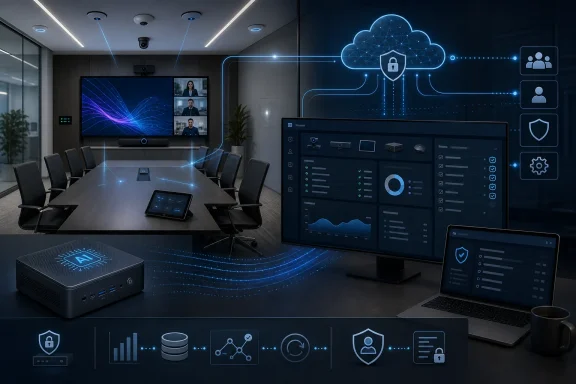
The important operational change is not simply that conference rooms are acquiring more AI features. It is that they are joining the managed computing estate. Once a room can collect workplace data, receive software updates, use shared identities, connect to business systems, and potentially participate in automated support, it stops being furniture with a camera and becomes infrastructure.
The practical decision rule is straightforward: treat AI rooms as shared, sensor-rich managed endpoints—not as AV appliances—and govern them accordingly. That means inventorying their compute and peripherals, assigning authoritative management systems, separating room identities from user identities, coordinating operating-system and firmware maintenance, documenting data flows, and limiting AI agents to observable, auditable permissions.
For Windows administrators in particular, the conference room is becoming another endpoint class—one with sensitive sensors, shared or resource-based identities, long replacement cycles, and no dedicated user watching what it does. Organizations that apply ordinary endpoint discipline early will be better prepared than those that wait for an AI assistant, failed update, compromised room account, or disputed transcript to expose gaps in ownership.
Traditional audiovisual design treated a meeting room as a collection of appliances. A display showed content, microphones captured speech, speakers reproduced sound, and a control panel switched inputs or started a call. Those components could be sophisticated, but they were usually purchased and operated as a bounded room system rather than as part of an organization-wide computing platform.
Calling a room a managed enterprise endpoint moves it into the same conceptual territory as laptops, smartphones, printers, kiosks, and servers. IT must know what hardware is installed, what software it runs, which identities can control it, what data it produces, when it was updated, and whether it complies with organizational policy.
Meeting rooms also create a more complicated ownership problem than most conventional endpoints. Facilities may control the physical space, an AV team may own the microphones and displays, workplace technology may define the experience, and central IT may manage Windows, networking, identity, and collaboration services. Cybersecurity, legal, compliance, and HR enter the picture once cameras, transcripts, attendance records, diagnostics, or room analytics become persistent corporate data.
The figures show that enterprise end users represented a larger share of the event audience. They do not, by themselves, prove that the absolute number of enterprise attendees increased. A larger percentage of a smaller total audience can coexist with a decline in raw headcount.
That does not mean IDC endorsed every possible industry implication attached to the numbers. It does suggest that room vendors face an audience increasingly likely to ask about fleet management, platform compatibility, AI workloads, security controls, lifecycle cost, data handling, and the operational consequences of standardizing rooms at scale.
Those facts establish the processor architecture, the presence of an NPU, and the named platform support. They do not establish that every future AI workload will run locally, that all existing room systems require replacement, or that an NPU has become a mandatory component across the entire market.
That is a procurement risk rather than proof of an inevitable refresh cycle. IT needs workload-level documentation showing which functions are available now, which remain demonstrations or roadmap items, which execute locally, which require cloud services, and which deliver measurable operational value.
Those facts should not be stretched into a general claim that RoomOS 26 formally joins all collaboration software with all endpoint hardware. Nor do they establish, without device-specific documentation, which capabilities will run on each installed Cisco product.
Buyers should validate the RoomOS 26 name, supported hardware, firmware prerequisites, regional availability, licensing, and release timing against current Cisco documentation before relying on the announcement in a procurement or migration plan.
Buying “AI-ready” hardware without an approved workload is the meeting-room equivalent of purchasing server capacity for an application no one has funded or governed.
The common operational theme is abstraction. A complicated physical installation can be represented to enterprise software as an endpoint, workspace, device fleet, service, or potentially an agent-accessible resource. The system defining that abstraction may influence how rooms are provisioned, monitored, secured, upgraded, and replaced.
That is analysis, not a claim attributed to IDC or any individual vendor.
A room computer usually has no single accountable user. People enter, launch meetings, attach devices, share content, and leave. The system may remain associated with a resource account, communicate continuously with cloud services, and expose a touch interface to anyone with physical access.
That makes configuration discipline especially important. An employee PC benefits from a user who notices unusual behavior, reports a failed application, or recognizes that a screen does not look right. A meeting-room computer may operate unattended until an important call fails, after which the incident becomes urgent and highly visible.
Windows servicing also collides with the expectation that rooms must always be available. Updates, driver changes, firmware dependencies, collaboration-client releases, and peripheral compatibility need to be coordinated around working hours. A reboot that is routine on a laptop can cancel a meeting or leave a room appearing dead to employees who cannot tell whether the problem is the display, compute unit, network, account, or conferencing application.
Administrators should therefore verify which Poly devices are represented, whether PCs or printers appear in the same operational views, which data is collected, what actions can be performed, and which functions require separate licenses or consoles.
If several consoles can modify the same room, the organization must decide which team is allowed to change what, how conflicts are prevented, and how every change is logged.
Facilities, networking, privacy, legal, HR, procurement, and compliance remain important stakeholders, but the four operational owners above should form the core room-service model. Each production room should have an identifiable service owner and escalation path even when different teams manage individual layers.
Change records should show not only that “the room was updated,” but which layer changed. An audio-firmware update, Windows quality update, collaboration policy change, and AI-agent permission grant have different owners, risks, test plans, and rollback procedures.
The model should also designate a configuration authority. If the collaboration platform, endpoint-management service, vendor portal, and local interface can all change the same setting, one source must be treated as authoritative. Otherwise, automated reconciliation may overwrite a technician’s fix or leave teams debating which dashboard reflects the intended state.
Yet local inference is not local governance. A model running on an NPU can still produce transcripts, metadata, alerts, configuration changes, or analytics that later flow to cloud services. The location of computation does not by itself determine who can access the output, how long it is retained, or whether it is used for another purpose.
Edge processing can also concentrate valuable information on the endpoint. A compromised room system may have access to microphones, cameras, calendars, device credentials, local caches, network information, and management channels. Moving intelligence closer to those sensors can reduce one category of exposure while increasing the importance of endpoint hardening and physical security.
Organizations should demand architecture diagrams rather than accepting “edge AI” as a privacy label. They need to know which data is captured, which processing occurs locally, what is transmitted, where telemetry is stored, how administrators authenticate, whether actions are logged, and what happens when a room is decommissioned.
The edge-versus-cloud debate is ultimately a data-flow question, not a branding question. The safer architecture is the one an enterprise can inventory, explain, monitor, and constrain.
Those details should be verified in current Neat documentation before an organization designs controls or procurement requirements around them.
In such a scenario, traditional management software might tell an administrator that a device is offline or that a microphone requires attention. An agent could potentially interpret a condition, recommend a response, and—if explicitly granted permission—execute a remediation step.
That could reduce repetitive support work, but every autonomous remedy would also be a privileged action. Rebooting a room, altering its configuration, changing a device relationship, or modifying enrollment can disrupt service or weaken security when performed at the wrong time.
Any production MCP integration with administrative tools should therefore be treated as an administrative interface rather than a conversational convenience. Tool permissions should be scoped, identities should not be shared, sensitive commands should require approval, and every action should produce an audit record tied to the initiating identity and affected room.
A credible deployment would distinguish observation from modification. It may be reasonable for an approved agent to read selected health telemetry across a test estate while allowing no configuration changes. After that behavior is understood, narrowly defined, low-impact actions could be introduced in a pilot group. Enrollment, identity, security, and broad policy changes deserve stronger controls than routine status checks.
The promise of an agentic meeting room is not that support disappears. It is that support policy can become executable. If that policy is vague, overly permissive, or poorly tested, automation will reproduce the organization’s confusion at machine speed.
That evidence does not, by itself, establish a specific set of centralized monitoring or management functions in ShureCloud. Nor does it prove that IntelliMix Room Kits or particular microphones deliver a defined level of transcription reliability. Buyers should verify supported devices, available telemetry, configuration controls, firmware workflows, administrative roles, licensing, retention, and audit capabilities in Shure’s current product documentation.
That makes microphones, room acoustics, placement, and signal processing relevant to the quality of downstream AI output. This is an engineering inference, not a performance claim attributed to Shure or a guarantee associated with any named product.
Audio quality is therefore no longer only an experience metric measured by whether remote participants can understand the conversation. Where an organization enables transcription, summaries, searchable records, or action-item extraction, the audio chain becomes an input to systems that create corporate information.
Firmware state, microphone placement, room acoustics, device health, and signal-processing configuration may all affect that input. A degraded microphone may no longer be merely an AV fault; it can become a data-quality incident if the resulting transcript or summary is treated as an authoritative business record.
Organizations should establish separate labels for the original recording, machine transcript, AI-generated summary, and human-approved record. A transcript should not silently become ground truth merely because it is searchable, and an automated summary should not be treated as a complete account of a meeting without an appropriate review process.
The procurement mistake would be to count demonstrations, roadmap language, or undefined “AI readiness” as delivered business value. The operational mistake would be to deploy a room as though it were an appliance while allowing it to behave like a computer.
The safer approach is deliberately unglamorous: maintain an asset record, name the room-account owner, approve a management-console matrix, review the data-flow diagram, test rollback, and begin agent access in read-only mode. Require vendors to document hardware eligibility, cloud dependencies, retention, roles, logs, update ownership, and recovery before a feature appears in the refresh calculation.
Conference rooms will continue acquiring more software, more intelligence, and more connections to enterprise systems. Whether that produces better collaboration or a new category of unmanaged risk will depend less on the sophistication of the camera than on the quality of the operating model around it.
For WindowsForum readers, the forward-looking conclusion is clear: the next room refresh should be planned with the same discipline as an endpoint rollout, identity project, and cloud-service adoption combined. The intelligent room is arriving as infrastructure. IT’s job is to make sure it also arrives with ownership, evidence, limits, and a way back.
The important operational change is not simply that conference rooms are acquiring more AI features. It is that they are joining the managed computing estate. Once a room can collect workplace data, receive software updates, use shared identities, connect to business systems, and potentially participate in automated support, it stops being furniture with a camera and becomes infrastructure.
The practical decision rule is straightforward: treat AI rooms as shared, sensor-rich managed endpoints—not as AV appliances—and govern them accordingly. That means inventorying their compute and peripherals, assigning authoritative management systems, separating room identities from user identities, coordinating operating-system and firmware maintenance, documenting data flows, and limiting AI agents to observable, auditable permissions.
For Windows administrators in particular, the conference room is becoming another endpoint class—one with sensitive sensors, shared or resource-based identities, long replacement cycles, and no dedicated user watching what it does. Organizations that apply ordinary endpoint discipline early will be better prepared than those that wait for an AI assistant, failed update, compromised room account, or disputed transcript to expose gaps in ownership.
 The Conference Room Has Become a Managed Computer
Traditional audiovisual design treated a meeting room as a collection of appliances. A display showed content, microphones captured speech, speakers reproduced sound, and a control panel switched inputs or started a call. Those components could be sophisticated, but they were usually purchased and operated as a bounded room system rather than as part of an organization-wide computing platform.What IDC reported
In InfoTechLead’s account of IDC’s post-InfoComm analysis, modern rooms were described as receiving software updates, connecting to cloud-management platforms, generating telemetry, and increasingly using AI. Gala Spasova, Senior Research Manager at IDC, framed the trend as another stage in the convergence of AV and IT.Calling a room a managed enterprise endpoint moves it into the same conceptual territory as laptops, smartphones, printers, kiosks, and servers. IT must know what hardware is installed, what software it runs, which identities can control it, what data it produces, when it was updated, and whether it complies with organizational policy.
Meeting rooms also create a more complicated ownership problem than most conventional endpoints. Facilities may control the physical space, an AV team may own the microphones and displays, workplace technology may define the experience, and central IT may manage Windows, networking, identity, and collaboration services. Cybersecurity, legal, compliance, and HR enter the picture once cameras, transcripts, attendance records, diagnostics, or room analytics become persistent corporate data.
WindowsForum’s operational takeaway
The industry’s AI language should not distract from the underlying operational change. The defining feature of an intelligent meeting room is not a clever camera crop or automatic summary. It is that the room has become a remotely managed, policy-sensitive computing environment whose failures can disrupt both physical work and digital workflows.What IT Should Do Now
Organizations do not need to wait for a fully autonomous room platform before establishing control. The immediate implementation work is conventional endpoint governance applied to an unconventional shared device.- Inventory room compute and peripherals. Record the compute unit, operating system, cameras, microphones, speakers, touch controllers, displays, scheduling panels, adapters, firmware versions, warranties, support status, network dependencies, and physical location.
- Assign an authoritative management console. Identify the system of record for inventory and decide which console is authoritative for operating-system policy, collaboration configuration, peripheral firmware, health monitoring, and compliance evidence.
- Separate room resource accounts. Do not treat a shared room as an employee workstation. Use dedicated resource identities, restrict interactive sign-in where possible, scope licenses and permissions, protect credentials, and document account recovery.
- Define Windows, collaboration-client, and firmware maintenance windows. Coordinate update rings, application releases, driver changes, peripheral firmware, reboot behavior, testing, and rollback around room availability.
- Document data flows and retention. Map what cameras, microphones, occupancy sensors, transcripts, diagnostics, and management platforms collect; where processing occurs; what leaves the room; who can access it; and when it is deleted.
- Pilot agent permissions as read-only. Let assistants inspect health and inventory before they can reboot devices, modify settings, generate enrollment material, or change production configurations.
- Test native and guest-join workflows. Validate identity, content sharing, camera behavior, captions, recording notices, assistant access, and support visibility when users join meetings hosted on both the preferred platform and external platforms.
Minimum pilot gate
No AI-enabled room should enter a production pilot until the following artifacts exist and have accountable owners:- Asset record: A complete configuration record for the compute unit, operating system, peripherals, firmware, licenses, serial numbers, physical location, network placement, warranty, and support status.
- Room resource-account owner: A named team and individual role responsible for the room identity, credentials, licenses, conditional-access treatment, recovery process, and periodic access review.
- Approved management-console matrix: A table stating which console may read or change inventory, Windows policy, collaboration settings, firmware, peripheral configuration, room identity, and AI-agent permissions.
- Data-flow diagram: A reviewed diagram covering sensor input, local processing, cloud processing, telemetry, transcripts, recordings, administrative logs, retention, and third-party transfers.
- Rollback test: Evidence that the pilot team can reverse an operating-system update, application release, peripheral firmware change, policy modification, or agent configuration without rebuilding the entire room.
- Read-only agent pilot approval: Written approval defining which test rooms and telemetry an AI assistant may inspect, which identities it uses, where its actions are logged, and which modification tools remain prohibited.
A Smaller InfoComm Still Drew a More Enterprise-Heavy Audience
What IDC reported
According to the AVIXA figures presented in the IDC analysis and reported by InfoTechLead, InfoComm 2026 attendance declined by approximately 9 percent. The same reporting placed enterprise end users at 37 percent of attendees, compared with 35 percent in 2025 and 29 percent in 2024.The figures show that enterprise end users represented a larger share of the event audience. They do not, by themselves, prove that the absolute number of enterprise attendees increased. A larger percentage of a smaller total audience can coexist with a decline in raw headcount.
Timeline
- 2024: Enterprise end users represented 29 percent of attendees, according to the AVIXA figures cited in the IDC analysis.
- 2025: The reported enterprise end-user share rose to 35 percent.
- 2026: The reported share reached 37 percent while total attendance declined by approximately 9 percent.
WindowsForum’s analysis
The defensible conclusion is about relative influence, not absolute attendance. Enterprise customers occupied a larger portion of the event, increasing the importance of requirements associated with corporate IT, workplace operations, security, compliance, and lifecycle management.That does not mean IDC endorsed every possible industry implication attached to the numbers. It does suggest that room vendors face an audience increasingly likely to ask about fleet management, platform compatibility, AI workloads, security controls, lifecycle cost, data handling, and the operational consequences of standardizing rooms at scale.
AI Readiness Is Turning Into a Hardware Refresh Argument
AI collaboration features are often presented as software benefits, but they require compute resources somewhere. Local transcription, intelligent framing, noise reduction, diagnostics, room sensing, or agent operations may run in a vendor cloud, on a room endpoint, or across both.What is confirmed about HP
HP announced Poly Studio Room Compute with Intel Core Ultra processors containing integrated Neural Processing Units. HP identified Microsoft Teams Rooms and Zoom Rooms as supported collaboration environments.Those facts establish the processor architecture, the presence of an NPU, and the named platform support. They do not establish that every future AI workload will run locally, that all existing room systems require replacement, or that an NPU has become a mandatory component across the entire market.
WindowsForum’s analysis
The inclusion of local AI hardware gives buyers a reason to ask whether future collaboration workloads will have endpoint-specific requirements. A room can remain adequate for conventional video conferencing while lacking the compute resources required by a later feature. The display may still work, the camera may still produce a good image, and calls may still connect, yet selected software capabilities could depend on newer hardware.That is a procurement risk rather than proof of an inevitable refresh cycle. IT needs workload-level documentation showing which functions are available now, which remain demonstrations or roadmap items, which execute locally, which require cloud services, and which deliver measurable operational value.
What is confirmed about Cisco
The supplied reporting describes Cisco’s RoomOS 26 announcement as jointly developed with NVIDIA and associates it with Cisco collaboration technology. It also identifies Microsoft Copilot integration as part of Cisco’s announced direction.Those facts should not be stretched into a general claim that RoomOS 26 formally joins all collaboration software with all endpoint hardware. Nor do they establish, without device-specific documentation, which capabilities will run on each installed Cisco product.
Buyers should validate the RoomOS 26 name, supported hardware, firmware prerequisites, regional availability, licensing, and release timing against current Cisco documentation before relying on the announcement in a procurement or migration plan.
WindowsForum’s analysis
Software ambition can become a lever for hardware replacement, but that possibility must be tested rather than assumed. Vendors may continue basic conferencing support on older systems while assigning selected capabilities to newer platforms. Whether that happens in a particular deployment depends on documented hardware eligibility and software support policy.Buying “AI-ready” hardware without an approved workload is the meeting-room equivalent of purchasing server capacity for an application no one has funded or governed.
The “do not buy yet” test
Do not count an AI-room feature in a refresh business case until the vendor supplies written documentation covering:- eligible hardware models and minimum configurations;
- required cloud services and subscriptions;
- data collection, storage locations, and retention controls;
- administrator roles and permission boundaries;
- audit logs for administrative and automated actions;
- ownership of operating-system, application, model, driver, and firmware updates; and
- supported rollback or recovery procedures.
Four Vendor Strategies Reveal the Shape of the New Room
The announcements do not describe one universal architecture. They show vendors approaching the transition from different positions: HP through room compute and management-platform integration, Cisco through its collaboration environment, Shure through audio products and a cloud offering, and Neat through an MCP-based demonstration.| Vendor | What was announced or demonstrated | What is confirmed | WindowsForum’s operational question |
|---|---|---|---|
| HP | Poly Studio Room Compute and Poly Lens integration with WXP | Intel Core Ultra processors with integrated NPUs; support for Microsoft Teams Rooms and Zoom Rooms; Poly Lens integration with WXP | Which inventory, policy, health, and remediation functions are available through each console, and which system is authoritative? |
| Cisco | RoomOS 26, described in the supplied reporting as jointly developed with NVIDIA | The named announcement, NVIDIA involvement, and Microsoft Copilot integration | Which devices are eligible, what software and licensing are required, and how are administrative actions governed? |
| Shure | ShureCloud, IntelliMix Room Kits, and microphones positioned for AI-era collaboration | Introduction of the named products and Shure’s AI-collaboration positioning | What monitoring, configuration, retention, firmware, and audit functions are actually included in each product and service tier? |
| Neat | A demonstration using Model Context Protocol | MCP was the protocol used in the demonstration | What production tools, permissions, identities, logs, approval steps, and rollback controls would be required if room-management actions were exposed to an assistant? |
| Collaboration platforms | Microsoft Teams, Zoom Rooms, Google Meet, and Cisco Webex remain central to enterprise room deployments | The platforms are part of the collaboration market discussed in the supplied reporting | How does each platform affect room identity, data handling, guest access, management, support, and interoperability? |
WindowsForum’s analysis
These strategies may prove complementary, but they should not be treated as interchangeable. A compute platform, a collaboration operating environment, an audio product line, and an agent-protocol demonstration address different layers of the room.The common operational theme is abstraction. A complicated physical installation can be represented to enterprise software as an endpoint, workspace, device fleet, service, or potentially an agent-accessible resource. The system defining that abstraction may influence how rooms are provisioned, monitored, secured, upgraded, and replaced.
That is analysis, not a claim attributed to IDC or any individual vendor.
Windows Moves Deeper Into the Physical Workplace
For Windows administrators, Windows-based products designed for Microsoft Teams Rooms extend endpoint administration into shared physical spaces where normal desktop assumptions do not apply. Other room products may use different operating environments, making accurate platform inventory essential.A room computer usually has no single accountable user. People enter, launch meetings, attach devices, share content, and leave. The system may remain associated with a resource account, communicate continuously with cloud services, and expose a touch interface to anyone with physical access.
That makes configuration discipline especially important. An employee PC benefits from a user who notices unusual behavior, reports a failed application, or recognizes that a screen does not look right. A meeting-room computer may operate unattended until an important call fails, after which the incident becomes urgent and highly visible.
Windows servicing also collides with the expectation that rooms must always be available. Updates, driver changes, firmware dependencies, collaboration-client releases, and peripheral compatibility need to be coordinated around working hours. A reboot that is routine on a laptop can cancel a meeting or leave a room appearing dead to employees who cannot tell whether the problem is the display, compute unit, network, account, or conferencing application.
What is confirmed about Poly Lens and WXP
HP states that Poly Lens is integrated into the Workforce Experience Platform. The supplied evidence does not establish the exact scope of the resulting inventory, monitoring, remediation, or cross-device views.Administrators should therefore verify which Poly devices are represented, whether PCs or printers appear in the same operational views, which data is collected, what actions can be performed, and which functions require separate licenses or consoles.
WindowsForum’s operational takeaway
A unified dashboard is not automatically a unified operating model. Administrators still need to define which platform is authoritative for inventory, firmware, Windows policy, collaboration configuration, incident response, and compliance evidence.If several consoles can modify the same room, the organization must decide which team is allowed to change what, how conflicts are prevented, and how every change is logged.
A Room-Endpoint Governance Model
A workable governance model needs named ownership boundaries. “IT and AV share responsibility” is too vague when a room is unavailable or an automated action must be investigated.| Owner | Primary responsibility | Examples |
|---|---|---|
| AV team | Signal chain and physical room performance | Microphones, speakers, cameras, displays, cabling, digital signal processing, acoustics, peripheral compatibility, and in-room validation |
| Endpoint team | Compute operating environment and patching | Windows or other endpoint OS configuration, update rings, drivers, local security baselines, health reporting, reboot coordination, and endpoint recovery |
| Collaboration team | Platform policy and room identities | Teams, Zoom, Webex, or Meet configuration; room resource accounts; licensing; meeting policies; guest access; recording behavior; and platform-specific support |
| Security team | Privileged-agent approval and audit requirements | Agent permissions, identity controls, least privilege, administrative-interface reviews, logging standards, incident response, and evidence retention |
Change records should show not only that “the room was updated,” but which layer changed. An audio-firmware update, Windows quality update, collaboration policy change, and AI-agent permission grant have different owners, risks, test plans, and rollback procedures.
The model should also designate a configuration authority. If the collaboration platform, endpoint-management service, vendor portal, and local interface can all change the same setting, one source must be treated as authoritative. Otherwise, automated reconciliation may overwrite a technician’s fix or leave teams debating which dashboard reflects the intended state.
Edge AI Changes Data Flows Without Eliminating Risk
What IDC reported
The supplied IDC analysis discusses AI-enabled meeting rooms and identifies vendors, platforms, processors, and management approaches participating in that development. It should not be summarized more broadly as an IDC declaration that the entire industry has completed a transition to edge AI.WindowsForum’s analysis
Depending on the architecture, local processing may reduce the need to send some raw audio, video, or sensor data to a remote inference service. A device could perform framing, noise reduction, speaker detection, or diagnostics on the endpoint and transmit a processed result. Local execution may also improve responsiveness for functions that do not need a cloud round trip.Yet local inference is not local governance. A model running on an NPU can still produce transcripts, metadata, alerts, configuration changes, or analytics that later flow to cloud services. The location of computation does not by itself determine who can access the output, how long it is retained, or whether it is used for another purpose.
Edge processing can also concentrate valuable information on the endpoint. A compromised room system may have access to microphones, cameras, calendars, device credentials, local caches, network information, and management channels. Moving intelligence closer to those sensors can reduce one category of exposure while increasing the importance of endpoint hardening and physical security.
Organizations should demand architecture diagrams rather than accepting “edge AI” as a privacy label. They need to know which data is captured, which processing occurs locally, what is transmitted, where telemetry is stored, how administrators authenticate, whether actions are logged, and what happens when a room is decommissioned.
The edge-versus-cloud debate is ultimately a data-flow question, not a branding question. The safer architecture is the one an enterprise can inventory, explain, monitor, and constrain.
Agentic Rooms Change Troubleshooting Into Delegated Authority
What Neat demonstrated
The supplied evidence establishes that Neat used Model Context Protocol in a demonstration. It does not establish a production list of compatible assistants, the exact room-management services exposed, delegated remediation capabilities, general availability, or a supported deployment architecture.Those details should be verified in current Neat documentation before an organization designs controls or procurement requirements around them.
Governance hypotheticals
If a future production implementation allowed an assistant to invoke room-management tools through MCP, the assistant would cross from describing the environment into exercising delegated authority. That is a governance scenario raised by the demonstration, not a confirmed description of Neat’s shipping product.In such a scenario, traditional management software might tell an administrator that a device is offline or that a microphone requires attention. An agent could potentially interpret a condition, recommend a response, and—if explicitly granted permission—execute a remediation step.
That could reduce repetitive support work, but every autonomous remedy would also be a privileged action. Rebooting a room, altering its configuration, changing a device relationship, or modifying enrollment can disrupt service or weaken security when performed at the wrong time.
Any production MCP integration with administrative tools should therefore be treated as an administrative interface rather than a conversational convenience. Tool permissions should be scoped, identities should not be shared, sensitive commands should require approval, and every action should produce an audit record tied to the initiating identity and affected room.
A credible deployment would distinguish observation from modification. It may be reasonable for an approved agent to read selected health telemetry across a test estate while allowing no configuration changes. After that behavior is understood, narrowly defined, low-impact actions could be introduced in a pilot group. Enrollment, identity, security, and broad policy changes deserve stronger controls than routine status checks.
The promise of an agentic meeting room is not that support disappears. It is that support policy can become executable. If that policy is vague, overly permissive, or poorly tested, automation will reproduce the organization’s confusion at machine speed.
Better Audio Becomes an AI Data-Quality Requirement
What Shure announced
The supplied reporting identifies ShureCloud, IntelliMix Room Kits, and Shure microphones as part of the company’s collaboration and AI-oriented InfoComm positioning.That evidence does not, by itself, establish a specific set of centralized monitoring or management functions in ShureCloud. Nor does it prove that IntelliMix Room Kits or particular microphones deliver a defined level of transcription reliability. Buyers should verify supported devices, available telemetry, configuration controls, firmware workflows, administrative roles, licensing, retention, and audit capabilities in Shure’s current product documentation.
WindowsForum’s analysis
Meeting AI is only as useful as the signals it receives. A summary cannot reliably recover speech that was never captured clearly, and speaker analytics may struggle when an audio stream contains heavy echo, reverberation, clipping, or overlapping noise.That makes microphones, room acoustics, placement, and signal processing relevant to the quality of downstream AI output. This is an engineering inference, not a performance claim attributed to Shure or a guarantee associated with any named product.
Audio quality is therefore no longer only an experience metric measured by whether remote participants can understand the conversation. Where an organization enables transcription, summaries, searchable records, or action-item extraction, the audio chain becomes an input to systems that create corporate information.
Firmware state, microphone placement, room acoustics, device health, and signal-processing configuration may all affect that input. A degraded microphone may no longer be merely an AV fault; it can become a data-quality incident if the resulting transcript or summary is treated as an authoritative business record.
Organizations should establish separate labels for the original recording, machine transcript, AI-generated summary, and human-approved record. A transcript should not silently become ground truth merely because it is searchable, and an automated summary should not be treated as a complete account of a meeting without an appropriate review process.
The Admin Checklist Before Production
Before an AI-enabled room enters normal service, administrators should be able to answer the following questions without asking the vendor, integrator, and four internal teams to reconstruct the architecture during an incident.Asset and lifecycle
- Is every compute unit and peripheral represented in the asset inventory?
- Are operating-system, application, driver, and firmware versions recorded?
- Does the record include support expiration, warranty, physical location, and replacement owner?
- Is hardware eligibility documented for each feature included in the business case?
Identity and access
- Who owns the room resource account?
- Which identities administer the room, peripherals, collaboration platform, and management portals?
- Are interactive sign-in, credential recovery, multifactor authentication, and emergency access documented?
- Are AI-agent identities separate from human administrator accounts?
- Is least privilege enforced at the tool and room-group level?
Management authority
- Which console is authoritative for Windows policy?
- Which console owns collaboration configuration?
- Which system controls peripheral firmware?
- Can two consoles modify the same setting?
- Are local technician changes reconciled with cloud policy?
- Are all human and automated actions recorded in usable audit logs?
Data governance
- What audio, video, occupancy, identity, diagnostic, transcript, and meeting data is collected?
- Which processing occurs in the room, and which occurs in a cloud service?
- Where is data stored, how long is it retained, and who can retrieve it?
- Can retention be configured by the customer?
- What happens to cached data and credentials when a device is replaced or decommissioned?
Updates and recovery
- Who owns each update layer?
- Is there a pilot ring separate from production rooms?
- Can updates be scheduled around room availability?
- Has rollback been tested rather than merely documented?
- Is there a recovery path when the display, touch controller, network, account, compute unit, or collaboration application fails independently?
Agents and automation
- Is the initial pilot read-only?
- Which telemetry may the agent inspect?
- Which tools are completely prohibited?
- Which actions require a human approval step?
- Can administrators identify who or what initiated every action?
- Is there a tested method to disable the agent without disabling the room?
The Room Refresh Is Now an Operating-Model Decision
The meeting-room market is moving toward products that combine sensors, compute, cloud services, collaboration accounts, fleet-management portals, and AI features. The announcements reported from InfoComm 2026 illustrate that direction, but they do not establish one finished architecture or justify every vendor-adjacent prediction.The procurement mistake would be to count demonstrations, roadmap language, or undefined “AI readiness” as delivered business value. The operational mistake would be to deploy a room as though it were an appliance while allowing it to behave like a computer.
The safer approach is deliberately unglamorous: maintain an asset record, name the room-account owner, approve a management-console matrix, review the data-flow diagram, test rollback, and begin agent access in read-only mode. Require vendors to document hardware eligibility, cloud dependencies, retention, roles, logs, update ownership, and recovery before a feature appears in the refresh calculation.
Conference rooms will continue acquiring more software, more intelligence, and more connections to enterprise systems. Whether that produces better collaboration or a new category of unmanaged risk will depend less on the sophistication of the camera than on the quality of the operating model around it.
For WindowsForum readers, the forward-looking conclusion is clear: the next room refresh should be planned with the same discipline as an endpoint rollout, identity project, and cloud-service adoption combined. The intelligent room is arriving as infrastructure. IT’s job is to make sure it also arrives with ownership, evidence, limits, and a way back.
References
- Primary source: InfotechLead
Published: 2026-07-09T11:42:07.053448
IDC Views on How AI Transforms Enterprise Meeting Rooms into Intelligent Collaboration Hubs - InfotechLead
Enterprise collaboration is entering a new era as artificial intelligence (AI) reshapes meeting rooms into intelligent enterprise endpoints. infotechlead.com
- Related coverage: hp.com
HP Debuts AI-Powered Unified Collaboration Ecosystem at InfoComm 2026 | HP® Official Site
Today, at InfoComm 2026, HP Inc. introduced AI-powered communication and collaboration solutions designed to transform how work gets done.www.hp.com
- Related coverage: neat.no
Debuting Agentic Meeting Room Management with Neat Pulse MCP
AI agents are moving beyond answering questions and becoming more integrated into everyday workflows. Meeting rooms are now part of those workflows too. AI tools can already explain things, summarize information, and answer questions. What’s new is their ability to interact directly with...neat.no - Related coverage: techrepublic.com
Modernizing Meeting Spaces: How Agentic Control and Intelligent Framing Redefine Hybrid Work
Neat is using agentic AI, intelligent framing, and flexible room modes to turn passive video endpoints into “thinking spaces,” giving IT a blueprint to modernize meeting rooms for hybrid work.www.techrepublic.com
- Related coverage: newsroom.cisco.com
Cisco Introduces Agentic Capabilities for Next-Generation Collaboration
Today at WebexOne 2025, Cisco (NASDAQ: CSCO) unveiled solutions to foster dynamic collaboration between people and AI agents in the workplace.newsroom.cisco.com - Related coverage: marketresearch.com
Inside ISE 2026: AI Moves Into the Meeting Room
Inside ISE 2026: AI Moves Into the Meeting Room This IDC Market Perspective provides insights from the ISE 2026 event, which demonstrated that smart office - Market research report and industry analysis - 44492646www.marketresearch.com
- Related coverage: investor.cisco.com
Cisco Introduces Agentic Capabilities for Next Generation Collaboration 2025
PDF documentinvestor.cisco.com
