

Apple’s fourth iOS 27 developer beta has arrived with a revealing mix of Siri AI onboarding changes, expanded voice options, revised Liquid Glass effects, refreshed AirPods controls, and code that may point toward a future dual-battery iPhone. Released on July 20, 2026, the update is less about adding another headline feature than showing how Apple is tightening its most consequential iPhone software release in years—and how much work remains before the expected September launch.
Apple introduced iOS 27 at its Worldwide Developers Conference on June 8, 2026, presenting the release as both an overdue artificial-intelligence upgrade and a broader refinement of the iPhone experience. Although the operating system includes performance improvements, interface changes, and dozens of smaller conveniences, Siri AI is unquestionably its defining feature.
The release follows iOS 26, which established Apple’s year-based operating-system naming convention and introduced the Liquid Glass design language. iOS 27 does not abandon that visual direction, but it gives Apple another opportunity to correct readability problems, reduce distracting effects, and make translucent controls feel more predictable.
Apple announced ambitious Siri improvements in 2024, including personal context, onscreen awareness, and deeper actions inside applications. The company’s eventual decision to rebuild significant parts of the experience turned iOS 27 into a test of whether Apple can combine generative AI, private user data, application control, and its traditional privacy model without creating an unreliable or confusing product.
Siri AI therefore represents more than a new voice or animation. It is becoming a system-level layer that can potentially understand what is displayed on the screen, locate relevant information in messages and email, reason over personal context, and take actions through supported apps.
That distinction is important for testers filing bug reports, diagnosing update failures, or comparing behavior across devices. Anyone checking whether beta 4 installed successfully should open Settings > General > About > iOS Version and verify that the device reports build 24A5390f.
Apple no longer requires every tester to pay for a developer membership merely to receive developer operating-system betas, but availability does not make these builds suitable for critical devices. The developer channel remains the earliest and least conservative branch offered through normal iPhone settings.
The prompt also gives Apple a place to communicate availability, model downloads, privacy behavior, or feature limitations. If Siri AI capabilities vary by device, language, account, or region, clear onboarding will be essential to preventing users from assuming that a missing feature is a software defect.
This is a significant interface decision. Apple is transforming the Dynamic Island from an area mainly associated with live status information into an entrance for a persistent conversational service, while the dedicated Siri app provides access to previous conversations and a more traditional full-screen destination.
That persistence also increases the importance of privacy controls. Users will need to know which conversations are stored, how long they remain accessible, whether history synchronizes through iCloud, and how easily sensitive exchanges can be deleted.
The setting could be especially valuable in vehicles, through AirPods, or for people who use VoiceOver and other accessibility tools. A conversational assistant that regularly generates multi-sentence explanations needs more nuanced speech controls than an assistant designed mainly to announce timers and weather forecasts.
Apple must nevertheless avoid overcorrection. Excessively animated speech could feel inappropriate when reading medical information, workplace messages, security warnings, or serious news, so the final implementation may need to account for both user preference and the content being spoken.
This uneven functionality illustrates the difficulty of scaling an advanced voice system. Producing a high-quality voice is only part of the problem; Apple must also preserve pronunciation, timing, emotional range, local vocabulary, and natural cadence across accents and regions.
Beta 4 contains several revisions that suggest Apple is still calibrating how much visual depth the interface should display.
Lock Screen buttons must remain immediately recognizable because they are used without navigating into an app. A more predictable high-contrast treatment may be less visually adaptive, but usability should take priority over decorative transparency for frequently accessed controls.
The return suggests that Apple found the flatter or clearer presentation less effective in earlier iOS 27 builds. It also demonstrates that beta design changes are not always linear; Apple may restore an older treatment when testing shows that a new effect reduces legibility.
Removing the effect should reduce motion and make Notification Center feel less detached from the underlying interface. It may also help performance on older supported devices, particularly when complex wallpapers and multiple translucent layers are displayed simultaneously.
Transparency must still preserve the user’s ability to identify the current volume level instantly. If the control blends too readily into video, games, or bright wallpaper content, Apple may need to increase contrast dynamically or revise the final design again.
A slider allows the listener to select how much environmental sound should pass through without opening the Settings app. That can be valuable when moving between a quiet room, a busy office, a train platform, and a city street.
The benefit is speed, but there is also a complexity cost. Long presses, nested panels, sliders, and swipe gestures are not always discoverable, so Apple needs visual cues that explain which controls can be expanded and how the user should manipulate them.
Microsoft has improved phone integration through Windows 11 and Phone Link, yet Apple continues to reserve deep accessory configuration, seamless switching, and firmware-related features for its own platforms. iOS 27 beta 4 reinforces that AirPods are not merely headphones; they are an extension of Apple’s operating-system ecosystem.
However, a software string does not confirm a product, launch date, or final design. Apple frequently prepares operating-system support before hardware is announced, and internal text can reference prototypes that never reach consumers.
Uneven degradation could affect charging behavior and performance management. Apple may need to explain whether replacing one cell is possible, whether both cells form a matched service assembly, and how genuine-component verification works when multiple batteries are present.
Apple has gradually expanded repair documentation and parts access, yet its component-verification systems remain controversial. A dual-battery architecture could create another point where safety, product integrity, cost, and independent repair interests collide.
For application teams, this creates both an opportunity and a maintenance burden. Apps that integrate early may become more visible through Siri, Spotlight, Shortcuts, and intelligent system suggestions, while poorly integrated apps risk feeling isolated from the new interaction model.
Enterprises should pay attention to these restrictions because business applications increasingly use local transcription, document classification, image analysis, and summarization. An operating-system update that changes when AI workloads may execute could affect synchronization schedules, field-service tools, and mobile productivity workflows.
A sensible enterprise validation plan should include:
Apple must communicate these tiers clearly. Users should not install iOS 27 on a supported phone and only afterward discover that the central Siri AI experience shown in demonstrations requires newer hardware.
This is not purely an upselling tactic, although commercial incentives inevitably exist. Generative models consume substantial storage, memory bandwidth, power, and processing capacity, and Apple is attempting to deliver some functions locally rather than sending every request to a remote server.
These restrictions could produce dramatically different customer experiences in global organizations. Two employees using identical iPhones may see different features because of region, language, account configuration, or regulatory policy.
That gives Siri AI the potential to do something more valuable than produce fluent text. It could locate a detail in a message, understand what the user is viewing, connect that information to an email, and perform an action in another application with fewer manual steps.
Apple’s response is a more vertically controlled experience. If Siri AI behaves consistently across supported iPhones, iPads, Macs, watches, and Vision Pro devices, Apple can compete on coherence rather than simply model size.
The risk is that users end up with disconnected assistants holding different slices of their context. Siri may understand personal messages and iPhone activity, while Copilot understands work documents and Microsoft cloud data. The winner may not be the assistant with the best benchmark score, but the one that connects the user’s real tasks with the least friction.
Public-beta feedback will be more representative than developer-only testing because it covers a wider range of usage patterns. Battery life, cellular reliability, Bluetooth behavior, accessibility, and Siri accuracy often look different once the software reaches a larger population.
It will also be worth watching whether pace and expressivity controls expand to the regional English voices. Equalizing those capabilities would make the voice system feel intentional rather than partially assembled.
Action confirmation will require careful design. Too many prompts will make Siri cumbersome, but too few could allow misunderstood requests or manipulated content to trigger unwanted messages, purchases, edits, or disclosures.
The more significant question is whether iOS 27 includes interface behavior designed for changing screen sizes or folding states. Hardware references can be placeholders; adaptive interface code would indicate deeper preparation.
Users should therefore avoid treating beta 4 screenshots as a definitive representation of the final iOS 27 interface. The direction is clear, but individual effects may be restored, weakened, or removed again.
iOS 27 beta 4 is a polishing release on the surface, yet its small changes expose the scale of Apple’s larger transition. Siri is becoming a persistent AI environment, Liquid Glass is being reshaped around real-world usability, AirPods are gaining deeper system controls, and the operating system is already preparing for hardware that may look very different from today’s iPhone. Apple now has to convert that ambition into something dependable: an assistant users can trust, an interface they can read, a privacy model they can understand, and an update that remains valuable even on devices unable to run its most celebrated features.
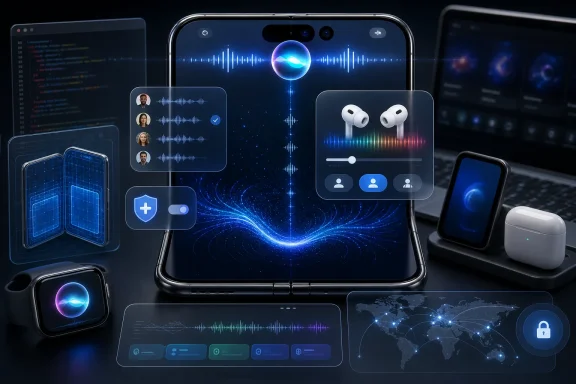 Background
Apple introduced iOS 27 at its Worldwide Developers Conference on June 8, 2026, presenting the release as both an overdue artificial-intelligence upgrade and a broader refinement of the iPhone experience. Although the operating system includes performance improvements, interface changes, and dozens of smaller conveniences, Siri AI is unquestionably its defining feature.The release follows iOS 26, which established Apple’s year-based operating-system naming convention and introduced the Liquid Glass design language. iOS 27 does not abandon that visual direction, but it gives Apple another opportunity to correct readability problems, reduce distracting effects, and make translucent controls feel more predictable.
A beta cycle under unusual pressure
Most annual iOS beta programs attract attention because users want to see redesigned apps or discover unannounced features. This cycle carries higher stakes because Siri AI is intended to repair Apple’s credibility after years of assistant stagnation and delayed Apple Intelligence capabilities.Apple announced ambitious Siri improvements in 2024, including personal context, onscreen awareness, and deeper actions inside applications. The company’s eventual decision to rebuild significant parts of the experience turned iOS 27 into a test of whether Apple can combine generative AI, private user data, application control, and its traditional privacy model without creating an unreliable or confusing product.
From command interface to AI platform
Classic Siri was built primarily around recognized intents: set an alarm, call a contact, play a song, or retrieve a narrow category of information. Modern AI assistants instead need to interpret loosely phrased requests, remember conversational context, combine information from multiple sources, and explain results in natural language.Siri AI therefore represents more than a new voice or animation. It is becoming a system-level layer that can potentially understand what is displayed on the screen, locate relevant information in messages and email, reason over personal context, and take actions through supported apps.
The iOS 27 Beta 4 Release
Apple issued iOS 27 beta 4 to registered developers on Monday, July 20, alongside new beta builds of iPadOS 27, macOS 27, watchOS 27, tvOS 27, visionOS 27, and Xcode 27. That coordinated release matters because Siri AI and Apple Intelligence increasingly operate as cross-device services rather than isolated iPhone features.The correct build number
Apple’s developer release listing identifies iOS 27 beta 4 as build 24A5390f. Some early reports incorrectly listed build 23G71, which is actually associated with the iOS 26.6 release candidate published on the same day.That distinction is important for testers filing bug reports, diagnosing update failures, or comparing behavior across devices. Anyone checking whether beta 4 installed successfully should open Settings > General > About > iOS Version and verify that the device reports build 24A5390f.
Developer beta versus public beta
The July 20 package is a developer beta, not a general production release. Apple released the first iOS 27 public beta on July 13, and the changes in developer beta 4 are likely to feed into a subsequent public beta after additional testing.Apple no longer requires every tester to pay for a developer membership merely to receive developer operating-system betas, but availability does not make these builds suitable for critical devices. The developer channel remains the earliest and least conservative branch offered through normal iPhone settings.
How enrolled testers receive the update
Eligible users can install the build through the standard over-the-air process:- Open Settings and select General.
- Choose Software Update.
- Open Beta Updates and select iOS 27 Developer Beta.
- Return to the Software Update screen and allow the device to check again.
- Download the update while connected to reliable Wi-Fi and sufficient power.
- Confirm the build number after installation and allow time for background indexing to finish.
Siri AI Gets a More Deliberate Introduction
The most visible Siri change in beta 4 is a new welcome screen presented when the redesigned assistant is invoked for the first time. The screen describes the experience as “An All-New Siri,” reinforcing Apple’s attempt to distinguish Siri AI from the familiar assistant that has shipped on iPhones for more than a decade.Why a splash screen matters
A welcome screen can look like a minor cosmetic addition, but onboarding is a major problem for operating-system AI. Users need to understand that the assistant can now handle broader questions and more complicated tasks, yet Apple must avoid suggesting that every request will work flawlessly.The prompt also gives Apple a place to communicate availability, model downloads, privacy behavior, or feature limitations. If Siri AI capabilities vary by device, language, account, or region, clear onboarding will be essential to preventing users from assuming that a missing feature is a software defect.
Dynamic Island becomes Siri’s front door
On supported iPhones, Siri AI is visually tied to the Dynamic Island. Users can invoke it through familiar button and voice methods, while a downward gesture provides another way to enter the expanded assistant experience.This is a significant interface decision. Apple is transforming the Dynamic Island from an area mainly associated with live status information into an entrance for a persistent conversational service, while the dedicated Siri app provides access to previous conversations and a more traditional full-screen destination.
The dedicated app changes user expectations
A standalone Siri app makes the assistant feel less like a temporary overlay and more like a product comparable with modern chatbot applications. Conversation history gives users a reason to return to earlier answers, continue research, or retrieve information generated on another Apple device.That persistence also increases the importance of privacy controls. Users will need to know which conversations are stored, how long they remain accessible, whether history synchronizes through iCloud, and how easily sensitive exchanges can be deleted.
More Siri Voices and Adjustable Delivery
Beta 4 expands Siri’s voice configuration with new options and clearer controls for how the assistant sounds. Two enhanced voices currently support adjustable pace and expressivity, while five additional voices appear in the interface with those controls marked as coming later.Pace is more than an accessibility preference
Adjustable speech speed can make an AI assistant substantially more useful. A slower pace may help users processing detailed instructions, unfamiliar terminology, or a second language, while faster delivery reduces friction for experienced users who rely on spoken responses throughout the day.The setting could be especially valuable in vehicles, through AirPods, or for people who use VoiceOver and other accessibility tools. A conversational assistant that regularly generates multi-sentence explanations needs more nuanced speech controls than an assistant designed mainly to announce timers and weather forecasts.
Expressivity tests the boundary between natural and artificial
An expressivity control allows users to influence the emotional variation or emphasis in synthetic speech. Used carefully, it can make long answers easier to follow by preventing Siri from sounding monotonous.Apple must nevertheless avoid overcorrection. Excessively animated speech could feel inappropriate when reading medical information, workplace messages, security warnings, or serious news, so the final implementation may need to account for both user preference and the content being spoken.
Regional English options expand
Beta 4 also exposes additional English voice choices associated with Australian, British, Indian, Irish, and South African varieties, alongside American English. The newer regional options reportedly do not yet support the same pace and expressivity adjustments available for the enhanced voices.This uneven functionality illustrates the difficulty of scaling an advanced voice system. Producing a high-quality voice is only part of the problem; Apple must also preserve pronunciation, timing, emotional range, local vocabulary, and natural cadence across accents and regions.
Liquid Glass Continues to Evolve
Liquid Glass remains one of the most visible design changes spanning Apple’s current operating systems. Its combination of transparency, blur, reflection, and adaptive contrast can look striking, but it also creates practical challenges when controls sit over photographs, widgets, or moving content.Beta 4 contains several revisions that suggest Apple is still calibrating how much visual depth the interface should display.
Lock Screen controls return to white
The shortcut controls at the bottom of the Lock Screen have returned to a white appearance in both light and dark modes. This provides stronger consistency and may improve visibility against more wallpaper combinations.Lock Screen buttons must remain immediately recognizable because they are used without navigating into an app. A more predictable high-contrast treatment may be less visually adaptive, but usability should take priority over decorative transparency for frequently accessed controls.
Today View regains its blur
The Home Screen’s Today View once again uses a background blur similar to the implementation in iOS 26. Blur helps separate widgets and text from the underlying wallpaper while preserving the sense that the page belongs to the same spatial layer as the Home Screen.The return suggests that Apple found the flatter or clearer presentation less effective in earlier iOS 27 builds. It also demonstrates that beta design changes are not always linear; Apple may restore an older treatment when testing shows that a new effect reduces legibility.
Notification Center loses the beta 3 depth effect
A pronounced depth effect introduced when opening Notification Center in beta 3 is no longer visible in beta 4. Early observers characterized this as the correction of a bug, although Apple has not necessarily documented every visual revision as intentional.Removing the effect should reduce motion and make Notification Center feel less detached from the underlying interface. It may also help performance on older supported devices, particularly when complex wallpapers and multiple translucent layers are displayed simultaneously.
The volume slider becomes more transparent
The system volume slider now appears more transparent, aligning it more closely with the evolving Liquid Glass aesthetic. This is the sort of subtle change Apple often adjusts repeatedly before a major release.Transparency must still preserve the user’s ability to identify the current volume level instantly. If the control blends too readily into video, games, or bright wallpaper content, Apple may need to increase contrast dynamically or revise the final design again.
AirPods Controls Receive a Functional Upgrade
AirPods controls in Control Center receive one of beta 4’s more practical interface changes. Users can press and hold the relevant control and swipe between listening options through a smoother Liquid Glass animation.Adaptive mode gets a more natural slider
The update supports a new adaptive-mode slider for compatible AirPods Pro models. Adaptive Audio combines elements of noise cancellation and transparency behavior, making the ability to adjust its balance more useful than a simple on-or-off switch.A slider allows the listener to select how much environmental sound should pass through without opening the Settings app. That can be valuable when moving between a quiet room, a busy office, a train platform, and a city street.
Control Center becomes a device dashboard
Apple has steadily expanded Control Center from a collection of system toggles into a dashboard for connected accessories, media, networking, and smart-home functions. Richer AirPods controls continue that evolution.The benefit is speed, but there is also a complexity cost. Long presses, nested panels, sliders, and swipe gestures are not always discoverable, so Apple needs visual cues that explain which controls can be expanded and how the user should manipulate them.
Windows users still sit outside the full experience
AirPods can function as Bluetooth headphones on Windows PCs, but many of their most advanced controls remain tied to Apple operating systems. The growing gap between basic Bluetooth compatibility and full ecosystem functionality is strategically important for Windows users who carry an iPhone but work primarily on a PC.Microsoft has improved phone integration through Windows 11 and Phone Link, yet Apple continues to reserve deep accessory configuration, seamless switching, and firmware-related features for its own platforms. iOS 27 beta 4 reinforces that AirPods are not merely headphones; they are an extension of Apple’s operating-system ecosystem.
Code Points Toward a Dual-Battery iPhone
Strings discovered in beta 4 reportedly refer to an iPhone containing two separate batteries. The text describes a scenario in which battery health has significantly degraded and one of the batteries cannot be verified as a genuine Apple component.A plausible foldable connection
The most obvious explanation is Apple’s long-rumored foldable iPhone. A folding design may distribute components across two halves of the chassis, making separate battery cells a practical way to use space while balancing weight and accommodating a hinge.However, a software string does not confirm a product, launch date, or final design. Apple frequently prepares operating-system support before hardware is announced, and internal text can reference prototypes that never reach consumers.
Battery Health will need a new model
Today’s Battery Health interface generally presents one maximum-capacity figure and one overall service condition. A device with two independently monitored battery packs raises questions about whether iOS will report separate capacities, merge them into one percentage, or warn when the cells age at different rates.Uneven degradation could affect charging behavior and performance management. Apple may need to explain whether replacing one cell is possible, whether both cells form a matched service assembly, and how genuine-component verification works when multiple batteries are present.
Repairability could become more complicated
Two batteries may improve internal packaging, but they could also increase the number of adhesive strips, connectors, sensors, and service procedures. For independent repair providers, parts pairing and battery-authentication warnings will be particularly important.Apple has gradually expanded repair documentation and parts access, yet its component-verification systems remain controversial. A dual-battery architecture could create another point where safety, product integrity, cost, and independent repair interests collide.
Developer and Enterprise Implications
The consumer-facing changes in beta 4 are only part of the story. Apple also released Xcode 27 beta 4 on July 20, giving developers an updated toolchain for testing applications against the operating system and its new frameworks.AI requires deeper application integration
Siri AI’s usefulness will depend heavily on App Intents and other developer-provided interfaces. Apple can understand system content, but it cannot reliably operate every third-party app unless developers expose actions and data in structured, permission-aware ways.For application teams, this creates both an opportunity and a maintenance burden. Apps that integrate early may become more visible through Siri, Spotlight, Shortcuts, and intelligent system suggestions, while poorly integrated apps risk feeling isolated from the new interaction model.
Background AI access needs governance
Reports surrounding the beta 4 release notes indicate tighter controls around background access to Apple’s Neural Engine, including entitlement requirements for certain workloads. That would be a logical response to the battery, thermal, and privacy risks created when applications run machine-learning tasks outside the foreground.Enterprises should pay attention to these restrictions because business applications increasingly use local transcription, document classification, image analysis, and summarization. An operating-system update that changes when AI workloads may execute could affect synchronization schedules, field-service tools, and mobile productivity workflows.
Beta testing must go beyond launching the app
Organizations evaluating iOS 27 should test complete workflows rather than simply confirming that an application opens. Siri AI, revised permissions, new launch requirements, background execution changes, authentication prompts, and network transitions can expose issues that basic compatibility checks will miss.A sensible enterprise validation plan should include:
- Testing managed and unmanaged devices separately, because configuration profiles and mobile-device-management restrictions can alter Siri AI behavior.
- Reviewing data-loss-prevention policies, especially where personal context or writing tools could process business text.
- Validating identity and authentication flows, including passkeys, certificates, VPNs, and conditional-access systems.
- Measuring battery and thermal behavior, particularly for applications using local AI or continuous background services.
- Confirming accessibility, because visual transparency and revised gestures may affect employees with low vision or motor impairments.
- Documenting unsupported features, so help desks can distinguish a regional or hardware limitation from an actual incident.
Consumer Impact and Device Compatibility
The full iOS 27 operating system supports a broader range of hardware than Siri AI. Reports indicate general compatibility extending to iPhone 11 and later, as well as the second-generation iPhone SE and newer, but Apple Intelligence features require significantly newer processors and memory configurations.One update, several different experiences
This creates an increasingly fragmented definition of what it means to “have iOS 27.” An older supported iPhone may receive security updates, interface revisions, app improvements, and performance work while lacking the feature emphasized most heavily in Apple’s marketing.Apple must communicate these tiers clearly. Users should not install iOS 27 on a supported phone and only afterward discover that the central Siri AI experience shown in demonstrations requires newer hardware.
Supported Siri AI hardware
Apple says Siri AI and the new Apple Intelligence features require an iPhone 15 Pro or iPhone 15 Pro Max, or an iPhone 16 model or later. Certain advanced models and functions may impose narrower hardware requirements because larger on-device models require more memory and Neural Engine performance.This is not purely an upselling tactic, although commercial incentives inevitably exist. Generative models consume substantial storage, memory bandwidth, power, and processing capacity, and Apple is attempting to deliver some functions locally rather than sending every request to a remote server.
Geography and language remain major constraints
Apple plans to make Siri AI available initially as a beta for supported devices set to English, followed by broader language expansion. The company has also said that the new Siri will not initially be available on iPhone and iPad in the European Union, while availability in China remains blocked pending regulatory progress.These restrictions could produce dramatically different customer experiences in global organizations. Two employees using identical iPhones may see different features because of region, language, account configuration, or regulatory policy.
The Competitive Stakes for Apple, Microsoft, and Google
Siri AI arrives in a market where conversational AI is already familiar to consumers. Apple is not introducing the idea of an AI assistant; it is arguing that system integration, personal context, and privacy can make its implementation more useful.Apple’s advantage is operating-system access
Third-party chatbots can answer broad questions and generate content, but they usually operate within application sandboxes. Apple controls the iPhone operating system, its permission model, and the frameworks through which apps expose actions.That gives Siri AI the potential to do something more valuable than produce fluent text. It could locate a detail in a message, understand what the user is viewing, connect that information to an email, and perform an action in another application with fewer manual steps.
Google has a data and services advantage
Google’s competing ecosystem benefits from its search infrastructure, extensive cloud services, and rapidly evolving Gemini platform. Android also gives Google a route to deep device integration, although the diversity of Android hardware and manufacturer software can make consistency difficult.Apple’s response is a more vertically controlled experience. If Siri AI behaves consistently across supported iPhones, iPads, Macs, watches, and Vision Pro devices, Apple can compete on coherence rather than simply model size.
Microsoft remains relevant to iPhone users
For WindowsForum readers, Microsoft’s position is particularly interesting. Many iPhone owners use Windows 11 at work or at home, where Copilot, Microsoft 365, Edge, and Phone Link form a separate AI and productivity environment.The risk is that users end up with disconnected assistants holding different slices of their context. Siri may understand personal messages and iPhone activity, while Copilot understands work documents and Microsoft cloud data. The winner may not be the assistant with the best benchmark score, but the one that connects the user’s real tasks with the least friction.
Strengths and Opportunities
Beta 4 does not radically redefine iOS 27, but it clarifies several areas where Apple has a meaningful opportunity.- Siri AI is becoming easier to discover. The new welcome screen, Dynamic Island integration, and dedicated app establish a clearer identity for the rebuilt assistant.
- Voice customization supports broader needs. Pace, expressivity, and regional options can improve accessibility, comfort, and comprehension.
- Liquid Glass is being actively corrected. Restored blur, simplified depth, and revised control colors indicate that Apple is responding to usability problems rather than treating the design as untouchable.
- AirPods controls are becoming more immediate. A richer adaptive-mode slider turns Control Center into a more effective accessory-management surface.
- On-device processing can differentiate Apple. Local models may provide lower latency and stronger privacy for supported tasks.
- Developers gain new system entry points. Apps that adopt Apple’s intent and intelligence frameworks can become accessible through natural-language requests.
- Cross-device continuity could become a major advantage. Conversation history and shared Siri experiences may let users move between iPhone, iPad, Mac, Apple Watch, and Vision Pro without restarting tasks.
- Future hardware clues suggest platform preparation. Dual-battery references indicate that iOS is being adapted for device designs beyond the conventional single-screen iPhone.
Risks and Concerns
The same features also introduce technical, commercial, and policy risks that Apple must address before iOS 27 is ready for widespread deployment.- Beta reliability remains uncertain. Battery drain, heat, crashes, broken apps, failed AI requests, and incomplete model downloads are normal possibilities during development.
- Siri AI may overpromise. A polished conversational interface can make incorrect or incomplete answers sound more authoritative than traditional search results.
- Feature fragmentation may confuse buyers. Hardware, language, and regional restrictions mean that not every iOS 27 device will receive the same experience.
- Personal context raises privacy questions. Users need transparent controls for which messages, photos, files, and app data Siri may access.
- Cloud processing requires trust. Private Cloud Compute is designed to protect remote AI requests, but Apple must keep explaining when data leaves the device and how requests are audited.
- Liquid Glass can reduce readability. Increased transparency may look attractive while making controls harder to see over complex backgrounds.
- AI integration expands the attack surface. Malicious content, prompt injection, compromised web pages, or deceptive app data could attempt to influence an assistant’s actions.
- Enterprise policies may lag behind capabilities. Organizations need management controls before employees use personal-context tools with confidential business information.
- Repair complexity could increase. If dual-battery hardware reaches production, service pricing, component pairing, and independent repair access will receive close scrutiny.
- Cross-platform users may face new silos. Deeper Apple integration can improve the iPhone experience while making it harder to reproduce the same workflow on Windows.
What to Watch Next
The next several beta releases should reveal whether beta 4 represents the start of stabilization or merely another stage of rapid experimentation. Apple has roughly two months before its traditional September iPhone software window, leaving limited time to resolve fundamental reliability and communication problems.Public beta alignment
The immediate question is when these changes will reach public testers. Apple usually allows a developer build to circulate before issuing an equivalent or closely related public beta, although schedules can change when severe bugs appear.Public-beta feedback will be more representative than developer-only testing because it covers a wider range of usage patterns. Battery life, cellular reliability, Bluetooth behavior, accessibility, and Siri accuracy often look different once the software reaches a larger population.
Completion of the new voices
The five voice configurations currently marked as coming soon will be an obvious progress indicator. Their arrival would suggest that Apple’s speech pipeline is approaching feature completeness; continued absence could indicate that the voice models require further tuning or larger downloads than Apple wants to distribute during early testing.It will also be worth watching whether pace and expressivity controls expand to the regional English voices. Equalizing those capabilities would make the voice system feel intentional rather than partially assembled.
Siri reliability and action safety
The most important metric will not be whether Siri produces impressive demonstrations. Apple must prove that ordinary tasks—calling contacts, sending messages, changing settings, controlling media, retrieving personal information, and acting inside apps—work reliably under real conditions.Action confirmation will require careful design. Too many prompts will make Siri cumbersome, but too few could allow misunderstood requests or manipulated content to trigger unwanted messages, purchases, edits, or disclosures.
More evidence of future hardware
Developers and firmware analysts will continue examining beta builds for references to new screen layouts, hinges, battery configurations, cameras, and device classes. Additional dual-battery strings would strengthen the foldable-iPhone interpretation, but they still would not guarantee a commercial launch.The more significant question is whether iOS 27 includes interface behavior designed for changing screen sizes or folding states. Hardware references can be placeholders; adaptive interface code would indicate deeper preparation.
Design changes may continue until release
Lock Screen contrast, Notification Center depth, Today View blur, and slider transparency are likely not settled. Apple frequently adjusts visual details late in the beta cycle, particularly when a design must work across many displays, wallpapers, accessibility configurations, and lighting conditions.Users should therefore avoid treating beta 4 screenshots as a definitive representation of the final iOS 27 interface. The direction is clear, but individual effects may be restored, weakened, or removed again.
iOS 27 beta 4 is a polishing release on the surface, yet its small changes expose the scale of Apple’s larger transition. Siri is becoming a persistent AI environment, Liquid Glass is being reshaped around real-world usability, AirPods are gaining deeper system controls, and the operating system is already preparing for hardware that may look very different from today’s iPhone. Apple now has to convert that ambition into something dependable: an assistant users can trust, an interface they can read, a privacy model they can understand, and an update that remains valuable even on devices unable to run its most celebrated features.
References
- Primary source: 9to5Mac
Published: 2026-07-20T18:03:03+00:00
Here’s what’s new with iOS 27 beta 4 - 9to5Mac
Apple released iOS 27 beta 4 today, giving developers the next preview update since iOS 27 debuted at WWDC. Developers...9to5mac.com - Related coverage: tomsguide.com
iOS 27 hands-on preview: These new features completely change how I use my iPhone | Tom's Guide
Backed by a smarter, highly contextual Siri and game-changing creative tools, the iOS 27 public beta is a massive leap forward that proves Apple is no longer just playing catch-up.www.tomsguide.com - Related coverage: t3.com
3 great reasons to download the iOS 27 public beta right now – Siri AI is just the tip of the iceberg | T3
You can get iOS 27 for your iPhone now – and these are some of the best reasons why you shouldn't waitwww.t3.com - Official source: apple.com
Apple introduces Siri AI, a profoundly more capable and personal assistant - Apple (UK)
Apple introduces Siri AI, a profoundly more capable and personal assistant powered by Apple Intelligence, with personal context, world knowledge, and on-screen awareness.www.apple.com - Related coverage: techcrunch.com
Apple opens its new Siri AI to everyone with the iOS 27 public beta | TechCrunch
If you’ve been waiting to try Apple’s revamped Siri without installing a developer beta, you now can. The company on Tuesday released the iOS 27 public beta, giving iPhone owners early access to its AI-powered assistant and other new features before the software’s official launch this fall.techcrunch.com - Related coverage: wired.com
Siri AI Is Becoming Apple’s Everything Tool | WIRED
Apple’s revamped Siri is more than a voice assistant; it’s now the backbone of the iPhone user experience. You can try it now through the iOS 27 public beta.www.wired.com
