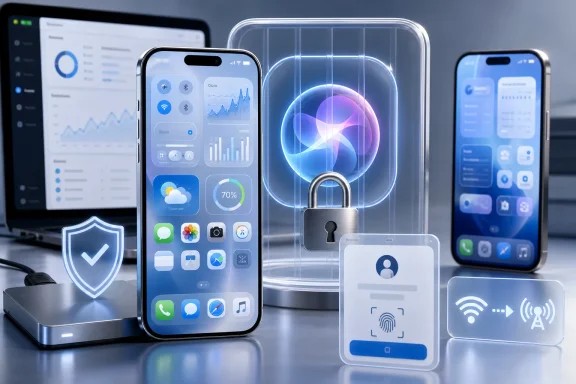
Apple is not simply bolting more generative AI onto the existing Siri in iOS 27. At WWDC26, Apple described “Siri AI” as an entirely new version of its assistant, powered by the next generation of Apple Intelligence and designed to work across iPhone, iPad, Mac, Apple Watch, and Vision Pro.
Geeky Gadgets frames the shift as Apple “completely replacing Siri,” which is broadly fair in product terms but needs one qualification: Siri AI is not a finished consumer feature yet. Apple says it will arrive as a beta later in 2026, initially for supported devices set to English. The iOS 27 developer beta is already in testing; Apple released beta 3 on July 6.
The core change is that Siri AI is intended to understand personal context. Per Apple’s WWDC announcement, it can search information across a user’s messages, email, photos, and other content, then perform more systemwide actions across apps.
It can also answer questions about what is currently displayed on screen and use web information for current answers. Apple is adding a dedicated Siri app that preserves conversations and synchronizes their history through iCloud across the user’s Apple devices.
That moves Siri closer to the agent-style assistants Microsoft, Google, and OpenAI are pursuing: less a launcher for rigid voice commands, more a system-level interface that can interpret context and coordinate actions. The value will depend on whether Apple can make those interactions reliable without forcing users to constantly correct the assistant.
There are also substantial regional caveats. Apple says Siri AI will not be initially available on iPhone, iPad, or Apple Watch in the European Union, citing Digital Markets Act-related concerns. The features will also be unavailable in China while Apple works through regulatory requirements.
Apple’s own availability notes further say that some image-generation functions will have daily usage limits because they rely on server-side models. That is an important reminder that “on-device” AI messaging does not mean every advanced feature runs locally or without service constraints.
Those numbers are test results rather than guarantees, and early beta behavior should not be treated as final. For Windows users who manage mixed-device environments, the practical change is that iPhone support and device eligibility will increasingly be tied to Apple Intelligence-capable hardware rather than iOS version support alone.
Siri AI remains in developer testing, with broader user availability scheduled for later this year.
Geeky Gadgets frames the shift as Apple “completely replacing Siri,” which is broadly fair in product terms but needs one qualification: Siri AI is not a finished consumer feature yet. Apple says it will arrive as a beta later in 2026, initially for supported devices set to English. The iOS 27 developer beta is already in testing; Apple released beta 3 on July 6.
 From voice commands to personal context
The core change is that Siri AI is intended to understand personal context. Per Apple’s WWDC announcement, it can search information across a user’s messages, email, photos, and other content, then perform more systemwide actions across apps.It can also answer questions about what is currently displayed on screen and use web information for current answers. Apple is adding a dedicated Siri app that preserves conversations and synchronizes their history through iCloud across the user’s Apple devices.
That moves Siri closer to the agent-style assistants Microsoft, Google, and OpenAI are pursuing: less a launcher for rigid voice commands, more a system-level interface that can interpret context and coordinate actions. The value will depend on whether Apple can make those interactions reliable without forcing users to constantly correct the assistant.
Hardware, regions, and limits matter
The replacement is not universal. Apple says Siri AI and the new Apple Intelligence features require an iPhone 16-series handset or later, or an iPhone 15 Pro or 15 Pro Max. Older iPhones—including models that may still receive parts of iOS 27—will not gain the full AI experience.There are also substantial regional caveats. Apple says Siri AI will not be initially available on iPhone, iPad, or Apple Watch in the European Union, citing Digital Markets Act-related concerns. The features will also be unavailable in China while Apple works through regulatory requirements.
Apple’s own availability notes further say that some image-generation functions will have daily usage limits because they rely on server-side models. That is an important reminder that “on-device” AI messaging does not mean every advanced feature runs locally or without service constraints.
The rest of iOS 27
The iOS 27 comparison circulating from Geeky Gadgets also highlights Lock Screen changes, larger widgets, a refreshed Liquid Glass appearance, camera and photo-editing tools, and natural-language Shortcuts creation. Apple has separately promoted performance gains of up to 30 percent faster app launches, 70 percent faster post-capture photo loading, and 80 percent faster AirDrop transfers in its internal testing against iOS 26.4.2.Those numbers are test results rather than guarantees, and early beta behavior should not be treated as final. For Windows users who manage mixed-device environments, the practical change is that iPhone support and device eligibility will increasingly be tied to Apple Intelligence-capable hardware rather than iOS version support alone.
Siri AI remains in developer testing, with broader user availability scheduled for later this year.
References
- Primary source: Geeky Gadgets
Published: 2026-07-19T05:00:32+00:00
iOS 27 vs iOS 26 Comparison: Top Features and Changes - Geeky Gadgets
Comparing iOS 27 vs iOS 26 reveals faster app launches by up to 30% and an 80% quicker AirDrop. See the new full-page widgets and liquid glass slider.www.geeky-gadgets.com - Official source: apple.com
Due to DMA, Siri AI delayed in EU for iOS 27 and iPadOS 27 - Apple
Due to the Digital Markets Act, Apple will not be able to ship Siri AI in the European Union with the release of iOS 27 and iPadOS 27.www.apple.com