

For most home Windows 11 users in 2026, Microsoft Defender Antivirus and the surrounding Windows Security stack are enough for everyday malware protection, while third-party antivirus still makes sense for people who want bundled identity, privacy, family, or managed endpoint features. That answer is less exciting than the antivirus industry would like and less absolute than Microsoft’s biggest fans sometimes pretend. The useful debate is no longer whether Windows needs protection; it is whether a second consumer security suite adds meaningful protection or mostly adds cost, notifications, and another privileged software layer. The uncomfortable truth is that antivirus has become a baseline feature, not a lifestyle choice.
The spark for the latest round of argument was a Microsoft Learning Center article that stated, in plain language, that Microsoft Defender Antivirus covers everyday risk for many Windows 11 users without requiring additional software. According to ZDNET’s Ed Bott, the post appeared in April, drew attention from technology sites, and then disappeared roughly a month later, with the old link redirecting to the Windows Learning Center home page.
That deletion matters less because the advice was radical than because it was not. Microsoft was not telling users to abandon security. It was describing the state of Windows as Microsoft has built it for years: Defender is on by default, Windows Security exposes the core controls, Smart App Control and reputation checks reduce some risky execution paths, and Windows Update keeps the platform patched without asking most users to become junior sysadmins.
The missing article also shows the commercial tension around a product category that once defined consumer PC ownership. For decades, buying a Windows PC meant removing trialware, deciding whether to renew Norton or McAfee, and hoping the cure would not slow the machine more than the disease. A Microsoft statement that many users no longer need a paid add-on cuts directly into a large consumer security market, even if the statement is carefully hedged.
But the deletion should not be mistaken for a technical reversal. Microsoft did not remove Defender from Windows 11. It did not suddenly disable cloud-delivered protection, behavior monitoring, controlled folder access, or phishing defenses in the browser. The post vanished; the platform architecture stayed.
The recent AV-Comparatives Real-World Protection Test covering February through May 2026 put Microsoft Defender at a 99.0 percent protection rate. That is not a perfect score, and it is not the highest possible result in a crowded test field. But it is well inside the range where the next practical question becomes whether the marginal difference is worth money, complexity, false positives, performance drag, and another vendor relationship.
Just as important, Microsoft Defender reportedly produced no false positives in that test cycle. False positives are not a minor annoyance for normal users. A product that blocks a legitimate installer, flags a work tool, or scares a user away from a safe download can do real damage to trust, productivity, and security behavior.
Security software has to do two things at once: stop bad things and avoid training users to ignore warnings. If a suite shouts constantly, bundles upsells, or behaves like a second operating system, it may degrade the very judgment it claims to strengthen. A quiet, competent default can be more valuable than a dramatic dashboard.
The reason is that malware defense no longer begins at the moment a file hits the disk. Modern Windows security is layered. Browser reputation systems, email attachment filtering, Windows Update, exploit mitigations, Microsoft Store policies, driver signing, Secure Boot, TPM-backed features, and account protections all narrow the opportunity for traditional malware before antivirus scanning becomes the final stop.
That does not mean Windows is magically safe. It means a consumer antivirus product is no longer the only meaningful barrier between a home user and disaster. The most damaging attacks increasingly arrive through social engineering, credential theft, fake support scams, malicious ads, poisoned search results, compromised browser sessions, and users authorizing something they should not authorize.
A third-party antivirus can help at the edges of that problem. Some suites include scam detection, dark web monitoring, password tools, VPNs, parental controls, and identity recovery services. But that is a different sales pitch. It is not “Defender cannot detect malware.” It is “we sell a broader consumer security bundle.” Those are not the same claim.
This is where the antivirus debate becomes awkward. If a user repeatedly downloads pirated software, game cheats, fake codecs, sketchy browser extensions, “free” PDF tools, cracked productivity apps, or driver utilities from SEO-spam sites, no consumer antivirus suite can turn that behavior into a safe computing model. It may block more of the mess, but it will always be chasing the next lure.
The same logic applies to phishing and account compromise. A Windows PC can be clean while the user’s Microsoft, Google, Steam, bank, or email account is compromised through a fake login page. Antivirus is not irrelevant there, but it is not the center of gravity. Multifactor authentication, password hygiene, passkeys, browser warnings, and user skepticism often matter more than the brand of malware scanner.
That is why the “97 percent of PCs did not experience malware infection” framing is powerful but incomplete. The typical consumer threat model is not only infected executables. It is fraud, credential theft, session hijacking, malicious browser notifications, fake invoices, remote access scams, and users being talked into defeating their own defenses.
There is nothing inherently wrong with that bundle. Some households benefit from one subscription that covers multiple PCs, phones, tablets, family members, and identity alerts. Parents may want web filtering and screen-time controls that go beyond Microsoft Family Safety. Frequent travelers may want a VPN, though VPN marketing remains one of the most abused corners of consumer security.
The question is whether users know what they are buying. Paying for a security suite because it offers identity restoration services is a defensible choice. Paying for it because you believe Windows 11 is naked without it is increasingly hard to justify.
There is also a trust problem. Consumer antivirus vendors have not always behaved like humble guardians. The category has a long history of scare prompts, renewal dark patterns, browser add-ons, search engine changes, performance complaints, and bundled extras that look suspiciously like the nuisance software they claim to protect against. Not every vendor is guilty of every sin, but the reputation did not appear from nowhere.
That integration can reduce friction. Defender is installed, enabled, updated, and maintained as part of the default Windows experience. Users do not have to pick a vendor, manage a license, fend off renewal nags, or wonder whether their security tool is itself from a legitimate download page. For the median user, fewer decisions can mean fewer mistakes.
But Microsoft’s advantage is also why competitors get nervous. When the operating system vendor ships a competent free security product and says many users do not need another one, the line between better platform security and market foreclosure becomes politically sensitive. Security vendors can reasonably argue that independent tools provide diversity, specialized research, and competitive pressure. Microsoft can reasonably argue that a mainstream operating system should protect users out of the box.
Both claims can be true. The consumer does not need to adjudicate antitrust theory to decide whether to renew a subscription. The practical question is narrower: does this product make my specific risk profile safer enough to justify its cost and complexity?
That is why “Defender is enough” becomes misleading when removed from the consumer context. Microsoft itself sells Defender for Endpoint, Defender XDR, Sentinel integrations, and a broader security stack precisely because enterprise defense is not the same as a home user avoiding malware. Businesses need visibility, not just blocking. They need to know which machine executed what, which identity was used, which lateral movement occurred, what data was touched, and whether remediation actually completed.
For IT administrators, the endpoint agent is one sensor in a larger system. It feeds alerts into a security operations center, enforces policy, isolates machines, collects forensic evidence, and helps meet cyber insurance or regulatory requirements. Whether that stack comes from Microsoft, CrowdStrike, SentinelOne, Palo Alto Networks, Sophos, Bitdefender, ESET, or another vendor is a serious architectural decision.
The consumer framing can even be dangerous inside companies. A business that says “Defender is good enough” but means only the free built-in antivirus may be underinvesting in monitoring, identity security, backup, vulnerability management, and response. A business that says “we bought endpoint protection” but ignores phishing-resistant MFA and patching is making the opposite mistake.
For that group, third-party software may be useful, but not because the old consumer antivirus story is true. The business needs management. It needs to know that every device is patched, encrypted, backed up, enrolled, and protected. It needs central reporting when a laptop falls behind. It needs a way to offboard employees, revoke sessions, enforce MFA, and recover from ransomware.
A consumer security suite can give a small business a false sense of control if it is installed machine by machine and forgotten. Conversely, Microsoft’s built-in Defender can be part of a solid small-business posture if it is paired with Microsoft 365 Business Premium, device management, Defender for Business, proper backups, and sane identity policy. The product name matters less than whether someone is actually administering the environment.
This is also where local IT providers can either help or harm. A managed service provider that sells endpoint security as part of a real operational stack is doing valuable work. One that simply resells a branded antivirus license without patch management, backup testing, or identity controls is selling nostalgia.
For that audience, Defender’s appeal is partly philosophical. It stays out of the way. It does not try to become a system optimizer. It does not usually replace the browser’s search provider or wedge a toolbar into daily computing. It is the security equivalent of a seatbelt rather than a dashboard full of blinking aftermarket gauges.
There are exceptions. Malware researchers, reverse engineers, gamers using mods, people testing unknown binaries, and users who routinely handle suspicious files may want specialized tools or second-opinion scanners. But those are not ordinary consumer antivirus decisions. They are workflow decisions.
The best enthusiast setup is often boring: Defender on, Windows updated, standard user habits where possible, browser protections enabled, password manager or passkeys in use, MFA everywhere important, periodic offline or immutable backups, and skepticism toward unsigned installers. It is not glamorous, but neither is losing a weekend to reinstalling Windows because a “free activator” was actually a loader.
Security tools are software, and software has bugs. They run with deep privileges, parse hostile inputs, intercept network traffic, inspect files, hook into browsers, and update constantly. That does not make them bad. It does mean installing one should be treated as a meaningful trust decision, not a superstition.
There is a performance dimension too. Modern machines are fast, and many suites are lighter than their ancestors. But background scanning, web filtering, encrypted traffic inspection, browser add-ons, and “optimization” modules can still cause slowdowns or weird behavior. Users who blame Windows for a sluggish PC may sometimes be experiencing the side effects of the software they bought to protect it.
Defender is not immune to performance complaints, especially during scans or on lower-end hardware. But its default presence changes the burden of proof. A third-party suite should earn its place by solving a real problem, not by exploiting a vague memory that Windows used to be unsafe without one.
The boring advice remains the most effective. Do not run unsupported Windows. Do not postpone updates indefinitely. Do not download cracked software. Do not install drivers from random “driver update” sites. Do not let a stranger on the phone remote into your PC. Do not reuse passwords. Do not treat a browser pop-up as a system message. Do not assume a sponsored search result is the real download link.
That list sounds moralistic, but it is really architectural. Attackers go where the conversion rate is highest. If users can be persuaded to install the malware themselves, approve the login themselves, or pay the fake invoice themselves, the attacker does not need to defeat Defender in a laboratory contest.
Security vendors know this, which is why they are moving into scam warnings, identity monitoring, and browser-level interventions. Microsoft knows it too, which is why Windows security increasingly blends antivirus with reputation services and account protection. The endpoint is still important, but the human decision loop is where many attacks are won or lost.
If Defender were obviously inadequate, Microsoft’s statement would have been mocked and ignored. If third-party consumer antivirus were obviously essential, users would not need repeated persuasion to renew it. The controversy exists because the middle has shifted. Built-in protection is competent, and paid vendors have had to move up the stack.
That shift will not kill the consumer security market. It will make it more honest if users demand clarity. Vendors should have to explain what they add beyond Windows Security. Identity restoration, family controls, cross-platform dashboards, scam protection, and managed coverage for less technical relatives are legitimate offerings. Vague claims that Windows is unsafe without a paid scanner are increasingly not.
Microsoft, for its part, should be willing to say the obvious without pretending every user is the same. A plain-language page explaining when Defender is enough, when third-party tools may help, and when businesses need managed endpoint security is exactly the kind of guidance Windows users deserve. Quietly removing it helps nobody except companies that prefer confusion.
This is also where users should distinguish between a good product and a good fit. A security suite can be technically competent and still unnecessary. Defender can be adequate and still not cover a particular household’s needs. The right answer depends less on brand loyalty than on risk, behavior, and manageability.
The strongest case for cancelling is a single-user Windows 11 PC, updated regularly, used for mainstream browsing, gaming, streaming, productivity, and software from trusted sources. The strongest case for paying is a multi-device household or small organization that will actually use the extra services and understands what they do. The weakest case is renewing out of fear because a pop-up says the PC will be “unprotected” in three days.
The best security decision is the one that reduces risk without increasing confusion. For many users, that means trusting Defender and investing effort elsewhere. For others, it means buying a broader suite but judging it as a bundle of services, not as a magic shield.
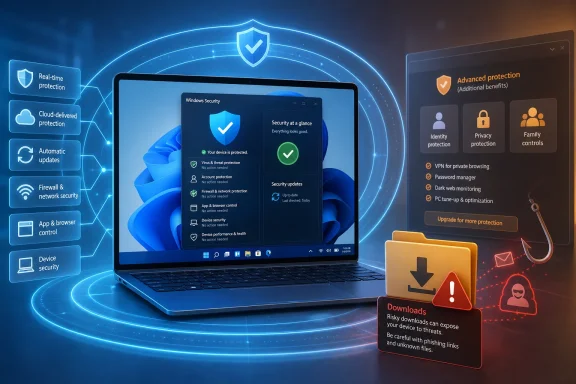 Microsoft Said the Quiet Part, Then Quietly Walked It Back
The spark for the latest round of argument was a Microsoft Learning Center article that stated, in plain language, that Microsoft Defender Antivirus covers everyday risk for many Windows 11 users without requiring additional software. According to ZDNET’s Ed Bott, the post appeared in April, drew attention from technology sites, and then disappeared roughly a month later, with the old link redirecting to the Windows Learning Center home page.That deletion matters less because the advice was radical than because it was not. Microsoft was not telling users to abandon security. It was describing the state of Windows as Microsoft has built it for years: Defender is on by default, Windows Security exposes the core controls, Smart App Control and reputation checks reduce some risky execution paths, and Windows Update keeps the platform patched without asking most users to become junior sysadmins.
The missing article also shows the commercial tension around a product category that once defined consumer PC ownership. For decades, buying a Windows PC meant removing trialware, deciding whether to renew Norton or McAfee, and hoping the cure would not slow the machine more than the disease. A Microsoft statement that many users no longer need a paid add-on cuts directly into a large consumer security market, even if the statement is carefully hedged.
But the deletion should not be mistaken for a technical reversal. Microsoft did not remove Defender from Windows 11. It did not suddenly disable cloud-delivered protection, behavior monitoring, controlled folder access, or phishing defenses in the browser. The post vanished; the platform architecture stayed.
The Antivirus War Ended in a Draw That Looks Like a Microsoft Win
The old antivirus question assumed a simple contest: could product A detect more malware than product B? That question still matters, but it is no longer where most of the consumer market meaningfully differs. Independent test labs now routinely show leading consumer antivirus products clustering around very high protection rates, and Microsoft Defender is no longer the weak built-in option that security veterans remember from earlier Windows eras.The recent AV-Comparatives Real-World Protection Test covering February through May 2026 put Microsoft Defender at a 99.0 percent protection rate. That is not a perfect score, and it is not the highest possible result in a crowded test field. But it is well inside the range where the next practical question becomes whether the marginal difference is worth money, complexity, false positives, performance drag, and another vendor relationship.
Just as important, Microsoft Defender reportedly produced no false positives in that test cycle. False positives are not a minor annoyance for normal users. A product that blocks a legitimate installer, flags a work tool, or scares a user away from a safe download can do real damage to trust, productivity, and security behavior.
Security software has to do two things at once: stop bad things and avoid training users to ignore warnings. If a suite shouts constantly, bundles upsells, or behaves like a second operating system, it may degrade the very judgment it claims to strengthen. A quiet, competent default can be more valuable than a dramatic dashboard.
“Good Enough” Is Not an Insult Anymore
Calling Defender “good enough” used to sound like faint praise. In 2026, it is closer to the main point. For everyday home users who run Windows 11, keep updates enabled, download software from mainstream sources, and do not go looking for cracked installers, the security difference between Defender and a paid consumer antivirus suite is often smaller than the marketing suggests.The reason is that malware defense no longer begins at the moment a file hits the disk. Modern Windows security is layered. Browser reputation systems, email attachment filtering, Windows Update, exploit mitigations, Microsoft Store policies, driver signing, Secure Boot, TPM-backed features, and account protections all narrow the opportunity for traditional malware before antivirus scanning becomes the final stop.
That does not mean Windows is magically safe. It means a consumer antivirus product is no longer the only meaningful barrier between a home user and disaster. The most damaging attacks increasingly arrive through social engineering, credential theft, fake support scams, malicious ads, poisoned search results, compromised browser sessions, and users authorizing something they should not authorize.
A third-party antivirus can help at the edges of that problem. Some suites include scam detection, dark web monitoring, password tools, VPNs, parental controls, and identity recovery services. But that is a different sales pitch. It is not “Defender cannot detect malware.” It is “we sell a broader consumer security bundle.” Those are not the same claim.
The Downloads Folder Is the New Crime Scene
One of the more revealing details in ZDNET’s discussion is the OpenText report’s finding that a large share of detected consumer malware was hiding in the Downloads folder. That location tells a story. Malware in Downloads often did not arrive by worming through a firewall like it was 2003; it arrived because someone clicked, saved, unzipped, bypassed, installed, or ignored a warning.This is where the antivirus debate becomes awkward. If a user repeatedly downloads pirated software, game cheats, fake codecs, sketchy browser extensions, “free” PDF tools, cracked productivity apps, or driver utilities from SEO-spam sites, no consumer antivirus suite can turn that behavior into a safe computing model. It may block more of the mess, but it will always be chasing the next lure.
The same logic applies to phishing and account compromise. A Windows PC can be clean while the user’s Microsoft, Google, Steam, bank, or email account is compromised through a fake login page. Antivirus is not irrelevant there, but it is not the center of gravity. Multifactor authentication, password hygiene, passkeys, browser warnings, and user skepticism often matter more than the brand of malware scanner.
That is why the “97 percent of PCs did not experience malware infection” framing is powerful but incomplete. The typical consumer threat model is not only infected executables. It is fraud, credential theft, session hijacking, malicious browser notifications, fake invoices, remote access scams, and users being talked into defeating their own defenses.
The Paid Suite Became a Bundle Because the Scanner Became Boring
Look at how the big consumer security vendors market themselves now. The front page rarely says, simply, “we detect viruses better.” It says identity protection, VPN, privacy monitor, password manager, breach alerts, parental controls, scam protection, credit monitoring, device cleanup, and family safety. That shift is not accidental. It is an admission that malware scanning alone has become a commodity.There is nothing inherently wrong with that bundle. Some households benefit from one subscription that covers multiple PCs, phones, tablets, family members, and identity alerts. Parents may want web filtering and screen-time controls that go beyond Microsoft Family Safety. Frequent travelers may want a VPN, though VPN marketing remains one of the most abused corners of consumer security.
The question is whether users know what they are buying. Paying for a security suite because it offers identity restoration services is a defensible choice. Paying for it because you believe Windows 11 is naked without it is increasingly hard to justify.
There is also a trust problem. Consumer antivirus vendors have not always behaved like humble guardians. The category has a long history of scare prompts, renewal dark patterns, browser add-ons, search engine changes, performance complaints, and bundled extras that look suspiciously like the nuisance software they claim to protect against. Not every vendor is guilty of every sin, but the reputation did not appear from nowhere.
Microsoft’s Advantage Is Architectural, Not Moral
Microsoft Defender’s strongest argument is not that Microsoft is purer than the security industry. It is that Microsoft owns the platform. Defender is integrated into Windows servicing, Windows Security, enterprise telemetry pipelines, and the operating system’s built-in controls. It does not need to fight Windows for attention in quite the same way an add-on suite does.That integration can reduce friction. Defender is installed, enabled, updated, and maintained as part of the default Windows experience. Users do not have to pick a vendor, manage a license, fend off renewal nags, or wonder whether their security tool is itself from a legitimate download page. For the median user, fewer decisions can mean fewer mistakes.
But Microsoft’s advantage is also why competitors get nervous. When the operating system vendor ships a competent free security product and says many users do not need another one, the line between better platform security and market foreclosure becomes politically sensitive. Security vendors can reasonably argue that independent tools provide diversity, specialized research, and competitive pressure. Microsoft can reasonably argue that a mainstream operating system should protect users out of the box.
Both claims can be true. The consumer does not need to adjudicate antitrust theory to decide whether to renew a subscription. The practical question is narrower: does this product make my specific risk profile safer enough to justify its cost and complexity?
The Business Answer Is a Different Answer Entirely
The home-PC debate should not be copy-pasted into business IT. A small office with unmanaged laptops, shared passwords, old line-of-business software, and no patch discipline may be worse off than a careful home user. A regulated enterprise, meanwhile, is not shopping for a consumer antivirus box at retail. It is buying endpoint detection and response, centralized policy, auditability, incident response workflows, compliance reporting, and telemetry across fleets.That is why “Defender is enough” becomes misleading when removed from the consumer context. Microsoft itself sells Defender for Endpoint, Defender XDR, Sentinel integrations, and a broader security stack precisely because enterprise defense is not the same as a home user avoiding malware. Businesses need visibility, not just blocking. They need to know which machine executed what, which identity was used, which lateral movement occurred, what data was touched, and whether remediation actually completed.
For IT administrators, the endpoint agent is one sensor in a larger system. It feeds alerts into a security operations center, enforces policy, isolates machines, collects forensic evidence, and helps meet cyber insurance or regulatory requirements. Whether that stack comes from Microsoft, CrowdStrike, SentinelOne, Palo Alto Networks, Sophos, Bitdefender, ESET, or another vendor is a serious architectural decision.
The consumer framing can even be dangerous inside companies. A business that says “Defender is good enough” but means only the free built-in antivirus may be underinvesting in monitoring, identity security, backup, vulnerability management, and response. A business that says “we bought endpoint protection” but ignores phishing-resistant MFA and patching is making the opposite mistake.
Small Businesses Live in the Messy Middle
The hardest case is not the Fortune 500 enterprise or the careful enthusiast at home. It is the small business with 12 Windows laptops, a bookkeeper who handles payroll, a shared Microsoft 365 tenant, a remote desktop habit nobody has reviewed, and an owner who thinks security means renewing whatever antivirus came preinstalled.For that group, third-party software may be useful, but not because the old consumer antivirus story is true. The business needs management. It needs to know that every device is patched, encrypted, backed up, enrolled, and protected. It needs central reporting when a laptop falls behind. It needs a way to offboard employees, revoke sessions, enforce MFA, and recover from ransomware.
A consumer security suite can give a small business a false sense of control if it is installed machine by machine and forgotten. Conversely, Microsoft’s built-in Defender can be part of a solid small-business posture if it is paired with Microsoft 365 Business Premium, device management, Defender for Business, proper backups, and sane identity policy. The product name matters less than whether someone is actually administering the environment.
This is also where local IT providers can either help or harm. A managed service provider that sells endpoint security as part of a real operational stack is doing valuable work. One that simply resells a branded antivirus license without patch management, backup testing, or identity controls is selling nostalgia.
The Enthusiast Case Is More About Control Than Fear
Windows enthusiasts are often the least likely people to need a third-party antivirus suite and the most likely to have strong opinions about one. They know where their software comes from. They keep systems patched. They understand browser isolation, UAC prompts, file hashes, virtual machines, backups, and the difference between a false positive and a real detection.For that audience, Defender’s appeal is partly philosophical. It stays out of the way. It does not try to become a system optimizer. It does not usually replace the browser’s search provider or wedge a toolbar into daily computing. It is the security equivalent of a seatbelt rather than a dashboard full of blinking aftermarket gauges.
There are exceptions. Malware researchers, reverse engineers, gamers using mods, people testing unknown binaries, and users who routinely handle suspicious files may want specialized tools or second-opinion scanners. But those are not ordinary consumer antivirus decisions. They are workflow decisions.
The best enthusiast setup is often boring: Defender on, Windows updated, standard user habits where possible, browser protections enabled, password manager or passkeys in use, MFA everywhere important, periodic offline or immutable backups, and skepticism toward unsigned installers. It is not glamorous, but neither is losing a weekend to reinstalling Windows because a “free activator” was actually a loader.
The False Comfort of “More Security Software”
One of the oldest mistakes in Windows security is assuming that more security software automatically means more security. It does not. Two real-time antivirus engines can conflict, slow down file operations, duplicate alerts, and create strange edge cases. Even when Windows disables Defender’s active scanning after a third-party product registers itself properly, users may still end up with overlapping browser extensions, VPN clients, firewall modules, and background services.Security tools are software, and software has bugs. They run with deep privileges, parse hostile inputs, intercept network traffic, inspect files, hook into browsers, and update constantly. That does not make them bad. It does mean installing one should be treated as a meaningful trust decision, not a superstition.
There is a performance dimension too. Modern machines are fast, and many suites are lighter than their ancestors. But background scanning, web filtering, encrypted traffic inspection, browser add-ons, and “optimization” modules can still cause slowdowns or weird behavior. Users who blame Windows for a sluggish PC may sometimes be experiencing the side effects of the software they bought to protect it.
Defender is not immune to performance complaints, especially during scans or on lower-end hardware. But its default presence changes the burden of proof. A third-party suite should earn its place by solving a real problem, not by exploiting a vague memory that Windows used to be unsafe without one.
The Real Upgrade Is Behavioral
If a home user has $60 to spend on security, the best purchase may not be antivirus. It may be a reputable password manager subscription, a hardware security key, a backup drive, cloud backup storage, or simply the discipline to turn on multifactor authentication for email, banking, Microsoft, Google, Apple, and social accounts. Those measures address the attacks that increasingly define consumer harm.The boring advice remains the most effective. Do not run unsupported Windows. Do not postpone updates indefinitely. Do not download cracked software. Do not install drivers from random “driver update” sites. Do not let a stranger on the phone remote into your PC. Do not reuse passwords. Do not treat a browser pop-up as a system message. Do not assume a sponsored search result is the real download link.
That list sounds moralistic, but it is really architectural. Attackers go where the conversion rate is highest. If users can be persuaded to install the malware themselves, approve the login themselves, or pay the fake invoice themselves, the attacker does not need to defeat Defender in a laboratory contest.
Security vendors know this, which is why they are moving into scam warnings, identity monitoring, and browser-level interventions. Microsoft knows it too, which is why Windows security increasingly blends antivirus with reputation services and account protection. The endpoint is still important, but the human decision loop is where many attacks are won or lost.
The Deleted Microsoft Page Was a Market Signal
The most interesting part of the ZDNET story is not that Microsoft said Defender is enough for many users. It is that the claim became sensitive enough to attract scrutiny and then disappear. That is a market signal disguised as a content-management oddity.If Defender were obviously inadequate, Microsoft’s statement would have been mocked and ignored. If third-party consumer antivirus were obviously essential, users would not need repeated persuasion to renew it. The controversy exists because the middle has shifted. Built-in protection is competent, and paid vendors have had to move up the stack.
That shift will not kill the consumer security market. It will make it more honest if users demand clarity. Vendors should have to explain what they add beyond Windows Security. Identity restoration, family controls, cross-platform dashboards, scam protection, and managed coverage for less technical relatives are legitimate offerings. Vague claims that Windows is unsafe without a paid scanner are increasingly not.
Microsoft, for its part, should be willing to say the obvious without pretending every user is the same. A plain-language page explaining when Defender is enough, when third-party tools may help, and when businesses need managed endpoint security is exactly the kind of guidance Windows users deserve. Quietly removing it helps nobody except companies that prefer confusion.
The Subscription Renewal Is the Real Security Test
Before renewing a third-party antivirus subscription, Windows users should ask what problem the product is solving. If the answer is “basic malware protection,” Defender probably already solves enough of it for a typical home PC. If the answer is “I need parental controls across several devices,” “I want identity monitoring,” or “I manage computers for relatives who click everything,” the case becomes stronger.This is also where users should distinguish between a good product and a good fit. A security suite can be technically competent and still unnecessary. Defender can be adequate and still not cover a particular household’s needs. The right answer depends less on brand loyalty than on risk, behavior, and manageability.
The strongest case for cancelling is a single-user Windows 11 PC, updated regularly, used for mainstream browsing, gaming, streaming, productivity, and software from trusted sources. The strongest case for paying is a multi-device household or small organization that will actually use the extra services and understands what they do. The weakest case is renewing out of fear because a pop-up says the PC will be “unprotected” in three days.
The best security decision is the one that reduces risk without increasing confusion. For many users, that means trusting Defender and investing effort elsewhere. For others, it means buying a broader suite but judging it as a bundle of services, not as a magic shield.
The Answer Fits on One Renewal Screen
The practical advice is less dramatic than the industry fight around it. Windows 11 does not need a third-party antivirus by default, but some users still need security services that happen to be sold by antivirus companies.- Most home Windows 11 users can rely on Microsoft Defender Antivirus if Windows is updated, default protections remain enabled, and software comes from reputable sources.
- A paid consumer security suite is easier to justify when the buyer actually uses extras such as identity monitoring, parental controls, scam protection, or multi-device management.
- Installing more security software does not automatically improve security, especially when tools overlap, generate noise, or add privileged components that create their own maintenance burden.
- Small businesses should think in terms of managed endpoint security, identity controls, backups, patching, and monitoring rather than retail antivirus subscriptions.
- User behavior remains the decisive variable, because many infections and compromises begin with unsafe downloads, phishing, reused passwords, or social engineering rather than a pure failure of malware detection.
References
- Primary source: ZDNET
Published: 2026-07-01T10:07:14.977251
Do you still need third-party antivirus on your Windows PC?
Earlier this year, Microsoft quietly deleted a post that argued Windows 11's built-in Microsoft Defender Antivirus was good enough for most people. But independent evidence says they were right.www.zdnet.com - Official source: microsoft.com
Windows Learning Center | Microsoft
Whether you’re working, gaming, or just browsing, Windows Learning Center has helpful tips, tricks, and tools to help make the everyday easier.www.microsoft.com
- Related coverage: windowslatest.com
Microsoft quietly reveals whether you need a third-party antivirus software in Windows 11
Microsoft explains if Windows 11 needs third-party antivirus in 2026 as Defender matches top tools and AI-driven threats reshape security. www.windowslatest.com
- Related coverage: techrepublic.com
Microsoft: Most Windows 11 Users Don’t Need Third-Party Antivirus
Microsoft says Windows 11’s built-in security is strong enough for most users, though power users and enterprises may still want third-party protection.www.techrepublic.com
- Related coverage: forbes.com
The Main Street Tech Report: Microsoft Says Third Party Antivirus Software Is No Longer Needed
Weekly small business tech news: AI tools, cybersecurity, ChatGPT ads, Yelp automation, Google AI Studio, and HubSpot pricing—what it means for your business.www.forbes.com - Official source: support.microsoft.com
Antivirus and antimalware software: FAQ | Microsoft Support
Find answers to common questions about Microsoft security software, including updates, where to download, and common software errors.support.microsoft.com
- Related coverage: howtogeek.com
- Related coverage: windowsreport.com
Microsoft Says Windows 11 No Longer Needs Third-Party Antivirus
Windows 11 security is now complete, with Defender replacing third-party antivirus through built-in real-time and behavioral protection. windowsreport.com
- Related coverage: windowscentral.com
Microsoft says Windows 11’s built-in 'Defender' antivirus is "usually sufficient" for most PC users: "I haven't used a 3rd party antivirus since XP" | Windows Central
The company says Defender is enough for most users, provided default protections stay on, and updates are installed regularly.www.windowscentral.com - Related coverage: techradar.com
'Defender covers everyday risk without requiring additional software': Microsoft says its antivirus is all many Windows 11 users need — but is that right? | TechRadar
A convenient and serviceable optionwww.techradar.com - Related coverage: pcworld.com
Is Windows antivirus software still necessary in 2025? | PCWorld
Microsoft's built-in virus scanner should be good enough for most people, but there are still some reasons to purchase antivirus software.www.pcworld.com - Related coverage: tomsguide.com
Over 1 billion Windows users at risk after disgruntled security researcher leaks Defender zero-days | Tom's Guide
The BlueHammer, RedSun and UnDefend flaws put all Windows users at risk since they turn the operating system’s antivirus against it.www.tomsguide.com - Related coverage: tomshardware.com
Defendnot tool pitched as 'an even funnier way’ to disable Windows Defender | Tom's Hardware
Works by tapping into an undocumented WSC API call to tell Windows there’s some other antivirus software turned on.www.tomshardware.com
