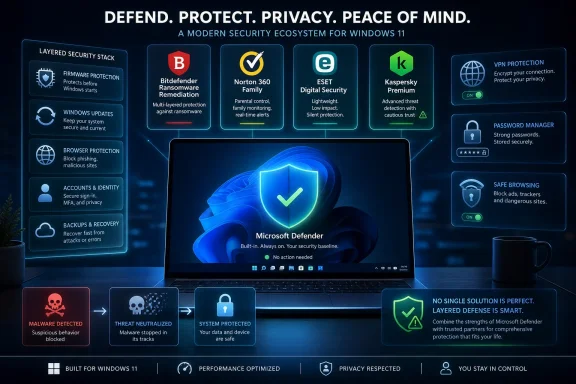
Windows users asking whether they still need antivirus software in 2025 are really asking whether Microsoft Defender, built into Windows 10 and Windows 11, is good enough for ordinary malware protection without a paid third-party suite. The honest answer is yes for many home PCs, but that answer is less simple than antivirus vendors, VPN bundles, and Windows loyalists tend to admit. Defender has become a credible baseline, not a magic shield. The real decision is no longer “free versus paid antivirus,” but which layers of risk you actually need to cover.
For years, “Windows Defender is enough” sounded like the sort of advice given by people who also disabled updates and ran as administrator because it was convenient. That era is over. Microsoft’s built-in protection has matured from a fallback scanner into a serious endpoint security layer, and independent lab testing has repeatedly placed it in the same competitive field as many paid consumer products.
That matters because antivirus software was once one of the first things a Windows user installed after the operating system itself. In the Windows XP and early Windows 7 years, running an unprotected PC on the open internet was reckless. Malware was noisier, drive-by infections were common, and Microsoft’s own security posture lagged behind the threat landscape.
The modern Windows security stack is different. Defender Antivirus is now tied into cloud-delivered protection, reputation systems, exploit mitigation, browser warnings, Windows Update, and the broader Microsoft security graph. That does not make it infallible, but it does make the old assumption — that Windows ships “naked” until a third-party vendor saves it — increasingly wrong.
This is the first point the antivirus industry has had to learn to live with: Microsoft has commoditized the core antivirus function. If a paid product’s main pitch is simply “we scan files for malware,” it is competing against something Windows users already have, something that is automatically maintained, and something that does not require a subscription renewal pop-up to keep running.
Those are not the same problem. Antivirus, in the strict sense, is about detecting and blocking malicious code. A full consumer security suite is usually a bundle of adjacent services: malware scanning, firewall controls, password tools, browser protection, cleanup utilities, startup managers, VPNs, parental controls, identity monitoring, and sometimes features of very uneven quality.
Microsoft Defender is strongest when judged against the narrow but important question of malware protection on a fully updated Windows machine. It scans files in real time, checks downloaded content, uses cloud-based intelligence, and can detect suspicious behavior as well as known signatures. For the common home-user threat model — malicious installers, infected attachments, Trojanized downloads, and commodity ransomware — that baseline is genuinely meaningful.
Where the conversation becomes slippery is when paid suites advertise a larger sense of safety. Some of those extras are useful. Some duplicate Windows features. Some are there because bundling creates a more persuasive subscription than antivirus alone.
Windows includes a feature called Controlled Folder Access, which can restrict unauthorized applications from changing files in protected folders. In theory, that is exactly the sort of defensive wall users want against ransomware: malware may run, but it cannot freely rewrite the contents of Documents, Pictures, Desktop, and other protected locations.
The catch is that Controlled Folder Access is not the same as a consumer-friendly ransomware insurance policy. It can cause friction with legitimate applications, it is not always enabled by default in the way users expect, and many people never visit the settings screen where it lives. Microsoft has built a useful control, but usefulness depends on configuration.
This is where “Defender is enough” needs an asterisk. Defender is enough for many users if Windows is updated, real-time protection remains enabled, SmartScreen is not bypassed out of habit, and ransomware protections are understood rather than merely assumed. Security is a posture, not a logo in the notification area.
The most expensive antivirus suite in the world will not help a user who approves every prompt, disables protections to run a cracked installer, and keeps the only copy of important files on the same internal drive. Conversely, a boring Windows installation with Defender, standard updates, cautious download habits, and real backups is in better shape than many subscription-protected machines.
Defender participates in this fight, especially through Microsoft Defender SmartScreen and Windows reputation checks. Edge users benefit most directly from Microsoft’s browser-layer protections, while Windows can also warn about suspicious downloaded apps. But the browser ecosystem is fragmented by design. Chrome, Edge, Firefox, Brave, and others each bring their own security decisions, extension models, warning systems, and sync behaviors.
That matters because browser compromise often looks less like malware and more like persuasion. A malicious extension may request broad permissions. A search hijacker may change the homepage. A fake update page may convince the user to install a remote access tool. A phishing site may never drop malware at all; it simply collects credentials and moves on.
Traditional antivirus is not useless here, but it is not omnipotent. The closer an attack gets to “the user authorized this,” the harder it becomes for security software to distinguish abuse from intent. This is why browser hygiene — extension audits, password managers, phishing-resistant multi-factor authentication, and skepticism toward sponsored download links — is now part of Windows security whether users think of it that way or not.
A paid suite may add browser plugins or web filtering, but those are not automatically superior. They can help block known malicious domains, flag scams, and add another warning layer. They can also inject yet another extension into the most sensitive application on the PC. The relevant question is not whether a product claims “web protection,” but whether it improves the user’s actual decisions without becoming its own liability.
A VPN can be useful, but it does not do the same job as antivirus. It encrypts traffic between the device and the VPN provider, which can reduce exposure on untrusted local networks and obscure browsing activity from the coffee shop, hotel, airport, or office Wi-Fi operator. It does not make a malicious download safe, does not verify that a login page is legitimate, and does not prevent a user from handing credentials to a fake site.
This distinction gets blurred constantly. VPN advertising often implies a broad privacy cloak that exceeds the technology. A VPN changes who can see certain network metadata; it does not eliminate trust. Instead of trusting the local network or ISP with a portion of visibility, the user is trusting the VPN provider. That may be a good trade in some circumstances, but it is still a trade.
For Windows users who regularly work on public Wi-Fi, travel, or connect from shared networks, a reputable VPN may be sensible. For someone who mostly uses a secured home network, modern HTTPS-protected websites, and cellular tethering when away from home, the case is narrower. The VPN is not “antivirus for the network.” It is a network privacy and tunneling tool with specific strengths and limits.
Bundling that tool into a security suite is convenient, and convenience has value. But the buyer should understand what is being purchased. If the problem is malware, Defender already does a lot. If the problem is untrusted Wi-Fi, a VPN may help. If the problem is phishing, neither a VPN nor a cleaner utility is the main answer.
But system cleanup is not the same as security. Windows already includes Storage Sense, Task Manager startup controls, Settings pages for installed apps, and Disk Cleanup-era maintenance functions. These tools are not always beautifully organized, and many ordinary users never touch them, but they exist.
Third-party cleanup tools sell a simpler story: press one button, get a faster PC. Sometimes that story is harmless. Sometimes it is exaggerated. Historically, the “PC optimizer” category has attracted aggressive claims, dubious registry cleaning, scare-driven scans, and upsell mechanics that treat normal temporary files as urgent problems.
A startup manager can be genuinely useful if it gives users clear visibility into what runs at boot and what can be disabled safely. A cleaner can be useful if it removes temporary files without pretending every cache is a crisis. The danger is when maintenance software borrows the emotional language of malware defense. A full temp folder is not an infection. A slow boot is not necessarily a security breach.
For WindowsForum readers, the practical answer is familiar: use the built-in tools first, understand what is starting with Windows, and be skeptical of any utility that declares thousands of “issues” on a healthy machine. The best maintenance tools are boring. The worst ones turn normal system entropy into theater.
But users should not overread the Store badge. Store distribution is a trust signal, not a guarantee that an app’s business model, privacy practices, telemetry, performance impact, or security architecture is ideal. Microsoft can enforce packaging rules, malware checks, identity requirements, and update mechanisms, but it is not personally vouching that every product is the best choice for every user.
This distinction matters especially for security software. Antivirus tools, VPN clients, browser extensions, and cleanup utilities can ask for deep visibility into the system. A VPN provider can see network traffic metadata. A malware scanner can inspect files. A browser extension may observe browsing activity. A cleaner may delete data the user later discovers was useful.
Installing from the Store may be preferable to downloading an executable from an unfamiliar website. It does not remove the need to ask what the software does, how it makes money, what data it collects, and whether its extra privileges are justified.
This is also where Microsoft’s own position is awkward. Windows is more secure when users avoid random installers, but Windows is still a general-purpose operating system whose value depends on letting users install powerful software. The Store can improve the supply chain, but it cannot make trust decisions disappear.
A good suite can provide one interface, one subscription, one set of alerts, and one place to run scans or enable extras. That simplicity has real value for families, less technical users, and people who will not manually configure Windows Security. It can also be useful for small businesses that are too small for enterprise endpoint management but too exposed to rely on vibes.
The problem is that simplicity and correctness are not the same. Some suites nag too much, slow systems down, install browser components users do not need, promote identity-theft add-ons of questionable relevance, or create duplicate protections that make troubleshooting harder. More software also means more code running with high privileges, and security software itself has had vulnerabilities over the years.
The better paid products understand this and compete on clarity rather than fear. They explain what they add beyond Defender: better family controls, cross-platform management, stronger phishing protection, bundled VPN capacity, identity monitoring, centralized dashboards, or specialist ransomware rollback. That is a more honest pitch than pretending every Windows PC without a third-party suite is a sitting duck.
The consumer should demand that honesty. If a vendor cannot explain what it adds beyond Microsoft’s baseline, the product may be selling nostalgia for an older threat model.
In business environments, Microsoft Defender can mean more than the built-in consumer antivirus. Microsoft Defender for Endpoint, Microsoft Defender XDR, Intune, Entra ID, security baselines, attack surface reduction rules, endpoint detection and response, and centralized reporting are part of a much larger stack. In that world, the question is less “Defender or antivirus?” and more “which endpoint platform integrates with our identity, logging, compliance, and incident response model?”
Third-party endpoint vendors still have a strong role there. Many organizations use CrowdStrike, SentinelOne, Sophos, Bitdefender, ESET, Trend Micro, or others because they prefer specific detection models, response workflows, managed services, Linux and macOS coverage, compliance reporting, or operational familiarity. The enterprise market is not simply a more expensive version of the home antivirus aisle.
Small offices are the uncomfortable middle. They may use consumer-grade PCs, unmanaged Microsoft accounts, shared local admin rights, and no real backup discipline, while still holding customer data and business documents. For them, relying on Defender may be technically defensible but operationally incomplete.
The missing layer is often not another scanner but management. Are updates enforced? Are users local administrators? Are backups tested? Is multi-factor authentication required? Are remote access tools controlled? Are browser extensions managed? If the answer is no, buying a consumer suite may feel reassuring while leaving the real risks untouched.
In 2025, the safest Windows users are not necessarily the ones with the most security logos in the system tray. They are the ones who keep Windows and browsers patched, avoid pirated software and suspicious installers, use standard accounts where practical, keep Defender enabled, turn on sensible ransomware protections, use a password manager, enable multi-factor authentication, and maintain offline or cloud-versioned backups.
That sounds less marketable than “buy this suite,” but it is closer to reality. Malware protection is one layer. Account protection is another. Backup is another. Browser safety is another. Network privacy is another. Device maintenance is another. Confusing those layers leads to overspending in one place and neglect in another.
There is also a psychological trap here. Paid security software can make users feel licensed to take bigger risks. Defender can create the same complacency if users treat Microsoft’s baseline as a force field. No tool should be allowed to become an excuse for bad habits.
The best security posture is boringly redundant. If malware is blocked, good. If it is not blocked, permissions should limit the damage. If files are encrypted, backups should exist. If a password is phished, multi-factor authentication should slow the attacker. If a device is lost, disk encryption should protect the data. Antivirus is important precisely because it is not enough by itself.
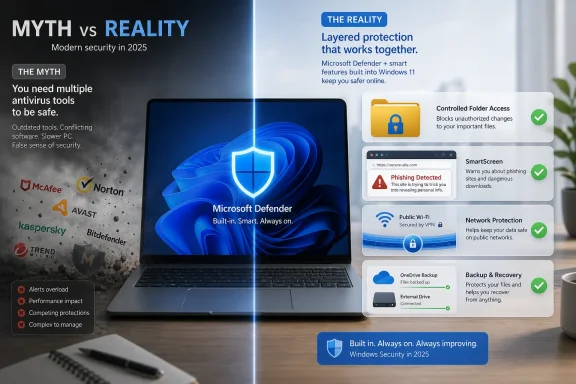 Defender Won the Argument It Used to Lose
For years, “Windows Defender is enough” sounded like the sort of advice given by people who also disabled updates and ran as administrator because it was convenient. That era is over. Microsoft’s built-in protection has matured from a fallback scanner into a serious endpoint security layer, and independent lab testing has repeatedly placed it in the same competitive field as many paid consumer products.That matters because antivirus software was once one of the first things a Windows user installed after the operating system itself. In the Windows XP and early Windows 7 years, running an unprotected PC on the open internet was reckless. Malware was noisier, drive-by infections were common, and Microsoft’s own security posture lagged behind the threat landscape.
The modern Windows security stack is different. Defender Antivirus is now tied into cloud-delivered protection, reputation systems, exploit mitigation, browser warnings, Windows Update, and the broader Microsoft security graph. That does not make it infallible, but it does make the old assumption — that Windows ships “naked” until a third-party vendor saves it — increasingly wrong.
This is the first point the antivirus industry has had to learn to live with: Microsoft has commoditized the core antivirus function. If a paid product’s main pitch is simply “we scan files for malware,” it is competing against something Windows users already have, something that is automatically maintained, and something that does not require a subscription renewal pop-up to keep running.
The Better Question Is Not Whether Defender Works
The phrase “Do I need antivirus?” hides several different questions under one familiar label. One user means, “Will Defender catch a malicious attachment?” Another means, “Will it stop ransomware from encrypting my files?” A third means, “Will it clean up my slow laptop, protect me on hotel Wi-Fi, remove sketchy browser extensions, and stop me from typing my bank password into a fake login page?”Those are not the same problem. Antivirus, in the strict sense, is about detecting and blocking malicious code. A full consumer security suite is usually a bundle of adjacent services: malware scanning, firewall controls, password tools, browser protection, cleanup utilities, startup managers, VPNs, parental controls, identity monitoring, and sometimes features of very uneven quality.
Microsoft Defender is strongest when judged against the narrow but important question of malware protection on a fully updated Windows machine. It scans files in real time, checks downloaded content, uses cloud-based intelligence, and can detect suspicious behavior as well as known signatures. For the common home-user threat model — malicious installers, infected attachments, Trojanized downloads, and commodity ransomware — that baseline is genuinely meaningful.
Where the conversation becomes slippery is when paid suites advertise a larger sense of safety. Some of those extras are useful. Some duplicate Windows features. Some are there because bundling creates a more persuasive subscription than antivirus alone.
Ransomware Changed the Definition of “Enough”
Ransomware is the threat that keeps the antivirus debate from becoming trivial. A virus that breaks a system is bad; ransomware that encrypts family photos, client files, tax records, or a small business’s shared drive is worse. The damage is not just infection but leverage.Windows includes a feature called Controlled Folder Access, which can restrict unauthorized applications from changing files in protected folders. In theory, that is exactly the sort of defensive wall users want against ransomware: malware may run, but it cannot freely rewrite the contents of Documents, Pictures, Desktop, and other protected locations.
The catch is that Controlled Folder Access is not the same as a consumer-friendly ransomware insurance policy. It can cause friction with legitimate applications, it is not always enabled by default in the way users expect, and many people never visit the settings screen where it lives. Microsoft has built a useful control, but usefulness depends on configuration.
This is where “Defender is enough” needs an asterisk. Defender is enough for many users if Windows is updated, real-time protection remains enabled, SmartScreen is not bypassed out of habit, and ransomware protections are understood rather than merely assumed. Security is a posture, not a logo in the notification area.
The most expensive antivirus suite in the world will not help a user who approves every prompt, disables protections to run a cracked installer, and keeps the only copy of important files on the same internal drive. Conversely, a boring Windows installation with Defender, standard updates, cautious download habits, and real backups is in better shape than many subscription-protected machines.
The Browser Is Where the Fight Moved
The weakest part of the traditional antivirus framing is that many consumer attacks no longer begin as a file called virus.exe. They begin in the browser, in search results, in sponsored links, in fake CAPTCHA pages, in malicious ads, in cloned login portals, in browser extensions, and in “support” pages that convince the user to install the attacker’s tool voluntarily.Defender participates in this fight, especially through Microsoft Defender SmartScreen and Windows reputation checks. Edge users benefit most directly from Microsoft’s browser-layer protections, while Windows can also warn about suspicious downloaded apps. But the browser ecosystem is fragmented by design. Chrome, Edge, Firefox, Brave, and others each bring their own security decisions, extension models, warning systems, and sync behaviors.
That matters because browser compromise often looks less like malware and more like persuasion. A malicious extension may request broad permissions. A search hijacker may change the homepage. A fake update page may convince the user to install a remote access tool. A phishing site may never drop malware at all; it simply collects credentials and moves on.
Traditional antivirus is not useless here, but it is not omnipotent. The closer an attack gets to “the user authorized this,” the harder it becomes for security software to distinguish abuse from intent. This is why browser hygiene — extension audits, password managers, phishing-resistant multi-factor authentication, and skepticism toward sponsored download links — is now part of Windows security whether users think of it that way or not.
A paid suite may add browser plugins or web filtering, but those are not automatically superior. They can help block known malicious domains, flag scams, and add another warning layer. They can also inject yet another extension into the most sensitive application on the PC. The relevant question is not whether a product claims “web protection,” but whether it improves the user’s actual decisions without becoming its own liability.
The VPN Bundle Is a Different Argument Wearing an Antivirus Hat
The source article’s most interesting turn is not its praise of Defender. It is the pivot from antivirus to VPN, startup management, and PC cleanup. That move reflects where the consumer security market has gone: once Microsoft made basic malware protection good enough, vendors had to sell the bundle.A VPN can be useful, but it does not do the same job as antivirus. It encrypts traffic between the device and the VPN provider, which can reduce exposure on untrusted local networks and obscure browsing activity from the coffee shop, hotel, airport, or office Wi-Fi operator. It does not make a malicious download safe, does not verify that a login page is legitimate, and does not prevent a user from handing credentials to a fake site.
This distinction gets blurred constantly. VPN advertising often implies a broad privacy cloak that exceeds the technology. A VPN changes who can see certain network metadata; it does not eliminate trust. Instead of trusting the local network or ISP with a portion of visibility, the user is trusting the VPN provider. That may be a good trade in some circumstances, but it is still a trade.
For Windows users who regularly work on public Wi-Fi, travel, or connect from shared networks, a reputable VPN may be sensible. For someone who mostly uses a secured home network, modern HTTPS-protected websites, and cellular tethering when away from home, the case is narrower. The VPN is not “antivirus for the network.” It is a network privacy and tunneling tool with specific strengths and limits.
Bundling that tool into a security suite is convenient, and convenience has value. But the buyer should understand what is being purchased. If the problem is malware, Defender already does a lot. If the problem is untrusted Wi-Fi, a VPN may help. If the problem is phishing, neither a VPN nor a cleaner utility is the main answer.
PC Cleaners Remain the Industry’s Guilty Pleasure
Startup managers and PC cleaners are another part of the bundle that deserves a raised eyebrow. Windows systems do accumulate clutter: temporary files, caches, old installers, crash dumps, browser data, and applications that insist on launching at startup. A machine loaded with auto-starting updaters, chat clients, RGB utilities, cloud sync agents, game launchers, and vendor control panels can feel worse than its specifications suggest.But system cleanup is not the same as security. Windows already includes Storage Sense, Task Manager startup controls, Settings pages for installed apps, and Disk Cleanup-era maintenance functions. These tools are not always beautifully organized, and many ordinary users never touch them, but they exist.
Third-party cleanup tools sell a simpler story: press one button, get a faster PC. Sometimes that story is harmless. Sometimes it is exaggerated. Historically, the “PC optimizer” category has attracted aggressive claims, dubious registry cleaning, scare-driven scans, and upsell mechanics that treat normal temporary files as urgent problems.
A startup manager can be genuinely useful if it gives users clear visibility into what runs at boot and what can be disabled safely. A cleaner can be useful if it removes temporary files without pretending every cache is a crisis. The danger is when maintenance software borrows the emotional language of malware defense. A full temp folder is not an infection. A slow boot is not necessarily a security breach.
For WindowsForum readers, the practical answer is familiar: use the built-in tools first, understand what is starting with Windows, and be skeptical of any utility that declares thousands of “issues” on a healthy machine. The best maintenance tools are boring. The worst ones turn normal system entropy into theater.
The Microsoft Store Is a Trust Signal, Not a Papal Blessing
The source article notes that a bundled desktop suite is available through the Microsoft Store and argues that Store installation means Microsoft has verified the application and will manage updates. That is a fair point as far as it goes. The Store can reduce some risks associated with random downloads from lookalike sites, ad-driven installer pages, and repackaged software.But users should not overread the Store badge. Store distribution is a trust signal, not a guarantee that an app’s business model, privacy practices, telemetry, performance impact, or security architecture is ideal. Microsoft can enforce packaging rules, malware checks, identity requirements, and update mechanisms, but it is not personally vouching that every product is the best choice for every user.
This distinction matters especially for security software. Antivirus tools, VPN clients, browser extensions, and cleanup utilities can ask for deep visibility into the system. A VPN provider can see network traffic metadata. A malware scanner can inspect files. A browser extension may observe browsing activity. A cleaner may delete data the user later discovers was useful.
Installing from the Store may be preferable to downloading an executable from an unfamiliar website. It does not remove the need to ask what the software does, how it makes money, what data it collects, and whether its extra privileges are justified.
This is also where Microsoft’s own position is awkward. Windows is more secure when users avoid random installers, but Windows is still a general-purpose operating system whose value depends on letting users install powerful software. The Store can improve the supply chain, but it cannot make trust decisions disappear.
Security Suites Now Sell Simplicity More Than Detection
The strongest case for a paid suite in 2025 is not that Defender is bad. It is that ordinary users do not want to assemble a security model out of six different control panels, two browser settings pages, a backup plan, a password manager, and a mental model of network encryption.A good suite can provide one interface, one subscription, one set of alerts, and one place to run scans or enable extras. That simplicity has real value for families, less technical users, and people who will not manually configure Windows Security. It can also be useful for small businesses that are too small for enterprise endpoint management but too exposed to rely on vibes.
The problem is that simplicity and correctness are not the same. Some suites nag too much, slow systems down, install browser components users do not need, promote identity-theft add-ons of questionable relevance, or create duplicate protections that make troubleshooting harder. More software also means more code running with high privileges, and security software itself has had vulnerabilities over the years.
The better paid products understand this and compete on clarity rather than fear. They explain what they add beyond Defender: better family controls, cross-platform management, stronger phishing protection, bundled VPN capacity, identity monitoring, centralized dashboards, or specialist ransomware rollback. That is a more honest pitch than pretending every Windows PC without a third-party suite is a sitting duck.
The consumer should demand that honesty. If a vendor cannot explain what it adds beyond Microsoft’s baseline, the product may be selling nostalgia for an older threat model.
Enterprise IT Lives in a Different Universe
Home users and enterprise administrators should not be shoved into the same answer. A single family laptop and a fleet of managed endpoints have different needs, different attackers, and different consequences when something goes wrong.In business environments, Microsoft Defender can mean more than the built-in consumer antivirus. Microsoft Defender for Endpoint, Microsoft Defender XDR, Intune, Entra ID, security baselines, attack surface reduction rules, endpoint detection and response, and centralized reporting are part of a much larger stack. In that world, the question is less “Defender or antivirus?” and more “which endpoint platform integrates with our identity, logging, compliance, and incident response model?”
Third-party endpoint vendors still have a strong role there. Many organizations use CrowdStrike, SentinelOne, Sophos, Bitdefender, ESET, Trend Micro, or others because they prefer specific detection models, response workflows, managed services, Linux and macOS coverage, compliance reporting, or operational familiarity. The enterprise market is not simply a more expensive version of the home antivirus aisle.
Small offices are the uncomfortable middle. They may use consumer-grade PCs, unmanaged Microsoft accounts, shared local admin rights, and no real backup discipline, while still holding customer data and business documents. For them, relying on Defender may be technically defensible but operationally incomplete.
The missing layer is often not another scanner but management. Are updates enforced? Are users local administrators? Are backups tested? Is multi-factor authentication required? Are remote access tools controlled? Are browser extensions managed? If the answer is no, buying a consumer suite may feel reassuring while leaving the real risks untouched.
The Old Antivirus Habit Still Has One Useful Instinct
The old advice to install antivirus immediately was crude, but it carried a useful instinct: Windows users should assume they are targets. That instinct remains correct. The difference is that the defensive toolkit has broadened.In 2025, the safest Windows users are not necessarily the ones with the most security logos in the system tray. They are the ones who keep Windows and browsers patched, avoid pirated software and suspicious installers, use standard accounts where practical, keep Defender enabled, turn on sensible ransomware protections, use a password manager, enable multi-factor authentication, and maintain offline or cloud-versioned backups.
That sounds less marketable than “buy this suite,” but it is closer to reality. Malware protection is one layer. Account protection is another. Backup is another. Browser safety is another. Network privacy is another. Device maintenance is another. Confusing those layers leads to overspending in one place and neglect in another.
There is also a psychological trap here. Paid security software can make users feel licensed to take bigger risks. Defender can create the same complacency if users treat Microsoft’s baseline as a force field. No tool should be allowed to become an excuse for bad habits.
The best security posture is boringly redundant. If malware is blocked, good. If it is not blocked, permissions should limit the damage. If files are encrypted, backups should exist. If a password is phished, multi-factor authentication should slow the attacker. If a device is lost, disk encryption should protect the data. Antivirus is important precisely because it is not enough by itself.
The Real 2025 Answer Fits on One Screen
The practical answer is not anti-Defender or anti-suite. It is anti-mythology. Microsoft has raised the Windows baseline enough that many users no longer need to pay for antivirus merely to reach competence, but some users still benefit from carefully chosen extras.- Most home users can reasonably rely on Microsoft Defender for core malware protection if Windows, browsers, and security definitions are kept current.
- Controlled Folder Access and reliable backups matter more for ransomware resilience than simply adding another scanner.
- A VPN addresses network privacy on untrusted connections, but it does not replace antivirus, phishing protection, or safe browsing habits.
- PC cleaners and startup managers can improve usability, but they should not be mistaken for essential security defenses.
- Paid suites make the most sense when they add specific, understandable value beyond Defender, such as family management, cross-device controls, a reputable VPN, or clearer support.
- Business users should think in terms of managed endpoint security, identity controls, patching, backups, and incident response rather than consumer antivirus branding.
References
- Primary source: ipsnews.net
Published: 2026-06-04T10:20:37.207586
- Related coverage: av-test.org
Test Microsoft Defender Antivirus (Consumer) 4.18 for Windows 11 (251516) | AV-TEST
The current test Microsoft Defender Antivirus (Consumer) 4.18 for Windows 11 (251516) from October 2025 of AV-TEST, the leading international and independent service provider for antivirus software and malware.www.av-test.org
- Related coverage: antivirus-review.com
Microsoft Defender Review: Is Free Enough?
Microsoft Defender review. 18/18 AV-TEST, AV-Comparatives 2025 Bronze RWP. Built into Windows 11/10, free, honest verdict on whether it's enough.antivirus-review.com