

iTubeGo promises a one-click shortcut from streaming to local files — download videos, playlists, live streams, and audio in formats up to 8K and MP3 at 320 kbps — but the practical realities, safety trade-offs, and legal questions behind that convenience deserve a careful, technical look before you click Install.
iTubeGo bills itself as a cross-platform desktop downloader and converter that supports YouTube plus “thousands of sites,” offers batch and playlist downloads, includes a built‑in converter and browser, and advertises high-resolution outputs (up to 8K) and high‑quality audio extraction (MP3, 320 kbps). The vendor positions the product for both casual users who want a few offline clips and power users who need bulk downloads and device-optimized conversions. The company’s own pages emphasize offline personal use and warn against piracy.
Independent reviews and hands‑on testing echo many of the vendor claims (format and site support, built‑in conversion, a desktop browser inside the app, batch downloads, and pricing tiers) but also record recurring real‑world issues: antivirus warnings or false positives during installation and use, intermittent failures with private or age‑restricted content, UI quirks, and limits in the free trial. Those reports are consistent across multiple third‑party reviews.
This feature breaks down how iTubeGo works in practice, what it can and cannot do, security and legal caveats to keep in mind, and practical alternatives and best practices for Windows users who need to save video or audio for offline use.
iTubeGo delivers an efficient, all‑in‑one downloader + converter experience that will save time for many Windows users — but treat convenience as a trade‑off: verify installers, understand the legal limits of offline copies, and be prepared for occasional edge cases (antivirus heuristics and platform authentication changes) that can break downloads. The safest path is a conservative one: official downloads, short verification tests, and relying on platform‑provided offline features for content where DRM or terms of service restrict capture.
Source: Windows Report iTubeGo YouTube Downloader Explained: Save Videos in Minutes
 Background / Overview
iTubeGo bills itself as a cross-platform desktop downloader and converter that supports YouTube plus “thousands of sites,” offers batch and playlist downloads, includes a built‑in converter and browser, and advertises high-resolution outputs (up to 8K) and high‑quality audio extraction (MP3, 320 kbps). The vendor positions the product for both casual users who want a few offline clips and power users who need bulk downloads and device-optimized conversions. The company’s own pages emphasize offline personal use and warn against piracy.Independent reviews and hands‑on testing echo many of the vendor claims (format and site support, built‑in conversion, a desktop browser inside the app, batch downloads, and pricing tiers) but also record recurring real‑world issues: antivirus warnings or false positives during installation and use, intermittent failures with private or age‑restricted content, UI quirks, and limits in the free trial. Those reports are consistent across multiple third‑party reviews.
This feature breaks down how iTubeGo works in practice, what it can and cannot do, security and legal caveats to keep in mind, and practical alternatives and best practices for Windows users who need to save video or audio for offline use.
What iTubeGo claims it can do
- Download video and audio from YouTube and many other platforms — vendor pages list sites including YouTube, TikTok, Instagram, Vimeo, Twitch, Facebook, Reddit and dozens more. The product additionally advertises support for live streams and some premium streaming services (vendor guidance stresses account/credentials and personal-use limits).
- High-resolution video output — advertised support for resolutions “up to 8K.”
- High‑quality audio extraction — MP3 output at up to 320 kbps and other audio formats (AAC, WAV, FLAC).
- Built‑in converter and device presets — convert downloaded files into device-friendly formats (iPhone, Android, tablets) without running separate apps.
- Batch and playlist download — paste multiple URLs or a playlist and download in one job, with the ability to skip already-downloaded items.
- Cookie / account integration for private or gated content — settings exist to allow reading browser cookies (Firefox/Chrome) so the app can access content behind logins, which is the usual method for downloading age‑restricted or private items when permitted. Third‑party writeups and help threads describe a preference or toggle like “Allow read cookies from Firefox/Chrome.”
- Cross‑platform availability — Windows, macOS, and an Android release or variations of Android APKs are advertised/available; pricing tiers for monthly, annual, lifetime, and family licenses are commonly reported by reviewers.
Quick, verified how‑to (what the vendor tutorial describes)
- Download and run the installer from the official site.
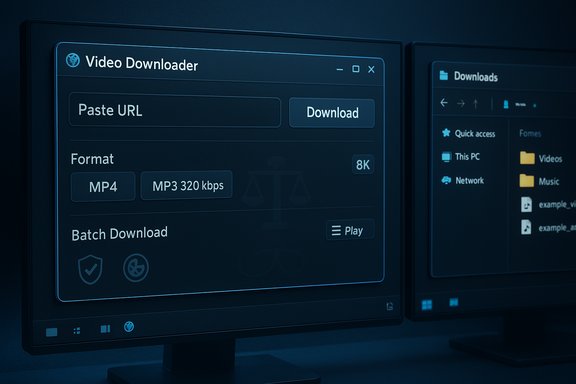
- Launch the app and click Paste URL (or use the built‑in browser to navigate to the video).
- Wait as the app parses the URL and lists available formats and resolutions.
- Choose output format (MP4/MOV/MP3/etc. and quality (up to 8K / audio up to 320 kbps), then click Download.
- Access files from the Downloaded tab and open file location to manage or transfer to mobile devices.
Deep dive — Features that matter to Windows users
Supported formats and resolutions
- The app advertises support for common container formats (MP4, MKV, MOV) and audio outputs (MP3 320 kbps, AAC, WAV). That means you can extract a high‑quality audio track or produce device‑optimized video files without a separate transcoding step. The vendor explicitly lists MP4/MP3/MOV and a long format list for both input and output on the product pages.
- Reality check: actual download quality depends on source availability. YouTube and other providers only offer certain renditions of a given upload; downloading “8K” requires YouTube to host an 8K stream for that video, and network/hardware limits will affect performance. Independent reviewers documented occasional quality/AV sync anomalies when forcing very high resolution outputs, so test with a short clip before batch exporting large libraries.
Speed claims and acceleration
- iTubeGo advertises multi‑thread or accelerated downloads; vendors and reviews describe faster-than-naïve single-stream downloads for many jobs. In practice, multi‑threaded downloads reduce the time for many small segments or for parallel media streams, but throughput gains will still be bound by your ISP and the host server’s rate limits.
Batch downloads, playlists and live streams
- Batch/playlist support is a core feature — paste an entire playlist URL and the app queues items. Live-stream capture is advertised (ability to record a stream while broadcasting). Both functions are useful, but batch jobs magnify the consequences of misconfiguration (download folder location, duplicate handling, or quotas).
Private, age‑restricted and gated content
- The vendor and many community writeups show a cookie/import/login option to let the app access gated content you have rights to (for example, private Vimeo or age‑restricted YouTube videos where you are an authorized viewer). The typical workflow is: log in via your browser, allow the app to read cookies, then parse the URL; the app uses your session to access the stream.
- Caution: modern platforms sometimes increase account checks and require age verification or device-level checks that a desktop client cannot satisfy. Several reviewers and forum posts report intermittent failures (and occasional need to re‑authenticate) when trying to fetch age‑restricted or members‑only content. If the stream requires additional verification (government ID or two‑factor flows that block non‑browser clients), the downloader will not succeed.
Security, privacy, and safety — what independent testing found
- Several reviews note that antivirus engines or endpoint protection may flag iTubeGo installation files or certain runtime behaviors. The vendor distribution is HTTPS-signed and the company claims the official installer is clean, but independent testers and multiple reviewers report antivirus alerts or code‑injection warnings on some platforms. In these reports, warnings sometimes come from heuristic detections or third‑party bundlers on mirror sites; other times the warnings were triggered by the app’s downloader/accelerator behavior. Because of that mixed evidence, you should treat any AV alert seriously: scan the downloaded installer on VirusTotal and prefer the vendor’s official download page.
- Vendor privacy and statement pages emphasize personal, non‑commercial use and request users to comply with streaming services’ terms. That phrasing is consistent with a software vendor trying to reduce legal exposure while providing a product for private‑use offline viewing. It does not provide legal cover for misuse.
- Enterprise and managed devices: installing third‑party downloaders that access account cookies or perform system-level operations can raise compliance flags. Best practice guidance for Windows users is to vet installers, run them in controlled user contexts, and scan with enterprise AV and endpoint monitoring before broad rollouts. Security guidance in community threads and Windows forums highlights the same precautions.
Legal, ethical and Terms of Service considerations
- YouTube’s terms of service and similar platform rules often prohibit downloading unless the platform explicitly provides an offline option (e.g., YouTube Premium’s mobile downloads) or the content is made available for download by the creator. In many jurisdictions, personal offline copies may be tolerated under “private copy” exceptions, but these are limited and do not authorize redistribution or commercial use. iTubeGo’s own statement calls out personal use and warns against sharing paid content. Legal risk varies by country and by the content’s license.
- Some platforms (Netflix, Spotify, Apple Music) include DRM and/or contractual restrictions; vendor pages sometimes list support for premium sites but also state you must have the appropriate streaming account and downloader license. DRM-protected content often cannot be legally captured in a usable form without violating terms or anti‑circumvention laws. Treat claims about “downloading from Netflix” with skepticism unless the vendor documents the exact, legal workflow.
Pricing and trial limits — verified
- Reviews and product pages show a typical pricing structure: a free trial with limited downloads (commonly three free items), monthly and yearly plans, and a lifetime or family license option. Pricing examples reported by third‑party reviews: 1‑month (~$9.95), 1‑year (~$24.95), lifetime (~$29.95), and family plans with multi‑device allowances. Confirm current pricing on the official site before purchasing.
- The trial restrictions mean the free download is useful for evaluation but not for long-term use; reviewers note that the free trial is intentionally constrained, so expect to pay if you need bulk usage.
Real‑world reliability — what reviewers and users found
- Strengths recorded repeatedly:
- Convenience — easy paste‑URL workflow and built‑in converter reduce the need for multiple tools.
- Format variety — conversion presets for mobile devices and a wide list of audio/video containers.
- Playlist and batch features — useful for archiving or offline library building.
- Common problems flagged by reviewers:
- Antivirus alerts and occasional warnings — some engines flag the installer or runtime actions (investigate, update, or use official installer).
- Intermittent download failures with gated content — age‑restricted/private streams sometimes fail, or require re‑authentication and cookie management.
- UI and trial limitations — reviewers call out confusing labels, limited free trials, or small UI affordances that slow workflow.
Practical advice and best practices for Windows users
- Always download the installer from the official vendor page and verify its digital signature where available. If an AV scanner flags the installer, upload it to a multi‑engine scanner (e.g., VirusTotal) to check whether the alert is a false positive or an actual red flag.
- Use a disposable VM or an isolated user account for the first run if you plan to test behavior on a managed machine.
- If you need to access age‑restricted or private content that you are authorized to view:
- Prefer browser cookie import or the vendor‑documented sign‑in flow (the cookie method is the standard approach used by many downloaders).
- Do not hand over passwords to third‑party sites; use browser session cookies only when the app provides that option and when you trust the vendor.
- Respect the terms of service of the platform and the rights of creators. If in doubt about legal use (educational reuse, public redistribution, or commercial projects), obtain written permission.
- For power users and automation: consider open‑source command‑line tools (yt‑dlp) for greater transparency and community auditability. They offer more direct control over cookies and credentials and are broadly used in technical communities, but they require more technical setup. Community recommendations often cite yt‑dlp for reliability and scripting.
Alternatives and when to choose them
- If you need a graphical tool with an easy UI and device presets, iTubeGo is a reasonable option to try — especially if its feature set matches your needs (live-stream capture, playlist downloads, batch conversion).
- If you are concerned about AV flags, prefer an open‑source route (yt‑dlp + ffmpeg) or mature GUI tools with strong reputations (e.g., 4K Video Downloader or JDownloader) after comparing security and legal implications. Open‑source tools are auditable and have large communities that spot regressions and service‑breaks quickly.
- For mobile-only offline needs, official platform options (YouTube Premium offline downloads; platform-provided downloads on Netflix, Amazon Prime Video) are the legal and safest path.
Strengths, risks, and the final assessment
- Strengths:
- All‑in‑one convenience — paste‑URL workflow, built‑in converter, and device profiles simplify everyday tasks.
- Feature breadth — support for many platforms, live capture, playlist downloads, and cookie-based gated access when available.
- Risks and trade‑offs:
- Security noise — multiple independent reviewers and user reports document antivirus detections or heuristic flags. While vendor distribution appears legitimate, installers from mirrors or cracked copies are a frequent source of malware; proceed only with official packages and scans.
- Reliability limits for private/age‑restricted content — cookie or login methods work in many cases, but changes to platform policies or to account verification procedures can break access. Expect to re‑authenticate or to face download failures with certain gated content.
- Legal exposure — downloading copyrighted material for anything beyond fair personal use may violate platform terms or local law; vendor guidance explicitly asks users to comply with streaming service rules.
- Final assessment: iTubeGo is a feature-rich, convenient desktop downloader and converter that will meet the needs of many Windows users who want an easy GUI-driven way to save content for offline, personal use. However, it is not a zero‑risk choice: security alerts and platform restrictions mean cautious evaluation (official download, AV scanning, and initial tests) is required before you entrust it with large batches or use it for private/gated content. Compare its trial limits and pricing to alternatives and use open‑source tools if you prefer transparency and community auditability.
Quick checklist before you install iTubeGo on Windows
- Download the installer from the official vendor page and check the HTTPS site address.
- Scan the installer with your antivirus and optionally upload to a multi‑engine scanner.
- Run the app in a standard user account first; avoid using admin privileges unless required.
- If you need age‑restricted/private content, prepare to use the cookie import or sign‑in workflow and understand the limits (re‑auth may be required).
- Test with a short clip at your targeted resolution to validate quality and AV sync before committing to long batch jobs.
- Retain purchase receipts and confirm refund policy for the license tier you choose.
iTubeGo delivers an efficient, all‑in‑one downloader + converter experience that will save time for many Windows users — but treat convenience as a trade‑off: verify installers, understand the legal limits of offline copies, and be prepared for occasional edge cases (antivirus heuristics and platform authentication changes) that can break downloads. The safest path is a conservative one: official downloads, short verification tests, and relying on platform‑provided offline features for content where DRM or terms of service restrict capture.
Source: Windows Report iTubeGo YouTube Downloader Explained: Save Videos in Minutes
