

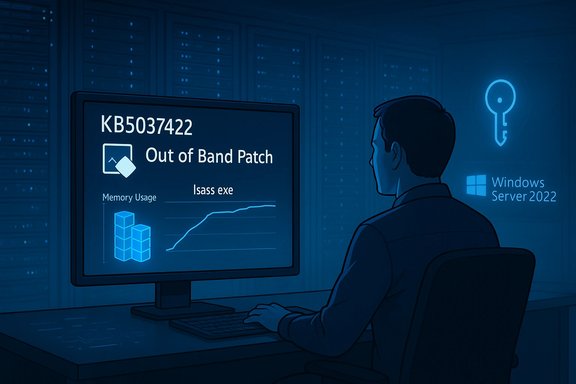
Microsoft has released an out‑of‑band patch — KB5037422 for Windows Server 2022 (with matching OOB packages for other server SKUs) to address a memory‑leak in the Local Security Authority Subsystem Service (LSASS) that was introduced by the March 12, 2024 security rollup (notably KB5035857 and sibling March updates). The leak, observed while domain controllers (DCs) service Kerberos authentication requests, caused LSASS to consume growing amounts of memory and in many environments led to LSASS becoming unresponsive and domain controllers unexpectedly rebooting. This article explains what happened, why the fix matters, how administrators should respond now, and the operational trade‑offs of an out‑of‑band (OOB) remediation that is not distributed via automatic Windows Update.
Microsoft shipped the March 12, 2024 cumulative security updates for a range of Windows Server SKUs. Shortly after that rollout, administrators began reporting steadily increasing memory usage by lsass.exe on domain controllers — often correlated with normal Kerberos traffic — and in many cases those systems crashed or rebooted as memory was exhausted. Microsoft acknowledged the problem as a known issue tied to the March updates and announced an out‑of‑band fix a little over a week later. The vendor’s KB pages for the March LCU and the OOB package explicitly call out the LSASS memory leak and advise DC administrators to install the OOB packages such as KB5037422 for Windows Server 2022. Why this reached news quickly: domain controllers are a critical service in any Active Directory environment. LSASS is responsible for authentication and security policy enforcement; if DCs unexpectedly restart or become unavailable, logons, group policy processing, and many authentication‑dependent services can fail — driving urgent enterprise impact and emergency patch activity. Community reporting and security outlets converged on the same operational picture (ballooning LSASS memory after the March updates) and pushed Microsoft to ship OOB cumulative updates per SKU to remediate the regression.
Operational implications of OOB distribution:
Administrators should treat this incident as a reminder to strengthen monitoring for identity pivots, keep robust update import and pilot plans for OOB fixes, and maintain the ability to collect and hand off diagnostics to vendor support in a secure manner. Where claims about the internal root cause extend beyond Microsoft’s published notes, flag them as unverified until Microsoft publishes a technical postmortem; the priority for operators remains detection, controlled remediation (install the OOB KB), and safe validation. Conclusion
The KB5037422 family of out‑of‑band fixes restores stability for the LSASS memory regression introduced by the March 2024 Windows Server security updates. Because these packages are not automatically distributed via Windows Update, administrators should proactively import and deploy them, validate DC health, and modify patching workflows so future OOB releases do not slip through the cracks. Prompt action will protect domain controllers from unexpected LSASS failures and reduce the risk of authentication‑wide outages in production environments.
Source: BetaNews Microsoft releases out-of-band KB5037422 update to fix Windows Server memory leak
 Background
Microsoft shipped the March 12, 2024 cumulative security updates for a range of Windows Server SKUs. Shortly after that rollout, administrators began reporting steadily increasing memory usage by lsass.exe on domain controllers — often correlated with normal Kerberos traffic — and in many cases those systems crashed or rebooted as memory was exhausted. Microsoft acknowledged the problem as a known issue tied to the March updates and announced an out‑of‑band fix a little over a week later. The vendor’s KB pages for the March LCU and the OOB package explicitly call out the LSASS memory leak and advise DC administrators to install the OOB packages such as KB5037422 for Windows Server 2022. Why this reached news quickly: domain controllers are a critical service in any Active Directory environment. LSASS is responsible for authentication and security policy enforcement; if DCs unexpectedly restart or become unavailable, logons, group policy processing, and many authentication‑dependent services can fail — driving urgent enterprise impact and emergency patch activity. Community reporting and security outlets converged on the same operational picture (ballooning LSASS memory after the March updates) and pushed Microsoft to ship OOB cumulative updates per SKU to remediate the regression. What went wrong (summary)
- The March 2024 cumulative updates (for various Windows Server SKUs, e.g., KB5035857 for Server 2022) introduced a regression in the code path used when Active Directory domain controllers process Kerberos authentication requests.
- When a DC handled certain Kerberos traffic patterns, LSASS began to leak memory instead of releasing allocations, producing substantial memory growth in lsass.exe.
- In affected environments the leak was large enough to exhaust available memory, causing LSASS to stop responding and forcing domain controllers to reboot unexpectedly.
- Microsoft classified the problem as a known issue for the March updates and issued OOB fixes for each affected server SKU (for example KB5037422 for Server 2022).
The scope and impact
This regression affected multiple Windows Server versions used as domain controllers:- Windows Server 2022 — KB5035857 (March 12, 2024) with OOB fix KB5037422 released March 22, 2024.
- Windows Server 2019 and 2016 and Windows Server 2012 R2 had corresponding March updates and Microsoft released SKU‑specific OOB fixes (for example KB5037425, KB5037423, KB5037426).
- Slow, degrading domain controller responsiveness as lsass.exe memory usage increased.
- Authentication failures, intermittent domain services outages, or inability to process Kerberos requests.
- In extreme cases, LSASS stopped responding and the OS triggered a reboot — leading to unscheduled DC restarts that can cause wide authentication outages across an AD site or forest.
What Microsoft released
Microsoft published out‑of‑band cumulative updates for the affected server SKUs that specifically address the LSASS memory leak. For Windows Server 2022 the package is KB5037422 (OS Build 20348.2342) — an OOB, non‑security cumulative update that Microsoft documented on the March 22, 2024 release page. The KB notes state the update corrects the LSASS leak observed after installing KB5035857 and that the leak arises when DCs process Kerberos requests. Microsoft marked the OOB packages as not currently distributed via standard Windows Update channels (they are available in the Microsoft Update Catalog and must be imported into management tools like Configuration Manager). Key practical points from Microsoft’s release notes:- The OOB fixes are targeted; if you previously installed the March cumulative updates, the OOB package applies only the new remediation elements.
- The updates are available as standalone catalog packages and are not pushed automatically via Windows Update/WSUS by default — administrators must obtain them directly or through catalog synchronization.
Recommended technical response (what to do now)
The following is a prioritized checklist for administrators who operate domain controllers in environments that may have applied the March 2024 cumulative updates:- Inventory your DCs and confirm patch state:
- Identify which DCs have the March 2024 cumulative updates installed (e.g., KB5035857 for Server 2022, KB5035855 for Server 2016, etc.. Use winver, systeminfo, or your centralized inventory.
- If you have DCs showing increasing LSASS memory, schedule immediate remediation:
- Acquire and install the SKU‑specific OOB package from the Microsoft Update Catalog (e.g., KB5037422 for Server 2022). Microsoft’s KB page lists that KB5037422 is the remediation for KB5035857.
- If a DC is currently unstable and cannot accept the OOB install:
- Consider uninstalling the problematic March KB (e.g., wusa /uninstall /kb:5035857) if a safe, tested rollback is required and you can accept the security trade‑offs, or reboot the DC and attempt to install the OOB package immediately after boot as some administrators reported installation failures when memory was already exhausted. (Community reports indicate a reboot followed by immediate OOB install resolved some install errors. Flag: uninstalling a security update temporarily reduces the machine’s protection surface; weigh risk vs. availability impact.
- Monitor LSASS memory after remediation:
- Use Performance Monitor counters, ETW traces, ProcDump for lsass.exe, and tools such as RAMMap or Process Explorer to validate that memory use for lsass.exe returns to normal. Collect artifacts if you need to open a Microsoft support case.
- For managed update pipelines:
- Import the OOB packages into Configuration Manager (or your patch management tool) via the Microsoft Update Catalog and push to a small pilot ring first before forest‑wide deployment. Microsoft’s KB notes remind admins that these OOB fixes need to be added to update catalogs for automated distribution.
- If you cannot patch immediately:
- Consider compensating controls such as restricting unnecessary Kerberos traffic to the DCs from less‑trusted networks, schedule planned reboots during low‑impact windows, and open a Microsoft support case if you observe repeated crashes or data corruption risk.
Step‑by‑step: how to obtain and install KB5037422 (practical)
- Go to the Microsoft Update Catalog and download the appropriate KB5037422 package for your OS build and architecture. The KB page indicates the package is available in the Update Catalog (the update is not offered via Windows Update by default).
- For Configuration Manager (SCCM) operators, follow the “Import updates” guidance in Configuration Manager to synchronize the catalog and make the update available for deployment. If you use third‑party patching tools, import the standalone MSU/CAB as your process dictates.
- Reboot the DC if it is unstable, then install the OOB package. Community troubleshooting notes indicate some installations failed under heavy memory pressure; a reboot followed by immediate install resolved the failure in some reported cases. Caveat: if you have a multi‑DC site, stagger installations to avoid hitting high‑availability failures.
- Reboot as required and validate LSASS memory usage and authentication health post‑install.
- Document the change and monitor for related Windows Event Log entries and performance counters for a minimum observation window (24–72 hours depending on traffic profile).
Why this patch was OOB and not automatic — a short analysis
Microsoft classed this remediation as an out‑of‑band (OOB) fix and made the KB available in the Update Catalog rather than pushing it automatically through Windows Update/WSUS. That choice is common for critical regressions that require rapid response but may need controlled deployment or catalog import for enterprise management systems.Operational implications of OOB distribution:
- Positive: focused remediation reduces the chance of introducing unrelated changes to production systems during an emergency fix cycle.
- Negative: organizations that rely solely on automatic Windows Update or WSUS may not receive the fix unless they synchronize the Update Catalog or manually import the update into their patch management system. This can delay remediation and prolong exposure. BetaNews and Microsoft release notes emphasize that administrators must seek out KB5037422 rather than expecting automatic delivery.
Forensic and monitoring recommendations
When facing LSASS memory growth or unexplained DC reboots, collect and preserve these artifacts before or during remediation:- PerfMon counters: Process(*)\Private Bytes for lsass.exe and \Working Set.
- Event logs: System and Security logs around the time of memory peaks and reboots.
- ProcDump/Crash dumps of lsass.exe if process becomes unresponsive (note privacy/security: lsass dumps contain sensitive credentials — handle with care and store securely).
- ETW traces tied to LSASS and Kerberos processing if you can capture them without further destabilizing DCs.
- Network captures of Kerberos traffic if you’re investigating request patterns that may trigger the leak.
What administrators should not do (common pitfalls)
- Don’t assume Windows Update will deploy the OOB fix automatically — it won’t for these packages. You must import the OOB KB into your management tooling or download/install manually.
- Don’t blindly uninstall security fixes without compensating controls — removing the March LCU removes security fixes that may have been important; treat uninstallation as a temporary stopgap if the DC cannot remain operational. Document the risk and plan to reapply security fixes plus the OOB remediation.
- Don’t publish lsass.exe memory dumps publicly; they contain highly sensitive authentication material. If sharing artifacts with vendors or community responders, sanitize or use secure channels with strict access controls.
Broader lessons for patch management
This incident highlights recurring themes in large OS ecosystems:- Even well‑tested cumulative updates can introduce regressions in complex subsystems (identity, networking, drivers) that escape pre‑release validation in some environments.
- Out‑of‑band fixes are necessary and effective, but they place heavier demands on enterprise patch workflows and communications. Catalog synchronization policies and trusted patching pipelines need to anticipate OOB packages.
- Monitoring critical processes (like LSASS on DCs) with alert thresholds and pre‑defined runbooks minimizes mean time to detect and recover.
- Enterprises should maintain a tested rollback plan and a safe, small pilot ring to validate emergency packages before broad deployment to avoid creating additional outages.
Strengths of Microsoft’s response — and remaining risks
Notable strengths- Microsoft acknowledged the issue publicly, documented the symptom and scope, and shipped SKU‑specific OOB fixes within days of wide community reporting — a rapid, targeted operational response for a severe regression. This limited the window of elevated operational risk for many organizations.
- The vendor published KB pages that explicitly direct DC administrators to the appropriate OOB package for each server SKU, reducing confusion about correct remediation targets.
- OOB fixes that are not delivered automatically can be missed in organizations that rely strictly on WSUS defaults or do not actively monitor vendor release‑health dashboards; this extends the time any organization remains exposed.
- Because Microsoft’s public KBs describe the symptom and remediation but do not provide a detailed engineering post‑mortem, community and vendor analysts lack full visibility into the exact code path and trigger conditions. That makes proactive detection (beyond observing LSASS memory) harder to tune for specific signatures. Any claim about the micro‑root cause not published by Microsoft should be marked as unverified until Microsoft releases a formal technical analysis.
- Patch‑for‑patch cycles increase operational complexity: every emergency mitigation must be tracked and reconciled with future monthly rollups to avoid configuration drift or repeated regressions. Maintain clear change records.
Quick checklist for AD/Windows Server administrators (actionable summary)
- Confirm whether your DCs installed the March 12, 2024 security update (KB5035857, KB5035855, KB5035849, KB5035885 as relevant).
- If DCs are showing LSASS memory growth or crashes, obtain the SKU OOB update immediately (e.g., KB5037422 for Server 2022) from the Microsoft Update Catalog and deploy to a pilot ring before wider rollout.
- If an affected DC cannot accept the patch due to memory exhaustion, consider a controlled reboot then install the OOB package as recommended by community troubleshooting experiences; escalate to Microsoft support if repeated failures occur.
- After remediation, validate authentication health and monitor LSASS memory for recurrence; collect diagnostics for any anomalies.
- Update change management and automation so OOB packages are imported into SCCM/patch tooling going forward — do not rely only on automatic Windows Update for such critical emergency fixes.
Final assessment
The KB5037422 out‑of‑band package was an essential and timely fix for a regression that had high operational impact for AD environments: LSASS leaking memory on domain controllers is not merely a degraded performance issue — it can force reboots of identity infrastructure and cause widespread outages. Microsoft moved quickly to publish SKU‑specific OOB packages, but the fact the patches were not pushed automatically underscores an operational gap: many organizations must actively watch release‑health notices and synchronize the Update Catalog to react to such emergencies.Administrators should treat this incident as a reminder to strengthen monitoring for identity pivots, keep robust update import and pilot plans for OOB fixes, and maintain the ability to collect and hand off diagnostics to vendor support in a secure manner. Where claims about the internal root cause extend beyond Microsoft’s published notes, flag them as unverified until Microsoft publishes a technical postmortem; the priority for operators remains detection, controlled remediation (install the OOB KB), and safe validation. Conclusion
The KB5037422 family of out‑of‑band fixes restores stability for the LSASS memory regression introduced by the March 2024 Windows Server security updates. Because these packages are not automatically distributed via Windows Update, administrators should proactively import and deploy them, validate DC health, and modify patching workflows so future OOB releases do not slip through the cracks. Prompt action will protect domain controllers from unexpected LSASS failures and reduce the risk of authentication‑wide outages in production environments.
Source: BetaNews Microsoft releases out-of-band KB5037422 update to fix Windows Server memory leak
