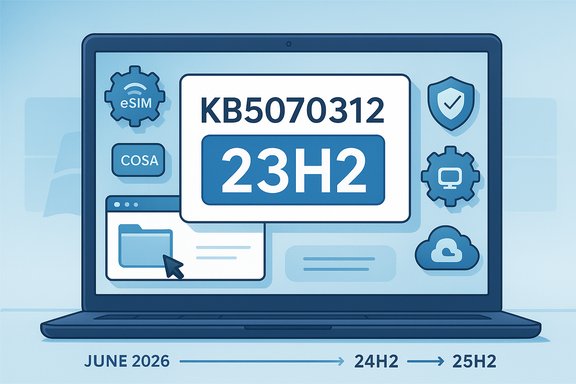
Microsoft’s November 20, 2025 preview release for Windows 11, version 23H2 — KB5070312 (OS Build 22631.6276) — is a modest, quality-first cumulative update that pairs a non‑security cumulative LCU with a servicing stack update and a handful of targeted bug fixes. Delivered as an optional preview, the update’s stated goals are to improve functionality, performance, and reliability on 23H2 devices. The package includes corrected mobile operator profiles (COSA), several user-facing fixes for core file handling and File Explorer behavior, a Group Policy/AVD policy enforcement fix, and an updated servicing stack (SSU KB5071963). Microsoft lists no known issues with this release, but the timing — immediately after Home/Pro servicing for 23H2 has concluded — raises practical questions for home users and administrators about whether to install preview updates, how to stage them, and how to prepare for the Secure Boot certificate rollover that begins in mid‑2026.
Background / Overview
Windows 11, version 23H2 entered mainstream servicing in 2023 and — for Home and Pro editions — reached its end of servicing on November 11, 2025. With Home/Pro no longer receiving routine security updates, administrators and consumers must plan migration paths to supported releases (24H2/25H2) to remain protected. KB5070312 is a non‑security preview update targeted at 23H2 devices and is offered as an optional download in Windows Update’s “Optional updates available” area as well as through the Microsoft Update Catalog and WSUS.This preview contains two logical components:
- A combined servicing stack update (SSU) — KB5071963 — to ensure the update pipeline remains robust and reliable.
- A cumulative LCU (non‑security) that fixes discrete quality issues reported in production and testing.
What’s in KB5070312 (quick technical summary)
- Applies to: Windows 11, version 23H2 (all editions).
- Release date: November 20, 2025.
- OS Build: 22631.6276 (combined with servicing stack update KB5071963, version 22621.6265 for SSU).
- Type: Non‑security preview (optional).
- Delivery: Windows Update (Optional updates), Microsoft Update Catalog, WSUS import.
- Key fixes described by Microsoft:
- COSA (Country and Operator Settings Asset) profile updates for certain mobile operators.
- File Explorer: fixes an issue where File Explorer sometimes wouldn’t respond to mouse clicks until it was restarted.
- File management: fixes an extraction error for .tar files when file/folder names contain more than 34 commonly used Chinese characters.
- Group Policy and Configuration: fixes an issue where the HideRecommendedSection policy did not work in Windows 11 Enterprise multi‑session environments such as Azure Virtual Desktop (AVD).
- Updated servicing stack (SSU) to improve reliability of future update delivery.
- Known issues: Microsoft reports no known issues for this release.
Why this matters now
Although KB5070312 is classified non‑security and optional, the context around it makes it noteworthy:- Windows 11, version 23H2 Home and Pro reached end of servicing on November 11, 2025. That means consumer machines running those SKUs will not receive future security updates unless they move to a supported release. For organizations still on 23H2, Enterprise and Education SKUs will continue to receive updates through November 10, 2026, but consumer devices are effectively at the end of their consumer‑grade lifecycle.
- Microsoft is rolling out new Secure Boot certificates to replace expiring 2011‑era keys. Those certificates begin expiring in June 2026 and will affect Secure Boot update mechanisms and boot component security unless systems are updated to the new certificate chain.
- Servicing stack updates (SSUs) like KB5071963 are prerequisites for reliable future update installs. Installing the latest SSU as part of this combined package reduces the risk of update failures later.
Deep dive: the tangible fixes and their implications
COSA updates (mobile operator profiles)
Mobile operator profile updates (COSA) are small but important for devices that rely on embedded SIMs (eSIM) or integrated mobile broadband. Profiles control operator provisioning, network parameters, and roaming behavior. When profiles are out of date, users can face connectivity or provisioning failures.- Impact: Mobile devices, laptops with integrated WWAN, and some hybrid tablets.
- Operational note: These updates are low risk and generally safe to deploy, but enterprise imaging should be validated to ensure custom provisioning workflows are unaffected.
File Explorer mouse‑click fix
A reported behavior where File Explorer does not register mouse clicks until the app is closed and reopened can significantly interrupt day‑to‑day workflows.- Impact: All users who rely on File Explorer for navigation and file operations.
- Why it matters: Improving UI responsiveness reduces user friction and helpdesk tickets; this is a straightforward quality improvement.
.tar extraction fix for Chinese characters
An edge case in the archive extraction logic caused failures when extracting .tar files that contain filenames or folder names with more than 34 commonly used Chinese characters.- Impact: Users who share or receive archives with long Chinese filenames. This can affect content creators, international teams, and localized automation scripts.
- Operational note: If your environment uses scripts that create or extract tar archives with non‑Latin filenames, validate those workflows post‑update.
Group Policy: HideRecommendedSection not enforced in AVD
Administrators who control device UI via Group Policy or Configuration Service Provider (CSP) discovered that the HideRecommendedSection policy did not suppress recommended content in Windows 11 Enterprise multi‑session environments like Azure Virtual Desktop.- Impact: IT teams using AVD and multi‑session scenarios (such as education labs or virtualized shared workspaces).
- Why it matters: Enforcing a tailored UI experience is part of compliance and user experience; restoring policy operation prevents unwanted content and keeps controlled environments clean.
Servicing stack update (SSU KB5071963)
The servicing stack component installs and manages Windows updates. SSUs are not uninstallable once combined with the LCU and are required for reliable future updates.- Impact: All Windows Update operations on affected devices.
- Caveat: When the SSU is combined with the LCU into a single package you cannot remove the SSU via wusa.exe /uninstall; only the LCU portion can be removed via DISM by package name. Plan rollbacks accordingly.
Installation and removal mechanics: practical notes
- How to get it: Settings > Windows Update > Optional updates available; Microsoft Update Catalog; Windows Update for Business; WSUS (manual import).
- Combined package behavior: Microsoft combines the SSU with the LCU. The servicing stack (SSU) will remain on the system after installation and cannot be removed separately using wusa.exe.
- To remove the cumulative LCU after installation, administrators must:
- Use DISM to identify the LCU package name: DISM /online /get‑packages
- Use DISM /Online /Remove‑Package /PackageName:<LCU name>
- Recommendation: Do not attempt to remove the SSU. If rollback is necessary, perform system restores, image reapplication, or rebuilds per standard recovery procedures.
Critical analysis — strengths
- Focused fixes: The patch addresses concrete, user‑facing bugs that reduce friction in common workflows (File Explorer responsiveness, archive extraction, policy enforcement). These are narrow, testable improvements rather than sweeping behavioral changes.
- Servicing stack included: Bundling the SSU reduces a common class of update failures. Many organizations have experienced failed cumulative updates because the servicing stack was outdated, so this pairing is a behind‑the‑scenes stability win.
- Low immediate risk profile: Microsoft lists no known issues for KB5070312. The update is optional and non‑security, so administrators can validate it in a test ring before broader deployment.
Critical analysis — potential risks and caveats
- Timing relative to 23H2 lifecycle: KB5070312 is a preview update for an OS version that — for Home/Pro — has already reached end of servicing. Installing optional preview updates on machines that are no longer receiving security updates may provide short‑term quality improvements but does not replace the need to migrate to a supported release. Consumers might misinterpret an optional preview as a substitute for full servicing.
- Preview updates can introduce regressions: Optional non‑security previews are not intended for broad production deployment. They are released for testing and feedback. Even when Microsoft reports no known issues, the very nature of preview software makes staged testing essential.
- SSU immutability: Because the SSU cannot be removed once combined, devices that install the package are committing to a servicing stack change. In the rare case of a subsequent SSU regression, administrators will have fewer rollback options.
- Localized edge cases: The .tar extraction fix is targeted but reveals how internationalization nuances can surface in unexpected places. Systems with automated archive workflows — especially in multilingual environments — should be validated carefully.
- Secure Boot certificate rollover: Although unrelated to this KB directly, the Secure Boot certificate migration campaign (new 2023 certificates replacing 2011 certificates beginning June 2026) represents a major future operational task. Failure to coordinate firmware or platform updates and certificate rollouts could result in boot‑time failures or loss of secure boot updateability.
Recommendations — Home users
- Treat KB5070312 as optional testing software. If your machine is stable and you rely on it daily, delay installation until you can:
- Create a full system backup or disk image, and
- Schedule a maintenance window to test the update.
- If you run laptops with WWAN/eSIM or rely on AVD, consider installing in a controlled window to validate connectivity and provisioning.
- Plan to upgrade to a supported Windows 11 release (24H2 or 25H2). Home and Pro devices without continued servicing are exposed to future security risk; preview updates won’t change that.
- If you do install and experience new issues, use System Restore (if enabled) or boot to a recovery environment and follow the DISM package removal instructions for the LCU if required.
Recommendations — IT administrators and orgs
Preparation and risk assessment
- Add KB5070312 to a test ring for:
- File Explorer behavior checks
- Archive handling workflows that use .tar files with multi‑byte filenames
- AVD policy enforcement tests (HideRecommendedSection)
- WWAN/COSA provisioning verification
- Confirm firmware inventory and OEM guidance for Secure Boot certificate updates. Document machines that may require vendor firmware updates before June 2026 to accept the new certificate chain.
Deployment strategy (recommended)
- Test on a small pilot group (10–50 devices), including any devices that use WWAN/eSIM or are in multi‑session AVD environments.
- Leverage Windows Update for Business deployment rings or WSUS to stage rollout. Import the update into WSUS and approve for test groups first.
- Monitor telemetry and helpdesk volumes for 7–14 days before broader approval.
- Maintain an image‑based rollback plan. Keep golden images updated for rapid redeployment.
- Communicate to end users: clarify that this is a non‑security preview and does not substitute for a proper OS upgrade.
Patch and lifecycle planning
- Prioritize migrations off 23H2 Home/Pro where possible. Document timelines for each device group and schedule upgrades to 24H2/25H2.
- For Enterprise/Education SKUs continuing to receive 23H2 servicing through November 10, 2026, maintain a lifecycle plan that includes phased testing of the Secure Boot certificate changes, firmware updates from OEMs, and eventual migration to a later Windows 11 baseline.
Troubleshooting guidance (concise)
- Install failure or update stuck:
- Reboot and reattempt; if failure persists, check Windows Update logs and use the Windows Update Troubleshooter.
- Confirm the servicing stack version matches KB5071963 if the SSU applied successfully.
- File Explorer still unresponsive:
- Restart explorer.exe as a quick workaround: Task Manager > restart Explorer.
- If persistent, collect Event Viewer logs under Applications and Services > Microsoft > Windows > Shell-Core.
- Archive extraction failures:
- Verify the filename charset and length. Test extraction with an alternate archive tool (7‑Zip, tar CLI) to isolate whether it’s OS extraction logic or archive file corruption.
- Group Policy not enforced in AVD:
- Confirm the policy is applied via RSOP and that AVD session hosts have received the latest policy definitions. Validate CSP policies are being delivered if using Intune.
The Secure Boot certificate story — why it’s relevant to this KB and your update strategy
Microsoft and OEMs will roll out new Secure Boot certificates (issued in 2023) to replace expiring 2011 certificates beginning June 2026. This certificate replacement is a foundational change to how firmware trusts boot components. If organizations delay preparing for the certificate roll, they risk:- Inability to receive Secure Boot security updates after the expiring certificates lapse.
- Failure to validate certain boot components or third‑party bootloaders signed with newer certificates.
- Increased exposure to sophisticated boot‑level threats if devices are not updated before the expiration window.
- Inventory devices by firmware vendor and platform to identify who will deliver certificate updates.
- Test certificate rollouts in lab environments and validate VMs vs physical devices. Some virtual platforms handle Secure Boot differently at the hypervisor level.
- Coordinate vendor firmware updates, imaging processes, and enterprise configuration policies to ensure the new certificates are applied ahead of June 2026.
Final assessment
KB5070312 is a narrow, responsible preview update that fixes discrete quality issues and refreshes the servicing stack for older 23H2 devices. For organizations still supporting 23H2, the package is safe to pilot and test — but it must be treated as part of a broader migration plan rather than a stopgap. The absence of known issues is encouraging, but history shows that even optional patches can reveal environmental regressions.The broader context — end of servicing for Home/Pro 23H2 and the looming Secure Boot certificate rollover — makes this an inflection point. The update itself is low risk, but remaining on an unsupported or soon‑unmaintained baseline is not. The highest‑value steps right now are testing this preview in representative environments, accelerating migrations to supported Windows 11 baselines, and coordinating firmware and certificate updates before mid‑2026 to avoid boot or update disruptions.
Quick checklist (for publication to internal teams)
- Backup critical devices before applying preview updates.
- Add KB5070312 to a controlled pilot ring.
- Validate:
- File Explorer responsiveness
- .tar extraction with multi‑byte filenames
- WWAN/eSIM provisioning and COSA behavior
- AVD/Enterprise multi‑session policy enforcement
- Confirm SSU application and review Windows Update logs.
- Plan and document rollback steps (DISM removal for LCU; SSU is permanent).
- Inventory OEM firmware and plan for Secure Boot certificate updates (target: complete testing and deployment well before June 2026).
- Schedule OS upgrades for Home/Pro devices to 24H2/25H2 to restore full security servicing.
Source: Microsoft Support November 20, 2025—KB5070312 (OS Build 22631.6276) Preview - Microsoft Support