

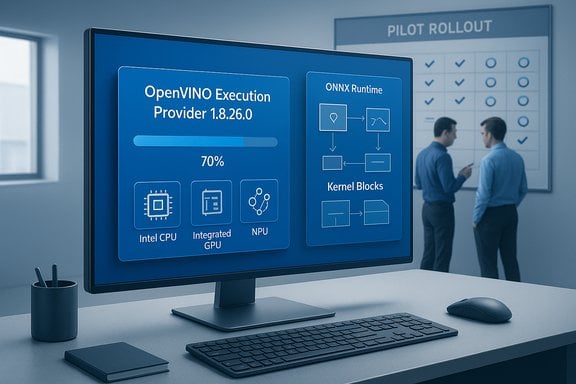
Microsoft has quietly distributed KB5072094 — a component update that advances the Intel OpenVINO™ Execution Provider to version 1.8.26.0 for Windows 11 systems, a change that tightens the software bridge between ONNX models and Intel CPUs, GPUs and on‑die NPUs while shifting more responsibility for validation and rollout to IT teams and developers.
Background / Overview
The Intel OpenVINO Execution Provider (EP) is the vendor‑supplied runtime that ONNX Runtime uses to accelerate model inference on Intel silicon: CPUs, integrated and discrete GPUs, and NPUs where supported. The provider performs graph partitioning, selects hardware‑specific kernels, and compiles/caches accelerator binaries on first run to speed later executions. That role and the provider’s installation model are documented in ONNX Runtime’s OpenVINO EP documentation and associated Python APIs. Microsoft now distributes vendor execution providers such as OpenVINO, AMD Vitis AI, Qualcomm QNN and others as modular Windows components, delivered through Windows Update and tied to specific Windows 11 feature updates (for example, 24H2 and 25H2). These component KBs typically follow a very short, standardized public description (“includes improvements to the … AI component”) and rely on the enterprise to perform targeted validation before broad rollouts. Examples of prior Intel and third‑party EP KBs show this pattern and the same prerequisite requirements (latest cumulative update required) that KB5072094 uses.What Microsoft’s KB5072094 actually says (and what it omits)
- The published summary for KB5072094 states the update packages the Intel OpenVINO Execution Provider to 1.8.26.0 and targets Windows 11, version 24H2 and 25H2.
- Delivery is automatic through Windows Update, and the device must have the latest cumulative update (LCU) for the relevant Windows 11 build installed before the component will apply.
- After installation, the component appears under Settings → Windows Update → Update history.
Cautionary note: an exhaustive, line‑by‑line Microsoft engineering changelog for KB5072094 is not publicly posted in the same brief KB text; therefore any specific claim about the exact kernel, operator, or CVE numbers in 1.8.26.0 remains unverified without vendor release notes or a Microsoft advisory. Treat micro‑level claims (percent speedups, exact operator fixes) as inferred unless Intel or Microsoft publishes details.
Why this update matters: the practical, user‑visible effects
Even seemingly small Execution Provider updates can produce noticeable outcomes across many Windows features because EPs are shared OS components used by multiple apps and OS features (Photos, Camera effects, Teams Studio Effects, Copilot local transforms, and more). The sorts of effects to expect after an OpenVINO EP bump are:- Faster or more consistent inference latency for on‑device image and multimodal models (especially on modern Intel silicon where the NPU or integrated GPU is present). ONNX Runtime and OpenVINO engineering improvements frequently focus on micro‑optimizations, kernel fusion and memory reuse that shrink latency and energy per inference.
- Smoother camera experiences (segmentation, background effects, Studio Effects), fewer timeouts or app‑level fallbacks to CPU, and improved first‑run behavior thanks to improved model caching or kernel selection.
- Subtle numeric deltas for quantized models: small changes in INT8/FP16 kernel mapping, quantization handling, or operator ordering can modify outputs slightly. These differences matter for deterministic workflows (mask geometry, thresholded pipelines), and developers must revalidate models after the component applies.
- Compilation and caching behavior changes: because many EPs compile models on first use and cache compiled artifacts to disk, changes in the provider can influence first‑run delays, cache sizes and where compiled blobs are stored. ONNX Runtime/OpenVINO documentation confirms this compile‑on‑first‑use and caching model.
Technical verification: what we checked and why
To verify the KB’s core claims and to place the update in technical context, the following primary references were consulted:- ONNX Runtime documentation for the OpenVINO Execution Provider, which explains the EP’s function (hardware targets, provider options, caching and install paths). This confirms the EP’s role described in the KB.
- Intel’s OpenVINO release notes and Intel distribution pages, which show ongoing work in NPU/GPU plugin improvements, GenAI/LLM optimizations, and expanded hardware support that plausibly feed into provider updates Microsoft packages for Windows. These notes substantiate the kinds of upstream changes that an EP version bump would likely include (kernel improvements, NPU support, memory optimizations).
- Prior Microsoft KBs for vendor EPs (for example, earlier Intel EP updates and AMD/Qualcomm EP packages) to confirm the KB style and prerequisite/installation mechanics. Microsoft’s prior EP KBs follow the same pattern: a brief summary, LCU prerequisite and Windows Update delivery instructions.
Strengths: what organizations and end users gain
- Faster iteration for on‑device AI: Componentized EP delivery lets Microsoft and Intel push focused runtime improvements without waiting for full feature OS updates. That reduces time between upstream OpenVINO fixes and Windows‑level availability.
- Better use of local silicon: Where Intel integrated GPUs or NPUs exist (Core Ultra families and later NPUs), provider updates can improve offload heuristics and kernel selection, delivering lower latency and reduced battery use for inference workloads.
- Privacy and responsiveness benefits: When models run on‑device rather than in the cloud, users benefit from reduced network roundtrips and improved privacy for tasks like camera segmentation or local text suggestions.
- Easier distribution at scale: Delivering EPs via Windows Update ensures broad reach — all eligible devices will receive the update automatically, simplifying patch management when compared to manual vendor installations.
Risks and operational tradeoffs
- Opaque public changelogs. Microsoft’s KB is intentionally short. For security teams and auditors, absence of CVE mappings or a detailed fix list is a problem: callers must treat any implied security improvements as unverified until CVE IDs or specific advisories appear. If forensic patch records or compliance proof are required, open a support case with Microsoft or Intel.
- Driver and firmware coupling. EPs interact closely with GPU/NPU drivers, chipset firmware, camera ISPs and OEM BIOS. Mismatches between the updated EP and out‑of‑date drivers are the most common cause of regressions after an EP update. Aligning OEM‑recommended drivers/firmware first is essential.
- Subtle numeric differences. Quantization, operator mapping, or kernel changes can produce small numerical output differences that break deterministic pipelines or automated validation checks. Revalidate models and end‑to‑end pipelines where determinism matters.
- Rollback complexity. Component updates delivered via Windows Update are not always trivially reversible. Rolling back may require system restore, reimaging, or uninstalling an LCU that enabled the component; managed fleets should prepare tested rollback images and documented recovery steps.
Recommended deployment checklist for IT teams (pilot → stage → broad)
- Verify prerequisites
- Confirm target devices run Windows 11, version 24H2 or 25H2 and have the latest cumulative update (LCU) installed; the EP component will not install without the LCU.
- Inventory eligible devices
- Identify endpoints with Intel NPUs, integrated/discrete GPUs, and Core Ultra families; flag them in your CMDB.
- Align drivers and firmware
- Update OEM‑recommended chipset, GPU and NPU runtimes/firmware before applying the component. Driver mismatches are the leading operational risk.
- Create a pilot ring (7–14 days)
- Use a representative mix of OEM images, SKUs and thermal profiles.
- Acceptance tests (examples)
- Photos: Super‑Resolution, erase/restore, batch transforms.
- Conferencing: background replacement, Studio Effects (Teams/Zoom) and camera stability.
- Camera/Windows Hello: enrollment/login flows for systems sharing camera stacks.
- Model tests: run critical ONNX models and compare outputs (accuracy thresholds, latency, memory footprint).
- Monitor telemetry and collect artifacts
- If regressions occur collect Update history, Windows Event logs, WER dumps, driver versions, and reproducible sample inputs. These artifacts speed triage with OEMs or Microsoft.
- Stage rollout and rollback plan
- Expand deployment in rings (7–14 day cycles) and maintain tested rollback images and recovery steps.
Developer guidance: revalidation and CI adjustments
- Treat the OpenVINO EP as a versioned dependency. When the EP on a device changes, operator partitioning and numeric behavior may change.
- Re‑run model validation suites on representative hardware using ONNX Runtime with the OpenVINO provider selected. Inspect provider registration logs and operator partitioning to confirm subgraphs still run on the target accelerator.
- Capture session creation time and first‑run compilation durations; compiled artifacts and caching behavior can affect cold‑start latency.
- Use provider options to control caching and logging: set cache_dir/cache_key to manage compiled binaries and log_level to capture provider operations for debugging. ONNX Runtime docs describe these provider options.
- Add device‑level integration tests to CI that run on representative hardware images rather than only on developer machines. This step catches device/driver/environment interactions that developer machines often miss.
Troubleshooting and escalation playbook
If you see regressions after the component install:- Reproduce and capture:
- Exact repro steps, timestamps, screenshots/video and representative input files.
- Update history entry and the KB string (e.g., KB5072094) showing the EP version.
- Collect system diagnostics:
- Windows Event logs (Application/System), Reliability Monitor, WER crash dumps and vendor driver logs.
- Complete driver and firmware versions, BIOS/UEFI build and any provider config files or overrides.
- Triage path:
- If logs show GPU or driver faults, escalate to the OEM/driver vendor.
- If behavior is reproducible only when the provider is active (and persists after driver alignment), escalate to Microsoft with the collected diagnostic package — Microsoft’s support process often requires the exact Update history entry to map to internal release notes.
Cross‑checks and what remains unverified
- Cross‑checked facts:
- The EP’s role in ONNX Runtime and its compile/cache behavior is confirmed by ONNX Runtime documentation.
- Intel’s OpenVINO upstream release notes show ongoing NPU/GPU improvements, GenAI optimizations and kernel/caching changes that are plausibly reflected in packaged provider updates.
- Microsoft’s pattern of shipping EPs as modular components through Windows Update with an LCU prerequisite appears in multiple prior KBs.
- What could not be independently verified publicly:
- A line‑by‑line engineering changelog or the specific commit/patch list that maps to OpenVINO EP 1.8.26.0 inside KB5072094 was not found in a public Microsoft engineering note at the time of this writing. The KB’s short, standardized wording means exact operator‑level fixes and CVE mappings remain unlisted. Organizations needing precise forensic detail should open a support ticket with Microsoft or Intel.
Bottom line and practical guidance
KB5072094 is a targeted OS‑component refresh that updates the Intel OpenVINO Execution Provider to 1.8.26.0 for Windows 11 24H2/25H2. For most individual users the change will likely be invisible or produce modest improvements in camera effects and image transforms; for enterprises and developers it creates a clear action item: revalidate model outputs, align device drivers/firmware, and deploy via pilot rings before broad rollout.- For individual users and consumer devices: allow the automatic update to proceed via Windows Update; expect incremental quality improvements and faster local AI responsiveness where Intel hardware supports acceleration.
- For IT administrators and developers: follow a staged deployment with driver/firmware alignment, representative acceptance tests, and a documented rollback plan. Collect diagnostics proactively so support engagements with OEMs or Microsoft can be effective if regressions appear.
Final assessment: measured optimism, and the operational imperative
Execution Provider updates like KB5072094 are a practical necessity as Windows moves more AI workload on‑device: they deliver incremental performance, robustness and functional improvements while enabling vendors to iterate faster than the OS release cadence. That is a clear benefit for end users and a strategic win for privacy and responsiveness.At the same time, these updates place a greater operational burden on system integrators, IT teams and application developers: you must validate, stage and monitor EP updates to ensure predictable behavior across a fleet. The most common source of trouble—driver/firmware mismatches—remains preventable through disciplined inventory, driver alignment, and staged validation. Where deterministic outputs and compliance are required, insist on vendor release notes or open a support case to obtain the necessary forensic details.
This era of componentized, per‑vendor runtime updates is unlikely to reverse. The pragmatic path forward for organizations is straightforward: treat EPs as first‑class dependencies, automate device‑level validation, and maintain rollback/runbook plans so the incremental benefits of on‑device AI are realized without operational surprise.
Source: Microsoft Support KB5072094: Intel OpenVINO Execution Provider update (1.8.26.0) - Microsoft Support
