

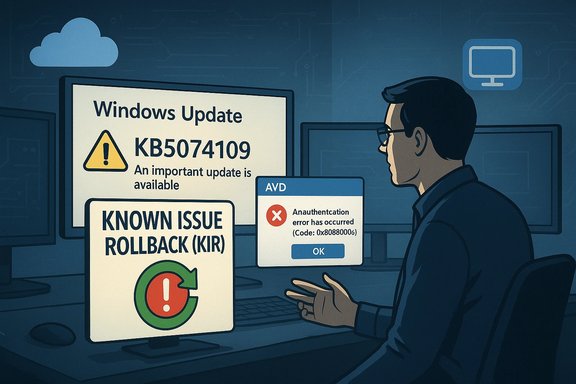
Microsoft confirmed that the January 13, 2026 cumulative update KB5074109 introduced a regression that can break Azure Virtual Desktop (AVD) connections on some Windows clients, producing immediate authentication failures; organizations seeing this behavior should pause deployment, apply Microsoft’s Known Issue Rollback (KIR) or use alternative connection paths while a permanent fix is developed.
Microsoft shipped the January 13, 2026 Patch Tuesday cumulative update for Windows 11 (KB5074109) to address security issues and a number of quality fixes. The official release notes identify fixes for networking, power management on NPU-equipped devices, and other platform updates; the published OS build numbers for affected SKUs are 26100.7623 and 26200.7623. Within hours of the roll-out, community and enterprise operators reported that, on certain clients, launching an AVD session from the Windows App immediately failed with an authentication error (commonly reported as “An authentication error has occurred (Code: 0x80080005)” and a zeroed extended code). Multiple independent community threads and news outlets reproduced the symptom and confirmed that uninstalling KB5074109 restored connectivity for affected endpoints.
Conclusion
KB5074109 fixed numerous security and quality issues but also introduced a regression that can break AVD authentication on certain client builds. Microsoft’s immediate guidance centers on KIR for managed devices and alternate connection paths for end users; uninstalling the update will work, but it is a blunt instrument with security consequences. Administrators should apply a measured response: pause deployments, validate in pilot rings, deploy KIR selectively if needed, and monitor Microsoft’s release channels for the permanent fix.
Source: Windows Report https://windowsreport.com/windows-update-kb5074109-breaks-azure-virtual-desktop-connections/
 Background
Microsoft shipped the January 13, 2026 Patch Tuesday cumulative update for Windows 11 (KB5074109) to address security issues and a number of quality fixes. The official release notes identify fixes for networking, power management on NPU-equipped devices, and other platform updates; the published OS build numbers for affected SKUs are 26100.7623 and 26200.7623. Within hours of the roll-out, community and enterprise operators reported that, on certain clients, launching an AVD session from the Windows App immediately failed with an authentication error (commonly reported as “An authentication error has occurred (Code: 0x80080005)” and a zeroed extended code). Multiple independent community threads and news outlets reproduced the symptom and confirmed that uninstalling KB5074109 restored connectivity for affected endpoints. What happened (timeline and technical surface)
Timeline (key dates)
- January 13, 2026 — Microsoft released KB5074109 (Windows 11 cumulative update).
- January 13–14, 2026 — Community reports surfaced of immediate AVD authentication failures after the update; Microsoft posted a service advisory and acknowledged the regression, confirming a mitigation path (KIR) for managed environments.
Symptom summary
Affected users report that clicking “Connect” in the Windows AVD application fails instantly with an authentication dialog showing:- “An authentication error has occurred (Code: 0x80080005)”
- Error code: 0x0 (extended error: 0x0)
The failure occurs before a full session is established, indicating a client-side authentication prompt regression rather than a back-end AVD host failure. Community reproductions across different tenant types and client builds reinforced this diagnosis.
Platforms and scope
Microsoft’s advisory and early telemetry point to the issue affecting specific Windows client builds (Windows 11 24H2 / 25H2 builds delivered as KB5074109) and certain client-side combinations (Windows App version or Remote Desktop client usage patterns). Microsoft’s notes draw a distinction that consumer Home/Pro devices are “very unlikely” to be affected in many scenarios, with the issue concentrated in enterprise or managed environments—particularly where client authentication flows and SSO with Entra ID are used for AVD access. Administrators should treat this as potentially high-impact for managed fleets and for remote-work populations that rely on AVD.Root cause and Microsoft’s response
Microsoft’s initial investigation attributed the problem to a regression introduced by the security update that affects credential prompt handling during Remote Desktop connection flows on some Windows client builds. The vendor confirmed the issue in a Service Health advisory and recommended workarounds while engineering prepares a permanent servicing update. Microsoft also published a mitigation path via Known Issue Rollback (KIR) which is intended for enterprise-managed devices. Important technical points from Microsoft’s advisory:- The regression is client-side and affects credential prompts used by Remote Desktop/AVD connection initialization.
- Microsoft provided a KIR-based Group Policy package for managed environments and guidance for deploying it; a device restart is required after applying the KIR.
Real-world impact and risk analysis
Operational impact
- Immediate loss of remote-desktop access prevents knowledge workers, admins, and remote support teams from reaching cloud-hosted desktops. This directly affects productivity, gated deployments, and scheduled maintenance windows.
- Uninstalling the update restores functionality for many customers, but removing a security update can re-open exposure to the vulnerabilities KB5074109 was intended to fix—creating a security vs. availability trade-off. Community reports and helpdesk threads showed widespread, reproducible restores after rollback.
Scale and prevalence
Public community signals (support forums, Reddit, enterprise helpdesk threads) show multiple independent reproductions; however, there is no public telemetry number from Microsoft quantifying the percentage of devices affected. Treat community volume as a high-fidelity indicator that the issue is real and reproducible, but not a reliable measure of fleet-wide prevalence. The vendor’s advisory that “individuals using Windows Home or Pro editions on personal devices are very unlikely to experience this issue” should be taken as guidance, not an absolute exclusion for every Home/Pro device.Security considerations
- Rolling back a cumulative update that contains security fixes carries risk; administrators must balance the immediate operational need for AVD access against the security posture of the environment.
- KIR is designed precisely to reduce that risk: it disables the few lines of code that caused the regression while preserving other security fixes in the update net. Where possible, prefer KIR for managed fleets instead of wholesale removal of the LCU.
Mitigations and step-by-step guidance
Below are practical steps IT teams should consider, prioritized for safety and minimum disruption.1) Immediate: Pause deployment to new rings
- Stop pushing KB5074109 to additional pilot or production rings until you have validated behavior in a controlled group.
- For devices that have not yet received the update, use Windows Update for Business policies, WSUS deferral, or endpoint management blocking to avoid new installations.
2) For managed fleets: Apply Known Issue Rollback (KIR) from Microsoft (recommended)
Microsoft published a Group Policy/KIR package that temporarily disables the change causing the regression. The vendor’s guidance requires:- Download and deploy the published Group Policy / KIR package that matches your Windows version (the advisory lists downloads for Windows 11 24H2 and 25H2).
- Configure the policy and restart affected devices to apply the rollback.
3) Temporary alternatives for end users and helpdesks
If KIR deployment is not immediate, these options can restore access for some users:- Connect using the AVD web client (Windows App Web Client) at the official web endpoint, or
- Use the Remote Desktop client (the classic Remote Desktop client) to connect to AVD instead of the Windows App.
Microsoft’s Service Health advisory explicitly lists these workaround connection options while they investigate the issue. These paths avoid the Windows App’s failing authentication prompt in affected client builds.
4) If you must remove the LCU: uninstall guidance and cautions
Uninstalling the cumulative update (LCU) can restore AVD connectivity but is blunt and increases security exposure. If you choose this path:- Determine the package identity on the target device:
- Open an elevated command prompt or PowerShell and run:
- DISM /online /get-packages | findstr 5074109
- Identify the exact Package Identity string associated with KB5074109.
- Remove the package with DISM:
- dism /online /remove-package /packagename
 ACKAGE_ID
 - Reboot the device.
- When cumulative updates are combined with servicing stack updates (SSU), wusa.exe /uninstall may not work; the DISM remove-package approach is the supported method to remove LCUs when wusa cannot uninstall them. Microsoft’s servicing guidance repeatedly points to DISM /get-packages and /remove-package for LCU removal scenarios.
5) Verify OS Build and update status
To confirm if KB5074109 is present on a device:- Run winver.exe to check the OS build (look for OS builds 26100.7623 / 26200.7623 referenced in the KB).
- Use Settings → Windows Update → Update history to view installed updates, or use DISM /online /get-packages to enumerate installed package identities.
Practical command snippets (copy/paste friendly)
- List packages and search by KB:
- Open an elevated Command Prompt or PowerShell (Admin).
- DISM /online /get-packages | findstr 5074109
- Remove the LCU (replace PACKAGE_ID with the exact Package Identity string from the previous command):
- dism /online /remove-package /packagenameACKAGE_ID
- Restart the device.
- Pause updates on a device (short-term GUI method):
- Settings → Windows Update → Pause updates (select the available pause duration).
What administrators should do next (recommended playbook)
- Triage and scope
- Identify which users and imaging pools rely on AVD and which client builds have KB5074109 installed.
- Prioritize remediation for users who are fully dependent on AVD for daily work.
- Apply KIR where possible
- Use the Microsoft-supplied KIR Group Policy package targeted only at affected OUs or device groups, avoiding broad, untargeted policies where unnecessary. KIR typically requires a device restart to take effect.
- Communicate
- Notify impacted users about alternate connection paths (web client, Remote Desktop client) and expected timelines.
- Coordinate with security teams to weigh risks if you consider uninstalling the LCU.
- Test and validate
- Validate KIR behavior in a pilot group.
- If you remove the LCU for some endpoints, re-evaluate security posture and plan to reapply KIR or the vendor-supplied permanent fix once available.
- Monitor Microsoft channels
- Watch the Windows release health dashboard and Microsoft Service Health messages for the vendor’s permanent fix and for rollback updates. Community reporting will often surface workarounds earlier, but the vendor’s fix should be treated as authoritative.
Technical analysis — why this matters beyond AVD
This incident is another example of the delicate trade-offs in modern OS servicing:- Modular servicing and aggressive security hardening increase update velocity but create potential for small, high-impact regressions.
- Remote-desktop and authentication code paths sit on the critical path for remote access; a regression here produces high-impact, high-visibility outages.
- Microsoft’s KIR mechanism is a pragmatic engineering pattern: disable a single change that regressed while keeping the remainder of the security fixes in place. It’s preferable to an LCU rollback when that choice is available.
Known unknowns and cautions
- Precise root-cause code path: Microsoft’s public advisory confirms a regression but does not publish the low-level code change; this will only be visible once Microsoft ships a permanent servicing fix with detailed release notes.
- Fleet-wide exposure: there is no public telemetry figure from Microsoft listing the percentage of Windows clients impacted—so you must assume local testing for your environment is mandatory.
- Unverified community claims: some forum posts suggest the problem also affects certain Windows 10 ESU builds or non-25H2 clients; those claims are plausible in mixed environments but should be validated against your inventory and Microsoft’s official guidance. Treat these community reports as leads, not definitive facts.
Bottom line and recommendations
- Treat KB5074109 cautiously in enterprise rollouts until Microsoft publishes a confirmed permanent fix. Pause deployments, test in representative pilots, and avoid wide distribution while your validation is incomplete.
- For affected devices, prefer Microsoft’s Known Issue Rollback (KIR) as the primary mitigation because it targets only the regressed change while preserving other security fixes.
- If you cannot deploy KIR quickly, guide users to alternate AVD connection options (web client or Remote Desktop client) or, as a last resort, remove the LCU using DISM—understanding the security cost of that choice.
- Maintain clear internal communications that explain the trade-offs and a timeline for re-validation once Microsoft releases the permanent update.
Conclusion
KB5074109 fixed numerous security and quality issues but also introduced a regression that can break AVD authentication on certain client builds. Microsoft’s immediate guidance centers on KIR for managed devices and alternate connection paths for end users; uninstalling the update will work, but it is a blunt instrument with security consequences. Administrators should apply a measured response: pause deployments, validate in pilot rings, deploy KIR selectively if needed, and monitor Microsoft’s release channels for the permanent fix.
Source: Windows Report https://windowsreport.com/windows-update-kb5074109-breaks-azure-virtual-desktop-connections/
