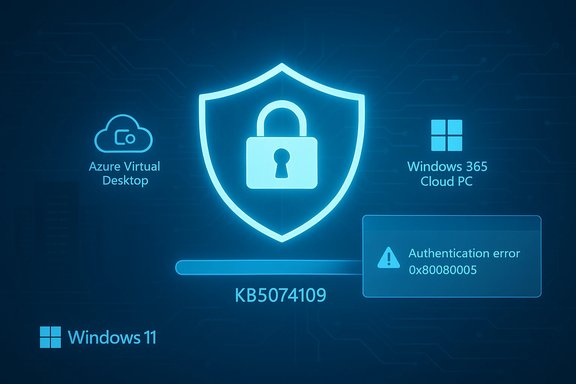
Microsoft’s January cumulative update for Windows 11 — delivered as KB5074109 — does more than fix a handful of bugs: it begins a deliberate rollback of a long‑standing, convenience‑focused WDS (Windows Deployment Services) behavior that can expose sensitive Unattend.xml data to adjacent‑network attackers, and it embeds telemetry and registry controls that force administrators to choose security over convenience before April 2026. This change is accompanied by other operationally significant moves (Secure Boot certificate preparation, legacy modem driver removals, and an NPU power fix), but the WDS hardening is the most urgent item for imaging teams and anyone who still relies on hands‑free, unattended deployments.
Windows Deployment Services (WDS) historically offered a hands‑free deployment mode: unattended answer files (Unattend.xml) could be served to PXE‑boot clients to automate post‑install configuration. Those answer files frequently carry configuration secrets — local admin passwords, service account credentials, or scripted tokens — making them a high‑value target if retrieved by an attacker. Security researchers and offensive toolkits have demonstrated how unsecured WDS endpoints can leak Unattend files; Microsoft’s mitigation recognizes that the default convenience setting presents a systemic risk.
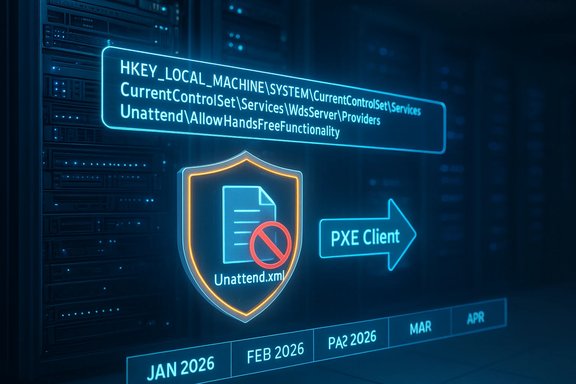
KB5074109, published on January 13, 2026, packages this change as a two‑phase rollout: Phase 1 (immediate) introduces telemetry, event logging, and a registry control to opt into secure behavior; Phase 2 (April 2026) flips the default to secure‑by‑default and will block hands‑free Unattend retrieval unless explicitly re‑enabled. Microsoft documents this timeline and the registry controls in its WDS hardening guidance and the KB change log.
Microsoft registered the underlying issue as CVE‑2026‑0386 (improper access control) and explicitly cites the insecure transmission of Unattend.xml as the vector. The vendor’s chosen remediation path is to eliminate unsecured hands‑free delivery by default and surface telemetry and logs so defenders can find any lingering insecure configurations.
Microsoft’s KB5074109 is an example of a broader trade‑off: platform security and integrity sometimes require removing legacy convenience features and enforcing strict defaults. The WDS hands‑free hardening fixes a real, practical risk — Unattend.xml retrieval over unauthenticated channels — and gives administrators a short runway to modernize provisioning workflows. Treat the April 2026 date as a firm deadline for secure‑by‑default posture planning: inventory, block unauthenticated retrieval now if possible, and pilot migration strategies so imaging automation continues reliably under a secure model.
Source: Windows Report https://windowsreport.com/microsoft-warns-of-insecure-wds-deployments-after-kb5074109-update/
 Background / Overview
Windows Deployment Services (WDS) historically offered a hands‑free deployment mode: unattended answer files (Unattend.xml) could be served to PXE‑boot clients to automate post‑install configuration. Those answer files frequently carry configuration secrets — local admin passwords, service account credentials, or scripted tokens — making them a high‑value target if retrieved by an attacker. Security researchers and offensive toolkits have demonstrated how unsecured WDS endpoints can leak Unattend files; Microsoft’s mitigation recognizes that the default convenience setting presents a systemic risk.KB5074109, published on January 13, 2026, packages this change as a two‑phase rollout: Phase 1 (immediate) introduces telemetry, event logging, and a registry control to opt into secure behavior; Phase 2 (April 2026) flips the default to secure‑by‑default and will block hands‑free Unattend retrieval unless explicitly re‑enabled. Microsoft documents this timeline and the registry controls in its WDS hardening guidance and the KB change log.
What changed in KB5074109 — concise, verifiable highlights
- Release date and packaging: KB5074109 was released January 13, 2026 as the January cumulative/LCU (Latest Cumulative Update) for Windows 11; it includes SSU/LCU packaging and the expected build increments for 24H2 and 25H2.
- WDS hands‑free hardening: KB5074109 introduces new logging and a registry knob that can block unauthenticated retrieval of Unattend.xml; the default behavior will be changed to secure in April 2026 unless administrators opt to retain the insecure behavior.
- Secure Boot certificate rollout: the KB contains telemetry‑driven mechanics to deploy replacement Secure Boot certificates ahead of mid‑2026 expirations. Administrators are urged to validate OEM firmware readiness before broad certificate application.
- Legacy modem driver removal: several Agere/serial modem drivers were removed from the in‑box image (agrsm64.sys, agrsm.sys, smserl64.sys, smserial.sys) and will break hardware that depends on them.
- NPU power fix and winSqlite3.dll update: fixes for NPU idle power behavior and an update to WinSqlite3.dll to avoid false‑positive detections by some security products are included.
Deep dive: WDS hands‑free deployment hardening (CVE‑2026‑0386 context)
The risk model and why it matters
Unattend.xml is intended to be an automation convenience, but it often contains secrets or configuration steps executed with elevated privileges. When WDS serves an Unattend.xml over an unauthenticated or unprotected channel, an adjacent attacker (a device on the same L2/L3 network or VLAN) can query WDS RPC/Unattend interfaces and retrieve that file. The attacker’s reward may include local administrator credentials, service account passwords, or tokens enabling lateral movement and persistence — a catastrophic outcome for provisioning infrastructure. Public offensive toolkits and Metasploit modules historically demonstrated similar techniques, making this a realistic threat rather than a theoretical one.Microsoft registered the underlying issue as CVE‑2026‑0386 (improper access control) and explicitly cites the insecure transmission of Unattend.xml as the vector. The vendor’s chosen remediation path is to eliminate unsecured hands‑free delivery by default and surface telemetry and logs so defenders can find any lingering insecure configurations.
What Phase 1 (January 13, 2026) does
- Adds new event logging to the Microsoft‑Windows‑Deployment‑Services‑Diagnostics/Debug channel so insecure requests or settings are visible. In secure mode, insecure retrieval attempts generate warnings; in insecure mode, system start logs an error.
- Introduces a registry control to choose behavior now rather than being surprised by the April default change. The registry key is:
- Path:
HKEY_LOCAL_MACHINE\SYSTEM\CurrentControlSet\Services\WdsServer\Providers\WdsImgSrv\Unattend - DWORD:
AllowHandsFreeFunctionality 0= Block unauthenticated Unattend.xml retrieval (disable hands‑free)1= Allow hands‑free deployment (insecure) — logs errors/warnings.
What Phase 2 (April 2026) changes
In April 2026 Microsoft intends to flip the default to secure‑by‑default: unless an administrator explicitly re‑enables hands‑free mode withAllowHandsFreeFunctionality = 1, WDS will block unauthenticated Unattend.xml delivery. Event logging will continue to record insecure requests so detection and responsiveness are possible. Microsoft’s advisory warns that enabling the insecure option is unsafe and should be temporary while planning migration to secure alternatives. Immediate operational impact: realistic attack surface and examples
- Adjacent‑network attacker model: an attacker doesn’t need Internet access; they need network adjacency. Examples: a compromised contractor laptop, a rogue device in a wiring closet, a guest on a conference VLAN, or a tenant device that can speak to the imaging VLAN. Those scenarios are common in campus and multi‑tenant environments, which means the threat model is pragmatic and actionable.
- Provisioning infrastructure is privileged: WDS writes images, injects drivers, and can enroll machines into domain contexts. If an attacker can retrieve Unattend.xml or feed malicious answers, they can install persistent backdoors at scale. This raises the blast radius compared with single‑host exploits.
- Tooling exists: public exploit modules and offensive tooling have previously automated Unattend retrieval and parsing, lowering the bar for opportunistic attackers. Given those factors, Microsoft’s conservative, default‑to‑secure posture is defensible.
Practical, prioritized playbook — what administrators should do this week
Apply these steps in the order that matches your environment’s risk profile. Short‑term actions will reduce exposure while you plan migration.- Inventory WDS servers and exposure. Catalog every machine running the WDS role and record the VLANs/subnets they serve. Tag jump‑boxes, management hosts, and service accounts that administer WDS.
- Enable Phase‑1 secure behavior immediately (recommended). Run as elevated admin:
1. Create or update the registry key to block unauthenticated Unattend retrieval:
reg add "HKLM\SYSTEM\CurrentControlSet\Services\WdsServer\Providers\WdsImgSrv\Unattend" /v AllowHandsFreeFunctionality /t REG_DWORD /d 0 /f
This disables hands‑free deployment; prepare a migration plan if you rely on Unattend.xml. - If you cannot immediately disable hands‑free, restrict access to WDS with network controls. Use firewall rules and ACLs to permit WDS traffic only from known imaging subnets and management hosts. Move WDS servers to management‑only VLANs where possible.
- Increase logging and monitoring. Subscribe to the Microsoft‑Windows‑Deployment‑Services‑Diagnostics/Debug log and create SIEM alerts for the new “Unattend file request… insecure connection” warnings and for errors indicating insecure system settings. Capture any unexpected unattend.xml retrieval attempts for forensic review.
- For air‑gapped or regulated environments where Autopilot is not an option, use signed WinPE images and secure local vaults (not embedded Unattend secrets) to supply any required secrets at imaging time. Validate all scripted automation end‑to‑end.
- Test migrations on a pilot ring (2–12 weeks): convert a low‑risk cohort to Autopilot/Intune, ConfigMgr OSD, or tightly controlled WinPE scripts and validate driver injection, BitLocker flows, and domain join behavior.
Migration options — replacing hands‑free deployment safely
- Windows Autopilot + Microsoft Intune: cloud‑native, identity driven, and designed for modern zero‑touch provisioning. Best for internet‑connected corporate fleets and Azure AD scenarios.
- Configuration Manager (ConfigMgr / SCCM) OSD: mature on‑prem solution that avoids some legacy WDS retrieval points; suitable for organizations that need on‑prem control.
- WinPE + vaulted secrets: for air‑gapped environments, create signed WinPE images and retrieve secrets from hardware security modules or local vaults that are network‑restricted — never embed long‑lived secrets in Unattend.xml.
- Third‑party imaging appliances: commercial alternatives can replace WDS; vet these carefully for secure transport and credential handling and accept the vendor‑lock considerations.
Monitoring, detection, and hunting tips
- Watch Event Viewer: Microsoft‑Windows‑Deployment‑Services‑Diagnostics/Debug. Alerts to surface:
- Warning: “Unattend file request was made over an insecure connection. Windows Deployment Services has blocked the request…”
- Error: “This system is using insecure settings for Windows Deployment Services…”
- Network hunting: Monitor TFTP (UDP 69) and PXE traffic for unexpected clients; flag DCERPC/RPC traffic to WDS from untrusted subnets. Correlate with authentication logs and EDR telemetry.
- Host hardening telemetry: Ensure EDR captures WDS‑related process creations, service configuration changes, and image store writes. Retain requested unattend.xml files from unknown clients for analysis.
Strengths and potential risks of Microsoft’s approach — balanced analysis
Strengths- Secure‑by‑default trajectory: Flipping the default in April 2026 removes long‑term risk and aligns with least‑privilege principles. The phased rollout gives admins time to react.
- Operational clarity: Microsoft published explicit registry controls, event log names, and a timeline, which helps administrators plan mitigations rather than being surprised.
- Corroboration and telemetry: The KB and advisory are backed by independent community reporting of early impacts (AVD regressions, driver issues), indicating the vendor’s documentation matches field reality.
- Operational disruption for legacy workflows: Organizations that depended on hands‑free Unattend delivery will need migration time and may experience broken automation if they simply apply the update without planning. The registry override is a temporary escape hatch but preserves the insecure posture.
- Air‑gapped and regulated environments: Cloud alternatives (Autopilot) may not be viable where Internet connectivity or cloud enrollment is forbidden, forcing bespoke migration work and potential hardware refreshes.
- Residual implementation risk: Logging and telemetry make detection easier, but they don’t prevent initial exfiltration attempts if WDS remains reachable from untrusted networks. Segmentation and ACLs are immediate, reliable mitigations.
Related operational items in KB5074109 you must track now
- Secure Boot certificate rollout: validate OEM firmware readiness for automatic certificate updates and pilot on representative hardware. Devices with Secure Boot disabled will not receive updates and may require manual management. Expect work with OEMs for devices that fail automatic updates.
- AVD/Remote Desktop regressions: early deployments of KB5074109 caused Azure Virtual Desktop authentication failures for some customers; Microsoft provided Known Issue Rollback (KIR) mitigations. If you use AVD, monitor Azure Service Health and coordinate with cloud teams.
- Modem driver removals: search your estate for
agrsm64.sys,agrsm.sys,smserl64.sys,smserial.sysand flag legacy devices for remediation or exception handling.
Final, practical checklist (concise)
- Inventory WDS servers, imaging subnets, and unattended answer file locations.
- Apply registry control to block unauthenticated Unattend retrieval where possible: set
AllowHandsFreeFunctionality = 0. - If you must continue hands‑free temporarily, restrict network access tightly and document why the insecure setting is needed.
- Create SIEM alerts for the new WDS diagnostic events and hunt for suspicious PXE/TFTP/DCERPC traffic.
- Pilot migration paths (Autopilot, ConfigMgr, WinPE) and validate BitLocker, domain join, and driver injection flows before decommissioning WDS hands‑free.
- Validate Secure Boot certificate plans with OEMs and pilot certificate application on representative firmware.
Microsoft’s KB5074109 is an example of a broader trade‑off: platform security and integrity sometimes require removing legacy convenience features and enforcing strict defaults. The WDS hands‑free hardening fixes a real, practical risk — Unattend.xml retrieval over unauthenticated channels — and gives administrators a short runway to modernize provisioning workflows. Treat the April 2026 date as a firm deadline for secure‑by‑default posture planning: inventory, block unauthenticated retrieval now if possible, and pilot migration strategies so imaging automation continues reliably under a secure model.
Source: Windows Report https://windowsreport.com/microsoft-warns-of-insecure-wds-deployments-after-kb5074109-update/