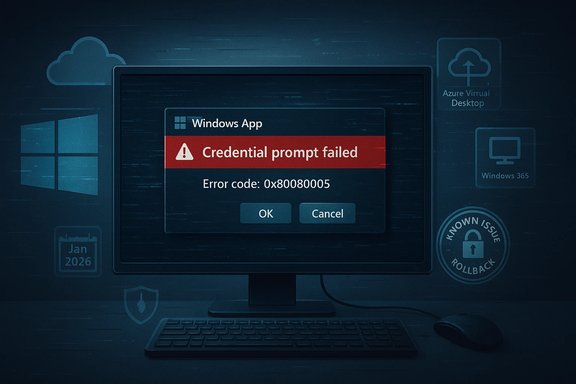
Microsoft’s January cumulative update is preventing some users from connecting to Microsoft 365 Cloud PCs and Azure Virtual Desktop sessions, and Microsoft has acknowledged the regression — offering Known Issue Rollback (KIR) and temporary connection workarounds while an out‑of‑band fix is prepared.
Microsoft shipped the January 13, 2026 cumulative update identified as KB5074109 for Windows 11 (and matching servicing packages for supported Windows 10 SKUs). The rollup carries several quality and security fixes — including power/NPU fixes and Secure Boot certificate management changes — but also introduced a regression affecting Remote Desktop credential prompts that can break connections to Azure Virtual Desktop (AVD) and Windows 365 Cloud PCs on some enterprise-managed clients. The update corresponds to OS builds 26100.7623 and 26200.7623. Microsoft’s published KB entry explicitly lists the authentication/RemoteApp symptom and the mitigation via Known Issue Rollback (KIR). The vendor notes that consumer Home/Pro devices are very unlikely to be affected and that the problem is concentrated in enterprise-managed environments.
This incident appears to be a regression in how the Windows client handles the initial credential prompt or SSO token exchange during Remote Desktop connection initialization. Symptoms are consistent with a prompt failing or being short‑circuited on the client before backend authentication can proceed — hence the immediate failure and error codes observed in field reports. Microsoft’s advisory frames the problem in similar terms (credential prompt failures during Remote Desktop connections). Key technical points to bear in mind:
Microsoft’s January cumulative update (KB5074109) has produced a meaningful, fixable disruption for Cloud PC and AVD users in enterprise environments. The vendor has published KIR artifacts and practical workarounds while it prepares a permanent servicing fix; administrators should prioritize targeted KIR deployment and user fallback instructions, avoid wholesale uninstalls where possible, and treat this episode as a signal to harden update validation around authentication and remote‑access paths.
Source: TechRadar Struggling to access Microsoft Cloud PC? This could be why
 Background
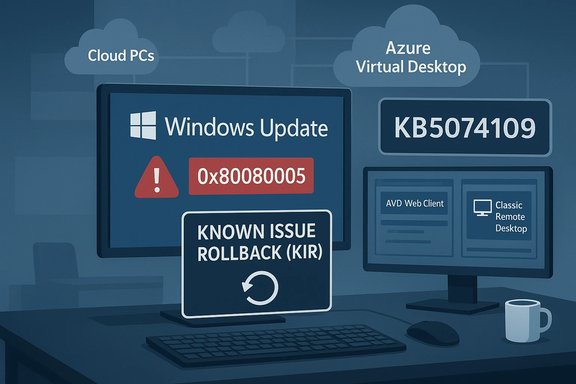
Microsoft shipped the January 13, 2026 cumulative update identified as KB5074109 for Windows 11 (and matching servicing packages for supported Windows 10 SKUs). The rollup carries several quality and security fixes — including power/NPU fixes and Secure Boot certificate management changes — but also introduced a regression affecting Remote Desktop credential prompts that can break connections to Azure Virtual Desktop (AVD) and Windows 365 Cloud PCs on some enterprise-managed clients. The update corresponds to OS builds 26100.7623 and 26200.7623. Microsoft’s published KB entry explicitly lists the authentication/RemoteApp symptom and the mitigation via Known Issue Rollback (KIR). The vendor notes that consumer Home/Pro devices are very unlikely to be affected and that the problem is concentrated in enterprise-managed environments. What happened (timeline and immediate effects)
- January 13, 2026 — Microsoft released KB5074109 as part of Patch Tuesday.
- Within hours — enterprise administrators and field operators began reporting immediate authentication failures when launching AVD/Cloud PC sessions through the Windows 365 / Windows App client; users typically saw an immediate authentication error (commonly reported as “An authentication error has occurred (Code: 0x80080005)”) and no session establishment. Community reproductions confirmed the regression.
- Microsoft acknowledged the regression in the KB’s Known Issues section and published KIR guidance for managed fleets; it also advised alternate connection methods (AVD Web client or the classic Remote Desktop client) as temporary workarounds while engineering prepares a remediation in a future update.
Why this breaks Cloud PC access: a technical overview
At a high level, Cloud PC and AVD connections depend on a chain of interdependent components: the local Windows host (and its Remote Desktop/Windows App client), authentication flows (Microsoft Entra ID / SSO), token exchange and credential prompts, and the Azure AVD gateway and session hosts. A regression can be catastrophic if it affects any gatekeeper in that chain.This incident appears to be a regression in how the Windows client handles the initial credential prompt or SSO token exchange during Remote Desktop connection initialization. Symptoms are consistent with a prompt failing or being short‑circuited on the client before backend authentication can proceed — hence the immediate failure and error codes observed in field reports. Microsoft’s advisory frames the problem in similar terms (credential prompt failures during Remote Desktop connections). Key technical points to bear in mind:
- The failure typically occurs immediately when the user clicks Connect in the Windows App, showing an authentication error and preventing session establishment.
- The issue is not a universal outage — it’s concentrated where client SSO paths, enterprise authentication agents, and specific Remote Desktop client combinations are in use. Microsoft’s guidance flags enterprise-managed environments as the likely scope.
- There is as yet no single-line, public engineering post from Microsoft describing the exact code path that produced the regression; official guidance focuses on mitigation while a true servicing fix is developed.
Real-world impact: productivity vs. security trade-offs
For organizations that rely on Cloud PCs or AVD as the primary desktop for remote workers, this regression has immediate operational consequences.- Productivity: Users who cannot establish Cloud PC sessions lose access to corporate desktops, internal apps, and files, which can halt business processes and remote support activity. Incident timelines reported by IT teams show real disruption during business hours.
- Helpdesk load: The error is synchronous and pervasive for affected endpoints, increasing support tickets and forcing temporary manual workarounds across broad user bases.
- Security trade-offs: The blunt remediation of uninstalling the cumulative update will restore connectivity for many, but it also removes recent security fixes contained in that update. Microsoft’s KIR mechanism exists to avoid that trade‑off by reversing only the small change that caused the regression while leaving other security fixes intact. Admins who consider uninstalling the LCU must weigh the increased attack surface against operational needs.
What Microsoft has published (official guidance)
Microsoft’s KB entry for KB5074109 includes:- An explicit Known Issues note that credential prompt failures may occur during Remote Desktop connections using the Windows App on affected Windows client builds (OS builds 26100.7623 / 26200.7623).
- A mitigation path recommending the Known Issue Rollback (KIR) for managed environments, with Group Policy MSI artifacts for enterprise deployment; affected devices must be restarted after KIR is applied.
- Temporary workarounds: use the Windows App Web Client (the browser‑based AVD/Windows 365 portal) or the classic Remote Desktop client (MSI) to connect to AVD while the Windows App client on affected builds is being investigated.
Practical, prioritized mitigation steps for administrators
Below is a practical playbook — ordered by safety and practicality — for IT teams managing affected fleets.- Inventory and scope (immediate)
- Identify which users rely on Cloud PCs or AVD and which devices have KB5074109 installed (check OS build via winver.exe or enumerate installed packages). Use Update History, or run DISM to list packages: DISM /online /get-packages | findstr 5074109.
- Pause further rollout
- Stop pushing KB5074109 to additional rings until you have validated behavior in a controlled pilot group. Use Windows Update for Business, WSUS, or your endpoint management solution to pause or block the update where possible.
- Preferred remediation: Deploy the Known Issue Rollback (KIR)
- Microsoft provides a KIR MSI/Group Policy package targeted to the affected Windows versions. Deploy the Group Policy definition for the matching Windows build and restart devices to apply the rollback. KIR reverses only the change that caused the regression and preserves the other fixes in the cumulative update.
- Alternate (temporary) user workarounds
- Instruct users to use the AVD web client (windows.cloud) or the classic Remote Desktop (MSI) client to connect to Cloud PCs until the remediation is applied to their endpoint. These connection paths avoid the Windows App client prompt that is failing on affected builds.
- Last resort: uninstall the LCU (with strong caveats)
- Uninstalling KB5074109 can restore connectivity but removes security fixes. If you must remove it temporarily:
- Enumerate the exact package identity with DISM (DISM /online /get‑packages | findstr 5074109).
- Remove the package: dism /online /remove-package /packagename
 ACKAGE_ID
 - Reboot and block reinstallation with update deferral policies until a permanent fix is confirmed. Use this approach only after risk evaluation.
- Communication and escalation
- Communicate a clear fallback path to end users: how to connect via the web client, and which groups are prioritized for KIR rollout. Escalate to Microsoft Support for business‑critical blockers and file formal incident reports if AVD/Cloud PC availability is impacting SLAs.
Step‑by‑step: Deploying the KIR (high‑level)
- Download the KIR MSI / Group Policy package matching your Windows build (Microsoft’s KB and Windows Health Dashboard list the package).
- Import the KIR policy definition into Group Policy central store or use Intune/MDM to apply the setting to the targeted OU/device group.
- Configure targeting so the KIR applies only to affected rings or critical users. Avoid a broad, untargeted deployment if possible.
- Reboot affected machines to activate the KIR behavior. Confirm that affected users can connect using the Windows App client again.
Risks and caveats
- No precise prevalence numbers: Microsoft has not published fleet‑wide telemetry quantifying how many devices are affected. Community telemetry and support threads show multiple independent reproductions, but administrators must treat those as signals rather than exact prevalence metrics. This uncertainty complicates risk modelling.
- Uninstalling security updates increases exposure: Removing an LCU restores functionality at the cost of reversing security fixes. Prefer KIR where feasible to preserve the update’s security benefits while disabling only the offending change.
- Edge cases with authentication agents: Environments that use third‑party identity or authentication agents (enterprise MFA, Windows Hello for Business custom components, FIPS mode, etc. may see varied behavior and should test KIR on representative images first. Community reports include heterogenous results across regions and tenant types.
- Workloads using other remote solutions: If you use Citrix or other VDI solutions, validate whether their connection paths are impacted; initial community signals focused on Microsoft’s Windows App client and the classic Remote Desktop client appears less affected.
Why this matters for your patch management strategy
This incident is a reminder that monthly cumulative updates — even those labeled as security or quality rollups — can interact unexpectedly with cloud authentication flows and enterprise clients. The fix‑and‑rollback toolkit Microsoft provides (KIR + OOB fixes) is effective, but it also highlights the need for robust update discipline:- Ringed rollouts: Test updates on representative pilot devices that mirror production configurations (SSO, Kerberos, enterprise authentication agents).
- Recovery playbooks: Maintain documented rollback procedures (KIR deployment, safe uninstall via DISM, blocking reinstallation policies) and communication templates for user guidance.
- Telemetry and monitoring: Instrument endpoints to detect authentication‑related errors early (event logs, AVD client health telemetry, targeted user checks).
What to expect next
Microsoft has indicated work is underway to produce a permanent fix and has already supplied KIR as a surgical mitigation. Administrators should:- Monitor the Windows Health dashboard and the KB5074109 entry for an updated Known Issues resolution or an out‑of‑band (OOB) servicing release.
- Prepare to remove the KIR policy once a corrected update is released to avoid long‑term reliance on temporary rollbacks.
Final analysis: strengths, weaknesses and longer‑term lessons
Strengths- Microsoft moved quickly to acknowledge the regression and publish KIR guidance that lets enterprises avoid outright uninstall of security updates while restoring functionality. That measured approach — targeted rollback rather than full undo — is the right operational balance for production fleets.
- The KB entry and the Windows Health tooling make the mitigation artifacts discoverable and manageable through standard enterprise tooling (Group Policy, Intune).
- The regression exposed fragility at the intersection of OS updates and cloud authentication/SSO flows. A client-side change can have outsized impact when remote work depends on Cloud PCs. The lack of immediate, detailed engineering root‑cause information means admins must act on mitigations rather than understanding the underlying defect.
- The incident highlights tradeoffs in rapid monthly servicing: faster patch cadence reduces exposure windows for vulnerabilities, but also shortens the lead time to detect complex regressions that manifest only under enterprise authentication and remote‑access topologies.
- Treat authentication flows and remote‑desktop clients as high‑risk test scenarios for every update ring. Include AVD/Cloud PC logins in update validation suites.
- Maintain a KIR / rollback playbook and a communicated user fallback (web client, classic RDP) to reduce mean time to recovery when regressions hit.
Microsoft’s January cumulative update (KB5074109) has produced a meaningful, fixable disruption for Cloud PC and AVD users in enterprise environments. The vendor has published KIR artifacts and practical workarounds while it prepares a permanent servicing fix; administrators should prioritize targeted KIR deployment and user fallback instructions, avoid wholesale uninstalls where possible, and treat this episode as a signal to harden update validation around authentication and remote‑access paths.
Source: TechRadar Struggling to access Microsoft Cloud PC? This could be why