
Microsoft published a Setup Dynamic Update for Windows 11, version 23H2 (KB5077374) on February 10, 2026; the short public summary confirms the package “makes improvements to Windows setup binaries or any files that setup uses for feature updates,” and Microsoft points administrators to the Microsoft Update Catalog for the standalone download. rview
Dynamic Update is the mechanism Windows Setup uses at the start of a feature upgrade or when preparing installation media to fetch small, surgical fixes that keep the setup and pre‑boot toolchains compatible with the latest servicing stack, drivers, and cumulative updates. These packages are intentionally narrow in scope — they are not full cumulative updates — and they exist to avoid rebuilding ISOs or WIMs every time Microsoft needs to patch a setup or WinRE binary.
There are two related families administrators should distinguish:
- Setup Dynamic Updates — refresh the Setup runtime (appraiser, migration DLLs, SetupPlatform pieces) used during in-place upgrades and media-based installs.
- Safe OS / WinRE Dynamic Updates — update the Windows Recovery Environment payload (winre.wim) and a compact set of pre‑boot drivers and orchestration binaries used for Reset, Autoud reinstall flows.
What KB5077374 actually is (summary and scope)
The public-facing summary for KB5077374 follows the same pattern Microsoft has used for Setup Dynamic Updates: the update "makes improvements to Windows setup binaries or any files that setup uses for feature updates," and it is published for Windows 11, version 23H2. The Microsoft Support entry advises that a standalone package is available from the Microsoft Update Catalog f want to pre-acquire and inject the package into images rather than letting Setup fetch it at runtime.Key operational facts you should treat as authoritative (as with other Setup DU releases):
- Applies to Windows 11 (version 23H2) editions (Home, Pro, Enterprise, Education and Enterprise Multi‑Session) unless the KB lists narrower scope.
- Delivery channels: Windows Update (consumer automatic acquisition during Setup), Microsofndalone CAB/MSU/cab bundle for download), and WSUS sync for managed environments.
- Prerequisites: Typically none, but always check the KB manifest because some packages reference specific servicing stack expectations.
- Restart behavior: Many Setup DU releases are non‑intrusive and do not force an immediate reboot when applied offline, but if files are replaced while in use or the DU injects an SSU/LCU during an upgrade, a reboTreat restart guidance as conditional and plan accordingly.
What to expect inside KB5077374 (typical contents and indicators)
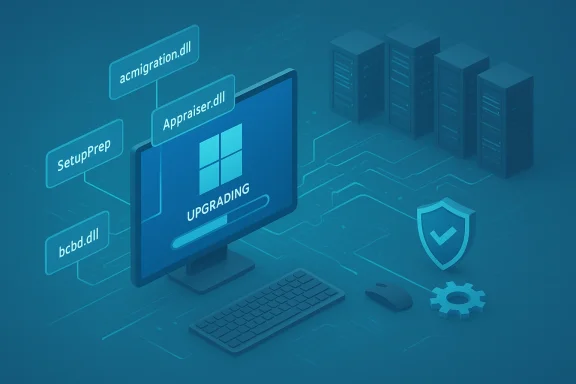
Microsoft’s Setup Dynamic Updates rarely add visible features; instead, they refresh a focused set of runtime artifacts that Setup needs to evaluate device compatibility and orchestrate upgrades. Based on recent Setup DU packages for 23H2, a representative list of files you should expect or look for includes:- acmigration.dll (migration helper)
- Appraiser.dll and AppraiserRes.dll (compatibility/appraiser logic)
- appraiser.sdb (appraiser database)
- bcd.dll and other small Setup helper DLLs
- SetupPrep and associated .mui resource files
These are the same classes of binaries refreshed in recent 23H2 Setup DU releases and are commonly listed in the KB manifest so you can support.microsoft.com]
Why KB5077374 matters (operational impact)
For everyday users on unmanaged devices, KB5077374 is likely invisible — Setup will automatically fetch and apply what it needs when a feature update begins, and the update reduces the chance of encountering compatibility blocks or setup crashes during an upgrade. For imaging teams, system builders and enterprise IT, the impact is concrete:- Image hygiene without rebuilds — inject the DU into install.wim or winre.wim to keep golden imaebuilding the entire ISO.
- Fewer post-upgrade patches — by acquiring SSU/LCU or Setup fixes before the offline phase, Dynamic Update reduces the work needed after a successful in-place upgrade.
- Safer recovery flows — Safe OS DUs update WinRE so Reset/Automatic Repair run with the latest preboot fixes, which is critical for recovery success.
How to acquire KB5077374 and deploy it safely
Microsoft’s KB entry (the public support page) directs administrators to the Microsoft Update Catalog for the standalone package. The recommended enterprise delivery patterns are:- For tightly controlled environments: pre‑download the DU CAB/MSU from the Microsoft Update Catalog and inject into your image or distribution pointoosely managed devices: rely on Setup’s default on‑the‑wire Dynamic Update acquisition during a feature upgrade.
- For WSUS/Configuration Manager environments: allow WSUS to synchronize the DU (ensure Products/Classifications include Windows 11 updates) and distribute via your existing deployment mechanisms.
- Identify the relevant DU packages (Setup Dynamic Update, SafeOS Dynamic Update, and any Dynamic SSU/LCU intended for DU).
- Download the package(s) from the Microsoft Update Cataltall.wim (or winre.wim) with DISM.
- Add the package(s) via DISM /Add-Package or place the DU files into the Media’s sources\ folder so Setup picks them up.
- Commit and rebuild ISO or refresh your deployment share.
- Test thoroughly on representative hardware before production rollout.
- dism /Mount-Image /ImageFile:C:\sources\install.wim /Index:1 /MountDir:C:\Mount
- dism /Image:C:\Mount /Add-Package /PackagePath:C:\Updates\windows11.0-kb5077374-x64.cab
- dismtDir:C:\Mount /Commit
Verification and post‑install checks
Because Setup DU packages are small and focused, Microsoft publishes file manifests — use them to script verification. Useful verification steps:- After injection or installation, compare file versions inside the mounted WIM or the liveanifest.
- For WinRE changes, verify using GetWinReVersion.ps1 or check the WinRE image version reported by reagentc and DISM. Microsoft’s Safe OS DUs include expected WinRE versions in their KB notes; use that as your baseline.
- setuperr.log and setupact.log (found in the Panther logs during Setup) and SetupDiag output help determine if Dynamic Update content was applied and at what point failure occurred. These artifacts are often the fastest route to isolate whethed a problem or simply resolved one.
Known issues, risks, and cautionary signals
Dynamic Update is a powerful tool, but it introduces operational considerations you must plan for:- Internet dependency — on‑the‑wire acquisition rto Microsoft’s update endpoints. Air‑gapped or highly restricted networks must pre‑acquire DU packages via the Update Catalog.
- Driver/SSU change risk — Dynamic Update can bring newer drivers or servicing stack components that alter behaviorde phase. That can fix issues but occasionally introduces regressions; hence the need for pre-testing.
- Troubleshooting complexity — when upgrades fail and DU is enabled, you must determine whether the failure stems from the original media content or the DU-supplied assets. Use /DynamicUpdate Disable to reproduce a failure deterministically.
- Non‑removable image changes — Safe OS DUs (WinRE) are often image-applied and not removable once embedded into an image; treat these changes as permanent to that image unless you rebuild. Microsoft calls this out in the Safe OS DU notes.
- Certifications and Secure Boot warnings — recent Safe OS DU guidance has included advisories about Secure Boot certificate lifecycles (notably an upcoming certificate expiry window beginning mid‑2026), and administrators should audit devices and plan CA rollouts tof your fleet depends on custom Secure Boot flows, validate WinRE and Secure Boot after applying DU packages.
Recommended rollout checklist (for enterprise and imaging teams)
- Inventory: Identify targets running Windows 11, version 23H2 and map imaging workflows.
- Acquire: Download KB5077374 and any companion Safe OS DUs/SSUs/LCUs from the Microsoft Update Catalog for your architecture and language packs.
- Verify: Compare the KB manifest file versions to what’s in your images using scripts (DISM, PowerShell).
- Inject/Test: Inject DU into a representative golden image, build media, and run in-place evice classes.
- Monitor: Stage a limited pilot and monitor Setup logs, telemetry, and help‑desk tickets for 7–14 days before broad deployment.
- Rollout: Deploy via WSUS/Distribution Points once verified; for unmanaged devices, confirm that Windows Update will fetch the DU at setup time.
- Document: Record DU usage in your patch/compliance reporting, noting that some fixes maetup rather than as post‑upgrade LCUs.
Practical troubleshooting recipes
- Upgrade failure immediately after DU acquisition:
- Re-run the upgrade with /DynamicUpdate Disable to determine if the in-flight DU caused the failure.
- Compare setuperr.log and setupact.log to identify the offending module and correlate with the KB manifest.
- If a driver shipped via DU is implicated, roll forward using the driver vendor’s validated package or re-image with a pre-injected DU that you control.
- WinRE verification:
- Use GetWinReVersion.ps1 or reagentc /info + mount the WinRE image and check winpeshl.exe file version for the expected WinRE version listed in the Safe OS KB.
- WSUS/Configuration Manager sync issues:
- Ensure Products and Classifications include Windows 11 OS updates and that synchronization settings include the Update Catalog families DU packages apl sync and inspect the catalog metadata for KB5077374.
Critical analysis — strengths and where admins must be cautious
Strengths- Surgical scope: Setup DUs are low blast‑radius fixes for the installation and recovery toolchaiateral risk compared to full LCUs.
- Faster remediation: They let Microsoft and IT teams fix known upgrade blockers quickly without a full rebuild.
- Operational utility: For imaging pipelines, DUs are a huge time saver: inject a DU intoage and you’re protected from certain post‑capture regressions.
- Added variability at the point of install: When devices fetch DU packages live, you get non‑deterministic be-injected media. That makes for harder repro and forensics if something goes wrong.
- Potential for last‑minute regressions: Because DU content is fetched just before the offline phase, a buggy driver or SSU included as part of DU could cause new failures; this is why careful pre-testing and phased rollouts are essential.
- Reporting and compliance complexity: Fixes applied during Setup may not show up as standard post‑upgrade events; patch inventories and compliance systems must account for DU‑applied changes.
Bottom line and recommendations
KB5077374 (Setup Dynamic Update for Windows 11, version 23H2) pu, 2026, is a focused servicing release intended to refresh the Setup binaries used during feature upgrades. nistrators to the Microsoft Update Catalog to obtain a standalone package for pre‑acquisition and image injection; with the broader Dynamic Update model Microsoft documents. If you manage images or fleets:- Treat KB5077374 as mandatory image‑hygiene: downld verify with the KB’s manifest before broad rollout.
- Stage the rollout and collect Setup logs and telemetry during the pilot phase to spot regressions early.
- If you operate in restricted networks, pre‑acquire the DU packages — do not rely on on‑the‑wire Dynamic Update.
- Watch for companion Safe OS advisories (WinRE) and any Secure Boot certificate guidance that may be called out alongside these DU releases.
Conclusion: KB5077374’s release is routine in Microsoft’s cadence of Setup and Safe OS refreshes, but its operational significance is high for imaging and deployment teams. Download the standalone package from the Microsoft Update Catalog, validate the KB manifest against your media, and use staged, tested rollouts to bring the upgrade and recovery toolchains on your fleet up to the newest, most reliable state.
Source: Microsoft Support KB5077374: Setup Dynamic Update for Windows 11, version 23H2: February 10, 2026 - Microsoft Support
