

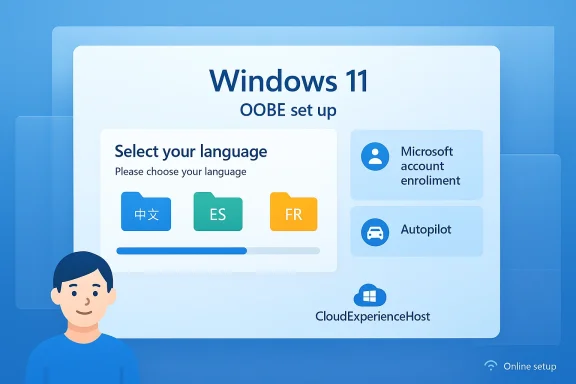
Microsoft released KB5078674 on February 24, 2026 — a small but consequential Out‑of‑Box Experience (OOBE) update for Windows 11, versions 24H2 and 25H2 that patches and refreshes the setup-time UI and localized resources used during first-run device setup. The package is narrowly scoped to the OOBE flow: it installs only when a device is completing OOBE and has network access, requires a restart to complete, and contains a revised CloudExperienceHost binary plus a broad set of localized resource (.pri) files that together change how the Windows setup wizard presents prompts, enrollment options, and localized text during first sign‑in. (support.microsoft.com)
Windows 11’s servicing model has evolved so that multiple releases share a servicing branch (for example, 24H2 and 25H2). That makes targeted installer‑time updates like KB5078674 an efficient vehicle to tweak the setup flow without shipping a full cumulative update to running systems. The same pattern was used in other recent OOBE updates (KB5070349 and KB5071430 among them), which updated CloudExperienceHost assets and localized resources to adjust the setup UI and plumbing.
Important consumer takeaways:
For administrators, the important takeaways are:
OOBE updates will not show up as dramatic feature releases, but they matter: they are Microsoft’s tool for ensuring the first run of Windows is functional, localized, and aligned with the latest servicing fixes. Treat KB5078674 as one of those quiet, necessary corrections — small in code, but capable of smoothing the first user interaction and nipping setup-time problems before they become support tickets. (support.microsoft.com)
Source: Microsoft Support KB5078674: Out of Box Experience update for Windows 11, versions 24H2 and 25H2: February 24, 2026 - Microsoft Support
 Background
Why Microsoft ships OOBE updates
Microsoft has long relied on small, installer‑time packages delivered during the OOBE flow to address last‑minute setup-time problems that can’t wait for the normal monthly servicing cadence. These packages typically touch the CloudExperienceHost components and corresponding localization bundles — the pieces that render the initial setup pages, enrollment hooks and the localized copy seen by end users. The delivery model aims to ensure that devices leave the factory or imaging station with the latest fixes applied before the first user even logs in.Windows 11’s servicing model has evolved so that multiple releases share a servicing branch (for example, 24H2 and 25H2). That makes targeted installer‑time updates like KB5078674 an efficient vehicle to tweak the setup flow without shipping a full cumulative update to running systems. The same pattern was used in other recent OOBE updates (KB5070349 and KB5071430 among them), which updated CloudExperienceHost assets and localized resources to adjust the setup UI and plumbing.
What KB5078674 actually contains
Summary of the official entry
The official Microsoft Support entry for KB5078674 describes a tightly-scoped change:- The update “improves the Windows 11, version 24H2 and Windows 11, version 25H2 out‑of‑box experience (OOBE).”
- It applies only to the Windows OOBE process and is available only when OOBE updates are installed.
- It is installed automatically during the OOBE flow when an Internet connection is present.
- There are no prerequisites listed.
- A restart is required after applying the update.
- The update does not replace any previously released update. (support.microsoft.com)
Files and observable artifacts
The KB’s file manifest lists a primary binary and a large number of localized resource packages. The most notable item is:- CloudExperienceHostCommon.dll — version 10.0.26100.7298 (timestamped in the KB file list; the package also includes resources.*.pri files for many locales). (support.microsoft.com)
Technical analysis: what changed and why it matters
What is CloudExperienceHost and why it’s central to OOBE
CloudExperienceHost (CEH) is the runtime that hosts the Windows setup UI during OOBE — it composes the screens, wiring for enrollment flows (like Microsoft account, Work or School account, and Autopilot/MDM enrollment), and the localized strings, images and layout used during first boot. Changing the CEH binary or its resource bundles can:- Alter dialog text and button labels shown to users during setup.
- Modify the behavior of enrollment prompts (for example, when and how Autopilot or Microsoft account sign‑in is suggested or enforced).
- Fix display, accessibility or localization glitches that appear only during the OOBE context.
Why a small binary and lots of .pri files
The CloudExperienceHostCommon.dll is the code; the numerous resources.*.pri files are per-language data sets that include translated strings, UI imagery, and region-specific assets. Shipping both lets Microsoft fix language-specific wording problems or swap localized images without reworking the whole OS. This minimizes risk: changes are confined to the OOBE path rather than touching kernel, driver stacks, or larger runtime components. (support.microsoft.com)Timing and install model
KB5078674 is installer‑time only. That means:- During OOBE, Windows checks for applicable OOBE updates if the device has an Internet connection.
- If the package is applicable, Windows downloads and applies it in the setup context — often invoking one or more automated reboots — before handing control to the first user sign-in.
- The update’s changes therefore only affect the setup runtime and not the already-signed-in desktop image (unless those changes carry through as installed system files after first sign‑in). (support.microsoft.com)
Practical impacts for end users and IT administrators
For consumers and retail buyers
If you buy a new PC or clean‑install Windows 11 24H2/25H2 and connect to the Internet during setup, you may notice slight differences in the setup wizard text, imagery, or the order of prompts. These aren’t feature changes to the desktop — instead they smooth the initial setup, fix translation issues, or adjust wording to make enrollment choices clearer.Important consumer takeaways:
- The update runs automatically during setup if you are online; there’s no manual step for most home users. (support.microsoft.com)
- A restart will be required as part of the setup flow; expect setup to take slightly longer while the OOBE package downloads and applies. (support.microsoft.com)
For IT pros, imaging teams and device deployment
The OOBE update model has practical consequences for enterprise imaging and Autopilot:- Connectivity during OOBE matters: if you want devices to receive the latest OOBE fixes during setup, network access needs to be available during the Autopilot/OOBE flow. If your deployment relies on offline images, those devices won’t receive installer‑time updates unless you proactively slipstream them into your image. (support.microsoft.com)
- AllowOOBEUpdates and policy control: Microsoft introduced an AllowOOBEUpdates policy (CSP) and related management controls that restrict whether installer‑time quality updates are applied during OOBE. In January 2026 Microsoft made that setting available and disabled by default for managed devices, so administrators must plan whether to enable it for their environment or not. This matters for Autopilot and ESP scenarios where organizations may want to block or permit OOBE updates.
- Test the setup path: because OOBE packages can change enrollment UI and wording, validate in your test lab (including all target locales) to ensure that any prompts align with organizational policies and that automated enrollment steps continue to work.
Risks, edge cases and things that can go wrong
1) Reliance on Internet during setup
Because KB5078674 installs only when the device is online, devices set up without network access will not receive the change. This can create two device populations: those set up online with updated OOBE assets, and those set up offline that show legacy behavior. For organizations with strict network‑less imaging or for field technicians deploying devices in low‑connectivity environments, this divergence can complicate support and user training. (support.microsoft.com)2) No uninstall path, limited rollback
OOBE updates are intentionally lightweight and targeted, but they are typically not exposed through the standard "uninstall updates" UI. That makes rollback nontrivial: if an OOBE change introduces an unintended side effect to the initial setup flow (for example, a missing or confusing button for localized users), administrators will need to rely on follow-up OOBE updates or image adjustments rather than easy uninstalls. Independent reporting on prior OOBE packages notes this removal-of-rollback tradeoff.3) Interaction with Autopilot / MDM enrollment and account flows
Recent months have shown Microsoft tightening the setup flow in ways that affect how local accounts and Microsoft account (MSA) sign‑in are presented during OOBE. Some of those changes have led to community discussion and workarounds to bypass enforced MSA requirements; other changes are explicitly targeted at streamlining secure enrollment. Any binary that modifies the CEH path can therefore alter the timing of prompts that integrate with Microsoft Entra (Azure AD) join, Autopilot or local account creation. Admins should confirm that their enrollment flows still behave as intended under the updated OOBE.4) Quality and release‑time instability elsewhere in the stack
The OOBE channel is generally low risk because changes are narrow in scope. However, 2025–2026 has seen a string of problematic updates elsewhere in Windows servicing (including emergency patches for WinRE USB input and cases where security updates caused boot failures). Those earlier issues illustrate the importance of careful testing and staged rollouts: even seemingly small changes can interact with larger system behaviors unexpectedly. IT teams should not assume OOBE-only updates are trivial — they still touch the user’s first experience and any misstep can have support overhead.Cross‑references and verification
- The authoritative KB entry for KB5078674 provides the package summary, the OOBE‑only scope, the no‑prerequisite note, and the file manifest including CloudExperienceHostCommon.dll version 10.0.26100.7298. These facts come directly from Microsoft’s Support page for the KB. (support.microsoft.com)
- Independent IT‑pro outlets and community forums have previously documented the same delivery pattern for OOBE packages — notably prior OOBE KBs — and they corroborate the content model (CEH binary + localized resource files) and the install semantics during OOBE. These independent writeups help validate that KB5078674 follows a well-established, repeatable pattern.
- Administrative controls for installer‑time updates — specifically the AllowOOBEUpdates CSP and default‑disabled behavior in managed contexts — were announced separately in Microsoft message channels and summarized by Microsoft 365 change intelligence services; those announcements are relevant because they determine whether OOBE updates will be applied automatically in your managed environment. Administrators should review their management settings if they want to permit or block OOBE updates during Autopilot/ESP.
Recommended action plan for IT teams (checklist)
- Test OOBE end‑to‑end in a lab that mirrors production locales and enrollment scenarios (MSA, Microsoft Entra Join, Autopilot, local account). Validate that the updated CEH behavior doesn’t break automated provisioning.
- If your deployment uses Autopilot or ESP, review the AllowOOBEUpdates CSP setting — by default it may be disabled for managed devices. Decide whether you want OOBE updates applied automatically during setup or blocked until images are updated.
- For offline image deployments, consider slipstreaming the OOBE package into the reference image if you want consistent first‑boot behavior regardless of network access at setup.
- Communicate expected setup timings with field teams: OOBE updates add download and install time to the setup flow, and automated reboots may occur before the first sign‑in.
- Ensure support scripts and troubleshooting playbooks account for two device populations (online‑updated and offline‑non‑updated setups) so helpdesk agents can reproduce and diagnose problems accurately.
- Monitor Microsoft’s Release Health and message center for any follow‑ups or known issues tied to OOBE packages — Microsoft has used out‑of‑band updates in the past to quickly address setup-time regressions.
Policy, privacy and user experience implications
Beyond technical effects, OOBE updates like KB5078674 have policy and UX implications worth considering:- If you require devices to be set up offline (for example, in air‑gapped or classified environments), relying on installer‑time fixes is not feasible; you must validate and bake those fixes into your image. That can increase image churn if Microsoft regularly publishes OOBE updates for your target releases.
- Changes to the CEH path can modify the sequence or text of Microsoft account or privacy prompts. For organizations with stringent privacy or compliance controls, confirm that the OOBE wording and default selections align with policy and that automated enrollment choices remain deterministic.
- Community friction around enforced MSA sign‑in or new enrollment flows has led to public debate and workaround techniques in some user communities. Admins should be clear about their guidance to users and whether local account creation is acceptable or should be blocked.
Final assessment: small package, outsized importance
KB5078674 is modest by size and scope but meaningful in practice because it directly touches the first impression a user or organization has of a Windows device. The package’s focus on CloudExperienceHost and localized resource bundles makes it a surgical update — low risk to the runtime kernel or driver stacks — yet high impact for user guidance, enrollment flow behavior and localized messaging seen during setup. Microsoft’s official KB entry documents the contents and scope, and independent IT outlets confirm the delivery pattern and the operational expectations for OOBE packages. (support.microsoft.com)For administrators, the important takeaways are:
- Prepare for installer‑time changes by testing OOBE flows in lab conditions that match your production scenarios.
- Decide whether to permit or block OOBE updates in managed deployments by reviewing the AllowOOBEUpdates policy.
- Plan images and documentation to accommodate either online updated setups or offline image installs.
OOBE updates will not show up as dramatic feature releases, but they matter: they are Microsoft’s tool for ensuring the first run of Windows is functional, localized, and aligned with the latest servicing fixes. Treat KB5078674 as one of those quiet, necessary corrections — small in code, but capable of smoothing the first user interaction and nipping setup-time problems before they become support tickets. (support.microsoft.com)
Source: Microsoft Support KB5078674: Out of Box Experience update for Windows 11, versions 24H2 and 25H2: February 24, 2026 - Microsoft Support
