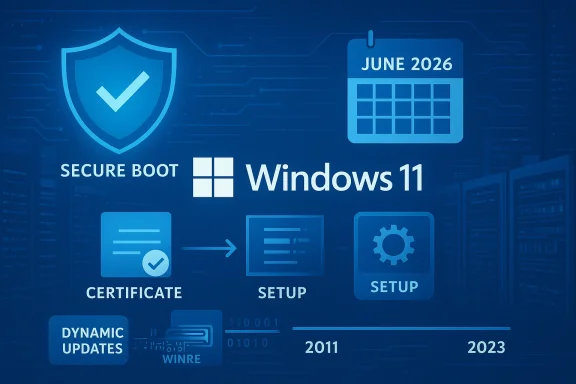
Microsoft’s quietly published February 24, 2026 platform updates — KB5079271 (a Setup Dynamic Update) and KB5079270 (a Safe OS / WinRE Dynamic Update) — target the under‑the‑hood plumbing that runs before Windows fully boots and during feature upgrades, and they carry an urgent operational message: a multi‑year Secure Boot certificate refresh must be completed before the 2011 certificates begin to expire in mid‑2026.
Microsoft uses two narrow, targeted servicing channels to patch the tiny set of binaries that matter during OS installation and recovery: Setup Dynamic Updates (which refresh setup binaries used during in‑place upgrades and installs) and Safe OS (WinRE) Dynamic Updates (which refresh the Windows Recovery Environment image and the drivers and pre‑boot binaries WinRE uses during Reset, Automatic Repair and recovery flows). These updates are intentionally surgical: they don’t add consumer features but can have outsized effects on image reliability, upgrade success rates, and across fleets.
Community trackers and deployment specialists noticed the February packages shortly after publication; Windows deployment forums and reporting outlets flagged the packages as the latest in a string of behind‑the‑scenes updates administrators need to account for when servicing images and recovery media.
Key operational notes:
Key operational notes:
Independent reporting and platform coverage underscore the risk profile: devices that do not receive updated Secure Boot certificates may enter a degraded security state where boot‑time protections are weakened, future platform updates that rely on the newer signing chain may fail to install, and new boot‑time software or drivers might refuse to load. For many modern Windows 11 PCs this will be automatic; older devices and some server or specialized hardware may require firmware updates from OEMs in addition to Windows patches.
That said, the certificate rotation reveals a perennial tension in platform management: cryptographic lifecycles are long, but the ecosystem of OEM firmware, server hardware, and custom images is fragmented. Microsoft can distribute updated certificates through Windows servicing, but some hardware will still need firmware action from OEMs. The benefit — continued Secure Boot enforcement and the ability to apply future signed updates — comes with operational friction that will disproportionately affect older devices and heterogeneous fleets. Independent coverage has described the situation accurately as a planned, predictable rotation that nevertheless requires active work by administrators.
Two further observations deserve emphasis:
Put differently: treat these dynamic updates as image hygiene, not cosmetic tweaks. They preserve the platform’s ability to verify boot‑time integrity and to recover from failures — and they buy you time to replace or update hardware that cannot accept the new signing chain. The recommended response is pragmatic, methodical, and urgent: inventory, test, and roll out the updated WinRE and setup binaries before the certificate expiry window impacts your environment.
Source: Neowin Microsoft released Windows 11 KB5079271, KB5079270 setup and recovery updates
 Background
Microsoft uses two narrow, targeted servicing channels to patch the tiny set of binaries that matter during OS installation and recovery: Setup Dynamic Updates (which refresh setup binaries used during in‑place upgrades and installs) and Safe OS (WinRE) Dynamic Updates (which refresh the Windows Recovery Environment image and the drivers and pre‑boot binaries WinRE uses during Reset, Automatic Repair and recovery flows). These updates are intentionally surgical: they don’t add consumer features but can have outsized effects on image reliability, upgrade success rates, and across fleets.Community trackers and deployment specialists noticed the February packages shortly after publication; Windows deployment forums and reporting outlets flagged the packages as the latest in a string of behind‑the‑scenes updates administrators need to account for when servicing images and recovery media.
What Microsoft shipped: the essentials
KB5079271 — Setup Dynamic Update (Windows 11, 24H2 & 25H2)
KB5079271 is a Setup Dynamic Update for Windows 11, versions 24H2 and 25H2 that updates the small set of setup binaries the operating system relies on during feature upgrades and media installs. The package is available via Windows Update, the Microsoft Update Catalog and Server Update Services (WSUS), and it replaces a prior update (KB5074110). Microsoft’s file manifest lists updated appraiser components, setup platform binaries, and supporting DLLs for both x64 and ARM64 builds.Key operational notes:
- Applies to Windows 11 versions 24H2 and 25H2 (all editions).
- Distributed through standard enterprise channels (Windows Update, Update Catalog and WSUS).
- The package refreshes files such as Appraiser.dll and SetupPlatform binaries that Setup uses to evaluate compatibility and run the upgrade flow.
KB5079270 — Safe OS (WinRE) Dynamic Update (Windows 11, 24H2 & 25H2)
KB5079270 is a Safe OS Dynamic Update that refreshes the Windows Recovery Environment (WinRE) image — the minimal Windows environment that runs when a machine boots into recovery, performs Reset workflows, or executes Automatic Repair. The package updates WinRE components and drivers (including USB and TPM stack files) and marks the WinRE image version to 10.0.26100.7920 once applied. Notably, Microsoft states that this update cannot be removed once it’s applied to a Windows image, and it replaces an earlier Safe OS update (KB5077180).Key operational notes:
- After installation, administrators can verify the WinRE image version using the provided PowerShell helper (GetWinReVersion.ps1), the WinREAgent servicing events in Event Viewer, or DISM commands against the winre.wim file.
- The update is designed to be injected into offline images and recovery partitions as part of image hygiene and pre‑deployment servicing.
Why this release matters: the Secure Boot certificate deadline
The most consequential public message bundled with these updates is a calendar‑driven warning: the original Microsoft Secure Boot certificates issued in 2011 are set to begin expiring in June 2026, with consequential rollout windows extending later in the year. Microsoft is using these Safe OS and Setup refreshes to make sure recovery and setup flows are ready for the certificate rotation and to push replacement certificates to most devices ahead of expiry.Independent reporting and platform coverage underscore the risk profile: devices that do not receive updated Secure Boot certificates may enter a degraded security state where boot‑time protections are weakened, future platform updates that rely on the newer signing chain may fail to install, and new boot‑time software or drivers might refuse to load. For many modern Windows 11 PCs this will be automatic; older devices and some server or specialized hardware may require firmware updates from OEMs in addition to Windows patches.
Deep dive: technical specifics and verification
What the Setup DU touches (KB5079271)
The Setup Dynamic Update contains refreshed versions of the setup evaluation and platform code — Appraiser.dll, SetupPlatform.exe, SetupCore.dll, SetupPrep.exe and related resource MUIs — on both x64 and ARM64 images. Those components are responsible for:- Evaluating hardware compatibility during upgrades.
- Handling media UI and platform flow during an in‑place feature update or when booted into installation media.
- Calling into pre‑boot logic that can interact with firmware and boot settings.
What the Safe OS/WinRE DU contains (KB5079270)
The Safe OS update replaces the WinRE image with one that includes newer drivers (USB, TPM) and platform binaries, as well as the updated WinRE service components. Important files in the manifest include USB stack drivers (USBHUB3.SYS, usbport.sys), TPM drivers, setupplatform MUIs and a refreshed kernel and user‑mode DLLs where appropriate. The update is intended to improve device recovery reliability across a wide variety of failure scenarios — especially those involving disk, USB, and TPM interactions.How to verify WinRE after applying KB5079270
Microsoft provides three practical verification methods:- Run the supplied GetWinReVersion.ps1 script with administrative privileges; it will report the installed WinRE version.
- Inspect the System event log for WinREAgent servicing events (Event ID 4501) which report servicing success and the new WinRE version.
- Use DISM to read the winre.wim image directly (Dism /Get-ImageInfo /ImageFile:<path to winre.wim> /index:1) and confirm the image version string.
Deployment and operational recommendations
For IT teams responsible for fleet readiness, the February packages are a reminder to treat pre‑boot and recovery components as first‑class citizens in the servicing plan. Here’s a practical checklist:- Inventory: Identify devices running Windows 11 24H2 and 25H2 and any devices using custom recovery partitions or offline WinRE images. Verify whether images used by your provisioning pipelines include the updated WinRE version.
- Test: Inject KB5079270 into a test WinRE image and validate recovery scenarios (Reset, Automatic Repair, USB recovery). Confirm the WinRE version using the GetWinReVersion.ps1 script or DISM.
- Validate Secure Boot chain: For hardware that predates 2024 (or for servers and specialized appliances), coordinate with OEMs to confirm firmware updates are available that accept the new 2023‑era certificates; test Secure Boot boot paths after certificate replacement.
- Update images: Inject the updated WinRE as part of image maintenance so that every newly provisioned device gets the refreshed recovery environment. Remember that Safe OS DUs may not be removable once applied — plan rollouts accordingly.
- Delivery: Use WSUS or the Microsoft Update Catalog for offline deployment to machines that won’t automatically receive the dynamic updates via Windows Update. Sync classifications and products appropriately to ensure the packages are visible to your management tooling.
Risks, edge cases, and known constraints
- Non-removability of Safe OS update: KB5079270 cannot be removed once it’s been applied to a Windows image. That’s intentional — Microsoft views WinRE as a persistent image component — but it raises the stakes for testing before injecting the update into production images.
- OEM firmware dependencies: Secure Boot certificate replacement can require OEM firmware changes on some older or specialized hardware. If an OEM firmware update is not available, devices may remain in a degraded security posture after the 2011 certificates expire. Organizations with mixed hardware should inventory OEM update availability and plan exceptions/replacements where needed.
- Phased visibility for consumers: Dynamic Updates sometimes behave differently across consumer channels; although Microsoft publishes the packages to the Update Catalog and WSUS, not every endpoint will show the update in the same way or at the same time. For managed environments, relying on WSUS / catalog downloads and offline injection is the safest path.
- Legacy systems and unsupported OS versions: Devices running unsupported versions of Windows (for example, many copies of Windows 10 after its support window closes) will not receive the new certificates unless enrolled in Extended Security Updates, which leaves some fleets unable to get the protection automatically and therefore at higher risk.
- Operational complexity for large fleets: Rolling out updated WinRE images and coordinating firmware updates across dozens or hundreds of OEM SKUs and BIOS/UEFI versions requires turf‑aware planning and automated inventorying of firmware capabilities. This is not a simple “push a patch” exercise for large enterprises.
Critical analysis: benefits vs. operational friction
On balance, these updates are necessary and positive: they harden recovery paths and ensure the platform’s boot‑time security chain continues functioning as certificates age out. Refreshing the WinRE image and setup binaries ahead of the certificate rollover reduces the likelihood of mass failures during feature upgrades and helps preserve recovery reliability. For organizations that maintain disciplined image servicing practices, these updates will be low‑risk and high‑value.That said, the certificate rotation reveals a perennial tension in platform management: cryptographic lifecycles are long, but the ecosystem of OEM firmware, server hardware, and custom images is fragmented. Microsoft can distribute updated certificates through Windows servicing, but some hardware will still need firmware action from OEMs. The benefit — continued Secure Boot enforcement and the ability to apply future signed updates — comes with operational friction that will disproportionately affect older devices and heterogeneous fleets. Independent coverage has described the situation accurately as a planned, predictable rotation that nevertheless requires active work by administrators.
Two further observations deserve emphasis:
- Microsoft’s choice to make Safe OS updates non‑removable is understandable from a platform‑integrity perspective, but it raises the cost of a botched image injection. Treat WinRE servicing like firmware lifecycle changes.
- Dynamic Updates are a useful mechanism for targeted fixes, but they are not a substitute for regular cumulative update discipline; dynamic updates should be integrated into standard image build and test pipelines rather than applied ad‑hoc.
Recommended technical checklist (actionable, step‑by‑step)
- Identify affected OS builds:
- Target: Windows 11 versions 24H2 and 25H2. Confirm which builds you run and which images your provisioning pipelines produce.
- Acquire the packages:
- Download KB5079271 and KB5079270 from the Microsoft Update Catalog and stage them in a test catalog or WSUS instance. Confirm that your management tooling is configured to surface these classifications and products.
- Test WinRE servicing:
- Inject KB5079270 into a representative WinRE image.
- Boot into recovery, run Reset and Automatic Repair scenarios, and confirm hardware interactions (USB devices, TPM operations). Use reagentc /info and DISM to verify paths.
- Verify WinRE version programmatically:
- Run GetWinReVersion.ps1 as part of test automation to confirm the WinRE image reports 10.0.26100.7920 after servicing. Monitor System event log for WinREAgent Event ID 4501.
- Coordinate OEM firmware:
- For older or server hardware, liaise with OEMs to confirm firmware images that accept the new Secure Boot certificates. Schedule firmware updates where required and validate post‑update boot paths.
- Roll out with an image‑first approach:
- Inject the Safe OS DU into your golden images and recovery partitions. Use phased rollouts, beginning with pilot groups and expanding as telemetry and logs confirm stability.
- Monitor and report:
- Use telemetry to detect upgrade failures, WinRE servicing events, and certificate states. Prioritize remediation where OEM updates are unavailable.
What to watch for in the weeks ahead
- OEM firmware advisories and firmware update packages targeted at older models. Expect vendors to publish instructions and packages for platform families at risk.
- Telemetry spikes in deployment tooling that indicate compatibility regressions (for example, USB mass storage detection in WinRE or BitLocker interactions during Reset).
- Additional Microsoft guidance or follow‑up dynamic updates as certificate refreshes progress into their in‑field rollout windows. Microsoft has already published preparatory guidance for server operators and administrators that should be followed closely.
Conclusion
KB5079271 and KB5079270 are not glamorous feature packs; they are operationally crucial updates aimed at the thin, brittle surfaces of Setup and WinRE that determine whether upgrades succeed and systems recover. Their publication on February 24, 2026 is timely because Microsoft is coordinating a multi‑year Secure Boot certificate rotation that begins to take effect in June 2026. For administrators and imaging teams, the work here is straightforward but non‑optional: test, inject, verify, and coordinate with OEMs where firmware hops are required.Put differently: treat these dynamic updates as image hygiene, not cosmetic tweaks. They preserve the platform’s ability to verify boot‑time integrity and to recover from failures — and they buy you time to replace or update hardware that cannot accept the new signing chain. The recommended response is pragmatic, methodical, and urgent: inventory, test, and roll out the updated WinRE and setup binaries before the certificate expiry window impacts your environment.
Source: Neowin Microsoft released Windows 11 KB5079271, KB5079270 setup and recovery updates