

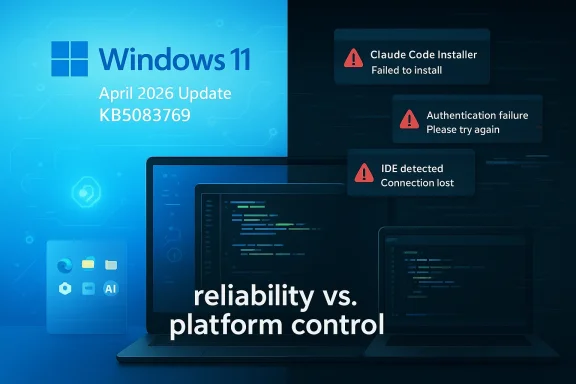
Microsoft’s latest Windows 11 April 2026 cumulative update, KB5083769, lands at the same moment one of the biggest names in AI software is being dragged through a very public quality-control conversation on Windows. The contrast is striking: Microsoft is pushing more AI into Windows 11, while Anthropic’s Claude ecosystem is still wrestling with basic desktop reliability on the platform that dominates enterprise computing. On paper, that makes Claude’s Windows problems more than a nuisance; they become a strategic weakness in the middle of the AI race. Microsoft’s own support notes confirm KB5083769 is the April 14, 2026 cumulative update for Windows 11 version 25H2 and 24H2, and that the package includes the latest security fixes and non-security improvements from the prior month’s preview release. (support.microsoft.com)
Claude’s Windows story has been messy for a while, and the latest complaints are really only the newest chapter in a longer pattern. Anthropic’s own documentation says Claude Code now supports Windows through Git for Windows or WSL, and that the native installer can also run on Windows, but the company still frames Windows as a special case rather than a first-class default. In other words, Windows users are not getting the same frictionless path that macOS and Linux users enjoy. (docs.anthropic.com)
That distinction matters because enterprise software buyers care less about branding and more about predictability. When a tool is sold as a professional coding assistant, teams expect it to install cleanly, authenticate correctly, respect platform conventions, and behave consistently across common developer environments. Anthropic’s own troubleshooting guidance for Claude Code on Windows and WSL acknowledges IDE detection problems, WSL networking quirks, and the need to capture shell and environment details when things go wrong. That is a sign of a product still absorbing the realities of Windows deployment rather than one that has mastered them.
The newest wave of complaints is especially uncomfortable because it is not about obscure edge cases. GitHub issues and Anthropic documentation show users running into installation failures, unsupported-OS errors, WSL hangs, and authentication confusion. One GitHub issue from the Claude Code repository shows the installer explicitly rejecting Windows as unsupported in some paths, while another issue reports the CLI hanging or becoming unresponsive in WSL even after rebooting WSL, restarting VS Code, and reinstalling the package. Those are the sorts of problems that turn a promising AI tool into an IT ticket generator. (github.com)
At the same time, Microsoft is doubling down on AI inside Windows itself. KB5083769 includes AI-component updates that Microsoft says apply to Copilot+ PCs, reinforcing the company’s push to make AI feel native to the platform rather than bolted on. The result is a sharper competitive backdrop: Microsoft is trying to make Windows the operating system of AI productivity, while Anthropic is still being asked to prove its software can behave on the operating system most enterprises already own. (support.microsoft.com)
In practical terms, one broken install path can become dozens of support escalations. A flaky WSL integration can ripple into failed onboarding, wasted developer time, and blocked CI workflows. The fact that Anthropic’s own docs now split Windows into native Git Bash, WSL, and preview PowerShell support tells you the product is still juggling multiple implementation models rather than offering one polished Windows experience. (docs.anthropic.com)
That matters because Microsoft is now embedding AI at the platform layer while also keeping a distinction between mainstream Windows and its Copilot+ hardware tier. In practice, that creates a two-speed Windows ecosystem. Most users get the usual quality and security updates; Copilot+ users get extra AI plumbing that can make Windows feel more differentiated and more strategically tied to Microsoft’s AI roadmap. (support.microsoft.com)
There is also a psychological advantage here. A Windows user who sees Microsoft constantly refining the platform is more likely to blame a third-party app when that app misbehaves. Anthropic then has to not only build a good product, but also prove that its problems are not really “Windows problems” in disguise. That is a tough position for any vendor, especially one selling to technical audiences with little patience for instability.
The GitHub issues tell a consistent story: on Windows, users have seen installation failures, unsupported OS warnings, and WSL instability. One issue describes the installer refusing to proceed because Claude Code is “not supported on Windows,” while another captures a CLI that hangs in WSL despite the usual troubleshooting steps. Those are not exotic corner cases. They are symptoms of a product that still depends on a delicate contract between the app, the shell, the subsystem, and the IDE. (github.com)
That means “supports Windows” can be technically true while still being operationally disappointing. A developer using WSL is often looking for a Linux-like experience on a Windows machine, not a maze of cross-platform exception handling. When a flagship AI coding assistant stumbles there, the issue becomes larger than a bug report. It becomes a question of whether the vendor understands how modern Windows developers actually work.
Community backlash often tells vendors something official issue trackers do not. It reveals whether a bug is isolated or systemic, whether users feel heard, and whether the product’s narrative is breaking down. If the community starts repeating that Windows support is second-class, the technical details become less important than the trust deficit they create.
That is especially true when the issue involves the dominant desktop operating system in business. The claim that “the majority of the IT enterprise world still runs on Windows” may be overstated in casual discussion, but the core point is hard to ignore: Windows remains a central enterprise platform, and any serious AI developer tool needs a convincing Windows story. If Anthropic cannot deliver that, rivals have an opening.
That subtle advantage matters because platform control is still a powerful moat. Microsoft can distribute AI capabilities through Windows itself, through Copilot-branded experiences, through GitHub Copilot, and through adjacent developer tooling. Anthropic, by contrast, has to prove that Claude Code works across a mixed ecosystem of terminals, shells, IDEs, virtualization layers, and enterprise security policies.
This is where the practical battle is being fought. If Windows users increasingly associate AI productivity with Microsoft-native experiences, a third-party assistant with a rocky install and authentication path loses mindshare fast. Even if Claude remains technically excellent in model quality, platform convenience can still determine which product gets daily use.
Enterprise impact is much more serious. In corporate environments, one flaky app can trigger security reviews, compatibility assessments, and help-desk escalation. A product that needs WSL, Developer Mode, or shell-specific workarounds can still be viable, but it becomes a deployment project rather than a simple install. That adds friction for IT teams that are already juggling compliance, endpoint management, and software inventory.
That makes the quality bar much harsher than it was even two years ago. A tool that consumes too much memory, spawns too many shells, or delays interaction at startup is no longer merely annoying; it is actively competing with workflow efficiency. For enterprises, that means the cost of a buggy assistant is measured in lost engineering time, not just user satisfaction.
Anthropic’s challenge is that model leadership does not automatically convert into platform leadership. Microsoft is increasingly able to link Windows, Copilot, GitHub, and enterprise tooling into one experience layer, while Anthropic has to keep proving that its tools can live comfortably inside other vendors’ ecosystems. That is a harder job than it looks.
The latest complaints also reflect a familiar AI-product risk: rapid feature expansion can outpace quality control. Claude’s ecosystem is growing quickly, and the documentation suggests a fast-moving product that now spans native installs, WSL, Git Bash, IDE integration, and enterprise deployment scenarios. That breadth is impressive, but it also multiplies the number of places where something can go wrong.
What makes this story interesting is that it is not really about a single app. It is about the larger question of who owns the AI workflow on Windows. Microsoft controls the operating system, the update cadence, and the native AI integration path; Anthropic must earn trust in that environment one stable release at a time. That is a very different game.
Source: Neowin One of Microsoft's biggest rivals has been struggling to make a bug-free Windows 11/10 app
 Background
Claude’s Windows story has been messy for a while, and the latest complaints are really only the newest chapter in a longer pattern. Anthropic’s own documentation says Claude Code now supports Windows through Git for Windows or WSL, and that the native installer can also run on Windows, but the company still frames Windows as a special case rather than a first-class default. In other words, Windows users are not getting the same frictionless path that macOS and Linux users enjoy. (docs.anthropic.com)That distinction matters because enterprise software buyers care less about branding and more about predictability. When a tool is sold as a professional coding assistant, teams expect it to install cleanly, authenticate correctly, respect platform conventions, and behave consistently across common developer environments. Anthropic’s own troubleshooting guidance for Claude Code on Windows and WSL acknowledges IDE detection problems, WSL networking quirks, and the need to capture shell and environment details when things go wrong. That is a sign of a product still absorbing the realities of Windows deployment rather than one that has mastered them.
The newest wave of complaints is especially uncomfortable because it is not about obscure edge cases. GitHub issues and Anthropic documentation show users running into installation failures, unsupported-OS errors, WSL hangs, and authentication confusion. One GitHub issue from the Claude Code repository shows the installer explicitly rejecting Windows as unsupported in some paths, while another issue reports the CLI hanging or becoming unresponsive in WSL even after rebooting WSL, restarting VS Code, and reinstalling the package. Those are the sorts of problems that turn a promising AI tool into an IT ticket generator. (github.com)
At the same time, Microsoft is doubling down on AI inside Windows itself. KB5083769 includes AI-component updates that Microsoft says apply to Copilot+ PCs, reinforcing the company’s push to make AI feel native to the platform rather than bolted on. The result is a sharper competitive backdrop: Microsoft is trying to make Windows the operating system of AI productivity, while Anthropic is still being asked to prove its software can behave on the operating system most enterprises already own. (support.microsoft.com)
Why Windows Reliability Matters More Than Ever
The importance of Windows reliability has changed because AI assistants are no longer novelty apps. They are becoming part of the daily development workflow, from code generation to IDE integration to filesystem access. If the tool fails in a loop of crashes, path confusion, or authentication errors, it stops being an assistant and becomes friction. That friction is especially painful on Windows, where IT teams already manage security policies, shell differences, virtualization layers, and legacy dependencies.The enterprise bar is higher than the consumer bar
Consumer users may tolerate a rough app if the value proposition is strong enough. Enterprises do not work that way. They need repeatable deployment, predictable authentication, clear support boundaries, and documented platform support. When a vendor closes a Windows issue as “not planned,” that may be reasonable from an engineering-resourcing standpoint, but it reads very differently to a corporate admin who is deciding whether to bless the tool across a team.In practical terms, one broken install path can become dozens of support escalations. A flaky WSL integration can ripple into failed onboarding, wasted developer time, and blocked CI workflows. The fact that Anthropic’s own docs now split Windows into native Git Bash, WSL, and preview PowerShell support tells you the product is still juggling multiple implementation models rather than offering one polished Windows experience. (docs.anthropic.com)
- Reliability is not a nice-to-have in enterprise AI.
- Installation paths must be unambiguous.
- Authentication failures quickly become support burdens.
- Virtualization dependencies increase deployment complexity.
- Preview modes are not a substitute for stability.
What KB5083769 Says About Microsoft’s Direction
Microsoft’s April 14, 2026 update for Windows 11 version 25H2 and 24H2, KB5083769, is important not just because it patches bugs, but because it reflects the direction of Windows itself. The update package includes the latest security fixes and the non-security improvements from the previous month’s optional preview. Microsoft also notes that AI-component updates are included, though those AI pieces apply only to Copilot+ PCs and not to generic Windows PCs or Windows Server. (support.microsoft.com)That matters because Microsoft is now embedding AI at the platform layer while also keeping a distinction between mainstream Windows and its Copilot+ hardware tier. In practice, that creates a two-speed Windows ecosystem. Most users get the usual quality and security updates; Copilot+ users get extra AI plumbing that can make Windows feel more differentiated and more strategically tied to Microsoft’s AI roadmap. (support.microsoft.com)
The update cadence reinforces Microsoft’s advantage
Microsoft’s support page makes clear that KB5083769 is part of a regular monthly cadence, with prior preview and out-of-band releases listed in the same release history. That cadence gives Microsoft an advantage that smaller AI vendors simply do not have: the ability to normalize Windows behavior through a predictable platform rhythm. When Microsoft improves remote desktop behavior, security flows, or AI components inside the OS, it is shaping the environment in which third-party AI apps must compete. (support.microsoft.com)There is also a psychological advantage here. A Windows user who sees Microsoft constantly refining the platform is more likely to blame a third-party app when that app misbehaves. Anthropic then has to not only build a good product, but also prove that its problems are not really “Windows problems” in disguise. That is a tough position for any vendor, especially one selling to technical audiences with little patience for instability.
The Claude Code Problem Is Deeper Than One Bug
The public discussion around Claude Code on Windows is not just about a single broken feature. It is about a stack of issues that suggest platform fit, environment detection, and runtime assumptions still need work. Anthropic’s own docs now try to tame this complexity by providing explicit Windows paths through Git Bash and WSL, but the existence of those choices does not eliminate the underlying fragmentation. (docs.anthropic.com)The GitHub issues tell a consistent story: on Windows, users have seen installation failures, unsupported OS warnings, and WSL instability. One issue describes the installer refusing to proceed because Claude Code is “not supported on Windows,” while another captures a CLI that hangs in WSL despite the usual troubleshooting steps. Those are not exotic corner cases. They are symptoms of a product that still depends on a delicate contract between the app, the shell, the subsystem, and the IDE. (github.com)
WSL is powerful, but it is not invisible
WSL is one of Microsoft’s best platform ideas, but it is still a compatibility layer with real boundaries. Tools that assume Linux semantics can work beautifully there, until they hit path translation, process spawning, editor integration, or networking assumptions. Anthropic’s docs acknowledge as much by noting that WSL 1 and WSL 2 behave differently and that users may need to set the Git Bash path manually if Claude Code cannot find it. (docs.anthropic.com)That means “supports Windows” can be technically true while still being operationally disappointing. A developer using WSL is often looking for a Linux-like experience on a Windows machine, not a maze of cross-platform exception handling. When a flagship AI coding assistant stumbles there, the issue becomes larger than a bug report. It becomes a question of whether the vendor understands how modern Windows developers actually work.
- Windows support is often layered, not native.
- WSL compatibility can mask deeper assumptions.
- Git Bash detection is a fragile dependency.
- Authentication and IDE hooks add another failure point.
- “Supported” is not the same as “smooth.”
The Community Backlash Has a Real Signal
The recent Reddit discussion matters because it reflects accumulated frustration, not just one angry post. The user who sparked the debate argued that Anthropic had closed several critical Windows bugs as “not planned,” and the thread drew agreement from people who said they were seeing freezes, crashes, memory pressure, and sluggish startup behavior in Windows-connected workflows. Even if every claim in a community thread is not equally verified, the volume of reaction is still a useful signal.Community backlash often tells vendors something official issue trackers do not. It reveals whether a bug is isolated or systemic, whether users feel heard, and whether the product’s narrative is breaking down. If the community starts repeating that Windows support is second-class, the technical details become less important than the trust deficit they create.
Why “not planned” lands badly
Engineering teams close issues as “not planned” for many legitimate reasons. The bug may be non-reproducible, outside scope, or too costly to fix relative to expected use. But once a product is marketed to professionals, those labels are interpreted through a business lens. For enterprise buyers, “not planned” can sound like “not important,” which can be more damaging than the bug itself.That is especially true when the issue involves the dominant desktop operating system in business. The claim that “the majority of the IT enterprise world still runs on Windows” may be overstated in casual discussion, but the core point is hard to ignore: Windows remains a central enterprise platform, and any serious AI developer tool needs a convincing Windows story. If Anthropic cannot deliver that, rivals have an opening.
Microsoft’s Competitive Advantage Is Subtle but Real
Microsoft does not need to beat Anthropic feature-for-feature in every AI coding task to benefit from this situation. It only needs to make Windows the place where AI tools feel most integrated, most stable, and least alien. KB5083769, with its AI-component updates and regular servicing cadence, is another reminder that Microsoft can nudge the platform in its own favor while third parties must adapt to it. (support.microsoft.com)That subtle advantage matters because platform control is still a powerful moat. Microsoft can distribute AI capabilities through Windows itself, through Copilot-branded experiences, through GitHub Copilot, and through adjacent developer tooling. Anthropic, by contrast, has to prove that Claude Code works across a mixed ecosystem of terminals, shells, IDEs, virtualization layers, and enterprise security policies.
The difference between platform and app economics
A platform vendor can solve problems once and immediately benefit millions of users. An app vendor has to solve each problem in the context of that platform’s rules. That means Microsoft’s AI strategy does not need to exclude Anthropic; it only needs to be more convenient, more visible, and more predictable on Windows.This is where the practical battle is being fought. If Windows users increasingly associate AI productivity with Microsoft-native experiences, a third-party assistant with a rocky install and authentication path loses mindshare fast. Even if Claude remains technically excellent in model quality, platform convenience can still determine which product gets daily use.
- Platform control amplifies distribution.
- Native integration lowers user friction.
- Enterprise admins prefer standardized tooling.
- Developers gravitate toward the path of least resistance.
- AI model quality alone does not guarantee adoption.
Consumer vs Enterprise Impact
The consumer impact of Claude’s Windows issues is straightforward: frustration, failed setup, and a sense that the app is unfinished. Consumers are more forgiving when the value is obvious, but they are also more likely to abandon a tool after one bad experience. If the app redirects to the Microsoft Store without a proper store listing, or crashes on launch, the user may simply move on. (github.com)Enterprise impact is much more serious. In corporate environments, one flaky app can trigger security reviews, compatibility assessments, and help-desk escalation. A product that needs WSL, Developer Mode, or shell-specific workarounds can still be viable, but it becomes a deployment project rather than a simple install. That adds friction for IT teams that are already juggling compliance, endpoint management, and software inventory.
Why developers are less patient than they used to be
Developers used to tolerate rough edges because powerful tools were rare. Today, the market is crowded, and AI assistants are competing on comfort as much as intelligence. If one tool crashes, another is a click away, and many of them now integrate directly with VS Code or broader IDE ecosystems.That makes the quality bar much harsher than it was even two years ago. A tool that consumes too much memory, spawns too many shells, or delays interaction at startup is no longer merely annoying; it is actively competing with workflow efficiency. For enterprises, that means the cost of a buggy assistant is measured in lost engineering time, not just user satisfaction.
The Broader AI Race Makes These Bugs More Damaging
In a quieter market, Anthropic could probably absorb a few Windows missteps. In 2026, that luxury is gone. The AI market is now a competition not only between model quality and product polish, but between ecosystems, distribution channels, and trust. Every visible bug is ammunition for rivals trying to argue that their own AI stack is more production-ready.Anthropic’s challenge is that model leadership does not automatically convert into platform leadership. Microsoft is increasingly able to link Windows, Copilot, GitHub, and enterprise tooling into one experience layer, while Anthropic has to keep proving that its tools can live comfortably inside other vendors’ ecosystems. That is a harder job than it looks.
Why reliability now competes with intelligence
Users once judged software primarily by capability. Now they judge it by whether it works today, on this machine, inside this shell, and with this policy set. That means reliability is effectively a model feature. If a smart assistant is unusable on Windows, its intelligence is academic for the people who need it most.The latest complaints also reflect a familiar AI-product risk: rapid feature expansion can outpace quality control. Claude’s ecosystem is growing quickly, and the documentation suggests a fast-moving product that now spans native installs, WSL, Git Bash, IDE integration, and enterprise deployment scenarios. That breadth is impressive, but it also multiplies the number of places where something can go wrong.
Strengths and Opportunities
Despite the criticism, Anthropic is not without a path forward. The company has already documented Windows-specific installation options, identified WSL and Git Bash as supported routes, and signaled that it is willing to support enterprise use cases through cloud providers and managed configurations. The opportunity is to turn that patchwork into a clean, well-supported Windows story rather than a list of caveats.- Windows documentation already exists, which means the company has a base to improve from.
- Git Bash and WSL support can satisfy many developers if the experience is reliable.
- Enterprise configuration controls give Anthropic a route into managed deployments.
- Cloud-provider integration broadens the appeal beyond local installs.
- Stable release channels can reduce regressions for cautious teams.
- Clearer troubleshooting guidance could lower support friction.
- Community feedback can be used to prioritize the most painful workflows.
Risks and Concerns
The obvious risk is that Windows users continue to see Claude as unreliable, which would be a serious problem in the enterprise market. Once a product gets tagged as “works on Mac, but not on Windows,” that label is hard to shake. In AI, where switching costs are low and competition is intense, reputational damage can move faster than product improvements.- Trust erosion is the biggest long-term threat.
- Enterprise admins may block adoption if support feels incomplete.
- Repeated installation failures create first-impression damage.
- WSL dependency can alienate users who want native Windows behavior.
- Memory and performance issues can make the tool unusable in long sessions.
- Closed issues marked “not planned” can amplify the perception of neglect.
- Microsoft’s integrated AI stack may make Anthropic look increasingly peripheral on Windows.
Looking Ahead
The next few months will show whether this is just a rough patch or a deeper product issue. If Anthropic can stabilize the Windows installer, clean up authentication, and reduce WSL-specific failures, the company can still protect its standing with developers. If not, Microsoft’s platform advantage will only become more pronounced as Windows 11 keeps absorbing more AI features. (docs.anthropic.com)What makes this story interesting is that it is not really about a single app. It is about the larger question of who owns the AI workflow on Windows. Microsoft controls the operating system, the update cadence, and the native AI integration path; Anthropic must earn trust in that environment one stable release at a time. That is a very different game.
What to watch next
- Whether Anthropic issues a clearer Windows support statement.
- Whether Claude Code fixes the WSL hangs and IDE detection problems.
- Whether Windows users get a more reliable native install path.
- Whether Microsoft keeps expanding AI features inside Windows 11 updates.
- Whether enterprise adopters favor Microsoft-native AI tools over third-party assistants.
Source: Neowin One of Microsoft's biggest rivals has been struggling to make a bug-free Windows 11/10 app
Last edited:
