Background
April Patch Tuesday was already set up to be a heavy one. Microsoft’s April 2026 baseline and release notes show that KB5083769 is the main cumulative update for Windows 11, with separate build tracks for 26100.8246 and 26200.8246, and the servicing content arrived alongside a broader security push for Windows and Microsoft products. That matters because a large cumulative update touches far more code paths than a small hotfix, especially in boot, graphics, and recovery components.
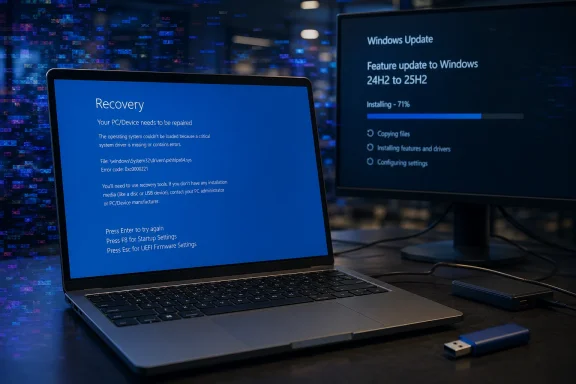
What makes these reports especially notable is the specific symptom pattern. The affected users describe a “mosaic of weird pixels” followed by a blue recovery screen and then a repair loop that never resolves. That is not the usual “update failed to install” complaint; it suggests something failing after reboot, likely during early boot or display initialization, where even a healthy-looking machine can be pushed into a startup repair dead end.
There is also an important distinction between a single-user bug and a fleet-wide defect. In the Q&A thread, one commenter said the same issue was happening on a Dell Desktop, while another said three people in their company were locked out after the update. That doesn’t prove a universal defect, but it does raise the stakes: if even a small subset of systems can no longer boot, then the update becomes an enterprise continuity issue, not merely a home-user inconvenience.
The timing also echoes a broader pattern that Windows admins have seen for years. Cumulative updates increasingly bundle security fixes, servicing stack behavior, and compatibility changes into a single install path, which means a regression can arrive with no obvious warning. Microsoft’s own documentation shows that the update is distributed through Windows Update, Windows Update for Business, the Microsoft Update Catalog, and server tools, so any systemic issue can spread quickly across both consumer and managed environments.
What Users Are Reporting
The clearest public signal right now comes from the Microsoft Q&A post itself. The original poster says the machine entered a death loop after attempting the latest security update, showing the pixelated screen, then a recovery prompt, then a repair loop that kept cycling back. That sequence matters because it suggests the system may have been able to reboot partially, but could not complete the full handoff into a stable Windows session.
The shared symptoms
The details are strikingly similar across posts. The poster on the Q&A thread mentions an HP Pavilion 590-p0044 with an AMD Ryzen 5 2600, 32GB RAM, and a GTX 1080 Ti running Windows 11 Home. Another commenter said they hit the same problem on a Dell desktop, and the visual symptoms matched closely enough to make the thread feel less like random corruption and more like a repeatable pattern.
That said, the sample size is still tiny. Five days after release is enough time for early reports, but not enough to determine incidence, prevalence, or whether a particular OEM, GPU driver, or firmware combination is involved. It is possible that the update is merely the trigger that exposes a pre-existing compatibility flaw, which is often how boot regressions present themselves in the real world.
The most worrying part is that one company report involved multiple people losing access to work systems. That shifts the issue from “my PC won’t boot” to data access interruption, lost work time, and potentially support escalation if local recovery environments are damaged or unavailable. A recovery loop is bad enough; a recovery loop that blocks document access can become a productivity and compliance problem.
Why the Pixelated Screen Matters
The “pixelated mosaic” description is more than a colorful anecdote. In Windows troubleshooting terms, unusual graphics artifacts during boot often point toward a problem in the early display stack, GPU handoff, memory integrity, or a kernel-level incompatibility that manifests before the desktop ever appears. Because the users are seeing the corruption before the system fully recovers, the problem could sit at the junction of firmware, GPU driver, and OS boot components.
Boot-time graphics versus post-login crashes
A crash after login can be caused by a wide range of app or driver problems. A crash before or during recovery is more ominous, because it narrows the likely fault domain to code that runs very early in startup. That is why admins tend to treat boot loops with extra caution: the machine is not just unstable, it is unavailable.
The fact that the visual symptom is repeated pixelation also makes the issue feel closer to a display pipeline collapse than a simple blue-screen bug. If the display is garbled before the recovery screen appears, that could indicate a driver issue, but it could just as easily be a side effect of another low-level failure. Without crash dumps or telemetry, the visual evidence is suggestive, not conclusive.
AMD systems and the suspicion factor
Microsoft’s AI-generated Q&A Assist response reportedly mentions that similar issues have been documented when cumulative updates corrupt boot-critical components or drivers, especially on some AMD-based systems. That language is careful and important: it does not accuse AMD hardware outright, but it does acknowledge that platform-specific interactions are a familiar way update failures become visible.
Still, readers should be cautious about overfitting to the hardware list in one thread. The original poster has an AMD Ryzen system, but the follow-up commenter cited a Dell Desktop, which suggests the problem may not be confined to one CPU vendor or one OEM. The stronger inference is that common update-induced instability is under investigation, not a proven AMD-only regression.
Microsoft’s Official Footprint
The official Windows release notes confirm that KB5083769 is the April 14, 2026 cumulative update for Windows 11 and that it is being delivered broadly through Microsoft’s normal servicing channels. Microsoft also notes that the package contains the latest servicing stack update together with the cumulative update, which is standard for modern Windows servicing but also means failures can be intertwined across multiple update layers.
What the release notes do and do not say
At the time of writing, the release notes do not show a public acknowledgment of this specific boot-loop problem. They do, however, show a known issue related to Reset this PC, which Microsoft says this update addresses after problems seen following the March 2026 hotpatch. That is useful context because it underscores how much work Microsoft is doing around the recovery pipeline itself.
The absence of an explicit known-issue entry does not mean the issue is imaginary. It simply means Microsoft has not yet published a formal admission or mitigation for this particular symptom cluster. In the early days after a Patch Tuesday release, that gap is common; the company often needs time to separate isolated user reports from reproducible servicing faults.
The more interesting clue is that Microsoft’s documentation includes both x64 and Arm64 installation instructions, as well as multiple ways to deploy the package. That tells us the update is not a niche consumer hotfix, but a cornerstone security package across supported Windows 11 editions. If a boot regression is real, the blast radius can be substantial.
Likely Causes and Competing Hypotheses
Right now there are at least three plausible explanations, and it is too soon to crown any one of them as the answer. The first is a direct regression in the cumulative update itself. The second is a driver interaction, most likely in graphics or storage. The third is a hardware-specific quirk that was already lurking and only surfaced once the update changed boot timing or device initialization.
Hypothesis 1: a bad OS-level change
If the update touched a boot-critical component, it could destabilize systems during early startup before the desktop loads. That would explain why users cannot simply restart through the issue and why repair mode keeps appearing. A true OS regression is the worst-case scenario because it is harder to isolate from the user side and often requires Microsoft to issue a corrective patch.
Hypothesis 2: a driver or firmware interaction
The fact that the affected systems include an AMD desktop with a discrete NVIDIA GPU is a clue, not proof. Boot-time graphics corruption often points to a device driver, BIOS setting, or firmware mismatch, particularly when one update shifts the sequence of initialization. In that scenario, the patch may be the trigger, while the actual weakness lives in the hardware stack.
Hypothesis 3: recovery-environment fragility
One commenter reported that a machine’s recovery environment was so broken it could not be used to re-enter Windows. That makes the recovery layer itself part of the story. If the fallback environment is damaged, then even a routine update rollback becomes a rescue mission, and that is a serious operational concern for both consumers and IT teams.
- A direct Windows update regression would need a Microsoft fix.
- A driver issue might be mitigated by rolling back graphics or chipset software.
- A firmware mismatch could require a BIOS update or setting change.
- A broken recovery stack makes every remedy harder and slower.
- Multiple hardware vendors reporting the same symptom broadens the likely fault domain.
Consumer Impact
For home users, the immediate issue is simple: the machine may no longer boot. That means lost access to photos, browser sessions, password managers, local game libraries, school files, and anything else living on the desktop. If the local recovery path fails, the average user may not have the tools or confidence to perform a repair install.
Why ordinary users are vulnerable
Most consumers do not maintain offline backups or recovery media, and many assume Windows Update is largely self-healing. When that assumption breaks, the support burden shifts to forums, family members, or paid repair shops. A patch that can strand a PC in a loop is therefore not just a technical bug; it is a trust event.
That trust erosion is especially sharp when the symptoms look theatrical, like the reported mosaic of weird pixels. Visual corruption makes the failure feel catastrophic, even if the underlying cause is “only” a driver mismatch. Only is doing a lot of work there, because for a consumer with one PC, the distinction barely matters if the system is unusable.
The poster’s description of attempting a retry and then falling into the repair loop is also a reminder that consumer troubleshooting often starts with the wrong instincts. A normal user will assume Windows can sort it out on the next pass. In reality, repeated retries can simply burn time while the underlying issue remains untouched.
Enterprise Impact
The business impact is more serious because one broken boot path can multiply across dozens or hundreds of devices. The Q&A comment from Thomas B is especially important because it mentions three other people in the company with the same problem and at least one recovery environment that could not be trusted. That is the kind of language IT teams hear when a support ticket is about to become a change-management incident.
Why admins care differently
Admins can tolerate a patch that requires rollback if the rollback works. They cannot tolerate a patch that leaves systems unbootable and recovery unavailable. That is why enterprises typically stage cumulative updates, watch the first ring closely, and keep out-of-band recovery processes ready before broad deployment.
A boot-loop issue can also block access to important work documents, which Thomas B explicitly raised. That introduces secondary risk around missed deadlines, delayed customer work, and potentially compliance exposure if systems holding regulated data are inaccessible. In enterprise terms, this is not just a defect; it is an availability event.
The fact that one commenter could uninstall the latest quality update and recover the machine is encouraging, but not fully reassuring. Uninstalling works only if the system can still reach a usable state and if the recovery environment is healthy enough to support rollback. When that is not true, IT staff may have no clean path back.
What Microsoft Q&A Assist Is Suggesting
Microsoft’s AI-generated Q&A Assist response reportedly recommends a fairly standard hierarchy: use the Windows Recovery Environment, try System Restore, then Startup Repair, and finally consider a local reinstall if those fail. That sequence reflects standard Windows support logic: preserve user data first, then repair boot components, then rebuild the OS if necessary.
How practical those steps are
In theory, those steps make sense. In practice, their success depends on whether the device can reliably reach recovery mode and whether restore points, boot files, and local installation resources are intact. If the machine is trapped in a repair loop with graphical corruption, the user may never get far enough to execute the recommended fixes.
That is why the guidance is helpful but limited. It is a playbook for recovery, not a diagnosis. It also assumes a level of technical confidence that many consumers simply do not have, which is another reason early update bugs can become support nightmares.
Still, the AI response is a reminder that Microsoft has not left users completely without next steps. If the issue can be contained to a subset of machines, then standard recovery tools may be enough for many of them. The danger is that each failed attempt to repair the system also burns more time and patience, and time is the resource users notice first when a PC won’t boot.
- Try WinRE only if the machine can still enter it reliably.
- Use System Restore if a restore point exists.
- Use Startup Repair to fix boot-path corruption.
- Consider a repair install if local resources are intact.
- Escalate quickly if the recovery environment itself is damaged.
Historical Context
This is not the first time a Windows cumulative update has sent machines into reboot trouble. The Windows ecosystem has a long history of patches exposing hidden driver conflicts, firmware mismatches, or recovery failures, especially when a servicing update changes the timing of low-level initialization. The lesson is uncomfortable but familiar: “Patch Tuesday” is both a security practice and a recurring stress test.
Why these incidents keep recurring
Windows has to support an enormous spread of hardware, OEM images, chipset combinations, BIOS revisions, and third-party drivers. That diversity is a feature for consumers, but it is a liability for update reliability. A patch that is harmless on one system may trigger a chain reaction on another, especially when the failure is happening before standard telemetry can explain itself.
Microsoft has improved the cadence of servicing, emergency fixes, and known-issue communications over time, but the basic problem remains. The more platforms Windows supports, the more likely it is that a “safe” update will collide with an edge case somewhere in the field. That is why administrators treat every major cumulative update as guilty until proven healthy.
This year’s April baseline makes the point especially well. Microsoft is juggling security hardening, recovery fixes, and broad servicing in a single monthly package. That is efficient for patch management, but it also compresses risk into a narrow window.
Strengths and Opportunities
There is still a path for Microsoft to turn this into a manageable incident, especially if the root cause is isolated and a rollback or follow-up fix can be deployed quickly. The presence of detailed public reports, coupled with the ability to uninstall the quality update in at least one case, gives support teams something concrete to work with. The sooner Microsoft narrows the trigger, the less damage the issue will do to confidence in Windows Update.
- Microsoft already has a public KB5083769 release record and servicing channel coverage.
- At least one affected user reportedly recovered by uninstalling the update.
- The issue has enough detail to support reproducible troubleshooting.
- Community reports may help identify a shared hardware or driver pattern.
- Microsoft can still reduce harm with a targeted out-of-band response.
- The incident may improve communication around boot-critical update risks.
- Enterprises can use this as a reminder to tighten update rings and rollback plans.
Risks and Concerns
The biggest risk is that this is not a single bug at all, but a family of compatibility failures that only look the same from the outside. If that is true, Microsoft may need more time to separate graphics, storage, firmware, and recovery-path failures before issuing precise guidance. In the meantime, every additional machine that fails to boot raises the pressure on support channels and changes how organizations view April’s update cycle.
- The issue may affect boot-critical components, making it hard to self-repair.
- A broken recovery environment can block normal rollback options.
- Mixed hardware reports make root-cause analysis slower.
- Pixelated crash symptoms may mislead users toward the wrong fix.
- Enterprise lockouts can interrupt access to work documents and line-of-business data.
- Early reports may expand as more systems finish installing the update.
- Confidence in Windows servicing could weaken if no prompt clarification arrives.
Looking Ahead
The next few days will determine whether this remains a small but scary cluster of reports or grows into a recognized update regression. If Microsoft sees enough telemetry to isolate a common factor, the company may publish a known issue, a workaround, or an out-of-band corrective package. If it does not, users and admins will likely rely on standard rollback and repair procedures while waiting for more signal.
What to watch for
- Whether Microsoft updates the KB with a known issue entry.
- Whether additional reports mention the same pixelated boot screen pattern.
- Whether AMD, NVIDIA, or OEM-specific configurations show up repeatedly.
- Whether the problem can be tied to a driver, firmware, or secure boot interaction.
- Whether Microsoft issues a follow-up patch or servicing alert.
If the reports continue to cluster around the same visual symptoms and boot-loop behavior, the story will likely move from anecdotal complaint to practical mitigation guidance. If they scatter into unrelated failures, then this may turn out to be a misleading first-wave coincidence amplified by the timing of Patch Tuesday. Either way, the episode is a reminder that Windows stability is judged not only by security gains, but by whether a patch leaves users with a machine they can still trust the next morning.
For now, KB5083769 is looking less like a routine monthly update and more like an early warning signal. Microsoft may yet show that the issue is narrow, containable, and fixable, but the presence of boot loops, recovery failures, and pixelated crashes so soon after release is enough to justify caution. In a world where one cumulative update can take a system from secure to inaccessible, restraint is not pessimism; it is sound Windows hygiene.