

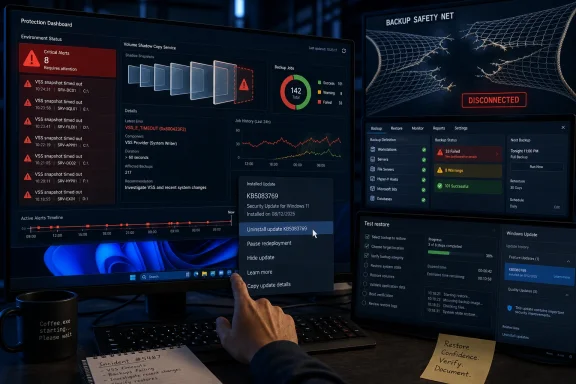
The Backup Failure Is the Patch Story Microsoft Least Needed
The April Windows 11 update was already an awkward release before backup software entered the frame. KB5083769 landed as the routine Patch Tuesday cumulative update for Windows 11 versions 24H2 and 25H2, bringing OS builds 26100.8246 and 26200.8246 and the usual mix of security fixes, quality changes, servicing stack work, and accumulated preview improvements.
But the reports that followed did not sound routine. Some users complained of boot failures, some ran into BitLocker recovery prompts under a narrow policy configuration, and Microsoft’s own release notes acknowledged at least that BitLocker edge case and a Remote Desktop warning display problem. Now the backup trouble adds a more operationally dangerous class of failure: machines may continue to boot, users may continue working, and the one process meant to save them from catastrophe may simply stop completing.
That distinction matters. A boot loop is dramatic and immediate. A broken backup job is quieter, and in many environments it is discovered only when an admin checks dashboards, a scheduled report goes red, or someone tries to restore data that was never captured.
The reported pattern is consistent enough to take seriously. Backup applications that rely on VSS snapshots are timing out while attempting to create those snapshots after KB5083769 is installed. Acronis has reportedly documented failures with the message that Microsoft VSS timed out during snapshot creation, and similar accounts have circulated around Macrium, NinjaOne, and UrBackup deployments.
The bug may eventually turn out to be narrower than the first wave of reports suggests. It may depend on timing, storage drivers, third-party filters, endpoint security, system load, or a particular 24H2/25H2 configuration. But from an IT risk perspective, that nuance comes later. If a Windows update correlates with failed backups across several independent backup products, the correct first response is to treat the backup layer as impaired until proven otherwise.
VSS Is Not a Side Feature, It Is the Plumbing Under the Floor
The reason this issue has spread across multiple vendors is that many Windows backup products share the same dependency: Volume Shadow Copy Service. VSS is the Microsoft framework that coordinates consistent snapshots of files, volumes, and application data while Windows is running. It is how backup tools avoid copying a live, moving target and pretending the result is reliable.
That makes VSS one of those unglamorous Windows subsystems whose importance becomes obvious only when it fails. It sits between the operating system, storage stack, backup requester, snapshot provider, and application writers. When it works, it lets a backup product capture a usable image of a busy system. When it stalls, the backup product is often left reporting a timeout that looks vendor-specific but is really rooted in a shared Windows mechanism.
This is why the vendor list is meaningful. Acronis, Macrium Reflect, NinjaOne Backup, and UrBackup do not all share the same codebase, business model, or customer profile. They do, however, intersect at Windows snapshot creation. A failure that appears in several of them at once points away from a single backup application bug and toward the shared substrate.
The difference between a backup program failed and the snapshot service failed is not academic. If an application has a bad release, customers can often pin or roll back that product. If Windows’ snapshot behavior changes under it, every tool in the estate that assumes normal VSS behavior may need to be revalidated.
That is the uncomfortable reality of modern Windows servicing. Microsoft ships cumulative updates as a single stream because that model improves baseline security and reduces fragmentation. But cumulative servicing also means the blast radius of a regression can cross boundaries that IT teams think of as separate: boot security, encryption recovery, RDP prompts, backup workflows, and line-of-business uptime.
The “Fix” Is Simple, but the Decision Is Not
For home users and small offices, the immediate workaround is straightforward. If backups started failing only after KB5083769 arrived, uninstalling the update may restore backup functionality. In Settings, that usually means going to Windows Update, opening Update history, selecting Uninstall updates, and removing the security update labeled KB5083769.
That advice comes with an asterisk large enough to cast a shadow over the whole incident. KB5083769 is a security update. Removing it may re-expose fixes Microsoft intended to deploy in April, and Microsoft explicitly warns against casually uninstalling security updates. The question is therefore not whether uninstalling the patch is “safe” in a vacuum. The question is which risk is more urgent on the affected machine: temporarily losing April’s fixes, or continuing to operate without verified backups.
For many administrators, broken backups are the more immediate existential risk. A workstation without the latest cumulative update is undesirable. A workstation that cannot be restored after ransomware, disk failure, corruption, or user error is worse. On managed fleets, the answer may be to roll back only on machines where backup failures are confirmed, while leaving unaffected systems patched and closely monitored.
After uninstalling, pausing updates is the obvious second step, because Windows Update may otherwise reinstall the same package and recreate the failure. On consumer Windows 11, the Settings app offers pause intervals measured in weeks. In business environments, the equivalent is policy: update rings, deferrals, approvals in WSUS, deployment holds in Intune, or whatever patch orchestration the organization already uses.
The mistake would be treating rollback as the end of the job. It is only a way to restore breathing room. Once KB5083769 is removed, admins still need to run backup jobs, inspect logs, confirm VSS health, and perform at least one test restore or mount. A green checkmark in a backup console is better than a red one, but a recovery test is the standard that matters.
Microsoft’s Known-Issue Page Tells Only Part of the Story
As of May 1, Microsoft’s support page for KB5083769 does not appear to list the VSS backup failure as a formal known issue. It does list the update’s applicability to Windows 11 24H2 and 25H2, the April 14 release date, the OS build numbers, and known problems involving BitLocker recovery on systems with an unrecommended policy configuration and a Remote Desktop warning display issue under certain multi-monitor scaling conditions.
That omission is not proof the backup reports are wrong. It is proof of the gap that often opens between field reports and official acknowledgment. Microsoft’s known-issue machinery tends to move after reproducibility, scope, telemetry, and mitigation are better understood. Admins in the field do not have the luxury of waiting for a dashboard entry when scheduled backups are already failing.
This is where Windows administrators live most of the time: between anecdote and officialdom. A forum report is not a root cause analysis. A vendor advisory is not a Microsoft postmortem. A Microsoft known-issue page is not always complete on day one. The job is to triangulate quickly enough to protect the estate without turning every Reddit thread into a change freeze.
The VSS story also illustrates why relying solely on Microsoft’s release notes can be dangerous. Release notes tell you what Microsoft knows, is ready to say, and believes belongs on that page. They do not automatically tell you what managed service providers, backup vendors, and enthusiasts are discovering in the first two weeks of production exposure.
That does not mean admins should distrust Microsoft by default. It means they should instrument their own environments. If the April update is installed, backup success rates after April 14 are the primary evidence. Not vibes, not headlines, not vendor marketing emails. The question is whether your machines are still producing usable recovery points.
The BitLocker Bug Made the Patch Look Worse Before VSS Did
The April update already had one officially documented landmine. Microsoft says some devices with a specific, unrecommended BitLocker Group Policy configuration may be required to enter the BitLocker recovery key on the first restart after installing KB5083769. The conditions are unusually precise: BitLocker on the OS drive, a TPM platform validation profile for native UEFI firmware configurations with PCR7 included, PCR7 binding reported as not possible, the Windows UEFI CA 2023 certificate in the Secure Boot database, and the device not already running the 2023-signed Windows Boot Manager.
That is not a mainstream home-user scenario, and Microsoft frames it as affecting a limited number of systems. Still, it matters because it touches the same administrative nerve as the backup problem: trust in the servicing pipeline. An update that changes boot measurement behavior enough to trigger BitLocker recovery, even in a narrow case, becomes the kind of update admins approach with more caution.
Microsoft’s workaround for the BitLocker issue is policy-oriented. Remove the explicit Group Policy configuration, force policy propagation, suspend and resume BitLocker protectors, and allow Windows to use its default PCR profile. In plain English, Microsoft is telling organizations to stop carrying a brittle custom BitLocker validation profile through a Secure Boot transition.
That is a defensible position. It is also cold comfort to the admin who has a VIP laptop asking for a recovery key on Monday morning or a remote office machine no one can touch. The BitLocker issue may be narrow, but it adds to the sense that KB5083769 is a patch with more than one sharp edge.
The VSS issue is arguably more worrying because it is less visible. A BitLocker recovery screen demands attention. A failed overnight backup may wait until the weekly report, or until it is too late.
Why Backup Breakage Is Worse Than Another Blue Screen
Windows users have been trained to recognize visible failure. A blue screen, a boot loop, a missing network adapter, a broken Start menu — these are the kinds of regressions that generate immediate outrage because they block ordinary work. Backup failures belong to a darker category: failures that preserve the illusion of normalcy.
A PC can browse the web, open Outlook, run Teams, and save documents while failing every scheduled image backup. A small business can finish payroll on Friday while its disaster recovery posture has quietly collapsed. A managed service provider can be one ransomware incident away from discovering that “last night’s backup” is a timestamp, not a usable recovery point.
That is why this bug deserves more attention than its surface symptoms suggest. Backups are not just another application class. They are the control that makes other failures survivable. When a Windows patch interferes with that control, the risk model changes.
There is also a trust problem. Backup vendors spend years persuading customers to automate protection, schedule jobs, and stop thinking about backups as a manual chore. If a Windows update can invalidate that automation without a conspicuous OS-level warning, customers are pushed back toward paranoia: checking logs daily, running manual jobs, and doubting dashboards that used to be routine.
Some paranoia is healthy. But a platform should not require superstition to operate safely. The operating system has to treat backup infrastructure as sacred ground, or at least as a compatibility surface deserving exceptional caution.
The Rollback Path Has Its Own Trap Door
The standard consumer guidance to uninstall KB5083769 through Settings is useful, but it papers over a complication in modern Windows servicing. Microsoft’s support text for the update notes that after installing the combined servicing stack update and latest cumulative update package, removing the LCU is not as simple as running the Windows Update Standalone Installer uninstall switch against the combined package. The servicing stack component cannot be removed after installation, and Microsoft points administrators toward DISM with the LCU package name.
That distinction will not matter to every user. Many Windows 11 systems expose the uninstall option in Settings and remove the cumulative update cleanly enough for practical purposes. But for admins handling offline images, scripted remediation, or stubborn endpoints, the servicing model matters. The update is not a loose bolt you can always unscrew with the same tool you used five years ago.
The operational lesson is to prepare rollback before you need it. Know whether your management platform can remove a cumulative update by KB. Know how to identify the package name with DISM. Know which machines are encrypted and where their recovery keys live. Know whether a remote rollback risks stranding devices that require hands-on recovery.
This is particularly important for MSPs and small IT teams, because backup products like NinjaOne and Acronis often live in the same toolchain used for remote remediation. If the backup layer is impaired, you do not want your rollback procedure to depend on assumptions you have never tested.
Pausing updates after rollback is also more subtle than it sounds. A home user can click a pause dropdown. A business should avoid a blanket hold that quietly leaves the whole fleet exposed for a month. The better answer is a ringed deployment strategy: hold or roll back affected backup-dependent systems, keep test machines available for validation, and move the rest of the fleet only when backup telemetry proves the fix.
Home Users Need a Recovery Check, Not Just a Settings Walkthrough
The average Windows 11 Home user with Macrium Reflect or Acronis installed probably does not think in terms of VSS writers and requesters. They think in terms of whether their “backup ran.” That is the right starting point, but it is not enough.
If KB5083769 is installed, the first thing to do is open the backup application and inspect recent job history. Look specifically at backups attempted after April 14, 2026. A backup that succeeded on April 10 and failed on April 16 tells a different story than a backup plan that has been broken since February.
Next, run a manual backup while watching the job log. If the error references VSS, shadow copy, snapshot creation, or a timeout, this incident is a plausible match. If the failure is authentication to a NAS, a full destination disk, expired cloud credentials, or a disconnected USB drive, uninstalling a Windows update is probably the wrong first move.
If the VSS pattern fits and the machine is not part of a corporate policy regime, removing KB5083769 is a reasonable temporary workaround. After the reboot, run the same backup again. If it succeeds, mount the image, browse files, or perform the vendor’s validation process. A backup that cannot be read is not a backup; it is a comfort object.
Home users should also resist the temptation to disable security updates indefinitely. Pause long enough to avoid immediate reinstallation, then watch for a corrected Windows update or vendor mitigation. The right goal is not to live forever on the March patch level. It is to restore backup functionality while waiting for April’s regression to be fixed.
Enterprises Should Treat This as a Change-Control Audit
For enterprises, the April VSS reports should trigger a narrower but more disciplined response. The question is not “Should we uninstall KB5083769 everywhere?” The question is “Which systems installed it, which of those depend on VSS-based backups, and which of those have produced verified restore points since installation?”
That inventory-first approach avoids both complacency and panic. If 2 percent of endpoints show VSS timeouts after the update, those machines may need rollback or special handling. If a particular hardware model, storage driver, security agent, or backup policy correlates with the failures, that is actionable. If no failures appear after a test restore campaign, the organization has evidence rather than anxiety.
Backup platforms should be queried centrally where possible. Failed-job counts, last successful backup timestamps, VSS-related error strings, and snapshot duration changes all matter. Even backups that succeed after unusually long snapshot creation times deserve attention, because they may indicate a timeout threshold waiting to be crossed under heavier load.
Enterprises should also decide who owns the call. Security teams will instinctively resist uninstalling a security update. Infrastructure teams will prioritize recoverability. Compliance teams may care most about whether backup policies are being met. The worst outcome is a week of cross-functional stalemate while backups keep failing.
A practical compromise is scoped rollback. Remove KB5083769 only from systems with confirmed VSS backup failure, keep compensating controls in place, document the exception, and set an expiration date tied to Microsoft or vendor remediation. That is defensible change control. “We saw a headline and rolled back the fleet” is not.
The Vendors Are Caught in Microsoft’s Wake
Backup vendors are in an unenviable position here. Customers experience the failure inside Macrium, Acronis, NinjaOne, or UrBackup, so the first support ticket goes to the vendor. But if the root cause is a Windows VSS regression, the vendor can do only so much without Microsoft changing the underlying behavior.
Vendors may still be able to mitigate. They can adjust timeouts, alter snapshot sequencing, detect the bad Windows build, improve error messages, or offer temporary workarounds. They can also publish advisories faster than Microsoft’s formal known-issue process. In this incident, vendor and community reports appear to have carried much of the early warning.
But there is a limit to how much the ecosystem can paper over platform instability. Backup software is often judged on reliability, yet its reliability on Windows is partly inherited from Microsoft’s snapshot machinery. When that machinery changes, the vendor becomes the messenger for a problem it did not create.
This is one reason Windows backup compatibility deserves first-class testing before cumulative updates ship. Microsoft cannot test every backup product in every configuration. But it can treat VSS behavior as a core compatibility contract and maintain broader regression coverage around common backup workflows. If a patch breaks snapshot creation for multiple vendors, the problem is not obscure enough to dismiss as an edge case.
The same applies to communication. Microsoft does not need to validate every third-party report instantly, but it should have a faster way to flag “investigating reports of VSS backup failures after KB5083769” when the signal becomes credible. Silence leaves vendors, MSPs, and users to infer the risk from scattered reports.
Patch Tuesday Needs a Backup Gate
This incident argues for a change in how organizations think about patch validation. Too many patch rings validate whether a machine boots, logs in, reaches the network, launches core apps, and avoids obvious crashes. That is necessary, but it is no longer sufficient.
A Windows update ring should include a backup gate. Before a cumulative update moves from pilot to broad deployment, representative machines should complete a backup, produce a snapshot, and pass a restore validation appropriate to the environment. For endpoints, that may mean mounting an image or restoring a file. For servers and critical workstations, it may mean more formal recovery testing.
This sounds burdensome until you compare it with the cost of discovering broken backups during an incident. The entire purpose of phased deployment is to catch regressions while they are small. If backup validation is not part of the phase, a major class of regression remains invisible.
The Windows ecosystem has spent years improving update velocity. That was not a mistake. Unpatched machines are a gift to attackers, and update fragmentation creates its own operational hazards. But velocity without recovery assurance is brittle. A fast patch pipeline that can silently break backups is not mature; it is merely fast.
The more sensible model is security with brakes. Deploy promptly, but not blindly. Use pilot groups that look like the real fleet. Include machines with the backup agents, encryption settings, storage drivers, and endpoint security tools actually used in production. Then promote the update when the recovery layer survives contact with it.
The April Patch Exposes a Bigger Windows 11 Tension
KB5083769 is not just a bad week for Windows Update. It is a snapshot of Windows 11’s broader tension between security modernization and operational predictability. Secure Boot certificate transitions, BitLocker measurement behavior, AI component updates, servicing stack changes, Remote Desktop warning hardening, and cumulative security fixes are all being pushed through the same monthly channel.
Each of those changes may be justified. Together, they create a platform that is constantly moving under administrators’ feet. The problem is not that Microsoft is changing Windows. The problem is that every monthly bundle now carries enough surface area that a regression can appear far from the feature Microsoft intended to improve.
That is especially true for Windows 11 24H2 and 25H2, which sit at the center of Microsoft’s current client strategy. These releases are expected to support modern hardware security, Copilot+ PC plumbing, enterprise management, and consumer convenience all at once. The servicing channel has become the delivery vehicle for more than just bug fixes.
For enthusiasts, that means the old advice to “just install the latest update” has become less satisfying. For admins, it means update management is not a solved problem, even in a cloud-managed world. For Microsoft, it means trust is earned not by insisting updates are necessary, but by proving that necessary updates do not undermine the systems users rely on to recover.
The irony is that Microsoft knows this. Its own servicing documentation emphasizes reliability, safe deployment, and robust update mechanisms. Yet the April experience shows how quickly that promise can be weakened by a regression in a foundational subsystem.
The Fix You Apply Today Is a Risk Trade, Not a Cure
For affected users, the practical path is clear enough. Verify the backup failure. Confirm KB5083769 is installed. Roll back the update if the failure began after installation and the machine’s recovery posture matters more than remaining on the April patch. Pause redeployment. Rerun and validate backups. Watch for a Microsoft fix, a vendor workaround, or a superseding cumulative update that resolves the VSS behavior.
But nobody should confuse that with a final cure. Rolling back restores the previous state; it does not explain why the state broke. Pausing updates buys time; it does not eliminate the need to patch. Vendor tweaks may reduce symptoms; they may not address the Windows-level root cause.
The correct mood is controlled urgency. Do not panic-uninstall across every Windows 11 device because one article says backups are “nuked.” Do not ignore the reports because Microsoft’s known-issue page is not yet saying the same thing. Treat backup failure as a production incident, collect evidence, and act proportionally.
For WindowsForum readers, the most useful test is boring and decisive: can you produce a new backup today and restore from it tomorrow? If the answer is no, the update debate becomes secondary. A fully patched machine without a working recovery path is not well managed. It is merely current.
The April Backup Scare Leaves a Short Checklist Behind
The immediate lesson from KB5083769 is that backup verification belongs in the same conversation as patch installation. A cumulative update is not finished deploying when Windows Update says it is installed; it is finished deploying when the machine can still be recovered.
- Check whether KB5083769 is installed on Windows 11 24H2 or 25H2 systems that rely on third-party backup software.
- Review backup jobs created after April 14, 2026, and look for VSS, shadow copy, snapshot creation, or timeout errors.
- If failures began after KB5083769, uninstall the update only on affected systems where backup reliability outweighs the short-term security tradeoff.
- Pause or defer redeployment long enough to prevent the update from reinstalling before a fix or validated workaround is available.
- Run a fresh backup after rollback and confirm that the recovery point can be mounted, browsed, validated, or restored.
- Add backup and restore checks to future Windows update rings so this class of regression is caught before broad rollout.
The lesson from April is not that Windows updates are bad, or that users should freeze their PCs in amber until every forum thread is quiet. The lesson is that recovery is part of security, and Microsoft’s patch pipeline has to be judged by whether it preserves both. If KB5083769 becomes just another superseded cumulative update, the incident will still have been useful if it pushes home users, MSPs, and enterprises to test the one thing they always assume will work when everything else does not.