

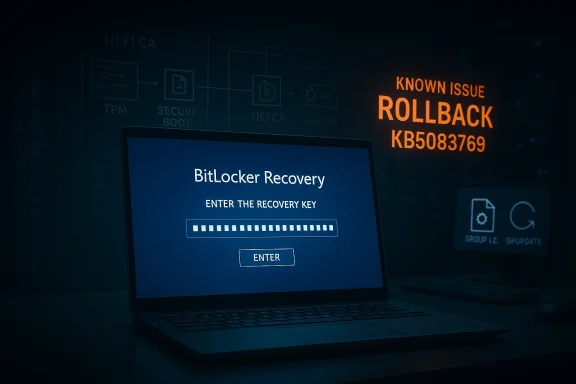
Windows 11’s April 2026 security update is doing something far more alarming than just taking a long time to install: on a narrow set of systems, it can trigger a BitLocker recovery prompt at the next reboot. Microsoft has now documented the issue in KB5083769 and says the condition is tied to a very specific TPM, Secure Boot, and BitLocker policy combination, which is why most devices will never see it. But for managed PCs that do meet the trigger, the result is a boot-time lockout that can look, to users, exactly like corruption. Microsoft’s own support guidance now recommends either changing the Group Policy before installation or using a Known Issue Rollback on affected fleets.
The April 14, 2026 cumulative update for Windows 11, KB5083769, is not a tiny patch. Microsoft describes it as the monthly security update for Windows 11 versions 24H2 and 25H2, with security fixes and prior non-security improvements rolled into one package. That means it can touch servicing infrastructure, boot-time components, and platform trust state in ways that are much more complex than an ordinary app update. In other words, a “long reboot” does not automatically mean failure, but it does mean the system is doing more work under the hood.
That complexity matters because Windows has been modernizing its boot trust chain. Microsoft has been rolling out Secure Boot-related changes and preparing systems for certificate transitions, including the Windows UEFI CA 2023 path. Those changes are good for security, but they also create the kind of edge cases where BitLocker can decide a device no longer looks exactly like the one it encrypted against. When that happens, BitLocker does what it is designed to do: it pauses and asks for recovery.
This is why the current issue feels larger than a routine Patch Tuesday annoyance. A normal desktop glitch is inconvenient; a BitLocker recovery prompt at boot is a full stop. It happens before Windows fully loads, which means remote troubleshooting is harder, local self-service depends on having the recovery key, and enterprise support desks suddenly become the front line of a security event. Microsoft’s recovery guidance makes clear that the 48-digit key must be located by key ID, often from a Microsoft account or a work/school escrow location, which is a workable process only if the organization has been disciplined about key management.
What makes the April 2026 problem especially interesting is that Microsoft has not described it as a broad consumer outage. Instead, the company has framed it as an issue that affects devices with a very particular combination of BitLocker settings, Secure Boot state, and firmware trust assets. That tells you two things at once: the defect is real, and the population at risk is narrow enough that many users will never see it. The bad news is that the narrow population is often the one that matters most to IT.
Microsoft’s own BitLocker documentation explains why PCR 7 matters so much. When Secure Boot State PCR7 support is available, the default validation profile uses PCR 7 and PCR 11, and Microsoft recommends leaving this policy alone so Windows can choose the best balance of security and usability for the hardware. When administrators override that default, they are taking control of a highly sensitive boot measurement path. That can be useful in tightly managed environments, but it also increases the chance that a firmware or boot-manager transition will trigger recovery.
The April 2026 issue appears to be exactly that sort of mismatch. Microsoft says the trigger involves BitLocker being enabled on the OS drive, a TPM platform validation profile that explicitly includes PCR7, Secure Boot State PCR7 Binding showing “Not Possible,” the UEFI CA 2023 certificate being present in the Secure Boot database, and the device not yet running the 2023-signed Windows Boot Manager. That is a very specific set of preconditions, and it explains why Microsoft is treating this as a configuration problem rather than a mass-market outage.
The practical implication is that the issue sits at the intersection of policy, firmware, and update sequencing. If a device is already halfway through a Secure Boot trust transition, the update can force BitLocker to re-evaluate the platform in a way that looks like a risk event. That does not mean the PC is corrupted. It means Windows has detected a change in the early-boot trust chain and is refusing to assume everything is fine without the recovery key.
For consumers, that usually translates into panic. For enterprises, it translates into a checklist. The difference is organizational maturity: whether the recovery key is escrowed, whether the policy is standardized, and whether administrators know exactly which endpoints are using explicit PCR7 binding. Microsoft’s guidance makes clear that IT should audit those settings before deploying the update, not after the first wave of lockouts.
In a consumer setting, the most common fallback is a personal Microsoft account, because device encryption and BitLocker keys are often backed up automatically. In an enterprise setting, the key may live in Entra ID, a directory escrow system, or an endpoint management platform. That means the problem is less about remembering a password and more about whether recovery metadata is actually discoverable under pressure.
This is also why the timing matters. Microsoft says the prompt can appear on the first restart after installing KB5083769, and then generally does not recur unless the relevant policy changes again. So the experience is often a one-time trapdoor: the machine boots, asks for the key, and then behaves normally afterward. That is reassuring in one sense, but it does not help the person stranded at the recovery screen on patch night.
Consumers are less likely to have the specific group policy that triggers Microsoft’s documented bug, but they are not insulated from BitLocker anxiety. Most users do not know what PCR7 is, and they certainly do not want to learn it after a reboot. So even a narrow technical bug has a much wider reputational shadow across the Windows ecosystem.
That list matters because it tells administrators this is not a random rollout failure. It is a configuration intersection. Microsoft is effectively saying that if your boot trust chain is already in a particular transitional state, the April update may force a validation event that lands in recovery. That is very different from “the update broke BitLocker for everyone.”
The first reboot after patching is already a high-alert moment for administrators. If a security update also changes the boot chain, the risk of false alarms climbs sharply. That is why the problem is so disruptive even though Microsoft calls it limited. A one-time lockout can still be a major incident if it happens to the wrong machine at the wrong time.
That guidance is important because it explains the whole failure mode. If an administrator has hardened the system by forcing PCR7 into the validation profile, and the machine is in a state where PCR7 binding is not possible, the update can expose the mismatch. In effect, the policy is more brittle than the default.
That is why these incidents often hit the most security-conscious systems first. The better managed the device, the more likely it is to use explicit policy and staged trust updates. Those are good practices, but they also create more points where a monthly update can surface a previously hidden mismatch.
Once the key is entered, the machine should continue into Windows and should not need the key again on every boot. That is the good news. The bad news is that if the underlying configuration remains unchanged, the next boot-cycle event that touches the trust chain could trigger a similar recovery request again.
There is also a subtler issue. When users see extra reboots, recovery screens, and policy language like PCR7, they stop thinking of Windows as a stable appliance and start thinking of it as a fragile system that needs babysitting. That is not a healthy perception for Microsoft’s long-term servicing model. Security-positive changes lose their appeal fast if users experience them as surprise lockouts.
Microsoft says a permanent resolution is planned in a future Windows update. Until then, enterprises will probably treat this as a deployment-planning issue, not a reason to skip security updates entirely. That is the right instinct. The challenge is making sure the balance between security and availability does not tip too far toward lockouts every time Microsoft updates the boot chain.
Source: Windows Central https://www.windowscentral.com/micr...-breaks-bitlocker-for-some-pcs-heres-the-fix/
 Background
The April 14, 2026 cumulative update for Windows 11, KB5083769, is not a tiny patch. Microsoft describes it as the monthly security update for Windows 11 versions 24H2 and 25H2, with security fixes and prior non-security improvements rolled into one package. That means it can touch servicing infrastructure, boot-time components, and platform trust state in ways that are much more complex than an ordinary app update. In other words, a “long reboot” does not automatically mean failure, but it does mean the system is doing more work under the hood.That complexity matters because Windows has been modernizing its boot trust chain. Microsoft has been rolling out Secure Boot-related changes and preparing systems for certificate transitions, including the Windows UEFI CA 2023 path. Those changes are good for security, but they also create the kind of edge cases where BitLocker can decide a device no longer looks exactly like the one it encrypted against. When that happens, BitLocker does what it is designed to do: it pauses and asks for recovery.
This is why the current issue feels larger than a routine Patch Tuesday annoyance. A normal desktop glitch is inconvenient; a BitLocker recovery prompt at boot is a full stop. It happens before Windows fully loads, which means remote troubleshooting is harder, local self-service depends on having the recovery key, and enterprise support desks suddenly become the front line of a security event. Microsoft’s recovery guidance makes clear that the 48-digit key must be located by key ID, often from a Microsoft account or a work/school escrow location, which is a workable process only if the organization has been disciplined about key management.
What makes the April 2026 problem especially interesting is that Microsoft has not described it as a broad consumer outage. Instead, the company has framed it as an issue that affects devices with a very particular combination of BitLocker settings, Secure Boot state, and firmware trust assets. That tells you two things at once: the defect is real, and the population at risk is narrow enough that many users will never see it. The bad news is that the narrow population is often the one that matters most to IT.
Overview
BitLocker is supposed to be strict. It protects data by validating the machine’s startup environment before it unlocks the operating system drive. If the platform measurements do not match what the TPM expects, BitLocker treats the difference as potentially suspicious and falls back to recovery. That behavior is not a bug in itself; it is the security model working as intended. The problem is that Windows updates, firmware changes, and trust-chain transitions can look a lot like tampering even when they are perfectly legitimate.Microsoft’s own BitLocker documentation explains why PCR 7 matters so much. When Secure Boot State PCR7 support is available, the default validation profile uses PCR 7 and PCR 11, and Microsoft recommends leaving this policy alone so Windows can choose the best balance of security and usability for the hardware. When administrators override that default, they are taking control of a highly sensitive boot measurement path. That can be useful in tightly managed environments, but it also increases the chance that a firmware or boot-manager transition will trigger recovery.
The April 2026 issue appears to be exactly that sort of mismatch. Microsoft says the trigger involves BitLocker being enabled on the OS drive, a TPM platform validation profile that explicitly includes PCR7, Secure Boot State PCR7 Binding showing “Not Possible,” the UEFI CA 2023 certificate being present in the Secure Boot database, and the device not yet running the 2023-signed Windows Boot Manager. That is a very specific set of preconditions, and it explains why Microsoft is treating this as a configuration problem rather than a mass-market outage.
The practical implication is that the issue sits at the intersection of policy, firmware, and update sequencing. If a device is already halfway through a Secure Boot trust transition, the update can force BitLocker to re-evaluate the platform in a way that looks like a risk event. That does not mean the PC is corrupted. It means Windows has detected a change in the early-boot trust chain and is refusing to assume everything is fine without the recovery key.
For consumers, that usually translates into panic. For enterprises, it translates into a checklist. The difference is organizational maturity: whether the recovery key is escrowed, whether the policy is standardized, and whether administrators know exactly which endpoints are using explicit PCR7 binding. Microsoft’s guidance makes clear that IT should audit those settings before deploying the update, not after the first wave of lockouts.
Why BitLocker Recovery is So Disruptive
The main reason this incident feels dramatic is that BitLocker recovery is not a friendly error state. It is a pre-boot challenge that effectively says, “This machine no longer proves it is the machine we trusted yesterday.” That is powerful from a security standpoint, but it is brutal from an operational one. If the user is at home without the recovery key, the computer stops being a working endpoint and becomes a locked vault.The 48-digit bottleneck
Microsoft’s recovery flow depends on the recovery key ID and the associated 48-digit key. Users are instructed to locate the correct key in a Microsoft account, work/school account, printout, or USB backup, then enter it on the recovery screen. That is manageable when the key is readily available. It becomes a crisis when it is not.In a consumer setting, the most common fallback is a personal Microsoft account, because device encryption and BitLocker keys are often backed up automatically. In an enterprise setting, the key may live in Entra ID, a directory escrow system, or an endpoint management platform. That means the problem is less about remembering a password and more about whether recovery metadata is actually discoverable under pressure.
Why it feels like corruption
A user who sees repeated reboots or a sudden recovery prompt naturally assumes the drive is damaged. But BitLocker recovery is not evidence of disk corruption by itself. It is evidence that the startup environment changed in a way the TPM did not accept as normal. That distinction is subtle in technical terms and invisible in emotional terms, which is why these incidents spread confusion so quickly.This is also why the timing matters. Microsoft says the prompt can appear on the first restart after installing KB5083769, and then generally does not recur unless the relevant policy changes again. So the experience is often a one-time trapdoor: the machine boots, asks for the key, and then behaves normally afterward. That is reassuring in one sense, but it does not help the person stranded at the recovery screen on patch night.
Enterprise impact versus consumer impact
The enterprise risk is much larger because fleets depend on consistency. A single policy or firmware misalignment can affect multiple devices, and each one may need a recovery key to continue. For remote workers, that is especially painful because the help desk cannot always reach the physical machine or escort the user through the recovery process in real time.Consumers are less likely to have the specific group policy that triggers Microsoft’s documented bug, but they are not insulated from BitLocker anxiety. Most users do not know what PCR7 is, and they certainly do not want to learn it after a reboot. So even a narrow technical bug has a much wider reputational shadow across the Windows ecosystem.
What Microsoft Actually Confirmed
Microsoft’s support notes for KB5083769 now include a known issue for devices with an unrecommended BitLocker Group Policy configuration. The company says such devices might be required to enter their BitLocker recovery key after installing the update, and it explicitly ties the behavior to the Secure Boot transition path. That is as close as you get to an official acknowledgment that the problem is not anecdotal.The documented trigger conditions
Microsoft’s criteria are unusually specific. BitLocker must be enabled on the operating system drive. The policy “Configure TPM platform validation profile for native UEFI firmware configurations” must explicitly include PCR7. System Information must show “Secure Boot State PCR7 Binding” as “Not Possible.” The UEFI CA 2023 certificate must be present in the Secure Boot DB. And the device must not already be using the 2023-signed Windows Boot Manager.That list matters because it tells administrators this is not a random rollout failure. It is a configuration intersection. Microsoft is effectively saying that if your boot trust chain is already in a particular transitional state, the April update may force a validation event that lands in recovery. That is very different from “the update broke BitLocker for everyone.”
Why the first reboot is the danger point
Microsoft says the prompt generally appears on the first reboot after installation. After the recovery key is entered, the machine should boot normally on subsequent restarts, assuming policy stays unchanged. That is the signature of a trust-binding re-evaluation, not a permanently damaged encryption layer.The first reboot after patching is already a high-alert moment for administrators. If a security update also changes the boot chain, the risk of false alarms climbs sharply. That is why the problem is so disruptive even though Microsoft calls it limited. A one-time lockout can still be a major incident if it happens to the wrong machine at the wrong time.
Why Microsoft recommends policy review
Microsoft’s guidance is clear: enterprises should audit BitLocker group policies, check PCR7 binding status withmsinfo32, and remove the explicit PCR7 configuration if possible before installing the update. If the policy cannot be removed quickly, Microsoft says a Known Issue Rollback can be deployed through support channels. That is a very enterprise-specific remedy, and it underlines how much this issue depends on deployment discipline.- Check whether BitLocker is enabled on the OS drive.
- Confirm whether PCR7 is explicitly included in the TPM validation profile.
- Verify whether
msinfo32reports PCR7 binding as “Not Possible.” - Determine whether the device is already on the 2023-signed Windows Boot Manager.
- Use a KIR only when policy changes are not practical before rollout.
The Role of Secure Boot and PCR7
This story is really about Secure Boot as much as it is about BitLocker. Secure Boot ensures that the computer’s preboot environment loads only firmware that is signed by trusted publishers. BitLocker then uses platform measurements from that environment to decide whether the machine still deserves automatic unlock. When the trust chain changes, BitLocker becomes conservative by design.Why PCR7 is special
PCR7 is tied to Secure Boot state. Microsoft says that when PCR7 support is available, BitLocker’s default platform validation profile can secure the key using Secure Boot State PCR7 and PCR11. The company also recommends not explicitly configuring that policy in most cases, because leaving Windows to choose the profile gives the best balance of security and usability.That guidance is important because it explains the whole failure mode. If an administrator has hardened the system by forcing PCR7 into the validation profile, and the machine is in a state where PCR7 binding is not possible, the update can expose the mismatch. In effect, the policy is more brittle than the default.
The 2023 certificate transition
The presence of the UEFI CA 2023 certificate is another clue that Microsoft is managing a broader boot-chain transition. If the certificate is in place but the machine has not yet switched to the 2023-signed boot manager, the platform can be caught between eras. BitLocker does not care that the transition is “almost” complete; it cares whether the measurements line up right now.That is why these incidents often hit the most security-conscious systems first. The better managed the device, the more likely it is to use explicit policy and staged trust updates. Those are good practices, but they also create more points where a monthly update can surface a previously hidden mismatch.
Why this is not just a Windows 11 problem
Microsoft’s documentation around PCR7 and Secure Boot is broader than a single update cycle. The same trust mechanics are used across modern Windows endpoints, and the company’s guidance makes clear that PCR7 binding issues can show up when firmware, certificates, or image signing do not align. That means the April 2026 episode is less a one-off bug than a reminder that boot trust is becoming an ongoing maintenance surface.- Secure Boot is about trusted early boot execution.
- BitLocker is about verifying that the trusted boot path still matches expectations.
- PCR7 is the measurement that links the two.
- The April update appears to trip devices that are mid-transition between boot trust states.
What Affected Users Should Do
The immediate priority is simple: if the machine is already at the recovery screen, enter the correct BitLocker recovery key once and let the PC boot normally. Microsoft says this is usually a one-time recovery event, so the device should not keep demanding the key on every restart unless the relevant policy changes again.Recovery steps in practice
To find the key, Microsoft tells users to note the recovery key ID from the prompt, then locate the matching key in a Microsoft account, work or school account, printout, or USB backup. If the PC belongs to an organization, the IT department may already have the escrowed key. If not, the machine may be effectively stranded until the key is found.Once the key is entered, the machine should continue into Windows and should not need the key again on every boot. That is the good news. The bad news is that if the underlying configuration remains unchanged, the next boot-cycle event that touches the trust chain could trigger a similar recovery request again.
How to prevent it before the next reboot
If the update has not yet been installed, Microsoft’s recommended move is to set the TPM validation policy to Not Configured, refresh policy withgpupdate /force, suspend BitLocker protectors on the system drive, and then re-enable them after the policy change has been applied. That sequence allows Windows to rebind BitLocker using its default PCR profile.- Open Group Policy Editor.
- Navigate to the BitLocker operating system drive policy path.
- Set the TPM validation profile policy to Not Configured.
- Run
gpupdate /force. - Suspend BitLocker protectors with
manage-bde -protectors -disable C:. - Re-enable them with
manage-bde -protectors -enable C:.
What not to do
Do not assume that every reboot-heavy install is broken. Multiple restarts can be normal when boot-critical components are being staged. At the same time, do not ignore a BitLocker screen and hope it resolves itself. A recovery prompt is a deliberate security decision, not a transient UI hiccup.- Do not panic-uninstall the entire update estate without checking whether the fleet matches the trigger.
- Do not leave recovery keys untested or unescrowed.
- Do not assume consumer and enterprise recovery behavior will be identical.
- Do not keep explicit PCR7 validation enabled if your environment does not actually need it.
- Do not reboot heavily managed systems without a recovery plan.
Why This Matters to Microsoft’s Servicing Reputation
Windows updates have a credibility problem whenever they interrupt boot. Users can forgive a slow installer, a cosmetic bug, or even a temporary settings glitch. They are far less forgiving when the operating system asks them to prove they own the machine before the desktop appears. BitLocker recovery is the kind of problem people remember, even if the affected population is relatively small.The trust-cost of monthly servicing
Microsoft is trying to do two hard things at once: harden the platform and keep the update cycle predictable. The April 2026 case shows how easy it is for those goals to collide. A security update that moves the boot chain forward can still be perceived as “the thing that locked my PC.” That reputational cost is real, especially in organizations that already approach Patch Tuesday with caution.There is also a subtler issue. When users see extra reboots, recovery screens, and policy language like PCR7, they stop thinking of Windows as a stable appliance and start thinking of it as a fragile system that needs babysitting. That is not a healthy perception for Microsoft’s long-term servicing model. Security-positive changes lose their appeal fast if users experience them as surprise lockouts.
The enterprise lesson
For enterprise IT, the lesson is not to avoid Secure Boot modernization. It is to treat it as a migration project, not a routine patch. That means verifying policy state, boot-manager versions, certificate rollout status, and recovery-key escrow before broad deployment. The April update simply exposed how tightly those pieces are now connected.- Boot trust changes need staging, not improvisation.
- BitLocker policy should be as standardized as possible.
- Recovery keys should be testable before patch day.
- Firmware and certificate rollouts need the same discipline as OS updates.
- Pilot rings matter more when the boot chain is changing.
Strengths and Opportunities
There is a positive story hidden inside this mess. Microsoft has at least documented the issue quickly, bounded the affected population, and provided a clear remediation path. For admins, the fact that the company has spelled out the exact trigger conditions is useful because it turns a vague scare into something that can be audited and controlled. That is not perfect, but it is better than silence.- The issue is narrowly scoped rather than system-wide.
- Microsoft has published concrete trigger conditions.
- The workaround is understandable for IT staff.
- A one-time recovery event is less damaging than persistent lockout.
- The KIR option gives enterprises a deployment safety valve.
- Microsoft’s documentation helps turn speculation into a real checklist.
Risks and Concerns
The obvious risk is support overload. If even a modest number of managed endpoints hit the recovery screen at the same time, help desks will be flooded with key-retrieval requests and walk-throughs. The secondary risk is that users, not understanding the difference between a legitimate recovery event and corruption, may believe the patch ruined their machine.- Recovery keys may not be easy to locate quickly.
- Remote users may be stranded away from IT support.
- Explicit PCR7 policies create avoidable fragility.
- Secure Boot transitions can collide with update timing.
- Extra reboots can mask whether installation is progressing normally.
- Public confidence in Windows updates can erode even when the bug is narrow.
Looking Ahead
The key question now is whether Microsoft can complete the Secure Boot transition without turning every monthly update into a mini forensic exercise. The April 2026 KB5083769 issue is contained, but it is also a warning shot: boot trust is becoming a first-class servicing concern, not a background detail. That means the quality bar for future patches has to include not just installation success, but also reboot predictability and recovery behavior.Microsoft says a permanent resolution is planned in a future Windows update. Until then, enterprises will probably treat this as a deployment-planning issue, not a reason to skip security updates entirely. That is the right instinct. The challenge is making sure the balance between security and availability does not tip too far toward lockouts every time Microsoft updates the boot chain.
- Watch for a future update that removes the recovery trigger entirely.
- Monitor whether Microsoft expands KIR guidance for more environments.
- Check if more Secure Boot transitions surface similar BitLocker edge cases.
- Track whether enterprises revise BitLocker policies toward default profiles.
- Watch for clearer tooling around PCR7 binding and boot-manager status.
Source: Windows Central https://www.windowscentral.com/micr...-breaks-bitlocker-for-some-pcs-heres-the-fix/
