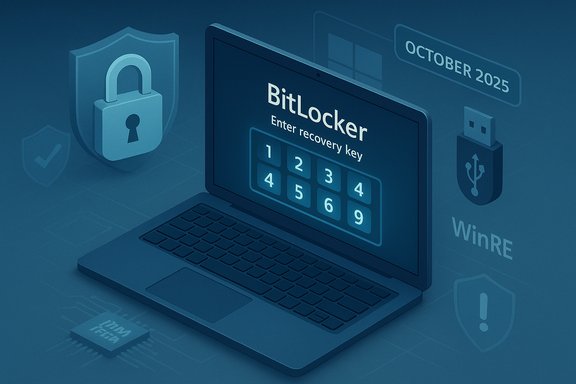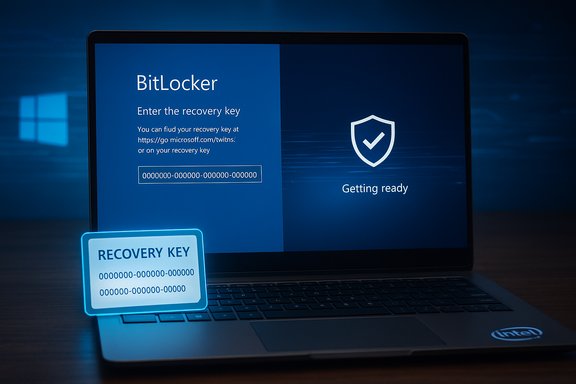
Microsoft has warned that a wave of October 2025 updates can, on some machines, trigger unexpected BitLocker recovery prompts during restart or boot — a one‑time interruption that requires entry of the 48‑digit recovery key before normal operation resumes and that disproportionately affects Intel‑based systems that support Connected Standby (Modern Standby).
Background
What changed in October 2025
On October 14, 2025 Microsoft shipped its October cumulative update wave for supported Windows releases. Those cumulative updates (notably KB5066835 for current Windows 11 servicing branches and KB5066791 for the Windows 10 22H2 servicing path) contained a mix of security hardenings and quality fixes. Within days, field reports and Microsoft’s Release Health posts showed multiple high‑impact regressions tied to that servicing wave: local “localhost” networking breakage for some developer setups, problems with smart‑card certificate behavior, and failures inside the Windows Recovery Environment (WinRE) that disabled USB keyboard/mouse input on some systems. A subset of affected client devices then booted into the BitLocker recovery screen and required manual entry of the recovery key to continue. Microsoft acknowledged the behavior for certain client builds and published targeted guidance and mitigations for managed environments.Why this matters right now
BitLocker is full‑disk encryption designed to block unauthorized access to data when a device is tampered with or stolen. When BitLocker detects a discrepancy in the measured secure‑boot / TPM / pre‑boot state it responds by dropping the system into recovery and demanding the recovery key. That hard‑stop is the intended security behavior — but when an update or servicing path inadvertently produces a measurement mismatch (or leaves the WinRE image unable to initialize USB input), legitimate devices can be forced into recovery unnecessarily. The result is an operational interruption and, in the worst case, permanent data inaccessibility if the recovery key cannot be located.Overview of affected systems and timeline
Affected operating system builds
- Windows 11, version 25H2 and 24H2 (affected by KB5066835).
- Windows 10, version 22H2 (the October 14, 2025 cumulative was delivered as KB5066791 for those builds).
Hardware profile: Intel + Connected (Modern) Standby
Telemetry and field reports — and Microsoft’s advisories — indicate the issue is concentrated on Intel‑based devices that implement Connected Standby (also known as Modern Standby). These systems use a low‑power S0 suspend model and tighter firmware/driver interactions during suspend/resume and update cycles; that platform difference appears correlated with a higher incidence of post‑update BitLocker prompts. Microsoft described the problem as “mostly Intel PCs” in its advisory, and multiple independent outlets reported the same correlation. However, Microsoft has not published a full engineering post‑mortem that enumerates an exact file‑level chain of failure that definitively proves why Connected Standby platforms are more likely to be affected. Treat the connection as plausible and directional, but not yet a comprehensive root‑cause proof.Symptom set seen in the wild
Two related but distinct failure modes were widely reported:- Unexpected BitLocker recovery screen at boot, requiring the 48‑digit recovery key (one‑time in many verified cases).
- WinRE (Advanced Startup / recovery UI) failing to accept USB keyboard or mouse input, making recovery navigation impossible unless alternate input methods (touchscreen, PS/2 keyboard, pre‑created recovery media) are available. Microsoft issued an out‑of‑band fix specifically for the WinRE USB input regression.
Technical anatomy — how an update can provoke BitLocker recovery
WinRE / Safe OS is intentionally minimal and therefore brittle
The Windows Recovery Environment runs a compact "Safe OS" image (winre.wim) with a very small driver set by design. That small footprint boosts reliability when the full OS fails, but it also makes WinRE sensitive: if servicing replaces winre.wim or refreshes Safe OS components and the new image omits a required low‑level driver (for example, an xHCI USB host controller variant used on a given laptop), WinRE can appear to be unable to detect the attached keyboard and mouse even though they work fine inside the full Windows runtime. That mismatch can leave a user without a way to interact with recovery flows.BitLocker triggers on measurement mismatches
BitLocker guards disk access via TPM and boot‑chain measurements (and optional pre‑boot secrets). If the update path results in a perceived change of the boot measurements — for example, an updated Safe OS image, a different boot manager hash, or a discrepancy introduced by how the platform suspended/resumed during servicing — BitLocker can interpret the change as a potential tamper event and require the recovery key. On Modern Standby platforms those suspend/resume semantics and the way the update is applied can be subtly different, increasing the risk of such a measurement mismatch. The net effect is secure behavior (recovery) that produces an inconvenient operational interruption.Packaging & rollback complexity
Microsoft bundles servicing stack updates (SSUs) and the latest cumulative update (LCU) together in modern delivery. That accelerates deployment, but when pre‑boot components are updated as part of such combined packages the simple “uninstall the KB” rollback is often not an option to restore prior WinRE or Safe OS artifacts. This complicates incident response and increases the reliance on vendor‑provided mitigations such as Known Issue Rollback (KIR) or out‑of‑band cumulative fixes.How Microsoft responded (what’s available now)
Known Issue Rollback (KIR) and Group Policy options
Microsoft activated Known Issue Rollback mechanisms and published guidance for enterprises to apply KIR packages (Group Policy / MSI) that neutralize the problematic change without removing the security fixes themselves. For managed fleets, Microsoft expects IT administrators to deploy the special Group Policy MSI or contact Microsoft Support for Business to coordinate rollout of KIR across an estate. The KIR approach is the recommended enterprise mitigation path when rapid rollback semantics are required.Out‑of‑band cumulative fix (KB5070773) for WinRE USB input
To address cases where WinRE input was non‑functional, Microsoft released an out‑of‑band cumulative update (KB5070773) on October 20, 2025 that repairs WinRE USB behavior and refreshes Safe OS artifacts. Organizations and individual users are advised to install the OOB package or apply the KIR measures if they’ve already encountered the issue. Microsoft’s Release Health pages list KB5070773 as resolving the WinRE USB regression.Guidance to enterprise customers
Microsoft’s support pages and Release Health guidance instruct enterprise administrators to:- Inventory devices that installed the October 14 updates and classify them by Modern Standby support and input topology.
- Escrow and verify BitLocker recovery keys (Azure AD / Entra ID, on‑prem AD or Intune).
- Deploy the KIR MSI or the OOB cumulative fix in pilots before broad rollout.
Practical, step‑by‑step recovery and mitigation actions
If you see a BitLocker recovery screen right now
- On the BitLocker recovery screen note the recovery key ID (the first block of digits shown) to identify the matching key.
- Retrieve the 48‑digit recovery key:
- Consumer devices: sign into your Microsoft account and view saved recovery keys.
- Managed devices: ask your IT helpdesk to retrieve the key from Azure AD / Entra ID or Active Directory.
- Enter the 48‑digit key to unlock the drive and allow the device to boot. After booting, check Windows Update and install any available out‑of‑band patches (for WinRE USB issues this is KB5070773).
If WinRE doesn’t accept your USB keyboard/mouse
- Use touchscreen input if the device has a touchscreen, or a PS/2 keyboard if the motherboard supports one. A USB‑to‑PS/2 adapter may work on some systems.
- If WinRE is unusable and you cannot enter a recovery key, boot from a validated Windows recovery USB or WinPE created on another machine (this lets you reach a working recovery environment to apply fixes or run diagnostics).
For administrators: concrete runbook items
- Verify which devices installed KB5066835 / KB5066791 and cross‑reference with OEM model/firmware.
- Confirm all BitLocker recovery keys are escrowed and test retrieval workflows (Azure AD, AD, Intune).
- Deploy KB5070773 to a pilot ring and validate WinRE input; if immediate neutralization is needed deploy the Known Issue Rollback MSI per Microsoft’s guidance.
- Consider suspending BitLocker (cautiously) for firmware/driver maintenance windows using Suspend‑BitLocker or manage‑bde before you apply non‑OS firmware updates, then re‑enable once validated. Example commands:
- Suspend-BitLocker -MountPoint "C:" -RebootCount 2
- manage‑bde -protectors -disable C: -rebootcount 2
(Suspend only under strict controls — it temporarily reduces disk protection.
Critical analysis — Microsoft’s response and the broader hazard model
What Microsoft did well
- Rapid acknowledgement and multi‑track mitigation: Microsoft moved quickly to document the issues on Release Health, deliver an out‑of‑band cumulative (KB5070773) for WinRE restoration, and provide Known Issue Rollback tooling for managed estates. That combination recognizes the realities of enterprise patching and the need to neutralize regressions without stripping security fixes.
- Practical recovery guidance: the vendor published concrete workarounds (touchscreen, PS/2, recovery USB) and clear instructions for enterprises on KIR deployment and recovery key management.
What remains troubling
- Recurrence of pre‑boot regression class: this incident follows a pattern — other update waves over the previous 18 months also produced BitLocker/WinRE regressions on specific hardware classes. Each recurrence underscores a testing gap around pre‑boot tooling, OEM firmware variants, and Modern Standby device behavior. Microsoft’s OOB fixes are effective, but the underlying complexity remains.
- Rollback friction for administrators: combined SSU+LCU packaging and Safe OS updates mean simple uninstalls may not restore a previously‑working winre.wim. Administrators are therefore reliant on vendor KIRs or OOB repackaging rather than simple uninstall playbooks, which complicates incident response.
- Data‑loss risk for the unprepared: BitLocker’s security model is intentionally unforgiving — if recovery keys are not properly escrowed and accessible, recovery can be impossible. That risk is amplified in mixed fleets, BYOD scenarios, or for users who never registered their recovery key to a Microsoft account. The core of the problem is operational: encryption protects data, but safe update processes and key management are prerequisites for reliability.
Claims that require caution or remain unverified
- Precise engineering chain linking Connected Standby to the BitLocker trigger: public vendor messaging and independent analysis point to a plausible interaction, but Microsoft has not published a detailed engineering post‑mortem enumerating exact file or driver changes that produced the measurement mismatch. Until such an analysis is released by Microsoft (or OEMs provide device‑specific findings), the exact causal chain is directional, not fully verified. Readers should treat any definitive statements about the internals as provisional.
Practical recommendations: immediate and medium‑term
For individual users
- Immediately confirm you can access your BitLocker recovery key:
- If you use a Microsoft account, visit your account’s recovery key area and save the matching 48‑digit strings to a secure password manager or printed backup.
- Install Windows updates and the KB5070773 OOB fix as offered in Windows Update if your device is eligible; if you are stuck in recovery, follow the recovery steps above.
- Create and store a validated Windows recovery USB drive for emergencies.
For IT teams and enterprises
- Inventory: identify devices that installed October 14 updates and prioritize Modern Standby + Intel device classes.
- Escrow & test recovery keys: verify Azure AD/AD/Intune key escrow and perform retrieval drills with the helpdesk.
- Use KIR where appropriate: apply Microsoft’s Known Issue Rollback MSI for affected branches if the fleet requires immediate neutralization. Pilot before wide deployment.
- Update incident playbooks: include reagentc checks, validated winre.wim artifacts in imaging pipelines, and documented procedures for rescue via pre‑staged WinPE/USB media.
Conclusion
The October 2025 update wave re‑illustrated a persistent tension in modern OS servicing: security hardenings and faster distribution matter, but updates that touch pre‑boot components and Safe OS imagery carry outsized operational risk. Microsoft’s response — KIR, out‑of‑band patches and clear recovery guidance — mitigated the immediate outage risk for many organizations, but the event also exposes systemic fragility: WinRE’s small driver surface makes recovery robust in normal conditions and brittle when servicing paths deviate; combined packaging complicates rollback; and Modern Standby platform diversity increases the testing surface.The practical takeaway for every Windows owner and administrator is immediate and mundane: verify where your BitLocker recovery keys are stored, create and test recovery media, and treat updates that touch firmware or the boot chain as first‑class operational events that deserve staged pilots and clear recovery playbooks. Microsoft continues to investigate and to roll out mitigations; for managed estates, engaging Microsoft Support for Business on the KIR options remains the most direct path to a systematic remediation.
Source: Cyber Press Microsoft Warns October 2025 Updates May Trigger BitLocker Recovery on Some Windows Systems