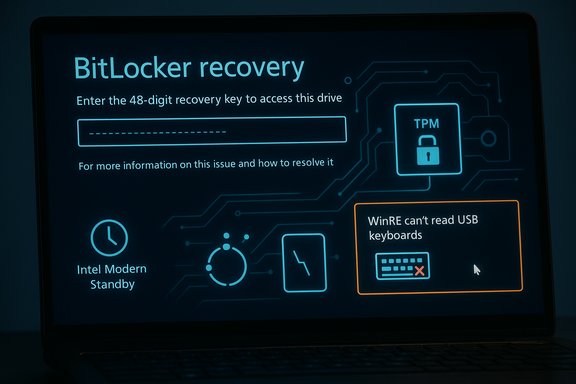
October 2025 Windows Updates Trigger BitLocker Recovery and WinRE USB Input Failure

  • Thread Author
Microsoft’s October servicing wave introduced a painful surprise for some Windows users and administrators: after installing the October cumulative updates, a subset of devices booted straight into the BitLocker recovery screen and — in many of those same cases — the Windows Recovery Environment (WinRE) refused to accept USB keyboard or mouse input, leaving systems effectively unmanageable until fixes were applied.

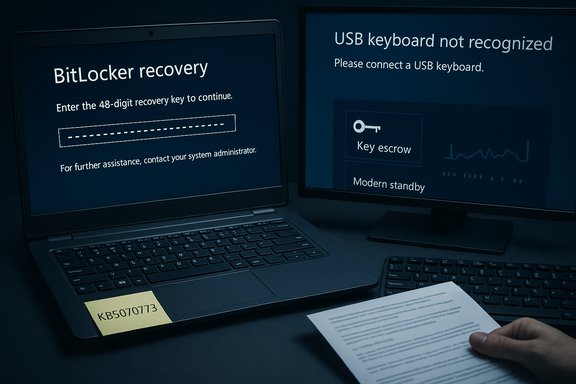
BitLocker recovery shown on the left, USB keyboard not recognized on the right.Background / Overview​

Microsoft shipped its October 14, 2025 cumulative updates for Windows 11 and related servicing chains. The originating Knowledge Base entries most commonly mentioned in field reports are KB5066835 for Windows 11 (24H2 / 25H2) and KB5066791 for Windows 10 (22H2 servicing paths). Within days of that rollout, two high-impact symptoms appeared in telemetry and community reports: (1) some systems prompted for the BitLocker recovery key at boot even though no obvious hardware or firmware changes had been made, and (2) on many affected systems WinRE did not accept USB keyboard or mouse input, rendering the recovery UI unusable for users who rely on USB-only input. Microsoft acknowledged the WinRE USB regression and issued an out‑of‑band fix to restore USB functionality. This combination — a pre-boot encryption gate (BitLocker) plus a broken recovery environment — creates a worst-case operational outage: a protected drive that won’t unlock because the key is required, and a recovery interface that won’t accept the inputs needed to enter that key. For organizations and helpdesks, the result was elevated support queues, on-site visits, and urgent patch orchestration.

What happened: concise timeline​

  • October 14, 2025 — Microsoft released the October cumulative updates (originating KBs such as KB5066835 and KB5066791).
  • Mid‑October 2025 — Community and enterprise telemetry surfaced repeated reports of BitLocker recovery prompts on restart and WinRE USB input failures. Field signals pointed to a higher incidence on Intel-based machines using Modern Standby / Connected Standby.
  • October 20, 2025 — Microsoft released an out‑of‑band cumulative update, KB5070773, which explicitly listed a fix for USB devices not working in WinRE. That update re-packaged October security fixes alongside Safe OS/WinRE corrections.
Microsoft published Release Health entries and provided enterprise-grade mitigations such as Known Issue Rollback (KIR) and Group Policy artifacts for managed deployments — but the vendor stopped short of a detailed, line‑by‑line public root‑cause breakdown at the time of the emergency remediation.

Affected systems and scope​

Operating systems and KBs​

  • Windows 11 (versions 25H2 and 24H2) — impacted by KB5066835 (October 14, 2025).
  • Windows 10 (version 22H2) — some servicing paths showed similar behavior tied to KB5066791.

Hardware patterns​

Community telemetry and Microsoft messaging described the issue as being disproportionately observed on Intel-based systems that implement Modern Standby / Connected Standby. That correlates with how those platforms handle low‑power S0 sleep states and resume/suspend sequences — behavior that can subtly change the platform’s measured boot state. While this correlation is directionally credible and widely reported, Microsoft has not published a full engineering post‑mortem proving the precise, file‑level causal chain. Treat the Modern Standby linkage as an informed field observation rather than an exhaustive root‑cause disclosure.

Notable additional observations​

  • The WinRE USB failure was isolated to the Safe OS / winre.wim context: USB keyboards and mice continued to work normally in the full Windows desktop but were not enumerated or functional inside WinRE. That pointed strongly at a Safe OS driver mismatch or packaging regression. Microsoft’s KB5070773 declared and remedied that specific symptom.
  • Multiple community threads and incident summaries noted that some Azure Virtual Desktop (AVD) or cloud-hosted session-host VMs were also observed stuck at BitLocker recovery in isolated reports; however, authoritative Microsoft confirmation for broad Azure VDI impact is limited in public documentation — these items should be treated as provisionally reported until an official Azure advisory is published.

Technical anatomy: why updates can trigger BitLocker recovery​

How BitLocker decides to ask for a recovery key​

BitLocker ties drive access to a set of platform measurements and protectors (TPM PCRs, Secure Boot state, UEFI variables, and optional pre‑boot authentication). If the platform’s measured state changes between boots — indicating firmware updates, altered bootloaders, or different pre‑boot images — the TPM may withhold automatic key release and BitLocker will require the 48‑digit recovery key to unlock the volume. This strict posture is by design: it prevents offline attacks but makes the system unforgiving when legitimate changes occur unexpectedly.

WinRE (Safe OS) fragility​

WinRE runs a deliberately minimal Safe OS (commonly winre.wim) with a very small set of drivers. That minimalism reduces complexity and improves reliability in degraded states — but it also makes WinRE brittle if servicing replaces or repackages the Safe OS with a driver set that omits a vendor‑specific USB host controller or HID driver variant. In such a case, the desktop may see your keyboard, but WinRE will not — and that breaks recovery flows. Field reproductions that restored a validated winre.wim often recovered input, pointing to a driver matrix mismatch as the proximate cause for the USB symptom.

Where update sequencing can go wrong​

Modern servicing bundles the Servicing Stack Update (SSU) and Latest Cumulative Update (LCU) together to speed deployment. When pre‑boot artifacts are modified as part of these combined packages, simple "uninstall the KB" rollback semantics are not always sufficient to restore the previous Safe OS image. That complicates incident response and increases reliance on vendor-provided mitigations like KIR or targeted out‑of‑band fixes.

Practical impact: consumer and enterprise risk​

For home users​

  • If your PC boots to a BitLocker recovery screen and you do not have the recovery key, your data is effectively inaccessible. BitLocker cannot be bypassed. The recommended first step is to check any Microsoft account or printed/USB backup for the 48‑digit recovery key. Microsoft documentation and community Q&A detail the standard key retrieval paths (personal Microsoft account, Azure AD/organization account, sealed printouts or USB backups).
  • If WinRE won’t accept USB input but your desktop boots normally, install the out‑of‑band fix KB5070773 via Windows Update to prevent future lockouts and restore safe recovery behavior. For systems already stuck in recovery, consider alternate input options such as touchscreen (if available), legacy PS/2 input, or booting from a validated Windows recovery USB drive that contains a tested winre.wim.

For enterprises and managed fleets​

  • The incident amplified demand for pre‑tested recovery playbooks. Administrators were urged to confirm BitLocker recovery keys are properly escrowed to Azure AD / on‑prem AD / MBAM / Intune, and to perform retrieval drills with helpdesk staff. Existing KIR packages and Group Policy artifacts can be used to neutralize problematic changes without uninstalling security fixes.
  • Remote VDI/Azure-hosted environments that rely on encrypted images require special care: if session hosts or Cloud PCs are configured with BitLocker and cannot be remotely unlocked, business continuity can be impacted. Where possible, pre‑stage recovery media, ensure keys are centrally retrievable, and validate that imaging pipelines include a tested winre.wim.

What to do now — immediate checklist​

  • Verify whether the October cumulative (KB5066835 / KB5066791) has been applied on critical endpoints. If so, prioritize deploying KB5070773 for Windows 11 24H2/25H2 to fix WinRE USB input and the packaged issues.
  • Confirm BitLocker recovery keys are escrowed and accessible: check personal Microsoft accounts, Azure AD, on‑prem AD, Intune/MBAM, or other management tooling. Run retrieval drills with helpdesk staff.
  • For planned firmware or update maintenance on BitLocker‑protected machines, suspend protection temporarily (one reboot) using supported tooling rather than uninstalling patches. Example commands:
  • Check status: manage-bde -status C:.
  • Suspend protection for one reboot: manage-bde -protectors -disable C: -rebootcount 1.
  • Resume protection: manage-bde -protectors -enable C:. These commands are part of Microsoft’s supported BitLocker administrative toolkit and should be used in controlled maintenance windows.
  • Create and validate an external Windows recovery USB (WinPE / Windows recovery drive) that can be used to unlock drives or repair boot chains when WinRE on the device is non‑functional.
  • For managed estates, consider KIR or vendor‑provided Group Policy mitigations to neutralize the change where immediate rollback would be risky. Contact Microsoft Support for Business when orchestrating large-scale mitigation.

How to find your BitLocker recovery key (practical notes)​

  • Personal devices: sign into your Microsoft account and check the Devices / Recovery Keys page to find stored recovery keys. If you used a different Microsoft account during OOBE, check that account.
  • Work/school devices: request the recovery key from your organization’s administrator; keys are frequently stored in Azure AD or Active Directory and can be retrieved by IT staff.
  • Offline backups: look for printed copies or a text file saved to a USB drive at setup time. If one exists, it can be used directly in the BitLocker recovery UI.
If no recovery key can be located, BitLocker’s design leaves no supported bypass: the remaining options are to reimage the device and restore data from offline backups. That’s why key escrow and recovery‑testing are non‑negotiable operational controls for BitLocker‑protected fleets.

What Microsoft did and what remains opaque​

Strengths of Microsoft’s response
  • The vendor acknowledged the WinRE input regression and delivered a targeted out‑of‑band cumulative update (KB5070773) within days, explicitly listing the WinRE USB fix. That quick remediation reduced the window of elevated risk for endpoints that could still boot to the desktop and receive updates.
  • For managed environments, Microsoft provided Known Issue Rollback (KIR) and Group Policy artifacts so administrators could mitigate the rollout without mass uninstalls — a pragmatic enterprise mitigation path.
What remains unclear or risky
  • Microsoft’s public advisories were deliberately high‑level and did not include a detailed engineering post‑mortem linking a single code change to the BitLocker triggers. That left administrators and OEMs doing correlation work across telemetry and field reproductions to identify the risk‑bearing hardware configurations. The Modern Standby correlation is plausible and repeated by multiple independent outlets, but without a full file‑level RCA the precise chain remains partially unverified.
  • Combined SSU+LCU packaging complicates simple uninstalls; if pre‑boot artifacts are changed, rolling back a single KB may not restore the prior Safe OS image. This structural packaging decision reduces rollback ease and increases reliance on vendor emergency updates.

Long‑term operational lessons​

  • Treat BitLocker as a critical security control that must be paired with robust key management: escrow keys centrally, validate retrieval workflows, and include key‑recovery drills in incident exercises.
  • Adopt phased update rings and test candidates across hardware representative of your fleet — especially Modern Standby devices and any machines that rely on USB‑only input topologies. A validated pilot ring will catch platform‑specific regressions before broad deployment.
  • Build imaging and recovery pipelines that keep a validated winre.wim artifact and recovery media accessible; a tested recovery USB can be the difference between remote recovery and an expensive site visit.
  • When performing firmware or driver updates that touch the boot chain, suspend BitLocker with manage-bde (one reboot) and resume immediately after maintenance. This reduces the chance an update sequence will leave the platform in a measured‑state mismatch.

Conclusion​

The October 2025 servicing wave illustrated a recurrent truth of modern OS maintenance: small changes to pre‑boot components or Safe OS images can have outsized operational consequences when they interact with platform security controls like BitLocker. Microsoft’s rapid delivery of an out‑of‑band patch (KB5070773) and the availability of KIR mitigations reduced the short‑term crisis, but the incident highlights persistent fragility at the boundary between cumulative servicing, firmware/TPM measurements, and minimal recovery environments.
For individuals, the pragmatic takeaway is simple and urgent: verify where your BitLocker recovery key is stored and ensure you have alternate recovery media. For administrators, the event is a reminder to treat pre‑boot updates as high‑risk changes: escrow keys centrally, pilot updates across hardware classes (with special attention to Modern Standby/Connected Standby systems), and keep a validated recovery playbook ready to execute the moment a recovery event appears. Short‑term fixes are available — but the recurring pattern argues for stronger testing and recovery hygiene across the Windows ecosystem.
Source: www.guru3d.com Windows 11 25H2 Update Causes Unexpected BitLocker Recovery Prompts
 

Microsoft’s return to a recurring BitLocker recovery bug — one that can force affected PCs into the 48‑digit recovery screen after installing October cumulative updates — is more than a one‑off irritation; it’s a stark reminder that Windows update rollouts still face fragile interactions with pre‑boot security and platform power states.

BitLocker recovery screen prompting for the 48-digit key, with TPM icon and USB keyboard warning.Background​

The October servicing wave released on October 14, 2025 included cumulative updates that, in a subset of installs, caused affected devices to boot into the BitLocker recovery screen and in some cases left the Windows Recovery Environment (WinRE) unable to accept USB input. Microsoft identified the originating KBs as KB5066835 for Windows 11 (versions 25H2 and 24H2) and KB5066791 for Windows 10 (version 22H2). Multiple outlets and enterprise telemetry corroborated that the issue was concentrated on Intel-based systems that implement Modern Standby / Connected Standby. This bug is not new. Microsoft and the Windows community previously saw similar BitLocker recovery prompts after cumulative updates in prior months and years, and May 2025 had an incident that produced comparable symptoms. The recurrence demonstrates how interactions between servicing updates, the pre‑boot environment (Safe OS / winre.wim), the TPM/Secure Boot measurement chain, and platform power-management paths can produce high‑impact user-facing failures.

What happened, in practical terms​

Two intertwined failure modes​

  • Symptom A — Affected systems can drop to the BitLocker recovery screen on boot and demand the device’s 48‑digit recovery key before continuing. Entering the correct key typically allows normal boot afterward, but without the key the drive remains encrypted and inaccessible.
  • Symptom B — On many of the same affected machines, WinRE (the compact pre‑boot recovery environment) failed to enumerate USB keyboards and mice, making it impossible to type the recovery key on USB‑only devices. Microsoft published an out‑of‑band fix specifically to restore USB input in WinRE (an emergency cumulative update KB5070773) to address that regression.
These two symptoms together created the worst‑case scenario: a device demands the BitLocker key but the recovery UI won’t accept input from the external keyboard, effectively locking the user out unless they had an alternate input method (built‑in touchscreen, PS/2 port, or pre‑created recovery media).

Which systems and builds were affected​

  • Windows 11: versions 25H2 and 24H2 where KB5066835 was applied.
  • Windows 10: version 22H2 where KB5066791 was applied (in the applicable servicing chain).
  • Hardware: Intel-based devices implementing Modern Standby reported disproportionate incidence, according to Microsoft’s internal advisory and field telemetry. This correlation has been repeatedly observed but not yet proven with a public line‑by‑line engineering root‑cause declaration. Treat that linkage as plausible but partially unverified.

Why BitLocker responds this way (technical anatomy)​

BitLocker’s central security model ties access to the OS volume to a set of measured values (TPM PCRs, Secure Boot state, UEFI variables, and the expected Safe OS pre‑boot chain). If those measurements change, BitLocker interprets the difference as a possible tampering attempt and falls back to the recovery flow that requires the 48‑digit recovery key. That strict posture is by design — it prevents offline attacks against encrypted drives — but it also makes BitLocker sensitive to benign changes in the pre‑boot environment caused by servicing, firmware updates, or driver mismatches. When cumulative updates refresh or repack Safe OS assets (winre.wim and associated drivers), a reduced driver set inside WinRE can fail to enumerate USB host controllers or HID devices. Separately, if the update path doesn’t properly suspend BitLocker for one reboot or leaves a measurement mismatch in the TPM or boot manager steps, BitLocker will trigger recovery even though the change was benign. Both conditions — a measurement divergence and a non-functional WinRE input — explain the common field reports where users were prompted for their key and simultaneously unable to type it.

Microsoft’s response and mitigations​

Microsoft acknowledged the problem on its Release Health / known‑issues pages and provided several mitigations and fixes:
  • A Known Issue Rollback (KIR) via Group Policy for managed environments, allowing enterprise administrators to mitigate the regression without an immediate reboot of every endpoint.
  • An out‑of‑band cumulative update (KB5070773) to restore USB input functionality inside WinRE for affected Windows 11 versions, so users could actually type recovery keys when required.
  • Hotfixes and targeted updates for organizations and service customers, plus guidance that entering the recovery key once typically allows the device to continue booting normally thereafter.
These actions indicate Microsoft’s standard incident workflow: confirm the issue, publish advisory guidance (including KIR options for admins), and ship emergency updates for the most severe user‑impact regressions. The company’s communication emphasized that the behavior, while disruptive, should be a one‑time recovery on affected devices — provided the recovery key is available and WinRE input is functional.

Why this is a particularly painful failure for users​

BitLocker works well when you have the recovery key backed up and accessible. It is brutally unforgiving when you do not.
  • The recovery key is a 48‑digit numeric value that many casual users never saved outside the initial setup flow. If the key isn’t stored in a Microsoft Account, work/school Entra ID, or corporate key escrow, a user can be permanently locked out. Several real‑world accounts have shown total data loss when the key was not available.
  • Many modern laptops are USB‑only for external keyboards. If WinRE fails to accept USB input, even users who do have keys can’t enter them until Microsoft’s WinRE‑USB hotfix is applied or they boot with alternative input. That compounded the damage during this October servicing incident.
  • Because Microsoft has introduced device encryption/BitLocker defaults in recent Windows 11 servicing (notably in 24H2), more devices are encrypted by default than in the past. As a result, this kind of update‑triggered recovery has broader impact across both enterprise and consumer populations than older incidents did.
These practical realities explain the widespread alarm and the operational strain on help desks and IT teams following the October updates.

Risk assessment — strengths and weaknesses of Microsoft’s approach​

Strengths​

  • Security‑first design: BitLocker’s strict recovery behavior is effective at preventing unauthorized access after a real boot chain tampering event. That design choice defends user data against physical attacks on the device.
  • Rapid mitigation pipeline: Microsoft issued KIR guidance and an out‑of‑band update to restore WinRE USB input within a few days, illustrating that, once an incident is triaged, the vendor can quickly provide mitigations for enterprise and consumer environments.

Weaknesses and operational risks​

  • Fragile servicing interactions: The repeated appearance of BitLocker recovery prompts after servicing waves suggests that update packaging and Safe OS driver matrices remain brittle across diverse OEM firmware and power‑management implementations. Microsoft’s servicing process sometimes touches pre‑boot components in ways that produce measurement mismatches. This is a systemic fragility that will continue to produce high‑impact incidents until the servicing process and Safe OS shipping model are hardened.
  • User experience failure modes: Safety mechanisms like BitLocker depend on users or admins having the recovery key accessible. When the vendor’s own updates produce the need for that key — or temporarily break the input path to type it — the design that is normally a feature becomes a liability for users. That trade‑off is difficult to reconcile in end‑user messaging and support.
  • Communication clarity: Microsoft’s advisory language often avoids detailed root‑cause engineering disclosures, leaving admins and power users to infer links to Modern Standby and particular OEMs. This produces rumor and fragmented guidance across forums and news sites; better transparency about affected driver classes or firmware behaviors would materially help IT teams triage impacted fleets faster. Treat any published hardware‑link claims as directional until Microsoft publishes a full engineering post‑mortem.

Practical guidance — what users and admins should do now​

These are actionable, prioritized steps for home users and IT administrators to reduce risk and recover from the October BitLocker regression.

For all users (home and business)​

  • Locate and secure your BitLocker recovery key(s) — If you signed in with a Microsoft Account during device setup, your recovery key may be stored at your account’s recovery keys page; verify and download it now. If a work/school account manages the device, contact IT to get the key. Do not rely on hope.
  • Pause non‑critical updates — If you have not yet installed the October servicing updates and you want to avoid risk while remediation completes, use Settings > Windows Update > Pause updates for a short window. For many users, delaying risky updates by two weeks lets early regressions surface and be patched.
  • If you see a BitLocker prompt — Enter the 48‑digit recovery key when asked. If you cannot type because WinRE does not accept USB input, try alternate input methods (built‑in keyboard, touchscreen), or apply the Microsoft out‑of‑band WinRE USB fix from another machine (create USB recovery media or contact support).
  • Back up frequently — Assume that encryption + updates can create unexpected access issues; maintain offline disk images and cloud/backups so that device encryption does not equate to single‑point-of‑failure for your data.

For IT administrators and enterprise​

  • Deploy Known Issue Rollback (KIR) via Group Policy/Intune where recommended, which can mitigate the regression at scale without forcing users to immediately install additional hotfixes. Microsoft offered KIR guidance for managed environments during the October incident.
  • Prioritize distribution of KB5070773 to affected machines to restore WinRE USB input and reduce support phone calls. Test in a pilot ring before broad deployment as always.
  • Verify BitLocker key escrows — Ensure all corporate devices have their recovery keys stored in Azure AD / Entra ID or another corporate escrow, and validate retrieval procedures with the help desk. This must be a standard verification step in device commissioning and periodic audits.
  • Inventory Modern Standby devices — If your fleet includes many Intel Modern Standby platforms, prioritize their telemetry and prioritize KIR/hotfix deployment for those SKUs. Keep OEM firmware/drivers updated and coordinate BIOS/UEFI updates where vendor guidance exists. Note that the Modern Standby linkage is strongly observed in the field but not yet exhaustively proven in a public Microsoft engineering write‑up.

Broader context — is Windows becoming less reliable?​

The October BitLocker incident feeds into a wider narrative: Windows 11’s rapid evolution, coupled with increasing defaults for security (device encryption) and an enormous hardware matrix, makes regressions both more visible and more impactful.
  • Microsoft’s move to enable device encryption more broadly in Windows 11 (notably in 24H2) has improved baseline security, but it also increases the user population that can stumble into recovery demands after servicing surprises. The trade‑off between security by default and operational simplicity for end users is a central tension here.
  • The frequency of high‑visibility update regressions (various File Explorer/UI bugs, boot looping issues, and now BitLocker recurrence) has aggravated user frustration and eroded trust for a subset of the community. For power users, enterprise admins, and gamers, these incidents have tangible productivity and support costs. At the same time, Microsoft consistently patches and ships mitigations quickly after incidents are acknowledged. That duality — a system that both breaks and is then rapidly repaired — is the current reality.

Critical analysis — where Microsoft needs to improve​

  • Hardening the Safe OS / WinRE packaging process — Repackaging Safe OS images without a robust driver compatibility verification step for widely used USB host controller and HID drivers risks making recovery images nonfunctional on some platforms. Microsoft should add automated cross‑platform validation tests that emulate diverse OEM HID/USB controller stacks during servicing certification.
  • Improved telemetry transparency for admins — When incidents hit, providing richer telemetry indicators (counts by OEM, chipset, Modern Standby flag, and percent impacted) to enterprise customers would reduce time to triage and remediation for admins. A more transparent engineering post‑mortem policy for high‑impact regressions would also build trust.
  • Safer update defaults and rollout cadence — Consider conservative enabling of features that turn on full‑disk encryption by default, or at least make the encryption onboarding clearer and require a mandatory recovery key escrow step before enabling device encryption. The growth of default encryption without mandatory escrow increases the blast radius of any recovery triggers.
  • Hardening the recovery user experience — WinRE should include fallback input methods (on-screen keyboard pre‑enabled, networked remote entry, or automatic detection of alternative input paths when USB fails). Those UX hardenings would substantially lower the chance of a total lockout when recovery is required.

What we still don’t know (and what to watch for)​

  • Microsoft’s public advisories have avoided a full, file‑level root‑cause disclosure that proves exactly why Modern Standby / Intel platforms are over‑represented. The correlation is strong in telemetry, but a definitive engineering post‑mortem would clarify whether the trigger is a measurement mismatch, an unreliable suspend/resume sequence, or a Safe OS driver packaging regression. Until Microsoft publishes that depth of detail, treat the Modern Standby linkage as plausible but not exhaustively verified.
  • The global incidence count (how many machines worldwide were affected) has not been published with precise numbers. Microsoft typically provides directional guidance rather than full counts for servicing regressions; independent telemetry and vendor reports suggest the issue is real but not universal. That nuance matters when communicating risk to end users.

Conclusion​

The October 2025 BitLocker recovery regression is a sobering episode: it demonstrates the fragile intersection between security‑by‑default, the update servicing process, pre‑boot artifacts, and platform firmware variations. Microsoft moved quickly to mitigate the most damaging aspects (WinRE USB input regression and KIR for managed fleets), but the repeated appearance of BitLocker recovery prompts after servicing waves shows there’s more hardening to do in the update pipeline.
For users, the pragmatic takeaways are simple and urgent: locate and back up your BitLocker recovery keys, pause risky updates if you don’t want to be an early adopter, and ensure backups exist independent of the encrypted device. For IT teams, prioritize KIR deployment, validate recovery key escrows in Entra/Azure AD, and treat Modern Standby devices as higher priority for testing and hotfix rollout.
This class of regression won’t vanish overnight, but with better Safe OS packaging, stronger recovery UX, and clearer post‑mortems from Microsoft, the platform can regain the stability that users reasonably expect. In the meantime, treat BitLocker recovery prompts with the seriousness they deserve — they are the operating system telling you the keys to your data must be where you can reach them.
Source: TechRadar https://www.techradar.com/computing...e-bitlocker-recovery-glitch-is-an-ugly-sight/
 

Back
Top