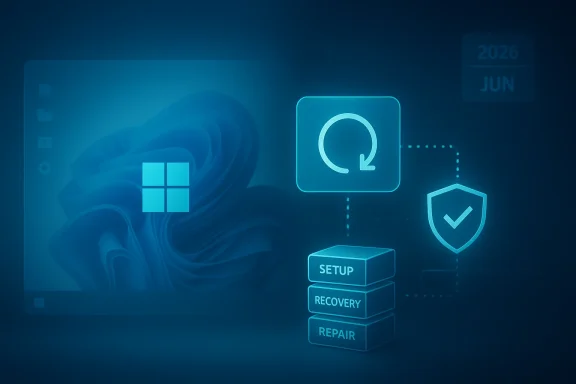
Microsoft’s KB5083826 is a reminder that some of the most important Windows updates are the ones nobody sees. Released as a Safe OS Dynamic Update for Windows 11 version 24H2 and 25H2, it focuses on the Windows Recovery Environment (WinRE) and the boot-repair layer rather than the desktop experience. That makes it easy to overlook, but it also makes it strategically important, especially with Microsoft warning that Secure Boot certificates begin expiring in June 2026. Microsoft’s own servicing guidance shows that WinRE updates are part of a broader update chain designed to keep recovery media, reset flows, and setup operations reliable when Windows itself is in trouble.
The Windows servicing model has quietly shifted over the last few release cycles toward a more modular, more defensive approach. Rather than treating the operating system as a single block that is updated only through monthly cumulative patches, Microsoft now publishes specialized packages for setup, repair, and recovery workflows. Safe OS Dynamic Updates are a key part of that model because they target the components that run before the normal desktop ever appears. Microsoft’s own documentation says Safe OS Dynamic Updates are used when updating Windows installation media and when servicing WinRE images, which tells you exactly where they sit in the stack: below the everyday user experience, but above the point where a machine becomes unrecoverable.
That matters more in 2026 than it might have a few years ago. Microsoft has repeatedly warned that the Secure Boot certificates originally issued in 2011 begin expiring in June 2026, and that the change could affect how some devices boot securely if they are not updated in time. The company’s support material says most consumer devices will receive new certificates automatically, but it also stresses that enterprises and managed fleets need to pay close attention. In other words, Safe OS and recovery-layer maintenance is no longer just about convenience; it is part of the boot trust chain that keeps the PC viable in the face of certificate rollover and security hardening.
KB5083826 also arrives in a line of related maintenance releases for the same Windows branch. Microsoft previously published KB5083482 as another Safe OS Dynamic Update for Windows 11 24H2 and 25H2, and the existence of that predecessor is important because it shows this is not a one-off patch but a continuing servicing cadence. Microsoft’s KB page for KB5083826 says the update replaces KB5083482, which is the sort of quiet housekeeping that keeps WinRE aligned with the latest recovery binaries and boot logic. That replacement behavior is typical of Dynamic Update content: it is additive, iterative, and meant to keep setup and recovery assets current.
For Windows enthusiasts, the practical takeaway is simple: if the full operating system is the showroom floor, WinRE is the emergency exit, the service bay, and the rollback room all at once. When it breaks, user-facing polish does not matter nearly as much as whether the machine can actually reset, restore, or reinstall. Microsoft’s own guidance for servicing WinRE states plainly that administrators can apply either an LCU or a Safe OS Dynamic Update to a Windows RE image, which reinforces that these packages are first-class servicing artifacts, not hidden leftovers.
What matters more is the placement of the package in the servicing stack. Safe OS Dynamic Updates are commonly used when creating or refreshing installation media, and Microsoft’s deployment documentation explicitly lists “Add Safe OS Dynamic Update” as a step in the media servicing process. That tells us KB5083826 is designed to keep WinRE and setup media compatible with the current Windows 11 branch. Put differently, it is part of the glue that makes repair operations work after the next cumulative update, not the feature update before it.
The update is also notable for its timing. It follows earlier 24H2/25H2 servicing, and it lands while Microsoft is preparing the platform for the 2026 Secure Boot transition. That makes the patch look less like maintenance in isolation and more like a preparatory move in a larger security campaign. The recovery layer must remain trustworthy even if the main OS is corrupted or the machine has to boot through a challenged firmware path.
This is where safe OS and recovery-layer updates become politically important inside Microsoft’s servicing strategy. If a device cannot reliably enter recovery, it becomes much harder to remediate a boot-path issue, install certificate updates, or recover from a failed patch. Microsoft’s FAQ on Secure Boot updates says most personal devices will automatically receive newer certificates through Microsoft-managed updates, but it also says managed devices can require explicit action. That means the ecosystem is bifurcated: consumers get a largely automatic safety net, while enterprises must prove they can execute certificate and boot-path maintenance at scale.
There is also a subtle but important trust issue here. Microsoft has been clear that Secure Boot should not simply be disabled as a workaround. That guidance underlines a broader principle: the answer to boot security transitions is not to weaken boot security, but to update the components that make secure booting possible. In that context, KB5083826 looks like part of the maintenance scaffolding needed to keep the recovery plane usable while the trust anchors are refreshed.
Enterprises also care because WinRE is part of the remediation toolkit when a deployment goes sideways. When a cumulative update, driver package, or firmware change causes boot instability, IT needs a recovery path that actually works on first contact. Microsoft’s support pages show that Safe Boot certificate changes and WinRE servicing are being documented together, which suggests the company expects admins to think about these issues as one operational surface rather than as disconnected topics.
There is also a compliance angle. Organizations that maintain custom images, refreshed deployment media, or offline recovery partitions have to keep those images current. Microsoft’s deployment documentation on Dynamic Update explicitly instructs admins to use the most recent published Safe OS Dynamic Update package when the latest CU and DU are not released in the same month. That is a practical detail, but it also signals a wider truth: image currency is now part of patch discipline.
The payoff is hidden until something goes wrong. If Windows fails to boot, if Reset this PC is needed, or if a reinstall is required, a current WinRE image can make the difference between a clean fix and hours of frustration. That is why the update matters even though it ships without fanfare and without visual changes. Invisible maintenance often carries the most visible consequences when it is missing.
There is a second consumer angle tied to the Secure Boot transition. Microsoft has said most personal Windows devices will automatically receive updated certificates, but that statement should not encourage complacency. Automatic updates are helpful, yet they depend on the machine staying healthy enough to receive them, which circles back to why recovery-layer updates are so relevant. A reliable recovery environment is what preserves the path to future remediation.
This model is efficient, but it is also more complex than the old “patch Tuesday and done” mindset. Administrators need to know when to trust Windows Update, when to update offline images, and when to refresh boot or setup assets manually. Microsoft’s support pages on WinRE servicing are explicit that there are separate workflows for running PCs, offline images, and deployment media, which reflects the reality that Windows now lives in multiple states at once.
That complexity is the tradeoff for better resilience. The upside is that Microsoft can push targeted fixes into the exact layer that needs them. The downside is that organizations must maintain a stronger servicing discipline or risk mismatches between the running OS and the recovery environment. In practice, that means image management is no longer optional for serious Windows operations.
The deployment model is simple in concept but precise in execution. Administrators mount the recovery image, add the package, verify installation, and commit the image. Microsoft’s documentation also notes that when servicing a running PC protected by BitLocker or Device Encryption, it may be necessary to disable and then re-enable Windows RE so the new recovery image is activated correctly. That detail is a reminder that pre-boot changes are often easy to describe and slightly more finicky to operationalize.
For most readers, the practical advice is to let Windows handle it. But for IT professionals, this is exactly the sort of update that should be folded into image maintenance and deployment validation. If you are already refreshing installation media or testing recovery workflows, a Safe OS package belongs in that process. If you are not doing those things yet, KB5083826 is a decent nudge to start.
The other major item is enterprise readiness. Managed fleets, custom deployment media, and offline recovery workflows all need to be checked before the June 2026 expiry window tightens. Microsoft’s own guidance points in the same direction: update early, verify the boot path, and do not wait until a device is already in trouble before testing recovery.
Source: thewincentral.com KB5083826 Update for Windows 11 24H2 & 25H2 , Download Link - WinCentral
 Background
The Windows servicing model has quietly shifted over the last few release cycles toward a more modular, more defensive approach. Rather than treating the operating system as a single block that is updated only through monthly cumulative patches, Microsoft now publishes specialized packages for setup, repair, and recovery workflows. Safe OS Dynamic Updates are a key part of that model because they target the components that run before the normal desktop ever appears. Microsoft’s own documentation says Safe OS Dynamic Updates are used when updating Windows installation media and when servicing WinRE images, which tells you exactly where they sit in the stack: below the everyday user experience, but above the point where a machine becomes unrecoverable.That matters more in 2026 than it might have a few years ago. Microsoft has repeatedly warned that the Secure Boot certificates originally issued in 2011 begin expiring in June 2026, and that the change could affect how some devices boot securely if they are not updated in time. The company’s support material says most consumer devices will receive new certificates automatically, but it also stresses that enterprises and managed fleets need to pay close attention. In other words, Safe OS and recovery-layer maintenance is no longer just about convenience; it is part of the boot trust chain that keeps the PC viable in the face of certificate rollover and security hardening.
KB5083826 also arrives in a line of related maintenance releases for the same Windows branch. Microsoft previously published KB5083482 as another Safe OS Dynamic Update for Windows 11 24H2 and 25H2, and the existence of that predecessor is important because it shows this is not a one-off patch but a continuing servicing cadence. Microsoft’s KB page for KB5083826 says the update replaces KB5083482, which is the sort of quiet housekeeping that keeps WinRE aligned with the latest recovery binaries and boot logic. That replacement behavior is typical of Dynamic Update content: it is additive, iterative, and meant to keep setup and recovery assets current.
For Windows enthusiasts, the practical takeaway is simple: if the full operating system is the showroom floor, WinRE is the emergency exit, the service bay, and the rollback room all at once. When it breaks, user-facing polish does not matter nearly as much as whether the machine can actually reset, restore, or reinstall. Microsoft’s own guidance for servicing WinRE states plainly that administrators can apply either an LCU or a Safe OS Dynamic Update to a Windows RE image, which reinforces that these packages are first-class servicing artifacts, not hidden leftovers.
Why WinRE updates matter
WinRE is the environment that lets Windows recover when normal startup fails. If it cannot load the right storage, input, or boot components, even a healthy installation can become difficult to repair. Microsoft’s documentation on WinRE servicing is explicit that the image can be updated offline or on a running system, and that after adding a Dynamic Update package, the package should appear as installed inside the image. That is a strong hint that Microsoft treats WinRE as a living component, not a frozen recovery partition.What KB5083826 Actually Does
KB5083826 does not add a new consumer feature, a new Settings page, or a visible UI tweak. Microsoft’s summary is short and direct: the update makes improvements to the Windows recovery environment. That brevity is not a sign of low importance; it is simply the nature of a package that exists to improve the recovery substrate rather than the operating system shell. Microsoft’s support page also states that the update is available through Windows Update, Microsoft Update Catalog, and Windows Server Update Services, which is exactly what you would expect for a servicing update intended for both home devices and enterprise fleets.What matters more is the placement of the package in the servicing stack. Safe OS Dynamic Updates are commonly used when creating or refreshing installation media, and Microsoft’s deployment documentation explicitly lists “Add Safe OS Dynamic Update” as a step in the media servicing process. That tells us KB5083826 is designed to keep WinRE and setup media compatible with the current Windows 11 branch. Put differently, it is part of the glue that makes repair operations work after the next cumulative update, not the feature update before it.
The update is also notable for its timing. It follows earlier 24H2/25H2 servicing, and it lands while Microsoft is preparing the platform for the 2026 Secure Boot transition. That makes the patch look less like maintenance in isolation and more like a preparatory move in a larger security campaign. The recovery layer must remain trustworthy even if the main OS is corrupted or the machine has to boot through a challenged firmware path.
The practical scope
Microsoft says KB5083826 applies to Windows 11 version 24H2 and Windows 11 version 25H2, all editions. The update does not require a restart, has no prerequisites, and cannot be removed once applied to a Windows image. Those are the hallmarks of a servicing package whose job is to update a recovery component in place rather than alter the everyday installed OS.- WinRE improvements are the headline.
- Setup and recovery reliability are the real target.
- Boot-time compatibility is the hidden value.
- Secure Boot readiness is the strategic backdrop.
- No visible UI changes should be expected.
The Secure Boot Connection
The biggest reason KB5083826 matters is not simply that it touches WinRE, but that Microsoft is preparing Windows for a Secure Boot certificate expiration cycle. Microsoft’s support material states that Secure Boot certificates used by most Windows devices are set to expire starting in June 2026, with some guidance pages adding that April 2026 is when the Windows Security app begins showing more detailed certificate status information. That is not theoretical housekeeping; it is a real lifecycle event that could affect boot trust if the transition is mishandled.This is where safe OS and recovery-layer updates become politically important inside Microsoft’s servicing strategy. If a device cannot reliably enter recovery, it becomes much harder to remediate a boot-path issue, install certificate updates, or recover from a failed patch. Microsoft’s FAQ on Secure Boot updates says most personal devices will automatically receive newer certificates through Microsoft-managed updates, but it also says managed devices can require explicit action. That means the ecosystem is bifurcated: consumers get a largely automatic safety net, while enterprises must prove they can execute certificate and boot-path maintenance at scale.
There is also a subtle but important trust issue here. Microsoft has been clear that Secure Boot should not simply be disabled as a workaround. That guidance underlines a broader principle: the answer to boot security transitions is not to weaken boot security, but to update the components that make secure booting possible. In that context, KB5083826 looks like part of the maintenance scaffolding needed to keep the recovery plane usable while the trust anchors are refreshed.
Why the recovery stack is part of boot security
Boot security is only as strong as the recovery path that supports it. If the machine needs to be repaired offline, reset, or reimaged, WinRE becomes the place where those actions are initiated. Microsoft’s guidance on updating WinRE images explicitly describes mounting the recovery image, adding a package, validating the package, and then committing the image. That is a reminder that the recovery environment is not separate from security policy; it is one of the places where security policy gets enforced during the worst-case scenario.- June 2026 is the key certificate-expiration milestone.
- Managed devices may need explicit certificate rollout steps.
- Recovery tooling is essential if boot trust needs repair.
- WinRE reliability becomes a security issue, not just a support issue.
Enterprise Impact
For enterprises, KB5083826 is best understood as a maintenance update with operational consequences. A broken recovery environment can turn a manageable incident into a field escalation, especially for devices encrypted with BitLocker or protected by other pre-boot controls. Microsoft’s WinRE servicing guidance even includes special steps for devices protected by BitLocker or Device Encryption, underscoring that the update chain is intertwined with enterprise security controls.Enterprises also care because WinRE is part of the remediation toolkit when a deployment goes sideways. When a cumulative update, driver package, or firmware change causes boot instability, IT needs a recovery path that actually works on first contact. Microsoft’s support pages show that Safe Boot certificate changes and WinRE servicing are being documented together, which suggests the company expects admins to think about these issues as one operational surface rather than as disconnected topics.
There is also a compliance angle. Organizations that maintain custom images, refreshed deployment media, or offline recovery partitions have to keep those images current. Microsoft’s deployment documentation on Dynamic Update explicitly instructs admins to use the most recent published Safe OS Dynamic Update package when the latest CU and DU are not released in the same month. That is a practical detail, but it also signals a wider truth: image currency is now part of patch discipline.
Operationally, this is about resilience
A lot of enterprise Windows strategy focuses on the running OS, but incidents are often resolved in the pre-boot and recovery layers. That is why recovery reliability is so central to patch governance, even if it never shows up in a user satisfaction survey. KB5083826 is the kind of update that reduces the risk of a bad day becoming a very expensive one.- Fewer dead-end recovery attempts.
- Better readiness for certificate migration.
- More reliable offline repair workflows.
- Lower risk in BitLocker-protected environments.
- Better outcomes for custom deployment media.
Consumer Impact
For consumers, the story is more straightforward but still important. Most users will never manually install a Safe OS Dynamic Update unless they are doing offline maintenance, building installation media, or troubleshooting a broken system. Microsoft says KB5083826 is available through Windows Update and will install automatically, which means most people should simply receive it as part of normal servicing.The payoff is hidden until something goes wrong. If Windows fails to boot, if Reset this PC is needed, or if a reinstall is required, a current WinRE image can make the difference between a clean fix and hours of frustration. That is why the update matters even though it ships without fanfare and without visual changes. Invisible maintenance often carries the most visible consequences when it is missing.
There is a second consumer angle tied to the Secure Boot transition. Microsoft has said most personal Windows devices will automatically receive updated certificates, but that statement should not encourage complacency. Automatic updates are helpful, yet they depend on the machine staying healthy enough to receive them, which circles back to why recovery-layer updates are so relevant. A reliable recovery environment is what preserves the path to future remediation.
What everyday users should expect
Most users should expect no visible change after the update. The benefit is best described as insurance: the system should be a little more trustworthy when repaired, reset, or reinstalled. The absence of a flashy feature list is not a weakness here; it is the point.- Automatic installation for typical Windows Update users.
- No restart required after applying the package.
- No interface changes or new settings pages.
- Better recovery behavior if the system ever needs repair.
- Higher confidence going into the 2026 certificate transition.
How It Fits Into Microsoft’s Servicing Model
KB5083826 shows how Microsoft thinks about Windows now: as a platform with multiple servicing planes that must stay synchronized. There is the normal OS, the cumulative update path, the recovery image, the setup engine, and the firmware trust chain. The company’s Dynamic Update documentation makes clear that Safe OS updates are one part of refreshing installation media and WinRE components so that all of those planes can work together.This model is efficient, but it is also more complex than the old “patch Tuesday and done” mindset. Administrators need to know when to trust Windows Update, when to update offline images, and when to refresh boot or setup assets manually. Microsoft’s support pages on WinRE servicing are explicit that there are separate workflows for running PCs, offline images, and deployment media, which reflects the reality that Windows now lives in multiple states at once.
That complexity is the tradeoff for better resilience. The upside is that Microsoft can push targeted fixes into the exact layer that needs them. The downside is that organizations must maintain a stronger servicing discipline or risk mismatches between the running OS and the recovery environment. In practice, that means image management is no longer optional for serious Windows operations.
Why replacement updates matter
KB5083826 replaces KB5083482, which is a typical sign of iterative maintenance in the Safe OS channel. Replacements like this keep the latest boot and recovery logic in circulation while avoiding fragmentation across old packages. It is not glamorous, but it is how a platform stays supportable.- Single source of truth for the latest recovery binaries.
- Reduced drift between deployment media and current servicing.
- Cleaner supportability across Windows 11 versions.
- Less confusion for IT teams managing images.
Download and Deployment Considerations
Microsoft says KB5083826 can be obtained through Windows Update, Microsoft Update Catalog, and WSUS, which gives both consumers and administrators a path to the same end result. The company also notes that the package can be manually installed by adding it to Windows RE using the documented update process. That is important for custom image builders and enterprise deployment teams who need deterministic servicing behavior rather than waiting for Windows Update to do the work in the background.The deployment model is simple in concept but precise in execution. Administrators mount the recovery image, add the package, verify installation, and commit the image. Microsoft’s documentation also notes that when servicing a running PC protected by BitLocker or Device Encryption, it may be necessary to disable and then re-enable Windows RE so the new recovery image is activated correctly. That detail is a reminder that pre-boot changes are often easy to describe and slightly more finicky to operationalize.
For most readers, the practical advice is to let Windows handle it. But for IT professionals, this is exactly the sort of update that should be folded into image maintenance and deployment validation. If you are already refreshing installation media or testing recovery workflows, a Safe OS package belongs in that process. If you are not doing those things yet, KB5083826 is a decent nudge to start.
The sequence matters
Recovery servicing is not just about getting the right files; it is about applying them in the right order. Microsoft’s media update guidance emphasizes the role of the servicing stack and says Safe OS updates should correspond to the same month as the latest cumulative update when possible. That kind of sequencing discipline is what keeps the recovery chain from becoming a compatibility puzzle.- Update the servicing stack or latest cumulative update first.
- Add the Safe OS Dynamic Update.
- Validate the package inside WinRE.
- Commit the image and re-enable recovery if needed.
- Test the recovery path before relying on it.
Strengths and Opportunities
KB5083826 is a strong example of Microsoft doing the unglamorous work that keeps Windows supportable at scale. Its value lies in the fact that it prepares the recovery stack for current and upcoming security demands without forcing users through disruptive changes. It is the kind of maintenance that rarely gets headlines but often prevents the worst headaches later.- Improves WinRE reliability in repair and reset scenarios.
- Supports the Secure Boot transition ahead of June 2026.
- Fits cleanly into enterprise image management and WSUS deployment.
- Has no restart requirement, reducing operational friction.
- Replaces an older Safe OS package, limiting servicing drift.
- Helps maintain boot trust if the system needs offline recovery.
- Complements Windows Update automation for ordinary users.
Risks and Concerns
The biggest concern is not the update itself, but what it implies about the complexity of maintaining a modern Windows fleet. Recovery and boot-layer servicing is easy to ignore until it breaks, and that can make organizations underestimate the work needed to stay ahead of certificate expiration and image drift. The 2026 Secure Boot timeline only raises the stakes.- Enterprises may miss the certificate migration window if they focus only on the running OS.
- Custom recovery images can drift from current servicing if they are not refreshed regularly.
- Users may assume automatic updates solve everything, which is not always true for managed environments.
- Boot-layer failures are harder to troubleshoot than ordinary app or driver issues.
- Disabling Secure Boot is not a real fix and can create a bigger security problem.
- Legacy recovery procedures may be outdated if they were built before the current servicing model.
- The absence of visible changes may lull teams into inaction until they need recovery in anger.
Looking Ahead
The next phase to watch is how Microsoft continues aligning WinRE servicing with the Secure Boot certificate rollout. If the company executes well, users should experience a mostly invisible transition, with recovery and boot behavior staying stable as new certificates and updated components phase in. If the rollout stumbles, the problems will likely show up first in recovery scenarios, not in day-to-day desktop use.The other major item is enterprise readiness. Managed fleets, custom deployment media, and offline recovery workflows all need to be checked before the June 2026 expiry window tightens. Microsoft’s own guidance points in the same direction: update early, verify the boot path, and do not wait until a device is already in trouble before testing recovery.
- Track Secure Boot certificate status on managed devices.
- Refresh installation media and WinRE images regularly.
- Validate BitLocker and recovery workflows after servicing.
- Watch for future Safe OS Dynamic Updates in the same branch.
- Test boot-to-recovery behavior before the June 2026 window.
Source: thewincentral.com KB5083826 Update for Windows 11 24H2 & 25H2 , Download Link - WinCentral