

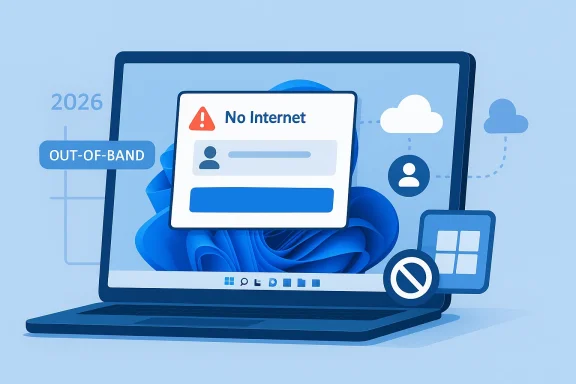
Microsoft’s March 23, 2026 out-of-band hotpatch, KB5085518, is a small but important fix with an outsized message: Windows servicing is becoming faster, more targeted, and more willing to move outside the normal Patch Tuesday rhythm when a customer-facing bug is urgent enough. The update addresses a Microsoft account sign-in failure that could falsely report “no Internet” even on a connected device, blocking access to services such as Teams Free and OneDrive. Just as notable, Microsoft says the hotpatch applies without requiring a restart, underscoring how the company is trying to reduce interruption while tightening the turnaround on post-release defects. (support.microsoft.com)
The timing of KB5085518 tells you a lot about how Microsoft is managing Windows 11 servicing in 2026. The company had already shipped the March 10 hotpatch release for eligible Windows 11 24H2 and 25H2 devices, but this later out-of-band package suggests the earlier March servicing train introduced a sign-in regression important enough to justify a separate fix. Microsoft’s own support documentation places the problem squarely after the Windows update released on or after March 10, 2026, which makes the hotpatch a corrective layer rather than a routine monthly rollup. (support.microsoft.com)
This is also a reminder that hotpatch is no longer just a server-side curiosity. Windows 11 hotpatching is now part of Microsoft’s broader release-health story, with baseline months requiring a restart and the intervening months designed for no-restart security updates. The March 2026 calendar in Microsoft’s Windows 11 release information shows March as a hotpatch month for both 25H2 and 24H2, and KB5085518 fits into that operational model even though it arrived out of band. (learn.microsoft.com)
The issue itself is simple to describe and potentially disruptive in practice. Affected users could see a “no Internet” error during Microsoft account sign-in despite having a working connection, which would stop access to Microsoft services and consumer-oriented apps including OneDrive and Microsoft Teams Free. Microsoft explicitly says enterprise authentication through Microsoft Entra ID is not impacted, which neatly separates consumer sign-in behavior from business identity flows. (support.microsoft.com)
The patch is also interesting because it arrives in the context of a broader Windows servicing architecture that increasingly combines reliability, speed, and policy-driven distribution. Microsoft’s servicing stack documentation explains that the servicing stack is the component that installs Windows updates and that cumulative updates now include the latest servicing stack updates, while out-of-band servicing stack fixes are reserved for rare prerequisite scenarios. KB5085518 follows that same philosophy: a narrow fix delivered in a package intended to solve a specific post-release breakage quickly.
That model is especially attractive in managed enterprise environments, where reboot windows are expensive and user disruption has real cost. Microsoft’s hotpatch guidance says the mechanism is designed to help protect organizations against evolving cyberattacks while minimizing disruption, and Intune quality update policies are the main vehicle for enabling it on supported Windows 11 devices. In other words, hotpatch is not just a patch format; it is an operational posture.
The release history matters because March 2026 sits in the middle of a matured hotpatch cycle. Microsoft’s calendar shows February 2026 as a hotpatch month, March 2026 as a hotpatch month, and April 2026 as the next baseline month. That cadence means Microsoft can deliver security fixes quickly, but it also means regressions introduced in one monthly train may need an out-of-band correction before the next baseline reset. (learn.microsoft.com)
There is also a subtle but important distinction between consumer Microsoft accounts and enterprise identity. Microsoft Entra ID is the backbone of business authentication, while Microsoft accounts are used heavily by consumers and by certain consumer-facing Microsoft apps. By stating that Entra ID sign-ins are unaffected, Microsoft is telling administrators that the fault is isolated to the consumer account path rather than the corporate identity stack. (support.microsoft.com)
Microsoft says the issue appears after installing the Windows update released on or after March 10, 2026. That phrasing matters because it implies the bug is not tied to KB5085518 itself, but rather to a prior update or servicing path that the out-of-band package now repairs. In practical terms, KB5085518 is the remedy for a problem that users may already be seeing on devices that are otherwise fully patched. (support.microsoft.com)
Consumer services are where this bug would have been most visible. Microsoft specifically calls out Teams Free and OneDrive, both of which are widely used in personal and small-business contexts where the Microsoft account sign-in experience is central. A corrupted or misreported network state during authentication can make cloud services feel unreliable even when the underlying infrastructure is healthy. (support.microsoft.com)
Microsoft’s hotpatch documentation explains that the update is intended to include only security updates during hotpatch months, while the baseline month requires a restart. KB5085518 is unusual because it is not a normal monthly security release but an out-of-band correction delivered in the same no-restart style. That combination makes it a useful test case for how far hotpatch can be stretched when urgency outruns the calendar. (learn.microsoft.com)
The fact that Microsoft also says the device will download and install only the new updates included in this package if previous updates are already installed is another efficiency signal. It suggests the servicing pipeline is designed to minimize redundant payloads and keep the hotpatch footprint as small as possible. In the real world, that means faster remediation with less bandwidth and less user disruption. (support.microsoft.com)
The article also notes that the latest servicing stack update installs with the hotpatch if you are using Windows Update. That mirrors Microsoft’s broader servicing strategy, where the update infrastructure itself is kept current so future updates can be applied reliably. This is one reason servicing stack updates remain important even when the visible change list is tiny. (support.microsoft.com)
The prerequisites section is a reminder that hotpatch remains conditional. Microsoft lists Windows 11 Enterprise version 25H2 or 24H2 on supported builds, Intune management with a hotpatch-enabled quality update policy, eligible licensing, VBS, and CHPE disabled for Arm64. That is a fairly tight envelope, which means the benefits of hotpatch are real but not universal. (support.microsoft.com)
The strategic angle here is that Windows servicing is becoming more differentiated. Traditional monthly cumulative updates still matter, but hotpatch adds a second lane for managed devices that can tolerate a more sophisticated update choreography. That allows Microsoft to ship faster in some contexts while preserving the old restart-required model for broader compatibility. (learn.microsoft.com)
There is also a broader trust dimension. When Microsoft publishes an out-of-band fix within days of the problem surfacing, it signals responsiveness. But repeated OOB activity can also make customers wonder how much regression risk is being embedded in the normal servicing flow. That tension is not unique to Microsoft, but Windows’ scale makes it impossible to ignore. Fast patching is valuable only if the patches themselves are dependable. (support.microsoft.com)
Consumer users, by contrast, will mostly experience the fix as a relief from a confusing error message. They are less likely to care about build numbers or servicing categories and more likely to care that OneDrive opens again and Teams Free stops claiming the PC is offline. That difference is important because it explains why Microsoft’s language is technical on the support page but operational in the field. (support.microsoft.com)
The mixed-use device problem remains the trickiest part. Many users sign in with a work account in one context and a Microsoft account in another, especially on personal Windows 11 hardware used for side projects or small-business tasks. The patch itself is narrow, but the incident is broad enough to expose how identity boundaries can blur in everyday Windows use.
That kind of precision is valuable, but it is not free. Every out-of-band release adds complexity to patch sequencing, validation, and support messaging. The more granular the servicing model becomes, the more important it is that administrators understand which devices are on which branch, which month is baseline, and which updates are cumulative versus corrective. Precision is powerful, but only when the operational model is equally precise.
More broadly, this release reinforces a pattern that Windows users and IT professionals should get used to: hotpatch is becoming a first-class servicing lane, not an experiment. Microsoft is signaling that it wants the ability to move quickly, avoid reboots, and correct mistakes in days rather than weeks. If that works reliably, Windows servicing becomes less disruptive; if it fails, the support burden simply shifts into a faster, more compressed cycle.
Source: Microsoft Support March 23, 2026—Hotpatch KB5085518 (OS Builds 26200.7985 and 26100.7985) Out-of-band - Microsoft Support
 Overview
The timing of KB5085518 tells you a lot about how Microsoft is managing Windows 11 servicing in 2026. The company had already shipped the March 10 hotpatch release for eligible Windows 11 24H2 and 25H2 devices, but this later out-of-band package suggests the earlier March servicing train introduced a sign-in regression important enough to justify a separate fix. Microsoft’s own support documentation places the problem squarely after the Windows update released on or after March 10, 2026, which makes the hotpatch a corrective layer rather than a routine monthly rollup. (support.microsoft.com)This is also a reminder that hotpatch is no longer just a server-side curiosity. Windows 11 hotpatching is now part of Microsoft’s broader release-health story, with baseline months requiring a restart and the intervening months designed for no-restart security updates. The March 2026 calendar in Microsoft’s Windows 11 release information shows March as a hotpatch month for both 25H2 and 24H2, and KB5085518 fits into that operational model even though it arrived out of band. (learn.microsoft.com)
The issue itself is simple to describe and potentially disruptive in practice. Affected users could see a “no Internet” error during Microsoft account sign-in despite having a working connection, which would stop access to Microsoft services and consumer-oriented apps including OneDrive and Microsoft Teams Free. Microsoft explicitly says enterprise authentication through Microsoft Entra ID is not impacted, which neatly separates consumer sign-in behavior from business identity flows. (support.microsoft.com)
The patch is also interesting because it arrives in the context of a broader Windows servicing architecture that increasingly combines reliability, speed, and policy-driven distribution. Microsoft’s servicing stack documentation explains that the servicing stack is the component that installs Windows updates and that cumulative updates now include the latest servicing stack updates, while out-of-band servicing stack fixes are reserved for rare prerequisite scenarios. KB5085518 follows that same philosophy: a narrow fix delivered in a package intended to solve a specific post-release breakage quickly.
Why this update matters
A sign-in failure looks like a small bug until it hits the wrong workflow. For consumers, a false network error can be confusing and can create the impression that Microsoft’s cloud services are down, when the real problem is a local authentication path. For IT teams, even a consumer-focused bug matters because support tickets do not stay neatly categorized, and “I can’t sign in” becomes a productivity issue fast.- It affects a common daily workflow.
- It hits cloud-connected Microsoft services directly.
- It risks support noise far beyond the nominal scope.
- It reinforces the value of no-restart servicing.
- It shows Microsoft is willing to break cadence for user-facing regressions.
Background
Hotpatching is Microsoft’s attempt to change the economics of Windows maintenance. Instead of forcing every security or quality fix through a full reboot cycle, eligible devices can receive certain updates that apply in memory and take effect without restarting, reducing downtime and improving compliance. Microsoft’s Windows 11 release information describes a repeating pattern: a baseline update in the first month of each quarter, followed by two hotpatch months that do not require a restart. (learn.microsoft.com)That model is especially attractive in managed enterprise environments, where reboot windows are expensive and user disruption has real cost. Microsoft’s hotpatch guidance says the mechanism is designed to help protect organizations against evolving cyberattacks while minimizing disruption, and Intune quality update policies are the main vehicle for enabling it on supported Windows 11 devices. In other words, hotpatch is not just a patch format; it is an operational posture.
The release history matters because March 2026 sits in the middle of a matured hotpatch cycle. Microsoft’s calendar shows February 2026 as a hotpatch month, March 2026 as a hotpatch month, and April 2026 as the next baseline month. That cadence means Microsoft can deliver security fixes quickly, but it also means regressions introduced in one monthly train may need an out-of-band correction before the next baseline reset. (learn.microsoft.com)
There is also a subtle but important distinction between consumer Microsoft accounts and enterprise identity. Microsoft Entra ID is the backbone of business authentication, while Microsoft accounts are used heavily by consumers and by certain consumer-facing Microsoft apps. By stating that Entra ID sign-ins are unaffected, Microsoft is telling administrators that the fault is isolated to the consumer account path rather than the corporate identity stack. (support.microsoft.com)
A quick servicing timeline
The recent hotpatch sequence makes the KB5085518 release easier to interpret. Microsoft’s documentation shows a March 10, 2026 hotpatch update, then this March 23 out-of-band hotpatch to fix the account-sign-in issue introduced by the earlier servicing path. The pattern suggests Microsoft caught the regression after the March monthly release had already gone live and moved fast to contain it.- March 10, 2026: scheduled hotpatch release.
- March 23, 2026: out-of-band corrective hotpatch.
- April 2026: next baseline month in the hotpatch calendar.
The sign-in bug
The core defect is straightforward but tricky in its consequences. Affected users could attempt to sign in to apps with a Microsoft account and be told they have no Internet access even though the device is online. That failure mode is especially frustrating because it points users toward the wrong diagnosis, leading them to troubleshoot connectivity instead of identity and token handling. (support.microsoft.com)Microsoft says the issue appears after installing the Windows update released on or after March 10, 2026. That phrasing matters because it implies the bug is not tied to KB5085518 itself, but rather to a prior update or servicing path that the out-of-band package now repairs. In practical terms, KB5085518 is the remedy for a problem that users may already be seeing on devices that are otherwise fully patched. (support.microsoft.com)
Consumer services are where this bug would have been most visible. Microsoft specifically calls out Teams Free and OneDrive, both of which are widely used in personal and small-business contexts where the Microsoft account sign-in experience is central. A corrupted or misreported network state during authentication can make cloud services feel unreliable even when the underlying infrastructure is healthy. (support.microsoft.com)
Consumer impact versus enterprise impact
The distinction Microsoft draws between Microsoft accounts and Entra ID is more than a footnote. It means the issue is likely to show up in home environments, small offices, and mixed-use devices where the same machine is used for both work and personal accounts. Enterprise admins may still receive tickets from end users, but the actual fix path is focused on consumer sign-in logic, not corporate identity infrastructure.- Microsoft accounts are affected.
- Microsoft Entra ID sign-ins are not affected.
- Teams Free and OneDrive are likely user-visible pain points.
- Business identity flows should remain stable.
- Help desks may need to separate identity from connectivity symptoms.
Hotpatch without restart
One of the strongest signals in the KB5085518 release is Microsoft’s insistence that the update installs and takes effect without a reboot. That is the promise hotpatching was built to deliver, and Microsoft repeats it because the operational value is obvious: a critical fix can land without asking a user to stop work, close apps, or schedule downtime. For IT teams, that’s not just convenience; it is a reduction in patch friction. (support.microsoft.com)Microsoft’s hotpatch documentation explains that the update is intended to include only security updates during hotpatch months, while the baseline month requires a restart. KB5085518 is unusual because it is not a normal monthly security release but an out-of-band correction delivered in the same no-restart style. That combination makes it a useful test case for how far hotpatch can be stretched when urgency outruns the calendar. (learn.microsoft.com)
The fact that Microsoft also says the device will download and install only the new updates included in this package if previous updates are already installed is another efficiency signal. It suggests the servicing pipeline is designed to minimize redundant payloads and keep the hotpatch footprint as small as possible. In the real world, that means faster remediation with less bandwidth and less user disruption. (support.microsoft.com)
Why no-restart matters operationally
A no-restart update is not just a nice-to-have. It can determine whether an organization patches on time or delays until the next maintenance window, which in turn affects exposure to known issues and vulnerability windows. Microsoft has spent years pushing Windows update reliability and compliance, and hotpatch is a direct answer to the perennial complaint that reboot requirements slow down security response.- Less interruption for end users.
- Faster remediation of regressions.
- Better adherence to patch schedules.
- Reduced support burden from forced restarts.
- Stronger fit for always-on, cloud-connected devices.
How Microsoft is distributing it
Microsoft says KB5085518 is available through Windows Update and is not offered through the Catalog or WSUS paths shown in the support article. That distribution choice matters because it reinforces hotpatch as a cloud-managed, policy-aware delivery mechanism rather than a hand-deployed admin artifact. In practice, Microsoft is saying this update lives inside a managed servicing ecosystem, not a free-floating download model. (support.microsoft.com)The article also notes that the latest servicing stack update installs with the hotpatch if you are using Windows Update. That mirrors Microsoft’s broader servicing strategy, where the update infrastructure itself is kept current so future updates can be applied reliably. This is one reason servicing stack updates remain important even when the visible change list is tiny. (support.microsoft.com)
The prerequisites section is a reminder that hotpatch remains conditional. Microsoft lists Windows 11 Enterprise version 25H2 or 24H2 on supported builds, Intune management with a hotpatch-enabled quality update policy, eligible licensing, VBS, and CHPE disabled for Arm64. That is a fairly tight envelope, which means the benefits of hotpatch are real but not universal. (support.microsoft.com)
Requirements at a glance
Microsoft’s published prerequisites show that hotpatch is not a generic Windows feature for every device. It is aimed at managed, licensed, modern endpoints with the right update posture and security configuration.- Supported Windows 11 Enterprise builds.
- Microsoft Intune management.
- Eligible licensing.
- Virtualization-based security enabled.
- CHPE disabled on Arm64 devices.
The broader Windows 11 servicing picture
KB5085518 lands in a Windows 11 ecosystem that now has multiple update channels and multiple servicing flavors. Microsoft’s release information page shows current versions, end-of-support horizons, and monthly update history, with the latest revision for 24H2 and 25H2 tracking to the March 2026 B release. The fact that Microsoft includes hotpatch calendars directly in release information shows how central this model has become. (learn.microsoft.com)The strategic angle here is that Windows servicing is becoming more differentiated. Traditional monthly cumulative updates still matter, but hotpatch adds a second lane for managed devices that can tolerate a more sophisticated update choreography. That allows Microsoft to ship faster in some contexts while preserving the old restart-required model for broader compatibility. (learn.microsoft.com)
There is also a broader trust dimension. When Microsoft publishes an out-of-band fix within days of the problem surfacing, it signals responsiveness. But repeated OOB activity can also make customers wonder how much regression risk is being embedded in the normal servicing flow. That tension is not unique to Microsoft, but Windows’ scale makes it impossible to ignore. Fast patching is valuable only if the patches themselves are dependable. (support.microsoft.com)
What this says about Windows quality control
No one should read KB5085518 as evidence of systemic failure. Instead, it looks like a normal part of a mature software platform: a monthly change set, a discovered regression, and a targeted fix pushed quickly to the affected channel. Still, it does suggest Microsoft is operating under the pressure of a very short feedback loop, especially on consumer-facing identity flows.- Faster response times are becoming expected.
- Hotpatch creates room for smaller corrective releases.
- Identity issues are now release blockers in their own right.
- Cloud-connected Windows needs cloud-speed remediation.
- The service model is getting more granular, not less.
Enterprise versus consumer management
For enterprises, KB5085518 is a case study in why update policy design matters. Even though the bug is tied to Microsoft account sign-ins, support desks must still know whether a device is managed through Intune, whether hotpatch is enabled, and whether the device sits in a baseline or hotpatch month. The routing of an update now depends on policy as much as on the patch itself. (support.microsoft.com)Consumer users, by contrast, will mostly experience the fix as a relief from a confusing error message. They are less likely to care about build numbers or servicing categories and more likely to care that OneDrive opens again and Teams Free stops claiming the PC is offline. That difference is important because it explains why Microsoft’s language is technical on the support page but operational in the field. (support.microsoft.com)
The mixed-use device problem remains the trickiest part. Many users sign in with a work account in one context and a Microsoft account in another, especially on personal Windows 11 hardware used for side projects or small-business tasks. The patch itself is narrow, but the incident is broad enough to expose how identity boundaries can blur in everyday Windows use.
Practical implications for IT
IT teams should treat KB5085518 as more than a one-off bug fix. It is a reminder to test consumer identity flows even when the primary fleet uses business authentication, because shared devices and user behavior rarely stay neatly in one lane.- Verify Microsoft account sign-in on representative test devices.
- Check Intune policy state for hotpatch-enabled endpoints.
- Distinguish consumer-account failures from network failures.
- Monitor help-desk tickets for false “no Internet” reports.
- Keep baseline and hotpatch timing in the same change calendar.
Release engineering lessons
The most interesting thing about KB5085518 may be what it reveals about Microsoft’s release engineering maturity. The company has chosen to document the problem clearly, scope the affected identity type, and ship a no-restart repair through the same hotpatch machinery used for scheduled monthly updates. That suggests an update pipeline increasingly optimized for surgical intervention rather than broad, monolithic fixes. (support.microsoft.com)That kind of precision is valuable, but it is not free. Every out-of-band release adds complexity to patch sequencing, validation, and support messaging. The more granular the servicing model becomes, the more important it is that administrators understand which devices are on which branch, which month is baseline, and which updates are cumulative versus corrective. Precision is powerful, but only when the operational model is equally precise.
Sequential response model
In plain terms, Microsoft’s apparent response pattern here looks like this:- Ship the scheduled March hotpatch.
- Detect a Microsoft account sign-in regression.
- Publish an out-of-band hotpatch.
- Keep the fix restart-free.
- Leave enterprise Entra ID paths untouched.
Strengths and Opportunities
KB5085518 shows Microsoft doing several things right at once: acknowledging a user-visible issue, scoping it tightly, delivering it quickly, and preserving the no-restart promise that makes hotpatch worth deploying in the first place. It also highlights the growing maturity of Windows 11 servicing, where release health, policy delivery, and update cadence are all integrated into a more flexible model.- Rapid remediation of a sign-in regression.
- No reboot required, which preserves user productivity.
- Clear distinction between Microsoft accounts and Entra ID.
- Better fit for managed enterprise fleets on hotpatch.
- Reduced confusion for consumers hitting the “no Internet” error.
- Stronger evidence that Microsoft can correct issues mid-cycle.
- A practical showcase for the value of Windows hotpatch.
Risks and Concerns
The downside of an out-of-band hotpatch is not the patch itself, but the signal it sends: something in the regular March servicing path went wrong enough to affect common consumer sign-in behavior. That raises concerns about regression testing, especially when identity and connectivity are intertwined. It also reinforces the possibility that more frequent, more granular updates may create more occasions for edge-case failures.- Regression risk in the normal update pipeline.
- Help-desk confusion from misleading network symptoms.
- Complexity for admins tracking baseline versus hotpatch months.
- Potential user frustration on mixed personal/work devices.
- Uneven visibility into who is affected and why.
- The burden of explaining why a connected device appears offline.
- Continued dependence on policy-managed servicing for the best experience.
Looking Ahead
The next few weeks will tell us whether KB5085518 fully closes the sign-in gap and whether Microsoft considers the matter resolved without further revisions. Because Microsoft says there are no known issues with the update, the immediate expectation is stability, but any post-release repair of this type deserves monitoring in the wild. The real measure will be whether Microsoft account sign-ins normalize across consumer-facing Windows 11 systems without creating new side effects. (support.microsoft.com)More broadly, this release reinforces a pattern that Windows users and IT professionals should get used to: hotpatch is becoming a first-class servicing lane, not an experiment. Microsoft is signaling that it wants the ability to move quickly, avoid reboots, and correct mistakes in days rather than weeks. If that works reliably, Windows servicing becomes less disruptive; if it fails, the support burden simply shifts into a faster, more compressed cycle.
- Watch for follow-on updates to the March 2026 servicing train.
- Monitor whether consumer account issues disappear after installation.
- Track any additional OOB releases before the April baseline.
- Pay attention to how Microsoft documents hotpatch regressions going forward.
- Compare the March incident with earlier 2026 hotpatch corrections.
Source: Microsoft Support March 23, 2026—Hotpatch KB5085518 (OS Builds 26200.7985 and 26100.7985) Out-of-band - Microsoft Support
