

Microsoft has confirmed that its May 12, 2026 security update for Windows Server 2016 can break domain controller discovery on systems whose hostnames are exactly 15 characters long, causing DCLocator calls to fail with ERROR_INVALID_PARAMETER and disrupting tools that rely on Active Directory lookup. The bug is almost comically narrow, but that is precisely why it deserves attention. Enterprise outages rarely arrive wearing a sign that says “platform failure”; more often, they hide in old assumptions, naming conventions, and update paths that nobody has touched in years. This is a Windows Server 2016 story, but the lesson is bigger than one aging release.
The affected update is KB5087537, the May 2026 security release for Windows 10 version 1607 and Windows Server 2016. Microsoft’s known-issue note says domain controller discovery may fail after installation when the server hostname is exactly 15 characters long. The example Microsoft gives is an
That matters because DCLocator is not some ornamental subsystem used only by certification exam authors. It is part of the machinery Windows uses to find a domain controller, and a great deal of enterprise administration assumes that lookup will work. If that assumption collapses, the symptoms can appear far away from the actual defect.
Microsoft specifically calls out DFS Namespace management as an affected scenario. That is not a minor footnote in a Windows estate where file services are still a daily business dependency. DFS Namespaces lets administrators present shared folders across multiple servers through a single logical namespace; when domain controller discovery falters, management tasks that should be routine can suddenly look like directory, DNS, permissions, or tooling problems.
The absurdity is the boundary condition. Fourteen characters is not the trigger. Sixteen characters is not the trigger, though Windows computer names have their own legacy constraints. Exactly 15 characters is the trapdoor, which immediately suggests the sort of edge case that testing is supposed to catch and old platforms are especially good at exposing.
That is the deeper story here. Windows Server 2016 is not dead software in the legal sense; it remains in extended support until January 12, 2027. But it is old enough that much of its deployment base reflects decisions made under different operational pressures: naming schemes designed for on-premises racks, business units, geography codes, asset tags, and server roles squeezed into short strings.
A 15-character hostname is not an exotic configuration in that world. It is often the endpoint of a naming standard. An administrator may have inherited names like
Microsoft’s note does not say every domain operation fails, nor does it claim all Windows Server 2016 systems are affected. It says DCLocator calls can fail under a specific name-length condition after the May security update. That specificity is useful for triage, but it also narrows the blast radius in a way that can delay recognition. If only a few machines match the trigger, the first instinct may be to blame local corruption, DNS registration, firewall policy, replication, or the administrator who happened to be on call.
In this case, the answer may be none of those. The server may be perfectly capable of reaching the network, and the domain controllers may be healthy. The lookup path may be derailed because the hostname lands on an exact length boundary after a security update.
That distinction matters operationally. A team chasing DNS ghosts can burn hours making changes that do not address the defect. A team that knows to search for 15-character hostnames can at least separate affected systems from the broader estate and avoid turning a patch regression into a self-inflicted outage.
The catch is that production environments do not fail in tidy lab demonstrations. A broken DCLocator call might surface through a management console, a scheduled task, a backup product, a file namespace operation, a legacy application, or a script written by someone who retired in 2019. The administrator sees the symptom, not the API call.
This is why Microsoft’s current lack of a published workaround is so frustrating. Renaming the server to avoid the exact 15-character condition may dodge the trigger, but renaming a domain-joined Windows Server is not a casual act in many environments. Names are embedded in monitoring systems, certificates, scripts, backup catalogs, documentation, firewall rules, and the muscle memory of the operations team.
The technical act of renaming a Windows Server is the easy part. The hard part is proving that nothing else assumes the old name. That includes scripts that map drives, scheduled jobs that target UNC paths, application configuration files, SQL connection strings, certificate subject names, SPNs, backup agents, inventory databases, and human procedures that have not been updated since the server was built.
That does not mean renaming is off the table. For some affected machines, especially non-critical management hosts or test systems, it may be the fastest path back to normal. But presenting it as a universal workaround would be irresponsible, and Microsoft has not done so in its advisory.
The safer immediate response is inventory. Administrators should identify Windows Server 2016 systems that have installed KB5087537 and whose hostnames are exactly 15 characters long. Then they should test DCLocator behavior directly before assuming the estate is healthy. If the system performs domain-dependent administrative functions, it deserves priority.
There is also an uncomfortable patch-management decision. Security updates exist for a reason, and rolling them back can reopen vulnerabilities the update was meant to close. But leaving a server unable to perform domain lookup tasks can also create business risk. The correct answer will vary by role, exposure, compensating controls, and how quickly Microsoft produces a fix.
At the same time, this episode is a reminder that extended support is not the same as platform vitality. Mainstream support for Windows Server 2016 ended years ago. The product still receives security updates, but it is no longer where Microsoft’s engineering energy, customer storytelling, and feature development live. That gap matters.
The installed base still matters, too. Windows Server 2016 persists because server operating systems are not replaced like browsers. They host applications with vendor certification matrices, line-of-business dependencies, maintenance windows measured in quarters, and migration budgets that compete with everything else IT is asked to fund. Some environments are still untangling Windows Server 2012 R2 workloads; Server 2016 can feel comparatively modern.
That is why regressions on older supported platforms sting. The customers still running them are often the least able to absorb surprise breakage. They may be in highly regulated sectors, resource-constrained organizations, or businesses with applications that cannot simply be lifted onto Windows Server 2025 without vendor approval.
Microsoft plans up to three more years of Extended Security Updates after Windows Server 2016 reaches end of support, but ESU should be understood for what it is: a paid runway, not a modernization strategy. It buys time. It does not make an old operating system young again.
That pattern is familiar to anyone who manages Windows at scale. The monthly security cadence is mandatory in practice, but the environments receiving those updates are wildly diverse. They include clean cloud VMs, ancient physical servers, OEM images with unusual partitions, branch-office boxes, domain controllers, file servers, kiosk devices, and machines upgraded through several OS generations.
Microsoft cannot test every possible estate. No vendor can. But when the failing condition is as crisp as an exact hostname length or a small EFI partition, administrators are entitled to ask whether the relevant edge cases should have been in the test matrix. These are not science-fiction configurations.
The modern Windows servicing model increasingly depends on telemetry, phased rollout, Known Issue Rollback, and rapid post-release acknowledgement. That works better on consumer and broadly connected client systems than it does on locked-down server estates. A production Windows Server 2016 system performing domain duties is not a canary; it is infrastructure.
This is where the vendor and customer responsibilities meet. Microsoft has to reduce regressions and document them quickly when they happen. Customers have to stop treating Patch Tuesday as a binary choice between “install everywhere immediately” and “ignore for a month.” The middle ground is controlled rollout with real validation against the organization’s own ugly, inherited, business-critical reality.
This is not glamorous work, but it is exactly the work that separates resilient environments from lucky ones. Naming standards, OS versions, patch levels, and server roles should be searchable facts, not folklore. If a team cannot answer how many 15-character Windows Server 2016 hostnames it has, the hostname bug is only revealing a broader inventory problem.
There is a security angle here as well. Administrators under pressure may be tempted to pause or roll back updates broadly because a few systems are affected. That is understandable, but it creates a larger exposure if done indiscriminately. The better approach is targeted mitigation: isolate the affected population, test the failure, and make role-specific decisions.
For domain controllers themselves, the calculus may be especially delicate. For file servers, DFS Namespace servers, management hosts, and application servers, the symptoms may vary. A one-size-fits-all response is unlikely to be correct. The same bug can be an annoyance on one server and a business interruption on another.
This is also a useful moment to revisit migration planning. If a Windows Server 2016 system is important enough that this bug causes anxiety, it is important enough to have an upgrade path. That does not mean the migration can happen this week. It does mean the organization should stop pretending January 2027 is a distant abstraction.
That trust problem is cumulative. One month it is a printing issue. Another month it is VPN behavior. Another month it is BitLocker recovery prompts, installation rollbacks, or a server that cannot locate a domain controller because its name is exactly the length Windows has historically allowed. Each incident may be explainable in isolation, but administrators experience them as a pattern.
Microsoft’s challenge is not merely to fix KB5087537. It is to convince customers that supported Windows platforms, including older ones near the end of their lifecycle, remain safe to maintain. That requires more than a known-issues table. It requires fast root-cause communication, credible mitigations, and test coverage that reflects how Windows is actually deployed.
The Register’s framing lands because it captures the weary humor of the situation. A 15-character hostname breaking domain controller discovery sounds like a punchline until it is your file namespace, your change window, and your users. Then it becomes another reminder that enterprise Windows is a stack of current code, legacy contracts, and assumptions with very long half-lives.
Windows Server 2016 will not vanish when this bug is fixed, and neither will the operational reality that made the bug matter. Microsoft will continue shipping security updates, administrators will continue applying them under pressure, and old infrastructure will continue finding creative ways to remind everyone that compatibility is not the same as simplicity. The forward path is not panic or paralysis; it is better inventory, tighter rollout discipline, and a migration plan that treats January 2027 as a deadline already in motion.
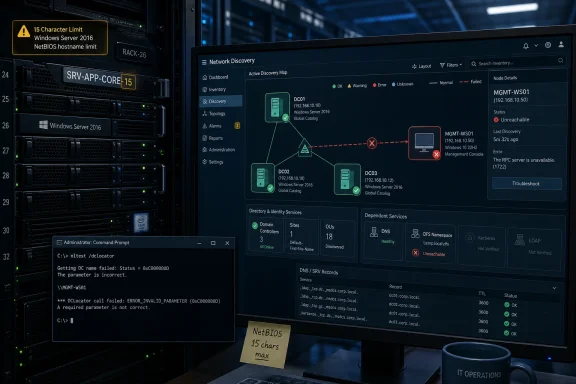 Microsoft Finds a Fifteen-Character Tripwire in the Server Room
The affected update is KB5087537, the May 2026 security release for Windows 10 version 1607 and Windows Server 2016. Microsoft’s known-issue note says domain controller discovery may fail after installation when the server hostname is exactly 15 characters long. The example Microsoft gives is an nltest /dsgetdc:<domain> /pdc call returning ERROR_INVALID_PARAMETER.That matters because DCLocator is not some ornamental subsystem used only by certification exam authors. It is part of the machinery Windows uses to find a domain controller, and a great deal of enterprise administration assumes that lookup will work. If that assumption collapses, the symptoms can appear far away from the actual defect.
Microsoft specifically calls out DFS Namespace management as an affected scenario. That is not a minor footnote in a Windows estate where file services are still a daily business dependency. DFS Namespaces lets administrators present shared folders across multiple servers through a single logical namespace; when domain controller discovery falters, management tasks that should be routine can suddenly look like directory, DNS, permissions, or tooling problems.
The absurdity is the boundary condition. Fourteen characters is not the trigger. Sixteen characters is not the trigger, though Windows computer names have their own legacy constraints. Exactly 15 characters is the trapdoor, which immediately suggests the sort of edge case that testing is supposed to catch and old platforms are especially good at exposing.
The NetBIOS Past Still Collects Rent
The 15-character detail is not random trivia. Windows computer naming still carries the residue of NetBIOS-era constraints, where the machine name occupies 15 usable characters and the sixteenth byte is used as a service suffix. Modern Active Directory environments lean heavily on DNS, LDAP, Kerberos, and a much larger stack of directory services, but old naming limits continue to shape real behavior.That is the deeper story here. Windows Server 2016 is not dead software in the legal sense; it remains in extended support until January 12, 2027. But it is old enough that much of its deployment base reflects decisions made under different operational pressures: naming schemes designed for on-premises racks, business units, geography codes, asset tags, and server roles squeezed into short strings.
A 15-character hostname is not an exotic configuration in that world. It is often the endpoint of a naming standard. An administrator may have inherited names like
NYC-FS-PRD-001, LON-APP-SQL-02, or some equally compact code that makes perfect sense to the people who built the environment. The most brittle bugs are often the ones that punish organizations for being consistent.Microsoft’s note does not say every domain operation fails, nor does it claim all Windows Server 2016 systems are affected. It says DCLocator calls can fail under a specific name-length condition after the May security update. That specificity is useful for triage, but it also narrows the blast radius in a way that can delay recognition. If only a few machines match the trigger, the first instinct may be to blame local corruption, DNS registration, firewall policy, replication, or the administrator who happened to be on call.
A Small Bug Can Look Like a Directory Meltdown
The failure mode is especially unpleasant because domain controller discovery sits near the beginning of so many troubleshooting trees. When a server cannot locate a domain controller, administrators tend to ask broad questions. Is DNS broken? Is the domain reachable? Are SRV records missing? Is the secure channel damaged? Is time skew causing Kerberos to fail?In this case, the answer may be none of those. The server may be perfectly capable of reaching the network, and the domain controllers may be healthy. The lookup path may be derailed because the hostname lands on an exact length boundary after a security update.
That distinction matters operationally. A team chasing DNS ghosts can burn hours making changes that do not address the defect. A team that knows to search for 15-character hostnames can at least separate affected systems from the broader estate and avoid turning a patch regression into a self-inflicted outage.
The catch is that production environments do not fail in tidy lab demonstrations. A broken DCLocator call might surface through a management console, a scheduled task, a backup product, a file namespace operation, a legacy application, or a script written by someone who retired in 2019. The administrator sees the symptom, not the API call.
This is why Microsoft’s current lack of a published workaround is so frustrating. Renaming the server to avoid the exact 15-character condition may dodge the trigger, but renaming a domain-joined Windows Server is not a casual act in many environments. Names are embedded in monitoring systems, certificates, scripts, backup catalogs, documentation, firewall rules, and the muscle memory of the operations team.
The Workaround Nobody Wants Is Still a Workaround
In a small environment, changing a server hostname from 15 characters to 14 or 16 may sound simple. In a mature enterprise, it can feel like pulling a thread from a suit. A server name is often a primary key in asset management, alerting, configuration management, and compliance records.The technical act of renaming a Windows Server is the easy part. The hard part is proving that nothing else assumes the old name. That includes scripts that map drives, scheduled jobs that target UNC paths, application configuration files, SQL connection strings, certificate subject names, SPNs, backup agents, inventory databases, and human procedures that have not been updated since the server was built.
That does not mean renaming is off the table. For some affected machines, especially non-critical management hosts or test systems, it may be the fastest path back to normal. But presenting it as a universal workaround would be irresponsible, and Microsoft has not done so in its advisory.
The safer immediate response is inventory. Administrators should identify Windows Server 2016 systems that have installed KB5087537 and whose hostnames are exactly 15 characters long. Then they should test DCLocator behavior directly before assuming the estate is healthy. If the system performs domain-dependent administrative functions, it deserves priority.
There is also an uncomfortable patch-management decision. Security updates exist for a reason, and rolling them back can reopen vulnerabilities the update was meant to close. But leaving a server unable to perform domain lookup tasks can also create business risk. The correct answer will vary by role, exposure, compensating controls, and how quickly Microsoft produces a fix.
Windows Server 2016 Is Old, Not Gone
The temptation is to shrug and say this is what happens when organizations run decade-old server platforms. There is truth in that, but it is too easy. Windows Server 2016 remains officially supported, and supported software should not be treated as a museum exhibit that administrators touch at their own risk.At the same time, this episode is a reminder that extended support is not the same as platform vitality. Mainstream support for Windows Server 2016 ended years ago. The product still receives security updates, but it is no longer where Microsoft’s engineering energy, customer storytelling, and feature development live. That gap matters.
The installed base still matters, too. Windows Server 2016 persists because server operating systems are not replaced like browsers. They host applications with vendor certification matrices, line-of-business dependencies, maintenance windows measured in quarters, and migration budgets that compete with everything else IT is asked to fund. Some environments are still untangling Windows Server 2012 R2 workloads; Server 2016 can feel comparatively modern.
That is why regressions on older supported platforms sting. The customers still running them are often the least able to absorb surprise breakage. They may be in highly regulated sectors, resource-constrained organizations, or businesses with applications that cannot simply be lifted onto Windows Server 2025 without vendor approval.
Microsoft plans up to three more years of Extended Security Updates after Windows Server 2016 reaches end of support, but ESU should be understood for what it is: a paid runway, not a modernization strategy. It buys time. It does not make an old operating system young again.
Patch Tuesday Is Becoming a Test of Operational Design
The May 2026 Windows update cycle has not been flattering. Alongside the Windows Server 2016 hostname issue, Microsoft also acknowledged Windows 11 installation failures tied to insufficient free space on the EFI System Partition. Different products, different symptoms, same operational pattern: a security update encounters an edge case buried in the infrastructure and turns it into an administrator problem.That pattern is familiar to anyone who manages Windows at scale. The monthly security cadence is mandatory in practice, but the environments receiving those updates are wildly diverse. They include clean cloud VMs, ancient physical servers, OEM images with unusual partitions, branch-office boxes, domain controllers, file servers, kiosk devices, and machines upgraded through several OS generations.
Microsoft cannot test every possible estate. No vendor can. But when the failing condition is as crisp as an exact hostname length or a small EFI partition, administrators are entitled to ask whether the relevant edge cases should have been in the test matrix. These are not science-fiction configurations.
The modern Windows servicing model increasingly depends on telemetry, phased rollout, Known Issue Rollback, and rapid post-release acknowledgement. That works better on consumer and broadly connected client systems than it does on locked-down server estates. A production Windows Server 2016 system performing domain duties is not a canary; it is infrastructure.
This is where the vendor and customer responsibilities meet. Microsoft has to reduce regressions and document them quickly when they happen. Customers have to stop treating Patch Tuesday as a binary choice between “install everywhere immediately” and “ignore for a month.” The middle ground is controlled rollout with real validation against the organization’s own ugly, inherited, business-critical reality.
The Naming Standard Just Became a Risk Register
The practical value of this bug is that it gives administrators a concrete query to run. Find the Windows Server 2016 machines. Find the ones with 15-character hostnames. Find the ones with KB5087537 installed or queued. Then decide which of those systems actually rely on domain controller discovery for administrative or application workflows.This is not glamorous work, but it is exactly the work that separates resilient environments from lucky ones. Naming standards, OS versions, patch levels, and server roles should be searchable facts, not folklore. If a team cannot answer how many 15-character Windows Server 2016 hostnames it has, the hostname bug is only revealing a broader inventory problem.
There is a security angle here as well. Administrators under pressure may be tempted to pause or roll back updates broadly because a few systems are affected. That is understandable, but it creates a larger exposure if done indiscriminately. The better approach is targeted mitigation: isolate the affected population, test the failure, and make role-specific decisions.
For domain controllers themselves, the calculus may be especially delicate. For file servers, DFS Namespace servers, management hosts, and application servers, the symptoms may vary. A one-size-fits-all response is unlikely to be correct. The same bug can be an annoyance on one server and a business interruption on another.
This is also a useful moment to revisit migration planning. If a Windows Server 2016 system is important enough that this bug causes anxiety, it is important enough to have an upgrade path. That does not mean the migration can happen this week. It does mean the organization should stop pretending January 2027 is a distant abstraction.
The Real Outage Is Trust
Every Windows administrator understands that software contains bugs. What wears people down is not the existence of defects; it is the steady erosion of confidence in routine maintenance. Security updates are supposed to reduce risk. When they introduce brittle failures in directory lookup or boot partitions, they force administrators into the least comfortable position in IT: choosing between known vulnerability exposure and unknown operational breakage.That trust problem is cumulative. One month it is a printing issue. Another month it is VPN behavior. Another month it is BitLocker recovery prompts, installation rollbacks, or a server that cannot locate a domain controller because its name is exactly the length Windows has historically allowed. Each incident may be explainable in isolation, but administrators experience them as a pattern.
Microsoft’s challenge is not merely to fix KB5087537. It is to convince customers that supported Windows platforms, including older ones near the end of their lifecycle, remain safe to maintain. That requires more than a known-issues table. It requires fast root-cause communication, credible mitigations, and test coverage that reflects how Windows is actually deployed.
The Register’s framing lands because it captures the weary humor of the situation. A 15-character hostname breaking domain controller discovery sounds like a punchline until it is your file namespace, your change window, and your users. Then it becomes another reminder that enterprise Windows is a stack of current code, legacy contracts, and assumptions with very long half-lives.
The Checklist Hidden Inside the Punchline
Before this becomes just another patch anecdote, administrators should turn it into an audit. The bug’s narrow trigger gives IT teams a rare advantage: the affected population can be identified with a simple inventory pass, and the risky workflows can be tested before a help desk queue fills up.- Organizations should identify all Windows Server 2016 systems with hostnames that are exactly 15 characters long.
- Administrators should verify whether KB5087537 has been installed, approved, deferred, or rolled back on those systems.
- Teams should test DCLocator behavior directly on affected servers rather than inferring health from general network connectivity.
- Servers involved in DFS Namespace management, administrative tooling, authentication-adjacent workflows, or legacy applications should receive priority review.
- Any hostname change should be treated as a controlled change, because dependencies may exist in certificates, scripts, monitoring tools, SPNs, backup software, and documentation.
- The incident should be used to accelerate Windows Server 2016 migration planning ahead of the January 12, 2027 support deadline.
Windows Server 2016 will not vanish when this bug is fixed, and neither will the operational reality that made the bug matter. Microsoft will continue shipping security updates, administrators will continue applying them under pressure, and old infrastructure will continue finding creative ways to remind everyone that compatibility is not the same as simplicity. The forward path is not panic or paralysis; it is better inventory, tighter rollout discipline, and a migration plan that treats January 2027 as a deadline already in motion.
References
- Primary source: The Register
Published: Thu, 28 May 2026 16:30:00 GMT

Microsoft tests the 15-character limit of Windows Server admins' patience
May security update trips over hostnames of a very specific lengthwww.theregister.com
- Related coverage: techzine.eu
Windows Server 2016 fails to find domain controller
Microsoft has confirmed a known issue in the May 2026 security update for Windows Server 2016. On systems with a hostname of exactly 15 characters, domain www.techzine.eu
- Official source: support.microsoft.com
May 12, 2026—KB5087537 (OS Build 14393.9140) - Microsoft Support
 support.microsoft.com
- Related coverage: cryptika.com
- Related coverage: windowsforum.com

Windows Server 2016 15-Char Hostnames Fail DC Discovery After KB5087537
Microsoft confirmed on May 26, 2026 that Windows Server 2016 systems with hostnames of exactly 15 characters can fail domain controller discovery after installing the May 12 KB5087537 security update, causing DCLocator calls to return ERROR_INVALID_PARAMETER and breaking tools that depend on... windowsforum.com
- Related coverage: windowsreport.com

- Related coverage: windowsnews.ai
Windows Server 2016 KB5087537: 15-Char Hostnames Break DC Discovery
Microsoft confirms KB5087537 (May 2026) breaks domain controller discovery on Windows Server 2016 when the hostname is exactly 15 characters. Workarounds,...windowsnews.ai
- Related coverage: csirt.telconet.net
- Related coverage: commoncriteriaportal.org
- Related coverage: apscnlan.k12.ar.us
- Related coverage: admin.nordenson.com
- Related coverage: windowscentral.com
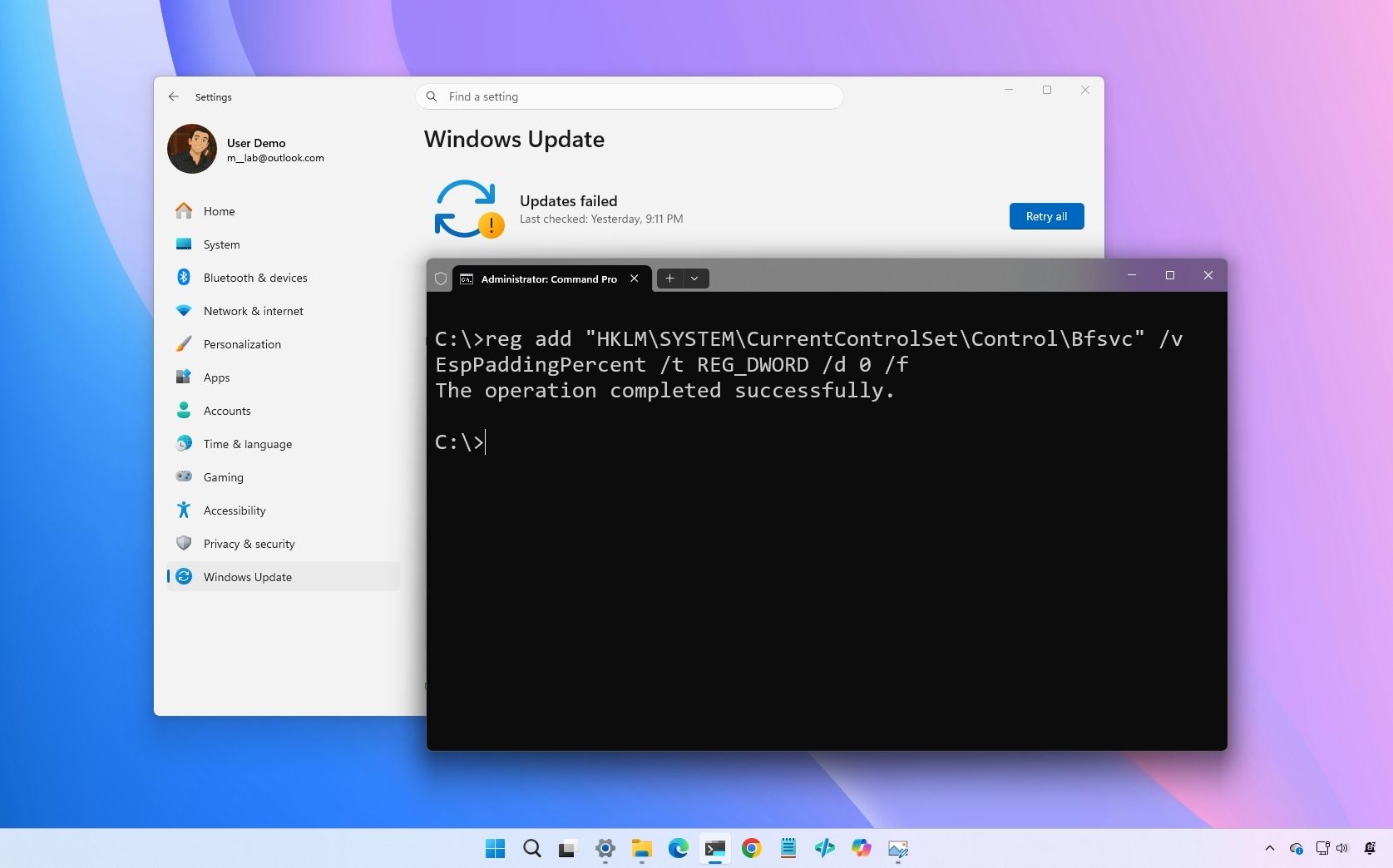
Microsoft confirms Windows 11 May update is failing with error 0x800f0922
Microsoft confirms that the Windows 11 May 2026 update fails with error 0x800f0922 on some computers, but a rollback and a fix are already available. www.windowscentral.com
- Related coverage: windows.gadgethacks.com
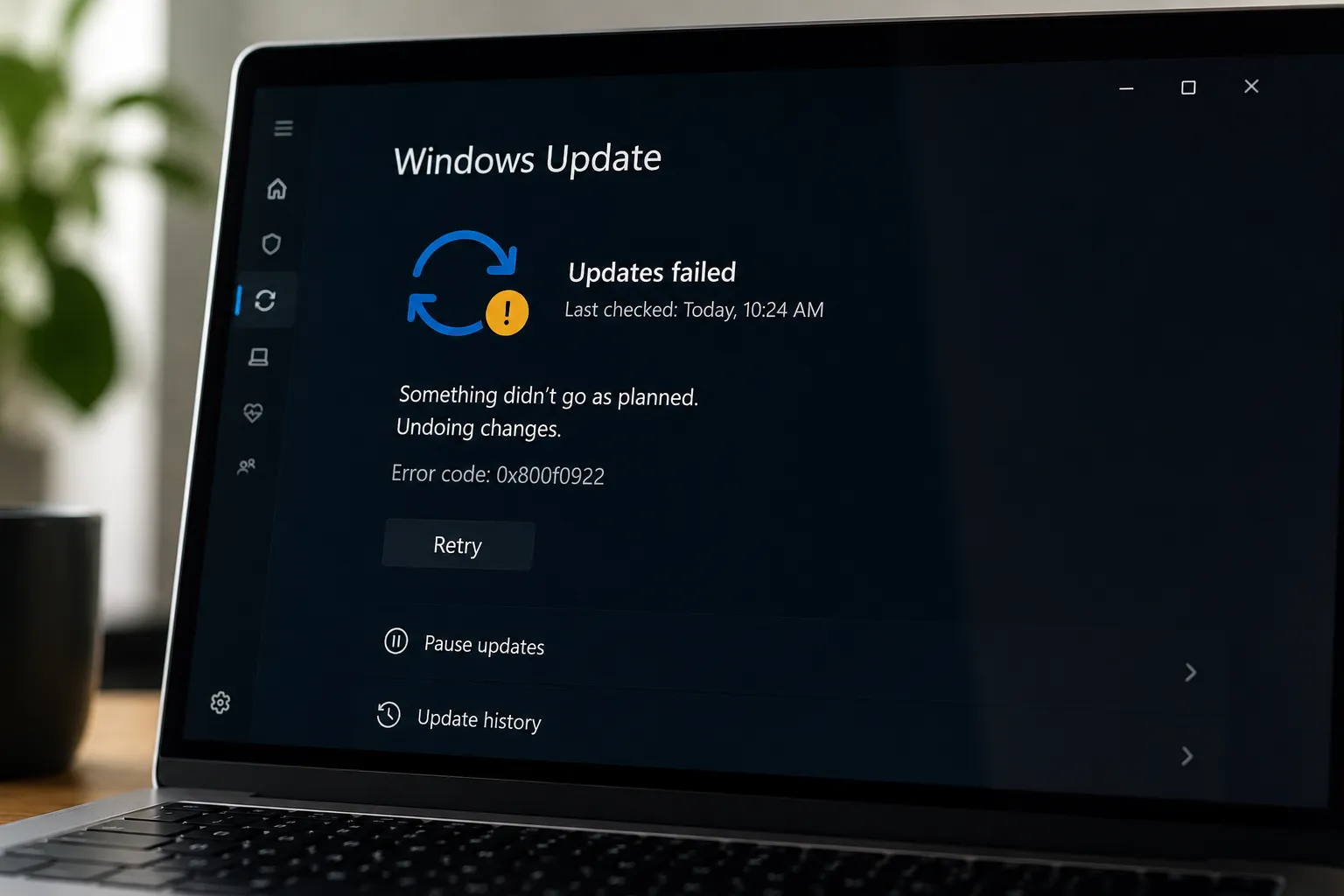
Windows 11 May 2026 Update Fails for Some PCs: What the EFI Partition Error Means
The May 2026 Patch Tuesday update is failing to install on a subset of Windows 11 machines, stalling mid-reboot at roughly 35–36% completion and rolling... windows.gadgethacks.com
- Related coverage: windowslatest.com
Microsoft confirms Windows 11 KB5089549 issues due to low storage, says it's rolling out an emergency patch to fix install errors
Microsoft confirmed that it's aware of an issue where Windows 11 KB5089549 fails to install due to errors such as 0x800f0922. www.windowslatest.com
- Related coverage: tsplus.net

Windows Server 2016 End of Support: Dates & Options | TSplus
Windows Server 2016 end of support is January 12, 2027. Learn ESU options, migration paths and how to reduce risk while keeping legacy apps running. tsplus.net
- Official source: learn.microsoft.com

Inquiry Regarding Post-End-of-Support Options for Windows Server 2016 - Microsoft Q&A
I understand that Windows Server 2016 will reach the end of its Extended Support phase on January 12, 2027, per Microsoft’s official Product Lifecycle documentation. To assist with long-term planning and risk mitigation, I would appreciate confirmation…learn.microsoft.com - Related coverage: software-express.de

Windows Server 2016 Extended Security Updates (ESU) | Preise und Lizenzen | Software-Express
Microsoft bietet für Windows Server 2016 kostenpflichtige Extended Security Updates (ESU) an. Das Support-Ende ist der 12. Januar 2027. Mit ESU lässt sich der Sicherheitsschutz um bis zu drei weitere Jahre verlängern, ausschließlich mit kritischen und wichtigen Sicherheitsupdates. Preise und...www.software-express.de
- Related coverage: csoonline.com

Microsoft May security patch fails for some due to boot partition size glitch
Consultants see the problem eating away at valuable patch resources because of a lack of Microsoft update hygiene. www.csoonline.com
- Related coverage: securityonline.info

Boot Partition Bottleneck: Microsoft Confirms Windows 11 Update KB5089549 Fails with Error 0x800f0922
Microsoft confirms Windows 11 update KB5089549 fails and rolls back at 35% with error 0x800f0922 on systems with low EFI partition storage. Learn the fix. securityonline.info
- Related coverage: techradar.com

- Related coverage: tomshardware.com
Windows 10 update incorrectly tells some users they've reached end-of-life, despite having extended support — Microsoft confirms message sent to Enterprise, Pro, and Education users in error
Windows 10 is not completely dead, yet.www.tomshardware.com
- Official source: microsoft.com

