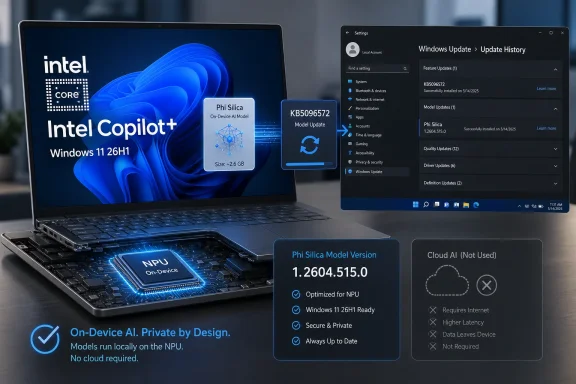
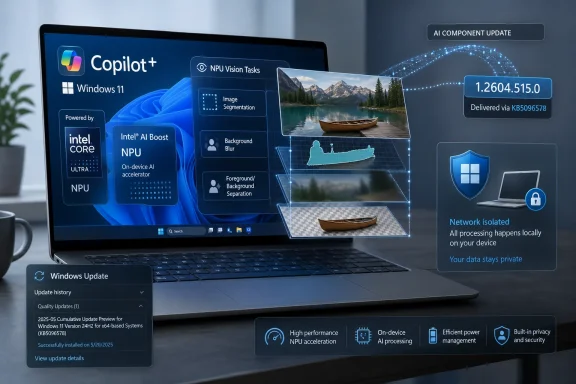
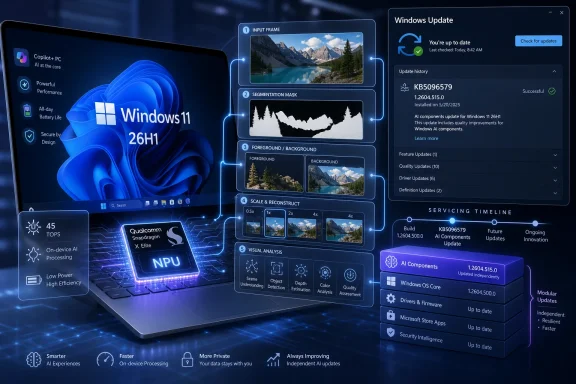
Microsoft has published KB5096579, a May 2026 Image Processing AI component update that moves Qualcomm-powered Copilot+ PCs on Windows 11 version 26H1 to version 1.2604.515.0 and installs automatically through Windows Update after the latest 26H1 cumulative update is present. That sounds like a small servicing note, because Microsoft has written it like one. In practice, it is another sign that Windows is becoming less like a single operating system release and more like a stack of silicon-specific AI components serviced on their own schedule.
The important part is not that an image-processing component got a new build number. The important part is that Microsoft is now treating local AI plumbing — segmentation, scaling, foreground/background extraction, visual analysis, and related runtime pieces — as something that can be updated independently for a narrow class of hardware. For Windows enthusiasts, that is technically interesting. For administrators, it is operationally awkward. For Microsoft, it is the price of making Copilot+ PCs feel like a platform rather than a logo sticker.
KB5096579 is not a feature update. It does not promise a redesigned Photos app, a new Recall interface, or a flashy Copilot button trick. It is a component update for the Image Processing AI subsystem on Qualcomm-powered Copilot+ PCs running Windows 11 version 26H1.
That distinction matters because Windows 11 version 26H1 is itself a deliberately unusual release. Microsoft has positioned 26H1 as a hardware-optimized Windows version for select new devices rather than a conventional feature update for the broad installed base. In other words, if you are running a normal Intel or AMD Windows 11 machine on 24H2 or 25H2, KB5096579 is not a missing prize. It is for a different branch of the Windows hardware story.
The component being updated sits below the consumer-facing features. It supports the machine-learning work needed for image understanding and manipulation: identifying subjects, separating foreground from background, helping apps scale or transform imagery, and enabling accessibility or editing experiences that depend on fast local inference. Microsoft’s support language is intentionally broad, but the pattern is familiar: move the model execution closer to the device, route it through dedicated AI silicon, and keep the user’s data on the PC where possible.
That last phrase — where possible — is doing a lot of work in the AI PC era. Microsoft wants the privacy and latency advantages of local processing without giving up cloud-connected AI services. Component updates like KB5096579 are how the company keeps the local side of that equation alive after the hardware leaves the factory.
Instead, 26H1 is a hardware-tuned release for select new systems, with Qualcomm Snapdragon X2 devices at the center of the initial story. That makes KB5096579 less like a general Windows update and more like a platform enablement package. It exists because Microsoft is no longer merely shipping Windows to processors; it is shipping Windows features that assume particular neural-processing hardware, model formats, execution providers, and power-management behavior.
This is a meaningful change in Windows culture. For decades, the operating system’s great selling point was abstraction. Windows ran across a vast landscape of CPUs, GPUs, chipsets, drivers, peripherals, and OEM oddities. There were always hardware-specific drivers and firmware updates, of course, but the core promise was that Windows itself provided a common layer.
Copilot+ PCs complicate that promise. The most marketable features depend on local AI acceleration, and local AI acceleration is not generic in the way a mouse or storage controller is generic. Qualcomm, AMD, Intel, and eventually other silicon vendors all have their own NPU capabilities, runtimes, drivers, and performance envelopes. Microsoft can standardize the APIs, but it cannot pretend the silicon underneath is interchangeable.
KB5096579 is one of those quiet artifacts of that reality. A user sees an update history entry. An IT admin sees another servicing lane. Microsoft sees a way to improve AI behavior without waiting for a full OS release.
That layer is not just branding. Microsoft’s AI features depend on multiple local pieces that can be updated independently. Image processing is one. Image transformation, local language models, runtime providers, and other AI support components are part of the same general trend. Each piece may have its own KB article, version number, supported processor family, and installation prerequisites.
The upside is obvious. If Microsoft improves a segmentation model or fixes a performance issue in an image pipeline, it does not need to wait for a yearly Windows release. If a Qualcomm-specific runtime component needs tuning, it can be targeted to Qualcomm systems. If a particular AI feature requires a newer component baseline, Windows Update can push that dependency automatically to eligible machines.
The downside is equally obvious. The Windows installation on a Copilot+ PC becomes harder to describe. Two devices may both say they are running Windows 11, version 26H1, but their AI component versions may differ depending on update timing, processor type, cumulative update level, OEM image age, and policy controls. When a feature behaves differently on two machines, the answer may no longer be “check the OS build.” It may be “check the AI component history too.”
That is not necessarily bad engineering. It may be the only sane way to ship local AI at the pace Microsoft wants. But it does mean the phrase “fully updated Windows PC” is becoming less precise.
But privacy claims do not maintain themselves. Local AI components require updates for quality, safety, compatibility, and performance. Models can misbehave. Runtime components can have bugs. App expectations can change. Hardware scheduling can improve. Accessibility scenarios may require more reliable detection. Editing tools may need better foreground masks. The moment Microsoft made on-device AI a pillar of Windows, it also made AI component servicing a core part of Windows maintenance.
That is where KB5096579 fits. The article does not list dramatic new capabilities. It says the update includes improvements to the Image Processing AI component for Windows 11 version 26H1. That blandness is typical of servicing language, but it leaves administrators with limited visibility into what changed.
For home users, that opacity may be acceptable. The update arrives automatically, the component version advances, and AI-enhanced image experiences may become marginally better or more reliable. For managed environments, the lack of granular change detail is harder to love. If an organization is validating Copilot+ PCs for design, field work, accessibility support, or regulated workflows, “improvements” is not a test plan.
Microsoft has often preferred broad update descriptions when the underlying changes are too low-level, too numerous, or too security-adjacent to document individually. That habit predates AI. But AI components make the habit more consequential because behavior changes may be visible at the experience layer even when the update is described as plumbing.
A component like Image Processing is a good showcase because it plays to the strengths Microsoft wants users to notice. Local AI tasks are latency-sensitive. They benefit from specialized hardware. They can be integrated into everyday experiences without asking users to understand model architecture. A user does not need to know what segmentation is to appreciate cleaner background separation in a video call or faster object-aware editing in an app.
The catch is that these experiences must be consistent. If Copilot+ branding promises a PC that can perform local AI magic, users will not care whether a disappointing result is caused by the app, the model, the runtime, the NPU driver, the OS build, or the OEM image. They will simply say the feature does not work well. Microsoft therefore needs a servicing system that can keep improving the stack after launch.
That is why KB5096579 is more interesting than its support article suggests. It is evidence of Microsoft trying to turn AI PCs from a launch-day hardware spec into a living platform. The dedicated NPU gets the keynote slide, but the component updates determine whether the machine feels better six months later.
This is also a competitive necessity. Apple controls its silicon, operating system, frameworks, and many first-party experiences in a tightly integrated loop. Microsoft does not have that luxury across the Windows ecosystem. Its answer is modularity: define the Windows AI layer, expose APIs, service components through Windows Update, and tailor enough of the stack to each hardware family to make the experience credible.
The harder part is deciding how to inventory and support these components over time. Traditional endpoint management already tracks OS versions, build numbers, driver versions, firmware levels, installed apps, and compliance state. AI component versions now belong on that list for organizations adopting Copilot+ hardware in any meaningful way.
This is especially true if users rely on AI-assisted image features for real workflows. A communications team using background extraction, a support team using visual accessibility tools, or a field organization using image analysis in a line-of-business app may all care whether the device has the expected local AI component baseline. If the feature is business-relevant, the component version becomes business-relevant.
There is also a procurement angle. 26H1’s hardware-specific nature means organizations cannot treat all Windows 11 devices as interchangeable endpoints. A fleet with Qualcomm Copilot+ PCs, AMD Copilot+ PCs, Intel systems, and older Windows machines may have different AI capabilities, different update eligibility, and different troubleshooting paths. The standard enterprise instinct — reduce variation — runs directly into Microsoft’s AI PC strategy, which depends on silicon-specific capabilities.
That does not mean organizations should avoid these machines. It means pilots matter. The most sensible enterprise posture is selective adoption: test the hardware, confirm the app stack, validate management visibility, and decide whether the AI features are useful enough to justify another branch of endpoint complexity.
The expected entry is specific: a May 2026 Image Processing update, version 1.2604.515.0, for Qualcomm-powered systems, associated with KB5096579. If a device is eligible but does not show the update, the first thing to check is whether the latest cumulative update for Windows 11 version 26H1 is installed. Microsoft lists that as a prerequisite, which suggests the AI component update depends on the OS servicing baseline.
That dependency is another reminder that the AI stack is not floating above Windows. It is integrated into it. The component may be modular, but it still expects a particular platform state underneath. This is good for reliability and bad for anyone hoping AI updates would be as simple as app updates.
Replacement information matters too. KB5096579 replaces KB5089872, meaning Microsoft is advancing the Qualcomm image-processing track rather than layering unrelated updates side by side. In a healthy servicing model, that should reduce confusion: the latest update supersedes the older one, and the current component version becomes the support target.
Still, admins will want better tooling than manual Settings checks. If AI component updates become operationally important, Microsoft’s management and reporting surfaces will need to make them easy to query at scale. A KB article is fine for a single PC. It is not enough for a fleet.
AI systems are probabilistic and experience-shaping. A change to an image-processing model might improve foreground separation in one scenario and alter results in another. A runtime update might reduce latency but change resource usage. A fix for one app pipeline might expose an assumption in another. Without clearer release notes, users and administrators are left to infer impact from behavior.
Microsoft may argue that these are low-level components and that documenting every model or runtime adjustment would create more confusion than clarity. There is some truth to that. Most users do not need a model-card-style explanation for every Windows Update entry. But enterprise customers and technically literate enthusiasts need enough information to understand risk.
The company does not have to publish proprietary model internals to be more useful. It could identify whether an update is primarily about reliability, performance, compatibility, security hardening, or feature enablement. It could say whether app developers should retest particular API surfaces. It could call out known issues or expected behavioral changes. Even a small taxonomy would help.
Windows Update is built on trust. Users allow Microsoft to change their machines because the alternative is insecurity and fragmentation. As AI components become more capable, and as they touch more personal content, the argument for clearer servicing notes gets stronger.
But developers need predictable baselines. If an app depends on local image segmentation, it needs to know which Windows versions, which Copilot+ hardware classes, and which AI component versions provide acceptable behavior. If Microsoft updates the component automatically, developers also need confidence that updates will improve compatibility rather than introduce silent changes that are hard to reproduce.
This is where component versioning can become an asset. Version 1.2604.515.0 is not a friendly consumer concept, but it is a useful support boundary. A developer can ask a user to check whether the relevant AI component is installed. An enterprise can define a minimum component level. Microsoft can correlate bugs to component versions instead of treating “Windows 11” as a single target.
The danger is fragmentation by another name. If Qualcomm, AMD, and Intel systems each have different AI component tracks, and if 26H1 differs from 24H2 and 25H2 in meaningful ways, developers may face a matrix that looks suspiciously like the driver compatibility headaches Windows has spent decades trying to tame. Microsoft’s job is to hide that complexity without denying that it exists.
The best outcome is boring: developers call stable Windows AI APIs, Windows routes work to the right local hardware, components update quietly, and users get faster experiences. KB5096579 is one piece of that boring outcome. The concern is that the path to boring may be anything but.
That uneventfulness is not failure. Infrastructure updates are supposed to disappear. If background extraction gets a little cleaner, if a visual accessibility feature responds more quickly, if an AI-assisted editing task uses less power, most users will not attribute it to KB5096579. They will simply feel that the PC works as expected.
But Microsoft has trained users to look for visible features when they hear “AI.” Copilot+ PCs were sold with prominent promises: local intelligence, creative tools, recall-like memory features, translation, image generation, and productivity assistance. A component update that merely improves underlying image processing may feel anticlimactic in that context.
That gap between marketing spectacle and servicing reality is worth watching. The AI PC will not succeed because every update delivers a new demo. It will succeed if the everyday substrate becomes reliable enough that app developers and users stop thinking about it. Microsoft’s challenge is to keep shipping the unglamorous pieces while maintaining enough transparency to reassure the people responsible for the machines.
In that sense, KB5096579 is a mundane update in service of an ambitious bet. The glamour belongs to Copilot. The credibility belongs to the servicing pipeline.
The important part is not that an image-processing component got a new build number. The important part is that Microsoft is now treating local AI plumbing — segmentation, scaling, foreground/background extraction, visual analysis, and related runtime pieces — as something that can be updated independently for a narrow class of hardware. For Windows enthusiasts, that is technically interesting. For administrators, it is operationally awkward. For Microsoft, it is the price of making Copilot+ PCs feel like a platform rather than a logo sticker.
 Microsoft’s Small KB Article Points to a Much Bigger Windows Architecture Shift
KB5096579 is not a feature update. It does not promise a redesigned Photos app, a new Recall interface, or a flashy Copilot button trick. It is a component update for the Image Processing AI subsystem on Qualcomm-powered Copilot+ PCs running Windows 11 version 26H1.That distinction matters because Windows 11 version 26H1 is itself a deliberately unusual release. Microsoft has positioned 26H1 as a hardware-optimized Windows version for select new devices rather than a conventional feature update for the broad installed base. In other words, if you are running a normal Intel or AMD Windows 11 machine on 24H2 or 25H2, KB5096579 is not a missing prize. It is for a different branch of the Windows hardware story.
The component being updated sits below the consumer-facing features. It supports the machine-learning work needed for image understanding and manipulation: identifying subjects, separating foreground from background, helping apps scale or transform imagery, and enabling accessibility or editing experiences that depend on fast local inference. Microsoft’s support language is intentionally broad, but the pattern is familiar: move the model execution closer to the device, route it through dedicated AI silicon, and keep the user’s data on the PC where possible.
That last phrase — where possible — is doing a lot of work in the AI PC era. Microsoft wants the privacy and latency advantages of local processing without giving up cloud-connected AI services. Component updates like KB5096579 are how the company keeps the local side of that equation alive after the hardware leaves the factory.
26H1 Is Not the Next Windows for Everyone, and That Is the Point
The Windows version number is the first trap in this story. To a normal user, 26H1 looks like the next annual Windows release. To an administrator, it looks like something that might need testing, deployment rings, deferrals, and compatibility validation. But Microsoft has been clear that 26H1 is not meant to replace 24H2 or 25H2 across the fleet.Instead, 26H1 is a hardware-tuned release for select new systems, with Qualcomm Snapdragon X2 devices at the center of the initial story. That makes KB5096579 less like a general Windows update and more like a platform enablement package. It exists because Microsoft is no longer merely shipping Windows to processors; it is shipping Windows features that assume particular neural-processing hardware, model formats, execution providers, and power-management behavior.
This is a meaningful change in Windows culture. For decades, the operating system’s great selling point was abstraction. Windows ran across a vast landscape of CPUs, GPUs, chipsets, drivers, peripherals, and OEM oddities. There were always hardware-specific drivers and firmware updates, of course, but the core promise was that Windows itself provided a common layer.
Copilot+ PCs complicate that promise. The most marketable features depend on local AI acceleration, and local AI acceleration is not generic in the way a mouse or storage controller is generic. Qualcomm, AMD, Intel, and eventually other silicon vendors all have their own NPU capabilities, runtimes, drivers, and performance envelopes. Microsoft can standardize the APIs, but it cannot pretend the silicon underneath is interchangeable.
KB5096579 is one of those quiet artifacts of that reality. A user sees an update history entry. An IT admin sees another servicing lane. Microsoft sees a way to improve AI behavior without waiting for a full OS release.
The AI PC Is Becoming a Bundle of Serviced Components
The old Windows servicing model was already complicated. Monthly cumulative updates, preview updates, Store app updates, driver updates, firmware updates, Defender intelligence updates, Edge updates, WebView2 runtime updates, and Microsoft 365 app channels all move on overlapping schedules. Copilot+ PCs add another layer: Windows AI components.That layer is not just branding. Microsoft’s AI features depend on multiple local pieces that can be updated independently. Image processing is one. Image transformation, local language models, runtime providers, and other AI support components are part of the same general trend. Each piece may have its own KB article, version number, supported processor family, and installation prerequisites.
The upside is obvious. If Microsoft improves a segmentation model or fixes a performance issue in an image pipeline, it does not need to wait for a yearly Windows release. If a Qualcomm-specific runtime component needs tuning, it can be targeted to Qualcomm systems. If a particular AI feature requires a newer component baseline, Windows Update can push that dependency automatically to eligible machines.
The downside is equally obvious. The Windows installation on a Copilot+ PC becomes harder to describe. Two devices may both say they are running Windows 11, version 26H1, but their AI component versions may differ depending on update timing, processor type, cumulative update level, OEM image age, and policy controls. When a feature behaves differently on two machines, the answer may no longer be “check the OS build.” It may be “check the AI component history too.”
That is not necessarily bad engineering. It may be the only sane way to ship local AI at the pace Microsoft wants. But it does mean the phrase “fully updated Windows PC” is becoming less precise.
Microsoft Is Selling Privacy, but Servicing Is the Foundation
The marketing pitch for on-device AI is straightforward: lower latency, better responsiveness, and more privacy-sensitive processing because user data does not need to leave the machine for every task. Image processing is one of the cleanest examples. If Windows or an app can identify a subject, blur a background, enhance a frame, or extract visual structure locally, the experience can feel immediate and less dependent on cloud round trips.But privacy claims do not maintain themselves. Local AI components require updates for quality, safety, compatibility, and performance. Models can misbehave. Runtime components can have bugs. App expectations can change. Hardware scheduling can improve. Accessibility scenarios may require more reliable detection. Editing tools may need better foreground masks. The moment Microsoft made on-device AI a pillar of Windows, it also made AI component servicing a core part of Windows maintenance.
That is where KB5096579 fits. The article does not list dramatic new capabilities. It says the update includes improvements to the Image Processing AI component for Windows 11 version 26H1. That blandness is typical of servicing language, but it leaves administrators with limited visibility into what changed.
For home users, that opacity may be acceptable. The update arrives automatically, the component version advances, and AI-enhanced image experiences may become marginally better or more reliable. For managed environments, the lack of granular change detail is harder to love. If an organization is validating Copilot+ PCs for design, field work, accessibility support, or regulated workflows, “improvements” is not a test plan.
Microsoft has often preferred broad update descriptions when the underlying changes are too low-level, too numerous, or too security-adjacent to document individually. That habit predates AI. But AI components make the habit more consequential because behavior changes may be visible at the experience layer even when the update is described as plumbing.
Qualcomm Gets the Early Spotlight Because Windows on Arm Needs a Win
Qualcomm-powered Copilot+ PCs occupy a special place in Microsoft’s current Windows strategy. Windows on Arm has spent years as a promising but compromised alternative: excellent battery-life ambitions, uneven app compatibility history, and a persistent perception that x86 Windows remained the default serious choice. The Snapdragon X generation changed that conversation, and the next wave of Qualcomm silicon gives Microsoft a chance to push harder.A component like Image Processing is a good showcase because it plays to the strengths Microsoft wants users to notice. Local AI tasks are latency-sensitive. They benefit from specialized hardware. They can be integrated into everyday experiences without asking users to understand model architecture. A user does not need to know what segmentation is to appreciate cleaner background separation in a video call or faster object-aware editing in an app.
The catch is that these experiences must be consistent. If Copilot+ branding promises a PC that can perform local AI magic, users will not care whether a disappointing result is caused by the app, the model, the runtime, the NPU driver, the OS build, or the OEM image. They will simply say the feature does not work well. Microsoft therefore needs a servicing system that can keep improving the stack after launch.
That is why KB5096579 is more interesting than its support article suggests. It is evidence of Microsoft trying to turn AI PCs from a launch-day hardware spec into a living platform. The dedicated NPU gets the keynote slide, but the component updates determine whether the machine feels better six months later.
This is also a competitive necessity. Apple controls its silicon, operating system, frameworks, and many first-party experiences in a tightly integrated loop. Microsoft does not have that luxury across the Windows ecosystem. Its answer is modularity: define the Windows AI layer, expose APIs, service components through Windows Update, and tailor enough of the stack to each hardware family to make the experience credible.
The Admin Burden Moves From Drivers to AI Baselines
For IT pros, the immediate action item is simple: KB5096579 applies only to Qualcomm-powered Copilot+ PCs running Windows 11 version 26H1, requires the latest cumulative update for that OS version, and should appear in Windows Update history as the May 2026 Image Processing version 1.2604.515.0 update for Qualcomm-powered systems. That is the easy part.The harder part is deciding how to inventory and support these components over time. Traditional endpoint management already tracks OS versions, build numbers, driver versions, firmware levels, installed apps, and compliance state. AI component versions now belong on that list for organizations adopting Copilot+ hardware in any meaningful way.
This is especially true if users rely on AI-assisted image features for real workflows. A communications team using background extraction, a support team using visual accessibility tools, or a field organization using image analysis in a line-of-business app may all care whether the device has the expected local AI component baseline. If the feature is business-relevant, the component version becomes business-relevant.
There is also a procurement angle. 26H1’s hardware-specific nature means organizations cannot treat all Windows 11 devices as interchangeable endpoints. A fleet with Qualcomm Copilot+ PCs, AMD Copilot+ PCs, Intel systems, and older Windows machines may have different AI capabilities, different update eligibility, and different troubleshooting paths. The standard enterprise instinct — reduce variation — runs directly into Microsoft’s AI PC strategy, which depends on silicon-specific capabilities.
That does not mean organizations should avoid these machines. It means pilots matter. The most sensible enterprise posture is selective adoption: test the hardware, confirm the app stack, validate management visibility, and decide whether the AI features are useful enough to justify another branch of endpoint complexity.
The Update History Entry Becomes a Diagnostic Clue
Microsoft tells users to verify KB5096579 through Settings, Windows Update, and Update history. That sounds mundane, but it is an important support detail because these component updates may not announce themselves in obvious ways. There may be no new app icon, no splash screen, and no user-facing feature toggle that says “Image Processing AI component updated.”The expected entry is specific: a May 2026 Image Processing update, version 1.2604.515.0, for Qualcomm-powered systems, associated with KB5096579. If a device is eligible but does not show the update, the first thing to check is whether the latest cumulative update for Windows 11 version 26H1 is installed. Microsoft lists that as a prerequisite, which suggests the AI component update depends on the OS servicing baseline.
That dependency is another reminder that the AI stack is not floating above Windows. It is integrated into it. The component may be modular, but it still expects a particular platform state underneath. This is good for reliability and bad for anyone hoping AI updates would be as simple as app updates.
Replacement information matters too. KB5096579 replaces KB5089872, meaning Microsoft is advancing the Qualcomm image-processing track rather than layering unrelated updates side by side. In a healthy servicing model, that should reduce confusion: the latest update supersedes the older one, and the current component version becomes the support target.
Still, admins will want better tooling than manual Settings checks. If AI component updates become operationally important, Microsoft’s management and reporting surfaces will need to make them easy to query at scale. A KB article is fine for a single PC. It is not enough for a fleet.
The Lack of Changelog Detail Is Becoming a Trust Problem
The support article says the update includes improvements. It does not say whether those improvements affect accuracy, performance, reliability, compatibility, accessibility, security, power use, or developer-facing behavior. That kind of vagueness has long been part of Windows servicing, but AI makes it more uncomfortable.AI systems are probabilistic and experience-shaping. A change to an image-processing model might improve foreground separation in one scenario and alter results in another. A runtime update might reduce latency but change resource usage. A fix for one app pipeline might expose an assumption in another. Without clearer release notes, users and administrators are left to infer impact from behavior.
Microsoft may argue that these are low-level components and that documenting every model or runtime adjustment would create more confusion than clarity. There is some truth to that. Most users do not need a model-card-style explanation for every Windows Update entry. But enterprise customers and technically literate enthusiasts need enough information to understand risk.
The company does not have to publish proprietary model internals to be more useful. It could identify whether an update is primarily about reliability, performance, compatibility, security hardening, or feature enablement. It could say whether app developers should retest particular API surfaces. It could call out known issues or expected behavioral changes. Even a small taxonomy would help.
Windows Update is built on trust. Users allow Microsoft to change their machines because the alternative is insecurity and fragmentation. As AI components become more capable, and as they touch more personal content, the argument for clearer servicing notes gets stronger.
Developers Need a Stable AI Floor, Not Just Ambitious APIs
The developer story behind KB5096579 is implicit but important. Microsoft wants Windows apps to use local AI capabilities through supported APIs rather than every vendor bundling its own models, runtimes, and hardware-specific acceleration logic. That is the right instinct. A common platform layer is better than a thousand incompatible AI add-ons.But developers need predictable baselines. If an app depends on local image segmentation, it needs to know which Windows versions, which Copilot+ hardware classes, and which AI component versions provide acceptable behavior. If Microsoft updates the component automatically, developers also need confidence that updates will improve compatibility rather than introduce silent changes that are hard to reproduce.
This is where component versioning can become an asset. Version 1.2604.515.0 is not a friendly consumer concept, but it is a useful support boundary. A developer can ask a user to check whether the relevant AI component is installed. An enterprise can define a minimum component level. Microsoft can correlate bugs to component versions instead of treating “Windows 11” as a single target.
The danger is fragmentation by another name. If Qualcomm, AMD, and Intel systems each have different AI component tracks, and if 26H1 differs from 24H2 and 25H2 in meaningful ways, developers may face a matrix that looks suspiciously like the driver compatibility headaches Windows has spent decades trying to tame. Microsoft’s job is to hide that complexity without denying that it exists.
The best outcome is boring: developers call stable Windows AI APIs, Windows routes work to the right local hardware, components update quietly, and users get faster experiences. KB5096579 is one piece of that boring outcome. The concern is that the path to boring may be anything but.
Users Will Experience This as “My PC Got Better” or “Nothing Happened”
Most owners of eligible Qualcomm Copilot+ PCs will not read the KB article. They will receive the update automatically, perhaps see it in update history, and move on. If Microsoft does its job well, the user experience will be uneventful.That uneventfulness is not failure. Infrastructure updates are supposed to disappear. If background extraction gets a little cleaner, if a visual accessibility feature responds more quickly, if an AI-assisted editing task uses less power, most users will not attribute it to KB5096579. They will simply feel that the PC works as expected.
But Microsoft has trained users to look for visible features when they hear “AI.” Copilot+ PCs were sold with prominent promises: local intelligence, creative tools, recall-like memory features, translation, image generation, and productivity assistance. A component update that merely improves underlying image processing may feel anticlimactic in that context.
That gap between marketing spectacle and servicing reality is worth watching. The AI PC will not succeed because every update delivers a new demo. It will succeed if the everyday substrate becomes reliable enough that app developers and users stop thinking about it. Microsoft’s challenge is to keep shipping the unglamorous pieces while maintaining enough transparency to reassure the people responsible for the machines.
In that sense, KB5096579 is a mundane update in service of an ambitious bet. The glamour belongs to Copilot. The credibility belongs to the servicing pipeline.
The May Qualcomm Image Update Leaves a Short Checklist Behind
For all the architectural significance, KB5096579 reduces to a handful of concrete facts for anyone managing or troubleshooting an eligible PC. The update is narrow, automatic, and dependent on the 26H1 servicing baseline, which makes it easy to miss if you are looking for a traditional feature release.- KB5096579 updates the Image Processing AI component for Qualcomm-powered Copilot+ PCs to version 1.2604.515.0.
- The update applies to Windows 11 version 26H1 systems, not to the broad population of existing Windows 11 PCs on 24H2 or 25H2.
- The device must already have the latest cumulative update for Windows 11 version 26H1 before this AI component update is installed.
- Microsoft delivers the update automatically through Windows Update rather than as a manually chosen feature upgrade.
- The update replaces KB5089872, making it the current Qualcomm Image Processing AI component baseline for this servicing track.
- The practical verification path is Windows Update history, where the May 2026 Image Processing entry should appear on eligible systems.
References
- Primary source: Microsoft Support
Published: Tue, 26 May 2026 21:02:53 Z
- Related coverage: windowscentral.com
Windows 11 version 26H1: Everything you need to know about Microsoft's special OS release now shipping on new hardware | Windows Central
Microsoft has confirmed that Windows 11 version 26H1 is now shipping exclusively on new PCs that ship with Qualcomm's new Snapdragon X2 SoC. Here's what you need to know.www.windowscentral.com - Related coverage: windowslatest.com
Microsoft details Windows 11 26H1 support cycle, CPU requirements (just Snapdragon X2 for now), and more
Microsoft says Windows 11 26H1 is supported until March 2028 for consumers and is now rolling out on PCs with eligible CPUs. www.windowslatest.com
- Official source: techcommunity.microsoft.com
What to know about Windows 11, version 26H1 - Windows IT Pro Blog
Explore this specialized Windows release designed to support the next generation of hardware innovation. techcommunity.microsoft.com
- Related coverage: windowsforum.com
KB5079261 Qualcomm Image Processing AI Update on Windows 11 26H1 | Windows Forum
Microsoft’s terse update note for KB5079261 says the Image Processing AI component for Qualcomm-powered systems has been bumped to version 1.2601.1273.0 and...windowsforum.com - Official source: learn.microsoft.com
Release information for AI components | Microsoft Learn
Release information for AI componentslearn.microsoft.com

- Related coverage: na.ingrammicro.com