

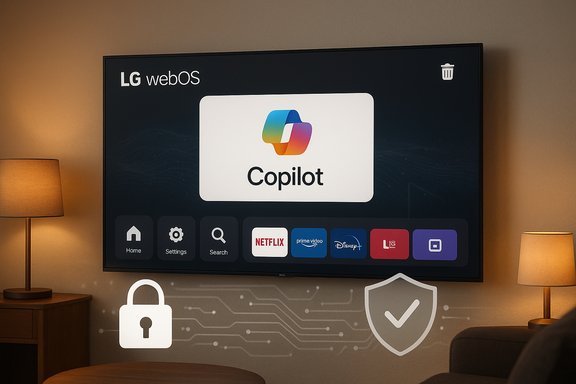
LG has quietly promised to let TV owners delete a Microsoft Copilot shortcut that many users found forcibly pinned to their webOS home screens after a recent over‑the‑air update, saying the tile is a browser shortcut rather than a native app and that a delete option will be added following consumer pushback.
Background / Overview
The Copilot-on-TV episode began with a routine webOS firmware push that placed a Microsoft Copilot tile in the home ribbon of affected LG TVs. Owners discovered the tile after their sets updated and reported that, unlike normal downloadable apps, the Copilot entry offered only limited UI choices — hide or disable — with no clear uninstall or trash action available. In multiple user reports a factory reset restored the tile, a behavior consistent with components provisioned as privileged system items or baked into the firmware image. The story reached mainstream attention after a high‑visibility Reddit post and subsequent coverage by outlets including Engadget, The Verge and Tom’s Guide. Public outrage focused less on Copilot’s capabilities and more on how the tile arrived: silently, widely, and apparently without a durable opt‑out, which many owners experienced as an erosion of device control. LG responded by telling reporters it “respects consumer choice” and “will take steps to allow users to delete the shortcut icon if they wish,” while clarifying the tile launches Copilot in the TV’s web browser rather than running as an embedded webOS application.Why this matters: ownership, updates and the modern smart TV
Smart TVs today are not just displays; they are networked platforms that receive frequent firmware updates, host advertising and personalization engines, and increasingly act as endpoints for cloud AI services. That background matters because:- Firmware-over-the-air (FOTA) updates can change the device’s system image after purchase, altering what is visible and available to users.
- System‑level packaging (privileged apps or firmware‑baked tiles) can remove or severely limit end‑user control over preinstalled components.
- AI assistants layered onto shared household devices raise new privacy vectors, from microphone use to richer contextual telemetry (for example, automatic content recognition).
Technical anatomy: why some apps feel “undeletable”
Understanding the technical reasons this tile behaved like a permanent fixture requires a quick breakdown of common packaging strategies used on embedded platforms like webOS:- System/privileged package: An OEM can install a component outside the user sandbox as a system app. The UI often allows only limited actions (hide/disable) because uninstalling system apps can break platform dependencies.
- Firmware‑baked component: A FOTA image can include preconfigured tiles or modules. A factory reset typically restores the firmware image, which reintroduces any items included in that image.
The web‑shortcut nuance
LG has insisted the Copilot tile is a shortcut that opens Microsoft’s Copilot web experience inside the TV’s browser, as opposed to an integrated, locally running app. That packaging choice is technically lightweight (no deep platform integration required) and easy to deploy, but it does not by itself address ownership questions: a pinned shortcut that cannot be removed still occupies home‑screen real estate and changes the daily UX for owners. Multiple reports and vendor statements corroborate the web‑shortcut characterization while also noting that microphone activation is consent‑driven.Timeline of events (concise)
- LG and other OEMs publicly signaled Copilot/assistant plans for 2025 at CES and in product roadmaps.
- Mid‑December: a webOS FOTA update placed a Microsoft Copilot tile on many LG TVs’ home screens.
- Owners discovered the tile offered hide/disable but no uninstall; a Reddit thread amplified the issue into mainstream coverage.
- LG told reporters it would allow users to delete the shortcut, and clarified the tile is a browser shortcut; no firm timeline for the deletion option was announced.
What LG said — and what it didn’t
LG’s public remarks, as relayed to press outlets, included three central claims:- The Copilot icon is a shortcut that launches the AI in the TV’s browser rather than a native app embedded in the appliance.
- Microphone input and other sensitive features require explicit user consent before activation.
- LG “will take steps” to add a deletion option so users can remove the shortcut if they wish.
Cross‑checked reporting and independent corroboration
Multiple independent outlets and community captures support the core facts:- Engadget reported the LG spokesperson’s quote about adding a delete option and described the tile as a web shortcut.
- The Verge covered LG’s follow‑up, noting the company would allow deletion while clarifying the browser‑shortcut nature of the tile.
- Tom’s Guide and Tom’s Hardware independently documented the tile’s arrival and the limited UI affordances that made it effectively undeletable for many owners.
Breaking down the trade‑offs: potential benefits vs. clear risks
Potential benefits of Copilot on TVs
- Faster discovery and contextual help: Copilot can summarize episodes, answer quick questions about shows, and offer conversational discovery that reduces menu drilling.
- Accessibility: Voice‑driven assistants can improve accessibility for users with mobility or visual impairments.
- Unified conversational UX: For households that want an assistant on the big screen, Copilot offers a single, familiar interface across devices.
Significant risks and failures in rollout
- Erosion of device ownership: Preinstalling a persistent tile without an obvious uninstall path undermines the expectation that users control what runs on their purchased hardware.
- Privacy and telemetry expansion: Even if Copilot itself is a browser shortcut, coupling it with features like Live Plus / ACR (automatic content recognition) could increase the telemetry footprint if defaults favor personalization and advertising. Public reporting indicates Live Plus was highlighted in the rollout and that some settings may be enabled by default, which amplified alarms.
- Transparency deficit: Vendor statements lacked a precise timeline for remediation, and no technical note was published describing what data Copilot accesses on the TV and how it interacts with LG’s existing telemetry systems.
- PR and regulatory exposure: Forced additions of partner services create reputational risk and invite scrutiny from consumer advocates and, potentially, regulators focused on unfair commercial practices or deceptive updates.
Practical guidance: what affected LG TV owners can do now
If you own an LG TV that now shows a Copilot tile and you want to reduce exposure or regain control, here are ordered, practical steps:- Hide the Copilot tile from the home screen edit controls to remove daily visibility.
- Turn off Live Plus / Automatic Content Recognition: Settings → All Settings → General → Additional Settings → Live Plus (menu labels vary by model). This reduces contextual on‑screen signals used for personalization and advertising.
- Avoid signing into Microsoft services on the TV. Without sign‑in, cloud personalization and cross‑device features are limited.
- Use an external streaming device (Roku, Apple TV, Amazon Fire TV, Nvidia Shield) and treat the TV as a passive display. This preserves user control at the expense of convenience.
- If technically comfortable, block known telemetry and ad domains at the router level (Pi‑hole, DNS filtering, firewall rules) or place the TV on a segregated guest VLAN.
- Expect and insist on a vendor remediation timeline: monitor LG support channels for firmware updates that add a deletion affordance.
What remains unverified — and why that matters
Some claims circulating in forums and social posts escalated to worst‑case scenarios (for example, that the update enabled always‑listening microphones or stealth telemetry exfiltration). These are plausible concerns, but they require forensic analysis — network packet captures, firmware inspection, and documented vendor disclosures — before they can be treated as fact. Multiple reporting threads caution readers to distinguish verified observations (tile added, uninstall option absent, factory reset restored tile) from plausible but unproven claims about new classes of telemetry. LG’s statement that microphone access requires explicit consent is an important mitigating claim, but independent verification is still desirable. Treat these more serious privacy allegations as unverified until a technical audit or vendor technical note confirms them.Corporate incentives and the product decisions that shape this outcome
Why would an OEM choose to deliver a web shortcut as a (temporarily) non‑removable tile?- Adoption maximization. Pinning a partner service to the home screen guarantees visibility and increases the chance of engagement.
- Speed of deployment. A web wrapper is faster to implement than a fully native integration and simplifies partner rollouts across multiple models.
- Commercial partnership pressure. Platform partners (in this case, Microsoft) have incentives to increase Copilot’s footprint and reach on large‑screen devices.
Regulatory and long‑term consequences
The Copilot tile incident is likely to attract attention from consumer advocacy groups and possibly regulators in jurisdictions where consumer protection and privacy standards push back on post‑sale software changes that materially alter a product’s behavior. Potential outcomes include:- Pressure on OEMs to publish clear update and telemetry policies for embedded AI features.
- Requirements to provide explicit, durable opt‑outs and uninstall capabilities for post‑sale software additions.
- Increased scrutiny on default settings for data collection features like ACR/Live Plus.
A prescriptive checklist for responsible AI rollouts on consumer hardware
For OEMs and platform partners who plan similar AI deployments, the Copilot tile incident suggests a short checklist of do’s and don’ts:- Do ship with opt‑in default settings for new AI features that access sensitive signals.
- Do allow durable uninstall or deletion of any post‑sale additions that change the user interface.
- Do publish a clear telemetry FAQ that explains what is collected, why, retention, export and opt‑out options.
- Don’t push partner services as privileged tiles without a clear, consumer‑facing explanation and signing flow.
- Don’t assume a web wrapper is a low‑risk deployment; perceived imposition can be just as harmful as a deep native integration.
Conclusion: useful tech — delivered poorly
Microsoft Copilot on big screens can be a genuinely useful feature: contextual show recaps, conversational navigation and accessibility gains are all plausible benefits. The episode on LG TVs is not an argument against assistants on TVs per se. It is an argument about how those assistants must be delivered.LG’s promise to add a deletion option is the right immediate response, but it is an incomplete fix without a clear timeline, a public technical note about telemetry and consent, and a durable uninstall mechanism that matches consumer expectations for device ownership. Until vendors treat post‑sale software changes with the same governance they apply to on‑device ads or account integrations, these kinds of controversies will continue to erode trust.
For owners: hide the tile, disable Live Plus, avoid sign‑in, use an external streamer if you value complete control — and hold vendors to the simple standard they have so far failed to meet: if a feature is useful, make it easy to choose it, and even easier to leave it.
Source: Engadget LG will let you delete the previously unremovable Microsoft Copilot shortcut on its smart TVs
