

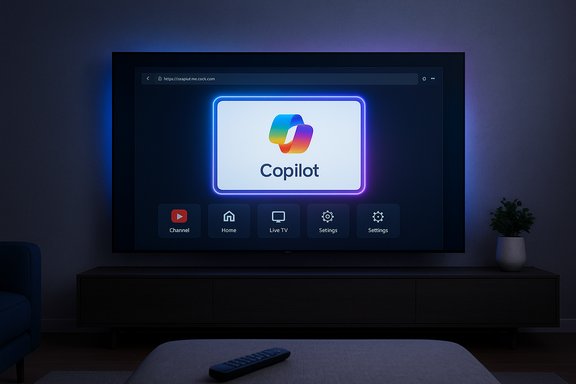
LG’s latest webOS update quietly pins a Microsoft Copilot app to the home screen of many 2025 and 2026 LG TVs — an addition that reflects the industry’s rush to stitch generative AI into every connected screen, but which so far delivers little more than a web shortcut and a fresh round of customer frustration.
At CES 2025 both LG and Samsung announced plans to integrate Microsoft’s Copilot AI into their TV platforms, positioning the assistant as an on-screen companion that could help users search, summarize, and interact with content in natural language. LG described Copilot as a complement to its own AI features during the show, and the rollout was billed as part of a broader strategy to deliver “AI-powered personalization” across its 2025 OLED lineup. Samsung moved faster and with clearer product messaging: in August 2025 it rolled Copilot into its 2025 TV and Smart Monitor lineups and published step-by-step guidance for how Copilot will appear on the Tizen homescreen, how users can sign in (a QR-code workflow), and the kinds of contextual on-screen cards Copilot will display. Microsoft’s own Copilot team highlighted visual cards, voice activation via the remote, and optional personalization tied to a Microsoft account. LG’s Copilot rollout, however, has landed in a far less ambitious form. Reports and user tests indicate that, after a recent webOS update, the Copilot entry on LG TVs acts primarily as a launcher for the web-based Copilot experience rather than a native, system-level assistant integrated into webOS. That difference matters: Samsung’s implementation is explicitly designed to blend into TV navigation and its AI features, while the LG version—at least in its current state—appears to be a pinned web app with limited ability to interact with the TV’s context or replace existing LG AI services.
For LG, however, the calculus is different. The company sells a high-margin hardware product (OLED panels) and increasingly emphasizes value-added software experiences tied to its own services. A minimal Copilot integration helps signal alignment with Microsoft while keeping LG’s own AI ecosystem front and center. There may also be contractual or marketing considerations that explain why Copilot was added to webOS even without the deep native integration users might have expected; any assertions about non-public commercial agreements should be treated with caution.
That approach may be perfectly rational from a corporate partnership and engineering-resource perspective, but it leaves three things exposed: user expectations, privacy clarity, and UI cleanliness. The current deployment invites legitimate skepticism from consumers who pay premium hardware prices and expect clean, controllable software experiences on their TVs. LG can remedy this with clearer documentation, an opt-out or uninstall option, and a roadmap for deeper, genuinely useful integration — or it can accept that Copilot remains a marketing checkbox rather than a living platform feature.
For consumers, the immediate takeaway is pragmatic: check updates, verify what changed, and use device-level or network-level controls if privacy or UI clutter are immediate concerns. For the industry, this episode is a reminder that AI features are judged by how they work in the product, not merely by who they’re from. If LG and Microsoft want Copilot to be more than a sticker on the home screen, the next step will have to be deeper — and demonstrably useful — integration that justifies its place on premium TVs.
Source: Notebookcheck LG TVs are getting a Microsoft Copilot app nobody asked for
 Background / Overview
At CES 2025 both LG and Samsung announced plans to integrate Microsoft’s Copilot AI into their TV platforms, positioning the assistant as an on-screen companion that could help users search, summarize, and interact with content in natural language. LG described Copilot as a complement to its own AI features during the show, and the rollout was billed as part of a broader strategy to deliver “AI-powered personalization” across its 2025 OLED lineup. Samsung moved faster and with clearer product messaging: in August 2025 it rolled Copilot into its 2025 TV and Smart Monitor lineups and published step-by-step guidance for how Copilot will appear on the Tizen homescreen, how users can sign in (a QR-code workflow), and the kinds of contextual on-screen cards Copilot will display. Microsoft’s own Copilot team highlighted visual cards, voice activation via the remote, and optional personalization tied to a Microsoft account. LG’s Copilot rollout, however, has landed in a far less ambitious form. Reports and user tests indicate that, after a recent webOS update, the Copilot entry on LG TVs acts primarily as a launcher for the web-based Copilot experience rather than a native, system-level assistant integrated into webOS. That difference matters: Samsung’s implementation is explicitly designed to blend into TV navigation and its AI features, while the LG version—at least in its current state—appears to be a pinned web app with limited ability to interact with the TV’s context or replace existing LG AI services. What Copilot on TVs Was Supposed to Be
The pitch: contextual AI on the biggest screen
When manufacturers talk about "Copilot on TV," the promise is twofold: first, to make the TV proactively useful beyond playing video—answering questions, summarizing what’s on screen, or giving recipe steps while the screen is active; and second, to make those interactions feel native to the TV, with voice, remote, and visually optimized responses. Samsung’s messaging exemplifies this: Copilot on Samsung TVs is described as accessible from the homescreen, responsive to voice via the mic button on the remote, and capable of returning rich, glanceable cards tuned for the living-room display. Microsoft’s team emphasized the visual and conversational design for large-screen use.The LG angle: partnerships plus proprietary AI
LG’s public statements at CES and in product press material framed Copilot as one part of a layered AI strategy that already includes AI Search, AI Voice ID, AI Concierge, and more entrenched on-device capabilities. LG positioned Copilot as an additional route to “efficiently find and organize complex information using contextual cues,” but stopped short of explaining exactly how Microsoft’s assistant would plug into webOS at a deep level. That ambiguity left room for multiple interpretations — from full integration to simple app placement.The Reality Delivered: A Web Shortcut, Not a System Copilot
What users are actually seeing
Multiple reports and user threads show the Copilot tile appearing after webOS updates and launching the Copilot experience via the TV’s web browser rather than a native app. Some owners describe it as a glorified hyperlink or a “web wrapper” that requires manual sign-in and offers none of the system hooks that would allow Copilot to access playback context, user profiles, or system settings. For many customers that expectation gap — marketing language suggesting deep AI integration vs. an in-browser assistant — is the central frustration.Non-removable and pinned: the UI problem
Beyond limited functionality, the other major pain point is the app’s persistence. Users have reported that the Copilot tile is pinned to the webOS home screen after the update and does not present the usual delete/uninstall affordance that third-party apps do on LG TVs. LG’s own support documentation explains how to remove user-installed apps on webOS, but it also notes that some default system apps cannot be removed. That appears to be the position Copilot currently occupies for affected users: present on the home screen with no straightforward uninstall option.LG’s Existing AI Stack vs. Microsoft Copilot
LG’s in-house features
LG has been explicit about investing in a suite of proprietary AI features across webOS and hardware:- AI Search (LLM-based conversational search for content discovery)
- AI Voice ID (profile switching and personalization via voice)
- AI Concierge (proactive troubleshooting and contextual help)
- AI Magic Remote interactions and per-user AI Welcome screens
Why LG may be reluctant to deeply integrate a competitor
From a product strategy standpoint, deeply embedding Microsoft Copilot into core webOS flows would risk cannibalizing LG’s own AI features and the data those features generate. LG’s investments in on-device and hybrid AI create both technical and commercial incentives to keep its ecosystem first-class in the TV UI. That makes a purely surface-level Copilot presence plausible: it satisfies promotional commitments to partners without surrendering core system control or user data flows. This rationale is consistent with the current behavior — a visible Copilot entry that does not yet displace LG’s AI stack. The commercial dynamics behind such decisions are not fully public, so this explanation remains a reasoned inference rather than a confirmed fact.Business and Industry Context
Competition, partnership, and optics
The broader industry push toward AI assistants on TVs is driven by the same incentives that propel every platform-level partnership: feature differentiation, ecosystem lock-in, and new monetizable touchpoints. Samsung’s aggressive Copilot implementation — complete with personalization, sign-in flows, and integrated UX — sets a public benchmark that other manufacturers may feel compelled to match.For LG, however, the calculus is different. The company sells a high-margin hardware product (OLED panels) and increasingly emphasizes value-added software experiences tied to its own services. A minimal Copilot integration helps signal alignment with Microsoft while keeping LG’s own AI ecosystem front and center. There may also be contractual or marketing considerations that explain why Copilot was added to webOS even without the deep native integration users might have expected; any assertions about non-public commercial agreements should be treated with caution.
Samsung’s case study
Samsung’s rollout offers a contrastive case study: it deployed Copilot with clear instructions for native access, QR-based sign-in for personalization, and multi-modal responses optimized for TVs. Samsung’s approach suggests a deliberate system-level effort — not just a cosmetic app placement — and it highlights what LG’s implementation could look like if expanded. Microsoft’s blog and Samsung’s press materials both underscore those differences.Privacy, Data, and Security Concerns
What data flows matter on a TV?
Smart TVs are always-on consumption points that connect voice, video, search history, and potentially household profiles. Adding a third-party assistant raises three core privacy questions:- Where is data processed? On-device, by LG cloud services, or by Microsoft servers?
- What is shared between vendors? Does Copilot receive viewing context or only queries explicitly sent by users?
- Can the app be controlled or removed? Persistent, built-in apps reduce user control over telemetry and data-sharing decisions.
Practical user concerns
Users have raised immediate practical concerns on forums and communities: unwanted UI clutter, difficulty removing the app, and the perception that a third-party assistant has been forced onto their paid hardware without adequate control. Even if technical telemetry is limited, the perception of reduced control can be corrosive to brand trust. Moderating that impact will require clear, public documentation and settings that let customers opt out of Copilot-specific telemetry or remove the tile entirely. Current public guidance from LG about app removal covers user-installed apps but does not explicitly address system or preinstalled tiles like Copilot on webOS.Technical Limitations and UX Friction
Why a web wrapper falls short
A web-based Copilot entry is easier and faster for manufacturers to ship: it avoids deep API work, reduces QA surface area, and sidesteps contractual integration complexity. But the UX trade-offs are significant:- No access to live playback context (so Copilot cannot, for example, summarize the currently playing program or give episode recaps tied to timeline).
- Slower, clunkier input flows for prompts typed or navigated with a remote.
- Limited visual parity with native TV UI elements, making the experience feel “outsourced.”
Performance and resource concerns
Adding more web-based tiles can increase background resource usage, memory pressure, and update churn for a TV running webOS. While those are device- and model-dependent issues, they’re part of why premium TV makers prefer native or optimized integrations for high-value features rather than browser shortcuts.What Users Can Do Now
Short-term steps
- Check the webOS version and update notes — verify whether the Copilot tile arrived with a new firmware update and read the release notes before installing future updates. LG lists app management steps in its help library.
- Attempt to edit the app list — use the webOS “Edit App List” workflow (press and hold the app tile or open Edit mode) to see whether the trash icon appears for Copilot; some users report it does not, and that’s consistent with system-level tiles.
- Restrict network access for the TV at the router level if privacy is a concern — this blocks the Copilot web app from connecting but also disables other smart features. Community guides outline ways to block specific domains, though such measures require networking know-how.
- Contact LG support and demand an uninstall or hide option — vendor pressure matters; documented user requests can influence product updates and future configuration options.
Longer-term options
- Use an external streaming device (Roku, Apple TV, Android TV/Google TV, Nvidia Shield) that offers a platform and app ecosystem under your control.
- Buy pre-owned or offline-first displays and keep primary streaming devices behind a firewall or on separate VLANs to limit data sharing.
Strategic Risks and What to Watch
For LG
- Brand erosion. Pushing a non-removable third-party tile risks alienating power users who value control and privacy.
- Feature confusion. Overlapping AI offerings (LG AI vs. Microsoft Copilot) can confuse buyers and dilute the perceived value of LG’s investments.
- Regulatory and support costs. Forced installations that cannot be removed may attract regulatory attention in markets with strict consumer-rights frameworks.
For Microsoft
- Perception vs. value. Microsoft benefits from placements that expand Copilot’s reach, but superficial implementations risk delivering poor first impressions that harm long-term user adoption.
- Data governance questions. The modality (native vs. web) affects what telemetry is collected and by whom — a detail that will be scrutinized by privacy advocates and regulators.
For consumers
- Fragmentation. Different manufacturers will ship different levels of Copilot integration, creating inconsistent cross-device experiences and complicating expectations for consumers who use multiple TV brands.
- Control degradation. The trend of shipping preinstalled AI assistants heightens the need for clearer OS-level controls and uninstall options.
Verdict: A PR Win, a Product Miss (So Far)
The presence of Microsoft Copilot on LG TVs is not surprising in an industry rushing to attach AI to every user surface. What is surprising — and problematic — is the gap between marketing language and on-device reality. Samsung has shown a path to full-screen Copilot with native hooks and sign-in flows that justify excitement; LG’s current approach reads like the minimum viable public-facing partner placement: visible, easy to ship, and shallow in functionality.That approach may be perfectly rational from a corporate partnership and engineering-resource perspective, but it leaves three things exposed: user expectations, privacy clarity, and UI cleanliness. The current deployment invites legitimate skepticism from consumers who pay premium hardware prices and expect clean, controllable software experiences on their TVs. LG can remedy this with clearer documentation, an opt-out or uninstall option, and a roadmap for deeper, genuinely useful integration — or it can accept that Copilot remains a marketing checkbox rather than a living platform feature.
Conclusion: Where This Fits in the Smart TV Landscape
The Copilot-on-TV trend is a logical next step in the evolution of the smart TV — a move from passive screens to interactive assistants. But a successful assistant on the couch needs more than a conversational backend: it needs tight platform integration, optimized input for the remote, and transparent privacy controls. Samsung’s rollout gives a concrete blueprint for that outcome; LG’s current Copilot deployment illustrates the risks of rolling out partnerships without the underlying UX and privacy scaffolding.For consumers, the immediate takeaway is pragmatic: check updates, verify what changed, and use device-level or network-level controls if privacy or UI clutter are immediate concerns. For the industry, this episode is a reminder that AI features are judged by how they work in the product, not merely by who they’re from. If LG and Microsoft want Copilot to be more than a sticker on the home screen, the next step will have to be deeper — and demonstrably useful — integration that justifies its place on premium TVs.
Source: Notebookcheck LG TVs are getting a Microsoft Copilot app nobody asked for
