
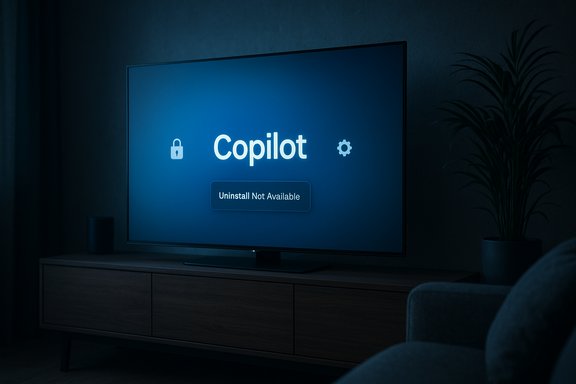
LG TV owners woke up to a routine webOS firmware update that quietly added Microsoft Copilot to their home screens — and, in many reported cases, the new Copilot tile cannot be uninstalled through the normal app-management UI. The incident has ignited a broad consumer backlash over device autonomy, privacy and the limits of firmware-delivered partner software, and it raises urgent questions about how smart‑TV platforms should roll out AI assistants to already‑sold hardware.
At CES 2025 Microsoft, LG and Samsung publicly signaled a strategy to bring Copilot — Microsoft’s conversational AI — to living‑room screens, positioning the assistant as a tool for content discovery, conversational search and contextual on‑screen cards. Samsung publicly documented staged rollouts for select 2025 models; LG’s marketing likewise framed webOS as “AI‑forward” with an “AI Remote” and AI sections intended to surface Copilot and other assistants. What changed this week is not the product roadmap so much as the delivery mechanics and the user experience. Multiple LG owners report that a firmware‑over‑the‑air (FOTA) update pushed a Copilot tile or shortcut onto the webOS home ribbon. Crucially, many affected users say the TV’s Edit / App Manager workflow offers only hide or disable, not uninstall, and that performing a factory reset can restore the Copilot tile — a pattern consistent with a system‑level or firmware‑baked installation rather than a removable Content Store app. These community reports were widely shared on Reddit, enthusiast forums and tech outlets.
Key legal and regulatory concerns include:
Source: HotHardware LG TVs Draw Outrage Over Unremovable Microsoft Copilot Installs
 Background / Overview
At CES 2025 Microsoft, LG and Samsung publicly signaled a strategy to bring Copilot — Microsoft’s conversational AI — to living‑room screens, positioning the assistant as a tool for content discovery, conversational search and contextual on‑screen cards. Samsung publicly documented staged rollouts for select 2025 models; LG’s marketing likewise framed webOS as “AI‑forward” with an “AI Remote” and AI sections intended to surface Copilot and other assistants. What changed this week is not the product roadmap so much as the delivery mechanics and the user experience. Multiple LG owners report that a firmware‑over‑the‑air (FOTA) update pushed a Copilot tile or shortcut onto the webOS home ribbon. Crucially, many affected users say the TV’s Edit / App Manager workflow offers only hide or disable, not uninstall, and that performing a factory reset can restore the Copilot tile — a pattern consistent with a system‑level or firmware‑baked installation rather than a removable Content Store app. These community reports were widely shared on Reddit, enthusiast forums and tech outlets. What actually happened — the observable facts
- Many LG owners received a routine webOS FOTA update and found a Copilot tile on their home screen.
- When users opened the TV’s app management UI, Copilot often lacked the standard uninstall option; at best the UI offered hide/disable.
- Several users report that a factory reset reintroduced the Copilot tile, suggesting the component is packaged as a system app or baked into the firmware image.
- Independent reporting and forum screenshots corroborate the pattern across models and regions; vendor-level confirmation about the packaging mechanism and telemetry behavior is not yet publicly available.
Why this matters: three overlapping sensitivities
1) Loss of device autonomy
Consumers reasonably expect optional third‑party apps on purchased hardware to be removable. When an OEM treats a partner service as a privileged system component, the device increasingly feels like a vendor‑managed platform rather than owned hardware. That psychological breach — the sense that new, persistent software can be pushed without consent — is central to the anger. Forum threads show owners calling the move “bloatware” and an erosion of ownership.2) Privacy and telemetry expansion
Modern smart TVs already collect viewing signals and metadata through features like Automatic Content Recognition (ACR). LG brands its ACR as Live Plus, a service that can be used to personalize recommendations and advertising. An assistant that benefits from on‑screen context (timestamps, scene recognition, content metadata) logically increases the telemetry surface. Owners worry that embedding Copilot without a clear, persistent opt‑out could broaden data collection and sharing. That concern is plausible given historical smart‑TV telemetry practices, but it requires vendor confirmation or independent network/firmware captures to verify specifics.3) Opaque update mechanics
Firmware updates are generally expected to deliver security and stability fixes. A silent update that adds persistent partner services — especially if the install is effectively non‑removable — undermines expectations about what a routine software update should include. The packaging choice (system vs. removable app) is the technical pivot here, and it has real regulatory and reputational consequences.How an app becomes “undeletable” on smart TVs
There are two common, well‑understood mechanisms embedded device vendors use that explain the observed behavior:- Privileged system package: The OEM installs the component outside the normal user app sandbox and flags it as a system app. In this model the UI often exposes only limited management actions (hide/disable) and not uninstall. This is a standard technique for DRM, core services, or tightly integrated platform features.
- Firmware-baked component: The Copilot component is included in the firmware image that the TV uses; a factory reset re‑applies that image and restores the component. Removing such components typically requires reflashing older firmware or vendor tools that consumers don’t have. This matches reports that Copilot reappeared after factory resets.
Legal, regulatory and consumer‑rights implications
The optics of shipping non‑removable partner software onto consumer hardware are poor in many jurisdictions where consumer rights and digital choice are actively regulated. Regulators and consumer advocates have previously scrutinized smart‑TV telemetry and ACR, and forced installs of third‑party assistants could attract formal complaints or investigations if vendors do not provide clear disclosure and easy opt‑outs.Key legal and regulatory concerns include:
- Unfair commercial practices: Installing software without a clear, prominent consent or an easy removal path raises questions about transparency and unfair contract terms in consumer law.
- Privacy law compliance: Any new telemetry flows tied to Copilot (e.g., audio capture, content recognition) would need to comply with data‑protection laws where applicable; data minimization and clarity of purpose will be scrutinized.
- Right to repair / modify: While not a direct right‑to‑repair issue, the broader principle of device autonomy — users’ ability to control software on hardware they own — is central to consumer advocacy in many regions.
Vendor statements and what we still need to know
- Microsoft’s Copilot team has documented rollouts for Samsung’s 2025 lineup and described the TV experience as a combination of voice activation and optional sign‑in for personalization. That public documentation shows Microsoft’s intent to expand Copilot to large screens, but it does not resolve how partners package or deliver Copilot to specific OEM platforms.
- LG’s public marketing positioned webOS as AI‑forward and listed Copilot as a partner experience in 2025 messaging, but forum reporting indicates LG has not published a clear technical note explaining why Copilot was installed as a system component on some firmware builds or how affected owners can remove it. Until LG issues that detail, community screenshots and anecdotal tests are the principal evidence.
- A clear, model‑ and firmware‑level statement listing affected TVs and the exact firmware build(s) that introduced Copilot as a system or removable app.
- A technical note clarifying whether Copilot requires new sensors/permissions (e.g., additional audio capture, ACR hooks) beyond existing webOS telemetry, and an explicit data‑handling description (what is collected, how long it is retained, who it is shared with).
- A removal path or a patch that makes Copilot a user‑removable app for owners who prefer not to keep it.
Practical mitigations for owners today
For owners who want to reduce exposure or remove Copilot’s presence from their UI, practical steps vary in complexity and effectiveness. The community has converged on the following recommendations:- Hide the Copilot tile using the home launcher Edit flow. This removes it from view but does not uninstall it.
- Disable LG’s Live Plus / ACR in Settings > General > Privacy or similar paths to reduce content‑recognition telemetry. This does not remove the Copilot component but reduces one class of contextual signals.
- Disconnect the TV from the network or use it offline; this prevents Copilot from contacting cloud services but also blocks other smart features and security updates — a blunt but effective mitigation.
- Use a network‑level block (DNS / Pi‑Hole / router rules) to block known Copilot or partner domains; this is effective for technically savvy users but requires knowing which endpoints to block and risks breaking legitimate features.
- Add an external streaming device (e.g., Apple TV, Nvidia Shield, Chromecast with Google TV) and use it as the primary UI; this shifts the smart layer off webOS entirely. It’s a common pragmatic answer for users seeking to avoid intrusive OEM UIs.
Product analysis: why manufacturers do this — and why it backfires
From a platform and business perspective, pinning a high‑profile AI assistant to the home screen makes sense: it’s a headline feature that differentiates products, deepens partner ecosystems, and can increase engagement and monetization potential for home‑screen inventory. For Microsoft, Copilot on TVs expands its footprint beyond PCs and phones; for LG, Copilot is a high‑visibility way to promote webOS’s AI capabilities. But there’s a tradeoff:- Short‑term engagement metrics and commercial deals can obtain rapid wins by making an assistant persistent and prominent.
- Long‑term trust and customer satisfaction erode when users feel leapfrogged by features they did not opt into and cannot remove.
Technical checklist for independent verification (what researchers should probe)
For security researchers and independent auditors who want to turn community reports into verifiable facts, the following checks are essential:- Firmware inspection — extract the installed filesystem from affected models to see whether Copilot is packaged in system partitions or installed as a user app.
- Network captures — run an isolated capture when launching Copilot to catalog domains, IPs and payload characteristics.
- Permission audit — confirm whether Copilot requests or uses new system permissions (audio capture, ACR hooks) beyond existing webOS features.
- Persistence tests — observe behavior across factory reset, forced firmware rollback, and different firmware branches to determine whether the component is restored by default.
- Telemetry analysis — if possible, determine retention windows, telemetry endpoints and whether data is aggregated/shared with ad platforms.
What vendors should do (and why it’s in their interest)
If LG and Microsoft want to de‑escalate the controversy and preserve customer trust, a credible remediation plan should include:- Immediate transparency: Publish model‑level firmware release notes listing which builds added Copilot and the intended installation packaging.
- Removal option: Release a follow‑up firmware update that makes Copilot user‑removable — or provide an easy setting that permanently disables install at the image level for affected owners.
- Privacy note: Publish precise data‑handling documentation for Copilot on TV — what signals are used, whether audio is locally processed or uploaded, retention windows, and sharing partners.
- User controls: Expose persistent opt‑outs for Live Plus and any Copilot-specific telemetry at system setup and in Settings menus.
- Independent audit: Commission or publish a third‑party technical analysis that inspects firmware and telemetry to rebuild confidence.
Bottom line
The Copilot rollout on LG TVs illustrates a broader tension in modern connected hardware: manufacturers now have the technical ability to push partner services into devices through firmware, but doing so without transparent consent, easy removal paths and clear privacy defaults is a fast route to consumer anger and regulatory attention. The underlying feature — a conversational assistant that can improve discovery, accessibility and on‑screen help — has genuine utility for many households. But the way that utility is delivered matters just as much as the capability itself. Until LG or Microsoft clarifies the installation model and data practices, owners seeking control should hide the tile, disable Live Plus, or isolate the TV from the network and consider an external streamer. Vendors that restore user choice and publish technical transparency will recover more quickly than those that double down on opaque push installs.Quick action checklist for owners (two‑minute plan)
- Hide the Copilot tile via the Home launcher’s Edit flow.
- Disable Live Plus / ACR and ad personalization in Settings.
- If privacy or autonomy is critical, disconnect the TV from the internet or plug an external streamer into HDMI.
- Ask LG support for model‑specific firmware details and removal options; document firmware build numbers and screenshots in case evidence is needed for complaints.
Source: HotHardware LG TVs Draw Outrage Over Unremovable Microsoft Copilot Installs
