

LG pushed Microsoft’s Copilot onto a swath of webOS televisions via an over‑the‑air firmware update that many owners say arrived without notice and — crucially — cannot be removed through the normal app‑management flows, touching off a broad consumer backlash over device control, privacy, and the growing practice of shipping persistent AI features to already‑sold hardware.
Potential regulatory pressures to watch:
The most important lesson: AI ubiquity will succeed only when it is paired with durable user trust. That requires explicit opt‑ins, granular privacy controls, and meaningful uninstallability for optional partner services. Without those, every forced update risks amplifying the old complaint: the device you bought is not really yours anymore.
(Reporting in this article draws on community reports and aggregated coverage; documented forum captures and mainstream coverage corroborate the observable claims about the Copilot tile’s behavior and the update mechanism.
Source: WebProNews LG’s webOS Update Forces Copilot AI on Smart TVs, Igniting User Outrage
 Background
From CES promises to living‑room rollouts
At CES 2025 both LG and Samsung publicly signaled plans to bring Microsoft Copilot — Microsoft’s conversational AI assistant — to smart TVs as part of a push to make living‑room displays more interactive and context aware. Microsoft framed Copilot on TV as a conversational companion that can summarize shows, answer queries, and surface personalized recommendations; OEMs promised dedicated AI sections and “AI Remote” experiences to surface those capabilities. LG’s marketing for webOS and its 2025 TV lineup referenced AI features and Copilot integrations, but the vendor did not publish a granular, consumer‑facing timetable for when or how Copilot would be delivered to units already in the field. That lack of a clear rollout schedule is central to why the recent update provoked such intense user reaction.What the community is reporting
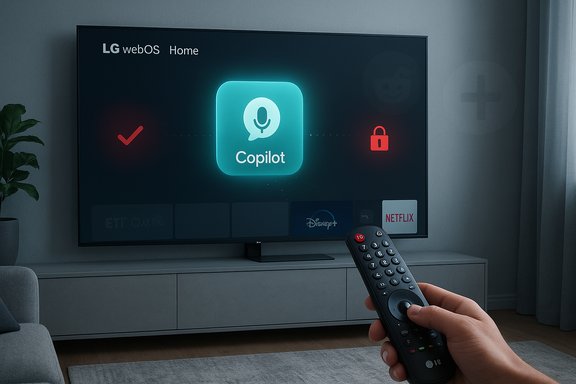
Across Reddit, enthusiast forums and mainstream articles, multiple LG owners report the same pattern: after a routine firmware‑over‑the‑air (FOTA) update a “Copilot” tile or app shortcut appears on the webOS home ribbon. In many cases the TV’s Edit/App Manager UI offers only “hide” or “disable” for Copilot — no uninstall/trash affordance — and several users say a factory reset simply restores the Copilot tile. Those field reports and screenshots are the primary evidence driving the story.What actually happened (observable facts)
The sequence owners describe
- A webOS FOTA update is applied automatically or after a prompt.
- The Copilot tile appears on the home screen, usually in the apps row or the AI/assistant section.
- The standard app deletion workflow does not show an uninstall option for Copilot; the tile can often only be hidden.
- In multiple reported cases, a factory reset returns the Copilot tile, suggesting the component was delivered as a privileged system package or baked into the firmware image.
How the Copilot element behaves on screens
On affected webOS units the Copilot entry typically launches a Copilot web experience or a lightweight chat interface and can accept voice input via the remote’s mic. On Samsung deployments the feature is a more integrated animated presence; on LG the implementation appears, in many reports, to be surfaced as a system shortcut that sits on the home ribbon. The observable difference in behavior between removable Content Store apps and the Copilot tile matters because it determines what users can control.Why users are furious: ownership, privacy and opaque updates
Loss of device autonomy
Consumers reasonably expect that optional third‑party apps and partner services installed on hardware they bought are removable. When an OEM installs a partner component as a privileged system element or bakes it into firmware, the device begins to feel like a vendor‑managed service rather than privately owned hardware. That psychological breach — a visible, persistent UI element imposed post‑purchase — is a core driver of the backlash. Forum and social posts repeatedly frame the change as “forced bloatware.”Privacy and telemetry fears
Modern smart TVs already collect significant metadata through features like Automatic Content Recognition (ACR; LG brands this as Live Plus). An always‑available conversational assistant that benefits from on‑screen context magnifies those concerns: Copilot is more useful when it can see what’s playing or receive voice input that may be processed in the cloud. Users fear expanded profiling, unintended sharing of viewing habits, and unpredictable uses of audio data. These are reasonable concerns but remain unverified pending vendor transparency or independent network/firmware analysis.Opaque update mechanics and failed consent
Firmware updates are typically associated with security fixes and stability patches; surprise additions that change behavior or introduce partner services without visible opt‑in feel like a violation of trust. A routine maintenance channel is the wrong place — from a consumer‑consent perspective — for imposing persistent new services on a device already in someone’s home.The technical explanation: why Copilot may be “non‑removable”
Engineers and firmware analysts point to two common packaging patterns that explain the observed behavior:- Install as a privileged system package — the OEM places the component outside the normal user app sandbox and marks it as a system app; UI management shows only hide/disable, not uninstall.
- Bake into the firmware image — the Copilot package is included in the OS image applied by FOTA; factory resets restore the same image and therefore the tile returns.
Commercial logic and why vendors do this
Why LG and Microsoft would push Copilot onto TVs
- Feature differentiation: with hardware parity high, software features become the battleground for consumer choice; an AI assistant is a headline capability.
- Ecosystem reach: Microsoft benefits from more touchpoints for Copilot and the broader Copilot/Microsoft account ecosystem across devices.
- Monetization and personalization: a more personalized home screen increases the value of on‑screen promotions and ad inventory; contextual AI can boost ad relevance and engagement metrics. LG has already experimented with monetizing interface real estate (screensaver ads, promotions), making Copilot a potentially lucrative addition to the platform strategy.
How users are coping: practical workarounds and their tradeoffs
Community testing and user tips have crystallized several mitigation strategies — all imperfect.- Hide the Copilot tile through the Edit App List / App Manager to remove the visual nuisance (tile remains present under the hood).
- Disable Live Plus / ACR to reduce the amount of on‑screen recognition telemetry used for personalization and advertising; this reduces some contextual signals that might feed Copilot features.
- Turn off automatic updates to avoid future surprise pushes — but this also blocks security updates and bug fixes, increasing risk.
- Network‑level blocking (Pi‑hole / DNS filters) to block Copilot‑related domains — a blunt instrument that can break other services.
- Use an external streamer (Apple TV, Roku, Amazon Fire TV, Nvidia Shield) and treat the LG UI as a display only. This is the most user‑friendly way to avoid native platform churn but negates the convenience of a unified, native experience.
- Factory reset — sometimes helps for user‑installed apps but has been widely reported to not remove Copilot when it is firmware‑baked.
Risk assessment: security, privacy and regulatory exposure
Security surface area
Any privileged, cloud‑connected agent increases attack surface. Privileged system components must be updated and patched promptly; if they are not, they create high‑value targets for attackers. The presence of a non‑removable third‑party assistant underscores the need for rigorous patching and independent security audits.Privacy and compliance risk
Particularly in privacy‑sensitive jurisdictions (e.g., the EU under GDPR), shipping a system component that collects contextual signals or voice input without clear, granular consent could draw regulatory scrutiny. The absence of a clear consent flow or an easy way to remove the component strengthens the case for consumer‑protection inquiries if telemetry or personal data flows are not transparent. At present, claims about expanded microphone listening or new telemetry beyond existing ACR systems remain unverified and should be treated cautiously until technical analyses or vendor disclosures clarify the data lifecycle.Reputational risk
The short‑term gain from promoting an AI feature can be offset by long‑term brand damage when customers feel ownership and privacy have been eroded. Past episodes in the industry (forced software on PCs, screensaver ads on TVs) show that trust wounds can trigger costly remedial actions or product changes.How LG and Microsoft could have handled this better (and still can)
Best practices that would likely have prevented the backlash:- Explicit opt‑in during the update flow rather than silent installs through maintenance channels.
- Clear, prominent patch notes that describe the new component, its permissions, and the removal path.
- Install Copilot as a removable Content Store app by default; reserve system‑level packaging only for truly core OS features.
- Provide an immediate, user‑accessible removal option for affected units, and a vendor‑issued firmware rollback if needed.
- Publish a transparent privacy and telemetry statement specific to Copilot on TV: what is processed locally, what is sent to the cloud, and how long telemetry is retained.
- Commission independent security and privacy audits and make summaries public to rebuild trust.
Regulatory and consumer‑rights considerations
This episode highlights a gap in how consumer devices are treated after sale. Regulators and consumer advocates may reasonably ask whether consumers retain meaningful control over the software installed on purchased hardware and whether hidden update channels can be used to impose persistent, non‑removable services.Potential regulatory pressures to watch:
- Consumer protection inquiries into unfair commercial practices if users cannot remove partner software that materially changes device behavior.
- Data‑protection reviews where telemetry or voice data is collected without transparent, explicit consent.
- Calls for clearer “software ownership” guarantees — for example, requirements that major feature additions installed post‑purchase must include an uninstall option unless technically impossible for stated reasons.
What journalists and independent analysts should verify next
To fully adjudicate the technical and privacy claims, independent verification is needed in three areas:- Firmware analysis: inspect affected webOS firmware images to determine whether Copilot is packaged as a privileged system app or baked into the OS image.
- Network captures: measure outbound network traffic when Copilot is invoked (and while idle) to identify telemetry endpoints, frequency, and payload types.
- Privacy policy clarity: secure vendor confirmation on the precise telemetry and audio‑processing model (on‑device vs. cloud, retention, sharing with ad partners).
For owners: a practical checklist
If Copilot has appeared on your LG TV and you want to limit exposure:- Hide the Copilot tile via Edit App List / App Manager (reduce nuisance).
- Disable Live Plus / ACR in settings to limit content‑recognition telemetry.
- Consider turning off automatic updates — but be aware this can delay security fixes.
- Use router/DNS filtering to block known Copilot/telemetry domains if you’re comfortable managing network rules.
- Consider using an external streaming device as your primary interface to avoid native UI impositions.
- Document firmware version and screenshots; contact LG support and demand an uninstall option or firmware rollback when applicable.
Bigger picture: what this episode means for smart‑device ecosystems
The Copilot on LG TVs controversy is a case study in the tension between innovation and consumer agency. Manufacturers and platform partners are eager to embed AI across everyday devices; those integrations can add real user value. But when rollout strategies ignore consent, removal paths, and transparent data practices, even useful features can become reputational liabilities.The most important lesson: AI ubiquity will succeed only when it is paired with durable user trust. That requires explicit opt‑ins, granular privacy controls, and meaningful uninstallability for optional partner services. Without those, every forced update risks amplifying the old complaint: the device you bought is not really yours anymore.
Conclusion
LG’s webOS update that surfaced Microsoft Copilot on many TVs triggered predictable but instructive reactions: users mobilized on Reddit and forums, privacy fears spread faster than technical confirmations, and the debate moved rapidly from annoyance to questions about consumer rights, regulatory risk and product design discipline. The observable evidence — pinned Copilot tiles after FOTA updates, hide‑only management flows, and reappearance after factory resets — is strong that some builds treated Copilot as a privileged or firmware‑baked component. Still unresolved are the deeper telemetry and audio‑capture questions, which require vendor disclosure or independent forensic analysis to confirm. Until LG and Microsoft publish clear technical notes, unambiguous removal options, and a privacy lifecycle for Copilot on TV, community distrust will persist and the episode will stand as a cautionary tale: in the race to embed AI everywhere, failing to preserve user choice risks turning convenience into a consumer revolt.(Reporting in this article draws on community reports and aggregated coverage; documented forum captures and mainstream coverage corroborate the observable claims about the Copilot tile’s behavior and the update mechanism.
Source: WebProNews LG’s webOS Update Forces Copilot AI on Smart TVs, Igniting User Outrage
