

After swapping Windows for a gaming-focused Linux install on a handheld and then on a desktop, I found that Nobara — and its cousin Bazzite — can not only match Windows for many titles but in some cases deliver measurably better frame rates and lower system overhead, making a convincing case that Linux has entered a new era for PC gaming. this feels like a turning point for Linux gaming
The story of Linux as a gaming platform used to be one of compromise: fewer supported titles, awkward configuration, and frequent compatibility headaches. That changed when Valve made Proton a first-class part of Steam and shipped SteamOS on the Steam Deck, creating a widely used compatibility baseline and forcing the ecosystem to invest in better translation layers (Wine, Proton, DXVK, VKD3D-Proton) and drivers. Proton bundles these translation layers into the Steam experience and has been a cornerstone of making Windows-only games playable on Linux.
In the last two to three years several purpose-built distributions aimed squarely at gamers have gained traction. Bazzite and Nobara are two clear examples: both are Fedora-rooted projects that ship gaming-oriented kernels, drivers, and packaging so users spend less time tweaking and more time playing. Bazzite emphasizes an immutable, SteamOS-like out-of-the-box experience with an app store and atomic updates, while Nobara takes a Fedora plus gaming and content creation approach with preconfigured drivers, capture tools, and common compatibility stacks.
Recent industry moves illustrate the problem: several multiplayer titles and publishers have restricted or withdrawn support for Linux/Proton due to anti-cheat concerns, and developers have publicly stated that supporting Proton introduces avenues for potential exploits and is a nontrivial engineering burden. That is why even a perfectly tuned Linux install can fail to run a multiplayer game trted anti-cheat middleware.
Workarounds:
If you’re considering a try, here’s a pragmatic step-by-step plan:
At the same time, the anti-cheat reality is a sharp reminder that platform shifts are constrained by third-party middleware and business decisions. For competitive multiplayer titles bound to proprietary anti-cheat solutions, Windows remains the safe choice for now.
Linux gaming has moved from experimental to practical. Nobara and Bazzite are not just comforting proof-of-concept projects; they’re polished, user-facing distros that make it easy to boot, play, and stream with minimal friction. For many players the reasonable path is a slow migration: live USB, dual-boot, test the titles you care about, and then decide whether to make Linux your primary gaming desktop. The ecosystem’s momentum — better translation layers, distro collaboration, and real benchmark wins in some scenarios — means gaming on Linux will keep improving, and for a growing number of users it already offers a genuinely better experience than Windows for day-to-day play.
Source: MakeUseOf I installed this Linux distro on my gaming PC, and it runs Windows games better than Windows
The story of Linux as a gaming platform used to be one of compromise: fewer supported titles, awkward configuration, and frequent compatibility headaches. That changed when Valve made Proton a first-class part of Steam and shipped SteamOS on the Steam Deck, creating a widely used compatibility baseline and forcing the ecosystem to invest in better translation layers (Wine, Proton, DXVK, VKD3D-Proton) and drivers. Proton bundles these translation layers into the Steam experience and has been a cornerstone of making Windows-only games playable on Linux.
In the last two to three years several purpose-built distributions aimed squarely at gamers have gained traction. Bazzite and Nobara are two clear examples: both are Fedora-rooted projects that ship gaming-oriented kernels, drivers, and packaging so users spend less time tweaking and more time playing. Bazzite emphasizes an immutable, SteamOS-like out-of-the-box experience with an app store and atomic updates, while Nobara takes a Fedora plus gaming and content creation approach with preconfigured drivers, capture tools, and common compatibility stacks.
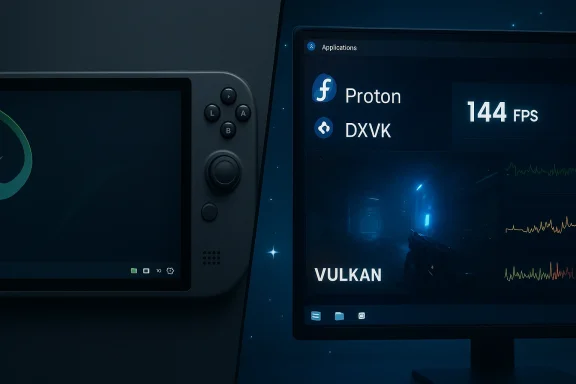 How and why Linux can sometimes run Windows games better than Windows
Less opaque background activity and lighter desktop stacks
Windows 11 has evolved into a feature-rich and integrated desktop OS, but that complexity carries background services, telemetry, and system components that can interfere with low-latency workloads. On Linux, many gaming distros present a leaner default set of services, and distributions like Nobara and Bazzite intentionally tune kernels, schedulers, and graphics stacks to reduce jitter, lower latency, and minimize unnecessary background work — all of which can affect CPU-bound scenarios and 1%/0.1% lows. This systemic difference is a repeated explanation offered by users and testers when Linux shows advantages in benchmarks.Vulkan + translation layers: DXVK and VKD3D-Proton
A major technical reason for performance gains is the modern graphics pipeline Linux uses under Proton: Direct3D 9/10/11 calls often get translated to Vulkan (via DXVK) and Direct3D 12 calls map through VKD3D-Proton. Vulkan is a lower-level API with better multithreading and reduced driver overhead on many GPUs, and in practice the translation layers can be extremely efficient. DXVK’s design — intercepting Direct3D calls and translating them into Vulkan — is a key part of why older Direct3D titles sometimes run with higher throughput on Linux. DXVK and Proton are mature projects that are constantly optimized.Upstreamable, gamer-first kernel patches and stacks
Many Linux gaming distros include kernel and Mesa patches (or simply ship newer kernels and Mesa builds) that expose performance advantages on bleeding-edge hardware. Handheld-focused projects and community kernels often optimize power delivery, latency, and device-specific quirks in ways that a general-purpose Windows update won’t. In short: the Linux ecosystem tends to let performance patches reach gamers faster, especially when a distro explicitly targets gaming.Benchmarks: what the data shows (and what it doesn’t)
Independent testing has found titles and hardware combos where Linux distributions like Nobara or carefully tuned Ubuntu variants outperform Windows by single-digit to low-double-digit percentages in average frame rates and percentile lows. For example, comparative testing of Ryzen 9000-series CPUs showed measurable gains on Nobara in several workloads and games versus Windows 11 24H2 in some test suites — results that have been noted by hardware outlets and community benchmarkers. At the same time, those results are not universal: some games and workloads still run better on Windows depending on driver maturity, specific GPU features (e.g., vendor-specific optimizations), or updates from Microsoft and GPU vendors. Treat benchmark claims as contextual rather than absolute.Nobara and Bazzite: side-by-side comparison
Nobara — Fedora tuned for creators and gamers
- Philosophy: Bring a modern Fedora desktop to life with gaming-friendly defaults and fewer terminal commands. Nobara ships WINE dependencies, OBS, codecs, and third-party repos preenabled, so common gaming and streaming workflows work immediately after install.
- What you get out of the box: NVIDIA and AMD drivers, Proton / Proton-GE availability, capture tools like OBS preinstalled, and desktop presets optimized for gaming and content creation.
- Audience: Users who want a graphical, tweakable desktop with gaming-first defaults and the ability to dive into lower-level tuning when desired.
Bazzite — SteamOS-like, immutable, and appliance-friendly
- Philosophy: Provide a SteamOS-like experience with atomic updates, immutability (rpm-ostree), and a curated Flatpak-focused app store (Bazaar). Bazzite aims for a console-like, low-babble experience with Steam/Gaming Mode front and center.
- What you get out of the box: Preinstalled Steam, Lutris, Heroic launcher support, GPU drivers, and a UI tailored for controllers and handheld devices.
- Audience: Users who prefer a “it just works” gaming image for handhelds or living-room PCs and who value system stability and simple rollbacks.
Quick practical comparison
- Nobara is better if you want a regular desktop that’s also tuned for streaming, recording, and content creation.
- Bazzite is better if you prefer an appliance-like gaming experience with minimal maintenance and a SteamOS-like UI.
- Both projects benefit from community-driven kernel/drivers and the growing collaboration across Linux gaming projects (there are signs of cross-project cooperation to avoid duplicate effort).
The anti-cheat elephant in the room — what won’t run (and why)
Anti-cheat systems are the hard limit for many multiplayer titles on Linux. Kernel-level anti-cheat middleware and driver-level integrations (VAC, Easy Anti-Cheat, BattlEye, and other proprietary solutions) rely on deep system hooks and platform-specific assumptions that historically targeted Windows. While progress has been made — some vendors have produced Linux-compatible versions — many major titles remain blocked or are restricted to Windows-only play for integrity reasons.Recent industry moves illustrate the problem: several multiplayer titles and publishers have restricted or withdrawn support for Linux/Proton due to anti-cheat concerns, and developers have publicly stated that supporting Proton introduces avenues for potential exploits and is a nontrivial engineering burden. That is why even a perfectly tuned Linux install can fail to run a multiplayer game trted anti-cheat middleware.
Workarounds:
- Use cloud streaming services (GeForce Now, Xbox Cloud Gaming) to play titles that refuse to run on Linux locally — but remember streaming introduces latency and depends on network quality.
- Kot as a fallback for restricted multiplayer titles. This hybrid approach lets you enjoy Linux gains for compatible titles and switch to Windows for anti-cheat-only games. The MakeUseOf experience the user provided explicitly recommends this dual-boot strategy.
Real-world workflow: how one user’s experience maps to practical steps
The MakeUseOf piece that kicked off this discussion describes installing SteamOS on a handheld (ROG Ally X), then experimenting with Bazzite and finally Nobara on desktop; the author reports better game performance on Nobara for many titles and praises Nobara’s readiness for streaming and content creation. That hands-on trail — handheld → Bazzite → Nobara — is a useful playbook for anyone curious about migrating.If you’re considering a try, here’s a pragmatic step-by-step plan:
- Make a full disk image of your Windows system (so you can recover if you change your mind).
- Try a live USB first (Bazzite and Nobara both offer live environments) to test hardware support without touching disks.
- Install the distro on a secondary drive or set up a dual-boot with Windows so anti-cheat-only games remain available.
- Update the GPU drivers and Mesa stack (use the distro’s recommended packages or the distro-provided driver manager).
- Test a handful of games across APIs: native Linux, Proton stable, Proton-GE, and measure 99th/1st percentile lows as well as averages.
- If you hit anti-cheat blocks, switch to the Windows partition for those titles or use cloud streaming as a temporary solution.
Strengths, risks, and hard trade-offs
Strengths
- Performance potential: For many CPU-bound or Vulkan-friendly workloads, Linux with DXVK/VKD3D-Proton can reduce overhead and improve frame pacing. Multiple independent benchmarks and community testing have reported gains in select scenarios.
- Rapid iteration for gaming stacks: Open-source projects (Proton, DXVK) and community-driven kernels push optimizations quickly into gamer-focused distros.
- Stability via immutability: Distros like Bazzite use atomic updates and rollbacks to reduce the risk of breakage from driver updates or partial package upgrades.
- Freedom to customize: Linux lets advanced users tune power profiles, kernels, and input stacks in ways Windows does not easily allow.
Risks and downsides
- Anti-cheat and DRM limitations: Core multiplayer experiences may still be blocked; you should assume some titles will be unavailable natively.
- Edge-case driver regressions: New Mesa or kernel bits can introduce regressions for specific GPUs or games; while fixable, you may need to experiment with different Mesa kernels or driver versions.
- Fragmentation: The Linux ecosystem’s diversity is a strength, but it can make troubleshooting more complicated when problems are distro- or configuration-specific.
- Peripherals and launcher quirks: Certain vendor managers, anti-cheat overlays, or DRM solutions expect Windows and may not have Linux counterparts.
Practical tuning tips and tools for the best experience
- Use the distro-provided driver manager and kernel recommended by the project (Nobara and Bazzite both supply tuned kernel/driver combos).
- Install and test with multiple Proton builds: Steam’s default Proton versions, Valve’s Proton-GE (community builds can sometimes improve compatibility/performance), and VKD3D-Proton for Direct3D12 titles.
- Use performance logging tools (MangoHud, GOverlay) to compare averages and 1%/0.1% lows across platforms.
- For recording/streaming, rely on the preinstalled OBS configuration in Nobara or use hardware encoders when available to reduce CPU load.
What this means for gamers and the wider PC ecosystem
The combination of Valve’s Proton investments, translation-layer maturity (DXVK/VKD3D), dedicated gaming distros (Bazzite, Nobara), and collaborative community efforts is causing a material shift. Linux is no longer an academic alternative for gaming — it’s a practical choice for many users, especially those who value control, performance tuning, and privacy. The rise of Steam Deck-style handhelds and growing Linux share in the Steam hardware survey are real indicators that this is more than a hobbyist movement.At the same time, the anti-cheat reality is a sharp reminder that platform shifts are constrained by third-party middleware and business decisions. For competitive multiplayer titles bound to proprietary anti-cheat solutions, Windows remains the safe choice for now.
Bottom line: who should switch and who should wait
- Switch (or at least test) Linux gaming distros if:
- You play mostly single-player or non-proprietary-middleware multiplayer titles.
- You value performance tuning, lower background noise, or a handheld-style OS experience.
- You’re comfortable with dual-booting as a fallback for anti-cheat-constrained games.
- Wait (or stay Windows-first) if:
- You rely heavily on a small set of multiplayer games with strict anti-cheat requirements.
- You use vendor-locked software or workflows that don’t have Linux equivalents.
- You want a zero-compromise experience for every title released the day it ships.
Linux gaming has moved from experimental to practical. Nobara and Bazzite are not just comforting proof-of-concept projects; they’re polished, user-facing distros that make it easy to boot, play, and stream with minimal friction. For many players the reasonable path is a slow migration: live USB, dual-boot, test the titles you care about, and then decide whether to make Linux your primary gaming desktop. The ecosystem’s momentum — better translation layers, distro collaboration, and real benchmark wins in some scenarios — means gaming on Linux will keep improving, and for a growing number of users it already offers a genuinely better experience than Windows for day-to-day play.
Source: MakeUseOf I installed this Linux distro on my gaming PC, and it runs Windows games better than Windows
