

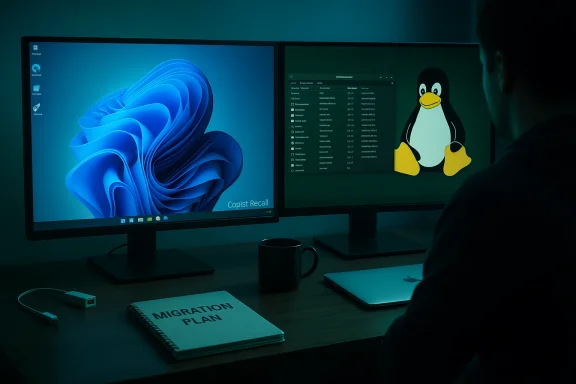
A software developer who says he "finally deleted Windows 11 completely" after repeated crashes and what he calls intrusive telemetry has become part of a widening migration narrative: developers and power users are increasingly moving their daily machines to Linux — from beginner-friendly Mint to lightweight, systemd-free distributions like Artix — chasing control, performance, and privacy.
The migration story is both personal and systemic. The developer's account traces a familiar arc: frequent Windows 11 failures (black-screen freezes and unexpected restarts), frustration with pervasive telemetry and Microsoft’s Copilot/Recall features, and the final decision to wipe Windows entirely and run Linux full time on a desktop and work laptop. That personal narrative reflects wider conversations in forums and specialist reporting: concerns about update regressions and privacy push some users toward alternatives.
This article dissects that journey: verifying technical claims where possible, highlighting where anecdotes run ahead of verifiable facts, critiquing the trade-offs of switching, and producing a practical migration checklist for Windows users considering Linux as a daily driver.
Technical reality: while Windows update regressions are real, their frequency and severity vary with hardware, installed drivers, and usage. Some users see rare, minor regressions; others experience repeated disruptions. The developer’s personal frequency (2–3 freezes per week) is an anecdotal datapoint corroborated by similar reports in community forums — not a universal rate, but certainly representational for a subset of users.
However, Linux is not a silver bullet for privacy or stability: you accept responsibility. On Linux, a misconfigured service or a poorly-sourced package can create security holes just as in any OS. The difference is that with Linux, the control and visibility are greater; with that power comes the task of vigilance.
Source: 36Kr Crashing 3 Times a Week and Stealing Data Secretly? A Programmer's Linux Migration: "Finally Deleted Windows 11 Completely"
 Background
The migration story is both personal and systemic. The developer's account traces a familiar arc: frequent Windows 11 failures (black-screen freezes and unexpected restarts), frustration with pervasive telemetry and Microsoft’s Copilot/Recall features, and the final decision to wipe Windows entirely and run Linux full time on a desktop and work laptop. That personal narrative reflects wider conversations in forums and specialist reporting: concerns about update regressions and privacy push some users toward alternatives.This article dissects that journey: verifying technical claims where possible, highlighting where anecdotes run ahead of verifiable facts, critiquing the trade-offs of switching, and producing a practical migration checklist for Windows users considering Linux as a daily driver.
Why the switch: Telemetry and instability
Telemetry, Copilot and Recall — real risks and real responses
The developer’s primary grievances are twofold: extensive telemetry and the presence of AI features (Copilot + Recall) that he describes as "legal spyware." These concerns are not purely rhetorical — Microsoft’s Copilot and its companion features have prompted privacy debates and vendor responses.- Recall (the feature that captures periodic snapshots of screen content on Copilot+ PCs) has been criticized by privacy advocates and triggered defensive moves from browser and privacy-tool vendors. Some browser projects and privacy tools blocked or limited integration with Recall, citing inadequate granular controls.
- Independent security write-ups and reporting flagged Recall’s potential risks (local snapshot storage, exposure to malware if the system is compromised) even as Microsoft and partners have clarified encryption and on-device processing claims. Coverage shows Microsoft emphasizing device-side encryption and opt-in controls while privacy commentators remain cautious.
Stability: update regressions and black screens
Frequent, unexplained freezes and black-screen restarts after updates were the trigger for this user's migration. Across the Windows ecosystem, there have been widely reported incidents where cumulative updates introduced regressions affecting the shell, recovery environment, or developer network stacks — events that can range from annoying to blocking. Microsoft has on occasion issued emergency fixes and Known Issue Rollbacks; community threads have cataloged these regressions.Technical reality: while Windows update regressions are real, their frequency and severity vary with hardware, installed drivers, and usage. Some users see rare, minor regressions; others experience repeated disruptions. The developer’s personal frequency (2–3 freezes per week) is an anecdotal datapoint corroborated by similar reports in community forums — not a universal rate, but certainly representational for a subset of users.
Why not macOS? The economics and compatibility calculus
The author tried macOS on old Apple hardware but found it impractical: a 2014 MacBook Air limited to older macOS versions, poor performance after unofficial patching, and broken continuity features. That’s a practical constraint many face: modern macOS demands recent hardware for a complete experience, and buying a new Mac is a distinct economic choice compared to installing Linux. For users who need desktop-class hardware without a new hardware purchase, Linux represents a pragmatic middle ground: broad hardware compatibility, low cost, and deep configurability.Distribution choices and the path from Mint to Artix
Distros are flavors — pick the right one for your goals
Linux distributions differ in philosophy, default tooling, and user experience. The author's sequence — Mint for "ready-to-use" stability, Debian/Fedora and "lightweight" distros for experimentation, and finally Artix for a performant, systemd-free setup — maps onto well-known trade-offs:- Linux Mint / Ubuntu family: Beginner-friendly, extensive GUI tooling, and a smooth “out‑of‑the‑box” experience.
- Debian/Fedora/void: Stable and mature but sometimes conservative or sparse in third-party repos.
- Arch derivatives / Artix: Rolling release, vast community packages (AUR), and maximum customizability — at the cost of hands-on maintenance and configuration.
Artix: the non-systemd Arch derivative
Artix appeals to users who want Arch’s package set and customizability but prefer an init system other than systemd (Artix supports OpenRC, runit, s6, and dinit). It uses pacman and can interoperate with many Arch packages, though the community cautions about mixing repositories indiscriminately. The claim about "cold boot under 10 seconds" is a common brag in anecdotal reports for lightweight init systems, but boot time depends on hardware, bootloader, firmware, init system, and services. Boot <10s is achievable on optimized hardware and conservative service sets, but it’s not an inherent guarantee of Artix across all hardware. Treat specific boot-time claims as empirical, hardware-dependent observations rather than invariant facts.Pitfalls and how they were solved
The migration wasn’t frictionless. The developer’s troubleshooting log contains several typical stumbling blocks — each with practical remedies.Wi‑Fi on older MacBooks: Broadcom drivers and the chicken-and-egg problem
On the 2014 MacBook Air, Linux initially lacked a driver for the Broadcom wireless chipset, leaving the laptop disconnected and unable to fetch packages to remedy the issue. The standard workaround is to use a USB‑to‑Ethernet adapter or tether via phone to obtain an internet connection long enough to install the Broadcom firmware (broadcom-wl / bcmwl / broadcom-sta packages, or firmware blobs for b43 depending on chipset and kernel). Community documentation and forum threads repeatedly show this sequence as the practical fix; Broadcom cards on MacBooks are a recurring pain point for new Linux installs. If you plan a migration, keep a USB Ethernet dongle or a second machine handy.Desktop quirks and DE regressions
Switching desktop environments — e.g., KDE to XFCE or vice versa — sometimes introduces UI glitches (menu text visibility, missing tray icons). These are usually configuration or missing package issues, solvable with targeted package installs, compositor tweaks, or reverting to a different desktop. The Linux advantage is that these problems are usually fixable with community documentation and do not require vendor hotfixes. The downside: solving them requires time and some terminal skills.Gaming: Steam, Proton, Lutris — compatibility is better but not perfect
- Steam on Linux with Proton runs a majority of modern titles, and many users get smooth gaming without Windows’ anti-cheat overhead. However, compatibility is not universal. Some older or DRM-bound titles require workarounds.
- The example of a black screen in Civilization 3 that was fixed via Lutris is illustrative: Lutris and Proton-Wine forks (Proton-GE) often rescue titles but require tinkering (runner selection, DXVK/VKD3D versions, environment variables). For gamers, expect occasional manual fixes.
iPhone support: surprising wins and caveats
Contrary to popular belief, modern Linux desktop stacks have made iPhone file access feasible via libimobiledevice and desktop integration (GVFS, KIO-AFC). KDE’s Dolphin — when built with the right KIO/AFC support and libimobiledevice installed — can present an iPhone’s app files via the file manager, making file transfer straightforward without iTunes. That said, compatibility is version-sensitive: libimobiledevice must keep pace with iOS changes, and certain iOS features (sandboxed app containers, DRM-protected media) remain constrained. The developer’s discovery that Dolphin could recognize his iPhone is consistent with community experience: it often works, but users sometimes need libimobiledevice, usbmuxd, and the appropriate KDE plugins.Practical verification of key technical claims
Below are independent cross-checks of the most load-bearing technical claims from the migration story.- Claim: "Artix doesn't use systemd and boots extremely quickly."
Verification: Artix explicitly supports non-systemd inits (OpenRC, runit, s6, dinit) and is an Arch derivative; community measurements show faster boots in optimized setups but times vary by hardware and configuration. This is confirmed by official documentation and multiple community reports. Conclusion: Claim is accurate in principle; the specific "cold boot under 10 seconds" is plausible but hardware-dependent. - Claim: "Windows Recall/Copilot is essentially telemetry and behaves like spyware."
Verification: Microsoft’s Recall is designed as an on-device assistant with optional opt-in and local encryption, yet independent security analysis and privacy-focused outlets flagged risks and community tooling blocked or limited Recall. The debate is therefore nuanced: it is not plain cloud exfiltration by design, but it expands surface area in ways that privacy advocates rightly scrutinize. Conclusion: The alarm is legitimate; the more precise statement is that Recall increases privacy risk vectors even if Microsoft asserts local-only processing. - Claim: "Windows updates are causing boot, shell, and developer environment regressions."
Verification: Multiple community incident reports and vendor advisories described problematic cumulative updates that affected shell components, WinRE input, and local HTTP stacks. Microsoft has acknowledged and occasionally rolled back or hot-fixed these regressions. Conclusion: The claim is supported by public events and community reporting; frequency and impact are hardware/usage dependent. - Claim: "Broadcom Wi‑Fi on MacBooks often requires manual driver installs and Ethernet."
Verification: ArchWiki and community threads repeatedly show Broadcom cards on older MacBooks require proprietary wl/bcmwl drivers or b43 firmware, often necessitating a temporary wired connection for installation. Conclusion: Accurate and well-documented.
The benefits — what the author gained
- Control and transparency: Linux exposes services, logs, and package sources; users can audit and remove any component they don’t want.
- Performance and resource efficiency: Lightweight distributions and DE/window managers can reduce background services and resource consumption compared to stock Windows images.
- Revived curiosity and learning: The author highlights the joy of tinkering — solving breakage yields learning and satisfaction absent from opaque vendor-managed updates.
- Gaming with fewer background anti-cheat processes: In some cases, games run better because Windows anti-cheat drivers/processes are not present on Linux, reducing resource use and conflict.
- Device reuse: Linux can resurrect older hardware and unify configuration across machines by copying dotfiles and application configs, simplifying multi-device maintenance.
The costs and risks — what Linux won’t fix or may introduce
- Hardware support gaps: Wi‑Fi, fingerprint readers, specialized webcams, and GPU drivers can be tricky on certain models (especially OEM-locked or proprietary drivers). Test before committing to a full wipe.
- Application compatibility: Some Windows-only apps (certain professional suites, specialized enterprise software, and niche utilities) do not have native Linux equivalents; Wine/Proton or VMs are workarounds but incur trade-offs.
- Power management edge cases: Laptop suspend/resume and battery-draw behaviors can be inconsistent depending on kernel version, drivers, and power managers; occasionally "rogue processes" prevent sleep. These are fixable in many cases but may require manual troubleshooting.
- Learning curve and time investment: A successful migration typically requires hours or days of configuration, debugging, and adaptation — not a trivial swap for casual users.
- Enterprise and compliance constraints: For businesses in regulated sectors, Linux may not meet certification or vendor-supported requirements.
A practical migration checklist for professionals and power users
- Back up comprehensively
- Create a full disk image (bit-for-bit) and verify the image by restoring it to a spare disk or VM. Store it offline.
- Test compatibility on a live USB for at least a week
- Use a live distro to run your daily workflow: office apps, browsers, IDEs, and peripherals. This is the low-risk way to find missing drivers.
- Inventory critical Windows-only apps and plan replacements
- Evaluate native Linux alternatives, Wine/Proton compatibility, or a Windows VM (Proxmox, Hyper-V, or VirtualBox) for essential tools.
- Prepare recovery media and spare hardware adapters
- Keep a bootable Windows installer/repair USB, a Linux live USB, and a USB-to-Ethernet adapter (Broadcom Wi‑Fi situations).
- Start small: migrate a spare machine first
- Learn on a secondary laptop or an inexpensive refurbished desktop before wiping your primary workstation.
- Document your config and dotfiles
- Use a private Git repo to store your home configuration, so you can reproduce your environment quickly across machines.
- Keep a recovery plan for Windows-only contingencies
- Keep a verified Windows image or a licensed VM snapshot to return to when necessary; consider keeping a spare drive with Windows for dual-boot, but recognize installer/bootloader risks.
Governance and privacy: broader implications
The migration trend signals a user base that wants more data sovereignty and predictable update behavior. For Microsoft, the risk is churn among power users and developers who drive adjacent ecosystems — those who build tooling, tutorials, and community extensions. For the Linux ecosystem, the opportunity is to make distro onboarding smoother for professionals: better hardware support, clear documentation for common laptops (especially older MacBooks), and improved cross-platform tooling.However, Linux is not a silver bullet for privacy or stability: you accept responsibility. On Linux, a misconfigured service or a poorly-sourced package can create security holes just as in any OS. The difference is that with Linux, the control and visibility are greater; with that power comes the task of vigilance.
Final analysis: is deleting Windows worth it?
For the migrating developer in this story, the answer was a personal and emphatic "yes": fewer crashes, no opaque telemetry nudges, and renewed enjoyment of computing. For many readers, the calculus will be more nuanced.- Do it if: You value control, enjoy tinkering, run mainly cross-platform or open-source tooling, and can tolerate occasional fixes for drivers or apps.
- Don’t do it if: You rely on specialized Windows-only applications, need vendor support guarantees for compliance, or cannot decompress the time required to debug peripheral or power issues.
Closing recommendation: a measured transition plan
- Start with a live USB test for one week.
- Back up and image Windows before you touch partitions.
- Keep a temporary Windows VM for critical applications.
- Have recovery tools and a wired network adapter ready.
- If you want a smoother path: trial Linux Mint or Ubuntu LTS; if you want control and are comfortable troubleshooting, try an Arch-based distro or Artix.
Source: 36Kr Crashing 3 Times a Week and Stealing Data Secretly? A Programmer's Linux Migration: "Finally Deleted Windows 11 Completely"
