

The last few weeks have crystallized a painful truth for many Windows users: Microsoft’s calendar-driven transition away from Windows 10, combined with a spate of Windows 11 update regressions, has pushed a non-trivial slice of the community to consider alternatives — and the practical fallout is visible in mainstream headlines, vendor advisories, and user behavior across forums.
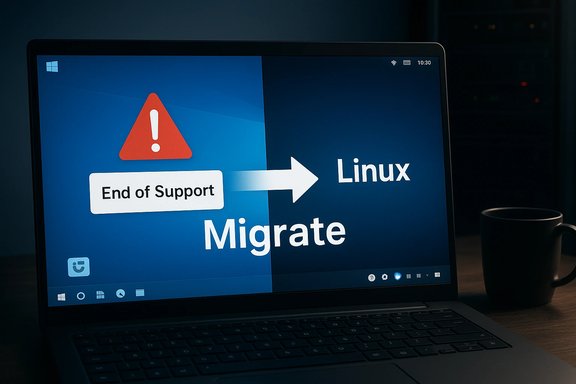
Microsoft’s formal end of mainstream support for Windows 10 on October 14, 2025 removed the routine stream of security and feature updates for retail Home and Pro installations, leaving users with three clear short- to medium-term options: upgrade eligible machines to Windows 11, enroll in the consumer Extended Security Updates (ESU) window, or switch platforms. The vendor’s lifecycle page sets the date and the stakes plainly: without a supported OS you increase your exposure to newly discovered vulnerabilities. At the same time, community telemetry and vendor reports show a measurable spike in users testing alternatives. One of the most visible indicators was the timing and uptake of a mainstream-focused Linux distribution — Zorin OS 18 — which launched coincident with Windows 10’s end-of-support messaging and reported unusually high download totals attributed to Windows-origin traffic. Those numbers (vendor-reported) became a focal point for debate over whether a durable migration away from Windows is underway or whether this is primarily an ephemeral surge of curiosity. Treat vendor download claims as meaningful signals, but not as one-to-one evidence of completed migrations. Concurrently, January 2026 Patch Tuesday introduced fixes and platform changes that produced regressions for some customers: a shutdown/hibernate regression tied to Secure Launch that causes affected Windows 11 machines to restart instead of powering off, and a separate issue where the January cumulative update (KB5074109) caused Outlook profiles using POP accounts to hang or fail to exit correctly. Both issues are vendor-acknowledged and under investigation — but the operational impacts are real for affected users and administrators.
Key takeaways about the migration incentives:
Zorin OS’s release timing and self-reported download spikes made for an especially visible datapoint: vendor announcements claimed large download volumes and a high percentage of Windows-origin traffic. Those numbers are real as vendor-reported signals and were widely covered — but downloads are not the same as completed installs, and reported figures should be treated with cautious interpretation until additional adoption telemetry (active installs, retained users, support tickets) appears.
Source: TechPowerUp https://www.techpowerup.com/345267/...vertelemetry=1&renderwebcomponents=1&wcseo=1]
 Background / Overview
Microsoft’s formal end of mainstream support for Windows 10 on October 14, 2025 removed the routine stream of security and feature updates for retail Home and Pro installations, leaving users with three clear short- to medium-term options: upgrade eligible machines to Windows 11, enroll in the consumer Extended Security Updates (ESU) window, or switch platforms. The vendor’s lifecycle page sets the date and the stakes plainly: without a supported OS you increase your exposure to newly discovered vulnerabilities. At the same time, community telemetry and vendor reports show a measurable spike in users testing alternatives. One of the most visible indicators was the timing and uptake of a mainstream-focused Linux distribution — Zorin OS 18 — which launched coincident with Windows 10’s end-of-support messaging and reported unusually high download totals attributed to Windows-origin traffic. Those numbers (vendor-reported) became a focal point for debate over whether a durable migration away from Windows is underway or whether this is primarily an ephemeral surge of curiosity. Treat vendor download claims as meaningful signals, but not as one-to-one evidence of completed migrations. Concurrently, January 2026 Patch Tuesday introduced fixes and platform changes that produced regressions for some customers: a shutdown/hibernate regression tied to Secure Launch that causes affected Windows 11 machines to restart instead of powering off, and a separate issue where the January cumulative update (KB5074109) caused Outlook profiles using POP accounts to hang or fail to exit correctly. Both issues are vendor-acknowledged and under investigation — but the operational impacts are real for affected users and administrators. Why this moment matters: calendar-driven migration and real user consequences
The combination of a firm EOL calendar and stricter Windows 11 hardware gates (TPM 2.0, UEFI Secure Boot, curated CPU lists) converted an abstract lifecycle change into hard, immediate choices for millions of devices. For budget-conscious households, schools, charities, and small businesses, the options are less frictionless than they appear on paper: either spend on new hardware, enroll in a time-limited ESU program, or evaluate alternatives that can run on the existing boxes. That calculus — cost, compatibility, and perceived vendor trust — explains why a migration-to-Linux narrative gained traction in late 2025 and continues to shape 2026 conversations.Key takeaways about the migration incentives:
- Cost and hardware eligibility: Windows 11’s floor for new features and security leaves many perfectly usable Windows 10 machines technically ineligible without hardware changes.
- Short-term safety valve: ESU is available as a bridge but is explicitly time-bound and, for many consumers, not a long-term substitute.
- Migration viability: Modern Linux distributions and thin-client/cloud approaches can revive older hardware, but application and peripheral compatibility remain the barriers most switchers face.
The January update regressions: what broke, who’s affected, and vendor guidance
Shutdown / hibernation regression (Secure Launch interaction)
What happened- After the January 13, 2026 cumulative update rollout (packaged as SSU + LCU), Microsoft documented a known issue where some Windows 11 devices with System Guard Secure Launch enabled may restart instead of shutting down or entering hibernation. The scope is narrow — primarily Windows 11 23H2 Enterprise and IoT SKUs with Secure Launch enabled — but the symptom is operationally significant for affected environments (fleet management, overnight maintenance, battery-sensitive laptops).
- Microsoft’s published workaround for a guaranteed power-off is to use a command-line forced shutdown:
- Open Command Prompt.
- Run: shutdown /s /t 0
- The vendor warns there is currently no workaround for hibernation; users should save work frequently and avoid relying on hibernate states until a fix ships.
- Enterprises should inventory Secure Launch–enabled devices, consider pausing deployments into critical rings, and prepare rollback/KIR (Known Issue Rollback) plans where applicable.
- Deterministic power-state behavior is a basic expectation for laptops and management systems. The regression underscores how low-level security features (Secure Launch) can interact with the servicing stack in surprising ways, and how testing across diverse OEM firmware ecosystems is essential but hard to fully replicate at scale.
KB5074109 and Outlook POP account failures
What happened- Following the January cumulative update identified as KB5074109, Microsoft received reports that Outlook profiles configured with POP accounts could hang on exit, fail to restart properly, or exhibit unexplained freezes. Microsoft flagged the issue on its support pages and classified it as an active investigation.
- The issue affects classic Outlook POP profiles and can prevent Outlook from closing cleanly, which in turn blocks restarts of the application or impacts mail delivery behavior for some users.
- Microsoft’s teams (Outlook + Windows) are investigating and updating the advisory as more symptoms and mitigations are identified. Affected users are advised to monitor official support communication and community forums; administrators should consider targeted rollbacks for critical users until a patch is available.
Community reaction and the TechPowerUp poll dynamic
Community polls and forum conversations capture sentiment that raw download or telemetry numbers can miss: frustration, loss of trust, and a desire for agency. A recent front-page poll (sampled and discussed widely) found a meaningful fraction of Windows-centric readers indicating willingness to move away from Windows after Windows 10 EOL — a signal of intent rather than a metric of completed migration. Polls like this reflect sentiment and can foreshadow behavior (trial, dual-boot testing, VM evaluations), but they do not, on their own, prove mass defections. Use polls as temperature checks; corroborate with device telemetry or vendor-verified migration counts when possible.Zorin OS’s release timing and self-reported download spikes made for an especially visible datapoint: vendor announcements claimed large download volumes and a high percentage of Windows-origin traffic. Those numbers are real as vendor-reported signals and were widely covered — but downloads are not the same as completed installs, and reported figures should be treated with cautious interpretation until additional adoption telemetry (active installs, retained users, support tickets) appears.
Practical advice: stop reinstalling Windows 11 — three first-line actions
Reinstalling Windows should be a last resort. Before taking that step, follow these prioritized steps derived from field-tested guidance and published how-to resources.- Pause and delay updates (prevent reinfection)
- Use the Windows Update pause feature for a short period (a couple of weeks) to let early adopters surface bugs and vendor hotfixes mature. This reduces the chance that a freshly reinstalled system immediately picks up the same problematic update.
- Use rollback and recovery tools before reinstalling
- Uninstall the offending update via Settings > Windows Update > Update history > Uninstall updates, or use Advanced Startup > Troubleshoot > Uninstall Updates when the system won’t boot.
- If you can’t identify the update or the system is unbootable, use System Restore or a full image restore. Create system restore points and full backups routinely — they are cheaper in time and risk than a fresh OS reinstall.
- Try targeted repair and safe-mode troubleshooting
- Boot into Safe Mode, disable third-party security software, update or roll back device drivers (especially GPU and storage drivers), and run SFC /scannow and DISM health repairs before contemplating reinstall. If the issue is driver-related or caused by an incompatible third-party component, these steps often resolve the problem without data loss.
- Build an update deployment ring strategy: pilot → broad → full, with rollback playbooks and Known Issue Rollbacks (KIR) considered.
- Maintain an offline recovery image and a tested reimaging workflow that preserves user data.
- For persistent device-level regressions (like Secure Launch restart issues), consider disabling the specific feature only after a measured risk assessment — don't apply blanket changes without testing.
Installing Windows on Proxmox: what desktop users and homelabbers need to know
Running Windows (especially Windows 11) on Proxmox is increasingly common for labs and cloud-like personal setups, but it’s more involved than a bare-metal install. Practical points to keep in mind:- VirtIO drivers are essential at install time. Without the VirtIO ISO attached during Windows setup, the installer often won’t see the virtual storage controller, preventing disk selection. Load the VirtIO SCSI driver from the VirtIO media when asked to select the installation target.
- Use OVMF (UEFI) and virtual TPM (vTPM) for Windows 11 compatibility. Proxmox supports vTPM and OVMF, and those settings are required if you want to meet Windows 11’s health checks and use BitLocker or TPM-backed features inside the VM. Protect vTPM state files carefully — losing them can complicate BitLocker recovery.
- Paravirtualized devices (virtio-net, virtio-scsi) provide far better performance than emulated hardware, but they require the appropriate guest drivers. Install virtio-win-guest-tools after the initial install to improve performance and integrate better with Proxmox tooling.
- Consider GPU passthrough if you need near-native graphics performance; it’s powerful but significantly more complex (IOMMU groups, PCIe reset quirks, host GPU drivers) and not guaranteed on all consumer hardware.
Critical analysis: strengths, risks, and who wins or loses
What Microsoft did well- The firm calendar for Windows 10 EOL clarifies the operational timeline and forces necessary decisions.
- Rapid, transparent advisories and Known Issue Rollback mechanisms help curated, managed remediation in enterprise settings.
- Fixes for long-standing quirks (e.g., the “Update and shut down” correction) demonstrate progress in addressing systemic servicing and state-management problems.
- Regressions tied to deep platform features (Secure Launch) highlight the fragility of complex interactions between firmware, virtualization-based security, and the servicing stack; these are precisely the cases that are difficult to reproduce comprehensively in pre-release testing.
- Consumer communication can be confusing: end-users see their PCs behave differently (restart vs shut down) and often lack clear, simple mitigations beyond command-line workarounds. This gap fuels distrust and the impulse to “start fresh” by reinstalling.
- Continued use of unsupported Windows 10 without ESU or a migration plan increases exposure to exploitation and compliance failures.
- Hasty reinstalls or poorly planned migrations risk losing user data, licensing complications (OEM keys on old hardware), driver breakage, and long remediation cycles.
- Third-party ‘unofficial’ patching services are a partial stopgap but introduce dependency risks and support uncertainty; they are useful only in constrained, well-defined scenarios.
- Skilled users and homelabbers who can manage VMs, snapshots, and dual-boot setups can preserve old hardware life and experiment safely.
- Linux distributions tailored to Windows migrants (familiar UIs, cloud integration tools) gain immediate trial interest and potential long-term adopters.
- Managed service providers and enterprise IT with disciplined patch rings and rollback strategies can mitigate exposure and keep critical systems stable.
A practical migration and risk-management playbook
For home users- Short-term: Pause non-critical updates for two weeks. Make a full image backup (disk image + user files) and create a System Restore point before installing broad feature updates.
- Medium-term: If hardware supports it, upgrade eligible devices to Windows 11; if not, evaluate a migration to a lightweight, supported Linux distribution or a cloud desktop solution.
- Avoid: Reinstalling the OS as the first reaction to an update problem. Follow rollback and repair steps first.
- Inventory devices with Secure Launch enabled and identify exposure to the shutdown regression.
- Pause wide deployment of January cumulative updates until pilot validation completes.
- Prepare Known Issue Rollback (KIR) or uninstall playbooks and ensure remote management tools can execute them.
- Use phased deployment rings and telemetry-backed health dashboards.
- Communicate clear guidance to end users (how to force shutdown, when to save work, and support contact points).
- Use Proxmox or another hypervisor for safe experimentation: snapshots let you flip between configurations quickly without committing to a full-device reinstall. But treat vTPM and BitLocker carefully — protect state files and test recovery paths.
Final verdict and measured recommendations
This is a transitional moment: Windows 10’s end-of-life and Windows 11’s evolving servicing model have created friction that is exposing both technical and policy trade-offs. The vendor has acknowledged and is investigating significant regressions (shutdown behavior, Outlook POP hangs), and practical mitigations exist that avoid immediate reinstallations. At the same time, user sentiment and vendor-timed alternatives (notably Zorin OS and other migration-friendly distributions) show that for a meaningful minority, the calculus of staying in the Windows ecosystem is changing. What to do next — concise, prioritized actions- Pause updates briefly and monitor Release Health advisories.
- Use the documented rollback/uninstall procedures and System Restore before reinstalling.
- Inventory hardware eligibility, consider ESU only as a tactical bridge, and plan medium-term migration or upgrade strategies.
- If experimenting, use virtual machines (Proxmox) with snapshots and virtio drivers for a reversible, low-risk path.
Source: TechPowerUp https://www.techpowerup.com/345267/...vertelemetry=1&renderwebcomponents=1&wcseo=1]
