Linux still beats Windows 11 in a handful of quietly significant ways — not because it has prettier UI animations or a bigger marketing budget, but because of fundamentals: cost, hardware fit, user control, the absence of baked‑in AI agents, and a privacy model that treats telemetry as optional rather than inevitable. Those five gaps matter in 2026 because they shape everyday workflows, long‑term total cost of ownership, and the degree to which an OS intrudes into your life. This piece unpacks each of those advantages, verifies the key technical claims against official and independent sources, and offers a realistic migration playbook and risk assessment so readers who use Windows 11 daily can understand where Linux actually pulls ahead — and where it doesn’t. erview
Windows 11 is polished, broadly compatible with mainstream apps, and still the practical choice for gamers and many professionals. Microsoft has tightened security and pushed AI‑driven productivity into the shell with Copilot and related features, and the platform continues to evolve. But those same changes — stricter hardware checks, more integrated telemetry and AI experiences, and a one‑size‑fits‑all approach — expose trade‑offs that matter for certain users. Community reporting and hands‑on testing consistently point to five areas where Linux still provides clear day‑to‑day wins: cost, realistic hardware requirements, deeper control and customization, the absence of persistent AI agents, and privacy by design.
Before we dive deeper, let’s quicklye, contested facts so the comparisons that follow rest on solid ground.
Linux’s headline advantage is straightforward: the majority of desktop Linux distributions are free to download, install, and use. That’s a different economic model from Windows’ per‑license retail pricing. For individuals, schools, non‑profits and refurbishment projects, that difference is real money.
If you want to test Linux safely:
If you use Windows 11 and feel boxed in by mandatory features, persistent telemetry, or forced hardware upgrades, consider a low‑risk Linux pilot: boot a live USB, test your workflows, and evaluate the real impacts using snapshots and VMs. The alternative isn’t always a full migration — it’s simply having another practical option for the machines and tasks where Linux genuinely shines.
Source: Windows Central 5 reasons Linux beats Windows 11 right now
Windows 11 is polished, broadly compatible with mainstream apps, and still the practical choice for gamers and many professionals. Microsoft has tightened security and pushed AI‑driven productivity into the shell with Copilot and related features, and the platform continues to evolve. But those same changes — stricter hardware checks, more integrated telemetry and AI experiences, and a one‑size‑fits‑all approach — expose trade‑offs that matter for certain users. Community reporting and hands‑on testing consistently point to five areas where Linux still provides clear day‑to‑day wins: cost, realistic hardware requirements, deeper control and customization, the absence of persistent AI agents, and privacy by design.
Before we dive deeper, let’s quicklye, contested facts so the comparisons that follow rest on solid ground.
- Windows 11’s baseline requirements include a compatible 64‑bit processor, 4 GB RAM and 64 GB storage, UEFI firmware with Secure Boot capability, and TPM 2.0. These are Microsoft’s official minimums.
- Microsoft sells a retail Windows 11 Home license at about $139 and Windows 11 Pro at about $199 on its store; those are the standard retail price points you’ll see referenced.
- Zorin OS sells a paid “Pro” edition as a one‑time purchase (commonly listed around $47.99), while mainstream distros such as Linux Mint remain fully free for download and use.
- Microsoft’s Copilot ecosystem introduced “Recall” — a screenshotting/indexing feature on Copilot+ machines — and it has produced notable privacy criticism and blocking efforts from privacy‑minded apps and browsers. That controversy is live and demonstrable across journalism and technical analysis.
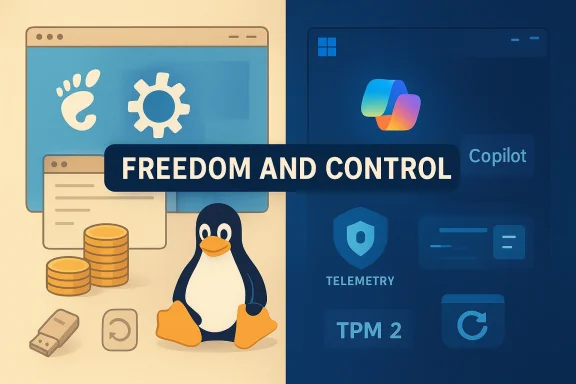 1. Cost without catch
Linux’s headline advantage is straightforward: the majority of desktop Linux distributions are free to download, install, and use. That’s a different economic model from Windows’ per‑license retail pricing. For individuals, schools, non‑profits and refurbishment projects, that difference is real money.Why price matters in practice
- Initial licensing: A retail Windows 11 Home license is commonly listed at $139 and Pro at $199 — prices you’ll encounter when buying a standalone key. That cost matters for people building or refurbishing hardware, or for organizations deploying multiple machines without OEM bundling.
- Long tail costs: Windows’ business model also pushes add‑ons (Microsoft 365 subscriptecurity tiers, and Azure integrations) which increase recurring cost. Linux distributions rarely lock core features behind paywalls; paid desktop editions (Zorin Pro, elementary OS donations, or commercial RHEL/SUSE subscriptions) are explicitly optional choices that primarily fund development or provide commercial support.
- One‑time vs recurring: Where Zorin OS charges a one‑time fee for its Pro bundle (commonly around $47.99), Linux Mint and many mainstream distros remain free; paying is framed as support or convenience, not a gate for basic functionality.
Practical edge cases
- OEM devices: Many new PCs come with Windows 11 preinstalled, so upfront cost is embedded in the device purchase. But for DIY builders, refurbishers or labs repurposing older PCs, the lack of license fees for Linux is a substantive advantage.
- Paid Linux editions: Be explicit — some distros offer paid tiers. Those are optional and usually include convenience bundles, extra themes or direct support. Treat them as donations with benefits, not as mandatory fees.
2. Hardware requirements that respect reality
One durable advantage of Linux is its flexibility across hardware generations. While Windows 11 requires TPM 2.0, UEFI Secure Boot and a recent CPU lineage (per Microsoft’s compatibility guidance), Linux distributions commonly run on a far wider set of older machines. That realistically extends device life and reduces e‑waste.The Windows 11 baseline — verified
Microsoft’s published minimums include a 64‑bit, dual‑core 1 GHz+ CPU, 4 GB RAM and 64 GB storage plus TPM 2.0 and UEFI Secure Boot. Microsoft has emphasized TPM 2.0 as a continuing baseline for Windows security. Those checks have practical effects: ctional PCs are excluded from an official Windows 11 install path without workarounds.Linux’s hardware range
- Lightweight distributions (for example, Lubuntu, Puppy, MX Linux, or a Linuxrun comfortably on systems with modest RAM and decade‑old CPUs. Some Linux distros explicitly target “reviving” old laptops and low‑end desktops. Community testing and hands‑on guides repeatedly validate these claims.
- Many distros offer low memory footprints, optional compositor toggles, and window managers built for small resource budgets (XFCE, LXQt, or even tiling managers like i3) — choices that let an older device remain productive without the forced hardware refresh cycle that modern Windows pushes.
What this means for organizations and households
If you’re running a lab, a school computer program, or a budget PC fleet, the total cost of ownership for Linux machines can be meaningfully lower because you skip license fees and avoid forced hardware upgrades. That’s not theoretical: community migration guides and real‑world pilots frequently use live USB tests and lightweight spins to confirm functionality before committing.3. Control and customization that actually means control
Linux’s design center is choice. This shows up across laents (DEs), window managers, kernels, init systems, packaging systems and low‑level kernel options. For users who want to shape their workflow rather than adapt to a vendor’s assumptions, Linux still provides the clearest route.Desktop environments and window managers
- Pick a DE: GNOME KDE Plasma (feature‑rich, highly tweakable), Cinnamon/XFCE/MATE (traditional, low overhead). Each delivers a distinct workflow out of the box.
- Or go tiling: For power users, tiling window managers (i3, Sway, Hyprland, AwesomeWM) let you build keyboard‑centric, minimal UIs that substantially speed certain workflows. Windows 11’s Snap Layouts are useful, bu. Linux lets you replace the entire windowing paradigm.
System behavior and tooling
- Package managers: APT, Pacman, DNF, and their ecosystems provide a single place to install and update both system components and applications. That reduces install cruft and makes system updates auditable. Windows has WinGet and inux repositories remain broader and more centralized for system software.
- Startup and services: On modern Linux systems you can inspect, mask, or alter services with systemd or alternative init systems; testing, sandboxing and rollback tools are commonly available (see snapshots below). On Windows, deeper system changes can be possible but are often discouraged or locked behind UI layers.
Why this is more than “cosmetic”
Control matters when your workflow depends on reproducible systems (development, devops, self‑hosting), when you need precise uptime behavior, or when you want to eliminate features that interfere with productivity. Linux’s control model shifts the responsibility to the user — which is a benefit for those who want it, and a trade‑off for those who prefer a managed, vendor‑opinionated experience.4. No AI features to manage, disable, or avoid
One of the more visible criticisms of modern Windows 11 is the degree to which Microsoft has integrated AI into the shell: Copilot, Copilot+ device features, and associated assistants such as the Recall feature that automatically indexes screen contents. Linux’s approach is the inverse: there’s no default, invisible AI agent presuming to summarize your files or capture screenshots — if you want AI, you add it deliberately.Why this matters
- Quiet desktop: On Linux, the OS won’t install and run background AI services you didn’t ask for. If you want a local LLM or remote AI service, you explicitly choose, install and configure it.
- Consent and surface area: Copilot and related features can be convenient, but the integration increases the OS’s telemetry and processing surface area. Recall’s screenshot/indexing idea, for instance, produced immediate privacy backlash and technical pushback from privacy‑focused apps and browsers. That controversy is not hypothetical — several browser vendors and privacy tools moved to block or restrict Recall‑style behaviors.
A practical contrast
-I assistants that can help summarize and search files, but managing them often requires digging into multiple Settings panes and reading changing privacy policies.- Linux: gives you the choice to run local models or a third‑party agent, to host models on your own hardware, or to integrate cloud AI tools selectively — but nothing is imposed by the distribution itself. That default absence is a feature for users who value low intrusion and explicit consent.
5. Minimal telemetry and privacy by design
Privacy debates are not new, but Linux’s open‑source model and community governance make ted, auditable topic rather than an opaque background process. For privacy‑conscious users, this difference changes the baseline trust model.How Linux approaches telemetry
- Mostly opt‑in and explicit: Telemetry in Linux distros tends to be opt‑in for desktop projects. When data collection exists, it’s usually documented, auditable, and removable. Community norms and the ability to inspect code make hidden telemetry less plausible.
- Distribution variance: Different distros make different choices. Enterprise distributions (Red Hat, SUSE) offer paid support and may include optional telemetry for diagnostics; mainstream community distros typically emphasize privacy. Zorin, Mint and Ubuntu provide clear user flows and disclosure for any optional data‑sharing features.
Windows telemetry realities
- Microsoft collects diagnostic and usage data to improve product quality and deliver services. Recent AI features and Recall in particular raised new privacy concerns because they require indexing or capturing user interactions. Independent reporting and technical analysis flagged risks around Recall’s storage model and the difficulty of fully uninstalling or erasing its artifacts on Copilot+ machines. Those concerns drove vendor responses and regulatory scrutiny.
The practical upshot
If you need a baseline that minimizes outbound telemetry and keeps sensitive data local by default, Linux gives you a simpler starting point. If you prefer integrated cloud services, cross‑device AI features, and vendor‑managed conveniences, Windows provides them — but you’ll trade more background data flows in return.Beyond the five: snapshots, live USBs, and the migration playbook
Those five headline advantages are supported by a suite of practical tools Linux users rely on every day. Two deserve special mention: live USB testing (with persistence) and system snapshots.- Live USBs and Ventoy: Booting an OS from USB to test hardware, keyboard, audio and printing compatibility before installing is a routine Linux workflow. Tools like Ventoy make multi‑ISO live drives and persistent live sessions simple to create, letting you test without touching the internal drive. That lowers risk and reduces friction for trialing distros.
- Snapshots and Timeshift: Linux tools such as Timeshift provide system‑level snapshots and rapid rollback, making updates less risky. uled and restored from live media, delivering a practical “undo” that many Windows users find reassuring and that can dramatically reduce downtime during updates or misconfiguration.
- Inventory critical apps and peripherals; prioritize must‑have Windows‑only software.
- Create full backups and keep Windows disk images until you’re comfortable.
3.oy + persistence) of candidate distros and test Wi‑Fi, audio, webcam, printing, GPU acceleration, and external drives. - Pilot install on a noncritical machine or use a VM for stubborn apps. Use Timeshift or BTRFS snapshots as rollback safety nets.
- Keep a Windows VM for legacy or anti‑cheat dependent games.
Gaming and compatibility: where Linux still loses (and why that matters)
A balanced appraisal means acknowledging where Windows 11 remains decisively better.- App ecosystem: Industry standard creative suites (full Adobe suite), many commercial audio production tools, and certain engineering software remain Windows‑first. For creatives and many professionals, that compatibility matters.
- Anti‑cheat and multiplayer: Valve’s Proton and Steam Play have advanced Linux gaming dramatically, and anti‑cheat vendors added Proton runtimes for some titles. However, not every developer opts in: games that require kernel‑level anti‑cheat or whose developers refuse Linux/EAC/Proton compatibility (e.g., Rust’s developer stance) remain blocked or limited on Linux. That makes Linux impractng OS for some competitive multiplayer communities. Recent coverage and developer statements confirm that some studios intentionally avoid Linux/Protooncerns. (pcgamer.com)
Real risks and constraints — a frank appraisal
Linux’s benefits are real, but so are its risks and costs. Don’t underestimate these practical trade‑offs:- Driver edge cases: New Wi‑Fi chips, fingerprint sensors, vendor power‑management quirks and some printers may have spotty Linux support. Hands‑on testing is essential.
- Enterprise software: Some proprietary, industry‑specific applications have no Linux equivalent. Virtualization or cloud Windows may be required.
- Support and training: Organizations must account for training, helpdesk knowledge and fallback plans (Windows VM), which can increase operational overhead during a transition.
- Anti‑cheat and gaming: As noted, some competitive titles and their server ecosystems remain Windows‑centric by design or choice. Verify individual game compatibility before cutting over.
Verdict: who should consider Linux today — and how to do it safely
Linux wins today where you value freedom, low cost, honest privacy defaults, realistic hardware support for older machines, and absolute control over the desktop. That’s why many developers, tinkerers, refurbishers, privacy advocates, and some creative professionals favor it for specific machines or workflows. If you’re primarily a gamer, heavily dependent on Windows‑only creative or industry software, or you need vendor support for every peripheral, Windows 11 remains the pragmatic choice.If you want to test Linux safely:
- Start with a live USB (Ventoy + persistence). Test hardware and core apps.
- Use Timeshift snapshots or BTRFS to create a reliable rollback path.
- Keep a Windowcases (legacy apps, anti‑cheat dependent games).
Conclusion
This is not an argument that everyone should switch to Linux — Windows 11 remains the right choice for the majority because of its app compatibility, gaming support, and commercial ecosystem. But the debate matters because Linux still wins important, practical battles that shape everyday computing: it costs less to run, it respects older hardware, it hands control back to the user, it doesn’t foist AI agents on you, and it treats telemetry like an option rather than a default. Those strengths are not theoretical; they are embodied by tools and practices (live USBs, Timeshift snapshots, package‑managed installations, permissive licensing models) that make Linux not just interesting, but useful.If you use Windows 11 and feel boxed in by mandatory features, persistent telemetry, or forced hardware upgrades, consider a low‑risk Linux pilot: boot a live USB, test your workflows, and evaluate the real impacts using snapshots and VMs. The alternative isn’t always a full migration — it’s simply having another practical option for the machines and tasks where Linux genuinely shines.
Source: Windows Central 5 reasons Linux beats Windows 11 right now