

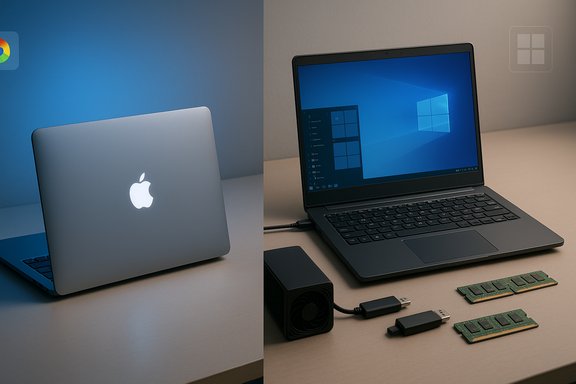
I finally bought a MacBook, but I’m still keeping Windows as my main platform—and that experience says far more about how we use computers today than it does about brand loyalty. What started as a curiosity trip into Apple’s tightly integrated hardware-software world quickly became a study in trade-offs: macOS delivers remarkable efficiency, quiet thermals, and a cohesive ecosystem, while Windows still wins on openness, hardware variety, legacy compatibility, and user-level customization. My hands-on impressions echo a common switcher’s story: satisfied with the MacBook, yet reluctant to abandon years of Windows workflows and tooling.
Switches between Windows and macOS are rarely binary: they’re about workflows, hardware ecosystems, and the trade-offs users are willing to accept. In this case, the decision was informed by direct comparisons across software availability, hardware expandability, customization, and real-world performance. The original note that sparked this write-up—a practical account from a user who spent months with both platforms—highlights the specific pain points and wins that make the choice personal rather than purely technical.
This article summarizes that experience, verifies the technical claims behind it, and places them in a broader context WindowsForum readers will find directly useful. The goal is to be practical, evidence-driven, and candid about where each platform excels and where it falls short.
Apple Silicon’s limited eGPU support further restricts expansion paths for future GPU upgrades on Macs. Windows machines typically offer more direct GPU upgradeability (desktops) or eGPU-friendly configurations. Those who game, stream, or run CUDA‑accelerated ML tooling should look to Windows or specialized hardware when local GPU compute is non‑negotiable.
Choosing a primary platform is a practical exercise in trade‑offs, not brand loyalty. For the author of the original note, the MacBook became a satisfying second device without displacing Windows as the daily workhorse. That’s the pragmatic middle path many users should consider: adopt the Mac where it shines, keep Windows where it’s indispensable, and pick the strategy that minimizes disruption while maximizing productivity.
The bottom line: both ecosystems continue to evolve. Watch for Apple’s future hardware shifts (touchscreens, next‑gen silicon), but don’t expect a single device to be the perfect answer for every workflow just yet.
Source: XDA I finally got a MacBook but I'm still not leaving Windows
 Background
Switches between Windows and macOS are rarely binary: they’re about workflows, hardware ecosystems, and the trade-offs users are willing to accept. In this case, the decision was informed by direct comparisons across software availability, hardware expandability, customization, and real-world performance. The original note that sparked this write-up—a practical account from a user who spent months with both platforms—highlights the specific pain points and wins that make the choice personal rather than purely technical.This article summarizes that experience, verifies the technical claims behind it, and places them in a broader context WindowsForum readers will find directly useful. The goal is to be practical, evidence-driven, and candid about where each platform excels and where it falls short.
Overview: what the MacBook brought to the table — and what it didn’t
- macOS (Apple Silicon) delivered noticeably smoother everyday performance, long battery life, and silent operation compared with an aging Windows 2‑in‑1.
- Windows retained critical advantages: broader hardware and peripheral compatibility, richer options for customizing the user interface, and superior support for certain legacy apps and gaming peripherals.
- Some specific pain points with macOS were practical: missing favorite Windows utilities (for example, advanced screenshot/upload tools), limited upgradeability and repairability, and fewer inexpensive hardware accessory options.
Software compatibility and workflows
ShareX and the screenshot gap
One of the first real friction points in switching was the unavailability of ShareX—a uniquely flexible Windows screenshot, screen capture, and automation tool. ShareX is a Windows-first open-source project with a heavy Windows API dependence; it does not offer an official macOS client and community discussion confirms the project remains Windows‑centric. The practical impact is real for users who relied on ShareX for automated uploads, custom hotkeys, chained actions, and annotated capture workflows. macOS has capable built‑ins (screen capture shortcuts, Quick Look, Preview) and several strong third‑party alternatives (CleanShot, Dropshare, Rectangle for window management, and utilities like Monosnap). But none replicate the ShareX feature set and automation ecosystem exactly, which is a meaningful productivity delta for power users who favor scripted capture + uploader combos. This is not a technical impossibility—it’s a choice of priorities: macOS encourages polished, consistent experiences rather than extreme tool composability.Power user utilities and PowerToys
Microsoft’s PowerToys is a single, official, cross‑installable toolkit that brings dozens of power‑user features (FancyZones, PowerRename, Keyboard Manager, and more) directly to Windows users. It’s actively developed and Windows‑native, and its scope is a big reason many users feel they can bend Windows to their will. PowerToys is Windows‑only by design; macOS alternatives exist (Rectangle, BetterTouchTool, Karabiner, Magnet), but they’re third‑party projects with fragmented features and licensing differences. If you rely on one official toolkit for quick UI tweaks and window management, PowerToys is a hard thing to leave behind.Legacy apps, compatibility mode, and Boot Camp
Windows has mature compatibility options and widespread legacy support—everything from compatibility flags to virtualization and enterprise imaging tools. On Intel Macs, Boot Camp used to provide native dual‑boot Windows; since Apple’s move to Apple Silicon (M‑series), Boot Camp is no longer available for those machines. That change forces many users who need Windows‑only apps into virtualization (Parallels, VMware Fusion) or cloud/VM workflows. In short: a Mac can run Windows in many forms, but the convenience and native performance options Windows users once enjoyed are diminished on Apple Silicon.Hardware compatibility, upgrades, and repairability
Upgradeability: soldered RAM and integrated storage
Modern MacBooks with Apple Silicon favor unified, soldered designs that deliver thinner designs, unified memory performance, and excellent power efficiency—but at the cost of user upgradeability. Tear‑down experts consistently find that RAM and storage are soldered to the logic board, which makes DIY upgrades impossible and repairs more complex. That reality explains why many Windows power users (who value replaceable RAM, user‑serviceable storage, and modularity) continue to favor PC laptops and desktops. Windows PCs still include models with swappable storage and user‑accessible RAM. For anyone who enjoys upgrading a decade‑old machine—migrating from HDD to SSD, expanding RAM, or reusing components—Windows hardware offers practical options Apple currently does not.Peripherals, price tiers, and the “cheap accessory” factor
The Windows ecosystem supports thousands of inexpensive peripherals (USB cameras, niche gaming controllers, modded gamepads, inexpensive capture devices). Apple’s accessory market often skews premium; while quality is high, low‑cost, highly modded, or community‑supported hardware can be harder to integrate cleanly with macOS (driver, firmware, or vendor support gaps). For people who value accessory flexibility and price tiers (including budget solutions), Windows remains the more permissive platform.eGPU support and external acceleration
A key hardware divergence: Apple’s official guidance still restricts eGPU support to Intel Macs. Apple’s support documentation and subsequent community testing show that Apple Silicon Macs do not offer the same eGPU functionality that Intel Macs once did. That’s an important practical difference for users who want to add discrete GPU horsepower later via Thunderbolt enclosures. Windows machines with Thunderbolt and standard PCIe eGPU enclosures remain a better-fit option today for modular GPU expansion. Note: There are experimental community projects and emerging custom drivers that seek to reconcile Apple Silicon with external GPU hardware for niche use cases (AI acceleration, local ML workloads). These are early-stage and often require disabling macOS protections—so they’re not recommended for mainstream users. Treat such projects as research‑grade, not production solutions.Customization and the “feel” of control
Windows tends to assume more agency for the user: install what you want, change UI behavior, adjust the taskbar, run low‑level utilities, and personalize everything from cursors to shell extensions. macOS prioritizes consistency and stability—Apple reduces configuration surface area so fewer things break, but that comes at the cost of deep personalization.- On Windows you can:
- Reconfigure the taskbar and start menu with numerous third‑party tools.
- Replace File Explorer or extend it with shell extensions and context menu handlers.
- Use system‑level utilities (PowerToys, Rainmeter, AutoHotkey) to stitch complex workflows together.
- On macOS you can:
- Rely on meticulous, consistent UI design and less fragmentation.
- Pick from high‑quality third‑party tools—but you’ll rarely get one solution that mirrors the breadth of PowerToys + AutoHotkey + ShareX combined.
Performance, thermals, and battery life
Apple Silicon’s efficiency advantage
Apple’s M‑series chips deliver an impressive balance of single‑thread performance, integrated GPU capability, and extreme power efficiency. Across independent reviews and benchmarks, MacBook Air and Pro models with modern M‑series silicon consistently show superior battery life and snappy app responsiveness compared to many Intel‑based Windows ultrabooks at similar price points. Real-world results include faster wake times, quieter operation, and longer unplugged productivity sessions. However, raw performance comparisons are context dependent. High‑end Windows laptops—especially those with discrete NVIDIA GPUs or high‑TDP Intel/AMD CPUs—can beat Apple silicon for sustained, multi‑threaded workloads (heavy rendering, long livestream encodes) where cooling capacity and raw cores matter. In other words: MacBooks excel at efficient performance; Windows hardware wins when you scale for sustained peak throughput or discrete GPU‑driven workloads.What that means for everyday users
- If your day is browser tabs, office apps, photo edits, and occasional video exports, a modern MacBook offers a compelling blend of speed, silence, and battery life.
- If your work includes prolonged multi‑hour renders, GPU‑heavy simulation, or top-tier gaming, a Windows system tuned with a discrete GPU and strong thermals will likely be more suitable.
Gaming, GPUs, and the practical realities of Mac vs Windows
If gaming is a primary use case, Windows remains the dominant platform. Game developers, DRM/anti‑cheat tooling, and the breadth of hardware optimizations (DirectX, NVIDIA drivers, broad GPU ladder) all favor Windows. Apple’s improvements—native ports of high‑profile titles and better GPU performance in later M‑series chips—narrow the gap for casual play, but serious gamers still find Windows more flexible and compatible.Apple Silicon’s limited eGPU support further restricts expansion paths for future GPU upgrades on Macs. Windows machines typically offer more direct GPU upgradeability (desktops) or eGPU-friendly configurations. Those who game, stream, or run CUDA‑accelerated ML tooling should look to Windows or specialized hardware when local GPU compute is non‑negotiable.
Migration, virtualization, and hybrid strategies
For users who want the best of both worlds, there are pragmatic middle grounds:- Virtualize Windows on the Mac (Parallels, VMware Fusion, UTM).
- Parallels provides a polished VM experience and supports Windows on ARM builds on Apple Silicon, though some legacy apps or drivers (x86 native code) may not perform or run natively without emulation caveats.
- Keep a dedicated Windows laptop for gaming, specialized hardware, or upgradeable needs.
- Use cloud desktops (Windows 365, Azure Virtual Desktop) for heavy Windows‑only workloads when local hardware isn’t ideal.
The future: touchscreens, Apple’s roadmap, and evolving choices
A frequent theme in switcher conversations is hardware form factor: many users prefer 2‑in‑1s or touchscreen laptops for flexibility. Historically, Apple resisted touchscreens on MacBooks, arguing that macOS was optimized for keyboard/trackpad interaction, not touch. That stance appears to be shifting—reputable reports and analyst leaks suggest Apple has been testing touchscreen MacBooks and may release OLED touchscreen models in the mid‑2026 timeframe. For users holding out for an Apple hybrid that behaves like a Surface or convertible Windows machine, this is a development worth watching—but it’s not a current reality. Expect more rumors and possibly a first touch‑enabled MacBook Pro in a future product cycle. For now, Windows remains the practical place to find touch‑first notebooks and robust 2‑in‑1 designs.Strengths and risks: a balanced assessment
Notable strengths of macOS/MacBook
- Efficiency and thermals: Apple silicon often runs cooler and longer on battery, delivering day‑long uptime in lightweight designs.
- Polish and integration: macOS plus iPhone/iPad integration (Continuity, AirDrop, Continuity Camera) improves cross‑device workflows for Apple ecosystem users.
- Consistency: fewer driver headaches and tighter hardware/software testing cycles can reduce day‑to‑day friction.
Notable strengths of Windows
- Flexibility and compatibility: vast peripheral and hardware choice plus legacy app support remain unmatched.
- Customization: third‑party tooling and system‑level utilities let users configure precise workflows and automations.
- Gaming and high‑end expandability: native GPU support, eGPU compatibility on certain platforms, and a larger library of games and GPU‑accelerated desktop software.
Risks and caveats
- Apple’s sealed hardware design increases repair complexity and long‑term upgrade costs. If you prefer to extend a machine’s life with component swaps, that’s increasingly hard on Macs.
- macOS’s limited compatibility with certain peripherals and niche drivers can cause hidden costs (adapters, paid virtualization, or cloud services).
- Experimental community fixes (eGPU, driver workarounds) exist but carry security and stability risks, and they often require disabling macOS protections. Treat them as advanced tinkering, not standard practice.
Practical recommendations for readers deciding between or combining platforms
- If you are a power user who values upgradeability, customization, or gaming: choose Windows hardware that offers user‑serviceable components and broad peripheral compatibility.
- If you want a worry‑free, efficient laptop for content creation, office work, and long battery life—and you already use iPhone/iPad heavily—macOS is an excellent primary machine.
- If you need occasional Windows apps or legacy software:
- Consider running Windows in a VM on a Mac (Parallels) for light tasks, or
- Keep a modest Windows laptop or desktop for the tasks that require native Windows drivers or gaming performance.
- Before buying, audit your critical apps and peripherals: confirm macOS availability or workable alternatives (virtualization, web apps, cross‑platform tools).
Conclusion
The personal account that triggered this piece captures the current reality: MacBooks are compelling, polished, and powerful—but they do not uniformly replace Windows for every user. Windows’ openness, hardware variety, and power‑user tooling create a compelling reason for many people—gamers, modders, administrators, and tinkerers—to stay put. Conversely, MacBooks deliver a quieter, faster, and more integrated daily experience that will lure users who value those benefits.Choosing a primary platform is a practical exercise in trade‑offs, not brand loyalty. For the author of the original note, the MacBook became a satisfying second device without displacing Windows as the daily workhorse. That’s the pragmatic middle path many users should consider: adopt the Mac where it shines, keep Windows where it’s indispensable, and pick the strategy that minimizes disruption while maximizing productivity.
The bottom line: both ecosystems continue to evolve. Watch for Apple’s future hardware shifts (touchscreens, next‑gen silicon), but don’t expect a single device to be the perfect answer for every workflow just yet.
Source: XDA I finally got a MacBook but I'm still not leaving Windows
