

Manjaro’s latest stable release, 26.0 “Anh-Linh,” makes a clear, deliberate push toward modern Linux desktop technology and practical polish — and for many Windows 11 users that means a genuine, arguable alternative is finally within reach. This release updates all three flagship editions — GNOME, KDE Plasma, and Xfce — and pairs them with the Linux 6.18 LTS kernel, refreshed graphics stacks and practical workflow improvements that address everyday frustrations like app startup speed, remote access, theming, window behavior, and file management. For anyone weighing the cost of staying on Windows 11 versus switching to a capable Linux desktop, Manjaro 26 is the sort of release that demands a serious look.
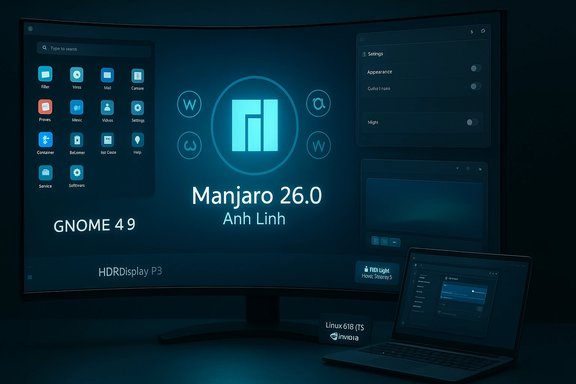
Manjaro 26.0 (codename: Anh-Linh) continues the project’s long-standing strategy: hold onto Arch Linux’s rolling base while curating desktop environments and driver stacks for a smoother, more user-friendly experience. This release is notable for a few coordinated choices:
Two broader trends give this release extra weight:
Note on verification: GNOME 49’s performance and color-management improvements are part of upstream release work and the features cited above are consistent with GNOME’s published changes in that cycle.
Verification caveat: KDE/Plasma features are evolving quickly; specifics like exact RDP server behavior can vary by distribution packaging. Manjaro’s curated build claims these conveniences, but some enterprise setups may need extra configuration.
That said, the release is also candid about trade-offs. Graphics driver life cycles and the move away from X11 can break workflows, which makes testing essential before a full migration. Enterprises and users with Windows-dependent apps will still need hybrid strategies.
For enthusiasts and many productivity users, Manjaro 26 is an invitation: a modern, capable, and pragmatic Linux desktop ready for daily work. For the cautious, it’s a signal that the Linux desktop is now consistently worthy of being a primary OS on modern machines — but with the pragmatic caveat that hardware compatibility and application needs must be verified first.
Concluding thoughts
Manjaro 26.0 Anh-Linh is a strong statement from a distribution that understands its audience: deliver modernness without unnecessary turmoil, and make the everyday user experience reliable and pleasant. The Wayland-first stance, GNOME and Plasma updates, kernel LTS choice, and targeted usability fixes combine into an OS that is not just an experiment but a practical alternative to Windows 11 — provided you check hardware and app compatibility first. The quality-of-life improvements are the kind that become quickly indispensable: faster app stores, predictable theming, and smoother remote sessions. For many, that will be reason enough to try Manjaro 26 and, in plenty of cases, to stay.
Source: BetaNews Manjaro 26 makes a strong case for leaving Windows 11 behind
 Overview
Manjaro 26.0 (codename: Anh-Linh) continues the project’s long-standing strategy: hold onto Arch Linux’s rolling base while curating desktop environments and driver stacks for a smoother, more user-friendly experience. This release is notable for a few coordinated choices:- Wayland as the default display server for GNOME and Plasma builds, signaling a move away from legacy X11 sessions.
- Desktop environment upgrades: GNOME 49, KDE Plasma 6.5, and Xfce 4.20 — each bringing distinct, practical improvements.
- Linux kernel 6.18 as the default kernel, with long-term support (LTS) credentials.
- Graphics stack updates (new Mesa and NVIDIA driver series) and desktop-level improvements aimed at day-to-day polish.
Background: Why this release matters
Manjaro sits in a niche where rolling-release freshness meets curated usability. Historically the distro has been a favorite for users who want cutting-edge Linux without the friction of raw Arch. That balancing act matters here: upstream projects like GNOME and KDE are accelerating their Wayland-first efforts, modernizing color pipelines and remote access, and Manjaro 26 stitches those advances into a desktop-ready image.Two broader trends give this release extra weight:
- The Linux desktop is coalescing around Wayland and newer graphics/color capabilities. Distributions that embrace this early gain benefits (security, smooth rendering, HDR), but they must also manage compatibility for legacy apps and older hardware.
- Hardware and driver support cycles are shifting: driver vendors drop older GPU support faster than many users expect, and distributions must either backport drivers or force choice. Manjaro 26 explicitly leans into newer drivers — a pragmatic choice for modern systems, painful for older machines.
GNOME 49 on Manjaro: practical upgrades, better remote access
What’s new on the GNOME side
Manjaro’s GNOME edition ships GNOME 49, which focuses heavily on smoothing rough edges introduced in earlier Wayland-first transitions and on practical performance wins:- Improved app performance in GNOME Software, particularly when indexing and browsing Flatpak repositories. That yields faster app search and less memory pressure on modest systems.
- Calendar and layout improvements: Calendar’s layout adapts more flexibly to window sizes and the sidebar can be hidden manually — small changes that make GNOME friendlier for tiled and small-screen setups.
- HDR and color pipeline upgrades: A new wallpaper catalog aimed at HDR/Display-P3 setups and lower-level improvements in Mutter’s color management allow wallpapers and color-managed content to render with higher bit depth and contrast.
- Remote desktop enhancements: GNOME’s built-in remote desktop tooling gains expanded capabilities for forwarding multitouch input, relative mouse input, and managing virtual monitors — making it more practical to access a GNOME desktop remotely for both productivity and light gaming scenarios.
Why this matters for Windows users
GNOME 49’s performance and remote desktop improvements mean that common tasks — app discovery, remote troubleshooting, quick calendar edits — feel snappier and more predictable than they did a few release cycles ago. The HDR and color pipeline work is particularly relevant for users with high-end displays who want accurate wallpapers and better-looking media without fiddling with compositor hacks.Note on verification: GNOME 49’s performance and color-management improvements are part of upstream release work and the features cited above are consistent with GNOME’s published changes in that cycle.
KDE Plasma 6.5 on Manjaro: visual polish plus pragmatic usability
Key Plasma updates
Manjaro’s Plasma edition adopts Plasma 6.5, together with updated KDE Frameworks and KDE Gear. The emphasis is usability-first rather than radical visual overhaul:- Rounded window corners and theme controls: Rounded bottom corners are applied to Breeze-themed windows, with a toggle to disable for users who prefer squared edges or want strict consistency.
- Automatic day/night theme switching: The system can switch between light and dark themes based on time of day, with control over which themes and wallpapers are used.
- Centralized application permissions: Permissions for screenshots, remote control, and the like are consolidated into a single control page, simplifying privacy and security management.
- Built-in RDP improvements: Manjaro’s Plasma build integrates a remote desktop server that, in this iteration, supports clipboard sharing and can work with existing user accounts rather than requiring separate remote-only accounts — a meaningful convenience for administrators and remote workers.
- Small but helpful touches: Clearer printer ink/toner warnings and the option to hibernate directly from the login screen add convenience without complexity.
Practical impact
For users switching from Windows 11’s polished UI, Plasma 6.5 offers a modern, configurable desktop that is visually competitive. The day/night switching, wallpaper controls, and consolidated permissions mimic conveniences Windows users expect while restoring Linux-style control and transparency. The RDP server improvements reduce friction when remote-accessing a Plasma desktop from Windows or other clients.Verification caveat: KDE/Plasma features are evolving quickly; specifics like exact RDP server behavior can vary by distribution packaging. Manjaro’s curated build claims these conveniences, but some enterprise setups may need extra configuration.
Xfce 4.20: stability-first, small but potent refinements
What Xfce brings to the table
The Xfce edition remains the pragmatic, reliability-focused choice in Manjaro 26:- Thunar enhancements: Recursive search, result highlighting, and toolbar improvements make file operations faster and more discoverable.
- Panel behavior changes: Panel length is now specified in pixels (not percentages), and panels can be kept above windows to avoid forcing maximized apps to resize.
- Control Center consolidation: System management modules are grouped into one window with new options for header bars, file context menus, and multi-monitor defaults.
Why choose Xfce
Xfce’s improvements are small but materially useful, especially for older hardware, VM use, or users who want predictable, low-overhead desktops. It’s also the conservative choice if you rely on X11-only workflows; the Xfce edition maintains X11 compatibility where GNOME and Plasma may default to Wayland.Kernel, drivers and hardware compatibility: the trade-offs
Linux 6.18 LTS as the default kernel
Manjaro 26 ships with Linux kernel 6.18 by default, a version positioned as an LTS branch. That gives the distribution a modern, well-supported kernel with newer drivers and bug fixes for contemporary hardware. Manjaro also makes alternate LTS kernels available for older hardware.Graphics stack and the NVIDIA choice
Manjaro 26 updates the graphics stack (Mesa and NVIDIA drivers). Notably, the NVIDIA driver series used in this release drops support for older Pascal and Maxwell GPUs (GTX 10xx and earlier), favoring Turing-class hardware and newer. That creates a hard compatibility point:- If you have a newer NVIDIA card, you’ll likely see improved driver performance and better feature coverage.
- If you run an older NVIDIA GPU, an update may break your graphical session unless you select an older driver series or use the nouveau driver.
The Wayland pivot and compatibility risks
With GNOME and Plasma built Wayland-first, some legacy workflows that depend on X11-specific behavior or fragile screen-capture hooks may need adjustment. XWayland still provides compatibility for many X11 apps, but users with highly specialized X11 dependencies (custom input devices, niche window managers, proprietary capture tools) should test before upgrading.Daily use: app performance, theming and remote workflows
Manjaro 26 places attention on everyday friction points:- App startup and memory use have been targeted, especially for GNOME Software and Flatpak-heavy setups.
- Theming controls and day/night automatic theme switching reduce the fiddly work of keeping a desktop visually coherent across light and dark modes.
- Remote access — both GNOME’s improved remote tooling and Plasma’s RDP server changes — make remote desktop sessions more functional, with features like clipboard sharing and virtual monitor support that are essential for smooth workflows.
Gaming and Windows app compatibility
A significant consideration for switchers is whether their games and Windows-only apps will work:- Proton/Wine: Manjaro’s rolling base means access to up-to-date Proton and Wine builds from community repos and the AUR. Recent kernels and Mesa releases often help gaming performance, but driver specifics (especially for NVIDIA) remain crucial.
- GPU driver choices: If you game on older NVIDIA hardware, Manjaro 26’s default driver choices may force you to pin older drivers or accept performance trade-offs. For AMD and Intel open-source stacks, newer Mesa versions give tangible performance and Vulkan improvements.
- Game controllers and input: Wayland’s input handling has matured, but some game capture/overlay tools and input redirection setups still work best under X11. Manjaro’s Xfce edition remains an option for those workflows.
Migration: moving from Windows 11 to Manjaro 26 — a practical checklist
For users ready to make the jump, here’s a concise, practical migration plan:- Back up everything: user files, browser profiles, email, product keys.
- Create a recovery plan for Windows 11 (system image or recovery media) in case rollback is necessary.
- Make a live USB of Manjaro 26 (choose Xfce if you use legacy X11-dependent apps).
- Test hardware with the live USB: Wi‑Fi, audio, GPU, printer, scanner.
- If you use NVIDIA hardware, confirm driver compatibility before full install (try both the nouveau and the recommended proprietary driver options).
- Install Manjaro alongside Windows in a dual-boot or commit to full replacement depending on confidence.
- After install: update system (sudo pacman -Syu), install additional drivers via Manjaro Hardware Detection, and set up Flatpaks or native packages for apps.
- Recreate familiarity: configure automatic theme switching, file manager preferences (Thunar or Dolphin), and keyboard shortcuts.
- Migrate productivity apps: browser syncs, email import, and confirm remote access tools work (RDP, SSH, VNC depending on needs).
- Maintain a testing or snapshot strategy (Timeshift) before major updates.
Security, privacy, and enterprise considerations
- Wayland security wins: Wayland reduces the risk of apps snooping on other windows and simplifies screen-capture permission models, aligning with a privacy-first posture.
- Application permissions: KDE’s consolidated permissions page helps users control screenshots and remote control access — a welcome, more discoverable approach to desktop privacy.
- Patch cadence: Manjaro’s rolling model delivers rapid fixes but requires care with critical systems; enterprises and power users should adopt snapshot/rollback workflows and test major desktop or kernel changes before wide rollouts.
- Enterprise software: Many proprietary enterprise apps are Windows-only and may require virtualization or Windows in a VM. Linux alternatives exist for many tasks, but migrations of bespoke Windows apps need assessment.
Strengths, weaknesses, and the Windows 11 comparison
Notable strengths
- Modern stack: Wayland, HDR/Display-P3 support, and kernel 6.18 give Manjaro 26 technological parity with modern Windows displays and drivers.
- Usability refinements: Consolidated permissions, day/night theming, and improved remote access reduce friction for daily use.
- Choice and flexibility: Xfce remains for legacy compatibility; GNOME and Plasma for modern workflows.
- Rolling updates with curation: Manjaro’s approach keeps systems current without the constant breakage of raw rolling distros.
Potential risks and trade-offs
- Hardware support constraints: The NVIDIA driver choice that drops older GPUs is a hard compatibility break for users with Pascal or Maxwell cards.
- Wayland transition friction: Certain screen-recording, remote-control, or legacy input workflows may require workarounds or Xfce-based installs.
- Rolling-release uncertainty: While Manjaro smooths the path, the rolling model still necessitates a backup and rollback mindset for critical systems.
- Enterprise compatibility: Windows-only enterprise apps or DRM-dependent software require additional planning (VMs or dedicated Windows hardware).
Who should switch — and who should wait
Manjaro 26 is particularly compelling for:- Desktop users with modern hardware who want a polished, secure desktop and value customization.
- Developers and technical users who prefer a rolling distro but want curated packaging and sane defaults.
- Creatives with HDR-capable displays who want better color fidelity out of the box.
- Power users and remote workers who will benefit from the improved remote-access tooling.
- Those with older NVIDIA GPUs (Pascal/Maxwell) unless they’re comfortable pinning older drivers.
- Enterprises running Windows-only line-of-business apps without clear Linux equivalents.
- Users relying on niche X11-only workflows or capture tools that have not been confirmed on Wayland.
Final analysis: does Manjaro 26 make a strong case to leave Windows 11?
Manjaro 26 is not a simple, one-click replacement for every Windows 11 user — but it is the most persuasive Linux desktop alternative in a long time. The release strikes an effective balance between modern desktop features (Wayland-first compositors, 16-bit color pipelines, HDR-ready wallpapers) and practical usability fixes (faster app browsing, consolidated permissions, remote desktop improvements). For users running relatively recent hardware, the advantages can outweigh the migration friction: improved privacy properties, fine-grained control, and a level of desktop polish that closes the gap with Windows.That said, the release is also candid about trade-offs. Graphics driver life cycles and the move away from X11 can break workflows, which makes testing essential before a full migration. Enterprises and users with Windows-dependent apps will still need hybrid strategies.
For enthusiasts and many productivity users, Manjaro 26 is an invitation: a modern, capable, and pragmatic Linux desktop ready for daily work. For the cautious, it’s a signal that the Linux desktop is now consistently worthy of being a primary OS on modern machines — but with the pragmatic caveat that hardware compatibility and application needs must be verified first.
Concluding thoughts
Manjaro 26.0 Anh-Linh is a strong statement from a distribution that understands its audience: deliver modernness without unnecessary turmoil, and make the everyday user experience reliable and pleasant. The Wayland-first stance, GNOME and Plasma updates, kernel LTS choice, and targeted usability fixes combine into an OS that is not just an experiment but a practical alternative to Windows 11 — provided you check hardware and app compatibility first. The quality-of-life improvements are the kind that become quickly indispensable: faster app stores, predictable theming, and smoother remote sessions. For many, that will be reason enough to try Manjaro 26 and, in plenty of cases, to stay.
Source: BetaNews Manjaro 26 makes a strong case for leaving Windows 11 behind
