

Mark Cuban’s latest inbox strategy is less about elegance than survival: he says the volume of AI-generated mail and junk subscriptions has pushed him to buy a Mac mini and train AI to help clean up the mess. The idea is striking not because Cuban is using automation — he has long embraced digital tools — but because he is now deploying AI to manage the side effects of AI, including unsolicited outreach and subscription clutter. That makes his comments a useful snapshot of where executive email management is headed: a messy, iterative arms race between senders, filters, and increasingly autonomous inbox agents.
Email remains one of the last universally shared business protocols, and that is exactly why it is so crowded. For high-profile operators like Mark Cuban, the inbox is not just a communication channel; it is a workflow engine, a memory system, and a daily filter for opportunity. In 2025, Cuban said he was receiving roughly 700 to 1,000 emails a day and spent much of his time trying to reduce the unread count to under 20, while organizing mail with folders and even using multiple phones to keep up (entrepreneur.com).
That earlier report helps explain why his new comment on TBPN landed with such force. Cuban has already framed email as preferable to meetings, texts, and Slack because it is asynchronous and searchable years later, and because he personally prefers doing the work himself rather than delegating inbox control (entrepreneur.com). The current twist is that the burden is no longer just volume; it is the industrialization of noise.
The wider context is the rise of agentic AI tooling that can browse, respond, triage, and act on behalf of users. In parallel, Apple’s October 2024 Mac mini refresh with M4 and M4 Pro chips made the compact desktop the object of a peculiar internet craze, especially among users who wanted a quiet, always-on box for AI workflows. The device’s small form factor and Apple silicon efficiency turned it into a kind of badge of the new AI tinkerer culture.
That is why “unsubscribe” is becoming a machine action rather than a human chore. When every sender can generate personalized, high-volume messages, the old human habit of skimming and deleting stops scaling.
That matters because it shows a pragmatic executive mindset rather than a hype-driven one. Cuban is not presenting AI as a magic inbox replacement. He is describing a layered workflow where AI handles repetitive noise while he still reviews the results manually. In other words, this is human oversight wrapped around machine triage.
The most interesting part of the quote is not the hardware, but the behavior. Cuban is effectively using AI to identify mail that should never have arrived in the first place, then using Gmail’s native controls to sever the sender relationship. That approach is almost comically literal: AI is being used to automate the execution of an existing anti-spam action.
This is also where trial and error becomes the key phrase. Cuban is not trying to eliminate email; he is trying to reduce the entropy around it.
This is already visible in executive behavior. LinkedIn CEO Ryan Roslansky has said he uses Microsoft Copilot for high-stakes messages, and other executives have described AI as part of their everyday communication stack. Cuban’s comments fit that broader pattern, but with a sharper edge because his use case is defensive rather than generative.
In that sense, he is not chasing productivity theater. He is trying to survive contact with inbox spam that now includes AI-written nonsense, AI-assisted sales outreach, and subscription abuse. If the old spam era was about volume, the new one is about plausibility.
The sensible architecture is not “replace the human.” It is compress the human’s work into a smaller decision set. That is what Cuban appears to be aiming for.
What’s changing now is that executives are using AI not just to draft replies, but to do inbox hygiene at scale. That includes identifying unwanted subscriptions, classifying mail by urgency, and trimming the long tail of low-value messages that otherwise clog attention.
The practical upside is obvious. The strategic downside is that every executive who delegates inbox triage to AI risks creating a layer of opacity around how important messages are being handled. The more automated the system becomes, the harder it is to know what has been filtered out, delayed, or misread.
The key difference is tolerance for error. An executive inbox can’t afford to lose the wrong note. A consumer inbox can usually survive a missed coupon.
That is why any AI solution that helps preserve email’s usefulness will find an audience.
But the hardware story is more nuanced than the hype suggests. OpenClaw, the agent framework that has been associated with the Mac mini rush, is documented as running on relatively modest resources; its requirements are far closer to a small always-on service than to a high-end local AI workstation. That means the appeal of the Mac mini may be partly emotional: buyers want a dedicated box that feels like an AI machine, even if the heavy inference still happens elsewhere.
This distinction matters because it changes how buyers should think about value. If the machine is mostly making API calls, then the expensive memory and GPU capability are not the true bottlenecks. The real value lies in reliability, convenience, and having a private, dedicated endpoint for automation.
That psychological comfort is part of the Mac mini’s appeal. It is not just about specs; it is about control.
That creates a subtle but powerful shift. Instead of manually clicking unsubscribe on a few obvious promotions, users can train systems to inspect a large stream of messages and decide which senders should be removed. That is a meaningful productivity gain, especially for people who are constantly being added to mailing lists without consent.
It also shows how platform native tools still matter in the age of agents. The best AI workflows often do not require new APIs or exotic integrations. They simply need a model, a ruleset, and permission to operate the software people already use.
That is why Cuban’s insistence on review is crucial. He is treating AI as a triage assistant, not a final authority.
For Microsoft, that means Copilot has a strong story inside enterprise workflows. For Google, Gmail and Workspace remain deeply embedded and therefore strategically valuable. For Apple, the Mac mini craze suggests that hardware can still be part of the AI narrative, especially if it provides an easy on-ramp for personal automation.
Cuban’s use case is a reminder that the market for AI productivity is not just about content generation. It is about attention defense. Whoever helps people reclaim their inbox will have a compelling pitch.
That would make inbox management even more competitive, and possibly more exhausting. The irony is hard to miss: the better AI gets at handling email, the more AI-generated email may proliferate.
That change is likely to spread from executives to knowledge workers generally. Once people see that an AI assistant can help with inbox cleanup, drafting, and categorization, they will want similar help with calendar triage, document review, and follow-up tracking. The inbox is just the first battlefield because it is the one everyone already understands.
That is why the “unsubscribe button” strategy is more than housekeeping. It is an attempt to reclaim cognitive space.
It is also worth watching whether the Mac mini remains a symbol of this moment or fades into a broader category of always-on personal AI boxes. If the craze lasts, it will be because users found that a simple dedicated machine makes agent workflows feel dependable. If it fades, it will likely be because cloud-native setups or cheaper hardware deliver the same practical results with less fuss.
Source: Business Insider Africa Mark Cuban says he's joined the Mac Mini craze, using one to counter a flood of AI-generated emails
 Background
Email remains one of the last universally shared business protocols, and that is exactly why it is so crowded. For high-profile operators like Mark Cuban, the inbox is not just a communication channel; it is a workflow engine, a memory system, and a daily filter for opportunity. In 2025, Cuban said he was receiving roughly 700 to 1,000 emails a day and spent much of his time trying to reduce the unread count to under 20, while organizing mail with folders and even using multiple phones to keep up (entrepreneur.com).That earlier report helps explain why his new comment on TBPN landed with such force. Cuban has already framed email as preferable to meetings, texts, and Slack because it is asynchronous and searchable years later, and because he personally prefers doing the work himself rather than delegating inbox control (entrepreneur.com). The current twist is that the burden is no longer just volume; it is the industrialization of noise.
The wider context is the rise of agentic AI tooling that can browse, respond, triage, and act on behalf of users. In parallel, Apple’s October 2024 Mac mini refresh with M4 and M4 Pro chips made the compact desktop the object of a peculiar internet craze, especially among users who wanted a quiet, always-on box for AI workflows. The device’s small form factor and Apple silicon efficiency turned it into a kind of badge of the new AI tinkerer culture.
Why the Mac mini became a symbol
The Mac mini became more than hardware; it became a shorthand for a certain kind of AI setup. Much of the hype around it came from people wanting a dedicated machine for AI agents, local tooling, or always-on background automation. That’s why Cuban’s reference to “the Mac Mini craze” is culturally useful: it signals that he is participating in a broader movement rather than inventing a one-off hack.- It is small enough to sit unnoticed on a desk.
- It is powerful enough for many automation tasks.
- It has become a visible symbol of personal AI experimentation.
- It fits the “always on” model better than a laptop.
The inbox problem AI is now creating
The more AI is used to generate outreach, follow-up, and promotional campaigns, the more inboxes fill with content that looks polished but carries little value. Cuban’s complaint about people subscribing him to things is especially revealing because it is not the classic cold-email problem. It is a permission problem: people can add others to mailing lists, and AI can amplify the churn.That is why “unsubscribe” is becoming a machine action rather than a human chore. When every sender can generate personalized, high-volume messages, the old human habit of skimming and deleting stops scaling.
What Cuban Actually Said
Cuban’s comments, as relayed from the live-streamed tech show, are less a polished product endorsement than a sketch of a working prototype. He said he had “bought a Mac Mini,” and that he was trying to automate inbox cleanup by training systems to exploit Gmail’s built-in unsubscribe button. His own phrasing suggests he does not view the system as finished; it is, in his words, a work in progress.That matters because it shows a pragmatic executive mindset rather than a hype-driven one. Cuban is not presenting AI as a magic inbox replacement. He is describing a layered workflow where AI handles repetitive noise while he still reviews the results manually. In other words, this is human oversight wrapped around machine triage.
The most interesting part of the quote is not the hardware, but the behavior. Cuban is effectively using AI to identify mail that should never have arrived in the first place, then using Gmail’s native controls to sever the sender relationship. That approach is almost comically literal: AI is being used to automate the execution of an existing anti-spam action.
A loop, not a revolution
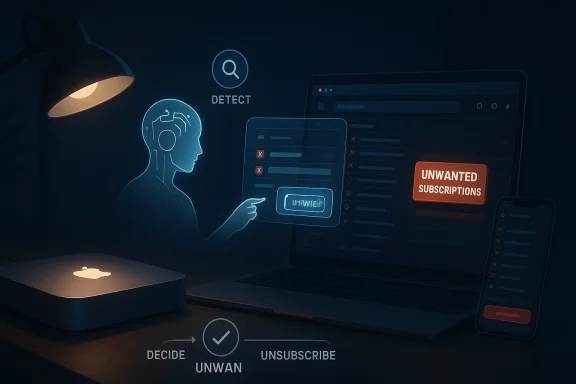
Cuban’s setup is best understood as a feedback loop. The AI detects unwanted messages, clicks unsubscribe, and then surfaces the result for his approval. That sounds simple, but it reflects a larger operational shift in how people imagine personal productivity tools.- First, the AI classifies the email.
- Then it decides whether the message is worth review.
- Next, it triggers the unsubscribe action.
- Finally, the human checks the outcome.
Why the “unsubscribe button” matters
Using Gmail’s unsubscribe feature may sound mundane, but it is strategically important. It is a low-friction action that can be repeated at scale without requiring the AI to invent new privileges or external workflows. In practical terms, it is a safer place to start than auto-responding, forwarding, or deleting.This is also where trial and error becomes the key phrase. Cuban is not trying to eliminate email; he is trying to reduce the entropy around it.
The AI Inbox Arms Race
Cuban’s framing points to an uncomfortable truth: inboxes are becoming adversarial systems. If senders use AI to craft more convincing pitches, more people will rely on AI to sort, suppress, or reject them. The result is a kind of escalation where every efficiency gain on one side creates more noise for the other.This is already visible in executive behavior. LinkedIn CEO Ryan Roslansky has said he uses Microsoft Copilot for high-stakes messages, and other executives have described AI as part of their everyday communication stack. Cuban’s comments fit that broader pattern, but with a sharper edge because his use case is defensive rather than generative.
In that sense, he is not chasing productivity theater. He is trying to survive contact with inbox spam that now includes AI-written nonsense, AI-assisted sales outreach, and subscription abuse. If the old spam era was about volume, the new one is about plausibility.
Why AI-generated spam is harder to ignore
Classic spam was easy to spot because it was clumsy. Modern AI-written mail is often grammatically clean, personalized, and context-aware enough to demand attention. That changes the economics of reading because the cost of false positives rises sharply.- Bad mail looks better than it used to.
- Personalized subject lines defeat quick scanning.
- Volume can be generated almost instantly.
- Unsubscribe pressure becomes a daily operational task.
The role of the human reviewer
Cuban’s approach still depends on human judgment. That is significant because pure automation can become dangerous when the system misclassifies something important. A finance inquiry, a partnership note, or a legal notice could all be hidden by an overzealous filter if the model is too aggressive.The sensible architecture is not “replace the human.” It is compress the human’s work into a smaller decision set. That is what Cuban appears to be aiming for.
Why This Matters for Executives
For executives, email is not merely communication; it is a queue of commitments. Every unread message represents a possible deal, task, or problem. That is why Cuban’s inbox habits resonate with founders and operators who feel punished by their own accessibility.What’s changing now is that executives are using AI not just to draft replies, but to do inbox hygiene at scale. That includes identifying unwanted subscriptions, classifying mail by urgency, and trimming the long tail of low-value messages that otherwise clog attention.
The practical upside is obvious. The strategic downside is that every executive who delegates inbox triage to AI risks creating a layer of opacity around how important messages are being handled. The more automated the system becomes, the harder it is to know what has been filtered out, delayed, or misread.
Enterprise and consumer differences
For enterprises, AI inbox tools can shave hours off the day, especially for leaders who receive hundreds of messages. For consumers, the gains are more modest but still meaningful when the volume comes from promotions, newsletters, and account notifications.The key difference is tolerance for error. An executive inbox can’t afford to lose the wrong note. A consumer inbox can usually survive a missed coupon.
The continuing appeal of email
Email persists precisely because it is so hard to replace. It is universal, searchable, and portable across tools, and it remains the common language of business. Cuban’s loyalty to email is not nostalgia; it is a recognition that the medium still beats more fragmented channels for important work.That is why any AI solution that helps preserve email’s usefulness will find an audience.
Mac Mini as an AI Appliance
The Mac mini craze has a logic of its own. Apple’s M4 and M4 Pro machines are compact, quiet, and energy efficient, which makes them appealing to people running agents or small server-like workloads at home or in an office corner. Apple positioned the 2024 Mac mini as a “more mighty, more mini” machine with Apple silicon and Apple Intelligence support, reinforcing its identity as a desktop that can do more than its footprint suggests.But the hardware story is more nuanced than the hype suggests. OpenClaw, the agent framework that has been associated with the Mac mini rush, is documented as running on relatively modest resources; its requirements are far closer to a small always-on service than to a high-end local AI workstation. That means the appeal of the Mac mini may be partly emotional: buyers want a dedicated box that feels like an AI machine, even if the heavy inference still happens elsewhere.
This distinction matters because it changes how buyers should think about value. If the machine is mostly making API calls, then the expensive memory and GPU capability are not the true bottlenecks. The real value lies in reliability, convenience, and having a private, dedicated endpoint for automation.
Hardware myth versus practical need
There is a common misconception that AI agents require oversized desktop hardware. In reality, many agentic workflows need only a stable internet connection and a modest host system. That is why a Mac mini can be overkill for some setups even if it remains attractive as a polished appliance.- The machine is always on.
- It is quiet and low maintenance.
- It looks intentional, not improvised.
- It reduces friction for non-technical users.
Why “dedicated box” thinking persists
People like the idea of a physical machine assigned to a single purpose. It feels safer than running everything inside a general-purpose laptop that also handles browsing, video calls, and entertainment. The dedicated box becomes a small office robot: visible, manageable, and easy to reboot.That psychological comfort is part of the Mac mini’s appeal. It is not just about specs; it is about control.
The Gmail Angle
Cuban’s mention of Gmail’s unsubscribe button is more important than it sounds because it shows how existing platform features become the raw material for AI workflows. Gmail already provides mechanisms for reducing subscription clutter, but they were designed for humans making individual decisions. AI changes the scale at which those decisions can be made.That creates a subtle but powerful shift. Instead of manually clicking unsubscribe on a few obvious promotions, users can train systems to inspect a large stream of messages and decide which senders should be removed. That is a meaningful productivity gain, especially for people who are constantly being added to mailing lists without consent.
It also shows how platform native tools still matter in the age of agents. The best AI workflows often do not require new APIs or exotic integrations. They simply need a model, a ruleset, and permission to operate the software people already use.
Why unsubscribe is better than delete
Deletion solves the symptom. Unsubscribe attacks the source. That is why Cuban’s approach is more interesting than a basic spam filter: it tries to reduce future traffic, not just hide present clutter.- It lowers long-term inbox volume.
- It reduces repeated manual cleanup.
- It can expose abusive subscription behavior.
- It creates a more durable fix than deletion alone.
Risks of over-automation
There is a cost to letting AI become too eager with unsubscribe actions. Some newsletters are useful but noisy, and some messages from unfamiliar senders may be worth keeping. If the AI becomes too aggressive, it can erase helpful signals along with junk.That is why Cuban’s insistence on review is crucial. He is treating AI as a triage assistant, not a final authority.
Competitive Implications
Cuban’s remarks also hint at a broader competition in the productivity software market. Microsoft, Google, Apple, and independent agent builders are all trying to own the moment when users decide they need help managing digital overload. The winner will not necessarily be the model with the best benchmark score; it may be the one that fits naturally into the places where email, calendars, and documents already live.For Microsoft, that means Copilot has a strong story inside enterprise workflows. For Google, Gmail and Workspace remain deeply embedded and therefore strategically valuable. For Apple, the Mac mini craze suggests that hardware can still be part of the AI narrative, especially if it provides an easy on-ramp for personal automation.
Cuban’s use case is a reminder that the market for AI productivity is not just about content generation. It is about attention defense. Whoever helps people reclaim their inbox will have a compelling pitch.
What rivals are really competing on
The competition is not only about model quality. It is also about trust, workflow integration, and the ability to operate inside the everyday software stack without creating new complexity.- Native email integration matters.
- Human review must remain easy.
- Setup friction needs to stay low.
- Results must be explainable enough to trust.
The downstream market effect
If more executives adopt AI inbox agents, email senders will respond by optimizing for machine readability. That could lead to a world where outreach is written for both human and model consumption, with subject lines and body copy tuned to avoid filters.That would make inbox management even more competitive, and possibly more exhausting. The irony is hard to miss: the better AI gets at handling email, the more AI-generated email may proliferate.
Strengths and Opportunities
Cuban’s approach has several clear advantages, especially for people dealing with large, chaotic inboxes. It is not a grand theory of productivity; it is an incremental tactic that can actually be deployed. That makes it more credible than many AI workflows that look impressive in demos but collapse under daily use.- It tackles a real pain point rather than inventing one.
- It uses existing Gmail functionality instead of requiring a new stack.
- It keeps a human in the review loop.
- It can reduce future spam, not just hide current spam.
- It scales better than manual inbox hygiene.
- It creates a repeatable pattern for executives with heavy mail volume.
- It is adaptable to changing email behavior.
Risks and Concerns
The biggest concern is that a system built to prune noise can also prune value. AI email triage sounds simple until it suppresses a message that mattered, unsubscribes from a crucial list, or misreads a sender’s intent. When the inbox is tied to business relationships, those mistakes can be costly.- Important messages could be filtered or unsubscribed by accident.
- Over-reliance on AI could create blind spots.
- Subscription abuse may be harder to distinguish from legitimate outreach.
- Privacy concerns remain if the agent has broad access to mail content.
- Email senders may escalate to more deceptive tactics.
- Users may trust model judgments too quickly.
- The system may become another layer of digital clutter if poorly maintained.
The Bigger AI Email Trend
Cuban’s comments fit into a wider shift where AI is increasingly treated as a labor-saving layer on top of communication tools. The old promise of email was that it would reduce friction versus phone calls and meetings. The new promise is that AI can reduce friction within email itself, sorting what matters from what doesn’t.That change is likely to spread from executives to knowledge workers generally. Once people see that an AI assistant can help with inbox cleanup, drafting, and categorization, they will want similar help with calendar triage, document review, and follow-up tracking. The inbox is just the first battlefield because it is the one everyone already understands.
The human side of the problem
The deeper issue is attention scarcity. People do not merely have too much mail; they have too many low-quality interruptions competing for too little focus. AI helps not by making attention infinite, but by making the first pass more selective.That is why the “unsubscribe button” strategy is more than housekeeping. It is an attempt to reclaim cognitive space.
Sequential adoption pattern
A realistic path for most users looks something like this:- Let AI summarize obvious newsletters and promotional mail.
- Use AI to flag repeated low-value senders.
- Allow AI to trigger unsubscribe on clearly unwanted lists.
- Review the actions for errors.
- Expand to more advanced triage only after trust is established.
Looking Ahead
The next phase of this story is less about whether Cuban’s setup works in the abstract and more about whether it remains useful once inbox traffic keeps evolving. If AI-generated outreach becomes more common, then email cleanup will become an arms race between sender sophistication and receiver automation. That means the real winners will be the systems that stay transparent, low-friction, and easy to correct.It is also worth watching whether the Mac mini remains a symbol of this moment or fades into a broader category of always-on personal AI boxes. If the craze lasts, it will be because users found that a simple dedicated machine makes agent workflows feel dependable. If it fades, it will likely be because cloud-native setups or cheaper hardware deliver the same practical results with less fuss.
- AI inbox triage will likely become a standard executive tool.
- Gmail and other mail platforms may add more native agent controls.
- Senders will keep getting better at bypassing human attention.
- Dedicated small-form-factor computers will remain attractive for always-on automation.
- Human review will stay essential for the foreseeable future.
Source: Business Insider Africa Mark Cuban says he's joined the Mac Mini craze, using one to counter a flood of AI-generated emails
