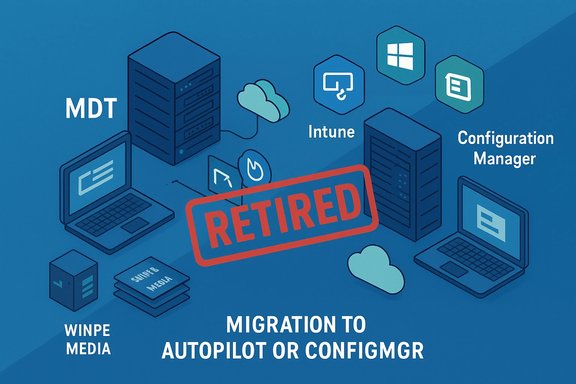
MDT Retirement: Migrating to Autopilot or ConfigMgr OSD

  • Thread Author
Microsoft has given the Microsoft Deployment Toolkit (MDT) an abrupt and final farewell: the veteran, free toolkit that generations of Windows administrators relied on for building and automating OS images has been officially retired with immediate effect, leaving existing deployments to limp on without future fixes, security patches, or vendor support.

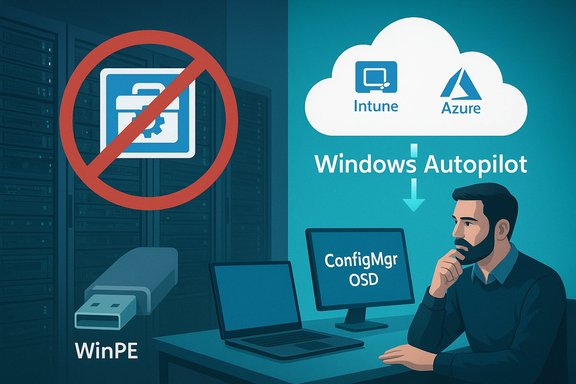
Sysadmin uses Windows Autopilot with Intune/Azure to deploy Windows without WinPE.Background​

MDT began life as a pragmatic, no‑cost solution for creating and deploying Windows images across hundreds or thousands of machines. Over two decades it became a staple for IT pros who needed deterministic, repeatable provisioning without paying for premium cloud services. MDT supported multiple deployment models — Lite‑Touch Installation (LTI) for semi‑automated installs, Zero‑Touch Installation (ZTI) for fully automated enterprise rollouts (when paired with System Center Configuration Manager), and User‑Driven Installation (UDI) for interactive, wizard‑style installs — and provided a rich set of task‑sequencing, scripting, and WinPE-based tools for image capture, driver management, and application injection. Despite this longevity, MDT’s public maintenance had dwindled for years and the product was formally placed on Microsoft’s deprecation radar in late 2024. That deprecation led many organizations to plan migrations, but the jump to an immediate retirement was sharper than most expected. The official Microsoft notice confirms that MDT will “no longer receive updates, fixes, or support,” and warns that MDT download packages could be removed from official distribution channels.

What Microsoft actually announced​

Microsoft’s Learn platform now carries a terse but definitive retirement notice: MDT is retired, existing installations will continue to function for now, and customers are urged to move to modern alternatives such as Windows Autopilot or Configuration Manager (OSD). The documentation explicitly warns administrators that MDT will not receive future compatibility updates for new Windows releases and that installers may be pulled from official download sites. The company’s Configuration Manager documentation and MDT release notes likewise reflect the change: MDT integration with Configuration Manager and standalone MDT are no longer supported, and Microsoft advises removing MDT task sequence steps from Configuration Manager to prevent task sequence corruption and modification failures. That guidance is unusual in its urgency — administrators are being told to proactively excise MDT-specific integration to avoid operational corruption. Independent reporting, community threads and user posts documented the same reality: press outlets noted the immediate cutoff and users reported broken download links and missing installers on Microsoft’s sites. Those reports align with Microsoft’s stated intent to retire the toolkit and remove distribution packaging.

Why this matters: immediate operational and security implications​

MDT’s retirement is more than symbolic nostalgia — it creates concrete risk vectors for organizations that still depend on it:
  • No security patches: newly discovered vulnerabilities in MDT components, scripts, or the way MDT orchestrates Windows Setup will no longer be fixed by Microsoft. Running unsupported tooling in production increases exposure, especially for internet‑connected imaging servers and PXE/WinPE infrastructure.
  • Compatibility drift: future Windows releases, updated ADK/WinPE builds, and hardware platform changes will not be back‑ported to MDT; over time task sequences and WinPE images created with older toolchains will fail to deploy or boot cleanly on newer hardware.
  • ConfigMgr task‑sequence fragility: Microsoft explicitly warns that leaving deprecated MDT integration in place can corrupt Configuration Manager task sequences. Left unmanaged, this creates risk of failed or unpredictable OS deployments in the field.
  • Distribution and supply‑chain friction: Microsoft may pull official MDT installers. Administrators who rely on the convenience of re‑downloading an MSI or grabbing a fresh build from Microsoft Update will find those sources unreliable; some community members have already resorted to third‑party mirrors and GitHub repositories to retrieve copies. That practice carries verification and legal risks.
These technical effects are magnified by timing: Microsoft’s broader retirement calendar for 2025–2026 features several overlapping deprecations and end‑of‑support dates that force administrators to juggle migrations simultaneously. That crowded calendar increases the likelihood of resource contention, rushed cutovers, and overlooked dependencies.

What MDT provided — a short technical refresher​

For readers who still have MDT experience in their mental toolbelt, here are the key technical components MDT supplied:
  • Deployment Workbench (GUI) and task‑sequencing engine for orchestrating OS capture, driver and package management, and unattended setup.
  • WinPE-based Lite‑Touch boot media for LTI deployments (bootable ISO/USB images).
  • Integration with ADK and PE to provide the boot environment and online offline servicing hooks.
  • Task sequence steps and scripts that automate disk partitioning, image application (Apply‑Image), driver injection, Windows Setup answers, domain join, software installs, and user state migration.
  • Support for LTI, ZTI, and UDI workflows; ZTI and UDI rely on Configuration Manager for full automation or user interaction, while LTI can run purely from MDT and removable boot media.
Those capabilities made MDT a nimble fit for labs, branch refurbish workflows, education deployments, and many on‑premises estates that either could not or would not move to cloud provisioning.

Alternatives: what Microsoft recommends — and the tradeoffs​

Microsoft’s documentation points administrators toward two primary alternatives:
  • Windows Autopilot — a cloud‑native provisioning solution that supports zero‑touch deployment and modern device lifecycle management when combined with Microsoft Intune (Endpoint Manager). Autopilot simplifies long‑term management, gives identity‑driven provisioning, and integrates with cloud features such as BitLocker, Windows Hello for Business, and policy configuration. It is the vendor‑preferred path for modern, cloud‑managed estates.
  • Configuration Manager (OSD) — for organizations that prefer or must retain on‑premises control, Configuration Manager’s Operating System Deployment capabilities remain supported. However, Microsoft now recommends removing MDT integration and using native ConfigMgr task sequences and features for OSD workflows. Configuration Manager OSD is mature, powerful, and still supported for offline or heavily controlled networks, but it carries more infrastructure overhead and licensing considerations.
Tradeoffs to weigh:
  • Autopilot is cloud‑centric and enforces a modern identity/management model (Azure AD, Intune). Organizations with strict data‑sovereignty, air‑gapped labs, or contractual non‑cloud requirements may find Autopilot impractical.
  • Configuration Manager requires on‑premises infrastructure, management servers, and possibly additional licensing, but it offers a familiar, scriptable, and agent-driven OSD path that can be used in heavily regulated environments.
  • Third‑party imaging and provisioning suites (commercial imaging products, OS deployment appliances) exist, but migrating complex task sequences, custom scripts, and bespoke driver libraries will require planning and testing.
Cross‑checking Microsoft’s advice with community reporting shows that many admins see Autopilot and ConfigMgr as the only vendor‑backed options; for some, both feel overkill compared with the lean simplicity MDT offered. Community reactions underscore that reality: multiple admins described Autopilot/ConfigMgr as too heavyweight for their edge or lab use cases.

Practical migration playbook for MDT users​

Transitioning away from MDT is a multi‑stage project. Below is a pragmatic, prioritized plan you can adapt to your environment.
  • Inventory and categorize (Days 0–14)
  • Document every deployment share, task sequence, WinPE build, reference image, and scheduled job that touches MDT.
  • Identify which machines and groups still rely on MDT for new provisioning (lab devices, kiosks, classroom fleets, thin client refreshes).
  • Stabilize (Days 0–30)
  • Take offline backups of MDT deployment shares, ADK/WinPE installers, and any custom scripts.
  • Export task sequences and maintain a versioned archive; capture driver libraries and driver injection rules.
  • If you have a production imaging pipeline, create a frozen snapshot of the last known good reference image.
  • Assess target platform (Days 14–45)
  • For cloud‑capable fleets: validate Windows Autopilot prerequisites (hardware hash collection, Azure AD, Intune enrollment).
  • For on‑prem requirements: confirm Configuration Manager OSD version, test native task sequence parity, and plan to remove MDT task sequence steps as Microsoft recommends to avoid corruption.
  • Prototype and pilot (Days 30–90)
  • Build a pilot Autopilot profile or a ConfigMgr native task sequence that replicates a single MDT workflow end‑to‑end.
  • Validate drivers, language packs, BitLocker provisioning, and application installs.
  • Run real‑world pilots on a small set of devices and monitor telemetry and failure modes.
  • Convert and migrate (Days 60–150)
  • Migrate task sequences methodically: convert MDT steps to ConfigMgr steps, or translate them into Autopilot and Intune policies and Win32 app packages.
  • Replace WinPE/boot media workflows with Autopilot provisioning or ConfigMgr boot images where needed.
  • Archive, document, and retire MDT shares once parity and confidence are reached.
  • Remediate and decommission (Days 150+)
  • Remove MDT integration from Configuration Manager and delete MDT task sequence steps to follow Microsoft’s guidance and avoid task sequence corruption.
  • Retire any servers that served only MDT roles, and ensure backups are preserved in case of rollback needs.
Checklist: immediate short‑term actions every admin should take
  • Make a bit‑for‑bit backup of your MDT deployment shares and the exact MDT MSI you have installed.
  • Export and version all task sequences and scripts.
  • Note your ADK/WinPE versions and retain installers for rebuilds (but treat these as temporary stopgap assets).
  • If you rely on MDT‑tied ConfigMgr task sequences, schedule a controlled migration path to native ConfigMgr steps ASAP.

Special cautions: third‑party downloads and verification​

With Microsoft removing official distribution channels for MDT, community members are already mirroring installers on GitHub and other sites. That might be tempting for admins who want “more time” with MDT, but it carries real risks:
  • Binary provenance: third‑party packages might not match Microsoft originals, and unsigned or repackaged installers can conceal malware or modifications. Always verify hashes and Authenticode signatures if pulling binaries from an unofficial mirror.
  • Legal and licensing: redistributing Microsoft installers may fall into a grey area depending on licensing; organizations should be cautious about wholesale redistribution of vendor binaries.
  • False sense of security: running an archived installer does not restore vendor support or security patches — it only preserves functionality at a moment in time and extends operational liability.
If you must use archived installers for a limited time (for lab rebuilds or forensic work), isolate those systems, restrict network egress, and plan a firm sunset for their continued use.

Strategic analysis: why Microsoft may have pulled the plug now​

Officially, Microsoft frames the decision as a modernization and consolidation move: maintain fewer overlapping on‑prem pieces, focus engineering effort on cloud infrastructure, and push customers toward a single, continuously updated deployment surface like Autopilot/Intune or the supported ConfigMgr OSD stack. That logic is consistent across Microsoft’s retirement messaging for many legacy components. Independent observers and community commentary add plausible subtext: MDT is free, low‑telemetry, and can be used entirely without Azure — attributes that don’t align with Microsoft’s product incentives for cloud subscriptions and telemetry‑driven services. Some admins speculated that security flaws or a lack of engineering investment made continuing MDT untenable; those claims are community interpretation rather than confirmed Microsoft statements, and should be treated cautiously. Where reporting cites unpatched vulnerabilities as a proximate reason, label that as unverified community conjecture. Regardless of motive, the net effect aligns with Microsoft’s longer‑term push: fewer on‑prem maintenance burdens, more cloud‑managed endpoints, and a product footprint that is easier to secure and evolve centrally. That strategy benefits rapid feature delivery, AI integration, and telemetry‑based protections — but it also raises questions about vendor lock‑in and the loss of lean local tooling that some organizations prefer.

Risks, mitigation and realistic timelines​

Risk: If your deployment pipeline depends on MDT for daily operations and you delay migration, you’ll face a growing chance of failure as Windows and hardware evolve. Mitigation: prioritize mission‑critical and internet‑facing workflows first, then address lower‑risk labs and kiosk fleets.
Risk: Compliance headaches for organizations that cannot use cloud services. Mitigation: plan ConfigMgr OSD migrations and consider third‑party on‑prem offerings where necessary, but plan for long‑term cloud negotiations with legal and procurement teams.
Risk: Staff knowledge loss; many younger admins haven’t worked with MDT, and many veteran staff will retire their “early career knowledge” as MDT disappears. Mitigation: capture documentation, export task sequences, and run knowledge transfers while elders are still available. Community forums and archived docs will be critical for that handover. Realistic timeline: For most organizations with active MDT use, expect a 3–9 month migration project to reach parity depending on fleet size, application complexity, and driver variety. Smaller shops and labs can get to a minimal safe state within a month by freezing MDT artifacts and creating a constrained ConfigMgr pilot. Larger enterprises with bespoke imaging will need phased rollouts and robust testing windows.

The final word for administrators​

MDT’s immediate retirement closes a long chapter in Windows provisioning. The toolkit’s simplicity and offline capabilities made it indispensable for many scenarios where cloud provisioning wasn’t a fit; losing that tool will force tradeoffs between convenience, control, and vendor support.
Actionable priorities for Windows administrators today:
  • Back up your MDT artifacts and export task sequences immediately.
  • Inventory and prioritize devices still deployed via MDT.
  • Start a pilot to migrate priority task sequences to Windows Autopilot (cloud) or Configuration Manager OSD (on‑premises).
  • Avoid relying on third‑party mirrors long‑term; treat them as stopgaps and verify all binaries stringently.
Microsoft’s retirement notice is simple: MDT is done. The practical work now is to turn a forced change into an opportunity to modernize deployment pipelines, automate repeatable provisioning with supported tooling, and harden imaging workflows against the security risks of unsupported software. The clock starts now — and the organizations that inventory carefully, pilot methodically, and migrate deliberately will navigate the transition with the least disruption.

Source: theregister.com Microsoft euthanizes ancient deployment toolkit
 

Microsoft’s sudden retirement of the long‑standing Microsoft Deployment Toolkit (MDT) marks a decisive break with a toolset that generations of Windows administrators relied on for offline, scriptable, and repeatable operating‑system imaging and provisioning. The company’s documentation now calls MDT “retired,” warns that MDT integration with Configuration Manager and standalone MDT are no longer supported, and urges customers to migrate to modern provisioning options such as Windows Autopilot or Configuration Manager (OSD).

MDT retired—migration to Autopilot or ConfigMgr via Intune and Configuration Manager.Background​

MDT began as a pragmatic, free toolkit that simplified Windows OS image creation, capture, and deployment. It provided core tooling including the Deployment Workbench, task sequencing, WinPE boot media generation, driver injection, and scripted automation for Lite‑Touch Installation (LTI), Zero‑Touch Installation (ZTI) (when paired with System Center / Configuration Manager), and User‑Driven Installation (UDI). That combination made MDT a staple for labs, education deployments, branch offices, and organizations that preferred on‑premises or offline provisioning.
Microsoft’s product documentation and release notes now include an explicit retirement notice: MDT “will no longer receive updates, fixes, or support,” and administrators are advised to remove MDT integration from Configuration Manager to prevent task sequence corruption and modification failures. The guidance is clear and immediate: existing deployments may keep functioning for a time, but there will be no future fixes or compatibility updates.

What Microsoft actually announced​

  • Immediate retirement: Microsoft’s troubleshooting and Configuration Manager guidance carries an “immediate retirement” notice for MDT. The announcement insists there will be no further updates, patches, or official support for MDT going forward.
  • Integration removal recommended: Microsoft recommends removing MDT task sequence steps from Configuration Manager task sequences and removing MDT integration entirely to avoid task sequence corruption and modification failures.
  • Download availability may end: Microsoft states MDT download packages might be removed or deprecated from official distribution channels; community reports already indicate broken links and missing installers in some places. Treat those reports as corroborated by multiple independent observers but also label them subject to change.
These are not theoretical deprecations with long sunsets — the language and the timing are urgent. The Microsoft guidance was updated in early January 2026 and reflects a definitive posture on MDT’s future.

Why this matters (practical impacts for IT teams)​

MDT’s retirement is operationally significant and immediately actionable for organizations that still rely on it.
  • Security exposure: No new patches or security fixes will be released for MDT. Any workflows that depend on MDT executables, scripts, or boot media will remain unpatched against future vulnerabilities. Running unsupported tooling in production increases exposure, particularly for internet‑facing imaging servers or PXE/WinPE service points.
  • Compatibility drift: Future Windows releases, updated ADK/WinPE toolchains, or new hardware platforms will receive no back‑ports or compatibility updates for MDT. Over time, WinPE images and task sequences will become brittle and may fail unexpectedly on newer hardware or firmware.
  • ConfigMgr task sequence fragility: Microsoft explicitly warns that leaving MDT integration enabled in Configuration Manager can lead to task sequence corruption. That’s an operational risk that can break mass deployment pipelines if not addressed proactively.
  • Distribution and supply‑chain friction: With the risk of official installers being removed, administrators who relied on redownloading installers or ADK components may find recovery or rebuild options limited. Community mirrors exist, but using third‑party copies introduces provenance and security questions.
The sum of these effects is not just a migration project; it’s a decision point about whether to modernize provisioning or preserve on‑prem, offline workflows at increasing operational risk.

Cross‑checked verification (what independent sources confirm)​

Two independent verification threads emerge from the public record:
  • Microsoft’s official documentation and release notes state MDT is retired and recommend migration to Windows Autopilot or Configuration Manager (OSD); they also caution administrators to remove MDT integration to avoid task sequence issues.
  • Independent tech press and community trackers report the same practical outcomes: immediate retirement, removal of download links in some cases, and community discussions about mirrored installers and migration pain. These reports align with Microsoft’s notice but add community observations about download availability and the abruptness of the change.
Where community accounts assert motives (for example, that the retirement is driven primarily by cloud transition incentives), treat those as informed analysis rather than confirmed fact. That reasoning is plausible but not explicitly stated in the official Microsoft retirement notice, so flag it as interpretation.

Alternatives: what Microsoft recommends and what practitioners should consider​

Microsoft’s guidance points to two supported alternatives for provisioning Windows devices:
  • Windows Autopilot (cloud‑native)
  • Benefits: identity‑driven provisioning, zero‑touch enrollment when combined with Microsoft Intune, continuous policy and app delivery, built‑in modern management hooks (BitLocker, Windows Hello, Conditional Access).
  • Tradeoffs: requires Azure AD and Intune enrollment, bandwidth and cloud connectivity, and is not suitable for strictly air‑gapped or data‑sovereignty constrained environments.
  • Configuration Manager (OSD — on‑premises)
  • Benefits: mature, on‑premises OS deployment capabilities, fine‑grained control, and a supported path for highly regulated environments that cannot use cloud services.
  • Tradeoffs: heavier infrastructure, licensing overhead, and increased ops complexity compared with MDT’s lightweight, free model. Microsoft recommends using native ConfigMgr task sequence steps rather than MDT integration to avoid corruption.
Third‑party commercial imaging and provisioning tools also remain viable for organizations unwilling to move to Autopilot or ConfigMgr. These can replicate MDT‑style offline workflows but introduce vendor lock‑in and cost. For labs, kiosks, or small fleets, some organizations will evaluate lightweight third‑party appliances or scripted WinPE builds as interim solutions.

Immediate triage checklist (what to do in the next 72 hours)​

  • Backup everything: create bit‑for‑bit backups of your MDT deployment shares, the exact MDT MSI installed on your servers, and all ADK/WinPE installers you use. Archive driver libraries and reference images.
  • Export task sequences: export and version every MDT task sequence, associated scripts, and custom wizards. Preserve the exported XMLs in a secure, versioned repository.
  • Inventory scope: identify every device group, lab, kiosk, or automated pipeline that depends on MDT for provisioning. Prioritize internet‑exposed or production systems.
  • Identify ADK and WinPE versions: document current ADK, WinPE, and driver injection toolchains so you can rebuild recovery media if needed. Keep these installers offline and versioned.
  • Avoid third‑party binaries for production: if official installers are removed and community mirrors appear, treat them as short‑term stopgaps only. Verify hashes and Authenticode signatures; isolate mirrored installers in a safe lab before any production use.

A recommended migration playbook (3‑ to 9‑month plan, adaptable)​

  • Inventory and categorize (Weeks 0–2)
  • Create a comprehensive list of deployment shares, task sequences, custom scripts, applications deployed during imaging, and device groups that still use MDT. Tag by business impact and connectivity profile.
  • Stabilize and archive (Weeks 0–4)
  • Snapshot reference images, export task sequences, and back up ADK installers and WinPE build artifacts. Put a freeze date on MDT artifacts and lock down changes.
  • Decide target approach by cohort (Weeks 2–8)
  • Cloud‑capable fleets → Autopilot + Intune pilot.
  • Regulated/air‑gapped fleets → ConfigMgr OSD migration with native task sequences.
  • Small labs or kiosks → Consider lightweight third‑party or scripted WinPE images if neither Autopilot nor ConfigMgr is appropriate.
  • Prototype and validate (Weeks 6–12)
  • Build one pilot that replicates the most complex MDT workflow in the chosen target (Autopilot profile or native ConfigMgr task sequence). Validate drivers, BitLocker, language packs, and post‑install configuration. Use real hardware representative of your fleet.
  • Convert and migrate task sequences (Weeks 10–20)
  • Translate MDT steps to ConfigMgr native steps or translate the provisioning flow into Autopilot/Intune policies and Win32 app packages. Replace boot media workflows with Autopilot provisioning or ConfigMgr boot images. Document each conversion.
  • Pilot and rollout (Weeks 16–36)
  • Staged rollout using deployment rings: pilot → early adopters → broad deployment. Monitor failures and iterate quickly. Avoid “big bang” cutovers.
  • Decommission and harden (After parity achieved)
  • Remove MDT integration from Configuration Manager, delete MDT task sequence steps, and retire servers dedicated solely to MDT. Retain archived artifacts for forensic or rollback purposes but plan to remove them from production scopes.
Project timelines will vary: a small lab can migrate in weeks; an enterprise with thousands of bespoke apps and driver variants should budget three to nine months.

Technical cautions and verification steps​

  • Don’t assume download mirrors are safe: Community mirrors may host repackaged or unsigned binaries. Always verify file hashes against a known good copy if available, and prefer signed installers verified by Authenticode where possible. If the official installer disappears, preserve a verified offline copy under strict change control rather than re‑downloading from untrusted sources.
  • Test WinPE and driver chains: When converting task sequences, confirm the new WinPE boot images include the required input/USB controllers and NIC drivers for your hardware. OEM driver differences can cause WinPE to fail to boot. Inject and test drivers into WinPE images as part of the pilot cycle.
  • Avoid leaving MDT integration enabled in ConfigMgr: Microsoft warns that doing so can corrupt task sequences. Remove MDT task sequence steps and integrate equivalent native ConfigMgr steps before broader deployments. Follow Microsoft’s exact guidance for removing MDT integration to prevent modification failures.
  • Document business exceptions: For truly air‑gapped or legally constrained environments that cannot use cloud services, document the reasons for staying on an offline solution and plan for long‑term remediation — either a third‑party on‑prem tool with vendor support or a retained, well‑isolated MDT installation used only under strict controls. That exception should be time‑boxed and subject to periodic review.

Strategic analysis: tradeoffs, motives, and long‑term implications​

Microsoft’s messaging frames MDT’s retirement as a modernization push: fewer overlapping on‑prem components, more investment in a consolidated cloud provisioning surface, and a smaller maintenance surface for security and feature delivery. That logic aligns with Microsoft’s broader product direction toward identity‑driven, cloud‑native device lifecycle tooling. However, the pragmatic tradeoffs are real:
  • Loss of a free, low‑telemetry, offline tool: MDT’s popularity was partly due to being free and usable entirely offline. That made it attractive to labs, smaller shops, and environments with strict data residency constraints. Its removal increases friction for those groups, forcing either cloud adoption or paid tools.
  • Vendor lock‑in vs operational security: Moving to Autopilot/Intune or deeper Configuration Manager usage ties provisioning more tightly to Microsoft’s cloud and licensing model. That offers improved telemetry, continuous updates, and integrated security, but also raises concerns about vendor lock‑in and contractual costs for organizations that prioritized autonomy.
  • Abruptness and timing: For many admins, the move feels sharper than previous deprecation notices. Some community voices describe the cutover as abrupt because links and installers were reportedly removed or broken before long transition windows closed; treat those accounts as credible but evolving. Microsoft’s documentation is the authoritative directive; community observations highlight operational frictions.

Realistic timelines and resource planning​

  • Small organizations and labs: 1–3 months to migrate to a supported alternative or to implement a controlled, short‑term stopgap with strict isolation.
  • Medium enterprises (several hundred to a few thousand endpoints): 3–6 months, factoring driver qualification, application packaging, and pilot rings.
  • Large enterprises with complex imaging needs (global fleets, many custom apps, or regulatory constraints): 6–12 months, extended if special legal or air‑gapped constraints apply. Budget for cross‑team coordination, testing hardware labs, and external consulting if needed.

What cannot be verified (cautions)​

  • Motivation conjecture: Community theories that MDT was retired primarily because it undermined Microsoft’s cloud monetization strategy are speculation. That interpretation is consistent with broader product directions but is not explicitly declared in Microsoft’s public retirement notes. Label such motives as interpretation rather than confirmed fact.
  • Complete removal of all MDT downloads worldwide: multiple reports show broken links and missing installers in some channels, but definitive, globally consistent evidence of wholesale removal from all Microsoft distribution points is changing and should be checked by each organization against Microsoft’s current download portals. Treat community mirror observations as cautionary but verify against Microsoft’s live documentation and download sites before acting.

Final verdict and recommended next steps​

MDT’s retirement is a watershed moment for Windows provisioning. The toolkit’s strengths — low cost, offline operation, and simplicity — will be missed by many, but the operational and security realities of maintaining a legacy tool without fixes are stark. The recommended approach for administrators is immediate triage and a planned, staged migration:
  • Back up and archive all MDT artifacts now.
  • Prioritize fleets and pilots: move cloud‑ready devices to Windows Autopilot + Intune, and migrate regulated or air‑gapped fleets to Configuration Manager OSD with native task sequences.
  • Avoid long‑term reliance on third‑party mirrors; treat them as temporary stopgaps only, and verify signatures and hashes.
  • Build a migration timeline with realistic testing windows; treat MDT artifacts as archived emergency assets, not a supported production path.
The retirement closes a two‑decade chapter in Windows provisioning. Turning this disruption into an opportunity means planning deliberately, testing thoroughly, and choosing supported provisioning paths that match each organization’s compliance, connectivity, and scale needs. The clock on unsupported tooling is no longer theoretical — it is operational.
Source: Neowin https://www.neowin.net/news/microso...ws-deployment-toolkit-used-by-some-it-admins/
 

Microsoft has abruptly retired the long‑standing Microsoft Deployment Toolkit (MDT), leaving administrators who still depend on its lightweight, offline imaging workflows to scramble for backups, migration plans, and immediate mitigations.

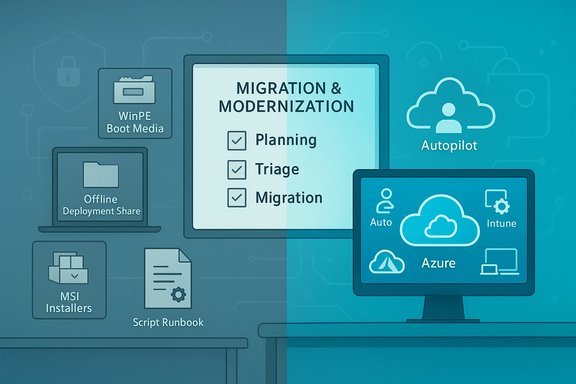
Migration and modernization planning scene with cloud, Autopilot, Azure and Intune.Background​

The Microsoft Deployment Toolkit (MDT) has been a staple of Windows provisioning for more than two decades. It offered a free, scriptable set of tools — including the Deployment Workbench, task‑sequencing engine, WinPE boot media generation, driver injection, and unattended setup support — that made repeatable, offline, and low‑cost OS imaging practical for labs, schools, branch offices, and many enterprise edge scenarios. MDT supported Lite‑Touch Installation (LTI), Zero‑Touch Installation (ZTI) when paired with Configuration Manager, and User‑Driven Installation (UDI).
Microsoft publicly placed MDT on its deprecation radar in late 2024, but the shift from deprecation to immediate retirement in early January 2026 took many organizations by surprise. The company’s documentation now calls MDT “retired,” warns that the toolkit will receive no further updates or support, and explicitly recommends administrators remove MDT integrations from Configuration Manager task sequences to avoid corruption and modification failures.

What Microsoft actually announced​

Microsoft’s official guidance is blunt and operationally consequential:
  • MDT is retired and will no longer receive updates, fixes, or technical support from Microsoft.
  • Administrators are urged to migrate to modern, supported alternatives such as Windows Autopilot (with Microsoft Intune) or Configuration Manager (OSD) for on‑premises imaging scenarios.
  • Microsoft warns that MDT installers and distribution packages may be removed from official download channels; community reports already indicate broken links and missing installers in some locations.
  • Critically, leaving MDT integration in place inside Configuration Manager task sequences is discouraged because Microsoft says it can cause task sequence corruption or modification failures; the recommendation is to convert MDT steps to native ConfigMgr steps.
These items are not advisory niceties — they are practical directives that change how imaging pipelines should be architected going forward.

Why this matters: immediate technical and operational impacts​

MDT’s retirement has concrete consequences you cannot defer indefinitely. The practical effects fall into a few categories:

1. Security exposure​

MDT will no longer receive security patches. Any new vulnerabilities discovered in MDT binaries, scripts, or the way it orchestrates Windows Setup will remain unpatched, leaving imaging servers, PXE/WinPE endpoints, and any network‑exposed provisioning infrastructure at risk. Running unsupported deployment tooling in production increases attack surface and compliance risk.

2. Compatibility drift​

MDT won’t be updated to support newer Windows releases, ADK/WinPE updates, or evolving hardware platforms. Over time, WinPE images and task sequences built with older toolchains will become brittle and may fail to boot, apply images, or correctly handle drivers and storage controller changes. This is especially acute as new CPU architectures, NVMe drivers, and firmware changes roll out.

3. Configuration Manager fragility​

Microsoft’s documentation says leaving MDT integration inside ConfigMgr can corrupt task sequences. That’s a direct operational risk: corrupted task sequences can cause widespread deployment failures during mass refresh campaigns. Administrators are being asked to proactively remove MDT integration to avoid these problems, which transforms a migration from optional to urgent for many organizations.

4. Supply‑chain and recovery friction​

If Microsoft removes official installers and packaging, organizations that relied on redownloading MDT or ADK installers for rebuilds may find recovery options limited. Community mirrors exist, but using third‑party copies introduces provenance, verification, and legal concerns. An archived binary is not vendor support — it only preserves functionality at a point in time and extends operational liability.

Who is affected — and how urgently​

MDT’s user base is broad but concentrated in particular scenarios:
  • Small labs, education, kiosks and imaging services — Many of these environments used MDT because it is free, simple, and works offline. For these groups, the retirement is disruptive but often manageable with a short migration to lightweight alternatives or controlled archival use.
  • Medium and large enterprises — Organizations with hundreds or thousands of endpoints that integrated MDT into Configuration Manager or other orchestration pipelines face greater risk because of the advised removal of MDT task sequence steps and the potential for task sequence corruption. Migration planning and staged pilots are necessary.
  • Air‑gapped, regulated, or sovereign data environments — These groups cannot easily adopt cloud‑first solutions like Autopilot. Their choices are limited to Configuration Manager OSD, third‑party on‑prem vendors, or carefully isolated, time‑boxed retention of MDT artifacts. Each path requires contractual, legal, and technical evaluation.
Timing is important: Microsoft’s documentation and community reporting show the retirement notice and related guidance were updated in early January 2026. Administrators should treat the change as effective immediately for planning purposes.

Immediate triage: 72‑hour checklist​

When change arrives abruptly, clear short‑term actions reduce risk. The following triage checklist prioritizes readiness and preservation:
  • Backup: Create bit‑for‑bit backups of every MDT deployment share, the exact MDT installer (MSI) you have installed, and the ADK/WinPE installers your environment uses. Preserve hashes and Authenticode signatures.
  • Export: Export and version every MDT task sequence, custom script, and wizard. Store these XMLs and scripts in a secure, version‑controlled repository.
  • Inventory: Identify all systems, lab images, kiosks, and automation pipelines that depend on MDT. Prioritize those that are internet‑facing or mission‑critical.
  • Note ADK/WinPE versions: Record exact ADK and WinPE versions used and retain local copies of installers as temporary stopgaps for rebuilds.
  • Isolate archived artifacts: If you keep archived MDT installers or images, isolate them on a segmented network with restricted egress to limit exposure. Treat archived binaries as temporary, not a long‑term solution.
  • Start pilots: Build a pilot project to replicate one critical MDT workflow using a supported alternative (Autopilot+Intune for cloud‑capable devices, or ConfigMgr native OSD steps for on‑prem devices).
These steps stabilize the environment and buy time to plan a structured migration.

Migration options: tradeoffs and technical notes​

Microsoft points administrators toward two supported paths, each with different prerequisites and tradeoffs.

Windows Autopilot + Intune (cloud‑native)​

  • Benefits: Identity‑driven, zero‑touch provisioning for Azure AD‑joined devices; continuous policy and application delivery; deep integration with modern security features (BitLocker, Windows Hello for Business, Conditional Access). Ideal for fleets that can be registered to Autopilot and have reliable internet connectivity.
  • Tradeoffs: Requires Azure AD, Intune licensing, hardware registration (hardware hash), and cloud connectivity. Not suitable for strictly air‑gapped or data‑sovereignty‑constrained devices.

Configuration Manager (OSD) — native on‑premises imaging​

  • Benefits: Mature, fully supported on‑premises OSD with fine‑grained control; suitable for regulated or offline environments; can replicate many MDT workflows using native task sequence steps. Microsoft explicitly recommends converting to native ConfigMgr steps rather than relying on MDT integration.
  • Tradeoffs: Heavier infrastructure, licensing and operational overhead, and the need to rework task sequences and driver management. Migration must be methodical to avoid task sequence corruption.

Third‑party imaging and provisioning tools​

Commercial imaging suites and hardware appliances can replicate MDT‑style offline workflows and may be a practical alternative for organizations unwilling to adopt cloud tooling. These come with vendor support and SLAs but add cost and potential vendor lock‑in. Validate migration conversion tools, driver management features, and automation support before committing.

Technical considerations during migration​

Migrating provisioning pipelines is more than clicking a button. Practical technical points to address:
  • Driver libraries and injection: Recreate driver repositories, maintain injection rules, and validate storage/RAID/NVMe drivers in the new boot images. Driver mismatches are a common failure point.
  • WinPE/ADK adjustments: Newer Windows releases require updated ADK/WinPE builds. Test boot images created with the latest ADK early to find incompatibilities. Keep archived ADK versions for rebuilds but treat them as stopgaps.
  • Task sequence translation: Convert MDT task sequence steps to native ConfigMgr steps where required; avoid leaving MDT hooks in place per Microsoft’s warning about corruption. Maintain thorough versioning to support rollback.
  • BitLocker and provisioning secrets: Ensure your new pipelines handle BitLocker key escrow, TPM provisioning, and any certificate deployment in a manner compliant with your security posture.
  • Application packaging: Repackaging applications as Win32 apps for Intune or as ConfigMgr packages may be necessary. Validate install/uninstall behavior and detection logic.

Practical migration playbook and realistic timelines​

A staged migration reduces risk and concentrates effort where it matters. A pragmatic timeline:
  • Days 0–14: Inventory, backups, and exports. Stabilize MDT artifacts and isolate archival copies.
  • Days 14–45: Assess target platforms. Validate Autopilot prerequisites for cloud‑capable fleets. Confirm ConfigMgr OSD version and test native task sequences for on‑prem needs.
  • Days 30–90: Prototype and pilot. Build a pilot Autopilot profile or a ConfigMgr native task sequence replicating one MDT workflow end‑to‑end. Validate drivers, BitLocker, and app installs.
  • Days 60–150: Convert and migrate. Migrate task sequences methodically, translate MDT steps, and replace WinPE/boot media workflows where possible. Archive and document MDT shares once parity is reached.
  • Day 150+: Remediate and decommission. Remove MDT integration from ConfigMgr and delete MDT task sequence steps per Microsoft guidance. Retire MDT servers and maintain archived backups for limited forensic or rebuild use under strict isolation.
Realistic timeframes vary: small orgs can reach a minimal safe state in 1–3 months; medium enterprises typically need 3–6 months; very large or regulated environments may require 6–12 months depending on complexity.

Risks and mitigations around archived binaries and community mirrors​

Community members are already mirroring MDT installers and related artifacts to provide breathing room. That path has real hazards:
  • Binary provenance risks: Third‑party copies may be altered or unsigned; always verify hashes and Authenticode signatures before use.
  • Legal and licensing concerns: Redistributing Microsoft installers may violate licensing or terms. Seek procurement/legal guidance before using mirrored assets widely.
  • False sense of security: An archived installer does not restore vendor support or future security patches; treat archived MDT as a temporary stopgap only.
If an archive is necessary for operational continuity, enforce strict isolation, network egress controls, and a time‑boxed sunset policy backed by risk acceptance documentation.

Strategic analysis: motives, pros, and cons​

Microsoft frames MDT’s retirement as part of a broader modernization effort: consolidating engineering effort on cloud‑native provisioning surfaces, reducing on‑prem maintenance surface, and pushing customers toward identity‑driven, continuously updated tooling. That explanation is consistent with the company’s public messaging.
Community commentary adds context and plausible subtext: MDT’s free, low‑telemetry, offline nature made it an attractive alternative to Microsoft’s cloud provisioning path. The retirement therefore accelerates cloud adoption and simplifies Microsoft’s product portfolio. That reasoning is informed analysis and should be treated as interpretive rather than an explicit Microsoft admission. Flagging motive as interpretation is sensible because Microsoft’s public notes emphasize modernization and product consolidation rather than monetization strategy.
Tradeoffs are clear:
  • Pros: Consolidated, supported provisioning pipelines; continuous security updates when you adopt supported tooling; more integrated lifecycle management for modern devices.
  • Cons: Loss of a free, offline toolkit used widely in labs and edge scenarios; increased licensing or operational costs for some organizations; potential vendor lock‑in and loss of autonomy for shops that intentionally avoided cloud dependencies.

Recommended course of action for Windows administrators​

  • Treat the retirement as effective immediately for planning. Back up, export, and inventory now.
  • Prioritize mission‑critical and internet‑facing provisioning pipelines for migration first. Convert MDT task sequence steps to native ConfigMgr steps where necessary to avoid corruption.
  • For cloud‑capable fleets, accelerate onboarding to Windows Autopilot + Intune with a focus on hardware hash collection, Azure AD readiness, and pilot groups.
  • For regulated or air‑gapped environments, plan a controlled migration to Configuration Manager OSD or evaluate supported third‑party on‑prem commercial offerings; document exceptions and time‑box any retained MDT usage.
  • Avoid long‑term reliance on third‑party mirrors; if you must use them, verify every binary, isolate systems, and plan a firm retirement for archived assets.

Final assessment​

MDT’s retirement closes a long and sensible chapter for administrators who prized a low‑cost, offline, and highly scriptable imaging toolkit. However, the pragmatic realities are stark: unsupported tooling, the threat of removed distribution artifacts, and an explicit Microsoft warning to excise MDT integration from Configuration Manager make this an urgent operational problem for many organizations. The path forward requires clear triage, disciplined migration planning, and an honest assessment of whether Autopilot, Configuration Manager OSD, or a paid third‑party solution best fits each fleet’s connectivity, compliance, and budget constraints.
For administrators, the first steps are simple but essential: back up everything, export task sequences, validate ADK/WinPE dependencies, and start a pilot migration within weeks rather than months. The retirement is an operational forcing function — a chance to modernize provisioning where feasible and to harden and document the exceptions where it isn’t. The clock is already running.

Source: Neowin https://www.neowin.net/amp/microsof...ws-deployment-toolkit-used-by-some-it-admins/
 

Microsoft’s abrupt retirement of the Microsoft Deployment Toolkit (MDT) has left a sizable portion of the Windows systems administration community scrambling — existing deployments will continue to run for now, but Microsoft will issue no further updates, security patches, or compatibility fixes, and administrators are being told to remove MDT integrations from Configuration Manager task sequences to prevent corruption.

An IT specialist uses a tablet beside glowing ConfigMgr and MDT clouds in a server room.Background​

MDT began life in the early 2000s as a pragmatic, free toolkit designed to make Windows image creation and deployment straightforward and repeatable. Over the years it became a staple for labs, education, SMBs, kiosks, and many enterprise edge scenarios precisely because it was free, scriptable, and worked offline. MDT supported several deployment models — Lite-Touch Installation (LTI), Zero-Touch Installation (ZTI) when paired with System Center / Configuration Manager, and User-Driven Installation (UDI) — and provided task sequencing, WinPE boot media generation, driver injection, and unattended setup orchestration that made imaging predictable and low-cost.
What changed is simple: Microsoft formally placed MDT on the deprecation list in December 2024 and has now moved to an immediate retirement posture. The official Microsoft troubleshooting page states that “MDT will no longer receive updates, fixes, or support” and recommends customers migrate to modern solutions such as Windows Autopilot or Configuration Manager OSD. The notice explicitly warns that MDT download packages might be removed from official distribution channels. Microsoft’s Configuration Manager documentation also reflects the transition: the MDT integration with Configuration Manager and standalone MDT are no longer supported, and the documentation instructs customers to remove MDT task sequence (TS) steps and then remove MDT integration to avoid task sequence corruption and modification failures. The deprecation was first announced in December 2024 and the planned end-of-support was linked to the first release after October 10, 2025 in earlier ConfigMgr communications; the immediate-retirement message now makes this move operationally urgent for teams still relying on MDT.

What Microsoft actually said — the facts​

  • Microsoft published an immediate retirement notice for MDT on its Learn/troubleshooting pages, stating that MDT will no longer receive updates, fixes, or support, and that existing installations will continue to function but without further vendor maintenance. The page was updated in early January 2026.
  • Microsoft recommends moving to Windows Autopilot for cloud-based, zero- or low-touch provisioning and Configuration Manager (OSD) for on-premises deployment needs. There is no direct in-place upgrade path from MDT to these alternatives; customers must re-implement deployment workflows on the supported platforms.
  • The Configuration Manager docs explicitly note the deprecation and advise removal of MDT task sequence steps to avoid task sequence corruption and modification failures. The deprecation entry was first published in December 2024 and tied to Configuration Manager release timelines.
These are the load-bearing facts administrators must act on; other community reports about broken download links and mirrored installers amplify the practical impact but are operational observations that should be verified against Microsoft’s live download portals for each affected organization.

Why this matters — technical and operational impacts​

MDT’s retirement is not merely symbolic nostalgia. Its removal from active support has concrete security, compatibility, and operational consequences:
  • No security patches or fixes. Any newly discovered vulnerabilities in MDT binaries, scripts, or in the way MDT orchestrates Windows Setup will no longer be patched by Microsoft. Organizations that expose imaging infrastructure (PXE servers, WinPE boot points, file shares serving images) to internal or external networks are left with unsupported tooling that may become an attack vector.
  • Compatibility drift with Windows, ADK, and hardware. Future Windows releases, ADK/WinPE updates, and new hardware (NVMe controllers, chipset changes, firmware behaviors, new CPU architectures) will not be back-ported to MDT. Over time, WinPE images and task sequences built with older toolchains will likely fail to boot or apply images on newer platforms.
  • Configuration Manager (ConfigMgr) fragility. Microsoft explicitly warns that leaving MDT integration enabled inside ConfigMgr can cause task sequence corruption and modification failures. That converts what was often a “keep-it-until-you-can-migrate” decision into an urgent remediation step: remove MDT steps and migrate logic to native ConfigMgr task sequence steps.
  • Supply-chain and recovery friction. If Microsoft removes official MDT installers, organizations that relied on re-downloading installers for rebuilds may find recovery options limited. Using community mirrors or archived installers is a stopgap but introduces provenance, signature, and legal concerns. Treat mirrored binaries as temporary emergency assets, verify hashes and Authenticode signatures, and plan a perishable sunset for their use.
  • Operational and staffing impact. Many shops hold undocumented institutional knowledge in task sequences and scripts. The retirement increases the risk of knowledge loss and extends migration projects beyond technical conversion into training, documentation, legal, and procurement efforts.

Who is affected — reading the audience risk profile​

MDT’s user base is broad but concentrated in specific scenarios. The retirement matters differently depending on environment:
  • Small labs, schools, and kiosks: These groups used MDT because it is free, simple, and offline-capable. Migration is disruptive but often manageable in short order.
  • Medium enterprises: Organizations with several hundred to a few thousand endpoints will need 3–6 months for a thoughtful migration, factoring driver qualification, application packaging, and pilot rings.
  • Large enterprises and regulated/air-gapped environments: Complex fleets, legal constraints, or air-gapped networks will need 6–12+ months of phased migration and validation. Native ConfigMgr OSD or supported third-party on-prem solutions are the pragmatic choices here.

Migration choices and trade-offs​

Microsoft recommends two primary migration paths; both carry trade-offs:
  • Windows Autopilot (cloud-first)
  • Benefits: Modern, identity-driven provisioning, tighter lifecycle management with Microsoft Intune, better integration for BitLocker, Windows Hello, and Conditional Access. Ideal for cloud-connected fleets and modern hardware.
  • Trade-offs: Requires Azure AD and Intune enrollment, bandwidth and cloud connectivity, and may not be suitable for air-gapped or sovereignty-constrained deployments. For organizations that preferred MDT’s offline, low-telemetry nature, Autopilot feels like a big strategic shift.
  • Configuration Manager (OSD, on-prem)
  • Benefits: Mature, feature-rich on-prem OS deployment, fine-grained control, and better fit for highly regulated or air-gapped environments. Native task sequence steps replicate MDT behavior in many cases.
  • Trade-offs: Heavier infrastructure, licensing overhead, and greater operational complexity compared with MDT’s light, free footprint. ConfigMgr administrators must remove MDT integrations and re-create the logic using native steps to avoid the corruption issues Microsoft warns about.
  • Third-party commercial imaging tools
  • Benefits: Vendors such as Acronis, Symantec, or specialized imaging appliance providers offer supported on-prem imaging that can replace MDT workflows.
  • Trade-offs: Cost, vendor lock-in, and migration workload.
For many organizations the realistic path will be a hybrid: port the highest-value, cloud-capable fleets to Autopilot while moving regulated or offline fleets into ConfigMgr OSD or supported third-party on-prem appliances.

Step-by-step migration triage: a practical playbook​

Below is a prioritized, phased playbook administrators can adapt. Timeframes are indicative and depend heavily on fleet size, customizations, and compliance constraints.
  • Immediate triage (0–7 days)
  • Inventory all MDT artifacts: scripts, task sequences, custom packages, boot images, drivers, and any automation hooks. Export task sequences and back up Deployment Shares and WinPE builds.
  • Archive installers and ADK/WinPE versions used for current builds; store checksums and Authenticode signatures. Treat these as emergency-only artifacts.
  • Identify mission-critical fleets and internet-exposed provisioning servers; isolate and harden them.
  • Rapid assessment and prioritization (1–4 weeks)
  • Classify devices: cloud-capable (Autopilot), on-prem (ConfigMgr), air-gapped/regulated (special handling).
  • Prioritize pilots: choose a low-risk user group and a high-value subset of devices for an Autopilot pilot and a ConfigMgr pilot (if applicable).
  • Build a migration project plan with stakeholders: security, legal, procurement, and desktop support.
  • Build pilots and validate (1–3 months)
  • Autopilot pilot: enroll test devices, validate company policies, BitLocker, Intune app delivery, and network egress throttling.
  • ConfigMgr pilot: rebuild native ConfigMgr task sequences that replicate MDT logic; remove MDT TS steps and test for corruption or modification issues. Regenerate boot images against the supported ADK.
  • Migrate task sequences and automation (3–9 months)
  • Convert MDT task sequence logic to native ConfigMgr steps where needed. Replace custom scripts with supported runbooks or Intune script policies.
  • Validate driver injection workflows in WinPE; capture and inject vendor drivers as part of the testing windows.
  • Hardening and decommission (6–12 months)
  • Move remaining devices off MDT, perform final audits, and decommission MDT infrastructure. Where MDT artifacts must be retained for legal or forensic reasons, quarantine them in isolated networks and document their exception status.

Tactical advice: what to keep, what to toss​

  • Keep: Deployment share exports, signed binaries with checksums, driver packs, and driver/WinPE combinations that are required for rebuilding older systems. Document precisely what you have and why.
  • Toss (or retire carefully): Unverified community mirrors and repackaged installers unless you can fully verify signatures. Archived binaries do not restore vendor support.
  • Convert: MDT Task Sequence steps inside ConfigMgr should be converted to native steps and tested before removing MDT integration to avoid the corruption Microsoft warned about.

Risks, mitigations, and governance​

  • Risk: Running unsupported MDT in production increases attack surface.
  • Mitigation: Isolate imaging servers behind segmented networks, restrict administrative access, and limit network egress. Time-box any emergency reliance on archived MDT installers.
  • Risk: Migration causes downtime or failed mass deployments.
  • Mitigation: Use phased pilots, validation rings, and rollback plans. Keep recovery media and tested, signed images separate from the active provisioning pipeline.
  • Risk: Compliance and legal exposure for regulated environments that can’t go cloud.
  • Mitigation: Engage legal and procurement early, document the business case for on-prem alternatives, and consider supported third-party on-prem products if ConfigMgr is not viable.
  • Risk: Staff knowledge loss.
  • Mitigation: Capture runbooks, record walkthroughs of MDT task sequences, and transition tribal knowledge to documentation and training sessions for younger operators.

Community reaction and context​

Reaction across community forums and social platforms has been strong. Administrators on Reddit and specialist forums expressed frustration that MDT was free, telemetry-light, and worked entirely offline — attributes that many small organizations valued — and some users have shared archived download links or mirrored installers as stopgaps. Independent tech press reported the immediate retirement and echoed operational concerns. These reports highlight the practical disruptions but do not change Microsoft’s official retirement posture. Treat community mirrors as temporary and verify everything against Microsoft’s live documentation and internal compliance rules.

Why Microsoft might have done this — and what is not verified​

Publicly, Microsoft frames this as modernization and consolidation: fewer overlapping on-prem components, a smaller maintenance surface, and more engineering focus on cloud-managed provisioning surfaces like Autopilot and Intune. That logic aligns with broader product direction and the company’s push toward identity-driven, cloud-native device management.
However, community theories that MDT’s retirement was driven primarily by commercial incentives (MDT is free, low-telemetry, and can be used without Azure) are speculation, not explicit Microsoft statements. Similarly, claims that Microsoft discovered unpatched, severe MDT vulnerabilities and therefore retired the product immediately are community conjecture unless Microsoft states that publicly. These motives are plausible but should be labeled as interpretation rather than fact. Always treat such causal reasoning as unverified unless Microsoft explicitly confirms it.

Final recommendations — an executive checklist​

  • Inventory and back up your entire MDT environment immediately; export task sequences and store signed binaries with checksums.
  • Prioritize pilots: pick one Autopilot pilot (cloud-capable fleet) and one ConfigMgr pilot (on-prem/regulated fleet).
  • Remove MDT task sequence steps from ConfigMgr before you perform large-scale edits or rollouts; migrate logic to native ConfigMgr steps to avoid corruption.
  • Treat community mirrors as temporary; verify signatures if you must use archived installers and plan a sunset for their usage.
  • Engage procurement and legal early for budget and compliance decisions related to Autopilot, Intune licensing, or third-party on-prem solutions.

Conclusion​

MDT’s retirement closes a two-decade chapter in Windows provisioning. For many hundreds of small labs and educational deployments, MDT’s simplicity and offline capabilities were the whole point. For larger organizations, the removal accelerates a transition already underway toward cloud-first provisioning and supported on-prem imaging platforms. The immediate-retirement wording and the practical instruction to remove MDT from Configuration Manager task sequences make this more than a long-term planning note — it’s an operational imperative for teams still depending on MDT.
The path forward is familiar: inventory, pilot, convert, and decommission. The choice between Windows Autopilot, Configuration Manager OSD, or supported third-party systems will hinge on connectivity, compliance, and cost. Those who act early — backing up artifacts, prioritizing pilots, and converting MDT logic to supported alternatives — will minimize disruption. Those who rely on archived installers or community mirrors should treat those assets as emergency fallbacks with strict isolation and an explicit sunset plan.
The retirement is painful for many, but it also creates an opportunity to modernize deployment pipelines, eliminate unsupported tooling, and build provisioning that aligns with current security and management models. The pragmatic task for administrators is straightforward: plan deliberately, test thoroughly, and treat MDT artifacts as archived emergency assets rather than a supported production path.
Source: TechRadar Microsoft upsets more than a few people by removing MDT
 

Back
Top