

Microsoft’s latest wave of updates pushes Microsoft 365 Copilot from an assistant into a platform: new Copilot Actions, domain-aware agents, a Copilot Control System for IT, and analytics that promise to measure real business impact — all designed to make AI-driven workflows both more powerful and more manageable. The changes, rolled out across late 2024 and into 2025, sharpen Copilot’s reach into Teams, SharePoint, Outlook, PowerPoint, and the Microsoft 365 admin experience while introducing primitives for automation and governance that enterprises have long demanded. ps://www.microsoft.com/en-us/microsoft-365/blog/2024/11/19/introducing-copilot-actions-new-agents-and-tools-to-empower-it-teams/?msockid=2bdb70a11b756fc903c5662b1a276ed0&utm_source=openai))
Microsoft first launched Copilot as an assistive feature inside Office apps; what we’re seeing now is a deliberate expansion: Copilot is being elevated into the primary interaction layer across Microsoft 365, with tools that let it act autonomously on your behalf, access enterprise content safely, and report its business outcomes. These announcements include:
Independent coverage from outlets such as The Verge and Windows Central corroborated features like Actions and changes to subscription offers and icons, while more recent reporting has highlighted the arrival of OneDrive Agents and general availability expansions. These independent reports reinforce Microsoft’s timeline and the real-world rollout pace.
The Neowin piece the user provided summarizes the same roadmap and emphasizes the rebranding emphasis around Copilot and the January 2025 rollout windows — reporting consistent with Microsoft’s public communications.
At the same time, risks persist: hallucinations, privacy and compliance gaps, licensing complexity, and potential lock-in demand sober operational planning. IT leaders should treat Copilot as a strategic platform: start small, measure rigorously, protect data, and design for portability. For organizations that do this well, Copilot’s promise — to save time on routine work and surface higher-order insights from enterprise content — is immediate and substantial.
Source: Neowin Microsoft 365 Copilot is becoming a lot more powerful soon
 Background
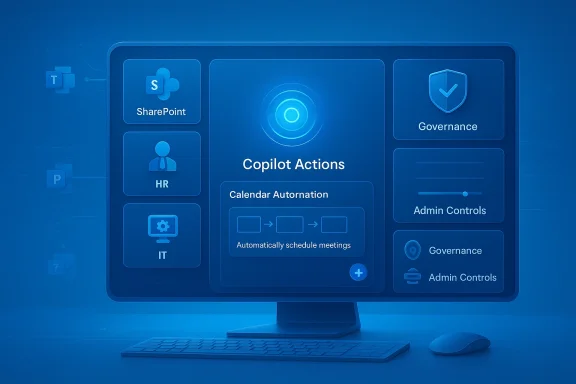
Microsoft first launched Copilot as an assistive feature inside Office apps; what we’re seeing now is a deliberate expansion: Copilot is being elevated into the primary interaction layer across Microsoft 365, with tools that let it act autonomously on your behalf, access enterprise content safely, and report its business outcomes. These announcements include:- Copilot Actions — fill-in-the-blank automations for recurring, repetitive workflows (private preview initially).
- Agents — specialized, content-scoped agents that can surface SharePoint knowledge, take notes in Teams meetings, interpret speech in real time, or service HR questions. Some agents are generally available; others entered public or private preview.
- Copilot Control System — a set of IT controls for access, lifecycle, grounding, and governance of Copilot and its agents.
- Copilot Analytics & Business Impact Report — tools to measure adoption, tie Cosales, finance, marketing), and produce out-of-the-box reports. Public preview and GA windows were slated for early 2025.
- Windows Resiliency Initiative (including Quick Machine Recovery) and tighter integrations between Windows and Copilot features to improve uptime and recovery workflows.
What’s new — feature breakdown
Copilot Actions: automation at conversation speed
Copilot Actions is Microsoft’s attempt to make routine automations accessible without scripting. Instead of building flows manually, users will be able to configure recurring tasks through conversational templates — e.g., a daily “summarize my top email action items” action or an automated weekly newsletter compile. Actions can be scheduled, triggered, and shared across teams, and they are designed to run with enterprise data-grounding and IT controls. Initially launched in private preview, Actions signal Microsoft’s intent to move beyond one-off assistance into persistent automation.Agents: domain-scoped, sharable AI assistants
Agents are the most transformative piece. They come in flavors such as:- SharePoint Agents — index and summarize project artifacts, answer questions across document sets, and gather context across multiple files.
- Interpreter Agent — real-time speech-to-speech translation in Teams meetings, with options to preserve a speaker’s intonation. Public preview targeted early 2025.
- Employee Self-Service Agent — an HR/IT-facing assistant that can answer policy questions and trigger routine workflows.
- Facilitator / Project Manager Agents — live meeting note-taker, plan creator, and task executor that integrate with Planner and Microsoft 365 tasks.
Copilot Control System: governance and IT confidence
A major barrier to enterprise AI adoption is governance. The Copilot Control System bundles:- Data protection and grounding controls so Copilot’s answers reference approved sources.
- Access controls for who may create or run agents and actions.
- Visibility and lifecycle management into agent status.
- SharePoint Advanced Management at no additional charge for Copilot customers (aimed at reducing oversharing and improving access review).
- Admin-facing Copilot functionality inside the Microsoft 365 admin center (private preview → general availability early 2025).
Copilot Analytics and Copilot Business Impact Report
Measuring productivity is notoriously difficult; Copilot Analytics aims to change that by:- Providing out-of-the-box dashboards for adoption metrics and engagement.
- Enabling custom reporting to correlate Copilot usage with KPIs across functions like sales and finance.
- Shipping a Copilot Business Impact Report (public preview) that promises to show where Copilot is delivering measurable outcomes.
End-user capabilities (Outlook, PowerPoint, Teams, Pages)
- Outlook: Copilot can now help schedule focus time, draft meeting agendas, and (by late 2024) ship “Themes by Copilot” for creative email design.
- PowerPoint: Translate full presentations into up to 40 languages while preserving slide design. General availability in 2025.
- Teams: Copilot can recap visual content presented onscreen in meetings (slides, shared browser, etc.) and answer questions based on transcript + shared visuals. This dramatically widens real-time assistance.
- Copilot Pages: A persistent, collaborative canvas for multi-user AI workflows, now with richer artifacts like interactive charts and code snippets. Early 2025 availability windows were announced.
Why this matters: strengths and opportunities
1. Real productivity gains, where they count
Microsoft’s approach targets the highest-leverage work: meetings, document creation, and team coordination. Automating recurring tasks (Copilot Actions) and providing immediate, contextual answers (agents) can meaningfully reduce time spent searching, summarizing, or preparing. Internal Microsoft metrics cited faster responses and improved satisfaction in Copilot interactions, and production-ready agents aim to remove friction from common workflows.2. Enterprise-grade governance is baked in
The Copilot Control System is not an afterthought. Including SharePoint Advanced Management and admin dashboards shows Microsoft understands that security and compliance drive enterprise adoption. These tools reduce the classic tradeoff between innovation and control.3. Measurement + accountability
Copilot Analytics and the Business Impact Report give executives a language for adoption and ROI. If these reports function as promised, they shift AI from an experimental line-item to a measurable investment. That’s a necessary step for broad, sustained deployment.4. Ecosystem and partner strategy
By allowing third-party partners to add agents and connectors, Microsoft multiplies Copilot’s domain knowledge and reduces the “narrow AI” problem. This is a pragmatic way to scale capability while preserving enterprise trust boundaries.Risks, limits, and unanswered questions
1. Grounding and hallucinations remain concerns
Even as Microsoft emphasizes data grounding, LLM-driven systems can still generate confident-but-incorrect outputs when prompts or connectors are mis-scoped. Enterprises will need strict verification steps for any Copilot-generated content used for decision-making or customer communication. Microsoft’s control tools mitigate risk but do not eliminate it. Independent testing and human-in-the-loop verification remain essential.2. Data residency and privacy complexities
Agents that search organization-wide SharePoint or external connectors raise legitimate data residency and access concerns. While SharePoint Advanced Management and admin controls are positives, auditors and security teams will still need clear proof of policy enforcement (who accessed what, when, and why). These capabilities require careful configuration and periodic review.3. Over-reliance and user deskilling
When assistants handle tasks like schedule optimization, summarization, or translation, there’s a risk teams outsource understanding to Copilot. Organizations must balance automation with skill retention, especially for knowledge workers whose judgment must stay sharp.4. Cost and licensing complexity
Microsoft’s packaging moves quickly from enterprise to consumer (Copilot included in Personal and Family plans in January 2025 for consumers), and new premium offerings (e.g., Microsoft 365 Premium bundling Copilot Pro capabilities) create a shifting price landscape. Organizations must track license entitlements carefully to avoid unexpected costs or feature gaps.5. Vendor lock-in and portability
As Copilot agents become business-critical — pulling data, generating artifacts, and automating tasks — migrating those workflows to other platforms becomes more difficult. Enterprises should design with exportability and data ownership in mind.Cross-checking the record (what’s confirmed)
Multiple Microsoft 365 blog posts and public previews confirm the key pieces described above: Copilot Actions, new agents (SharePoint Agents, Interpreter Agent), the Copilot Control System, Copilot Analytics and Business Impact Report, and Windows Resiliency Initiative elements like Quick Machine Recovery. Microsoft’s November 19, 2024 blog post explicitly documents these initiatives and the timelines toward early 2025 availability for many items.Independent coverage from outlets such as The Verge and Windows Central corroborated features like Actions and changes to subscription offers and icons, while more recent reporting has highlighted the arrival of OneDrive Agents and general availability expansions. These independent reports reinforce Microsoft’s timeline and the real-world rollout pace.
The Neowin piece the user provided summarizes the same roadmap and emphasizes the rebranding emphasis around Copilot and the January 2025 rollout windows — reporting consistent with Microsoft’s public communications.
Practical guidance for IT leaders: a 7-step rollout plan
- Inventory and prioritize use cases.
- Identify high-frequency, high-value workflows (sales prep, weekly reporting, meeting recaps).
- Score them for sensitivity, compliance risk, and ROI potential.
- Pilot with Copilot Actions and a single agent.
- Start with low-risk, high-visibility scenarios (automated meeting summaries, internal HR FAQs).
- Use private-preview controls and invite a small set of business champions.
- Configure Copilot Control System before scale.
- Enable data-grounding rules, restrict agent creation rights, and configure SharePoint Advanced Management policies.
- Pair policy settings with automated audits to catch oversharing early.
- Train users and embed verification steps.
- Create short, role-specific training sessions (20–30 minutes).
- Emphasize human review for any customer- or compliance-impacting outputs.
- Deploy Copilot Analytics from day one.
- Measure adoption, satisfaction, and time-saved metrics.
- Tie analytics to a small set of business KPIs and iterate on pilots.
- Expand connectors and partner agents carefully.
- Add third-party connectors that demonstrably increase accuracy and business value.
- Validate partner data handling and contractual terms before production rollout.
- Revisit licensing and budget.seat growth, Pro/Premium features required, and infrastructure costs.
- Schedule quarterly reviews to re-forecast costs as usage matures.
Developer and ISV opportunities
- Build domain-specific agents and templates for vertical workflows (legal, clinical, manufacturing).
- Provide connectors that deliver high-quality, verifiable data sources to reduce hallucination risk.
- Offer compliance and audit add-ons that augment the Copilot Control System for regulated industries.
A closer look at user experience changes
Microsoft also redesigned the Microsoft 365 app UI to foreground Copilot — moving tools into a leaner App Toolbar, relocating search to the homepage, and grouping AI features like Copilot Chat and Copilot Pages together. The update removes older micro-features (e.g., “My Day”) in favor of a streamlined, Copilot-centric navigation. This UI simplification reduces friction but will require a brief acclimation period for users accustomed to the previous layout.What we still don’t know (and what to watch)
- Long-term accuracy and hallucination rates at scale: Microsoft reported improved response times and satisfaction, but independent, third-party benchmarks across enterprises are still limited. Expect the first independent large-scale studies in 2025–2026.
- How exactly Copilot Analytics will model ROI across diverse businesses: the mechanics of tying Copilot outputs to financial metrics will require both careful instrumenting and cross-functional collaboration.
- The fine print on licensing and pricing impact for mid-market customers: Microsoft introduced new Premium bundles and consumer inclusions; enterprises should review contractual adjustments carefully.
Quick primer: what administrators must configure first
- Enable SharePoint Advanced Management and set up content access review cycles.
- Define agent creation roles and limit production agent deployment to verified templates.
- Configure data-grounding policies for each connector (Graph, SharePoint, third-party).
- Turn on Copilot Analytics in the admin center and map initial KPIs to pilot projects.
The competitive context
Copilot’s evolution places Microsoft directly in competition with other major AI-first productivity efforts — from cloud providers enabling generative models to smaller startups offering narrow automation. Microsoft’s differentiator is the depth of its enterprise integrations (Graph, SharePoint, Teams) and its ability to bundle governance and admin tooling alongside consumer experiences. The partner agent model also positions Microsoft to capture vertical value more rapidly than competitors who lack a similar partner connector ecosystem. Independent reports and product coverage confirm Microsoft’s early lead in publicly available task automation and its broader rollout strategy.Conclusion
Microsoft 365 Copilot’s newest phase is less a single product launch and more a platform moment. By combining actionable automation (Copilot Actions), domain-aware agents, enterprise governance, and measurable analytics, Microsoft is converting generative AI from a feature into an operational capability that can be measured, managed, and scaled inside enterprises. That’s the important distinction: organizations can now pilot automation with guardrails and executive-facing metrics — an essential recipe for turning AI curiosity into measurable productivity.At the same time, risks persist: hallucinations, privacy and compliance gaps, licensing complexity, and potential lock-in demand sober operational planning. IT leaders should treat Copilot as a strategic platform: start small, measure rigorously, protect data, and design for portability. For organizations that do this well, Copilot’s promise — to save time on routine work and surface higher-order insights from enterprise content — is immediate and substantial.
Source: Neowin Microsoft 365 Copilot is becoming a lot more powerful soon
