

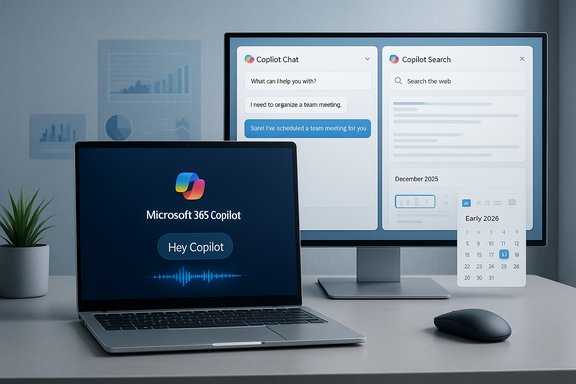
Microsoft’s roadmap entries this month confirm two small but significant pivots in how Copilot will behave on Windows and in browsers: a tested “semantic goodbye” — essentially a voice phrase like “Bye, Copilot” to end a voice session in the Microsoft 365 Copilot app on Windows — and a planned Microsoft 365 Copilot extension for Google Chrome that will bring Copilot Chat and Copilot Search directly into Chrome. Both items are listed in Microsoft’s Microsoft 365 roadmap (the goodbye feature targeted for December 2025 and the Chrome extension slated for early 2026), and both underline Microsoft’s push to make Copilot an always-available productivity layer across devices and browsers.
Background / Overview
Microsoft’s Copilot strategy has moved quickly from a chatbox in the cloud to a platform-level experience layered into Windows, Office apps, and browsers. Over 2024–2025 Microsoft consolidated Copilot experiences into a branded Microsoft 365 Copilot app, extended Copilot Chat and Search across Office apps and the web, and began rolling out local agentic features such as Copilot Actions that can perform tasks on a user’s PC. The new roadmap entries are the latest step: making voice interactions truly hands‑free on Windows and expanding Copilot’s reach into competing browsers. Microsoft has also begun automatically installing the Microsoft 365 Copilot app on Windows devices that already have Microsoft 365 desktop clients installed (rollout that started in October 2025 in most geographies), which means the Copilot app — and any features Microsoft bundles into it — will be present by default on many business and consumer PCs unless systems are specifically managed to prevent that deployment. That automatic installation policy and its exceptions (for example, exclusions in the EEA) materially shape who will see the “Bye” feature and the Chrome extension when they roll out.What Microsoft is adding: the “Bye” / “Goodbye” voice close
What the roadmap entry says
Microsoft’s Microsoft 365 roadmap lists an item (Roadmap ID referenced publicly in industry trackers) labeled roughly as “Semantic Goodbye word for voice in Microsoft 365 Copilot” and describes the behaviour like this: users will be able to close a voice session on Windows simply by saying “bye” or “goodbye” (paired with the existing “Hey Copilot” wake phrase), providing a full hands‑free loop for Copilot voice interactions. The entry lists desktop as the platform and shows a targeted availability window of December 2025.Where it applies (and where it doesn’t — yet)
The roadmap copy and subsequent reporting make an important distinction: the feature is explicitly described for the Microsoft 365 Copilot app on Windows. That’s the enterprise/365-focused Copilot experience Microsoft has been shipping across devices and apps. The consumer‑branded Copilot experiences that ship as part of Windows 11 system UI or as Edge‑integrated Copilot may receive similar voice lifecycle commands later, but the roadmap item specifically targets the Microsoft 365 Copilot app initially. Several outlets confirm the roadmap item and the December timing, but Microsoft has not published a consumer‑facing blog post or detailed spec yet.UX details and the promise of “hands-free”
From a user flow perspective the goal is simple and familiar: say “Hey Copilot” to open a voice session, carry on a multi‑turn voice conversation (including invoking Copilot Vision or Copilot Actions where permitted), and then say “Bye” or “Goodbye” to terminate the session without touching the mouse or keyboard. The roadmap language frames this as part of building out a complete hands‑free experience for Copilot on Windows. That phrasing aligns with Microsoft’s broader aim to make voice an integral, low-friction entry point for agents and actions.What’s still unclear / unverifiable
- Whether the close phrase will be strictly literal (only “bye” or “goodbye”), or whether Copilot will accept a family of semantic closers (e.g., “that’s it,” “stop,” “cancel”) is not fully specified in the roadmap entry and remains unverified.
- How the feature will behave if audio is ambiguous (e.g., background noise, partial phrases), or how it will handle accidental closures, has not been documented publicly.
- Microsoft’s privacy model for voice sessions remains broadly described in existing docs, but the exact telemetry, retention, and local vs. cloud processing specifics tied to the “Bye” close action are not yet published.
Why Microsoft is adding a voice “goodbye” — and what “agentic OS” means
Microsoft’s product signals show a clear pattern: build low‑friction, agentic interaction loops (wake → instruct → act → finish) and expand where those loops can start (taskbar, apps, browsers). The “semantic goodbye” completes that loop for voice. The ambition is broader than convenience: Microsoft describes a future where Windows becomes an agentic OS — an environment where AI agents can be summoned, act on behalf of users (Copilot Actions), and be dismissed cleanly. That vision has appeared across Microsoft messaging about Declarative Agents, Copilot Studio, and Copilot extensibility. Putting it bluntly: voice close commands are a UI detail, but they matter because they signal that Microsoft expects voice sessions and in‑OS agents to be ongoing, modal interactions that users will frequently start and stop without touching UI controls. That in turn implies deeper integration with local file access, system APIs, and agent orchestration. For administrators and privacy professionals, that future requires new governance controls and auditing.Microsoft 365 Copilot is coming to Chrome — what the extension will do
Roadmap entry and timing
Microsoft’s roadmap also lists a feature entry for a Microsoft 365 Copilot browser extension for Chrome (Roadmap ID reported publicly), described as bringing Copilot Chat and Copilot Search directly into Chrome, enabling users to ask questions, summarize webpages, and search enterprise content without switching tabs. The rollout window referenced in the public synopses is targeted for early 2026 (February 2026 appears in the roadmap trackers).Features called out in the listing
- In‑browser Copilot Chat access so users can ask natural language questions about the page or their org data.
- Copilot Search integrated into the browsing context, returning enterprise‑aware, context‑grounded answers.
- Webpage summarization and quick Q&A about open pages or documents (PDFs included in some Copilot web features).
- Access to enterprise content (for organizational users) so members of a tenant can query internal knowledge without leaving Chrome.
Unknowns and practical implications
- The roadmap text implies that the extension will require read access to the pages you view (to summarize and answer questions about open content). That is functionally necessary for the described features, but Microsoft has not published the extension’s permission list in a consumer‑facing post yet.
- It is not yet confirmed whether Copilot will be integrated directly into Chrome’s address bar or omnibox, or whether it will live behind an extension button/menu; early reports suggest access via the extension UI at minimum. Extensions have historically been able to alter search defaults or interact with pages in deep ways, so administrators should expect extension permissions to be a central security consideration.
Security, privacy, and enterprise management — the hard questions
Default installs and admin controls
Microsoft’s push to auto‑install the Microsoft 365 Copilot app on devices with desktop Office clients means enterprises will see the Copilot app arrive on many managed PCs by default unless admins take action. Microsoft has indicated admins can block or control installs via the Microsoft 365 Apps admin center and other management tooling, but for personal users the app will be installed by default outside some regulated regions. That distribution choice amplifies the significance of any built‑in voice UI or browser extension that ships with Copilot.Voice session telemetry and privacy
Public Copilot documentation and Copilot Studio guidance show Microsoft’s intent to prompt designers to avoid abrupt conversation endings and to design for clear user consent and followups. However, the roadmap’s “semantic goodbye” is an interaction design decision, not a privacy spec. The precise handling of audio streams, whether voice transcripts are retained, and how “session end” events are logged (local only vs. cloud telemetry for diagnostics) have not yet been disclosed in the level of detail privacy officers will require. Organizations should treat the privacy model as provisional until Microsoft publishes the administrative and data residency docs tied to these features.Browser extension permissions and real‑world risks
The Chrome extension model gives powerful privileges to extensions that can read page content and interact with the browser. Malicious or poorly implemented extensions have real precedents — security incidents such as malicious “Copilot”-branded extensions in other ecosystems show how a widely trusted name can be used to cloak harmful behavior. Whether Microsoft’s Chrome extension will require tenant‑only controls or be broadly available in the Chrome Web Store with tenant governance options remains to be clarified. Organizations should prepare extension‑whitelisting policies and test the extension in controlled profiles before broad deployment.Regulatory context: EEA and data protection
Microsoft’s earlier statements about not forcing Copilot installations in the European Economic Area (EEA) — in response to regulatory scrutiny and data‑protection decisions — demonstrate that territory matters. If Microsoft limits some installations or features in the EEA, admins in multinational enterprises must track availability differences and ensure policies align with local legal requirements. The EEA exclusion for automatic installs reported by multiple outlets underlines that regulatory outcomes remain a variable factor.Practical guidance: what users and IT teams should do now
Below are practical, prioritized steps for IT teams, power users, and privacy officers to prepare for the December 2025 “Bye” rollout and the Chrome extension arrival.- Inventory and policy
- Verify which devices will receive the Microsoft 365 Copilot app automatically. Check your Microsoft 365 admin center and the Microsoft 365 Apps admin center for rollout and opt‑out controls.
- Test voice session behaviour
- Pilot the voice features in a controlled environment to observe how voice wake and close behave (including false positives and ambiguous closures). Log session end events and error conditions.
- Update extension governance
- Prepare Chrome extension whitelists for enterprise profiles and plan limited pilot testing for the Microsoft 365 Copilot extension. Evaluate extension permissions and whether the extension needs tenant‑scoped deployment.
- Privacy and data handling review
- Consult legal/compliance teams to define acceptable data handling for voice transcripts, Copilot memory, and any logs that record session start/stop. Hold Microsoft to contractual commitments about data residency and retention where required.
- User training and communications
- Prepare internal guidance for users: how to start and end voice sessions, when voice sessions may access documents, and how to revoke Copilot permissions. Clear signage and simple instructions reduce confusion when new voice interactions are available.
- Monitor roadmap and release documentation
- Track the Microsoft 365 roadmap entries and Microsoft Learn release notes for formal admin controls (IDs and notes referenced by Microsoft tools) and for any changes to the rollout schedule.
Benefits and the productivity case
- Reduced friction for hands‑free scenarios: in environments where hands are busy (workshop, lab, driving with supported setups), a simple close phrase completes the voice loop and reduces UI fiddling.
- Faster in‑context browsing help: a Chrome extension that can summarize pages, extract key points, or surface enterprise content without switching apps reduces context switching for knowledge workers.
- Improved agent workflows: deterministic start and stop points for voice sessions make it easier to orchestrate Copilot Actions and other agentic behaviors that might otherwise require explicit UI steps.
Risks, trade‑offs, and governance concerns
- Accidental closures and misrecognition: a semantic “bye” could be misinterpreted or unintentionally invoked in conversations, disrupting workflows if not implemented with robust error handling.
- Expansion of attack surface: a Chrome extension that can read page content must be vetted carefully; extension permission abuse can have real monetary and data consequences.
- Increased telemetry and potential for data leakage: voice sessions may generate transcripts and metadata useful for diagnostics but risky for privacy, especially if session closure metadata is uploaded without adequate controls.
- Divergent regional behaviors: if Microsoft limits installs or features by geography (as indicated by EEA exclusions), inconsistent behavior across a distributed organization will complicate governance.
Quick technical checklist for administrators
- Audit: Confirm which devices have Microsoft 365 desktop clients and will therefore receive the Copilot app auto‑install, and identify any EEA‑based exemptions.
- Policy: Prepare group policies or MDM configurations to block or defer the Copilot app install where appropriate.
- Extensions: Configure Chrome Enterprise policies to control extension installation and access; consider deploying the Copilot extension only to pilot groups initially.
- Logging: Ensure endpoint logging captures voice session lifecycle events and that those logs are encrypted and retained according to policy.
- Training: Draft short scripts and one‑page quick reference cards explaining voice wake and goodbye commands for staff who will use the feature.
The bigger picture: what this tells us about Microsoft’s roadmap for Windows and Copilot
The pair of roadmap entries — a short UX change for voice control and a cross‑browser extension — are modest individually, but together they illuminate two strategic truths:- Microsoft is doubling down on Copilot as a cross‑surface productivity layer, not a single app or browser silo. Making Copilot available in Chrome as well as Edge signals a desire for ubiquity.
- The company is building out agentic patterns — predictable lifecycles for conversations and actions — because agents need clear session boundaries to behave safely and predictably. The “Hey Copilot” → action → “Bye Copilot” loop is a UI reflection of that pattern.
Conclusion
The December 2025 “semantic goodbye” and the planned Microsoft 365 Copilot Chrome extension together point to a practical, if quietly radical, shift: Copilot will be easier to start, easier to stop, and easier to use in whatever browser people already prefer. For users that promises convenience and more natural interactions. For IT and privacy teams it raises legitimate governance questions: who controls installs, how voice data is handled, and what permissions browser extensions will require.The immediate steps are straightforward: inventory devices, pilot voice and extension behavior in safe environments, tighten extension deployment policies, and demand clear Microsoft documentation on telemetry and admin controls. Those actions will let organizations capture the productivity gains while managing the real risks that come with making AI assistants more omnipresent and more agentic on Windows and in the browser.
Source: Windows Latest Microsoft says Copilot on Windows 11 is getting "Bye" command, MS 365 Copilot coming to Chrome as an extension
