

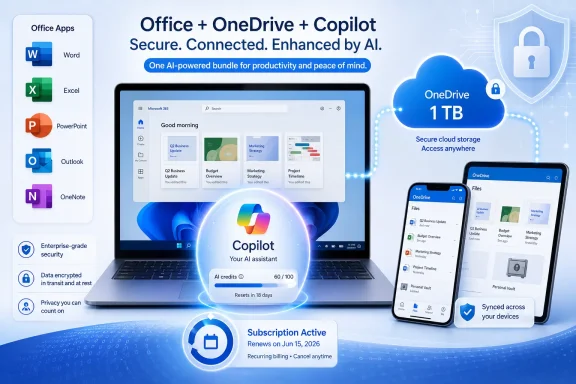
Microsoft 365 Personal is Microsoft’s single-user consumer subscription for Office apps, OneDrive storage, security tools, and Copilot-enabled AI features, currently sold in the United States at $99.99 per year or $9.99 per month as of June 2026. That price matters because it exposes the real story behind the familiar Office bundle. Microsoft is no longer simply renting Word and Excel to home users; it is turning the consumer productivity suite into a recurring AI-and-cloud platform.
For years, Microsoft 365 Personal was easy to explain: it was Office for one person, paid annually, with 1 TB of OneDrive thrown in. The subscription made sense for anyone who used Word, Excel, PowerPoint, Outlook, and OneNote across more than one device and did not want to buy a new perpetual Office license every few years.
That pitch still exists, but it is no longer the center of gravity. Microsoft now frames the plan around Copilot, higher AI usage limits, cloud-connected workflows, identity protection, and storage. The old Office apps are still the reason many people subscribe, but AI is becoming the reason Microsoft can justify charging more.
This is the consumer version of a strategy Microsoft has been running across the enterprise: wrap productivity, storage, identity, and AI into one subscription, then make the bundle feel harder to leave than any individual app would be on its own. For home users, that means Microsoft 365 Personal is less like a boxed copy of Office and more like a lightweight personal productivity operating system.
The awkward part is that the product is now harder to describe honestly. It is Office, but not just Office. It is OneDrive, but not just storage. It is Copilot, but not the highest-end Copilot. It is a security bundle, but not a managed security product. That ambiguity is not accidental; it is the point of the bundle.
At $69.99, Microsoft 365 Personal was an easy sell to heavy Office users. The math worked if you needed the desktop apps, cared about 1 TB of OneDrive, or wanted to avoid the limitations of the free web apps. At $99.99, the plan is still defensible, but it asks the user to value the whole bundle, not merely the apps.
That is where Microsoft’s consumer positioning becomes more assertive. The company is no longer saying, “Subscribe so you always have the latest Office.” It is saying, “Subscribe because your writing, storage, email, files, photos, meetings, and AI assistant should all live under one Microsoft account.”
For Windows users, the practical effect is familiar. OneDrive prompts appear in the setup flow. Microsoft account sign-in unlocks sync and backup features. Office apps increasingly assume cloud-backed documents. Copilot sits inside the broader Microsoft 365 experience rather than feeling like a separate experiment. The subscription is not just a purchase; it is a gravitational field.
That storage also gives Microsoft 365 Personal a practical edge over one-time Office licenses. Office Home 2024 may appeal to users who dislike subscriptions, but it does not bring the same storage entitlement, cloud recovery story, or cross-device sync assumptions. If a user wants Word and Excel only on one machine, the perpetual license still has a role. If that user also wants cloud backup and multi-device continuity, Microsoft 365 becomes harder to dismiss.
The OneDrive portion of the plan is also where Windows integration becomes most visible. Known folder backup can redirect Desktop, Documents, and Pictures into OneDrive, turning a Microsoft account into the default recovery path after a device loss or reinstall. That can be genuinely useful for nontechnical users who would otherwise have no backup at all.
But it also creates lock-in in the least dramatic way possible: by making your files quietly comfortable where they are. Once a user’s documents, photos, and Office workflows are spread across OneDrive, Windows, Outlook, and mobile apps, switching away becomes less about finding a cheaper word processor and more about unwinding a personal data architecture.
That stability is the plan’s strongest defense. Word remains the default document format in much of the world. Excel remains difficult to replace for users who rely on its formulas, compatibility, and institutional muscle memory. PowerPoint remains the lingua franca of school, small business, and the family event slideshow that somehow became a quarterly planning deck.
Yet the apps are no longer static products. Microsoft updates them continuously, changes interface elements, adds cloud-connected features, and increasingly inserts Copilot into the workflow. That means a Microsoft 365 subscriber is buying both familiarity and movement.
This is the paradox of modern Office. Users subscribe because they trust the old tools, but the subscription model gives Microsoft permission to keep changing those tools underneath them. Sometimes that produces real improvements. Sometimes it produces more prompts, more panes, and more uncertainty about which feature is included, limited, preview-only, or tied to a higher tier.
That distinction is crucial. “Includes Copilot” does not mean “unlimited Copilot everywhere.” It means Personal subscribers get a defined level of AI capability across supported Microsoft 365 and Windows experiences, while Microsoft reserves more generous limits and exclusive features for higher tiers such as Microsoft 365 Premium.
The result is a carefully tiered ladder. Free Copilot gives users a taste. Microsoft 365 Personal makes AI feel native in the apps people already use. Family extends the non-AI parts of the bundle across a household, while AI benefits remain constrained around the subscription owner. Premium pushes the ceiling higher for users who decide AI usage is worth paying more for.
For consumers, the practical question is not whether Copilot exists in the plan. It is whether the included AI features are valuable enough to justify the newer price. A person who drafts emails in Outlook, rewrites documents in Word, creates PowerPoint decks, and edits images may see the value quickly. A person who opens Word twice a month to format a letter may see an expensive assistant standing between them and the old Office they already understood.
Microsoft describes AI credits as a way to measure use of AI features across Microsoft 365 and Windows applications. That makes sense technically. Image generation, summarization, rewriting, and model-assisted analysis cost real infrastructure money in a way that local spellcheck does not.
But for users, credits introduce a new kind of ambiguity. A feature may be present but limited. It may work differently depending on app, language, platform, or account status. It may be more available in one Copilot surface than another. The subscription becomes less a box of capabilities and more a negotiated access pass.
That is not necessarily unreasonable. AI services are expensive to run, and unlimited consumer usage at mass scale is not a trivial promise. Still, Microsoft will need to be careful. If users feel they are paying more for AI and then being asked to ration it, the bundle starts to look less generous than the marketing suggests.
AI complicates that comparison. Microsoft’s current consumer language makes clear that AI benefits in Family and Premium are available to the subscription owner and cannot simply be shared with every household member in the same way as apps and storage. That creates a split personality inside the Family plan: the classic Office-and-storage benefits are household-friendly, while the AI value is account-centered.
This is revealing. Microsoft is willing to share mature software and storage broadly because those costs are predictable and the market expects it. AI is treated differently because it is both expensive and strategically important. The company wants the household subscription, but it also wants the individual AI relationship.
That matters for parents, students, and shared PCs. A household may think it is buying “Microsoft 365 with Copilot” for everyone, only to discover that the most promoted AI features do not distribute like OneDrive storage. The distinction may be documented, but it is still a source of likely confusion.
For ordinary home users, these features are not trivial. A ransomware recovery option, even with a limited recovery window, is better than discovering that the family documents folder was the only copy. Identity monitoring can alert users to exposed credentials or compromised personal data. Cross-device security dashboards can make protection feel less invisible.
But WindowsForum readers should resist treating this as enterprise security in miniature. Microsoft 365 Personal is not Intune, Defender for Endpoint, Purview, Entra ID governance, or a managed backup strategy. It is a consumer bundle with helpful protections, not a sysadmin-grade control plane.
That distinction becomes important for freelancers and very small businesses. Microsoft 365 Personal may be tempting for one-person operations, but the plan is designed for individual consumer use, not team administration, compliance, shared mailboxes, retention policies, or business identity management. Once work data, client data, or regulated information enters the picture, the cheaper consumer plan can become a false economy.
But the one-time license is increasingly a narrower proposition. It does not promise continuous feature upgrades. It does not carry the same cloud storage entitlement. It does not sit at the center of Microsoft’s consumer AI push. It is Office as software, not Office as service.
For some users, that is precisely the attraction. A local-first user who stores files on a NAS, uses another cloud provider, avoids AI assistants, and wants fewer account hooks may prefer the perpetual model even if it costs more upfront. There is a principled case for buying software once and keeping the workflow boring.
The problem is that Microsoft’s innovation path is clearly elsewhere. New AI features, cloud-connected experiences, and integrated security perks will land first, or only, in subscriptions. The perpetual license survives, but it no longer defines the product’s future.
That is why Personal matters even though enterprise Microsoft 365 dominates the company’s productivity narrative. The consumer plan is a proving ground for how much AI value Microsoft can attach to everyday productivity. If users accept Copilot as a normal part of Word, Outlook, Excel, and Windows-adjacent workflows, the company gains both subscription pricing power and behavioral data about where AI actually fits.
There is also a defensive angle. Google, Apple, Adobe, Dropbox, Notion, OpenAI, and a long list of smaller tools all want pieces of the same personal productivity budget. Microsoft’s answer is not to win every app category on elegance. It is to make the combined Microsoft account, Office file compatibility, OneDrive storage, Outlook identity, and Copilot layer convenient enough that leaving feels like work.
That strategy has always been Microsoft’s consumer superpower and its consumer weakness. Integration is useful until it feels coercive. Bundling is valuable until users suspect they are paying for features they did not ask for. AI is exciting until it becomes the justification for a price increase that arrives before the user has formed an AI habit.
None of this means users are forced to subscribe. But it does mean Microsoft 365 Personal is positioned as the path of least resistance. If you buy a Windows laptop, sign in with a Microsoft account, accept OneDrive backup, use Outlook, and need Office documents, the subscription is waiting at the end of the funnel.
That convenience is real. A new PC can feel less catastrophic when files, settings, email, and documents are already tied to the account. A student can move between a laptop, tablet, and phone without manually shuffling files. A home user can recover a mistakenly edited document without knowing what version control is.
The cost is that the boundaries blur. Is OneDrive backup a Windows feature or a Microsoft 365 feature? Is Copilot a free assistant, a subscription perk, or a premium upsell? Is Outlook an email client, a Microsoft account service, or a reason to keep paying? Microsoft benefits when the answer is “all of the above.”
It is less compelling for users who only need occasional document editing. Free web apps, Google Workspace consumer tools, LibreOffice, Apple’s iWork suite, and one-time Office licenses can cover many lightweight needs. The subscription becomes harder to justify when the user is paying mostly for potential rather than daily use.
The AI portion sharpens that divide. Copilot in Word, Excel, Outlook, and PowerPoint can be useful when it is embedded in a workflow that already exists. It is less persuasive as a standalone reason to subscribe if the user does not trust AI-generated text, does not create many documents, or prefers a different AI assistant.
The best way to evaluate Microsoft 365 Personal is not to ask whether the feature list is long. It is to ask how many parts of that list you would use every week. A bundle can be a bargain or a tax depending on whether it maps to real behavior.
That is normal for a cloud service, but it is a departure from the old mental model of Office. A boxed copy did not ask whether your AI credits had refreshed. It did not differentiate between the account owner and other household members for the most promoted feature category. It did not change the meaning of “included” based on model availability or service conditions.
This is where Microsoft’s challenge becomes editorial as much as technical. The company needs to explain the bundle without burying the user in caveats. If the marketing says Copilot is included, the experience needs to feel included. If the price rises because AI has arrived, the limits need to feel fair, not evasive.
The more Microsoft 365 Personal becomes a container for services, the more the fine print becomes central to the buying decision. Windows enthusiasts and IT pros know this already. Consumers are learning it one renewal email at a time.
 Microsoft Has Turned the Old Office Upgrade Cycle Into an AI Toll Road
For years, Microsoft 365 Personal was easy to explain: it was Office for one person, paid annually, with 1 TB of OneDrive thrown in. The subscription made sense for anyone who used Word, Excel, PowerPoint, Outlook, and OneNote across more than one device and did not want to buy a new perpetual Office license every few years.That pitch still exists, but it is no longer the center of gravity. Microsoft now frames the plan around Copilot, higher AI usage limits, cloud-connected workflows, identity protection, and storage. The old Office apps are still the reason many people subscribe, but AI is becoming the reason Microsoft can justify charging more.
This is the consumer version of a strategy Microsoft has been running across the enterprise: wrap productivity, storage, identity, and AI into one subscription, then make the bundle feel harder to leave than any individual app would be on its own. For home users, that means Microsoft 365 Personal is less like a boxed copy of Office and more like a lightweight personal productivity operating system.
The awkward part is that the product is now harder to describe honestly. It is Office, but not just Office. It is OneDrive, but not just storage. It is Copilot, but not the highest-end Copilot. It is a security bundle, but not a managed security product. That ambiguity is not accidental; it is the point of the bundle.
The Price Has Moved From Office Value to Bundle Justification
The ad-hoc-news summary repeats the old US pricing of roughly $69.99 per year or $6.99 per month, but Microsoft’s current US store pricing shows Microsoft 365 Personal at $99.99 per year or $9.99 per month. That is not a rounding error. It is the clearest sign that AI has become part of the subscription’s economic story.At $69.99, Microsoft 365 Personal was an easy sell to heavy Office users. The math worked if you needed the desktop apps, cared about 1 TB of OneDrive, or wanted to avoid the limitations of the free web apps. At $99.99, the plan is still defensible, but it asks the user to value the whole bundle, not merely the apps.
That is where Microsoft’s consumer positioning becomes more assertive. The company is no longer saying, “Subscribe so you always have the latest Office.” It is saying, “Subscribe because your writing, storage, email, files, photos, meetings, and AI assistant should all live under one Microsoft account.”
For Windows users, the practical effect is familiar. OneDrive prompts appear in the setup flow. Microsoft account sign-in unlocks sync and backup features. Office apps increasingly assume cloud-backed documents. Copilot sits inside the broader Microsoft 365 experience rather than feeling like a separate experiment. The subscription is not just a purchase; it is a gravitational field.
OneDrive Is Still the Most Concrete Perk in the Box
The most straightforward benefit remains the 1 TB of OneDrive storage. Unlike AI credits, feature limits, or app-by-app Copilot availability, a terabyte is easy to understand. It is enough for years of documents, a large photo archive, and the ordinary digital debris of a household PC.That storage also gives Microsoft 365 Personal a practical edge over one-time Office licenses. Office Home 2024 may appeal to users who dislike subscriptions, but it does not bring the same storage entitlement, cloud recovery story, or cross-device sync assumptions. If a user wants Word and Excel only on one machine, the perpetual license still has a role. If that user also wants cloud backup and multi-device continuity, Microsoft 365 becomes harder to dismiss.
The OneDrive portion of the plan is also where Windows integration becomes most visible. Known folder backup can redirect Desktop, Documents, and Pictures into OneDrive, turning a Microsoft account into the default recovery path after a device loss or reinstall. That can be genuinely useful for nontechnical users who would otherwise have no backup at all.
But it also creates lock-in in the least dramatic way possible: by making your files quietly comfortable where they are. Once a user’s documents, photos, and Office workflows are spread across OneDrive, Windows, Outlook, and mobile apps, switching away becomes less about finding a cheaper word processor and more about unwinding a personal data architecture.
The Office Apps Are Now the Stable Layer Under a Moving Service
Microsoft 365 Personal still includes the premium desktop versions of Word, Excel, PowerPoint, Outlook, and OneNote, with Access historically remaining a Windows-only part of the broader Office family. For many subscribers, these apps are the entire reason the plan exists. They want the full desktop programs, not the reduced web versions and not a patchwork of alternatives.That stability is the plan’s strongest defense. Word remains the default document format in much of the world. Excel remains difficult to replace for users who rely on its formulas, compatibility, and institutional muscle memory. PowerPoint remains the lingua franca of school, small business, and the family event slideshow that somehow became a quarterly planning deck.
Yet the apps are no longer static products. Microsoft updates them continuously, changes interface elements, adds cloud-connected features, and increasingly inserts Copilot into the workflow. That means a Microsoft 365 subscriber is buying both familiarity and movement.
This is the paradox of modern Office. Users subscribe because they trust the old tools, but the subscription model gives Microsoft permission to keep changing those tools underneath them. Sometimes that produces real improvements. Sometimes it produces more prompts, more panes, and more uncertainty about which feature is included, limited, preview-only, or tied to a higher tier.
Copilot Is the New Upsell, Even When It Is Included
Microsoft’s current consumer pages describe Copilot as part of Microsoft 365 Personal, with higher usage than the free tier and access inside Microsoft 365 apps for the account holder. Support documentation also makes clear that AI features are governed by limits and credits that can vary by plan, feature, entry point, and system conditions.That distinction is crucial. “Includes Copilot” does not mean “unlimited Copilot everywhere.” It means Personal subscribers get a defined level of AI capability across supported Microsoft 365 and Windows experiences, while Microsoft reserves more generous limits and exclusive features for higher tiers such as Microsoft 365 Premium.
The result is a carefully tiered ladder. Free Copilot gives users a taste. Microsoft 365 Personal makes AI feel native in the apps people already use. Family extends the non-AI parts of the bundle across a household, while AI benefits remain constrained around the subscription owner. Premium pushes the ceiling higher for users who decide AI usage is worth paying more for.
For consumers, the practical question is not whether Copilot exists in the plan. It is whether the included AI features are valuable enough to justify the newer price. A person who drafts emails in Outlook, rewrites documents in Word, creates PowerPoint decks, and edits images may see the value quickly. A person who opens Word twice a month to format a letter may see an expensive assistant standing between them and the old Office they already understood.
AI Credits Make the Subscription Feel Less Like Software Ownership
The move to AI credits is one of the more consequential changes in Microsoft’s consumer subscription model. Traditional Office subscriptions were already rentals, but the user experience still felt relatively unlimited: open Word, edit documents, save files, repeat. AI changes that psychology because compute-heavy features invite metering.Microsoft describes AI credits as a way to measure use of AI features across Microsoft 365 and Windows applications. That makes sense technically. Image generation, summarization, rewriting, and model-assisted analysis cost real infrastructure money in a way that local spellcheck does not.
But for users, credits introduce a new kind of ambiguity. A feature may be present but limited. It may work differently depending on app, language, platform, or account status. It may be more available in one Copilot surface than another. The subscription becomes less a box of capabilities and more a negotiated access pass.
That is not necessarily unreasonable. AI services are expensive to run, and unlimited consumer usage at mass scale is not a trivial promise. Still, Microsoft will need to be careful. If users feel they are paying more for AI and then being asked to ration it, the bundle starts to look less generous than the marketing suggests.
Family Sharing Reveals the Bundle’s Sharpest Edge
Microsoft 365 Family often looks like the better bargain because it covers up to six people and offers up to 6 TB of storage, allocated as 1 TB per person. For households, that math is hard to ignore. Personal is the simpler plan for one user, but Family is frequently the better value if even two people need Office and OneDrive.AI complicates that comparison. Microsoft’s current consumer language makes clear that AI benefits in Family and Premium are available to the subscription owner and cannot simply be shared with every household member in the same way as apps and storage. That creates a split personality inside the Family plan: the classic Office-and-storage benefits are household-friendly, while the AI value is account-centered.
This is revealing. Microsoft is willing to share mature software and storage broadly because those costs are predictable and the market expects it. AI is treated differently because it is both expensive and strategically important. The company wants the household subscription, but it also wants the individual AI relationship.
That matters for parents, students, and shared PCs. A household may think it is buying “Microsoft 365 with Copilot” for everyone, only to discover that the most promoted AI features do not distribute like OneDrive storage. The distinction may be documented, but it is still a source of likely confusion.
Security Features Are Useful, But They Are Not a Substitute for IT Discipline
Microsoft 365 Personal includes consumer-facing security and recovery features that are genuinely useful. OneDrive ransomware detection and file recovery can help undo malicious or accidental changes. Personal Vault adds an extra authentication step for sensitive files. Microsoft Defender features give subscribers a more centralized view of identity, data, and device protection than a bare Microsoft account would provide.For ordinary home users, these features are not trivial. A ransomware recovery option, even with a limited recovery window, is better than discovering that the family documents folder was the only copy. Identity monitoring can alert users to exposed credentials or compromised personal data. Cross-device security dashboards can make protection feel less invisible.
But WindowsForum readers should resist treating this as enterprise security in miniature. Microsoft 365 Personal is not Intune, Defender for Endpoint, Purview, Entra ID governance, or a managed backup strategy. It is a consumer bundle with helpful protections, not a sysadmin-grade control plane.
That distinction becomes important for freelancers and very small businesses. Microsoft 365 Personal may be tempting for one-person operations, but the plan is designed for individual consumer use, not team administration, compliance, shared mailboxes, retention policies, or business identity management. Once work data, client data, or regulated information enters the picture, the cheaper consumer plan can become a false economy.
The Perpetual Office Alternative Now Looks More Ideological Than Practical
Office Home 2024 still exists for users who want a one-time purchase. That matters, especially for people who dislike recurring billing, do not need OneDrive, and want a stable set of desktop applications on a single machine. The perpetual license is the escape hatch Microsoft can point to when critics argue that Office has become subscription-only.But the one-time license is increasingly a narrower proposition. It does not promise continuous feature upgrades. It does not carry the same cloud storage entitlement. It does not sit at the center of Microsoft’s consumer AI push. It is Office as software, not Office as service.
For some users, that is precisely the attraction. A local-first user who stores files on a NAS, uses another cloud provider, avoids AI assistants, and wants fewer account hooks may prefer the perpetual model even if it costs more upfront. There is a principled case for buying software once and keeping the workflow boring.
The problem is that Microsoft’s innovation path is clearly elsewhere. New AI features, cloud-connected experiences, and integrated security perks will land first, or only, in subscriptions. The perpetual license survives, but it no longer defines the product’s future.
Microsoft’s Consumer Business Now Depends on Making the Bundle Feel Inevitable
Microsoft’s financial disclosures show that Microsoft 365 Consumer remains a growth business, with revenue gains driven by both subscriber growth and higher revenue per user. That phrase, higher revenue per user, is the quiet business logic behind the consumer Copilot push. Microsoft does not merely want more subscribers; it wants each subscriber to be worth more.That is why Personal matters even though enterprise Microsoft 365 dominates the company’s productivity narrative. The consumer plan is a proving ground for how much AI value Microsoft can attach to everyday productivity. If users accept Copilot as a normal part of Word, Outlook, Excel, and Windows-adjacent workflows, the company gains both subscription pricing power and behavioral data about where AI actually fits.
There is also a defensive angle. Google, Apple, Adobe, Dropbox, Notion, OpenAI, and a long list of smaller tools all want pieces of the same personal productivity budget. Microsoft’s answer is not to win every app category on elegance. It is to make the combined Microsoft account, Office file compatibility, OneDrive storage, Outlook identity, and Copilot layer convenient enough that leaving feels like work.
That strategy has always been Microsoft’s consumer superpower and its consumer weakness. Integration is useful until it feels coercive. Bundling is valuable until users suspect they are paying for features they did not ask for. AI is exciting until it becomes the justification for a price increase that arrives before the user has formed an AI habit.
The Windows User Gets Convenience First and Choice Second
For Windows users, Microsoft 365 Personal sits uncomfortably close to the operating system itself. Windows setup encourages Microsoft account usage. OneDrive is woven into File Explorer. Office documents integrate naturally with cloud save locations. Copilot branding is visible across Microsoft’s consumer surfaces.None of this means users are forced to subscribe. But it does mean Microsoft 365 Personal is positioned as the path of least resistance. If you buy a Windows laptop, sign in with a Microsoft account, accept OneDrive backup, use Outlook, and need Office documents, the subscription is waiting at the end of the funnel.
That convenience is real. A new PC can feel less catastrophic when files, settings, email, and documents are already tied to the account. A student can move between a laptop, tablet, and phone without manually shuffling files. A home user can recover a mistakenly edited document without knowing what version control is.
The cost is that the boundaries blur. Is OneDrive backup a Windows feature or a Microsoft 365 feature? Is Copilot a free assistant, a subscription perk, or a premium upsell? Is Outlook an email client, a Microsoft account service, or a reason to keep paying? Microsoft benefits when the answer is “all of the above.”
The Real Buying Decision Is About Habits, Not Apps
Microsoft 365 Personal is easiest to recommend to people whose habits already match the bundle. If you live in Word and Excel, store files in OneDrive, use Outlook.com, want desktop Office apps, and expect to try Copilot, the plan is coherent. It may even be cheaper than assembling equivalent storage, office software, AI tools, and security extras from separate vendors.It is less compelling for users who only need occasional document editing. Free web apps, Google Workspace consumer tools, LibreOffice, Apple’s iWork suite, and one-time Office licenses can cover many lightweight needs. The subscription becomes harder to justify when the user is paying mostly for potential rather than daily use.
The AI portion sharpens that divide. Copilot in Word, Excel, Outlook, and PowerPoint can be useful when it is embedded in a workflow that already exists. It is less persuasive as a standalone reason to subscribe if the user does not trust AI-generated text, does not create many documents, or prefers a different AI assistant.
The best way to evaluate Microsoft 365 Personal is not to ask whether the feature list is long. It is to ask how many parts of that list you would use every week. A bundle can be a bargain or a tax depending on whether it maps to real behavior.
The Fine Print Is Becoming the Product
The current Microsoft 365 Personal offer is full of limits that deserve more attention than consumer subscription pages usually encourage. AI features vary by platform. Some experiences are available only to the subscription owner. Usage limits apply. Minimum age restrictions may apply. Certain security and identity features vary by region.That is normal for a cloud service, but it is a departure from the old mental model of Office. A boxed copy did not ask whether your AI credits had refreshed. It did not differentiate between the account owner and other household members for the most promoted feature category. It did not change the meaning of “included” based on model availability or service conditions.
This is where Microsoft’s challenge becomes editorial as much as technical. The company needs to explain the bundle without burying the user in caveats. If the marketing says Copilot is included, the experience needs to feel included. If the price rises because AI has arrived, the limits need to feel fair, not evasive.
The more Microsoft 365 Personal becomes a container for services, the more the fine print becomes central to the buying decision. Windows enthusiasts and IT pros know this already. Consumers are learning it one renewal email at a time.
The Personal Plan Now Carries Microsoft’s Whole Consumer Bet
Microsoft 365 Personal is no longer just the single-user version of Office. It is the smallest paid unit of Microsoft’s consumer productivity strategy: one account, one terabyte, one set of Office apps, one AI assistant, and one recurring bill.- Microsoft 365 Personal currently costs $99.99 per year or $9.99 per month in the United States, making older $69.99 references outdated for current direct pricing.
- The plan remains strongest for users who need full desktop Office apps plus 1 TB of OneDrive storage across multiple devices.
- Copilot is now part of the consumer Microsoft 365 pitch, but AI benefits are governed by plan-specific limits and are tied to the subscription owner.
- Microsoft 365 Family may be a better value for households, though its AI sharing rules are not as generous as its app and storage sharing.
- Office Home 2024 remains the cleaner choice for users who want a one-time purchase and do not care about cloud storage, Copilot, or continuous feature updates.
- The subscription makes the most sense when its parts are used together; it looks much weaker when judged only as a way to rent Word.
References
- Primary source: AD HOC NEWS
Published: 2026-06-15T15:46:08.466253
Subscription perks in focus, Microsoft 365 Personal leans on AI and cloud storage
Microsoft 365 Personal targets single users with full Office desktop apps, 1 TB of OneDrive storage and growing AI features under one subscription. We look at what the plan includes, how much it costs in the US, and where it sits in Microsoft's consumer portfolio.www.ad-hoc-news.de - Official source: support.microsoft.com
AI credits and limits for Microsoft 365 subscriptions | Microsoft Support
Learn about AI credits and feature limits in Microsoft 365 subscriptions.support.microsoft.com - Official source: microsoft.com
Copilot Pricing Plans for Individuals | Microsoft Copilot
Learn about Microsoft Copilot pricing for individuals to discover the plan that best suits your needs. Unlock efficiency with your personal AI companion.www.microsoft.com
- Official source: learn.microsoft.com
CoPilot costs - Microsoft Q&A
How much is it to subscribe to CoPilot to have unlimited access to use? Is there a rate chart? I also have Office 365 Personal subscription.learn.microsoft.com - Official source: wwwqa.microsoft.com

Log In ‹ Microsoft 365 Blog — WordPress
wwwqa.microsoft.com
- Related coverage: windowscentral.com
Only 3.3% of Microsoft 365 users pay for Copilot | Windows Central
A new report suggests that only a fraction of the Microsoft 365 and Office 365 users who interact with Copilot Chat actually pay for it.www.windowscentral.com
- Related coverage: techradar.com
Microsoft spent billions on Copilot, but only 3.3% of users are actually paying for the AI tools | TechRadar
Microsoft spent $37.5 billion on AI tools, with limited returns so farwww.techradar.com - Official source: cdn-dynmedia-1.microsoft.com
- Official source: microsoft.gcs-web.com
- Related coverage: savest-financial.com
