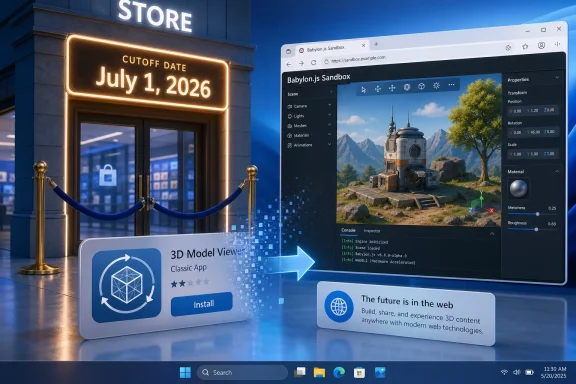
Microsoft removed 3D Viewer from the Microsoft Store on July 1, 2026, ending new installs of the first-party Windows 3D model viewer after announcing its deprecation in February while allowing existing installations to keep working for now. The move is small in practical terms but revealing in strategic ones. Another Windows 10-era bet on consumer 3D has been filed away, not with a dramatic shutdown, but with the quiet finality of a Store listing that no longer installs.
That is how Microsoft usually closes the door on ideas it no longer wants to carry. The company rarely says that an old Windows feature was wrong; it simply stops putting it in front of new users, stops refreshing the surrounding ecosystem, and waits for the installed base to age out. 3D Viewer’s removal is therefore less a surprise than a timestamp on a broader retreat: the Windows of holograms, Remix 3D, Paint 3D, and everyday mixed reality has given way to the Windows of Copilot, cloud services, and web-first utilities.
The most important detail is not that 3D Viewer suddenly stopped functioning. It did not. Microsoft’s own deprecation notice said existing installations would continue to work, and that distinction matters for anyone who still uses the app to preview model files on a current PC.
What changed on July 1 is access. Users without the app can no longer install it through the Microsoft Store, and users who remove it should not assume they can simply fetch it again through normal channels. That turns 3D Viewer from a supported app into a local artifact: useful if you already have it, effectively gone if you do not.
This is the modern Windows retirement pattern. Instead of ripping out a component with a feature update, Microsoft can make the Store listing stop serving new installs while leaving existing packages alone. The result is less disruptive than an uninstall, but it is also less reversible for ordinary users.
There are reports that app bundles may still be reachable on Microsoft’s delivery infrastructure, but that is not the same thing as availability. For normal users, Microsoft Store availability is the support boundary. Once the official install path disappears, the app exits the mainstream Windows experience even if determined archivists can still find package files.
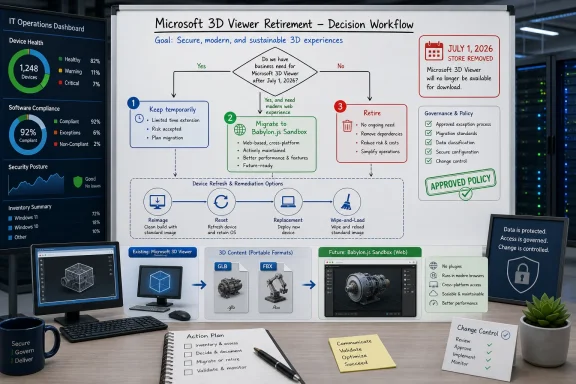
That distinction is especially important for IT administrators. A Store removal does not necessarily break a managed image today, but it does make future rebuilds, new-device provisioning, and clean recovery scenarios more fragile. If an app is only present because it survived on old machines, it is no longer a dependable part of the platform.
That era had a recognizable cast. Paint 3D was positioned as the friendly creative surface. 3D Viewer handled model inspection. Remix 3D was supposed to be the sharing community. Windows Mixed Reality headsets were supposed to bring spatial computing to a broader PC audience. Even PowerPoint and Office picked up 3D object support as Microsoft tried to make the format feel mainstream.
The problem was not that the technology was useless. The problem was that Microsoft treated 3D as if it were about to become a default consumer behavior, and it did not. Most Windows users did not need to open a glTF or FBX file after lunch. Most schools and homes did not build workflows around casual 3D modeling. Most PC buyers did not rush into mixed reality headsets.
The result was a classic platform-company overhang: Windows accumulated small apps and integrations that made strategic sense in a keynote but saw limited daily use. 3D Viewer was one of the cleaner examples because it was not bloated, not scandalous, and not particularly harmful. It simply outlived the product story that had justified its presence.
That makes its retirement feel quieter than it is. A forgotten utility disappearing from the Store is not a crisis. But it is a marker of how thoroughly Microsoft has moved on from a previous vision of Windows creativity.
This is how priorities show up in product maintenance. Features do not need to be hated to be abandoned. They only need to compete poorly for engineering time, testing resources, accessibility work, Store compliance updates, and security review. A small viewer app may be cheap to keep alive, but it is not free.
There is also a messaging problem. Microsoft wants Windows to feel current, and every inbox or first-party app carries symbolic weight. A neglected 3D viewer points backward to a phase of the company’s strategy that now looks peripheral. Copilot, Recall-style local indexing, passkeys, Dev Home, Windows App, and cloud PC integration point toward where Microsoft wants attention now.
That does not mean every older utility should disappear. Windows has always been valuable partly because it contains boring tools that solve small problems without asking users to adopt an ecosystem. Notepad, Paint, Snipping Tool, Character Map, and even old control panels persist because they are embedded in habits and workflows.
3D Viewer never reached that category. It was not a universal Swiss Army knife; it was a viewer for a class of files most users never touched. Once the consumer 3D push faded, the app’s fate became less a matter of if than when.
The phrase “continue to work” is intentionally narrow. It does not promise new features. It does not promise indefinite compatibility with future Windows builds. It does not promise that file associations, Store repair behavior, or dependencies will behave the same forever. It means the installed app is not being forcibly disabled today.
That is a reasonable compromise from Microsoft’s perspective, but it leaves users in a gray zone. If 3D Viewer is part of a casual hobby workflow, the inconvenience is manageable. If it is baked into a classroom image, a makerspace PC, a lightweight engineering review station, or a documentation process, the lack of a supported reinstall path matters.
The practical question is not whether 3D Viewer is the best model viewer. In many contexts, it is not. The practical question is whether someone was relying on it precisely because it was free, simple, familiar, and Microsoft-provided. Those are the qualities that make a humble utility easy to overlook until it vanishes.
Microsoft’s suggested replacement, Babylon.js Sandbox, also says something about the shift. Rather than another native Windows utility, the recommendation is a browser-based tool for dragging in and inspecting 3D models. That fits the web-first direction of modern software, but it is not a one-for-one substitute for every environment.
But web tools are not automatically better tools. Some organizations restrict browser uploads, even when the processing may be local or client-heavy. Some users work with proprietary model files and are uncomfortable dragging them into any web surface without a clear understanding of data handling. Some environments need offline functionality, predictable versioning, or package-based deployment.
This is where the consumer and enterprise meanings of “replacement” diverge. For a home user who occasionally opens a sample model, a web sandbox is fine. For a managed fleet, a lab, or a school, replacement means documentation, privacy review, firewall compatibility, support ownership, and repeatable provisioning.
There is also the matter of file associations. A native viewer can sit quietly in Windows and open supported files from File Explorer. A web replacement changes the workflow from “double-click the file” to “open a browser, visit a tool, drag the file, trust the session.” That may be acceptable, but it is still a workflow change.
The broader trend is familiar. Microsoft has repeatedly steered users away from small native apps and toward web experiences when the native app no longer justifies its upkeep. The web lowers Microsoft’s distribution burden. It also transfers more responsibility to the user or administrator to decide whether the new workflow fits.
The lesson is not that Microsoft should never experiment inside Windows. Windows has survived because it keeps absorbing new interaction models, developer platforms, device classes, and user expectations. The lesson is that bundling an experiment into the Windows identity creates a maintenance tail long after the excitement fades.
Paint 3D and 3D Viewer were not merely apps; they were evidence in a strategic argument. Microsoft was trying to prove that 3D creation would become approachable, social, and native to Windows. When that argument lost momentum, the apps remained as reminders of a future that did not arrive.
There is a useful humility in this. Microsoft is not the only company to overestimate consumer appetite for 3D creation or mixed reality. The industry has repeatedly mistaken technical possibility for behavioral inevitability. What makes Windows different is the scale at which these bets linger after the market has voted.
For Windows users, the disappearance of these apps may feel like tidying. For historians of the platform, it is more interesting: Windows is shedding the visual language of one hype cycle while adopting the assumptions of another. The difference is that this time the magic word is AI.
A lightweight viewer can be more useful than a strategy deck suggests. It lets a user inspect a file without installing a full creative suite. It gives support staff a quick way to verify that a model opens. It gives educators a simple default in a room full of machines. It gives hobbyists a frictionless entry point before they learn Blender, FreeCAD, Fusion, or a slicer.
That is why Microsoft’s utility decisions are watched closely. When the company removes a niche app, the immediate user count may be small, but the signal is larger. It tells administrators and enthusiasts which parts of the Windows experience Microsoft considers durable and which parts are merely tolerated until the next cleanup.
The company’s defenders will reasonably argue that Windows cannot carry every obsolete or low-use component forever. They are right. Software platforms need pruning, and abandoned apps can become security liabilities, accessibility liabilities, or simply clutter.
But pruning is best received when users feel there is a coherent replacement story. With 3D Viewer, Microsoft has offered a direction rather than a full native successor. That may be enough for casual users. It is less satisfying for anyone who sees Windows as a workstation platform that should include capable local tools for common file inspection tasks, even when those files are niche.
It also gives Microsoft a subtler kill switch. Removing an app from the Store does not create the same backlash as removing a binary from Windows itself. The app can remain on existing PCs, screenshots and documentation can linger, and power users can debate package archives while the mainstream install path quietly disappears.
For administrators, that creates a documentation problem. The presence of an app on one Windows machine no longer guarantees that it is available on another. A device built in 2022, upgraded in place, may carry software that a clean Windows 11 install in 2026 cannot easily obtain. The gap between upgraded machines and clean machines widens.
This is not unique to 3D Viewer. It is part of a broader Windows transition from monolithic operating system to serviced platform plus Store-delivered experiences. That model is more flexible, but it also makes the baseline harder to describe. “Windows includes this” has become a less stable sentence.
For enthusiasts, the answer is often archival: save offline installers, export packages, document dependencies, and preserve workflows before they are deprecated. For businesses, the answer should be policy: if a Microsoft Store app matters, treat it like any other dependency and plan for its retirement before the Store does it for you.
That does not mean every removed app was dangerous. It means the maintenance burden has to be justified against the number of users and the importance of the workflow. A 3D model viewer that few people use and that belongs to a retired product strategy is an easy candidate for removal.
Still, security is only part of the story. The other part is product focus. Microsoft is making choices about what Windows should be seen to contain. Today, the company would rather spend its energy explaining Copilot integration, AI PCs, cloud recovery, passkeys, and management improvements than keeping the last visible fragments of its consumer 3D push alive.
That is not inherently cynical. Product focus is necessary. But Windows has always been a platform where old and new coexist uneasily, and users have long memories. Every retirement asks the same question: is Microsoft cleaning house, or is it narrowing Windows in ways that make it less self-sufficient?
With 3D Viewer, the answer is probably a little of both. The app was not important enough to keep promoting. But its disappearance also reinforces a pattern in which native Windows conveniences give way to web services, Store churn, and the assumption that users can find replacements elsewhere.
That is when deprecation becomes real. Not at the moment Microsoft posts a notice, and not even when the Store listing changes, but when a familiar workflow fails during recovery. Windows users are accustomed to rebuilding machines, and they often expect Microsoft’s own utilities to be waiting on the other side.
For hobbyists, the workaround may be simple: use another viewer, a slicer, Blender, FreeCAD, an online sandbox, or an archived package if they are comfortable with that route. For organizations, the response should be more deliberate. If 3D Viewer is still in use, now is the time to identify who uses it, why they use it, and what replacement is acceptable under policy.
The worst plan is pretending nothing changed because the app still launches on an old machine. That is the trap of soft deprecation. The lack of immediate breakage creates a false sense of continuity while the support floor quietly drops away.
This is also a useful reminder that “included with Windows” is not a permanent category. Some apps are inbox components, some are Store-delivered Microsoft apps, some are optional features, and some are remnants of past installations. Users experience them all as “Windows,” but Microsoft manages them under very different rules.
The more interesting reading is that Microsoft is continuing to compress the Windows experience around fewer strategic pillars. The company is not trying to make Windows the friendly gateway to consumer 3D anymore. It is trying to make Windows the client for AI-assisted work, cloud identity, secure endpoints, developer workflows, and Microsoft 365-adjacent productivity.
That leaves small specialty tools in a precarious place. If they serve a large audience, they may be modernized. If they serve a strategic story, they may be promoted. If they do neither, they become candidates for Store removal, even if a passionate minority still finds them useful.
The practical takeaways are not dramatic, but they are concrete.
That is how Microsoft usually closes the door on ideas it no longer wants to carry. The company rarely says that an old Windows feature was wrong; it simply stops putting it in front of new users, stops refreshing the surrounding ecosystem, and waits for the installed base to age out. 3D Viewer’s removal is therefore less a surprise than a timestamp on a broader retreat: the Windows of holograms, Remix 3D, Paint 3D, and everyday mixed reality has given way to the Windows of Copilot, cloud services, and web-first utilities.
 Microsoft Lets the Store Do the Retiring
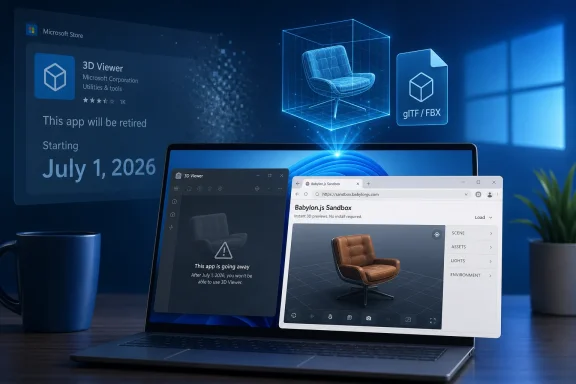
The most important detail is not that 3D Viewer suddenly stopped functioning. It did not. Microsoft’s own deprecation notice said existing installations would continue to work, and that distinction matters for anyone who still uses the app to preview model files on a current PC.What changed on July 1 is access. Users without the app can no longer install it through the Microsoft Store, and users who remove it should not assume they can simply fetch it again through normal channels. That turns 3D Viewer from a supported app into a local artifact: useful if you already have it, effectively gone if you do not.
This is the modern Windows retirement pattern. Instead of ripping out a component with a feature update, Microsoft can make the Store listing stop serving new installs while leaving existing packages alone. The result is less disruptive than an uninstall, but it is also less reversible for ordinary users.
There are reports that app bundles may still be reachable on Microsoft’s delivery infrastructure, but that is not the same thing as availability. For normal users, Microsoft Store availability is the support boundary. Once the official install path disappears, the app exits the mainstream Windows experience even if determined archivists can still find package files.
That distinction is especially important for IT administrators. A Store removal does not necessarily break a managed image today, but it does make future rebuilds, new-device provisioning, and clean recovery scenarios more fragile. If an app is only present because it survived on old machines, it is no longer a dependable part of the platform.
3D Viewer Was a Souvenir From the Creators Update Moment
3D Viewer made sense in the Windows 10 world that Microsoft was selling nearly a decade ago. The company’s consumer pitch was not just that Windows would run desktop apps and games; it was that Windows would become the place where ordinary users created, captured, shared, printed, and viewed 3D objects.That era had a recognizable cast. Paint 3D was positioned as the friendly creative surface. 3D Viewer handled model inspection. Remix 3D was supposed to be the sharing community. Windows Mixed Reality headsets were supposed to bring spatial computing to a broader PC audience. Even PowerPoint and Office picked up 3D object support as Microsoft tried to make the format feel mainstream.
The problem was not that the technology was useless. The problem was that Microsoft treated 3D as if it were about to become a default consumer behavior, and it did not. Most Windows users did not need to open a glTF or FBX file after lunch. Most schools and homes did not build workflows around casual 3D modeling. Most PC buyers did not rush into mixed reality headsets.
The result was a classic platform-company overhang: Windows accumulated small apps and integrations that made strategic sense in a keynote but saw limited daily use. 3D Viewer was one of the cleaner examples because it was not bloated, not scandalous, and not particularly harmful. It simply outlived the product story that had justified its presence.
That makes its retirement feel quieter than it is. A forgotten utility disappearing from the Store is not a crisis. But it is a marker of how thoroughly Microsoft has moved on from a previous vision of Windows creativity.
The AI Era Has No Room for Yesterday’s Demo Apps
Microsoft’s current Windows narrative is no longer built around consumer 3D. It is built around AI assistance, cloud-connected productivity, Arm PCs, security baselines, and tighter integration between local Windows and Microsoft’s online services. In that portfolio, 3D Viewer has no obvious champion.This is how priorities show up in product maintenance. Features do not need to be hated to be abandoned. They only need to compete poorly for engineering time, testing resources, accessibility work, Store compliance updates, and security review. A small viewer app may be cheap to keep alive, but it is not free.
There is also a messaging problem. Microsoft wants Windows to feel current, and every inbox or first-party app carries symbolic weight. A neglected 3D viewer points backward to a phase of the company’s strategy that now looks peripheral. Copilot, Recall-style local indexing, passkeys, Dev Home, Windows App, and cloud PC integration point toward where Microsoft wants attention now.
That does not mean every older utility should disappear. Windows has always been valuable partly because it contains boring tools that solve small problems without asking users to adopt an ecosystem. Notepad, Paint, Snipping Tool, Character Map, and even old control panels persist because they are embedded in habits and workflows.
3D Viewer never reached that category. It was not a universal Swiss Army knife; it was a viewer for a class of files most users never touched. Once the consumer 3D push faded, the app’s fate became less a matter of if than when.
The Installed Base Gets a Grace Period, Not a Future
For users who still have 3D Viewer installed, the immediate advice is simple: do not remove it unless you are sure you no longer need it. The app should continue to function for now, but the removal of new installs changes the risk calculation around cleanup tools, Windows resets, device migrations, and Store app repair steps.The phrase “continue to work” is intentionally narrow. It does not promise new features. It does not promise indefinite compatibility with future Windows builds. It does not promise that file associations, Store repair behavior, or dependencies will behave the same forever. It means the installed app is not being forcibly disabled today.
That is a reasonable compromise from Microsoft’s perspective, but it leaves users in a gray zone. If 3D Viewer is part of a casual hobby workflow, the inconvenience is manageable. If it is baked into a classroom image, a makerspace PC, a lightweight engineering review station, or a documentation process, the lack of a supported reinstall path matters.
The practical question is not whether 3D Viewer is the best model viewer. In many contexts, it is not. The practical question is whether someone was relying on it precisely because it was free, simple, familiar, and Microsoft-provided. Those are the qualities that make a humble utility easy to overlook until it vanishes.
Microsoft’s suggested replacement, Babylon.js Sandbox, also says something about the shift. Rather than another native Windows utility, the recommendation is a browser-based tool for dragging in and inspecting 3D models. That fits the web-first direction of modern software, but it is not a one-for-one substitute for every environment.
A Web Viewer Is Convenient Until Policy Says Otherwise
Babylon.js Sandbox is a sensible recommendation for many users. It is accessible, requires no Store install, and aligns with modern 3D formats and browser capabilities. For quick model inspection, lighting previews, and casual validation, it may be more convenient than keeping an old Windows app alive.But web tools are not automatically better tools. Some organizations restrict browser uploads, even when the processing may be local or client-heavy. Some users work with proprietary model files and are uncomfortable dragging them into any web surface without a clear understanding of data handling. Some environments need offline functionality, predictable versioning, or package-based deployment.
This is where the consumer and enterprise meanings of “replacement” diverge. For a home user who occasionally opens a sample model, a web sandbox is fine. For a managed fleet, a lab, or a school, replacement means documentation, privacy review, firewall compatibility, support ownership, and repeatable provisioning.
There is also the matter of file associations. A native viewer can sit quietly in Windows and open supported files from File Explorer. A web replacement changes the workflow from “double-click the file” to “open a browser, visit a tool, drag the file, trust the session.” That may be acceptable, but it is still a workflow change.
The broader trend is familiar. Microsoft has repeatedly steered users away from small native apps and toward web experiences when the native app no longer justifies its upkeep. The web lowers Microsoft’s distribution burden. It also transfers more responsibility to the user or administrator to decide whether the new workflow fits.
Paint 3D’s Earlier Exit Made This One Predictable
3D Viewer’s removal follows the same path as Paint 3D, another Windows 10-era app tied to Microsoft’s consumer 3D ambitions. Paint 3D was once presented as a modern successor-adjacent companion to classic Paint, with 3D object creation and remixing at the center of the pitch. It too eventually became a stranded artifact after the ecosystem around it failed to become mainstream.The lesson is not that Microsoft should never experiment inside Windows. Windows has survived because it keeps absorbing new interaction models, developer platforms, device classes, and user expectations. The lesson is that bundling an experiment into the Windows identity creates a maintenance tail long after the excitement fades.
Paint 3D and 3D Viewer were not merely apps; they were evidence in a strategic argument. Microsoft was trying to prove that 3D creation would become approachable, social, and native to Windows. When that argument lost momentum, the apps remained as reminders of a future that did not arrive.
There is a useful humility in this. Microsoft is not the only company to overestimate consumer appetite for 3D creation or mixed reality. The industry has repeatedly mistaken technical possibility for behavioral inevitability. What makes Windows different is the scale at which these bets linger after the market has voted.
For Windows users, the disappearance of these apps may feel like tidying. For historians of the platform, it is more interesting: Windows is shedding the visual language of one hype cycle while adopting the assumptions of another. The difference is that this time the magic word is AI.
Windows Keeps Learning the Wrong Lesson From Its Own Utilities
The risk in retirements like this is that Microsoft learns too broad a lesson. Yes, 3D Viewer was not central to most users. No, that does not mean small native utilities are unimportant. The Windows community often values tools precisely because they are local, predictable, and boring.A lightweight viewer can be more useful than a strategy deck suggests. It lets a user inspect a file without installing a full creative suite. It gives support staff a quick way to verify that a model opens. It gives educators a simple default in a room full of machines. It gives hobbyists a frictionless entry point before they learn Blender, FreeCAD, Fusion, or a slicer.
That is why Microsoft’s utility decisions are watched closely. When the company removes a niche app, the immediate user count may be small, but the signal is larger. It tells administrators and enthusiasts which parts of the Windows experience Microsoft considers durable and which parts are merely tolerated until the next cleanup.
The company’s defenders will reasonably argue that Windows cannot carry every obsolete or low-use component forever. They are right. Software platforms need pruning, and abandoned apps can become security liabilities, accessibility liabilities, or simply clutter.
But pruning is best received when users feel there is a coherent replacement story. With 3D Viewer, Microsoft has offered a direction rather than a full native successor. That may be enough for casual users. It is less satisfying for anyone who sees Windows as a workstation platform that should include capable local tools for common file inspection tasks, even when those files are niche.
The Store Is Becoming the Guillotine for Legacy Windows Apps
The Microsoft Store has become more than a storefront. It is now a lifecycle mechanism for Windows components that Microsoft wants to decouple from the operating system. That decoupling has benefits: apps can update separately, retire separately, and avoid being tied to major Windows feature releases.It also gives Microsoft a subtler kill switch. Removing an app from the Store does not create the same backlash as removing a binary from Windows itself. The app can remain on existing PCs, screenshots and documentation can linger, and power users can debate package archives while the mainstream install path quietly disappears.
For administrators, that creates a documentation problem. The presence of an app on one Windows machine no longer guarantees that it is available on another. A device built in 2022, upgraded in place, may carry software that a clean Windows 11 install in 2026 cannot easily obtain. The gap between upgraded machines and clean machines widens.
This is not unique to 3D Viewer. It is part of a broader Windows transition from monolithic operating system to serviced platform plus Store-delivered experiences. That model is more flexible, but it also makes the baseline harder to describe. “Windows includes this” has become a less stable sentence.
For enthusiasts, the answer is often archival: save offline installers, export packages, document dependencies, and preserve workflows before they are deprecated. For businesses, the answer should be policy: if a Microsoft Store app matters, treat it like any other dependency and plan for its retirement before the Store does it for you.
The Security Argument Is Real, but It Is Not the Whole Story
Microsoft can make a credible case that unsupported viewers should not be left floating around indefinitely. File viewers parse complex formats, and file parsers are a recurring source of vulnerabilities across the software industry. If an app is no longer receiving active investment, there is a reasonable security argument for discouraging new installs.That does not mean every removed app was dangerous. It means the maintenance burden has to be justified against the number of users and the importance of the workflow. A 3D model viewer that few people use and that belongs to a retired product strategy is an easy candidate for removal.
Still, security is only part of the story. The other part is product focus. Microsoft is making choices about what Windows should be seen to contain. Today, the company would rather spend its energy explaining Copilot integration, AI PCs, cloud recovery, passkeys, and management improvements than keeping the last visible fragments of its consumer 3D push alive.
That is not inherently cynical. Product focus is necessary. But Windows has always been a platform where old and new coexist uneasily, and users have long memories. Every retirement asks the same question: is Microsoft cleaning house, or is it narrowing Windows in ways that make it less self-sufficient?
With 3D Viewer, the answer is probably a little of both. The app was not important enough to keep promoting. But its disappearance also reinforces a pattern in which native Windows conveniences give way to web services, Store churn, and the assumption that users can find replacements elsewhere.
The Real Impact Lands During Reinstalls
The users most likely to notice this change are not necessarily the ones using 3D Viewer today. They are the ones who will reinstall Windows next month, replace a dead SSD, receive a new work laptop, reset a classroom PC, or discover that a cleanup script removed an app they assumed could be restored.That is when deprecation becomes real. Not at the moment Microsoft posts a notice, and not even when the Store listing changes, but when a familiar workflow fails during recovery. Windows users are accustomed to rebuilding machines, and they often expect Microsoft’s own utilities to be waiting on the other side.
For hobbyists, the workaround may be simple: use another viewer, a slicer, Blender, FreeCAD, an online sandbox, or an archived package if they are comfortable with that route. For organizations, the response should be more deliberate. If 3D Viewer is still in use, now is the time to identify who uses it, why they use it, and what replacement is acceptable under policy.
The worst plan is pretending nothing changed because the app still launches on an old machine. That is the trap of soft deprecation. The lack of immediate breakage creates a false sense of continuity while the support floor quietly drops away.
This is also a useful reminder that “included with Windows” is not a permanent category. Some apps are inbox components, some are Store-delivered Microsoft apps, some are optional features, and some are remnants of past installations. Users experience them all as “Windows,” but Microsoft manages them under very different rules.
The July 1 Cutoff Turns a Forgotten App Into a Planning Signal
The cleanest reading of this retirement is that Microsoft is doing what it said it would do. It announced the deprecation in February 2026, gave a July 1 removal date, and has now followed through. In an ecosystem where vague deprecations can linger for years, that clarity is useful.The more interesting reading is that Microsoft is continuing to compress the Windows experience around fewer strategic pillars. The company is not trying to make Windows the friendly gateway to consumer 3D anymore. It is trying to make Windows the client for AI-assisted work, cloud identity, secure endpoints, developer workflows, and Microsoft 365-adjacent productivity.
That leaves small specialty tools in a precarious place. If they serve a large audience, they may be modernized. If they serve a strategic story, they may be promoted. If they do neither, they become candidates for Store removal, even if a passionate minority still finds them useful.
The practical takeaways are not dramatic, but they are concrete.
- Existing 3D Viewer installations should continue to work for now, but users should not treat that as a promise of long-term support.
- New installs through the Microsoft Store are no longer available as of July 1, 2026.
- Users who still rely on the app should avoid uninstalling it casually, especially before confirming an acceptable replacement.
- Administrators should remove 3D Viewer from future provisioning assumptions unless they have a deliberate packaging and support plan.
- Microsoft’s recommended path points users toward Babylon.js Sandbox, which may be convenient for casual viewing but needs review in managed or sensitive environments.
- The retirement is part of the larger fade-out of Microsoft’s Windows 10-era consumer 3D strategy, following the earlier decline of related apps and services.
References
- Primary source: Neowin
Published: 2026-07-01T12:20:39.727715
Microsoft removes 3D Viewer from the store, ending new installs - Neowin
The long-announced retirement of Microsoft's 3D Viewer has reached its next phase, with the app no longer available to download from the Microsoft Store. www.neowin.net
- Official source: learn.microsoft.com
Resources for deprecated features in the Windows client | Microsoft Learn
Resources and details for deprecated features in the Windows client.learn.microsoft.com - Related coverage: windowslatest.com
Windows 11: After Paint 3D, Microsoft is removing 3D Viewer, as the “Creators Update” era fades away
After Paint 3D, you won't be able to use 3D Viewer on Windows 11, as Microsoft wraps up the last bits of the "Windows 10 Creators Update." www.windowslatest.com
- Related coverage: technobezz.com
Microsoft will remove 3D Viewer from its Store in July 2026 | Technobezz
Microsoft's 3D Viewer app is being deprecated and will be removed from the Microsoft Store in July 2026, with existing installations eventually losing support.www.technobezz.com - Related coverage: winbuzzer.com
Microsoft to Remove 3D Viewer App from Store in July 2026
Microsoft has deprecated the 3D Viewer app, which will be removed from the Microsoft Store on July 1, 2026. Learn about alternatives and migration options.winbuzzer.com - Related coverage: pulse.techstora.com
Microsoft to Remove 3D Viewer from Store July 2026 – What Users Need to Know
Microsoft confirms the deprecation of its 3D Viewer app, removing it from the Microsoft Store on July 1, 2026, and recommends Babylon.js Sandbox as an alternative.pulse.techstora.com
- Related coverage: windowscentral.com
Microsoft deprecates 3D Viewer app | Windows Central
3D Viewer will meet Paint 3D in the crowded Microsoft app afterlife this summer.www.windowscentral.com - Related coverage: windowsforum.com
Microsoft 3D Viewer Deprecation: Store Removal July 1, 2026 IT Checklist | Windows Forum
Microsoft says 3D Viewer is deprecated, was announced as deprecated in February 2026, and will be removed from the Microsoft Store on July 1, 2026, while...windowsforum.com - Related coverage: drwindows.de
Microsoft 3D Viewer: Nächste offizielle Windows-App verabschiedet sich im Juli - Dr. Windows
Microsoft schickt eine weitere Windows-App in ihren wohlverdienten Ruhestand, nachdem das eigene Abenteuer im Bereich Mixed Reality schon lange beendet wurde. Nachdem Paint 3D sich schon länger verabschiedet hat, geht es nun auch dem 3D Viewer an den Kragen. Bereits im Juli ist Schluss und die...www.drwindows.de
- Official source: microsofters.com
Microsoft retira 3D Viewer: fecha y qué hacer si usas modelos 3D | Microsofters
Todos recordamos aquella presentación de Microsoft escaneando en 3D un objeto con la cámara de nuestro flamante Windows 10 Mobile. Era la llegada de la tercera dimensión a Windows 10. La realidad es que Microsoft siempre ha sido un precursor con muy mala suerte. El gigante de Redmond presentaba... microsofters.com
- Related coverage: nichepcgamer.com
『3D ビューアー』が非推奨に。いずれMicrosoft Storeから削除。必要な人は今のうちにダウンロードを | ニッチなPCゲーマーの環境構築Z
Microsoftは、『3D ビューアー』アプリを非推奨に指定し、いずれMicrosoft Storeから削除することを発表しました。 Microsoftは以下のように述べています。 『3D ビュー...www.nichepcgamer.com - Related coverage: geometryviewer.com
Microsoft Removes 3D Viewer from Windows 11 — What to Use Instead | GeometryViewer Blog
Microsoft is removing 3D Viewer from the Microsoft Store on July 1, 2026. 3D Builder and Paint 3D are already gone. Here's what happened and what you can use instead.geometryviewer.com