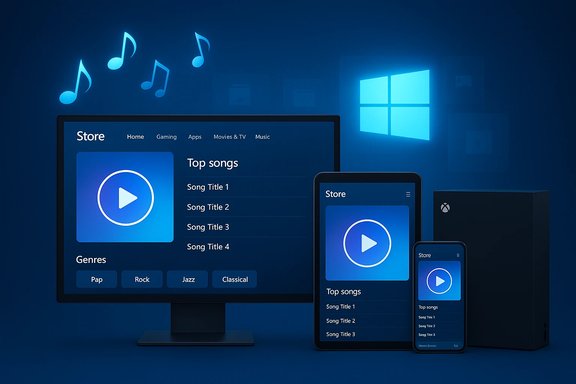
Microsoft has quietly added a dedicated Music section to the Windows Store as part of its long-running push to turn the Store into a single, unified shopping portal for apps, games, movies, TV and music — a move visible to Windows Insiders on recent preview builds and confirmed in Microsoft’s own Windows blog.
Microsoft’s decision to fold music into the Store is the latest step in a strategy announced during the Windows 10 preview cycle: build one Store that scales across PCs, tablets, phones and other Windowsle was simple — users shouldn’t have to jump between separate experiences to buy movies, apps or music. The unified Store effort began with placeholder pages for Movies & TV and later expanded to include a full Music storefront in the Windows 10 Store Beta. That history matters because Microsoft has repeatedly restructured how digital media is distributed on Windows. The company’s entertainment apps have been rebranded and repositioned multiple times — Xbox Music became Groove, Groove was later folded into the new Windows Media Player experience, and Microsoft has in the past shifted users between first-party services and third-party partners. Those past transitions underline a persistent risk for digital-purchase customers: platform changes can alter how and where purchased content is accessed.
For Windows enthusiasts and power users the advice is straightforward: try the feature on an Insider device if you are curious, test the purchase and download flow, but treat early experiences as previews — not finished products. For everyone else, watch for the public rollout and the follow-up updates that will close the purchase‑to‑play gap and expand market availability.
Source: BetaNews https://betanews.com/article/micros...s-it-continues-to-unify-the-shopping-portal/]
 Background
Microsoft’s decision to fold music into the Store is the latest step in a strategy announced during the Windows 10 preview cycle: build one Store that scales across PCs, tablets, phones and other Windowsle was simple — users shouldn’t have to jump between separate experiences to buy movies, apps or music. The unified Store effort began with placeholder pages for Movies & TV and later expanded to include a full Music storefront in the Windows 10 Store Beta. That history matters because Microsoft has repeatedly restructured how digital media is distributed on Windows. The company’s entertainment apps have been rebranded and repositioned multiple times — Xbox Music became Groove, Groove was later folded into the new Windows Media Player experience, and Microsoft has in the past shifted users between first-party services and third-party partners. Those past transitions underline a persistent risk for digital-purchase customers: platform changes can alter how and where purchased content is accessed. What Microsoft announced (what changed)
- The Music page is being turned on in the Windows Store Beta and rolling out to Windows Insiders on specified preview builds.
- Microsoft listed the specific preview build and Music app version tied to the launch: Windows 10 Insider Preview Build 10130 and Music app version 3.6.1068.0. Users who meet those requirements should see the Music section in the Store Beta.
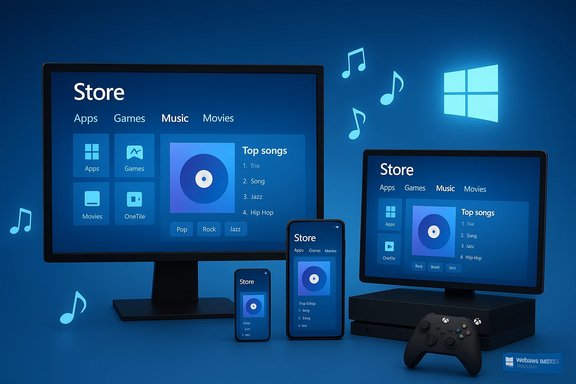
- At launch the Store’s Music section supports browsing by new albums, top songs and genre — and importantly, it enables purchasing music directly through the Store storefront.
- The rollout is region-limited at first: Microsoft named United States, Canada, Ireland, United Kingdom, Australia and New Zealand as markets where purchases via the new Music page are available to Insiders. The company said broader distribution would follow.
- Microsoft explicitly described the experience as unfinished: purchased music will not automatically download to the Music app from the Store at this stage; customers will need to launch the Music app to fetch purchases. Additional features — including automatic downloads and further UI polish — were promised for coming updates.
Technical specifics and immediate user impact
Requirements and experience
If you want to try the new Music section today:- Confirm you are on the Windows 10 Insider Preview Build 10130 (or later Insider builds that include the feature).
- Make sure the Music app version installed is 3.6.1068.0; this is the version referenced in Microsoft’s post as the baseline for seeing the Store Music page.
- Open the Windows Store Beta, locate the Music page, and browse albums, top songs or genres. Purchasing happens through the Store interface; playback and library management continues to happen in the Music app.
Purchasing flow and subscription interactions
- Users with an Xbox Music Pass (the subscription component of Microsoft’s music ecosystem at the time) can continue to add streaming tracks to their collection from inside the Music app, but for *purchasestore’s Music section. Microsoft’s messaging made a clear distinction between streaming subscription functionality and one-time purchases.
- The temporary absence of automatic downloads is a friction point: when you buy a track on the Store in this initial rollout, you’ll need to open the Music app to download the purchased track to your device. Microsoft flagged this as a known limitation to be fixed in subsequent updates. (blogs.windows.com
Why this matters — strategic implications
Bringing music into the Store is both a product-level convenience for consumers and a strategic play for Microsoft:- For consumers, a single shopping portal reduces friction. Instead of juggling multiple Microsoft-branded distribution points (Xbox Music app, Xbox Video, Windows Store), everything sits behind one discovery and purchase surface. That helps browsing, sales promotion, and cross-promotion between content types.
- For Microsoft, bundling entertainment into one Store strengthens its commercialization engine. The Store becomes the focal point for monetization, subscription upsells, curated promotions and — critically — the payment methods Microsoft can support and control. That centralization makes the platform more attractive to content partners and creates consistent analytics for the company.
- For developers and content partners, the unified Store simplifies distribution: one SKU, one Store listing, one discovery surface for apps and paid content. It also brings music publishers into the same ecosystem and reporting model used by apps and games.
Strengths: what Microsoft gets right
- Simplified discovery. Curated storefronts for music can help users find albums and songs they wouldn’t otherwise encounter in a fragmented ecosystem. The Store’s editorial and algorithmic placement can surface catalog content effectively.
- Unified commerce. Consolidating payments and promotions simplifies operations for Microsoft and partners; consumers also get a single payment instrument tied to their Microsoft account.
- Platform parity. The same Store UX can scale across device classes (PCs, tablets, phones and even Xbox), meaning a purchase behavior is consistent across screens — a genuine UX win for cross-device users.
- Developer and partner reach. Tying music sales into the Store means the content pipeline benefits from existing discovery features, promotions, and international storefront tooling Microsoft already uses for apps and games.
Risks, trade-offs and open questions
The addition is sensible, but not without clear downsides and risks users anh.1) Fragmented purchase-to-play flow (initial rollout)
At launch customers must buy music in the Store but then explicitly open the Music app to download and play purchased files. That two-step flow is an obvious friction and will create confusion for less technical users. Microsoft described the behavior as temporary, but it’s an immediate UX weakness.2) Regional availability and licensing constraints
Microsoft limited the initial rollout to a handful of markets. Music licensing is global patchwork; features and catalogs frequently vary by territory, and launch timing can be staggered. Users in unsupported regions will continue to see a pared-down Store experience.3) Long-term content continuity and deprecation risk
Microsoft’s digital-music story is already littered with rebrands and service exits — Xbox Music → Groove → later Windows Media Player transitions, and eventually Groove’s streaming service exit in 2017–2018 that pushed some users to other platforms. Customers who buy DRM-bound content or who rely on a first-party storefront should understand the long-term risk: if Microsoft changes or retires the service, access and migration paths can be disruptive. Historical precedent makes this a real concern for buyers of digital-only purchases.4) Ownership vs. access ambiguity
Microsoft’s blog and press coverage focus on purchasing music, but the industry’s move toward streaming has complicated what “ownership” means. Buyers should confirm file formats, DRM, and re-download policies before purchasing — particularly if they plan to maintain offline archives or migrate libraries later. This is a general best practice but especially relevant given Microsoft’s shifting strategy over the years.5) Platform lock-in and account dependence
Purchases are tied to Microsoft accounts and the Sto For enterprise or BYOD contexts, administrators will want to consider how Store commerce and account-based purchases intersect with device management policies. The Store’s evolving controls for corporate environments were part of Microsoft’s broader Store strategy, but real-world admin controls may still be uneven.Verification and sources
The claim that the Music section is live in the Windows Store Beta and the technical specifics (build 10130; Music app 3.6.1068.0; initial markets listed) are verified in Microsoft’s Windows Experience Blog announcement. Independent reporting from BetaNews and PCWorld/es the rollout details and Microsoft’s caveats about the experience being incomplete. Those primary and secondary confirmations make the change credible and traceable. Where claims are speculative (for example, suggestions that Microsoft might eventually add e‑books to the unified Store), treat those as editorial conjecture rather than confirmed roadmaps. The original reporting highlighted the speculation as a rhetorical question; Microsoft did not list e‑books on its implementation plan in the blog post. Flagging speculative items helps readers avoid treating rumor as roadmap.Practical guidance — what to do now
- If you’re an Insider and you want the new Music page:
- Confirm you’re on the required Insider build (check Settings → System → About → OS build).
- Update the Music app via the Store to ensure you have the indicated version (open the Store, go to Downloads and updates).
- Visit the Store’s Music page; make purchases with your Microsoft account as you would for apps or movies. Remember to open the Music app to download purchased tracks until Microsoft fixes automatic downloads.
- If you’re outside the initial markets: be patient. Microsoft is rolling out region-by-region and will expand availability; meanwhile, verify local licensing and storefront entries before buying.
- For power users who care about long-term access:
- Keep copies of locally purchased audio where possible (check DRM status and Store re-download policies).
- Archive installers and metadata externally so you can re-associate files if a service changes.
- Prefer purchases from vendors with clear redemption and re-download rights if you need long-term archival ownership.
- For IT administrators:
- Review Group Policy and MDM controls for Store access in managed devices.
- Treat in-Store purchases as tied to user accounts; design procurement and retention policies accordingly.
Developer and partner implications
- For labels and music distributors, being in the Store increases visibility to Windows users. The unified Store simplifies reporting and monetization by consolidating sales within Microsoft’s commerce framework.
- For app developers and services, this move is another example of Microsoft’s broader Store strategy: centralize content, integrate discovery and editorial promotion, and expand monetization channels (subscriptions and one-time purchases). Developers should monitor Store SDKs, promotion channels and storefront metadata requirements to optimize discoverability.
- For platform partners (e.g., streaming services), the Store’s convergence creates both an opportunity and a competitive challenge: being a downloadable Store app is one route, but being the sole source of music purchases on the platform would require deep content partnerships. Microsoft’s prior history with Groove and later transitions shows that partnerships and licensing matter as much as engineering.
Critical assessment — strengths and shortcomings
Microsoft’s move is strategically sound: it reduces fragmentation and provides a cleaner storefront for users who both subscribe to streaming services and buy tracks. The initial limitation to Insider preview builds and a short list of markets is typical for a staged rollout, and the firm’s transparency about the feature’s unfinished status is a responsible way to manage expectations. But the execution risk is real. Requiring customers to switch between the Store and the Music app for purchase vs. playback is an unnecessary usability regression at launch; even if temporary, such early stumbles can sour perception. The broader worry is long-term continuity: Microsoft’s entertainment strategy has evolved several times, and that history raises the question of whether customers who buy music in Microsoft’s Store today will have unbroken access years from now. Historical shifts — from Xbox Music to Groove to subsequent changes — provide a cautionary example.Final verdict
Adding a Music section to the Windows Store is a logical and customer-friendly step in the long-term project to unify Microsoft’s digital commerce. When the UX is polished and the download flow is fixed, the unified Store model should be more convenient for end users and simpler for partners. The rollout’s starting constraints — preview-only availability, region limitations and the initially incomplete download flow — are manageable but meaningful. Buyers should be careful: verify DRM status, keep local backups where permitted, and be mindful that platform-level changes have affected Microsoft’s music strategy before.For Windows enthusiasts and power users the advice is straightforward: try the feature on an Insider device if you are curious, test the purchase and download flow, but treat early experiences as previews — not finished products. For everyone else, watch for the public rollout and the follow-up updates that will close the purchase‑to‑play gap and expand market availability.
Source: BetaNews https://betanews.com/article/micros...s-it-continues-to-unify-the-shopping-portal/]